KS Photo: Kudiret S.
Kudiret S.
iCloud unlock specialist
10years of experience
4.37rating, 100 reviews

Your laptop is overheating or won't charge — we'll identify the problem at no cost and give you a price before starting any work.

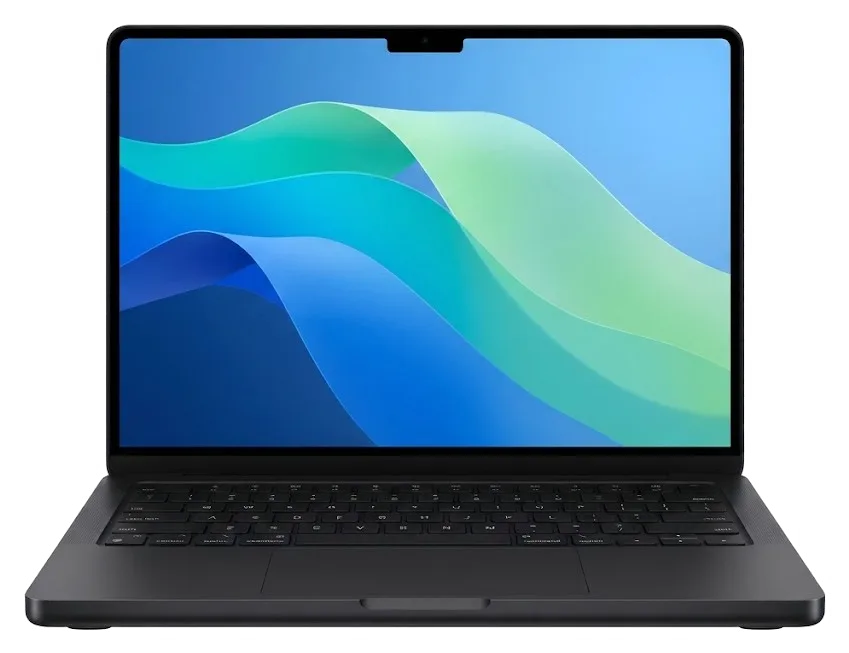
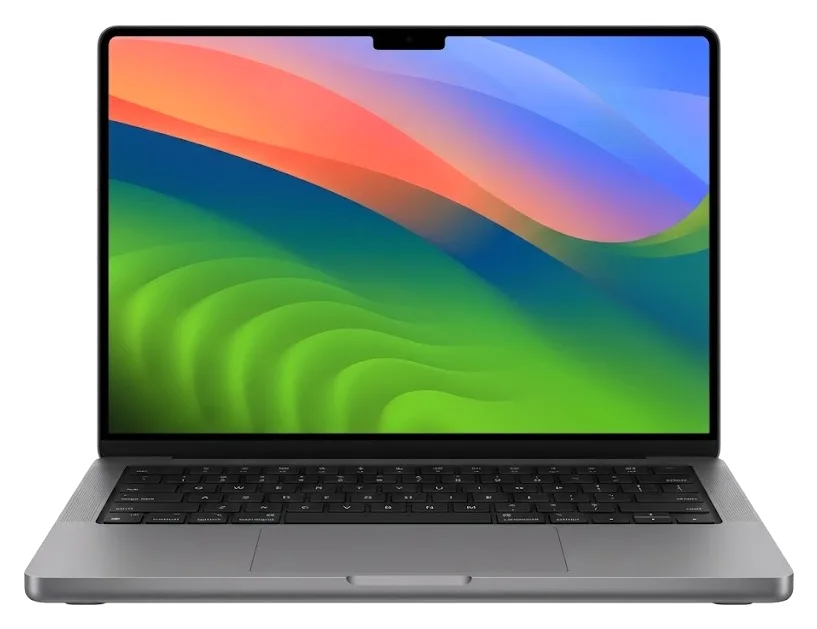
A powerful 16-inch Pro on M4 Pro or M4 Max with two fans. In Astana it comes to us after overheating, impacts and charging faults.
The fans are loud, the chassis is hot, and rendering or compiling slows down.
Pressure on the lid may leave faint lines or streaks across the Liquid Retina XDR panel.
The MagSafe 3 cable disconnects at the slightest movement, the indicator blinks.
An external SSD or monitor isn't detected, and charging through the port doesn't work.
A TV or projector gets no signal even though the cable is fine.
The card from the camera isn't seen or copying stops halfway.
There's no picture during a video call, though the microphone works.
After a liquid spill, keys press hard or don't always register.
The charge melts away within an hour of use, and the chassis bulges at the bottom.
The laptop is dead after a thunderstorm or an unstable grid on a business trip.
The cursor jumps, a click registers without a press or doesn't register at all.
The network disappears mid-call, and Bluetooth headphones lose connection.
This table shows the work available for this model in Astana. Prices are for labor only; parts are chosen following inspection.
| Service | Original | Aftermarket |
|---|---|---|
| Display panel replacement | 598 900 ₸ | 370 900 ₸ |
| Charging port replacement | 35 900 ₸ | 19 900 ₸ |
| Speaker replacement | 33 900 ₸ | 18 900 ₸ |
| Fan replacement | 22 900 ₸ | 12 900 ₸ |
| Keyboard replacement | 69 900 ₸ | 38 900 ₸ |
| Other repairs | Price | |
| Dust cleaningdisassembly and dust cleaning | 10 900 ₸per job | |
| Water damage repaircorrosion cleaning · diagnostics up to 2 days | 27 900 ₸per job | |
| Logic board repairmicrosoldering · 1–3 days | 16 900 ₸per job | |
| MacOS installationOS installation, no parts replaced | 10 900 ₸per job | |
| Wi-Fi module repairwireless module · board-level repair | 41 900 ₸with parts | |
The final amount depends on the board's condition and the part chosen. The technician confirms the exact price after free diagnostics.
For this model there are both factory components and compatible ones. They differ in compatibility, service life and price.


For this model, care with soldered components and checking every function after repair matter. Here's what clients get.
Eleven years of repairing Apple devices taught us to explain the cause of a failure in plain language and not push unnecessary work.
Our work is covered by a warranty of up to 1 year. The technician explains every detail in advance, before the repair starts, so there are no surprises.
Boards, batteries and flex cables are repaired by experienced technicians. They work with fragile electronics and soldered components.
First we check 32 functions and find the cause. Diagnostics are free, and you decide whether to go ahead with the repair.
Branches in Astana and Almaty. If you often visit both cities, you can drop the laptop off at the most convenient location.
Weekdays: 10:00–19:00. Saturday, Sunday and holidays: 11:00–18:00. Drop off your laptop in the evening or on a day off.
Usually the whole journey — from message to pickup — takes less than an hour; complex repairs follow the timeline in the receipt.
Book a repairYou send a photo of the damage on WhatsApp — we quote the price and available time. Or you call a courier.
An engineer checks the device in front of you and shows what is broken. 0 ₸, even if you decline the repair.
We fix the price, the part (original or analog), the timeline and the warranty. You sign — we start.
Before installation we show you the new part in its factory packaging. You wait in the waiting area with coffee and Wi‑Fi.
Screen, keyboard and trackpad, camera, microphones, speakers, charging, Wi‑Fi. You check together with the engineer.
Together with the receipt, warranty card and the old part. Payment — Kaspi, card or cash.
Technicians for iPhone, Mac, iPad, Apple Watch and AirPods repair.
Photo: Kudiret S. Photo: Kamran A.

“If the repair didn’t suit you or you have a complaint, write to me personally.”
Send a photo of the fault — an engineer will reply on WhatsApp, give the price and a time you can come in.
In Astana, at the iServices Center, we offer MacBook Pro 16 M4 Repair
In Astana, iServices does MacBook Pro 16 M4 repair itself, with no middlemen and in-house staff. Diagnostics are free, last 15 minutes while you watch, most fixes take an hour to a day, and each job comes with a warranty of up to 1 year. You pick an original or aftermarket part, fixed on the receipt before work starts.
The 16-inch MacBook Pro built around M4 Pro or Max chips is a tightly integrated machine. Before booking a macbook pro 16 m4 repair in Astana, it helps to know which parts are swappable and which are soldered down.
The 16-inch M4 variant has display, battery, top case, trackpad, fans and ports built as replaceable units, whereas RAM and flash memory are fixed directly onto the mainboard. The mini-LED screen, the unified memory and the storage chip all share one compact housing, so a technician replaces whole modules instead of individual pieces. The keyboard lives in the top case, and the power cell is glued beneath the palm rest, which explains why these two procedures take longer than swapping a port. Since storage is not removable, a dead SSD becomes a mainboard repair, so request a data backup plan before any board work, not afterwards.
We see charging faults on this model most often at the MagSafe 3 connector and the USB-C boards, and we test each port separately before quoting. Thunderbolt 5, HDMI and the SDXC reader each run through their own path on the logic board, so a dead USB-C does not automatically mean the power controller is gone. Our engineers check the MagSafe 3 line and the USB-C line one by one, because the two charge through different circuits. A unit that charges on USB-C but not MagSafe usually has a connector or controller issue, not a dead power cell, so replacing the battery first wastes a good part.
The model number printed on the bottom cover tells a technician exactly which display, battery and top case fit your 16-inch MacBook Pro. Across the 16-inch line Apple uses several A-numbers, and the M4 Max and M4 Pro variants do not always share the same panel or top case assembly. A unit sold in one region can carry a different display connector than a visually identical machine from another batch. Two units that look identical can take different panels, so photographing the A-number and sending it with your WhatsApp message avoids ordering the wrong part. That one photo also lets us confirm the exact panel generation before we open anything.
Most devices brought to us show a handful of familiar symptoms. The table connects what you notice with what we check, so you can see where your MacBook Pro 16 M4 repair in Astana will probably start.
| Symptom | Likely cause | Our first step |
|---|---|---|
| Screen flicker or lines | Display cable or panel | External monitor test, cable inspection |
| Battery drains fast | Worn cells or swelling | Cycle count, chassis pressure |
| Keys stick or double-type | Debris under keycaps | Key-by-key response test |
| Won't charge | MagSafe 3 or USB-C board | Each port tested separately |
| Loud fans, hot chassis | Dust in cooling, dried paste | Fan and heatsink review |
| No power after spill | Corrosion on the board | Board review under microscope |
An expanded battery presses upward against the Force Touch surface and the bottom cover, and such a case is handled as a priority because the pressure may fracture the glass above. On the 16-inch M4 that surface lies right on top of the cell, so a pack that has grown a few millimetres alters the click feel and how the lid shuts. We measure the clearance, read the cycle count and inspect the aluminium for bending before ordering a replacement. Swelling usually appears after years of heat cycles rather than from a single incident. Stop using the laptop and avoid pressing the surface to check it, as flexing an expanded cell may harm the shell even more.
Once the work is finished we perform a 32-point check lasting roughly 10 minutes that covers screen, cameras, microphones, speakers, charging, ports and connectivity. The engineer launches the camera during the same session to verify image and depth, plays a tone through both speaker channels, and reads Wi-Fi and Bluetooth signal levels from the menu bar. True Tone and the light sensor are confirmed against a light source, and each Thunderbolt 5 and MagSafe 3 port is checked with an active connection rather than a quick visual look. You stay with the engineer through that pass, so any function still misbehaving is found before you leave instead of at home.
The path from your first message to pickup is short and straightforward. Here is how a MacBook Pro 16 M4 repair in Astana actually unfolds, step by step, with every detail confirmed in writing.
Reach out via WhatsApp with a photo of the issue, and within 5 minutes or less a technician responds with a free appointment and a price. We inspect the cracked screen, the swollen lid, the connector or the error message, and request the A-number from the bottom case so the estimate fits your exact build. The reply is not guesswork: it comes from a specialist who works on these laptops daily, not from a call-centre script. A well-lit photo with the A-number readable lets us quote accurately on the first try, which makes your visit shorter once you arrive.
The check-up costs nothing and lasts roughly 15 minutes, and the engineer inspects the device in your presence and points out what has failed, even when you choose not to go ahead with a repair. We remove the bottom cover, run the internal test, check the charging circuit and the screen, and indicate the defective part instead of explaining it in words. Your device stays in your sight throughout, and you may ask questions while the check is running. Seeing the check means you witness the real defect rather than a summary, so a second opinion later is easy to compare against what you observed.
Before any work begins we confirm the cost, the part (original or aftermarket), the completion time and the warranty on the receipt within about 2 minutes. We present the new component in its factory packaging before fitting it, so the label and part number are visible to you, not concealed on a workbench. Once the job is finished you receive the receipt, the warranty card and the old component in a bag — evidence of what was really swapped. Holding the removed part matters: it is the easiest way to prove the replacement happened, and that is why we never keep it.
The choice between an original part and an aftermarket one changes how the repair behaves over time. We lay out the trade-offs so you can decide with the engineer, not after the fact.
| Aspect | Original part | Aftermarket part |
|---|---|---|
| Fit and finish | Factory match | Close, may vary |
| Display behaviour | Full brightness and colour | Can differ slightly |
| Battery endurance | As designed | May be shorter |
| Warranty | Up to 1 year | 6 months |
| Fixed on receipt | Yes | Yes |
An original part is the choice of 64% of our customers, and on a 16-inch M4 the screen and battery are where that decision weighs most. A factory display retains its full brightness and colour calibration, whereas a third-party panel may shift in tone during the first months. The battery follows the same pattern: an original cell preserves the endurance the machine was built for, while an aftermarket one may store less charge as it cycles. Before fitting we show the new component in factory packaging, so you see precisely what goes in. If you intend to keep the laptop for years, the original component usually costs less across its life because it needs replacing less often — and every unit we install comes with a warranty up to 1 year.
The receipt records the exact component, the turnaround and the warranty, so there is no gap between what was promised and what was installed. We write the price, whether the component is original or aftermarket, the repair time and the warranty term on the receipt before any work starts — it takes about 2 minutes. When you collect the device, you get the receipt, the warranty card and the old part together. Keep the receipt and the removed component side by side, since both are your evidence if a question about the repair comes up later. That paper trail is what turns a verbal promise into something you can actually hold us to.
A spill or a dead logic board is where preparation pays off. What you do in the first hour and how your data is handled decide how much of the machine can be saved.
Switch the laptop off immediately and do not charge it, because corrosion spreads as long as power is flowing. Unplug MagSafe 3, disconnect any Thunderbolt 5 accessory and turn the lid down without closing it fully, so residual liquid runs out instead of sitting on the circuitry inside. Do not press the power button to check whether it still works — each attempt feeds current through wet traces and turns a cleanable spill into permanent damage. Tilt the device on its side, keyboard facing down, and bring it in as soon as you can. Do not try to dry it with heat or a hairdryer, since warmth pushes moisture deeper before it can be cleaned.
Board repairs under the microscope on this model require one to three days. After a spill, diagnostics can take as long as two days. We begin by removing corrosion from the logic board and examining the power rails and the charging circuit under magnification, since liquid seldom stops at the first component it reaches. A shorted trace can hide under a shield beside a port that appears completely dry from outside. In a laptop this compact the damaged area is often only a few millimetres across, which is why the microscope counts for more than the soldering iron. This is the one procedure where a longer wait is expected, so plan for the device to remain with us instead of hoping to get it back the same hour.
Before handing the laptop over, make a Time Machine backup, note your user password and know the state of Find My Mac. A device that has taken liquid may stop reading the drive, and a backup made beforehand is the only copy you still control. Check whether Activation Lock is on and have the account details ready, since the unit cannot be tested properly while it is tied to an account nobody can open. On Apple Silicon the SSD is soldered, so a backup made before any board work is the only copy you control if the drive cannot be read afterward. Write the password down rather than relying on memory at the counter — it saves a second visit.
A repair decision on this laptop comes down to urgency, the right part and a backup you control. The points below summarise what matters before you hand the machine over.
Did not find an answer? Message us on WhatsApp: an engineer replies, not a bot.
Ask a questionThe cause is often dust between the fans and heatsinks. Cleaning and replacing the thermal paste bring temperatures back to normal. If the noise persists, we check the cooling system and the board.
Spots often appear from pressure on the lid. That's mechanical damage, and the warranty doesn't cover it. We'll assess whether only the panel can be replaced or the whole module is needed.
Yes, the port is replaceable. It's important not to use a damaged connector so you don't damage the charging circuits. After replacement we check charging and all ports.
First we check the card on another device. If the slot is at fault, it's replaced. This is a separate procedure that doesn't affect the board.
The storage is soldered to the board, so back up before repair. If the laptop won't power on, data recovery is more difficult. When replacing the battery or keyboard, files usually aren't affected.
Simple tasks like cleaning or battery replacement are finished the same day. Complex board repair can take several days. You will know the precise timeline once diagnostics is done.
Скептически относился, пока не забрал. Проблема — вздулась батарея. Камран А. посмотрел и честно сказал: менять не надо. Не пришлось стоять в очереди. После ремонта — как новое
Қабылдау тез болды, кезек жоқ. Екі күннен кейін өзі қоңырау шалды. Жақсы сервис.
Утром открыл крышку, а там — треснул экран. Работает, как будто и не ломалось.
Скептически относилась, пока не забрала. Проблема — треснул экран. Всё оформили по договору, с печатью. Вытащили и показали: клавиатура. Полёт нормальный.
Живу в Есиле, искал поближе к дому. После переезда — шумит кулер. Всё оформили по договору, с печатью. Пришлось ставить: кулер. Вышло около 63 000, точнее не считал. Советую. Третий месяц — никаких проблем
Проблема — не роботает клавиатура. Все функции проверила — работают. Дома включила, всё на месте.
Нужен был ремонт MacBook Pro 16" M4. Проблема — шумит кулер. Оплату взяли после ремонта. По факту меняли: плата. В другом месте просили на треть больше. Советую. Все функции проверила — работают.
Экран сынып қалды, көрсетуге апардым. Мастер бәрін түсіндірді. Ескі бөлшекті көрсетіп, қайтарып берді. Нәтижесіне ризамын.
Сначала думал сам поменять, посмотрел видео и передумал. Кот скинул со стола, теперь — залили водой. Сейчас работает без нареканий.
Телефон суға түсіп кетті, тез жөндеу керек болды. Мастер бірден қарап шықты. Достарыма айтамын.

Replace the battery when macOS reports Service Recommended and runtime no longer covers your workday. A free 15-minute check shows whether the cell is at fault.

Why your MacBook runs hot and loud, and whether cleaning solves it or the board needs repair.

Power it off, unplug the charger and bring the laptop in for a free 15-minute check before corrosion spreads.

Sticky or unresponsive keys usually mean debris, worn mechanisms or liquid damage. A technician can check the keyboard and advise on cleaning or replacement.

Back up your data, turn off Find My, and bring proof of purchase — then the repair starts faster.




 iPad
 iMac
 Mac mini and Studio
 Apple Watch
 AirPods
 Apple Pencil
 Apple TV
 HomePod
