KS Photo: Kudiret S.
Kudiret S.
iCloud unlock specialist
10years of experience
4.37rating, 100 reviews

When your 27-inch Intel iMac won't power on or runs loud, we diagnose it in front of you and fix the issue with a warranty and no extra charges.

In Astana, owners of 27-inch Intel iMacs often deal with fan noise, Retina 5K display problems, power and storage failures. Here's what we check first.
Dust has built up in the heatsink, so fan RPM rises even while browsing.
Vertical lines, dark corners or flickering are usually caused by the panel or its cable.
No response to the power button — we check the outlet, cable, power supply and board.
The all-in-one shuts down during rendering; we check temperature, memory and power.
The system takes long to boot and files open with a delay — we check the drive.
At loud volume the sound breaks up; the cord and audio chain get inspected.
The network drops or isn't found; we check the antennas and module.
External drives and peripherals aren't detected through the rear ports.
A grey screen instead of video during calls, and the camera indicator doesn't light up.
After a macOS update, a folder with a question mark or a prohibited sign appears.
Settings reset after shutdown — we check the board battery.
A chip or crack on the glued Retina 5K screen requires replacing the display module.
Baseline rates for common tasks appear in the price list, and the exact sum is quoted by the technician once your all-in-one has been diagnosed.
| Service | Original | Aftermarket |
|---|---|---|
| Display panel replacement | 146 900 ₸ | 90 900 ₸ |
| Power supply replacement | 130 900 ₸ | 72 900 ₸ |
| Fan replacement | 29 900 ₸ | 16 900 ₸ |
| Speaker replacement | 49 900 ₸ | 27 900 ₸ |
| Glass replacement | 69 900 ₸ | 38 900 ₸ |
| Other repairs | Price | |
| SSD installationstorage installation | 43 900 ₸with parts | |
| RAM replacementmemory chip installation | 15 900 ₸with parts | |
| Dust cleaningdisassembly and dust cleaning | 66 900 ₸per job | |
| Logic board repairmicrosoldering · 1–3 days | 61 900 ₸per job | |
| Graphics card replacementboard-level chip · microsoldering | 71 900 ₸with parts | |
| Wi-Fi module repairwireless module · board-level repair | 53 900 ₸with parts | |
| MacOS installationOS installation, no parts replaced | 16 900 ₸per job | |
The cost varies with the defect and the component you pick — the technician confirms it after inspection.
For the Retina 5K display and storage, both original and analogue options are available. Choose based on your tasks and budget.
For owners of 27-inch Intel iMacs in Astana, we've made the process clear: cause first, then the part choice, warranty and a convenient schedule.
Our technicians have worked with Apple devices for eleven years and know where faults hide in large all-in-ones.
A warranty of up to 1 year is issued after the repair; the technician outlines the details of your particular case before starting.
Only experienced technicians touch your iMac, because the glued Retina 5K screen doesn't forgive haste.
Before discussing the price, we find out exactly what failed so you don't pay for unnecessary parts and labour.
We spell out how a genuine component differs from a third-party equivalent in simple words — the decision is yours.
We're open Mon–Fri 10–19, Sat–Sun and bank holidays 11–18, so you can drop by before or after work.
Usually the whole journey — from message to pickup — takes less than an hour; complex repairs follow the timeline in the receipt.
Book a repairYou send a photo of the damage on WhatsApp — we quote the price and available time. Or you call a courier.
An engineer checks the device in front of you and shows what is broken. 0 ₸, even if you decline the repair.
We fix the price, the part (original or analog), the timeline and the warranty. You sign — we start.
Before installation we show you the new part in its factory packaging. You wait in the waiting area with coffee and Wi‑Fi.
Screen, camera, microphones, speakers, ports, Wi‑Fi and Bluetooth. You check together with the engineer.
Together with the receipt, warranty card and the old part. Payment — Kaspi, card or cash.
Technicians for iPhone, Mac, iPad, Apple Watch and AirPods repair.
Photo: Kudiret S. Photo: Kamran A.

“If the repair didn’t suit you or you have a complaint, write to me personally.”
Send a photo of the fault — an engineer will reply on WhatsApp, give the price and a time you can come in.
iMac 27 Intel Repair in Astana with Warranty up to 1 year
iServices handles iMac 27 Intel repair in Astana with its own engineers, not through a middleman. We check the monoblock in front of you for free, quote from a photo on WhatsApp within 5 minutes, and fix most faults while you wait. Before work starts, the receipt records the price, part, turnaround and warranty.
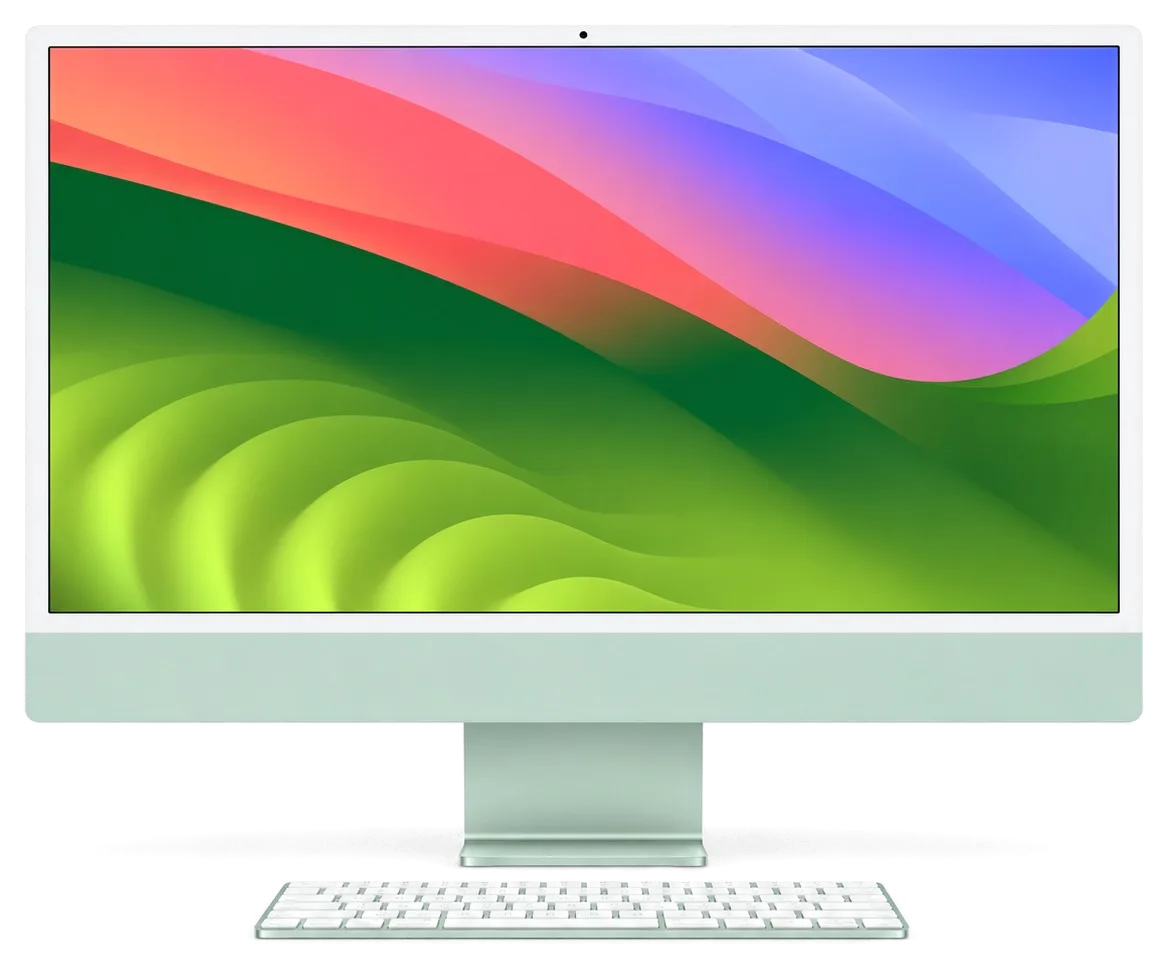
The 27-inch Intel machine is modular by design: RAM sits behind a rear hatch, storage is replaceable, and the internal power supply is housed within the chassis. So a repair usually comes down to one specific node.
On a 27-inch Intel model we replace the display, the internal power supply, the fan and cooling assembly, the drive, the RAM modules behind the rear hatch and the discrete graphics card; the logic board itself is repaired at component level rather than swapped. An iMac 27 Intel repair in Astana often begins with confirming which of these nodes has actually failed. The rear RAM hatch is the one upgrade path this body keeps — you can add or replace modules without opening the glued display, which is why memory faults here are cheap to prove. A failing Fusion Drive we swap for an SSD and hand back the old part with the receipt. The display and the supply account for most of the work on this machine, and the board goes under the microscope only when the fault is proven there.
| Sign | Probable source | Our first check |
|---|---|---|
| No power, no fan spin | Internal power supply or board | Power rail and supply output |
| Sound plays, screen black | Display, cable or graphics | Panel and video signal |
| Stripes or spots on panel | Matrix or its cable | Display assembly |
| Loud fan, hot chassis | Dust, dried thermal paste | Cooling and heatsink |
| Random shutdowns | Power supply or overheating | Supply under load, temperatures |
| Slow startup, beachballs | Declining HDD or Fusion Drive | Drive condition (SMART) |
Diagnostics follow a fixed chain: power, then board, then image, then cooling. Each step rules out half the possible versions, so the cause surfaces in minutes rather than days.
For roughly 15 minutes we run diagnostics in front of the customer without charge, and if the repair is declined the engineer still shows you the broken part rather than describing it. The bench supply feeds the logic board directly while temperature sensors are read live, so a rail that sags under load is visible on the meter the moment the machine is stressed. You watch the readings, not a summary written afterwards. Seeing the check beats hearing a verdict — you learn which node fails and why the quote lands where it does, so a second opinion elsewhere is easy to compare.
On this body the supply is internal, so the split is made by measuring the rails under load: if the rail collapses before the board, the supply is at fault; if it holds and the board still stays dark, the fault is on the board. The internal PSU sits behind the logic board on the 27-inch chassis, and its output is probed at the connector rather than guessed from a power-on light. A load test then pulls the machine to full draw and logs voltage against temperature for several minutes. A unit that fails only under load looks healthy at idle, which is why a quick power-on test proves nothing and the check has to run with the machine stressed.
The display here sits on adhesive tape, the cooling on thermal paste, the supply inside the chassis. These three nodes decide more often than anything else how long your repair will take.
The 5K panel is fastened to the chassis with adhesive strips, so we slice those strips using a dedicated tool and suction cups, then bond the display again with new tape during reassembly. A plastic card travels around the edge to part the layers without warping the frame, and the panel rests face-up on a padded stand throughout. The glass, not the panel, is what breaks easily — levering instead of slicing is what chips corners, so we never hurry this stage to save minutes. When just the outer glass is chipped and the matrix still renders a clean picture, ask whether a whole assembly replacement is truly necessary before you approve one.
A loud fan and a hot chassis on this body are usually dust in the heatsink and dried thermal paste, and both are fixed by opening the cooling assembly, cleaning it and re-pasting the CPU and GPU. Fin stacks on the 27-inch model clog with felt-like dust over a couple of years, and the fan then spins at full speed even at idle. Re-pasting without clearing the heatsink fins only moves the problem — airflow, not paste alone, is what keeps temperatures down under sustained load. Ask for the fan curve to be checked after cleaning: a fan that still ramps up at idle points to a failing bearing, not to dust.
| Node | What we do | Part options | Typical turnaround |
|---|---|---|---|
| Display assembly | Replace panel, re-glue | Original or aftermarket | Same day to 1 day |
| Internal supply unit | Swap the unit | Original or aftermarket | While you wait |
| Cooling | Clean, re-paste, swap fan | Fan original or aftermarket | 1–2 hours |
| Drive | Replace HDD or Fusion with SSD | SSD original or aftermarket | 1 hour to 1 day |
| Logic board | Component-level repair | Board repaired, not swapped | 1–3 days |
This body has a rare advantage: memory sits behind a rear hatch and the storage is replaceable. Yet the logic board and your files demand care, especially before any component-level work.
In the 27-inch Intel iMac memory lives behind a rear door and sticks go in or come out with the screen left sealed, while the HDD or Fusion Drive gives way to an SSD. That door accepts ordinary SO-DIMM sticks, so a capacity increase is a quarter-hour task at the bench, not a screen-off procedure. Drives are another matter: the disk sits behind the panel, and getting to it requires the same cautious glass removal we perform for a screen job. We install SATA SSDs into the factory bay and NVMe modules where the mainboard accepts them, copying the old volume over beforehand so the unit starts up just as before. Swapping in an SSD is the one change that revives an ageing computer most — boot times and app launches speed up far more than from extra RAM once the disk is the limiting part.
A board repair does not touch the drive, so your files stay on it, but we still ask for a Time Machine or iCloud backup before any component-level work on the logic board. The drive keeps its own controller and stays physically separate from the components we reflow or replace under the microscope, which is why a power-rail or GPU fault rarely costs you a single photo. We walk through the backup with you at intake: an external Time Machine disk, an iCloud sync, or a quick clone to a spare volume if neither exists yet. The backup is not for the repair itself but for the rare case where the mainboard cannot be revived — then the disk is the only place the data lives, and it has to be readable.
Repair usually wins when the fault is one node — display, supply, storage or cooling — and the rest of the computer is healthy; selling makes more sense when the mainboard is dead and the data is already saved elsewhere. A single failed node on a 27-inch body is a contained job, while a dead board with a healthy panel and a fresh SSD still leaves a unit worth keeping. The decision turns on how many nodes are good, not on the age of the computer — a 27-inch body with a fresh SSD and clean cooling often outlasts a newer all-in-one with a failing panel. If you are weighing a buyout against a repair, ask which nodes the quote actually covers before you decide.
A desktop all-in-one is less portable than a handset, and how long you wait hinges on which node has failed. Below: how to pack it, what to bring, the length of each job and what the receipt guarantees.
For transport we suggest the original carton with its foam inserts, screen facing upward and nothing resting on the glass, and you may arrange a courier pickup if carrying it yourself is inconvenient. Bring the power cable and, if you use one, the Magic Keyboard — yet keep the stand attached, since it belongs to the body rather than being a separate piece. A courier picks the machine up at your address and returns it once repaired; the engineer answers on WhatsApp within 5 minutes and gives a price based on a picture of the fault. The display is the part most frequently harmed in transit, so a towel-wrapped unit bouncing in a car boot carries more risk than a plain box with the panel cushioned — pack with the glass in mind, not the aluminium.
Most repairs are done within a day; board-level work under the microscope takes 1–3 days; and in about 2 minutes before work begins, the price, part, turnaround and warranty are recorded on the receipt. The new element is displayed in its factory box before fitting, and 64% of customers pick an original component rather than an aftermarket one. Warranty lasts up to 1 year and covers the replaced node. A written turnaround shields you from slippage — if a delivery runs late, the receipt is the reference for the new date, not a verbal promise, so request the date on paper rather than by phone.
If liquid reaches the machine, power it off, unplug it and do not try to switch it on again — corrosion spreads while the circuitry is wet, and the sooner it is opened and cleaned, the more of the mainboard survives. Residue bridges contacts under the chips, and the damage shows up later as random shutdowns, a dead port or a display that flickers. After a spill, diagnostics can take up to two days, because the circuitry has to be inspected under the microscope before anyone quotes a repair. Liquid rarely kills on contact; it kills over the following days as residue bridges contacts, so a unit that still works after a spill is the one most worth opening early.
A 27-inch Intel iMac rewards owners who understand its modular design, its glued display and the order in which faults are traced. These five points summarise what matters most when a repair begins.
Did not find an answer? Message us on WhatsApp: an engineer replies, not a bot.
Ask a questionIt's better to wait. Let the device warm up indoors for a few hours so condensation on the boards dries. Turning on a cold all-in-one can damage the power supply and display.
First check macOS updates and temperature. If the issue persists, the cause may be memory, power or the board. A technician will run tests and identify the source of the problem.
Yes, a surge protector or stabiliser protects the power supply from spikes. It's cheaper than a repair. Plug the all-in-one in separately from high-power appliances and unplug it during thunderstorms.
You shouldn't. Storage in this model can be an HDD, Fusion Drive or SSD, and the screen is glued: a mistake when opening it risks cracking the panel or damaging the cables. It's better to back up your data in advance and show the iMac to a technician.
The Intel CPU and dedicated GPU produce plenty of heat, and once dust accumulates in the heatsink, the fans must spin fast even during web browsing. A cleaning with fresh thermal paste normally brings back quiet running. Should the noise persist, the technician inspects the temperature sensors and the fans themselves.
Yes, there's a hatch for memory modules on the back panel, and RAM can be added. We'll recommend compatible modules and test the system after installation. This helps speed up work in demanding apps.
Проблема — перегреваеться. Камран А. пообещал и сделал, без напоминаний. Кулер не слышно, грееться меньше.
Работал годами — и на тебе. Проблема — перегреваеться. Нагрев в норме, постороних звуков нет.
Проблема — шумит. Камран А. не пропал после ремонта, помог с настройкой. Крутиться ровно, без рывков!!
У моего iMac 27″ Retina 5K (2020) после отключения электричества перестал включаться. В сервисе сделали диагностику питания и восстановили запуск.
У моего iMac 27″ Retina 5K (2020) при подключении внешнего накопителя появлялись ошибки. После обращения проверили порты и работу хранения данных.
На iMac 27″ Retina 5K (2019) компьютер начал запускаться только со второй попытки. По результатам диагностики проверели блок питания и стабильность загрузки.
У моего iMac 27″ Retina 5K (2019) несколько портов перестали распознавать устройства. В сервисе проверили разъёмы и цепи подключения.
На iMac 27″ Retina 5K (2020) система иногда зависала на старте. В итоге проверели загрузку и программную часть.
Problema byla takaya: sistema inogda zavisala na starte — i neponyatno chto delat. V itoge provereli zagruzku i programmnuyu chast.

Most slow iMacs are held back by a worn drive or too little memory. A short check shows which part is the real bottleneck.

Most dead iMacs trace back to power delivery or the logic board, and a free 15-minute check in front of you settles which one it is.

Most loud-fan cases trace back to dust-packed fins and dried thermal paste, not a dead fan. A free 15-minute check shows which one you have.

Back up your data, turn off Find My, and bring proof of purchase — then the repair starts faster.



 iPad
 MacBook
 Mac mini and Studio
 Apple Watch
 AirPods
 Apple Pencil
 Apple TV
 HomePod
