Eng

Apple TV 4K 3 repair in Astana

No image or network connection dropping — we'll inspect it free of charge while you wait, explain the cause and cost before any work begins.

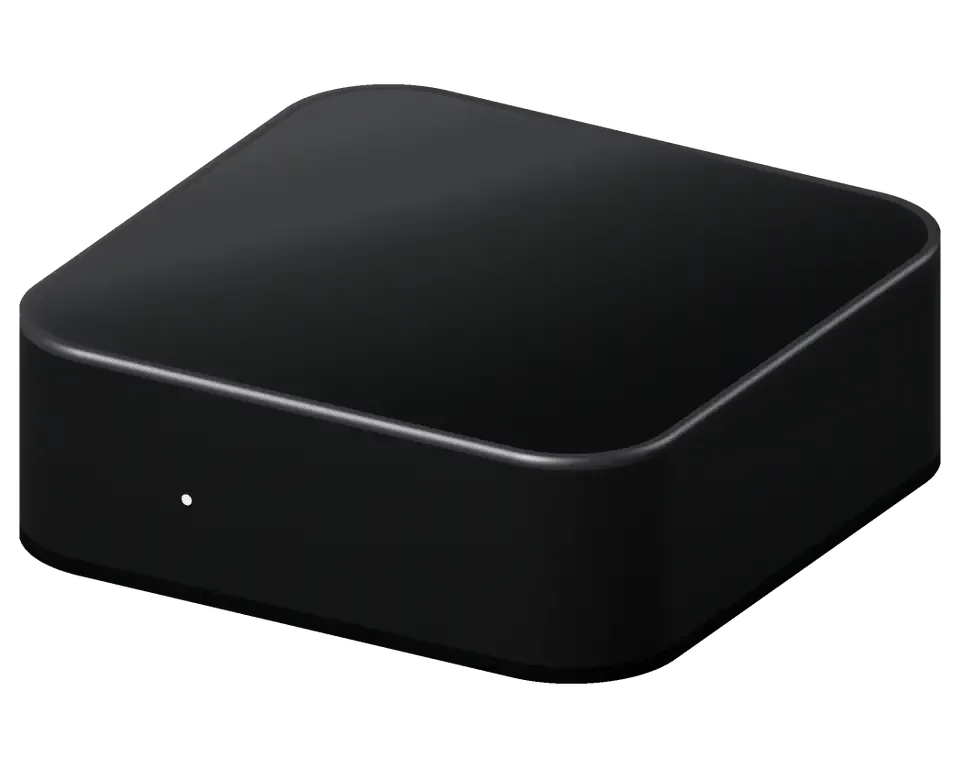
Apple TV 4K 3 black streaming device standing alone on white background
Apple TV 4K 3 repair
Power supply repairfrom 27 900 ₸
Software update and restorefrom 10 900 ₸
Dust cleaningfrom 6 990 ₸
All services and prices

Typical problems with the 3rd-gen Apple TV 4K

The compact A15-powered box heats up inside a sealed case, while ports and the remote suffer from dust and rough handling.

01

No image on the TV

The indicator is on, but the screen stays black or shows 'no signal'

02

Device is completely dead

Once connected to power, the LED stays dark and the unit shows no activity at all

03

Stuck on the logo

It reboots in a loop or freezes on the Apple logo, never reaching the menu

04

Wi-Fi drops out

The network disconnects mid-movie, and you have to re-enter the password

05

Ethernet not working

With the cord connected, Ethernet fails to appear and throughput decreases

06

Siri Remote not responding

Buttons don't press, the cursor doesn't move, pairing fails

07

Loose HDMI port

The cable doesn't sit tight, the picture flickers or disappears when touched

08

The box gets very hot

The case is hot even at idle, ventilation is insufficient, and reboots occur

09

Sound cuts out

Video plays, but audio comes and goes or is distorted

10

USB-C on the remote not working

The remote doesn't charge via cable, the connector is loose or won't hold the plug

11

The box turns off by itself

It works for a few minutes and then shuts down as if power was lost

12

Can't sign in to Apple ID

Sign-in hangs or gives a network error even though the router is fine

Service rates for the 3rd-gen Apple TV 4K

Pricing varies by component: HDMI socket, Wi-Fi board, PSU, or Siri Remote. Below are base service rates.

ServiceOriginalAftermarket
Apple TV 4K 3 power supply repair49 900 ₸27 900 ₸
Apple TV 4K 3 HDMI port replacement38 900 ₸21 900 ₸
Apple TV 4K 3 charging port replacement29 900 ₸16 900 ₸
Other repairsPrice
Apple TV 4K 3 software update and restoresoftware restore, no parts replaced10 900 ₸per job
Apple TV 4K 3 dust cleaningdisassembly and dust cleaning6 990 ₸per job
Apple TV 4K 3 logic board repairmicrosoldering · 1–3 days25 900 ₸per job
Apple TV 4K 3 water damage cleaningcorrosion cleaning · diagnostics up to 2 days13 900 ₸per job

The final price will be given by the technician after diagnostics, once it's clear whether a part replacement is needed or cleaning and setup will suffice.

Which part to choose for replacement

For this model, original components and compatible analogues are available; the choice depends on the condition of the box and your plans.

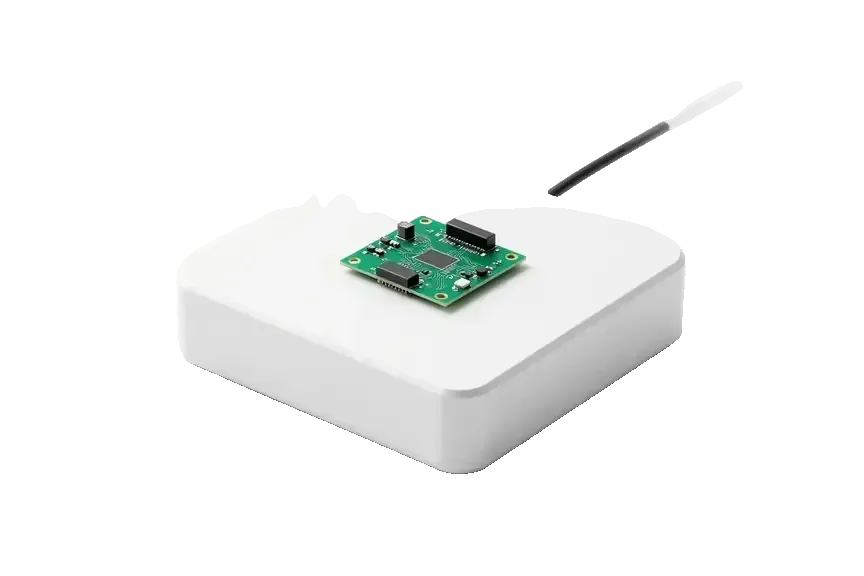
Original Applewarranty up to 1 year
Apple TV 4K 3
Original power supply board for Apple TV on a white box
Compatibility
Made for this exact model, fitted without any tweaks
Stability
Predictable operation under load and heat
Lifespan
Designed for years of daily use
Price
Higher than a compatible analogue
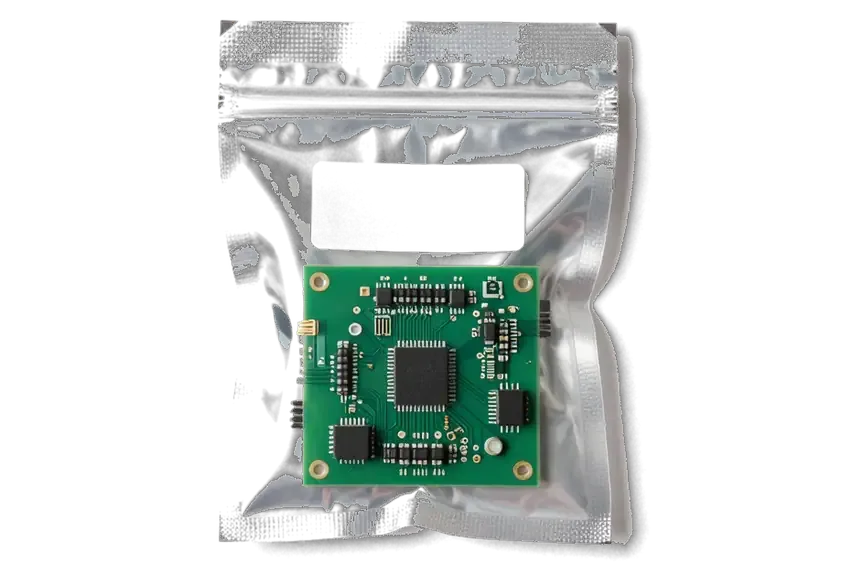
Aftermarket
Apple TV 4K 3
Analog power supply board for Apple TV in an antistatic bag
Price
Lower, convenient if budget is limited
Compatibility
Fits most units, but there may be nuances
Stability
Depends on the manufacturer of the specific part
Availability
The technician confirms the option on inspection

What you get at iServices in Astana

The box works together with the TV and router, so we check the whole chain, not just the Apple TV case.

11years

Eleven years of experience

Eleven years of working with Apple technology help quickly distinguish a software glitch from a hardware failure of the box.

1year

Warranty up to 1 year

Workmanship is covered for up to 1 year, and we walk you through all conditions prior to starting.

0₸

Free diagnostics

We perform the check in your presence and free of charge: the technician shows what exactly failed and only then names the price.

6technicians

Experienced technicians

Only experienced technicians with experience in micro-soldering and working under a microscope are allowed to work on the board and connectors.

32checks

32-point check

After repair, we test the box across 32 functions: image, sound, network, remote, and power stability.

7days a week

Schedule for busy people

On weekdays we accept from ten in the morning to seven in the evening, and on Saturday, Sunday, and holidays — from eleven in the morning to six in the evening.

What Apple TV were like before and after repair

1 / 3
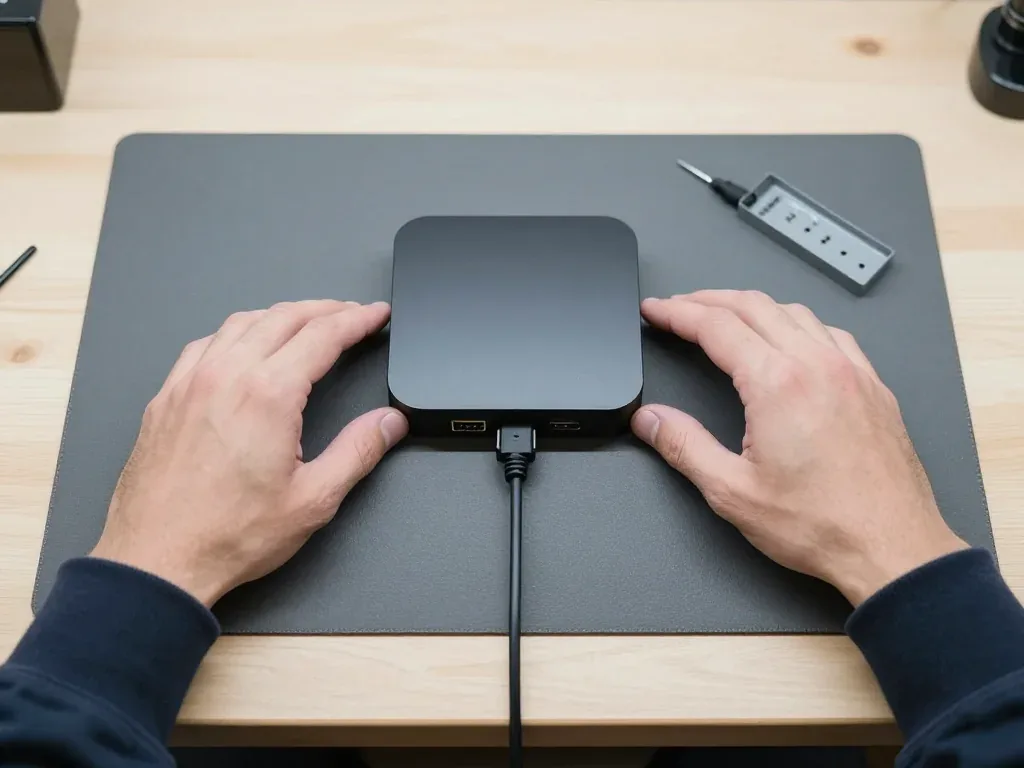
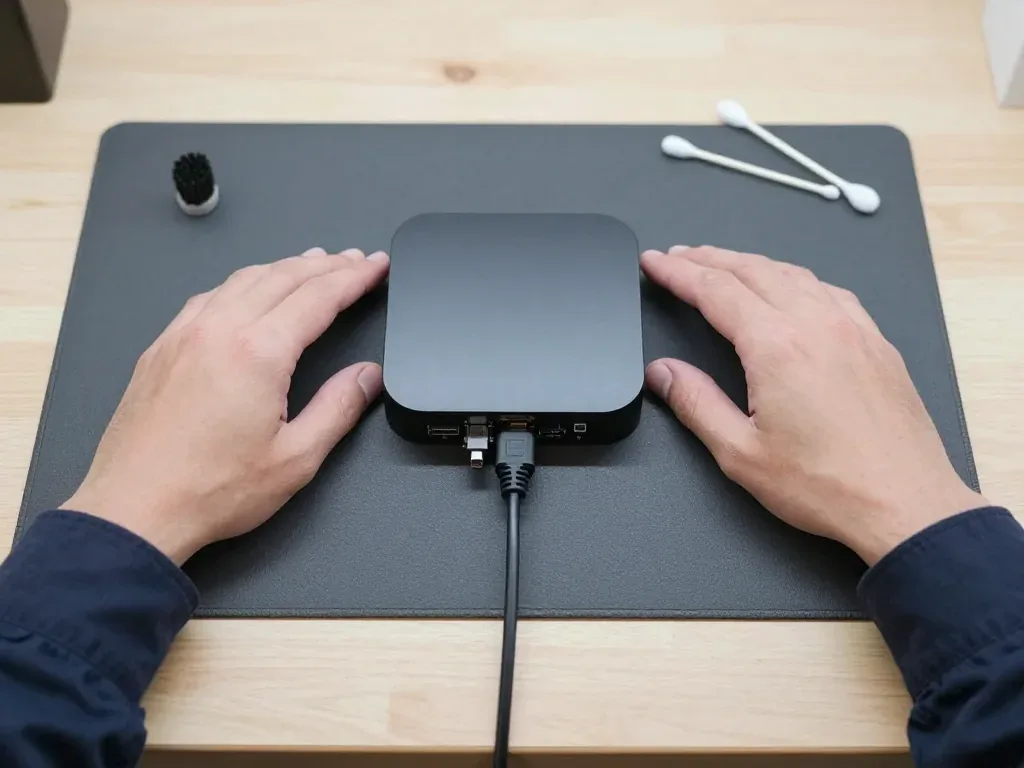
Third-generation Apple TV 4K on a mat, cable plugged into the rear, a technician's hands on both sides

Apple TV 4K 3: wouldn't power on after a storm

After a thunderstorm in Astana the box stopped turning on — the indicator stayed dark. We opened it, found a burnt component in the power supply, replaced it and checked startup: the Apple TV works again.

from 27 900 ₸repair cost
I want the same
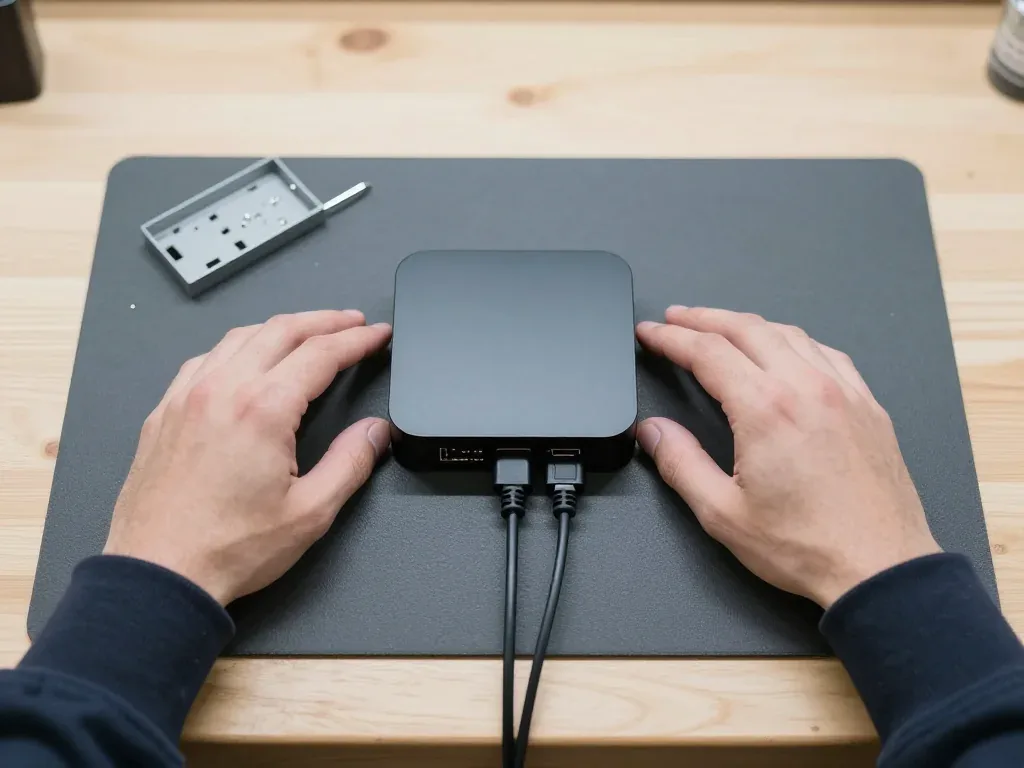
Apple TV 4K box on a mat with cables plugged into the back and a technician's hands on either side

Apple TV 4K 3: loose HDMI port

A client in Astana kept moving the box between TVs, and the HDMI port on the board worked loose — the picture kept dropping out and coming back. We replaced the port, plugged the cables in and checked the image on screen.

from 21 900 ₸repair cost
I want the same
Third-generation Apple TV 4K on a mat after cleaning, cable plugged into the back, technician's hands on both sides

Apple TV 4K 3: overheating and freezing

The box sat in a niche of the TV stand, gathered dust over a couple of months and started freezing during playback. We took it apart, cleaned the heatsink and fan, replaced the thermal paste and checked it after reassembly.

from 6 990 ₸repair cost
I want the same

Apple TV 4K 3 repair in Astana how the visit goes

Usually the whole journey — from message to pickup — takes less than an hour; complex repairs follow the timeline in the receipt.

Book a repair
  1. Step 1

    Message or call

    5 min

    You send a photo of the damage on WhatsApp — we quote the price and available time. Or you call a courier.

  2. Step 2

    Free diagnostics

    15 min

    An engineer checks the device in front of you and shows what is broken. 0 ₸, even if you decline the repair.

  3. Step 3

    Price in the receipt

    2 min

    We fix the price, the part (original or analog), the timeline and the warranty. You sign — we start.

  4. Step 4

    Repair while you wait

    20–40 min

    Before installation we show you the new part in its factory packaging. You wait in the waiting area with coffee and Wi‑Fi.

  5. Step 5

    Post-repair check

    10 min

    Picture, sound, remote, Wi‑Fi, HDMI. You check them together with the engineer.

  6. Step 6

    Pick up your device

    warranty up to 1 year

    Together with the receipt, warranty card and the old part. Payment — Kaspi, card or cash.

Meet the iServices team

Technicians for iPhone, Mac, iPad, Apple Watch and AirPods repair.

1 / 5
BSBakmukhammed S. — on-site iPhone technician, iServices service center in AstanaPhoto: Bakmukhammed S.

Bakmukhammed S.

on-site iPhone technician
13years of experience
4.93rating, 107 reviews
GSGalymzhan S. — iPhone repair technician, iServices service center in AstanaPhoto: Galymzhan S.

Galymzhan S.

iPhone repair technician
8years of experience
4.79rating, 90 reviews
ZSZhandos Sh. — iPhone screen replacement technician, iServices service center in AstanaPhoto: Zhandos Sh.

Zhandos Sh.

iPhone screen replacement technician
6years of experience
4.65rating, 112 reviews
DTDarkhan T. — iPhone firmware technician, iServices service center in AstanaPhoto: Darkhan T.

Darkhan T.

iPhone firmware technician
8years of experience
4.44rating, 19 reviews
KSKudiret S. — iCloud unlock specialist, iServices service center in AstanaPhoto: Kudiret S.

Kudiret S.

iCloud unlock specialist
10years of experience
4.37rating, 100 reviews
Bakmukhammed S., on-site iPhone technician
“If the repair didn’t suit you or you have a complaint, write to me personally.”
Bakmukhammed S.on-site iPhone technician · +7 701 333-47-01

We'll quote Apple TV 4K 3 repair in Astana from a photo in 5 minutes

Send a photo of the fault — an engineer will reply on WhatsApp, give the price and a time you can come in.

  1. 5 minAn engineer replies and names the price
  2. 0 ₸Diagnostics in front of you in 15 minutes
  3. 30 minMost repairs — while you wait

Free Diagnostics and Repair for Apple TV 4K (3rd Generation) in Astana

In short

In Astana, for Apple TV 4K third-generation repair, iServices provides a free check while you watch, taking a quarter of an hour, with no obligation to proceed. Our team fixes the board, HDMI port, internal power supply and Siri Remote, presents the replacement part in its factory packaging, and supports the work with a warranty up to 1 year.

iServices Editorial TeamWe reply on WhatsApp within 10 minutes
Ask

What Issues Typically Arise on Apple TV 4K 3 Repair

Compact and fanless, the 3rd gen Apple TV 4K carries its supply inside the case, so failures cluster around the mains stage, HDMI and cooling. Here are the typical faults owners describe before bringing the unit in.

Why the Built-in Power Supply Fails First

Since the power supply of this 3rd gen Apple TV 4K is built into the body, a voltage spike hits the internal board directly instead of an external adapter. The surge travels along the two-pin cable, crosses the input filter and reaches the switching circuit feeding tvOS and the A15 chip. As a result, a spiked unit often shows no indicator light at all rather than gradual degradation. Heat makes it worse: the sealed housing lacks a fan, so capacitors and the switching stage remain warm for hours during streaming. A device that arrives dead usually traces back to this section, not to storage or video output. An outlet surge protector costs less than a board repair and is the one accessory worth buying first.

A Blank Screen Does Not Always Mean the Device

If the screen reports no signal, the HDMI lead or the selected TV input fails more often than the streaming device. A weak cable loses HDR and Dolby Vision first and only later loses the image altogether, so a pale or stuttering picture is an early sign. Plugging into a different HDMI socket tells a scorched port on a wall-mounted screen apart from a defective connector on the unit. Keeping the device disconnected from power for a minute forces a fresh handshake with the display, which resolves certain resolution conflicts. Trying a second screen settles the matter at once, because a streamer defect travels with the device while a screen defect remains with the TV. Replace the lead and test another input before arranging any service, since this one step eliminates half of the units that appear completely dead.

When the Light Blinks and Nothing Loads

A blinking lamp on this 3rd gen Apple TV 4K usually means the box cannot finish booting tvOS, not that its mainboard is gone. The light pulses because the streamer is stuck in a recovery cycle: a firmware partition fails verification, the update rolls back, and the loop restarts every few seconds. Frequent triggers are an interrupted system update, a corrupted cache after a power cut, or a storage chip starting to lose blocks. This matters, since a software loop and a dead board look identical from a distance. Restoring through a computer with a USB-C cable takes minutes and rewrites the firmware fully. A restore is free and often revives the device, so try it before deciding that hardware repair is needed.

Apple TV 4K 3 Repair in Astana and Our Diagnostic Steps

Service begins before the case is even opened: it starts with diagnostics carried out while you watch. Below is how the appointment runs, what appears on the receipt, and how you drop off the device and later pick it up.

Complimentary Check-Up While You Watch

We provide a free 15-minute inspection, with a technician examining your unit at the counter while you watch — regardless of whether you proceed. The casing is opened, the power board, HDMI output and internal supply are checked, and the faulty component is shown to you rather than just described. Apple TV 4K 3 repair in Astana follows the same routine: the defect is confirmed before any work is approved. Nothing leaves the workshop and no parts are swapped at this stage; you get a verdict and a quote right away. Watching the test live lets you see the real fault, so ask the specialist to point out the faulty spot on the circuit before you agree to anything.

What the Receipt Locks In Before Work Starts

  • Price: the final figure for the job is written down and does not move afterwards, whatever the technician finds inside.
  • Part type: we mark whether the replacement is original or aftermarket, and the choice is yours to confirm.
  • Turnaround: the promised handover time is printed on the paper, so a delay becomes a documented fact rather than a verbal promise.
  • Warranty: coverage of up to 1 year is stated on the same document, tied to the specific item that was fitted.

How to Hand the Unit Over and Get It Back

You can bring this 3rd gen Apple TV 4K to the workshop yourself or send it by courier, and most repairs are finished while you wait in the lounge, which has coffee and Wi-Fi. Our branches are in Almaty and Astana, so residents anywhere in the city can pick the closer one. The replacement part arrives in its factory packaging and is shown to you before fitting, and at pickup you and the technician jointly check the ports, remote pairing and network connection. Ask for the old part when you collect the device — it proves the replacement was truly installed, and we hand it over with the receipt and warranty card as standard.

Unresponsive Device, Lost Signal or Boot Cycle in Apple TV 4K 3 Repair

Most devices reach our workbench for one of three reasons: no power at all, a lit LED with a blank screen on the TV, or a stuck boot loop. We address each scenario and summarise them in a single table.

Symptom to Cause to Repair at a Glance

symptoms mapped to checks and repairs
SymptomLikely causeWhat we checkTypical work
No light, no powerInternal power supplyVoltage railSupply repair
Light on, no signalHDMI cable, port or boardCable, TV input, connectorConnector replacement
Blinking indicatorBoot failuretvOS restore, then boardSoftware restore or board repair
Random shutdownsHeat, dust, powerCooling, dust, voltage railCleaning, supply check
No Ethernet linkEthernet connector or boardConnector, tracesConnector or board repair

When the Box Is Completely Dead

If the front shows no light, we check the built-in power supply first, since a voltage surge is the most frequent cause on this model. Because the PSU sits inside the chassis, a spike from the socket reaches the board directly, with no external adapter absorbing it. We open the device, trace the voltage path and determine whether only the PSU is affected or whether damage has spread to nearby components. A unit with no signs of life does not automatically have a dead mainboard, and many such cases are resolved at the power supply stage. Component-level repairs on this 3rd gen Apple TV 4K are done under a microscope and take 1 to 3 days, so expect a longer turnaround than a simple swap.

No Signal and Boot Loops

If the light is on yet the screen reports no signal, we start with the cord and the TV's selected input, then move to the HDMI socket and the board. A frayed cord or the wrong input on the TV accounts for a surprising number of visits, and replacing both takes seconds. Should the picture remain absent, the HDMI socket may have bent pins or the main circuit may have a broken trace, which we verify under magnification. A boot loop that persists after a tvOS restore indicates a hardware fault rather than software, so stop re-flashing and let the engineer test the components. The fanless housing traps dust, and a blocked vent can cause shutdowns during startup.

Remote, Connection and Overheating Issues in Apple TV 4K 3 Repair

Not all problems originate within the device. The remote, the network connection and heat accumulation can all imitate a dead unit, so it helps to know which issues are fixed separately and which we examine first.

Siri Remote Repairs on Their Own

  • Battery: a controller that dies after a day of use has a worn cell, which we swap.
  • Charging port: a loose or clogged USB-C socket blocks charging, and the contacts are cleaned or replaced.
  • Buttons: unresponsive or double-firing keys point to worn domes under the shell.
  • Touch surface: a clickpad that jumps or ignores swipes is a separate panel fault.
  • Handover detail: a remote that charges but drops clicks is usually a button or panel fault, so describe the exact behaviour when you hand it in.

Wi-Fi, Ethernet and Buffering

Stuttering playback and Wi-Fi dropouts on this 3rd gen Apple TV 4K may come from the router, the wireless module, or — on Ethernet models — the network socket. Two variants exist, and only the Ethernet version has a physical port, so the first question at intake is which one you own. Interference from nearby access points and outdated router firmware can mimic a failing chip, and Bluetooth dropouts look the same. If the module is truly faulty, the pattern is consistent: the box drops off the network while other devices at home stay connected. Begin by playing the same stream on another device on the same network — if it buffers too, your Apple TV is fine and the router is at fault.

Heat, Dust and the Fanless Design

Because this 3rd gen Apple TV 4K relies on passive cooling without a fan, dust buildup and blocked vents show up as overheating and sudden shutdowns. Heat escapes through the aluminium enclosure, and a layer of dust on the internal shield blocks exactly that path. Around the city we often receive units kept for months inside closed TV cabinets, with vents full of lint. The symptoms are consistent: the picture freezes after an hour of 4K video, the box reboots by itself, or the remote stops responding until the device cools down. Cleaning the interior and vents restores normal temperatures in most units we handle. Avoid enclosed cabinets and soft surfaces — passive cooling needs airflow around the housing, not just a clean inside.

Apple TV 4K 3 Repair vs Replacement and Your Return

When a repair is the smarter call and when a new box is the simpler route — plus exactly what you carry out the door: a tested unit, a written guarantee and the failed component in a bag.

When Repair Makes More Sense Than a New Box

A single failed part such as the power supply or HDMI port is usually worth repairing, while a circuit fault on an old unit may tip the balance toward a new box. The built-in power supply sits at the top of the failure list on this generation, and swapping it restores a unit that otherwise streams perfectly. An HDMI port replacement is a contained job on the same logic board, so the rest of the hardware keeps its value. Board-level faults are a different scale — they call for microscope work and days rather than minutes. Owners of the older Apple TV HD often weigh an upgrade instead, since that model carries a USB-C service port and a slower chip. Ask what the fault actually is before deciding — a port swap and a circuit repair are very different jobs with very different outcomes.

The 32-Point Check Before You Leave

  • Picture and sound: we confirm 4K output, HDR handoff, stereo and surround passthrough on a test display before you sign off.
  • Network: Wi-Fi bands, Ethernet link and streaming stability are tested against a live connection, not a static menu.
  • Remote: every Siri Remote button, the touch surface, pairing and charging are checked one by one.
  • Ports and power: HDMI, Ethernet and the power inlet are inspected for play, heat marks and intermittent contact.
  • Final sign-off: you run the menus yourself while the engineer watches, and any defect found at the counter is handled on the spot.

Warranty, Receipt and the Old Part

The device comes back with the receipt, the guarantee card and the failed component, and coverage runs up to 1 year. The receipt carries the component type — original or aftermarket — the turnaround and the term, all fixed before work starts, so nothing is renegotiated later. We have handled 46,000+ repairs over 11 years, and the handover ritual stays the same on every one: the unit, the paperwork and the replaced piece travel home together. Keep the old piece and the guarantee card in one envelope — both are what you show if the same defect returns, and the card alone without the removed component slows any claim down.

Summary: Apple TV 4K 3 repair

A short recap of the faults covered above, so the symptom you see points straight to the part that usually fails.

  • Start with the cable: check the HDMI lead and the TV input before assuming the box is dead, since a loose connection mimics a failed unit.
  • Dead indicator: after a voltage spike the internal power supply is the usual culprit, not the software or the Siri controller.
  • Blinking light: a boot failure shows as a blinking status light, so attempt a tvOS restore before anyone opens the case.
  • Separate handset: the clicker is repaired on its own and does not need the streaming box to be handed in.
  • Repair or replace: decide only once the fault is identified, because a power supply fix and a circuit job lead to different answers.

Frequent questions from owners about 3rd-gen Apple TV 4K servicing

Did not find an answer? Message us on WhatsApp: an engineer replies, not a bot.

Ask a question
What stops the 3rd-gen Apple TV 4K from powering up?

The box has no power button, so after plugging in, the indicator should light up. If it stays dark, the internal power supply or board is likely faulty — diagnostics at the service center are needed.

Display shows 'no signal' yet the unit's LED is lit. What should be checked?

First, replace the HDMI cable and try another input on the TV. If the picture doesn't appear, a technician in Astana will check the HDMI port and image output settings.

Does the 3rd-gen Apple TV 4K support Thread and Matter, and can a repair affect them?

Yes, this model includes Thread and Matter support for smart home control. After repair, the technician checks the network module and verifies that these functions work correctly.

Should I bring the Siri Remote with the box?

Yes, it's better to bring the remote. Sometimes the problem is with it — a discharged battery, damaged USB-C connector, or lost pairing — and the technician will check it together with the Apple TV.

Will apps and settings be preserved after repair?

With hardware repair, data usually remains intact. If system recovery is required, the box will return to factory state, and you'll re-download apps after signing in to Apple ID.

What causes the 3rd-gen Apple TV 4K to get hot and restart?

The fanless case dissipates heat through its walls, so in a closed niche the box lacks air. Move it to an open place; if reboots continue, the board and power supply need checking.

Reviews of Apple TV 4K 3 repair in Astana

1 / 10
4.9

iServices network rating on Google Maps, wikicity and our website · 2 028 reviews
Google Maps4.438 reviews ›wikicity5.015 reviews ›Reviews on the iServices website4.91 975 reviews ›
ИН
Иван Н.Order No. ISV‑•••12 · 26 August 2026
Apple TV 4K (3-го поколения, 2022) · board

Было ощущение, что ремонт не окупится. Проблема — пульт не работает. Ғалымжан С. посмотрел и честно сказал: менять не надо. Мастер вышел, послушал и сразу забрал в работу. Вскрытие показало: блок питания. Смета — 28 500, чек дали. Пять баллов. Сделали так, что и не придерёшься!!

iServices customer review, in Russian
ВА
Вадим А.Order No. ЗК‑IS‑•••15 · 20 April 2026
Apple TV 4K (3-го поколения, 2022)

Позвонил насчёт Apple TV 4K 3. Проблема — пульт не работает. Назвали срок — два дня, уложились. Вернули — проверил, всё ок

iServices customer review, in Russian
ДР
Дәулет Р.Order No. IS‑•••70 · 9 January 2026
Apple TV 4K (3-го поколения, 2022) · screen

Было ощущение, что ремонт не окупится. Проблема — пульт не работает. Привёз на такси, приняли без вопросов. Внутри оказалось: пульт. Отдал 15 000 и не жалею. Ставлю пять. Экран яркий, батарея держит

iServices customer review, in Russian
ФН
Фариза Н.Order No. ЗК‑IS‑•••65 · 18 October 2025
Apple TV 4K (3-го поколения, 2022)

Проблема — не включается. Ғалымжан С. не пропал после ремонта, помог с настройкой. Функционирует, тьфу-тьфу.

iServices customer review, in Russian
АФ
Айнұр Ф.Order No. IS‑•••05 · 30 June 2025
Apple TV 4K (3-го поколения, 2022) · system

Живу в Есиле, искал поближе к дому. Расстроился, если честно. Проблема — зависает. Ғалымжан С. отсоветовал дорогой ремонт, предложил простой. Приняли вечером, хотя до закрытия было минут десять. Замена: пульт. Всё чётко, без сюрпризов.

iServices customer review, in Russian
БН
Балжан Н.Order No. •••81 · 19 February 2025
Apple TV 4K (3-го поколения, 2022) · screen

Кепілдігі бар жер іздедім. Экран сынып қалды, көрсетуге апардым. Ескі бөлшекті көрсетіп, қайтарып берді. Жұмысты сол күні аяқтады. Ақауын тез анықтады, қажетсіз нәрсе ұсынбады. Бағасы мен сапасы сай.

iServices customer review, in Kazakh
ГЛ
Гүлдана Л.Order No. IS‑•••84 · 4 November 2024
Apple TV 4K (3-го поколения, 2022)

Ғалымжан С. отсоветовал дорогой ремонт, предложил простой. Работает, как будто и не ломалось.

iServices customer review, in Russian
РБ
Раушан Б.Order No. ЗК‑IS‑•••07 · 26 August 2024
Apple TV 4K (3-го поколения, 2022) · screen

Проблема — пульт не роботает. Ғалымжан С. разрулил всё быстро. Экран яркий, батарея держит

iServices customer review, in Russian
РЖ
Рамазан Ж.Order No. IS‑•••32 · 4 May 2024
Apple TV 4K (3-го поколения, 2022)

Проблема — пульт не работает. Ғалымжан С. всё сделал при мне, за пятнадцать минут. После ремонта — как новое.

iServices customer review, in Russian
НС
Нурасыл С.Order No. IS‑•••39 · 8 November 2023
Apple TV 4K (3-го поколения, 2022)

Бұл жерге бірінші рет келдім. Барлығы ресми, чек берді. Жұмысты сол күні аяқтады. Бөлшек қоймада бар екен, күтпедік. Ескі бөлшекті көрсетіп, қайтарып берді. Мастер бәрін түсіндірді. Келесіде де осында келемін.

iServices customer review, in Kazakh
Showing 10 of 14

Other Apple TV generations we repair in Astana

Where to get Apple TV 4K 3 repair in Astana

Address
Astana, Kabanbay Batyr Ave., 7/2
Opening hours
Mon–Fri 10:00–19:00Sat–Sun 11:00–18:00
Phone and messengers
+7 727 339-99-12WhatsApp: +7 701 333-47-01
Directions map: iServices Astana© OpenStreetMapFind us on the maps: Google Maps · 2GIS