KS Photo: Kudiret S.
Kudiret S.
iCloud unlock specialist
10years of experience
4.37rating, 100 reviews

If your 24-inch M4 iMac fails to power on or gets too hot, we diagnose it right before your eyes and document the warranty conditions on your receipt.
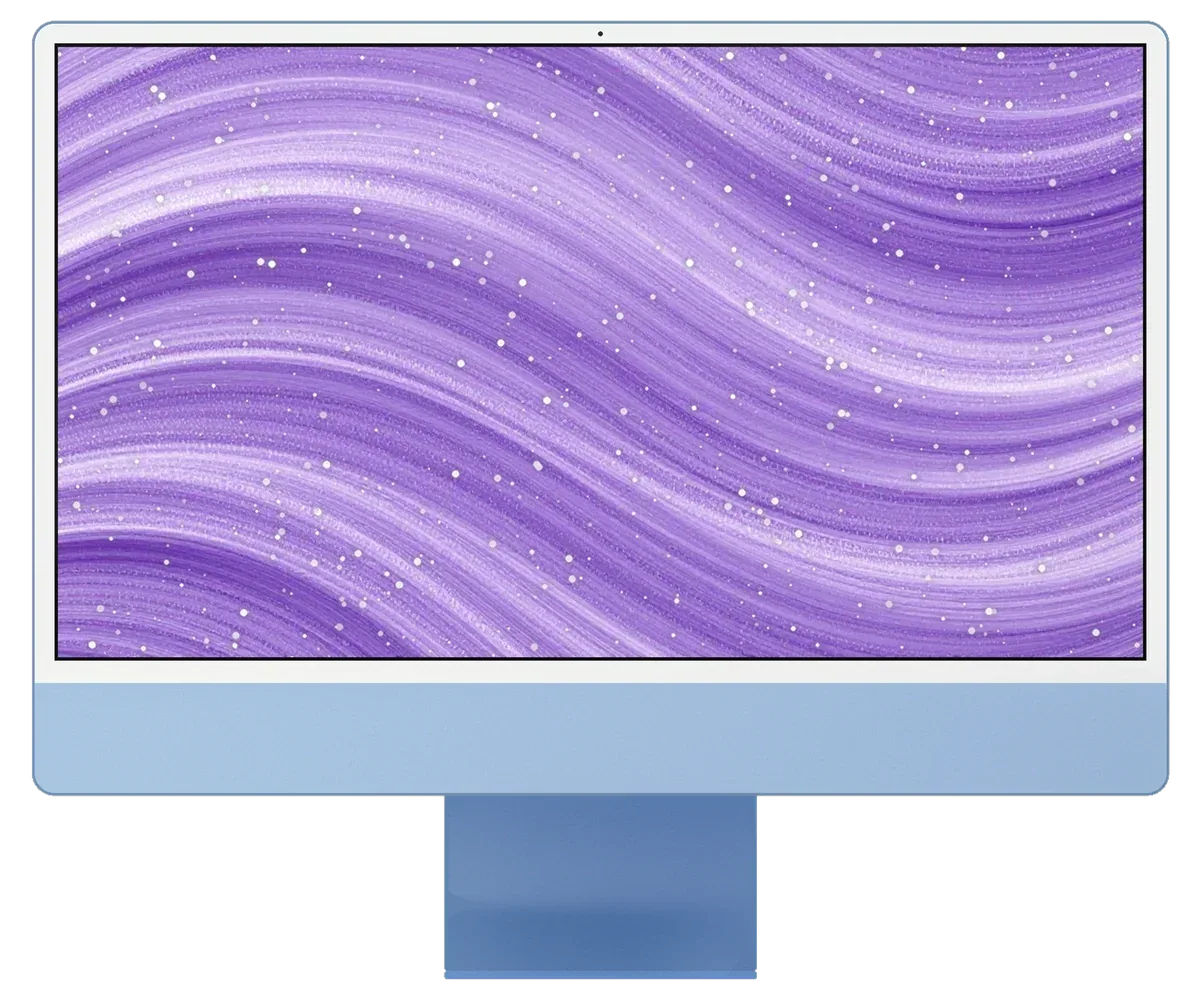
The slim chassis on the M4 chip is sensitive to power surges, dust and accidental knocks, so faults show up in different ways.
Carried in from the cold and switched on at once — no display, no indicator light.
During rendering or video editing the iMac goes dark and restarts without warning.
The magnetic connector on the external adapter heats up and crackles when plugged in.
Dark areas or stripes have appeared on the Retina 4.5K display after a temperature change.
A corner was knocked while moving it, and fine cracks spread across the display.
Center Stage won't start and the other party can't see you on video calls.
The USB-C ports on the back no longer detect drives or send a signal.
The wireless network disappears only on the iMac, while other devices work fine.
There's a hum from the chassis even with only the browser and mail open.
Coffee spilled on the desk and moisture got inside through the vents.
Storage and RAM sit on the board, so a full drive slows macOS and asks for cleanup.
macOS interrupts the installation and the all-in-one keeps restarting endlessly.
This is the list of basic services for this model; the final scope is determined after inspection.
| Service | Original | Aftermarket |
|---|---|---|
| Power supply replacement | 80 900 ₸ | 44 900 ₸ |
| Fan replacement | 24 900 ₸ | 13 900 ₸ |
| Speaker replacement | 37 900 ₸ | 20 900 ₸ |
| Display panel replacement | 383 900 ₸ | 237 900 ₸ |
| Other repairs | Price | |
| Dust cleaningdisassembly and dust cleaning | 19 900 ₸per job | |
| Logic board repairmicrosoldering · 1–3 days | 84 900 ₸per job | |
| Wi-Fi module repairwireless module · board-level repair | 34 900 ₸with parts | |
| MacOS installationOS installation, no parts replaced | 19 900 ₸per job | |
We quote the price after diagnostics, once it's clear which component of the all-in-one needs repair.
What you pick hinges on how you use it: designers and photographers need faithful colours, whereas for documents and spreadsheets a compatible display will do.
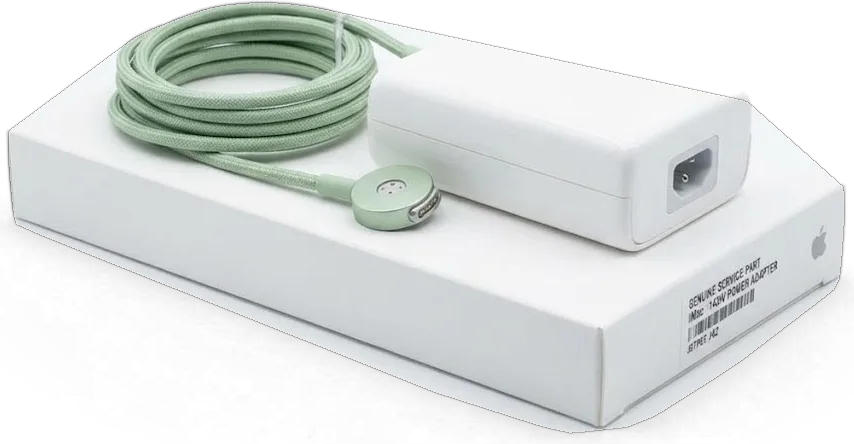
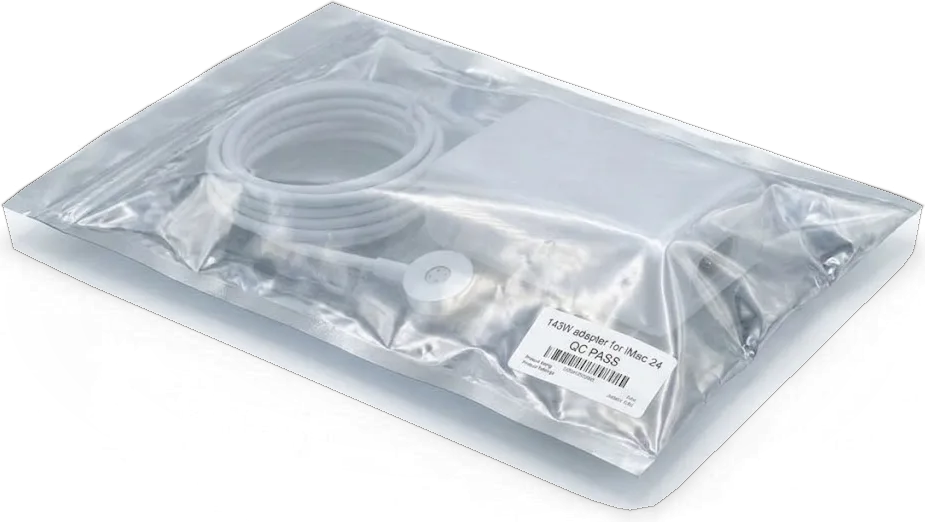
The all-in-one sits on your desk and is often needed every day, so we work carefully and explain every step.
We stand behind our work for at least a full year: if the same fault caused by our mistake recurs, we fix it free of charge.
11 years of hands-on work with Apple devices helps us quickly tell a power fault from board or display damage.
The slim glued display of the iMac 24 M4 demands precision, so opening it is done by experienced specialists.
Before touching anything we run 32 checks and explain what went wrong, letting you choose if a fix is worthwhile.
If the issue is a cable or a setting, we'll say so directly and won't replace an expensive module that works fine.
Weekdays: drop-off from 10 a.m. to 7 p.m.; Saturday, Sunday and public holidays from 11 a.m. to 6 p.m. — easy to stop by after work.
Usually the whole journey — from message to pickup — takes less than an hour; complex repairs follow the timeline in the receipt.
Book a repairYou send a photo of the damage on WhatsApp — we quote the price and available time. Or you call a courier.
An engineer checks the device in front of you and shows what is broken. 0 ₸, even if you decline the repair.
We fix the price, the part (original or analog), the timeline and the warranty. You sign — we start.
Before installation we show you the new part in its factory packaging. You wait in the waiting area with coffee and Wi‑Fi.
Screen, camera, microphones, speakers, ports, Wi‑Fi and Bluetooth. You check together with the engineer.
Together with the receipt, warranty card and the old part. Payment — Kaspi, card or cash.
Technicians for iPhone, Mac, iPad, Apple Watch and AirPods repair.
Photo: Kudiret S. Photo: Kamran A.

“If the repair didn’t suit you or you have a complaint, write to me personally.”
Send a photo of the fault — an engineer will reply on WhatsApp, give the price and a time you can come in.
iMac 24" M4 Repair in Astana with iServices Engineers
iServices handles iMac 24" M4 repair in Astana with its own technicians, not through an aggregator. We check the device in front of you for free, give a quote within 5 minutes from a WhatsApp photo, and fix most faults while you wait in our lounge. Original or aftermarket part, your choice, warranty up to 1 year.
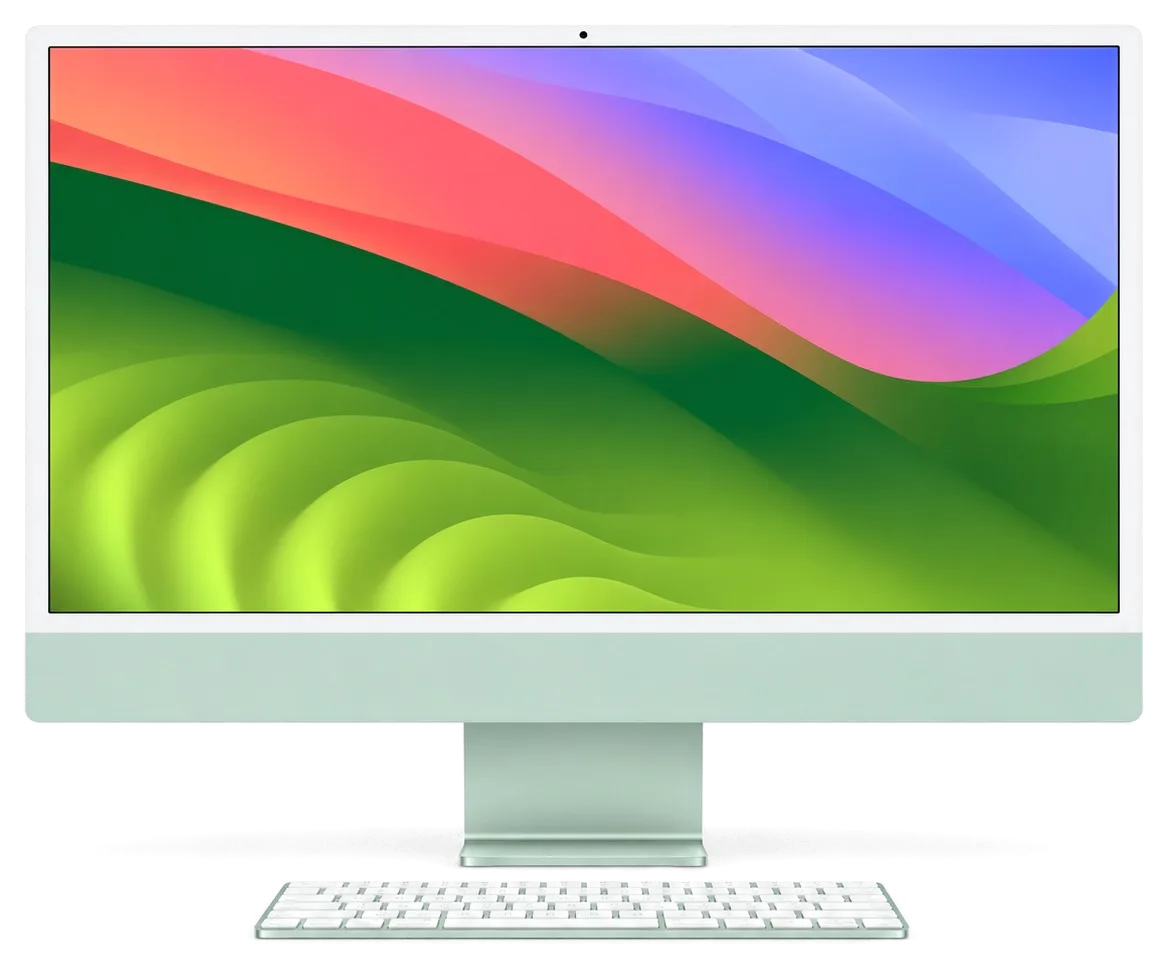
A slim coloured chassis, a 4.5K display bonded into one module, an external supply with a magnetic connector, and soldered memory and storage decide what can be replaced and what cannot.
On the 24" M4, the screen assembly, power brick, I/O strip and fan can be replaced individually, but RAM and storage are fixed to the mainboard with no upgrade path. The display comes as one laminated unit, so a shattered panel requires swapping the entire assembly, not just the outer glass. Thunderbolt and USB-C ports reside on their own separate strip, meaning a failed port seldom disables the whole computer. The cooling fan is a standalone part that can be removed and replaced by itself. Memory and storage are set at the factory and permanently attached to the mainboard. Since both are mounted there, a dead SSD becomes a board-level repair instead of a simple swap — back up with Time Machine before any such procedure.
Older Intel machines let us swap the drive and add RAM, but on the M4 the storage and memory are fixed at the factory, so repair means restoring the existing hardware rather than upgrading it. On a 21.5-inch Intel machine a sluggish system usually traced back to a tired HDD or Fusion Drive, and a clean swap to an SSD brought it back in an afternoon. The M4 has no spinning disk to replace: when it feels slow, the suspect list is the soldered SSD, the macOS install or a background process eating resources. Cooling differs too — the M4 runs cooler and quieter, so a loud fan points to dust or a failing bearing rather than a design that always ran hot.
The 24" iMac receives power via an external brick with a magnetically attached plug, so when a unit won't turn on we check the brick and cord first, prior to removing the display. On certain configurations that brick also houses the Ethernet option, so a networking problem can occasionally originate from the power supply rather than the computer's internals. This inspection takes only minutes: we examine the plug for burn marks, listen for the brick's faint click and measure its output. Our technicians keep reference units on the bench for this comparison. A magnetic plug that detaches too easily may hide a worn cable — reconnect it and try a known-good brick before assuming the logic board has failed, avoiding an unnecessary teardown.
The symptom a machine arrives with narrows the suspect area before we open anything: power delivery, logic board, display or cooling. Below is our symptom-to-cause map and a closer look at the two failures we see most often.
| What you see | Probable source | Our action |
|---|---|---|
| Won't power on | Adapter, cable or mainboard | Test adapter, then mainboard |
| No image, sound works | Display module or cable | Check panel and connectors |
| Lines or spots on screen | Panel damage | Assess display module |
| Loud fan, hot case | Dust, dried thermal paste | Clean and repaste |
| Shuts down under load | Power delivery or cooling | Load test and inspect |
| Slow, beachballing | SSD or macOS | Test mainboard, check macOS |
Stripes, bright patches or a dark screen with audio still playing nearly always point to the display assembly or its connections, and on the M4 the glass and panel are fused into one part, so we swap the whole module instead of just the glass. The Retina 4.5K panel is held by adhesive strips, so opening the unit demands care and patience. Before declaring the panel faulty we reconnect the display cables and verify output — a loose connection can imitate a dead screen and costs nothing to check. This step prevents a full module replacement in a good number of cases, so it is always the first thing we do in the workshop.
A loud fan and a hot chassis on the M4 desktop usually mean dust build-up and dried thermal paste, and cleaning plus repasting brings temperatures and noise back down. Dust packs the fan blades and the heatsink fins, so airflow drops while the chip keeps pushing the same load. Shutdowns under heavy load can also come from the power adapter sagging, so we measure the adapter under load as well as cleaning the cooling path. If the machine still cuts out after a clean repaste and a healthy adapter reading, the next stop is the logic board, and that is where the diagnosis turns serious.
Diagnostics follow a fixed chain — power, board, display, cooling — in front of you at no charge. We then explain how the panel comes off and terms are locked down before work begins.
We run a free inspection in your presence, about 15 minutes, checking power delivery, image, thermals and storage, then tell you which component has failed even if you decide to leave without service. The technician works along the chain in order: the external brick and magnetic plug first, then the logic board, the display module and the cooling circuit. Each reading appears on the screen as it is taken, so the faulty element is identified rather than guessed. The device stays in your sight the whole time, and the specialist ties the defective part to the symptom you noticed at home. That is how iMac 24" M4 repair in Astana starts — with a clear grasp of the fault before any work is approved.
The M4 iMac display is held on adhesive tape, so we cut it with a special tool and re-seal the panel with fresh tape on reassembly rather than prying at the glass. The adhesive runs the full perimeter, so the cut follows the seam evenly on all four sides. We work the tool around the edge, lift the screen onto a padded rest, then clear old residue. On reassembly a fresh strip goes down in one continuous run, the glass is seated and pressed to spec, and the seam is checked for even gaps. A thin chassis leaves little margin, so a screen removed without the right tool can crack at the corners — insist on a workshop that uses adhesive-cutting tools and new tape.
We put the cost, the part (genuine or third-party), the completion time and the guarantee in writing on the receipt, and we show you the replacement in its factory box before fitting it. Writing the receipt takes roughly two minutes and lists four things: the price, whether the part is genuine or third-party, how long the repair will take, and the guarantee period, which lasts up to 1 year. You pick between a genuine and a third-party option with both recorded, and nothing is opened until you have approved that document. A written receipt protects you if a problem reappears — keep it, since the guarantee claim depends on the part and conditions noted there, not on a spoken promise.
On the M4 iMac, RAM and the SSD are bonded to the mainboard, so reaching your files hinges on its health. Here is what to do ahead of repair and how we safeguard data during board work.
Since the SSD in the M4 iMac is permanently attached to the mainboard, your data is tied to that board, so a Time Machine or iCloud backup before any board-level work is the most critical precaution. The storage isn't a removable drive you can pull out and read elsewhere — it's part of the same circuit board that holds the CPU and memory, and no external enclosure will read it once removed. If the machine still starts, open System Settings and verify Time Machine has run recently, or copy the folders you can't lose to an external drive via USB-C. Cloud sync covers documents and photos but seldom the entire user library, so treat iCloud as a supplement, not a replacement. A copy made before the fault spreads is worth more than any recovery attempt afterward.
When we service the PCB under a microscope, data remains on the soldered SSD and is accessible only while the circuit functions, so recovery hinges on restoring it to health rather than extracting the chip. Our technicians diagnose the fault on the PCB itself — a shorted rail, a cracked trace, a corroded joint — and repair the circuit instead of touching the storage. In most cases the files are intact the moment power returns normally, and you log in to the same desktop you left. We do not promise recovery where the SSD area has physical damage, and we say so before work starts. Board work runs 1–3 days, so plan for the unit to be away, and avoid starting such work on a machine that already shows liquid damage without a backup plan.
If liquid reached the stand or keyboard, power the unit down and unplug the adapter immediately, then bring it in — liquid damage worsens the longer the board stays energized. The magnetic connector makes shutdown quick, but residue keeps conducting current across the circuitry even after the screen goes dark, and corrosion begins within hours. Do not tilt the device to drain it or run a hair dryer over the vents: heat pushes moisture deeper under the shields. Unplug external drives and peripherals, note what was spilled, and keep the device upright in transit. After liquid contact, diagnostics can take up to two days, so don't power it back on to "test" it before an engineer looks.
Timing depends on which unit has failed, and a desktop all-in-one adds one more factor: getting it here safely. Below are the turnaround by work type, packing instructions and handover checks.
| Work type | Typical turnaround |
|---|---|
| Diagnostics | 15 minutes, free |
| Cleaning and repaste | Same visit |
| Display module replacement | Same visit to 1 day |
| Power adapter or ports | Same visit |
| Board-level repair | 1–3 days |
You can call a courier to collect the machine, and packing it screen-first with padding around the panel protects the glass during the trip. Our team works in Almaty and Astana, so a courier pickup is arranged for both branches. Keep the original box if you still have it: the moulded inserts hold the display away from the aluminium edges, where a drop shows first. If the box is gone, wrap the screen in two layers of bubble film, tape a rigid sheet over the panel and mark the front side clearly. Bring the power adapter and cable — on the M4 the adapter is part of the power path, and testing without it slows diagnosis.
After the repair we check 32 functions in about 10 minutes — display, cameras, microphones, speakers, ports, Wi-Fi and temperature under load — together with you. The engineer opens the panels you use daily: brightness and True Tone on the screen, a video call to test the camera and mic, sound at both speakers, each Thunderbolt port with a known-good cable, and a short stress run to watch how quickly the fans respond. Along with the machine you receive the receipt, the warranty card and the old part we removed. Run those checks yourself before leaving, and keep that paperwork and the replaced component — they are your proof if anything recurs.
An iMac 24" M4 can be restored to full function when the fault is in a modular component; the outcome depends on how the machine is tested and documented before opening.
Did not find an answer? Message us on WhatsApp: an engineer replies, not a bot.
Ask a questionUnfortunately not — RAM and storage come fixed onto the logic board, so no workshop can enlarge them. An external disk plus deleting what you don't need will keep you going.
Condensation on the board can cause a short circuit. Let the all-in-one warm up at room temperature for a few hours without turning it on. If it still won't start, it needs diagnostics.
Yes, surges can damage the power supply or the board. Plug the all-in-one in through a quality surge protector, and if outages are frequent, have your wiring checked.
Here the cover glass and LCD form one unit, so the entire display gets swapped. Drop the all-in-one off with us and we'll pick an original or compatible part that fits your budget.
Yes, save your data with Time Machine or a cloud service. The drive is soldered, and during hardware work information can be lost if no copy was made in advance.
The cause may be privacy settings or a hardware fault in the module. Check the permissions in the system, and if that doesn't help, book a diagnostic.
У нас в офисе три таких ноутбука, один сломался. Проблема — полосы на экране. Камран А. сам позванил и сказал, что готово. Крутится ровно, без рывков.
Проблема — не включается. Камран А. подобрал аналог дешевле, не навязывал оригинал. Работает, даже лучше прежнего.
Проблема — перегревается. Камран А. пообещал и сделал, без напоминаний. Дома включил, всё на месте!!
Техника рабочая, терять её надолго нельзя. После переезда — перегревается. Выдали номер заказа и сказали, как отслеживать. Замена: плата. За такую работу 81 500 — адекватно. Дома включил, всё на месте!!
Искала сервис, где дадут гарантию и чек. Проблема — не включается. Крутится ровно, без рывков.
После обновления началось: не включается. Сказали, что перезвонят, и правда перезвонили. Замена: плата. Третий месяц — никаких проблем.
Оставил заявку на iMac 24" M4. Проблема — не включается. Позвонил, описал проблему, сказали привозить — посмотрят. Вскрытие показало: матрица. Достойно сделали. Дома включил, всё на месте.
Думала, придётся оставить на неделю. Проблема — перегревается. Выдали номер заказа и сказали, как отслеживать. Внутри оказалось: плата. Сказали 90 000 по телефону, столько и вышло. Пять баллов. Проверила на всех режимах — держит.
Проблема — шумит. Камран А. показал старую деталь, всё прозрачно. Шум ушёл, работает тихо.
Обидно, техника не из дешёвых. Проблема — шумит. Камран А. — мастер от бога, если можно так сказать. Ответили в WhatsApp, потом созвонились. Экран яркий, батарея держит!!

Most slow iMacs are held back by a worn drive or too little memory. A short check shows which part is the real bottleneck.

Most dead iMacs trace back to power delivery or the logic board, and a free 15-minute check in front of you settles which one it is.

Most loud-fan cases trace back to dust-packed fins and dried thermal paste, not a dead fan. A free 15-minute check shows which one you have.

Back up your data, turn off Find My, and bring proof of purchase — then the repair starts faster.




 iPad
 MacBook
 Mac mini and Studio
 Apple Watch
 AirPods
 Apple Pencil
 Apple TV
 HomePod
