KS Photo: Kudiret S.
Kudiret S.
iCloud unlock specialist
10years of experience
4.37rating, 100 reviews

Overheating during renders or a coffee spill — we find the cause while you wait, test 32 functions and give a warranty up to 1 year.

These laptops are used by programmers, video editors, designers and students, so the failures vary too — from overheating to a flooded keyboard.
Exporting video spins up the coolers, and the case above the keys gets hot.
The laptop discharges faster than usual, the percentage jumps and the case bulges.
Dark blotches or halos on a light background appear after pressure on the lid in a bag.
Liquid seeped under the keys, some buttons stick, and the screen sometimes goes dark.
The USB-C port loosened, charging cuts in and out, and the external drive disconnects.
HDMI or the dock loses signal, and the projector in the meeting room flickers.
The click feels stiff or disappears in a corner — often the cause is a swollen battery.
macOS keeps rebooting, and the apps you need stop opening.
At high volume the sound rattles, and during calls the other person's voice wavers.
In calls the other side sees an empty window instead of a picture.
The screen wobbles and changes angle on its own — the hinges are loose.
The strip above the keyboard doesn't respond to taps or shows artifacts.
Key MacBook Pro services for Astana residents: the price shown is an estimate for labor only, parts are separate.
| Service | Original | Aftermarket |
|---|---|---|
| Display panel replacement | 80 900 ₸ | 49 900 ₸ |
| Battery replacement | 56 900 ₸ | 32 900 ₸ |
| Keyboard replacement | 38 900 ₸ | 21 900 ₸ |
| Trackpad replacement | 46 900 ₸ | 25 900 ₸ |
| Touch Bar repair | 49 900 ₸ | 27 900 ₸ |
| Charging port replacement | 22 900 ₸ | 12 900 ₸ |
| Speaker replacement | 33 900 ₸ | 18 900 ₸ |
| Fan replacement | 22 900 ₸ | 12 900 ₸ |
| Backlight repair | 364 900 ₸ | 225 900 ₸ |
| Other repairs | Price | |
| Logic board repairmicrosoldering · 1–3 days | 16 900 ₸per job | |
| Dust cleaningdisassembly and dust cleaning | 10 900 ₸per job | |
| Water damage repaircorrosion cleaning · diagnostics up to 2 days | 16 900 ₸per job | |
| Graphics card replacementboard-level chip · microsoldering | 83 900 ₸with parts | |
| SSD installationstorage installation | 19 900 ₸with parts | |
| Wi-Fi module repairwireless module · board-level repair | 41 900 ₸with parts | |
| MacOS installationOS installation, no parts replaced | 10 900 ₸per job | |
The technician gives the final amount after inspection: it depends on the board's condition and the part you choose.
The battery and keyboard come in two options, and the choice depends on how you use the laptop.


The laptop is a work tool, so in Astana we first name the cause, leave the part choice to you and don't delay the repair.
We give a warranty of up to 1 year on the work performed. The technician explains the details for each part before we start.
Eleven years of practice help us tell typical failures of laptops on Apple chips from rare cases.
The Pro's dense layout is opened by experienced technicians who know where the cables, adhesive and fasteners are.
We find out what failed and show you the results, and only then quote the final amount.
After repair we run the laptop through 32 functions — from ports and camera to keyboard and sound.
Our workshops operate in two cities. Weekdays from 10 am to 7 pm, weekends and holidays from 11 am to 6 pm.
Usually the whole journey — from message to pickup — takes less than an hour; complex repairs follow the timeline in the receipt.
Book a repairYou send a photo of the damage on WhatsApp — we quote the price and available time. Or you call a courier.
An engineer checks the device in front of you and shows what is broken. 0 ₸, even if you decline the repair.
We fix the price, the part (original or analog), the timeline and the warranty. You sign — we start.
Before installation we show you the new part in its factory packaging. You wait in the waiting area with coffee and Wi‑Fi.
Screen, keyboard and trackpad, camera, microphones, speakers, charging, Wi‑Fi. You check together with the engineer.
Together with the receipt, warranty card and the old part. Payment — Kaspi, card or cash.
Technicians for iPhone, Mac, iPad, Apple Watch and AirPods repair.
Photo: Kudiret S. Photo: Kamran A.

“If the repair didn’t suit you or you have a complaint, write to me personally.”
Send a photo of the fault — an engineer will reply on WhatsApp, give the price and a time you can come in.
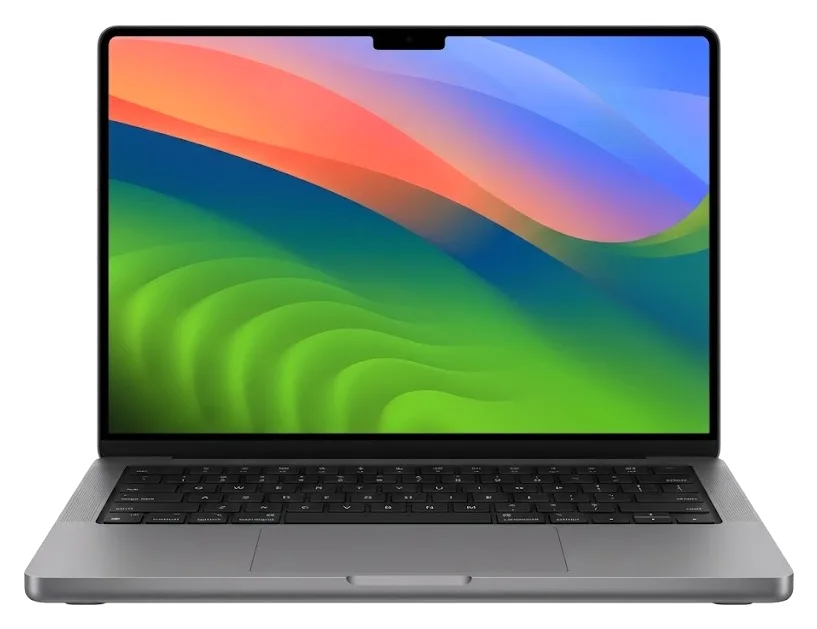
MacBook Pro Repair in Astana with a Part You See Before We Fit It
In Astana, iServices performs MacBook Pro repairs using its own technicians, not an agency. Diagnostics take 15 minutes and are free, done in front of you; most units are fixed in 1 hour to 1 day, and we fit either an original or an aftermarket part. Every job carries a warranty up to 1 year.
The Pro line spans Intel unibody units to Apple Silicon, and the generation decides which parts are swappable, how power is delivered and what a repair actually involves.
The model number is printed in small text on the lower case, and that A-number is what selects a compatible display, battery or keyboard. Turn the closed laptop upside down and read the line near the hinge, usually formatted as A followed by four digits — A1278, A1706, A2338, A2485. That code, not the marketing name, is what a parts catalogue searches against, because one screen assembly fits only the A-numbers it was built for. The same applies to a power cell, a top case with the keys bonded in, and the cooling module. A marketing name like "Pro 16" hides several A-numbers, so quote the A-number when you ask for a quote — it prevents ordering the wrong component.
On Apple Silicon machines, the RAM and flash storage are permanently attached to the mainboard, so we service or swap that whole module instead of changing drives, whereas older Intel Pro units with a removable disk can be upgraded. That one distinction changes everything: a failed SSD on an M-series device requires microscope-level board repair, not a quick fifteen-minute exchange, and RAM problems are never a standalone component. On Intel Pro chassis, the drive lives in a caddy beneath the bottom panel and comes out with two screws. Before planning a storage upgrade, verify whether your model uses a caddy-style module — if the chips are mounted on the mainboard, we cannot offer an upgrade as a service.
| Generation group | Charging | Keyboard | Cooling |
|---|---|---|---|
| Unibody Pro (A1278, A1286, A1297) | MagSafe 1 | Scissor, removable bay | Fan, accessible |
| Pro with Touch Bar (A1706–A1990) | USB-C | Butterfly | Fan |
| Pro 13 M1/M2 (A2338) | USB-C | Scissor | Active |
| Pro 16 (A2485, A2780, A2991) | MagSafe 3 | Scissor | Active, mini-LED display |
Most MacBook Pro visits start with a symptom rather than a diagnosis, so we map each complaint to the part that usually causes it before touching the machine.
| Symptom | Likely part | What we do |
|---|---|---|
| Shadowy areas or stripes on the display | Screen, flex cable | Check with an external monitor, swap screen or cable |
| Rapid power loss, trackpad lifting | Battery | Install new battery, inspect trackpad |
| Keys stick or double-type | Butterfly keyboard, upper assembly | Clean or replace the assembly |
| Will not charge | MagSafe or USB-C socket, power controller | Test socket and controller |
| No power after liquid | Logic board corrosion | Clean and inspect under microscope |
| Fan loud, unit hot | Dust, thermal paste | Clean and renew paste |
We start a no-power unit with the charging circuit, testing the MagSafe or USB-C socket and the power controller before assuming the battery or board is gone. A dead machine gets the same first step: a known-good adapter, a cable we trust, and a meter on the connector to see whether current reaches the logic board at all. Dust packed into the cooling system is a separate story — it drives overheating and fan noise long before it ever stops a machine from booting, so we clear the vents and renew thermal paste when the fan runs hard at idle. A charger that lights up does not prove the socket works — it can pass current and still fail to negotiate, so we test with a known-good adapter and cable.
Butterfly keyboards on Pro models with the bar are especially vulnerable to dust and crumbs, causing keys to jam or type twice, while the bar and Touch ID are part of the upper assembly and are serviced together with it. The mechanism has minimal travel, so even one crumb beneath a keycap can alter the feel of a press or cause a letter to repeat. Cleaning brings many of these keyboards back to life, and we attempt that before recommending a full assembly replacement, since that part includes the keyboard, the bar and the sensor as a single unit. One stuck key doesn't always require a complete swap — cleaning may fix it, but frequent double-typing typically indicates a problem with the switch itself.
The path from first message to pickup is short and fixed at each step, so you know the component, the turnaround and the warranty before any work begins.
Send a photo of the damage via WhatsApp and an engineer responds within 5 minutes with a quote and an available time, then performs free diagnostics in your presence for 15 minutes and confirms price, part, turnaround and warranty on the receipt in 2 minutes. The photo reveals the crack, the swollen lid or the dead port; the reply identifies the likely component and the time needed at the bench. During diagnostics the engineer opens the device next to you and points out what has failed, so you witness the fault rather than trust a description. MacBook Pro repair in Astana begins here, with a written commitment instead of a verbal estimate. Keep that receipt — it specifies the exact component and warranty, so any later dispute is resolved by what is written there, not by recollection.
We show you the replacement part in its original box prior to installation, and 72% of repairs are finished during the time you spend in our lounge, where coffee and Wi-Fi are available. No matter whether you chose a genuine module or a third-party option at the desk, the package is unsealed in front of you and the label is compared with the entry on your receipt. The lounge sits only a few steps away from the workbench, so you can watch the cover come off and, for lengthier procedures, see the board placed under the microscope. Feel free to request a look at the packaging seal — that is the easiest way to make sure the part corresponds to what appears on the receipt before it goes into your device.
Three scenarios call for a swift, composed reaction instead of rushing to a store: fluid inside the case, a battery that has begun to expand, and a device that overheats and makes noise.
Power off the MacBook Pro and cease charging as soon as liquid enters, because corrosion on the board progresses while electricity is still flowing. Place the machine upside down over a towel so the fluid drains away from the logic board and keyboard membrane, and leave the lid open rather than closed tight. Do not shake it or point a hairdryer at the vents, as warm air forces moisture deeper into the connectors. Coffee and sugary drinks are the worst culprits: sugar residue continues to attract moisture long after the surface appears dry. After a spill, diagnostics can sometimes require as much as two days before the full extent is known. Do not turn it back on to "see if it works" — a board that looks dry may still short, and a diagnostic session later costs less than a board replacement.
An expanded battery pushes against the trackpad and chassis, so we replace it rather than continue using the device. The cell swells with age and releases gas, and the aluminium enclosure has no way to relieve that pressure — the deck warps, the click stops working, the bottom no longer rests flat. Charging a swollen pack adds heat and stress, so disconnect the charger and stop using the machine until it is examined. We open the case, photograph the cell, and show you the replacement in its factory packaging before anything is installed. A sudden loss of click is often the first indication of a swelling cell, not a fault in the pad itself — check the case for a bulge before booking that repair.
Dust in the cooling system and dried thermal paste push a laptop to run hot and loud, and a clean with fresh paste usually brings temperatures and fan noise back down. The cooler pulls air through a fin stack behind the hinge; over months that stack packs with lint and the heatsink stops shedding heat, so the blades spin harder to compensate. Repasting the CPU and GPU restores contact between the chips and the copper, which is where much of the lost cooling actually goes. We clean the fins, blades and vents, then reassemble and listen for the unit settling at idle. A fan that runs hard at idle is a cooling signal, not a performance one — cleaning it early avoids the throttling that shows up later under load.
The choice is yours, and the difference between an original and an aftermarket part is fixed on paper before work starts, along with the warranty.
We lay out both options and 64% of customers go with an original part, while the rest pick the alternative where the budget or the age of the unit makes it the sensible call. The engineer shows you the failed piece during the free 15-minute diagnostics, names both paths and explains how each behaves on your specific generation. An aftermarket display or battery can restore full function on a well-used machine, while a genuine one matches the fit and finish exactly. Either way, what you agree to is written down in two minutes, with the turnaround and coverage beside it. On an older unit the alternative can be the better value, but on a device you plan to keep for years the original is the choice that holds resale value.
The document names the part, the turnaround and the coverage up to 1 year before any work begins, so nothing about the job is left open to interpretation. Before installation the new piece arrives in sealed packaging and we open it in front of you, so what is written down is what goes into the machine. The warranty card carries the same wording, and the old unit travels home with you alongside both documents. A board-level job under the microscope takes 1–3 days and is recorded on the same paper, so a longer turnaround is never a surprise. Keep the card together with the receipt — a claim is processed against the item named there, and a missing document slows the whole process.
iServices works directly with its own technicians and workshop, not as an agency or intermediary, and has completed 46,000+ repairs over 11 years across Almaty and the capital. The engineer who performs the free diagnostics is the same person who installs the spare and signs the paperwork, so the fault description never gets retold to a third party. Our two branches share one parts pipeline, which keeps the original-or-aftermarket conversation consistent whichever location you visit. Eleven years of board work under the microscope stand behind every diagnosis, and the old piece you take home is proof of what was actually swapped. With a direct contractor the person who diagnoses your laptop is the person who repairs it, so the description of the fault does not get lost between hands.
A repair holds up when the model, the symptom and the paperwork all line up before anyone opens the case. The short list below is what decides whether the fix lasts.
Did not find an answer? Message us on WhatsApp: an engineer replies, not a bot.
Ask a questionOver time the thermal paste dries out, and the heatsinks and fans clog with dust. Cleaning and replacing the thermal interface restore normal temperatures. If the noise remains, the technician checks the cooling system and the board.
On some Intel models the drive and memory are replaceable, but on most newer ones they're soldered to the board. Before buying parts, confirm the exact model number — the technician will tell you what can and can't be changed.
Turn the laptop off immediately and don't try to charge it. Don't dry it with a hairdryer or put it in rice — that spreads corrosion. Bring it in for diagnostics, and the technician will disassemble and clean the board.
The strip connects to the board with a separate cable, and often the cable itself or the panel is at fault. The technician checks the cable, connector and power circuit, then says whether replacement is needed.
Save your files via Time Machine, keep your account password handy, and pack the charger in case the problem is power-related. Astana location: weekdays 10–19, weekends and public holidays 11–18.
Crumbs and dust block the key's travel, and drink residue adds a sticky layer. Blowing it out doesn't always help, so the technician cleans the mechanism or replaces the keyboard.
MacBook Pro 16″ (M5 Pro, 2026) подвёл: машина сильно тормозила на обычных задачах. В итоге нашли причину замедления и стабилизировали работу.
На MacBook Pro 16″ (M5 Max 2026) после попадания жидкости устройство вело себя непредсказуемо. После обращения осмотрели плату и устранили обнаруженную неисправность.
С MacBook Pro 14″ (M4 2024) вышла неприятность: аккумулятор быстро садился. По результатам диагностики проверили состояние батареи и решили вопрос с автономностью.
MacBook Pro 16″ (M3 Pro 2023) подвёл: после попадания жидкости устройство вело себя непредсказуемо. После обращения осмотрели плату и устранили обнаруженную неисправность.
Проблема была такая: компьютер не включался с первого раза — и непонятно, что делать. После обращения проверили питание и вернули стабильный запуск.
MacBook Pro 14″ (M4 Max 2024) подвёл: внешний монитор постоянно терял подключение. После обращения проверили порты и стабильность подключения.
С MacBook Pro 14″ (M4 Max, 2024) вышла неприятность: после попадания жидкости устройство вело себя непредсказуемо. После обращения осмотрели плату и устранили обнаруженную неисправность.
У моего MacBook Pro 13″ (2016 2 порта) на экране появились полосы. По результатам диагностики проверили подключение и дисплей, изображение восстановили.
Проблема была такая: на экране появились полосы — и непонятно, что делать. Ребята проверили подключение и дисплей, изображение восстановили.
Проблема была такая: клавиатура начала пропускать нажатия — и непонятно, что делать. Ребята проверили клавиатуру и устранили проблему с клавишами.

Replace the battery when macOS reports Service Recommended and runtime no longer covers your workday. A free 15-minute check shows whether the cell is at fault.

Why your MacBook runs hot and loud, and whether cleaning solves it or the board needs repair.

Power it off, unplug the charger and bring the laptop in for a free 15-minute check before corrosion spreads.

Sticky or unresponsive keys usually mean debris, worn mechanisms or liquid damage. A technician can check the keyboard and advise on cleaning or replacement.

Back up your data, turn off Find My, and bring proof of purchase — then the repair starts faster.

 iPad
 iMac
 Mac mini and Studio
 Apple Watch
 AirPods
 Apple Pencil
 Apple TV
 HomePod
