KS Photo: Kudiret S.
Kudiret S.
iCloud unlock specialist
10years of experience
4.37rating, 100 reviews

MacBook Pro A2289 loses charge from the dock or gets liquid damage — we'll find the cause for free and give a warranty up to 1 year.
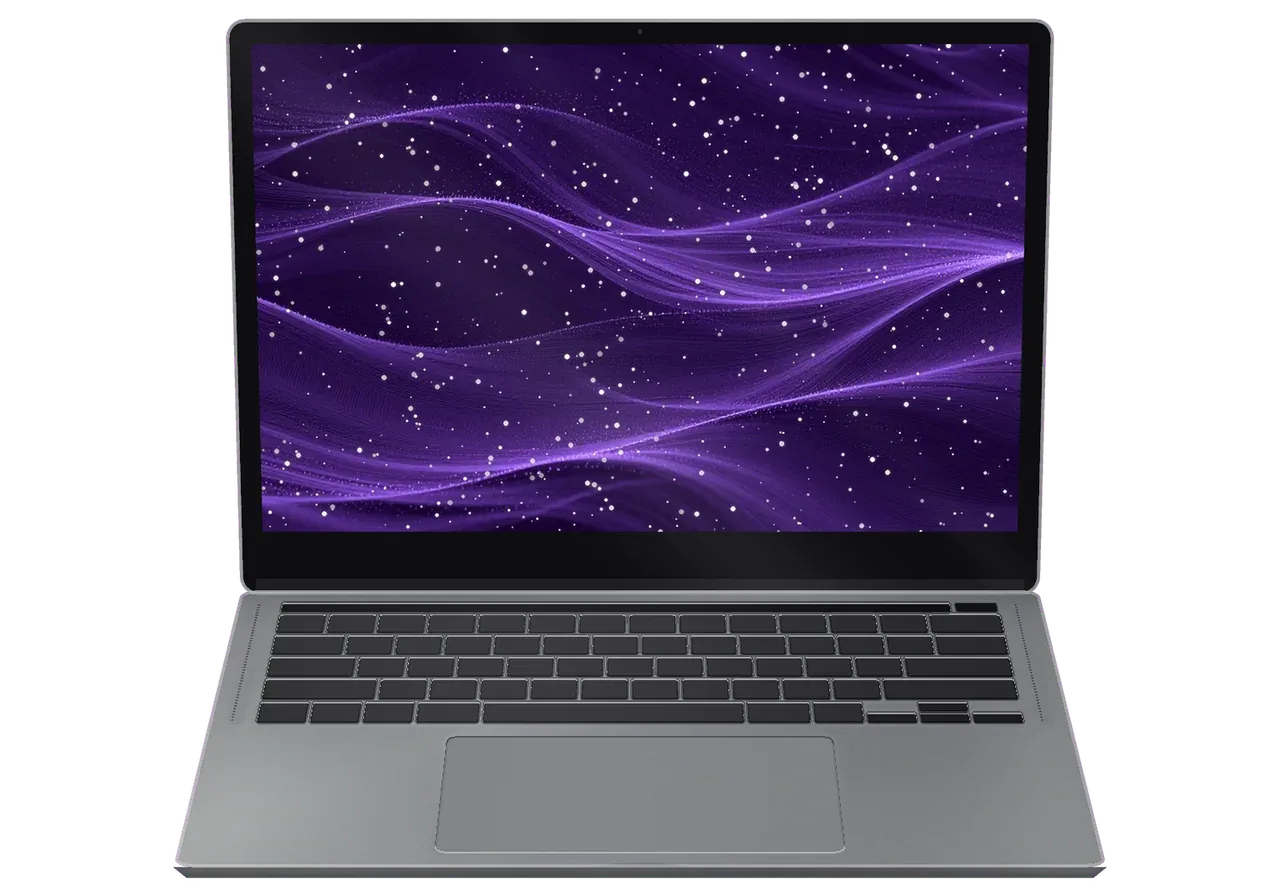
Problems an A2289 meets in a daily office routine: power, an external monitor, the fan, a port, the trackpad, keyboard and Touch Bar.
Plug in a dock and the power through the port cuts out or flickers.
Through the overloaded port the picture vanishes for seconds at random.
The lone fan is clogged, and the laptop stays hot even on a stand.
A heavy hub tugs the cable and the contacts slowly develop play.
The click weakens or works only in a corner, and the surface sits slightly raised.
Drops at the desk cause sticking keys and power glitches.
The Touch Bar reboots mid-call or displays keys that do not fit the app.
Clock speed drops, video calls stutter and the processor overheats.
The button with the sensor doesn't recognize your finger, login only via password.
No response to the button or charger: we check the power circuits on the board.
During calls, the screen is black instead of video, and the camera isn't found.
Sound is distorted at high volume, and there's extraneous noise in headphones.
The table shows A2289 jobs with a "from" price; the technician states the exact cost after checking your laptop.
| Service | Original | Aftermarket |
|---|---|---|
| Display panel replacement | 261 900 ₸ | 161 900 ₸ |
| Battery replacement | 96 900 ₸ | 55 900 ₸ |
| Keyboard replacement | 49 900 ₸ | 27 900 ₸ |
| Trackpad replacement | 49 900 ₸ | 27 900 ₸ |
| Touch Bar repair | 49 900 ₸ | 27 900 ₸ |
| Charging port replacement | 49 900 ₸ | 27 900 ₸ |
| Speaker replacement | 33 900 ₸ | 18 900 ₸ |
| Fan replacement | 22 900 ₸ | 12 900 ₸ |
| Backlight repair | 364 900 ₸ | 225 900 ₸ |
| Other repairs | Price | |
| Logic board repairmicrosoldering · 1–3 days | 27 900 ₸per job | |
| Dust cleaningdisassembly and dust cleaning | 10 900 ₸per job | |
| Liquid damage cleaningcorrosion cleaning · diagnostics up to 2 days | 27 900 ₸per job | |
| Wi-Fi module repairwireless module · board-level repair | 41 900 ₸with parts | |
| MacOS installationOS installation, no parts replaced | 10 900 ₸per job | |
The result depends on the board's condition and the part; the technician names the sum before work and agrees it with you.
For a work laptop at the office or at home, lifespan and power stability are usually decisive.


What an A2289 owner in Astana gets: a check before any talk of price, experienced technicians and reception on weekends.
We inspect the port, board and fan first and quote only afterwards, so you pay for the real cause.
11 years of Apple repair lets us tell a hub fault from a port failure fast and spare you extra trips.
Completed work is covered by a warranty of up to 1 year; the technician explains the details of your repair first.
Experienced technicians repair the laptops, with experience in connector soldering and careful cable replacement.
We explain how an original battery differs from an aftermarket one and let you decide according to your budget.
Experienced technicians service the laptop, and the outcome is backed by a one-year warranty—something owners of this Pro appreciate.
Usually the whole journey — from message to pickup — takes less than an hour; complex repairs follow the timeline in the receipt.
Book a repairYou send a photo of the damage on WhatsApp — we quote the price and available time. Or you call a courier.
An engineer checks the device in front of you and shows what is broken. 0 ₸, even if you decline the repair.
We fix the price, the part (original or analog), the timeline and the warranty. You sign — we start.
Before installation we show you the new part in its factory packaging. You wait in the waiting area with coffee and Wi‑Fi.
Screen, keyboard and trackpad, camera, microphones, speakers, charging, Wi‑Fi. You check together with the engineer.
Together with the receipt, warranty card and the old part. Payment — Kaspi, card or cash.
Technicians for iPhone, Mac, iPad, Apple Watch and AirPods repair.
Photo: Kudiret S. Photo: Kamran A.

“If the repair didn’t suit you or you have a complaint, write to me personally.”
Send a photo of the fault — an engineer will reply on WhatsApp, give the price and a time you can come in.
MacBook Pro A2289 Repair in Astana with Honest Part Choice
In Astana, MacBook Pro A2289 repair at iServices is handled by in-house specialists — no intermediaries. A free 15-minute check happens right before your eyes; a 1-year warranty applies, and most devices are ready within a day. Choose an original or aftermarket part — both part and warranty are written on the receipt before work begins.
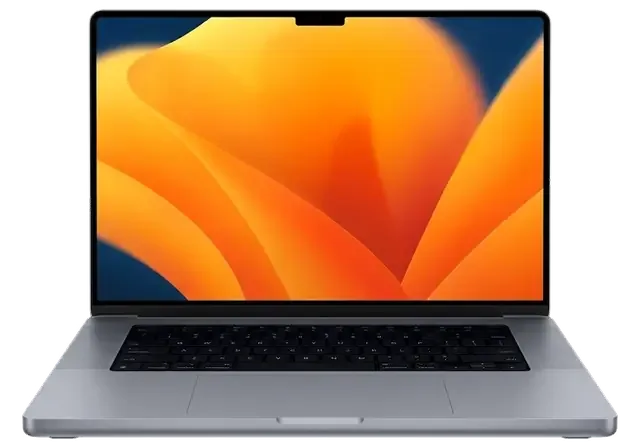
This 13-inch Pro model (A2289) features a scissor keyboard, Touch Bar, and charges via USB-C. Its weak points differ from older Pros, so match the symptom to the right node before anyone opens the lid.
| Symptom | Likely node | What we do |
|---|---|---|
| Battery drains fast, trackpad bulges | Battery | Replace it, check the trackpad |
| Lines or black patches on screen | Display assembly | Swap the module, test True Tone |
| Double-typing or sticky keys | Scissor keyboard | Clean or replace the top case |
| Spilled liquid, dead unit | Logic board and connectors | Clean corrosion, repair the board |
| USB-C charging failure | Charging port | Test the socket, repair the rail |
| Fan loud, chassis hot | Cooling system | Clear dust, renew thermal paste |
Power the device down at once and do not plug in the charger, because corrosion spreads while current still reaches the logic board. Lift the machine so any liquid drains away from the vents, keep it flat rather than tilted toward the keyboard, and bring it in the same day — the faster the circuitry is cleaned, the more traces survive. A swollen battery pushes on the trackpad and the bottom panel, so keep using the machine and you risk cracking the trackpad glass as well. Our engineers consider both scenarios urgent, and when liquid damage is involved, diagnostics may require up to two days to fully assess the damage.
We split a no-power A2289 into three checks — the charger and cable, the USB-C socket and its controller, and the battery — before touching the logic board. This model has no MagSafe, so every bit of current arrives through those two USB-C sockets, and a worn connector or a failed rail looks exactly like a flat battery to the owner. A charger that works on another laptop can still fail here, so we always test the socket with a known-good supply rather than trusting the customer's brick. The engineer runs a free 15-minute check right there and pinpoints which of the three components is actually faulty, so a working pack is never replaced needlessly.
The A2289 sits between the butterfly-switch Pros and the Apple Silicon generation. That middle position decides which parts are serviceable and which are soldered down for good.
This model uses the scissor mechanism that replaced the butterfly design, charges over USB-C rather than MagSafe, and carries a Touch Bar with Touch ID in the power button. The newer mechanism brought back 1 mm of key travel and a far more forgiving dust tolerance than the fragile switches it replaced. Charging runs through either of the two USB-C ports on the left side, and the Touch Bar is a single strip with its own controller. The scissor keys survive dust far better than the earlier type, but a single spilled drink still reaches the top case, and on this model those keys are part of that assembly rather than a separate part. That is why a liquid-damaged deck on the A2289 means a full top case decision, not a three-key swap.
| Component | Replaceable on A2289 | Our approach |
|---|---|---|
| Battery | Yes | Standard swap, trackpad check |
| Display assembly | Yes | Module replacement, True Tone test |
| Top case with keyboard | Yes | Full assembly swap |
| SSD and RAM | No, soldered | Microscope-level repair only |
The A2289 is an Intel machine with a T2 chip, so it has a fan and a serviceable battery, unlike the fanless Air M1 and the later M-series Pros. That fan matters in a hot room: sustained load on this chassis throttles later than on the fanless design, and the cooling path is a part we can clean and re-paste. The T2 chip encrypts the soldered SSD, so data recovery on this model depends on the logic board still booting, which is why we ask about a backup before any microscope work. On the Apple Silicon side the memory lives inside the same package as the processor, and practical options narrow to component-level work almost immediately. For an Intel Pro the battery, display and ports are still ordinary replaceable parts — a real advantage when the fault is simple.
Typically, the entire process—from your initial message to pickup—takes between 1 hour and 1 day. Below is what occurs at each stage, and what you receive at the end.
Snap the damaged area and message us on WhatsApp — an engineer answers in five minutes, quoting cost and offering a free slot; then, roughly two minutes before starting, the receipt locks in the final sum, the component, timing and guarantee. We quote from the picture itself, so a cracked lid or a swollen base gets an answer before you leave home. A 46,000-repair history across two branches means the estimate is rarely a guess — the same fault usually produces the same quote. This is how MacBook Pro A2289 repair in Astana starts, and a photo quote is only as good as the photo, so we confirm the figure again during the 15-minute in-person check and adjust it only if the open unit shows something the picture could not.
We run free diagnostics in front of you for 15 minutes, even if you decide not to repair, and show the new part in its factory packaging before it goes in. The engineer opens the unit on the bench, points to the failed element and explains what the replacement touches — display, battery or board. Nothing is swapped behind a closed door, and every step is visible from the waiting area. Seeing the spare ahead of installation is what separates a real replacement from a cleaned-up original, and it is the moment to ask whether the item is original or aftermarket.
Two questions decide most repairs on this model, which component goes in and how long you wait. Both are settled before the case is opened, not after.
64% of our customers choose an original component, and the decision is written on the receipt along with the warranty so there is no ambiguity later. The rest pick an aftermarket unit when budget matters more than the last few percent of performance, and we fit it with the same care. Before ordering, the engineer shows you both options in factory packaging and names the difference in behaviour rather than in money alone. An aftermarket display can lose True Tone or feel different under the finger, so if those matter to you, say so at approval stage rather than once it is fitted.
| Work type | Typical turnaround | Notes |
|---|---|---|
| Battery or display swap | Between 1 hour and 1 day | Often done while you wait |
| Top case or port repair | Between 1 hour and 1 day | Depends on stock availability |
| Board repair under microscope | 1 to 3 days | Quoted separately |
| Liquid damage diagnostics | Up to 2 days | Before any repair estimate |
While the technician works, feel free to relax in our lounge over coffee with Wi-Fi — or, if you can't drop by, arrange a courier to deliver the device. While the client remains on-site, 72% of repairs get completed; A2289 tasks usually take from an hour to a day, so bringing it in the morning often means picking it up the same evening. Board-level work is the exception at one to three days under the microscope. Waiting on site means you approve any surprise found mid-repair in person, which is faster than a phone call and keeps the receipt accurate.
A repair touches hardware, but your files are the part you cannot replace. A few minutes of preparation ahead of handover protects both the machine and everything stored on it.
Make a Time Machine copy and turn off Find My Mac ahead of handing the unit in, because board work may need the laptop to boot from a clean state. Use an external drive with enough free space for the full volume plus the system, and let the process finish completely rather than closing the lid halfway through. Find My Mac sits inside iCloud settings and requires your user password to switch off, so do it while the device still powers on. On this model the T2 chip encrypts the soldered SSD, which makes pulling data off a dead logic board far harder than on older unibody machines. A restore you have never tested is only a hope, so open one file from the archive while the laptop is still with you, not after it comes back.
Because the SSD is soldered and tied to the T2 chip, we cannot simply pull the drive out, so recovery depends on getting the logic board to boot again. On a liquid-damaged unit the corrosion often reaches the power rails around the storage controller, and the circuitry has to come back to life before anything can be read from it. Every board job here runs under a microscope, and we start with free diagnostics in front of you — 15 minutes, even if you decide not to repair. That is why we ask about a backup before any bench work starts, and why a liquid-damaged unit with no copy is the case where we are most careful about promises.
We repair in our own workshop with our own technicians, so your device is not passed to a third party and the person who quotes it is the person who fixes it. Eleven years in business and 46,000+ repairs across Almaty and the capital mean the diagnostic bench, the microscope and the parts bench sit in the same room. A middleman adds a handover and a delay between you and the bench, and it is usually the reason a "one-hour" repair turns into several days. Ask who actually holds the screwdriver before you leave the device — the answer tells you more than any promised turnaround.
A few checks before you book make a stressful fault easier to handle, no matter which workshop you choose and how serious the damage turns out to be.
Did not find an answer? Message us on WhatsApp: an engineer replies, not a bot.
Ask a questionCount the ports: the A2289 has two, both on the left, while the A2251 has four. System Report also shows the model identifier, and the model number is stamped on the bottom cover near the hinge.
For a short while, usually yes, but a worn battery cannot handle load peaks and the laptop may switch off as soon as it is unplugged. If the trackpad rises or the bottom cover bulges, stop using it and bring it in.
Yes, through macOS Recovery, which on this Intel model opens when you hold Command and R at startup. If Recovery does not load or the installer stops with a disk error, the internal SSD or the board needs a diagnosis.
Sign out of your Apple ID so Find My and Activation Lock are switched off, then use Erase All Content and Settings, which T2 models support in recent macOS. The buyer then gets a clean Mac that is not tied to your account.
Make sure the app has camera access under Privacy and Security and try FaceTime to compare. If the image is still black, the camera cable that runs through the hinge or the display assembly is tested.
It uses the scissor-based Magic Keyboard, and there is a physical Escape key beside the Touch Bar. The stuck or doubled letters seen on older butterfly versions rarely appear here; failed keys are typically caused by crumbs or liquid.
До этого обращалась в сервис у дома, там только развели руками. Просто выключился, и теперь — вздулась батарея. Позвонила, описала проблему, сказали привозить — посмотрят. Экран яркий, батарея держит)
Записался на ремонт MacBook Pro A2289. Проблема — треснул экран. Камран А. объяснял без умных слов, за это спасибо. Приняли, объяснили, что и почему. Вытащили и показали: плата. 36 000 за работу и деталь, считаю нормально. Приятно удивлён. Пользуюсь и вспоминаю добрым словом
У нас в офисе три таких ноутбука, один сломался. Проблема — залили водой. Всё чётко, без сюрпризов.
Астанада тұрамын, қаланың арғы жағына бару ыңғайсыз болды. Мастер бірден қарап шықты. Мастер бәрін түсіндірді. Кепілдік берді, бұл маңызды. Бағаны алдын ала айтты, соңында өзгермеді. Жақсы сервис.
Күтуге уақытым аз еді, сол күні бітірді. Жұмыс істеп тұр, шағым жоқ. Келесіде де осында келемін.
Khotela snachala v ofitsialnyi, no tam ochered i tsena. Posle obnovleniia nachalos: zalili vodoi. Posle remonta — kak novoe.

Replace the battery when macOS reports Service Recommended and runtime no longer covers your workday. A free 15-minute check shows whether the cell is at fault.

Why your MacBook runs hot and loud, and whether cleaning solves it or the board needs repair.

Power it off, unplug the charger and bring the laptop in for a free 15-minute check before corrosion spreads.

Sticky or unresponsive keys usually mean debris, worn mechanisms or liquid damage. A technician can check the keyboard and advise on cleaning or replacement.

Back up your data, turn off Find My, and bring proof of purchase — then the repair starts faster.


 iPad
 iMac
 Mac mini and Studio
 Apple Watch
 AirPods
 Apple Pencil
 Apple TV
 HomePod
