KS Photo: Kudiret S.
Kudiret S.
iCloud unlock specialist
10years of experience
4.37rating, 100 reviews

MacBook Pro M2 dies mid-lecture or Touch Bar flickers — battery replaced in an hour, price fixed in the receipt.
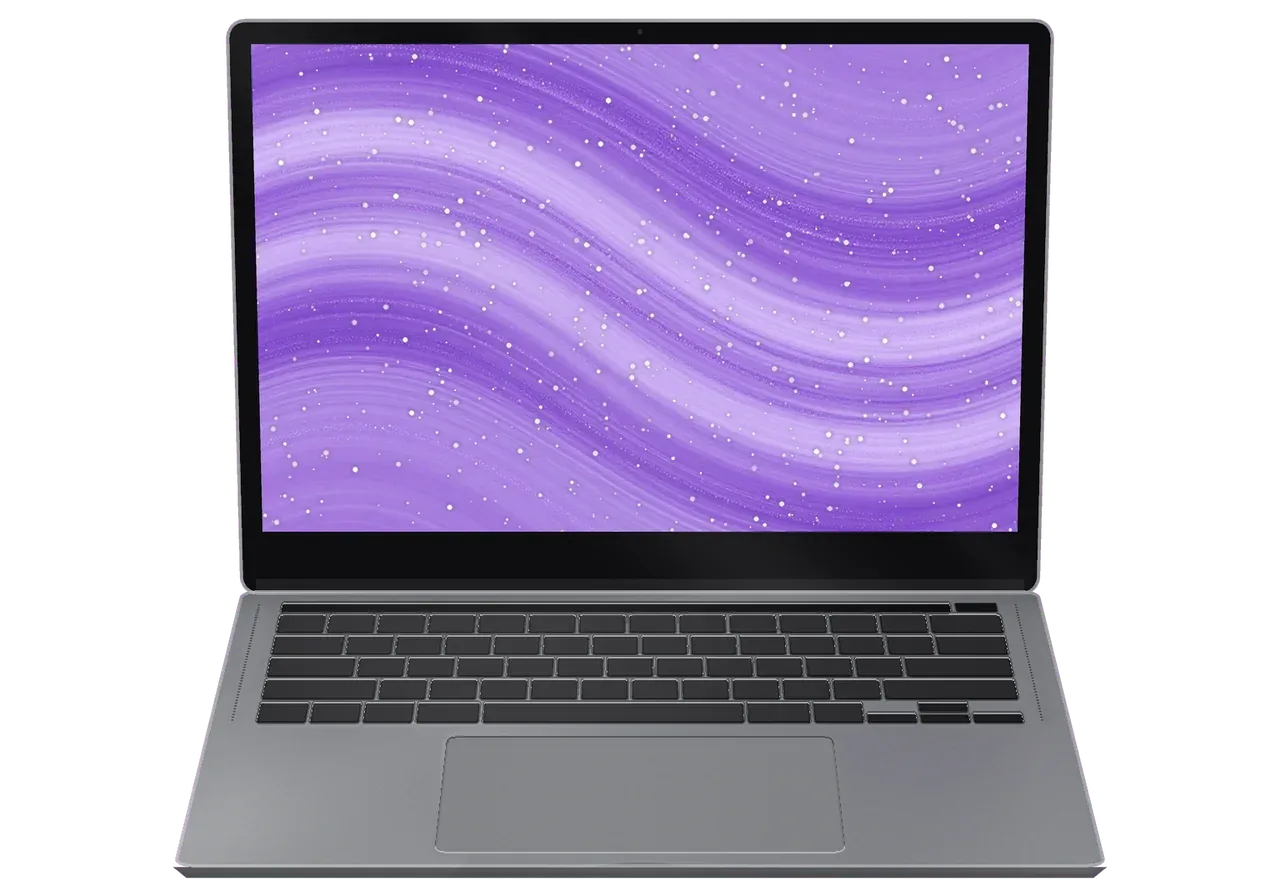
A laptop used for lectures and calls most often needs help because of the battery, heat, a port or spilled coffee.
A laptop charged to the top in the morning shuts off in the classroom.
The strip blinks at startup and its buttons do not match the app you are using.
On long video calls the fan drones and the case above the keys gets very warm.
Charging and accessories are detected only now and then, so you keep re-plugging.
Drops on the keys dried into a film, and keys start sticking one after another.
A corner knock against a desk left marks on the panel and part of the picture is gone.
The trackpad presses with a crunch or does not answer in its lower corner.
After an update the progress bar spins endlessly and then the laptop restarts.
A monitor over USB-C flickers or never shows up in settings.
Headphones and mouse lose connection even when fully charged.
The screen falls back unless you hold the lid with your hand.
Keys stay dark and the brightness level does not change.
Main MacBook Pro M2 jobs for customers in Astana with indicative labor prices.
| Service | Original | Aftermarket |
|---|---|---|
| Display panel replacement | 301 900 ₸ | 186 900 ₸ |
| Battery replacement | 155 900 ₸ | 89 900 ₸ |
| Charging port replacement | 35 900 ₸ | 19 900 ₸ |
| Speaker replacement | 33 900 ₸ | 18 900 ₸ |
| Fan replacement | 26 900 ₸ | 14 900 ₸ |
| Other repairs | Price | |
| Logic board repairmicrosoldering · 1–3 days | 16 900 ₸per job | |
| Dust cleaningdisassembly and dust cleaning | 10 900 ₸per job | |
| Cleaning after liquid damagecorrosion cleaning · diagnostics up to 2 days | 42 900 ₸per job | |
| Wi-Fi module repairwireless module · board-level repair | 41 900 ₸with parts | |
| MacOS installationOS installation, no parts replaced | 10 900 ₸per job | |
The technician names the final amount after inspection, as it depends on the board condition and the chosen part.
Screens, batteries and keyboards exist in two variants, and everyday usage reveals the difference.


If the M2 is your daily tool, you want a diagnosis in place of guesses and a say in original versus aftermarket.
Every repair is covered by a warranty up to 1 year, and before work begins the technician explains the specifics of your particular part.
11 years around Apple devices built up experience with typical failures, so many cases are recognized from the symptoms alone.
Precision matters with glued batteries and delicate Touch Bar cables, so these jobs go to experienced technicians.
The cause is established before any talk of price, so you get a clear conclusion and avoid paying for parts you do not need.
We calmly explain the differences in screens, batteries and keyboards, and the final choice is up to you.
Every job carries coverage of up to 1 year, and before the repair begins the technician walks you through the specifics of your part.
Usually the whole journey — from message to pickup — takes less than an hour; complex repairs follow the timeline in the receipt.
Book a repairYou send a photo of the damage on WhatsApp — we quote the price and available time. Or you call a courier.
An engineer checks the device in front of you and shows what is broken. 0 ₸, even if you decline the repair.
We fix the price, the part (original or analog), the timeline and the warranty. You sign — we start.
Before installation we show you the new part in its factory packaging. You wait in the waiting area with coffee and Wi‑Fi.
Screen, keyboard and trackpad, camera, microphones, speakers, charging, Wi‑Fi. You check together with the engineer.
Together with the receipt, warranty card and the old part. Payment — Kaspi, card or cash.
Technicians for iPhone, Mac, iPad, Apple Watch and AirPods repair.
Photo: Kudiret S. Photo: Kamran A.

“If the repair didn’t suit you or you have a complaint, write to me personally.”
Send a photo of the fault — an engineer will reply on WhatsApp, give the price and a time you can come in.
MacBook Pro M2 Repair in Astana with a 15-Minute Check
In Astana, iServices repairs MacBook Pro M2: free diagnostics take 15 minutes while you watch. After the check, turnaround is quoted — MacBook repairs range from 1 hour up to 1 day. Choose an original or aftermarket component; before work begins, the receipt locks in price, part, turnaround and a warranty up to 1 year.
The 13-inch MacBook Pro M2 (A2338) is a working machine with a Touch Bar and an active fan. Below are the faults owners bring to us most often, and why the symptom you notice rarely names the real cause.
| Symptom | Probable reason | What we do |
|---|---|---|
| Flicker or lines on screen | Matrix or display cable | Replace the display assembly |
| Shuts down at 30–40% | Worn battery cells | Fit a new battery |
| Keys stick or repeat | Liquid residue under keys | Clean or replace the keyboard |
| No charge, dead port | Port or power controller | Test both, repair the failed one |
| Loud at idle | Dust and hardened paste | Clean the cooling system, renew paste |
| No power at all | Board-level short | Microscope board repair |
On the 13" M2 Pro the fan noise and heat usually point to dust in the cooling system or dried thermal paste rather than a failed chip. The blower pulls air through a fin stack that clogs with fine dust over a couple of years, while the compound between the chip and the heatsink hardens and stops transferring heat. We strip the bottom case, clear the fins, clean the blades and renew the paste. Unlike the fanless Air, this Pro has an active cooler, so a preventive clean with fresh compound restores quiet running more often than a component swap — a chip that idles at 70°C on light tasks is usually a cooling problem, not a dead processor.
The M2 Pro is Apple Silicon, not an Intel design, and that shifts what a repair actually involves. Here is what follows from the architecture and why several upgrades from the Intel era no longer apply.
Since the memory and SSD on the M2 Pro are soldered directly to the logic board, swapping them out as one could on older Intel Pros is impossible. The unified memory sits in the same package as the processor, and the flash storage is fixed to the mainboard with no slot underneath. There is no drive bay, no removable RAM and no connector to lift a module out. What used to be a ten-minute swap is now a question of whether the circuit itself can be saved. That makes component-level work the deciding factor — a failed SSD means microscope repair of the mainboard, not a quick drive replacement.
The 13" M2 Pro uses a scissor keyboard with a Touch Bar and Touch ID built into the power button, and these are the parts most often affected by dust and spills. The scissor mechanism replaced the older butterfly design, so keys travel further and debris is less likely to jam them outright, but a spilled drink still reaches the membrane first. We test each key and the bar before deciding on the smallest fix, because a single sticking key or a dead Touch Bar strip is usually a top-case or flex issue rather than a full keyboard failure. Showing you which flex is at fault keeps the job honest.
The path from a WhatsApp message to a device back in your hands is short and documented at every step. Price and component are fixed on paper before any work starts.
Snap the damaged area and send it over WhatsApp: within 5 minutes an engineer comes back with a price, while the no-cost 15-minute diagnostics are carried out right in front of you. With the machine opened on the bench, the engineer points out the failed component and explains what a proper repair of your specific unit entails. Once you approve, within about 2 minutes the price, component, turnaround and warranty are recorded on the receipt, and the new component is presented in factory packaging prior to installation. Feel free to stay in the waiting lounge, where coffee and Wi-Fi are available, or hand over the device and pick it up later. Because everything is written down before the first screw comes out, nothing changes once the job begins. From the first message through to pickup, a MacBook Pro M2 repair in Astana follows this transparent path.
| Job | Typical time | While you wait |
|---|---|---|
| Screen or battery | From 1 hour up to 1 day | Often yes |
| Charging port and keyboard | Between 1 hour and 1 day | Often yes |
| Board-level repair | 1–3 days | No |
| Liquid damage diagnostics | Up to 2 days | No |
Post-repair, we test 32 functions over roughly 10 minutes while you stand at the bench, covering display and True Tone, cameras, microphones and speakers, each USB-C port under load, the keyboard key by key, Wi-Fi and Bluetooth. The engineer plays back a short recording to catch a muffled mic or a buzzing driver, and loads each port with a meter, because a loose contact often passes a quick visual check. You leave with the receipt, a warranty card valid up to 1 year, and the failed component in a bag as proof of what was removed from your machine. Testing side by side is the difference between a fix that holds and a second visit a week later.
Two options exist for this laptop, and the paperwork around them matters as much as the component itself. Below we compare both choices and show what gets written down before a technician opens the case.
| Option | What it means | Fixed on receipt |
|---|---|---|
| Original part | Matches the factory component | Part type and warranty |
| Aftermarket part | Third-party equivalent, lower cost | Part type and warranty |
| Your decision | Made before work starts | Confirmed in writing |
Before any work starts, the receipt lists the price, which part is used (original or aftermarket), how long the turnaround takes and the warranty of up to 1 year. These four points are written down in roughly two minutes, and you receive a copy, ensuring nothing is agreed verbally and later forgotten. Experienced technicians sign off on the same document once the job is done. Most disputes come from a vague promise made at the counter, not from the repair itself — a written record removes that risk entirely. If a component or a deadline were to change, the receipt is the reference, not a conversation. Store that document together with the old component, which we hand back alongside your device.
With in-house engineers and its own workshop, iServices works as a direct contractor — no aggregator or middleman involved — and over 11 years has completed more than 46,000 repairs in Almaty and the capital. That structure matters when a board fault turns out to be deeper than a photo suggested: the same engineer who quoted the job keeps working on it, and nobody re-quotes you from a different bench. Because the same team diagnoses, repairs and checks the device, there is no hand-off where a part or a deadline can quietly change. Should crossing the city be inconvenient, a courier can be arranged; payment via Kaspi, cash or card is made after you are satisfied.
Dead laptops and spills escalate quickly, so this section covers the emergency: what happens in the minutes after liquid enters, why diagnostics take longer, and ways to safeguard your files prior to handover.
When liquid enters a MacBook, power it down immediately and avoid charging, since corrosion progresses while current flows. Unplug the USB-C cable, hold the button until the screen goes dark, and tip the laptop on its side with the lid open so fluid drains away from the logic board instead of pooling beneath the keys. Do not shake it, do not press keys to test it, and do not bury it in rice — grains lodge in the ports and the fan, and none of it reaches the circuitry. Keep the device powered down and bring it in as it is. Waiting to see whether it still works is the costliest mistake — the sooner the circuitry is cleaned, the more of it survives.
Following liquid damage, diagnostics may last up to two days; board repair, performed under a microscope, takes 1–3 days. At iServices we clean the residue off first, then inspect it under magnification for darkened traces, lifted pads and corroded connectors, and only after that do we apply current. Some faults appear beneath load, so the engineer runs the laptop through charging, display and thermal cycles rather than declaring it healthy on the initial boot. Corrosion spreads beneath components that look clean, so the extra time goes into finding every affected trace rather than the obvious one. If your unit shows no sign of life at all, say so in your opening message — those go to the bench first.
A repair on this model is decided by three things: the true fault, what the M2 generation allows, and the part fixed on paper before anyone opens the lid.
Did not find an answer? Message us on WhatsApp: an engineer replies, not a bot.
Ask a questionYes, simple jobs are often done while you wait, and the whole visit usually takes less than an hour. Board and liquid work take longer. Send a photo of the damage on WhatsApp to get the price and a free time slot.
No, when your own board is repaired, the Touch ID sensor stays paired and works as before. Pairing is lost only if the board is swapped for one from another laptop.
An adapter gets warm when the laptop works hard and charges at the same time, and that is normal. If it is too hot to hold, smells or clicks, stop using it and replace it.
This is a security feature of macOS on Apple silicon laptops: it asks before a new USB device can connect. You can change the setting in Privacy and Security.
It is not safe: bending the aluminium back puts stress on the panel and can crack it. A bent lid is fixed by replacing the display assembly.
Connect an external monitor: if a picture appears there, the display or its cable is at fault. If the monitor is black too, the engineer checks the board.
Бұл жерге бірінші рет келдім. Екі күнен кейін өзі қоңырау шалды. Кезекте аздап отырдым!!
Было ощущение, что ремонт выйдет дороже нового. Проблема — залили водой. Ответили в WhatsApp, потом созвонились. Вытащили и показали: кулер. В 72 500 уложился, как и обещали. Спасибо, что выручили. Функционирует, тьфу-тьфу.
Позвонил в три места, здесь внятно объяснили по цене. Работал в жару, и вот — не включается. Экран яркий, батарея держит
Привезла на диагностику: MacBook Pro M2. Проблема — вздулась батарея. После ремонта — как новое
Работал в жару, и вот — не работает клавиатура. Камран А. отсоветовал дорогой ремонт, предложил простой. Мастер вышел, послушал и сразу забрал в работу. Вышло из строя: матрица. В 22 500 уложился, как и обещали. Экран яркий, батарея держит!!
Техника рабочая, терять её надолго нельзя. Приехала с MacBook Pro M2, как есть. Проблема — вздулась батарея. Привезла на такси, приняли без вопросов. Приговор — кулер. В другом месте просили на треть больше. После ремонта — как новое.
Знакомый мастер раньше работал с Apple, дал наводку. Проблема — шумит кулер. Про айсервис слышала от соседа. Третий месяц — никаких проблем.
После переезда — не включается. Диагностику сделали при мне. Экран яркий, батарея держит.
Приехал с MacBook Pro M2, как есть. Проблема — вздулась батарея. Выдали номер заказа и сказали, как отслеживать. Приговор — аккумулятор. Пять баллов. Сделали так, что и не придерёшься.
Астанада тұрамын, қаланың арғы жағына бару ыңғайсыз болды. Мастер бірден қарап шықты. Бөлшек қоймада бар екен, күтпедік. Ақауын тез анықтады, қажетсіз нәрсе ұсынбады. Жұмысты сол күні аяқтады. Қайта жүгінуден тартынбаймын.

Replace the battery when macOS reports Service Recommended and runtime no longer covers your workday. A free 15-minute check shows whether the cell is at fault.

Why your MacBook runs hot and loud, and whether cleaning solves it or the board needs repair.

Power it off, unplug the charger and bring the laptop in for a free 15-minute check before corrosion spreads.

Sticky or unresponsive keys usually mean debris, worn mechanisms or liquid damage. A technician can check the keyboard and advise on cleaning or replacement.

Back up your data, turn off Find My, and bring proof of purchase — then the repair starts faster.

 iPad
 iMac
 Mac mini and Studio
 Apple Watch
 AirPods
 Apple Pencil
 Apple TV
 HomePod
