MN Photo: Mukhpilov Nail
Mukhpilov Nail
smartphone repair technician
10years of experience
4.83rating, 83 reviews

MacBook Pro M2 dies by lunch or Touch Bar acts up — we'll find the cause and quote a price for free.
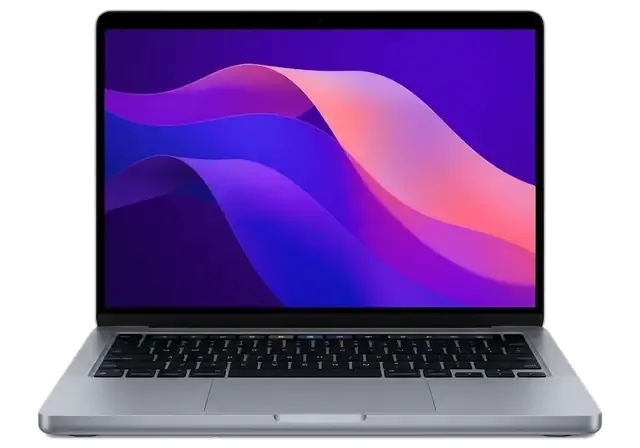
Touch Bar quirks, charge that vanishes by evening and double keystrokes: how faults show up on a laptop of this newer platform.
Icons on the strip switch by themselves and brightness or volume ignore your touch.
A laptop that used to reach nightfall now asks for a socket after lunch.
A shadow crept along the panel's edges, or blotches showed up after the lid was pressed.
Pressing feels hard, and one corner no longer registers at all.
After a drink or crumbs, some keys repeat the character or stick down.
The fan is audible with mail open, the case is warm and apps think for ages.
The adapter works in one port but not the other, or charging comes and goes.
Liquid got under the keys, and the laptop shows no life when plugged in.
Calls show a gray frame, and apps can't see the built-in camera.
Speakers rattle at volume, and movies have a buzzing noise.
The bottom case is bent, and the laptop rocks even on a flat table.
The Touch ID button won't unlock, and you have to enter a password.
Main jobs for the MacBook Pro M2 with indicative labor prices, before the specifics of your fault.
| Service | Original | Aftermarket |
|---|---|---|
| Display panel replacement | 301 900 ₸ | 186 900 ₸ |
| Battery replacement | 155 900 ₸ | 89 900 ₸ |
| Charging port replacement | 35 900 ₸ | 19 900 ₸ |
| Speaker replacement | 33 900 ₸ | 18 900 ₸ |
| Fan replacement | 26 900 ₸ | 14 900 ₸ |
| Other repairs | Price | |
| Logic board repairmicrosoldering · 1–3 days | 16 900 ₸per job | |
| Dust cleaningdisassembly and dust cleaning | 10 900 ₸per job | |
| Liquid damage cleaningcorrosion cleaning · diagnostics up to 2 days | 42 900 ₸per job | |
| Wi-Fi module repairwireless module · board-level repair | 41 900 ₸with parts | |
| MacOS installationOS installation, no parts replaced | 10 900 ₸per job | |
The total depends on the board condition and the part you select, so the technician names the final amount after diagnostics.
Screens, batteries and keyboards come in two versions, and daily use is where the gap shows.


A recent MacBook Pro calls for care and clarity, so here is briefly what you may reasonably expect from the service.
Work is done with a warranty up to 1 year, and the technician gives the details for your part before the repair begins.
Eleven years of working on Apple hardware taught us to separate plain dust from a serious board fault quickly.
Thin Touch Bar cables and a glued-in battery need exact movements, and experienced technicians handle them.
We establish what actually broke before naming a price, so unnecessary replacements are off the table.
We explain how original and aftermarket screens, batteries and keyboards differ, and the decision remains yours.
Devices are accepted in Almaty and Astana. Weekdays 10:00–19:00, weekends and holidays 11:00–18:00.
Usually the whole journey — from message to pickup — takes less than an hour; complex repairs follow the timeline in the receipt.
Book a repairYou send a photo of the damage on WhatsApp — we quote the price and available time. Or you call a courier.
An engineer checks the device in front of you and shows what is broken. 0 ₸, even if you decline the repair.
We fix the price, the part (original or analog), the timeline and the warranty. You sign — we start.
Before installation we show you the new part in its factory packaging. You wait in the waiting area with coffee and Wi‑Fi.
Screen, keyboard and trackpad, camera, microphones, speakers, charging, Wi‑Fi. You check together with the engineer.
Together with the receipt, warranty card and the old part. Payment — Kaspi, card or cash.
Technicians for iPhone, Mac, iPad, Apple Watch and AirPods repair.
Photo: Mukhpilov Nail Photo: Molchanov Rinat
 Photo: Shokan A
 Photo: Sybanbaev Birzhan
 Photo: Denis Gushchin
 Photo: Duisebaev Azhdar

“If the repair didn’t suit you or you have a complaint, write to me personally.”
Send a photo of the fault — an engineer will reply on WhatsApp, give the price and a time you can come in.
MacBook Pro M2 Repair in Almaty with a 15 Minute Check
iServices handles MacBook Pro M2 repair in Almaty as a direct contractor with its own technicians, not a middleman. We run free diagnostics in front of you in 15 minutes, fix most units in 1 hour to 1 day, and lock the part, turnaround and warranty up to 1 year on the receipt before work starts.
The 13-inch Pro M2 (A2338) with its Touch Bar and single fan fails in predictable ways. Below are the recurring faults we handle and the checks that confirm each one prior to ordering any part.
| Symptom | Likely cause | What we check |
|---|---|---|
| Lines or dark patches on screen | Display module or flex cable | External monitor test, cable seating |
| Battery drains fast, trackpad bulges | Swollen cell | Cycle count, chassis pressure |
| Keys stick or double-type | Keyboard or top case | Key response across the deck |
| Will not charge | Port, cable or power controller | USB-C charging test under load |
| Fan loud, chassis hot | Dust, dried thermal paste | Blower behaviour under load |
| No power at all | Logic board | Board inspection under microscope |
The 13-inch Pro M2 has an active blower, so dust and dried paste show up as noise and heat long before the chip throttles. That blower pulls air across a finned heatsink, and once the stack clogs, the M2 holds its clock but the chassis climbs in temperature and the blower stays pinned at high RPM. The MacBook Air M1 cools passively through its shell with no moving part at all, which is why an Air stays silent but throttles sooner under a long export. On the Pro, a worn thermal pad and caked fins are the usual culprits behind a machine that runs warm on a light load. A yearly clean with fresh thermal paste keeps it quiet and costs far less than letting heat damage reach the board.
A swollen battery pushes on the trackpad and lower shell, and we replace the cell rather than the whole top case when only the battery has failed. Lithium cells swell as they age, and a three-year-old pack that has seen daily charge cycles can expand enough to lift the Force Touch trackpad out of alignment. We read the cycle count and check for pressure before quoting, because a swollen pack that still holds charge is a safety issue, not a capacity one. Stop using the laptop once the shell bulges — pressure on the trackpad can crack its glass before the battery is swapped, turning a cell replacement into a top-case job.
The M2 platform changes what can be repaired and how, from soldered components to the model code on the case. Here is what matters prior to ordering any part.
On Apple Silicon the RAM and SSD sit on the logic board, so they are not swapped out the way they were in older Pro models. The M2 chip packages unified memory directly beside the processor, and the storage chips are soldered to the same surface with no slot underneath. That removes the upgrade path entirely: a 13-inch MacBook Pro M2 bought with 8 GB stays at 8 GB, and the drive cannot be enlarged later. What it does allow is board-level work under a microscope, where a failed storage chip or a shorted memory rail can be reballed and replaced. Because storage cannot be upgraded later, a fault here on an M2 machine is a data question first and a parts question second — settle where your files live prior to authorising anything.
The model number is printed on the lower case, and on this machine it reads A2338, which is what parts are matched against. Turn the laptop over, read the small print near the hinge, and you will see the A-number alongside the serial. That code, not the marketing name, decides which display assembly, battery and keyboard are correct for the chassis. The 13-inch M2 Pro shares the A2338 body with the M1 version, so two machines that look identical outside can take different internal parts. A seller's "Pro M2" label is not enough — the A-number confirms the exact display and battery prior to ordering anything, and it takes seconds to check.
The Intel 13-inch Pro shared the body but kept a different logic board, cooling layout and storage design, so parts are not interchangeable with the M2 version. The older unibody accepted a swap of the hard drive and memory modules, and its single fan sat over a separate CPU and GPU. Apple Silicon folds those into one package with unified memory, moves to a denser mainboard, and pairs it with MagSafe charging and USB-C ports on the same shell. Externally the two generations are near twins; internally almost nothing crosses over. Knowing the platform first prevents the common mistake of ordering an Intel-era part for an M2 chassis that looks identical outside — confirm the A-number and the chip prior to sourcing a single component.
From a WhatsApp photo to pickup with the old part in the box, here is the exact path a customer walks for this model, with the timing at each step.
You send a photo of the damage on WhatsApp, an engineer replies within 5 minutes with a price, and the part, turnaround and warranty are fixed on the receipt in about 2 minutes prior to work starting. That first exchange settles the plan for the repair local customers book most often: which option — original or aftermarket — goes in, how long the bench will hold the machine, and what the warranty covers. This is how a MacBook Pro M2 repair in Almaty starts, with the terms agreed prior to any work beginning. The replacement arrives in factory packaging and is shown to you prior to installation, so it matches what the receipt says. Getting the terms on paper first means the figure you agreed from the photo is the figure you pay at pickup.
Diagnostics are free and take 15 minutes in front of you, even if you decide not to repair, and 72% of jobs finish while the customer waits in the waiting area with coffee and Wi-Fi. The engineer opens the machine on the bench beside you and points to the failed module rather than describing it from memory. If you leave the device, a courier can bring it back later. Watching the check happen is what lets you see the faulty hardware yourself instead of taking a diagnosis on trust — a habit worth keeping whenever a workshop quotes a fault you cannot verify on the spot.
Most MacBook work takes from 1 hour to 1 day, board repair 1 to 3 days, and after the fix we check 32 functions in about 10 minutes with you. The list covers True Tone, cameras, microphones, speakers, charging and network — you test each one alongside the engineer prior to the machine leaving the bench. Payment is by Kaspi, card or cash, and the device goes home with the receipt, warranty card and the old part. A courier across the city arrives in 90 minutes and is free with a repair, so a same-day fix does not require a trip across town.
The biggest worry for most owners is not the fault itself but what goes into the machine. This section shows how the two choices differ and what the paperwork pins down ahead of any work.
| Option | What it means | Best suited to |
|---|---|---|
| Original | Matches the factory unit | Display, Touch Bar, board-level work |
| Aftermarket | Compatible alternative | Battery, port, some cables |
| Shown before fitting | Factory packaging opened in front of you | Any option you choose |
The receipt records the price, whether the spare is original or aftermarket, the turnaround and the warranty up to 1 year, all fixed ahead of the technician starting work. That single sheet carries the four facts an owner needs at handover, and we write them down in about two minutes with the customer present at the counter. Nothing is added later and nothing stays verbal. A written record of the part type is what protects you if a later fault raises the question of what was actually installed — so read the line naming the item prior to signing, and keep your copy somewhere you can find it months down the line.
The device is returned with the receipt, the warranty card and the old part, so you can see exactly what came out of your laptop. That bagged unit is proof the swap happened and a physical reference of the piece that failed. Keeping the removed item also gives you a reference if a warranty question ever comes up about the replacement — the serial and condition let a technician compare what was fitted against what is now in the machine. Customers who hold on to the old battery or port rarely need it, but the ones who do are glad it stayed in the box rather than a workshop bin.
Emergency cases follow a different order of actions than a cracked screen. Here is what to do after a spill, why a dead laptop is not always a flat cell, and how to protect your files.
Switch the device off at once and do not charge it, because corrosion on the logic board spreads as long as power is flowing. Liquid reaching the circuitry starts an electrochemical reaction with the metal traces, and every minute under voltage pushes the damage further across the surface. Unplug the charger, hold the power button until the machine shuts down, tilt it so the liquid runs out of the vents, and leave the lid open. Do not dry it with heat or a hairdryer — warmth pushes moisture deeper toward the internals instead of out of them. Rice does not reach the inside of a sealed aluminium body either, so it only costs you time. Bring the laptop in as soon as you can, even if it still switches on.
A dead unit can be a flat cell, a failed charging port or a board fault, and diagnostics separate them prior to ordering any part. We test the USB-C ports under load, read the power controller behaviour and check whether the pack holds charge at all — a port that looks intact can still refuse to negotiate power. Many "it will not charge" cases turn out to be the port or the cable rather than the cell itself. After liquid contact, diagnostics can take up to two days, so a quick "it is just the battery" guess is worth avoiding. If you cannot come in, a courier across Almaty takes about 90 minutes and is free with a repair.
Make a Time Machine backup and turn off Find My prior to handing the laptop over, because a locked machine limits what a board repair can recover. Activation Lock ties the logic board to your account, and an engineer cannot test a replacement or boot the system past the lock screen without it being released. On M2 the SSD is soldered, so data recovery after a fault depends on the chip itself, not on pulling a drive out. The security chip encrypts the storage and holds the keys, which makes chip-off recovery slower and less certain than on older machines with removable drives. If the laptop still boots, copy the files you cannot lose first — that hour is worth more than any later rescue attempt.
A short recap of what actually decides the outcome of a 13-inch Pro M2 repair — the fault, the component and the paperwork — prior to handing the machine over.
Did not find an answer? Message us on WhatsApp: an engineer replies, not a bot.
Ask a questionThe thirteen-inch MacBook Pro M2 has no MagSafe and charges through its USB-C ports. The fourteen- and sixteen-inch models with M2 Pro and M2 Max do have MagSafe, along with HDMI and an SD slot.
The thirteen-inch M1 and M2 Pro share the same case and model number. To order the right board-level parts, the technician checks the chip in About This Mac, not just the number on the bottom.
The thirteen-inch M2 Pro has a basic HD camera with modest resolution, unlike the higher-resolution camera of the fourteen-inch models. A replacement will not make it sharper. Good lighting makes the biggest difference.
Usually this is a software issue, so update macOS, forget the network and connect again. If Wi-Fi drops at other times too, the wireless module or the antennas in the display hinge are checked.
Yes, Continuity Camera lets a recent iPhone work as the webcam for the MacBook Pro M2 when both use the same Apple ID. It is a handy workaround until the camera is repaired.
Open the lid or connect the charger: Apple silicon MacBooks start automatically then. If it still does not switch on, the problem is in power or the board rather than in the button.
На MacBook Pro 14″ (M2 Pro, 2023) периодически пропадал звук. После обращения проверили аудиотракт и восстановили звук; Денис подсказал, что действительно надо проверять.
На MacBook Pro 13″ (M2, 2022) клавиатура начала пропускать нажатия. В итоге проверили клавиатуру и устранили проблему с клавишами; Аждар спокойно объяснил, с чего лучше начать.
На MacBook Pro 14″ (M2 Max, 2023) аккумулятор быстро садился. После обращения проверили состояние батареи и решили вопрос с автономностью; Денис показал, в чём была проблема.
На MacBook Pro 16″ (M2 Pro, 2023) компьютер не включался с первого раза. В сервисе проверили питание и вернули стабильный запуск.
У моего MacBook Pro 16″ (M2 Pro 2023) периодически пропадал звук. Ребята проверили аудиотракт и восстановили звук.
MacBook Pro 16″ (M2 Max 2023) подвёл: компьютер не включался с первого раза. После обращения проверили питание и вернули стабильный запуск.
MacBook Pro 13″ (M2, 2022) подвёл: аккумулятор быстро садился. Ребята проверили состояние батареи и решили вопрос с автономностью.
Макбук стал жутко греться и тормозить даже от простых задач по работе. Принес на чистку от пыли и замену термопасты. Всё почистили быстро, теперь работает абсолютно бесшумно и больше не зависает. Спасибо большое за оперативность.
Проблема: не было изображения на экране макбука. Принес в этот сервис на диагностику. На следующий день мне сообщили что нужно восстанавливать материнскую плату, и время работы 2 недели. По прошествии 2х недель со мной ни кто из менеджеров не связался, звонил им сам, ответивший менеджер не знал ситуации с макбуком, якобы в работе. Я попросил узнать почему ещё в работе. Через полчаса мне звонят с сервиса, и говорят, пришли бракованные чипы для замены, и для решения проблемы ждать ещё 2 недели. По прошествии более 2х недель, со мной так же ни кто не связывался, и опять мне нужно было звонить самому. Ситуация повторилась. Менеджер не в курсе состояния, связывался техник который этим занимался. Главный техник который курирует мастеров, говорил что они позвонили все питание на видеочипы, питания на чипы было. Как проводилась диагностика вызывает большой вопрос. И почему все мероприятия продлились месяц, мне так и ни кто не ответил. В итоге, макбук не починен, якобы нужна замена материнской платы и нужно ещё месяц ждать и 250 тысяч тенге, месяц пустых ожиданий, не известно сколько он просто пылился у них на складе в ожидании, пока я его не заберу. Складывается смутное ощущение что они больше нанесли вреда состоянию макбука. П.с. при возврате макбука, оказалось, что диагностика продлилась месяц, и что современные макбуки они быстро не ремонтируют, мой макбук 2016 года, главный техник не в курсе что чем занимаются его подчинённые. Кажется бредом. Потерян месяц, очень разочарован этим сервисом. Ещё и часть креплений потеряли. Не рекомендую обращаться к ним
Недавно поломался у меня макбук. Все-таки знаю, что самому чинить очень сложно, да и опыта толком та и нету. Решил отнести в эту компанию на починку. Починили очень хорошо. Всему рад.

Replace the battery when macOS reports Service Recommended and runtime no longer covers your workday. A free 15-minute check shows whether the cell is at fault.

Why your MacBook runs hot and loud, and whether cleaning solves it or the board needs repair.

Power it off, unplug the charger and bring the laptop in for a free 15-minute check before corrosion spreads.

Sticky or unresponsive keys usually mean debris, worn mechanisms or liquid damage. A technician can check the keyboard and advise on cleaning or replacement.

Back up your data, turn off Find My, and bring proof of purchase — then the repair starts faster.
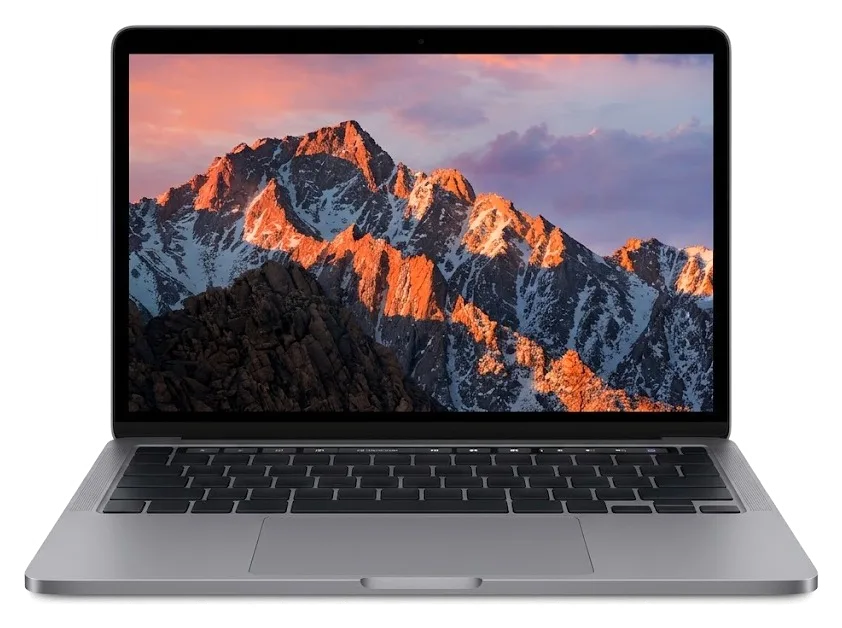
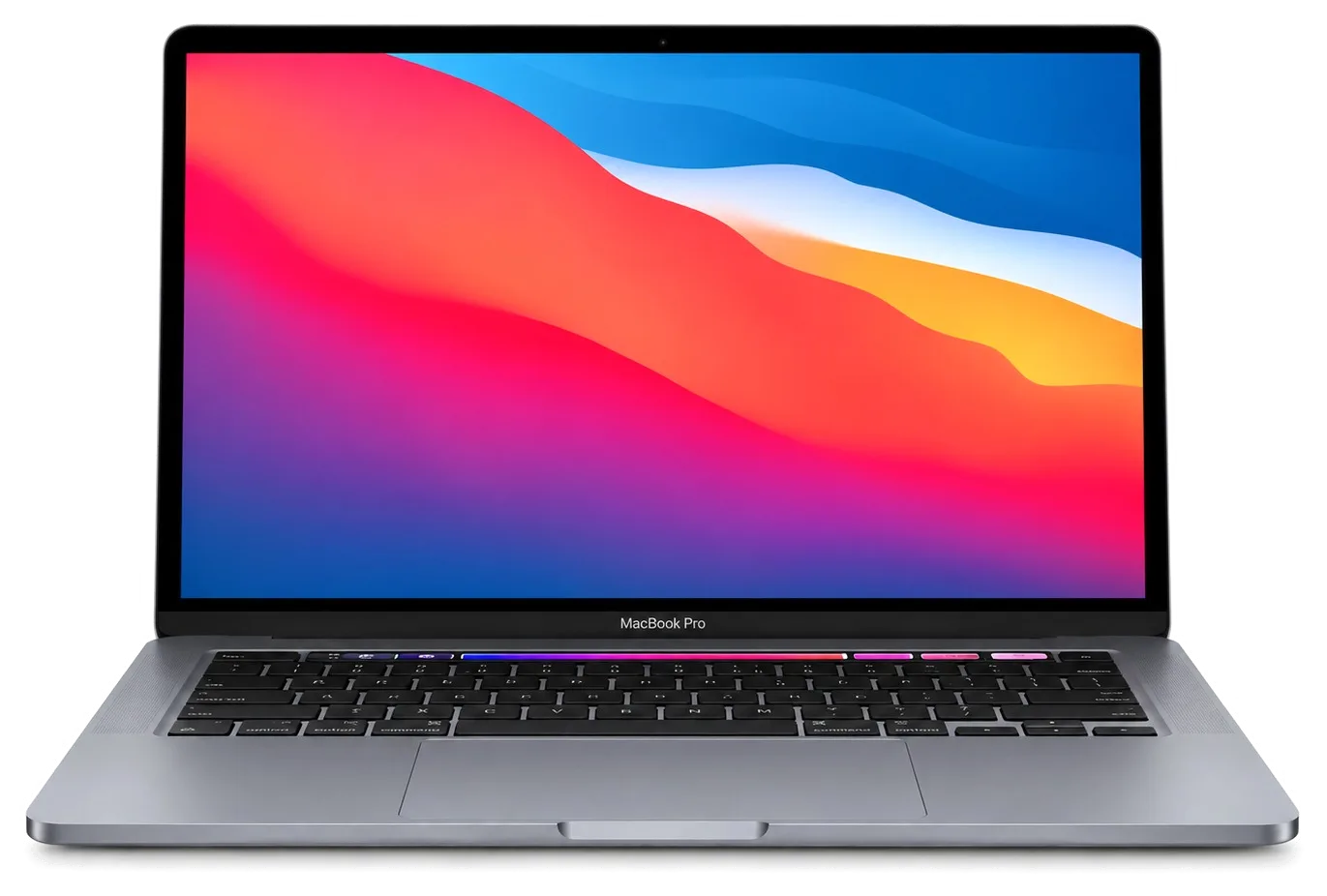

 iPad
 iMac
 Mac mini and Studio
 Apple Watch
 AirPods
 Apple Pencil
 Apple TV
 HomePod
