Your city

AstanaAstana, Kabanbay Batyr Ave., 7/2 · +7 727 339-99-12
Eng

Apple Watch SE 3 Repair in Almaty

Cracked or scratched glass on Apple Watch SE 3 — we replace it within a day and show you the new part in its factory packaging beforehand.

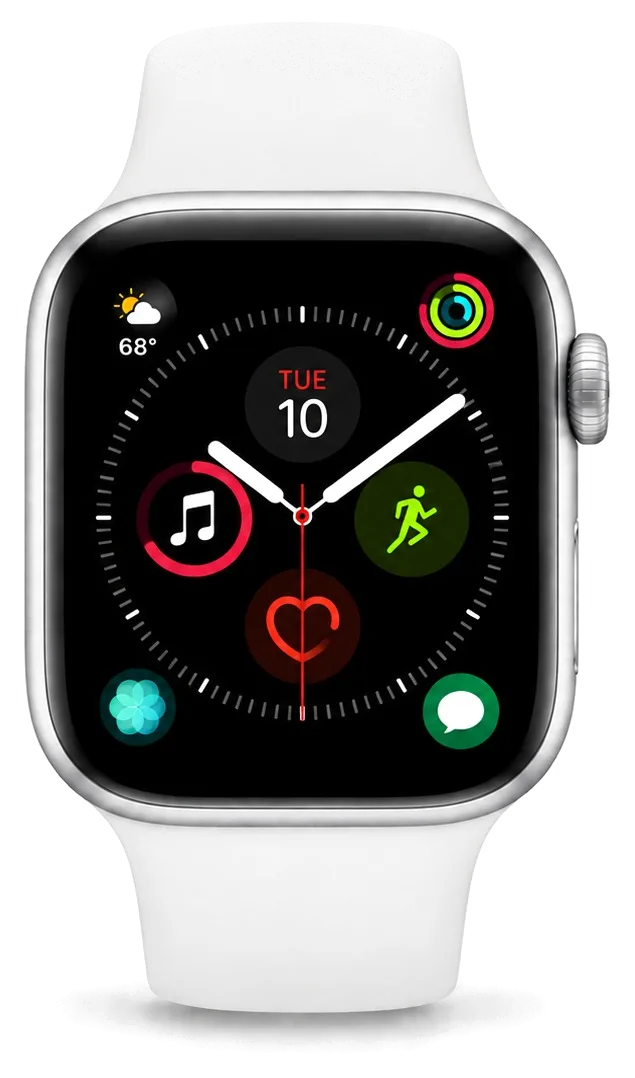
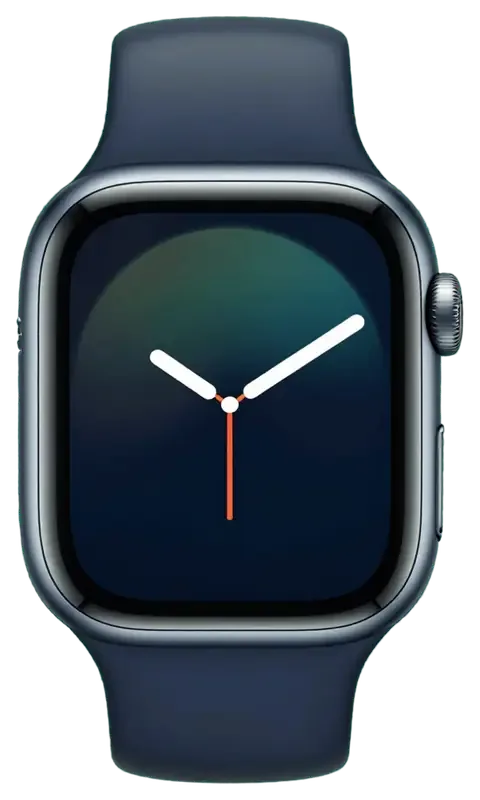
Apple Watch SE 3 in dark night color
Apple Watch SE 3, Midnight repair
Rear cover with sensors replacementfrom 114 900 ₸
Digital Crown repairfrom 13 900 ₸
Side button replacementfrom 13 900 ₸
All services and prices

Problems that bring a new Apple Watch SE 3 in for repair

A newer watch still breaks: chipped glass, quick battery loss, warmth and other reasons people book a check-up.

01

Battery drains faster

Always-on display and background activity use more charge than expected.

02

Charging is slow or patchy

A weak adapter or cable keeps the watch from charging quickly.

03

Scuffed glass edge

Desk corners and door frames mark the glass within the first weeks.

04

Display dies in one area

After a fall a part of the screen goes dark or ignores touch.

05

Warm case

The watch heats up without load and the percentage melts away.

06

Double Tap ignores you

The gesture is enabled, yet the watch does not react to it.

07

Band will not lock

Dirt in the mounting slot stops the lug from clicking in place.

08

Fog behind the glass

A shower or pool visit leaves moisture inside the case.

09

Crown slips

The Digital Crown turns, but the screen does not scroll or jumps in jerks.

10

Calls sound quiet

The speaker sounds muffled, and the alarm is barely audible even at maximum.

11

Heart rate not detected

During walks and sleep, heart rate readings are not recorded in Health.

12

Touchscreen misses taps

Taps register only every other time, especially near the edge of the screen.

Apple Watch SE 3 repair services

We handle the main SE 3 jobs; the final amount depends on the part and on what the inspection shows.

ServiceOriginalAftermarket
Rear cover with sensors replacement206 900 ₸114 900 ₸
Digital Crown repair24 900 ₸13 900 ₸
Side button replacement24 900 ₸13 900 ₸
Speaker replacement51 900 ₸28 900 ₸
Microphone replacement49 900 ₸27 900 ₸
Glass replacement51 900 ₸28 900 ₸
Battery replacement60 900 ₸34 900 ₸
Other repairsPrice
Board repairmicrosoldering · 1–3 days44 900 ₸per job
Firmware flashingsoftware restore, no parts replaced38 900 ₸per job

We confirm the final cost after diagnostics, when the battery, board and case seals have been checked — by phone or WhatsApp.

Which part suits a recent watch

SE 3 is a recent model, so the right part depends on how long you plan to keep the watch.

Original Applewarranty up to 1 year
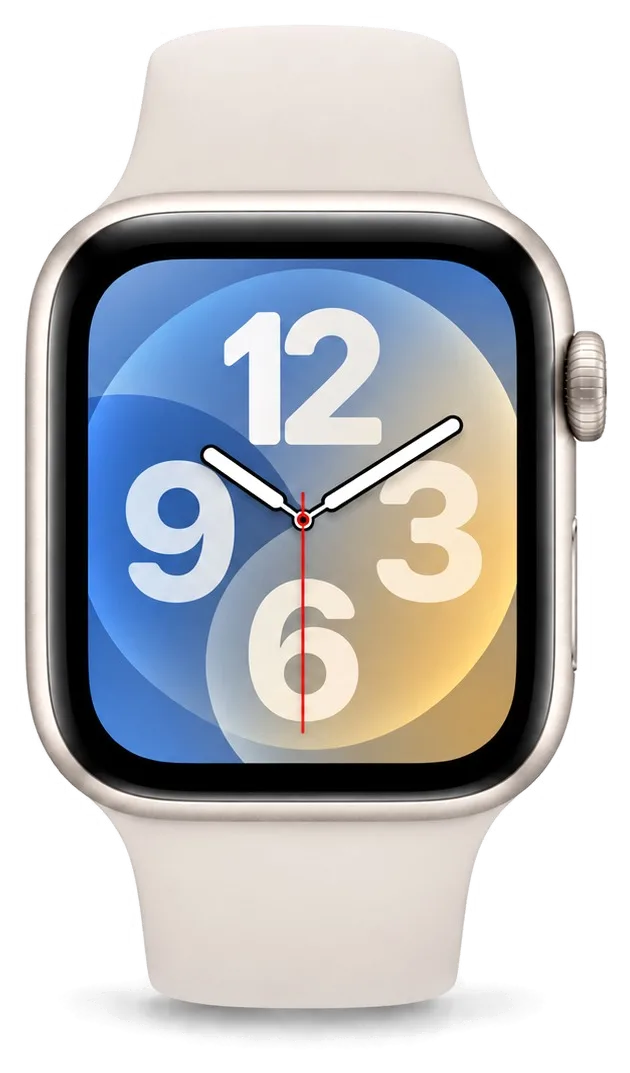
Apple Watch SE 3 glass51 900 ₸
Apple Watch SE 3 glass: original part in Apple packaging
Screen
Brightness and colour match a new watch
Always-on mode
Runs cleanly without visible artefacts
Battery
Capacity and behaviour near the original
Price
Higher than aftermarket, see the price list
Chosen by 64% of clients
Book with an original part
Aftermarketwarranty 6 months
Apple Watch SE 3 glass28 900 ₸−44%
Apple Watch SE 3 glass: aftermarket part in an antistatic bag
Screen
A little dimmer in sun, similar indoors
Always-on mode
Works, brightness may differ
Battery
Lifespan depends on the batch
Price
Lower, fine for a spare or teen's watch
Chosen by 36% of clients
Book with an aftermarket part

What you get from a repair at our service

Handing over a watch is a leap of faith, so here is what stands behind the repair: warranty, experience and plain talk.

1year

Warranty up to 1 year

Our work carries a warranty up to 1 year; if the same fault returns because of the repair, the watch is accepted again.

11years

11 years of experience

Eleven years of Apple repairs help us trace the cause of a fault quickly on watches of any generation.

0opening marks

Careful handling

Experienced technicians do the work, because on a newer watch the adhesive seam and the seals matter a great deal.

5min

An honest assessment

If cleaning a contact or an update is enough, we say so instead of proposing a needless replacement.

2options

Two versions of a part

We show original and aftermarket parts, explain how they differ and leave the choice in your hands.

7days a week

Practical opening hours

We open 10:00–19:00 on weekdays and 11:00–18:00 on weekends and holidays, so you can stop by after work.

Apple Watch SE 3 before and after repair

1 / 2
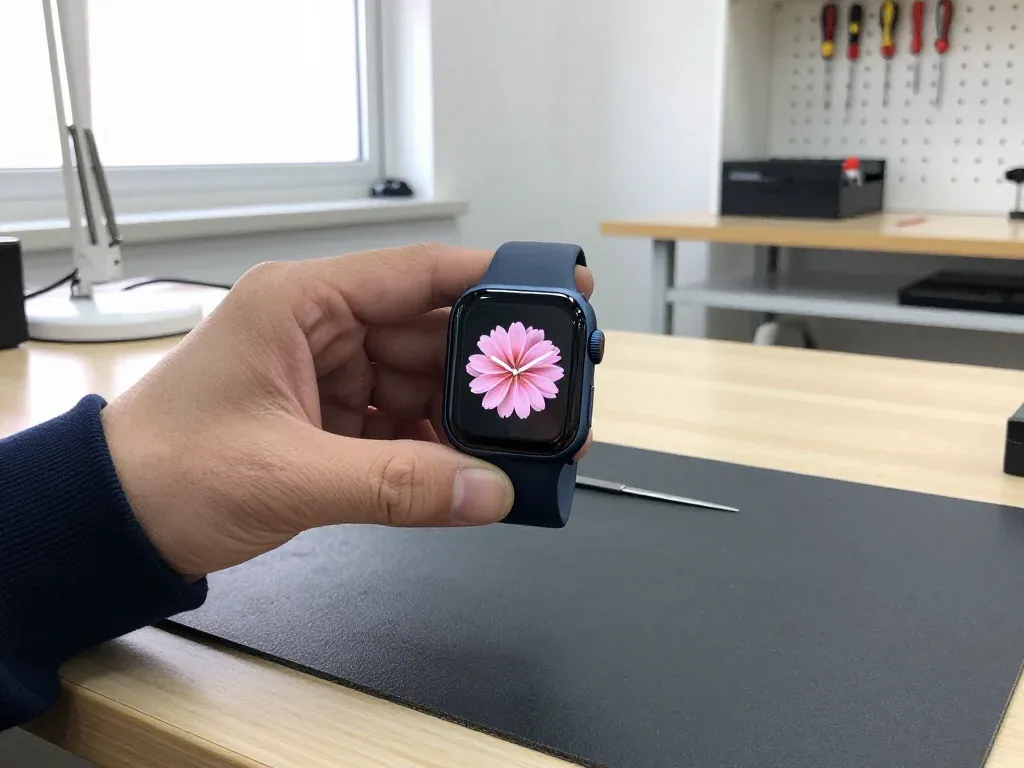
Apple Watch SE 3 in dark case held by a technician, analog face with a pink flower

Apple Watch SE 3: cracked glass on a door frame

The client caught the watch on a door frame in the stairwell — a crack ran across the glass, but the display and touch stayed fine. We replaced just the glass, checked the sensor and water resistance — the watch is as good as new.

from 28 900 ₸repair cost
I want the same
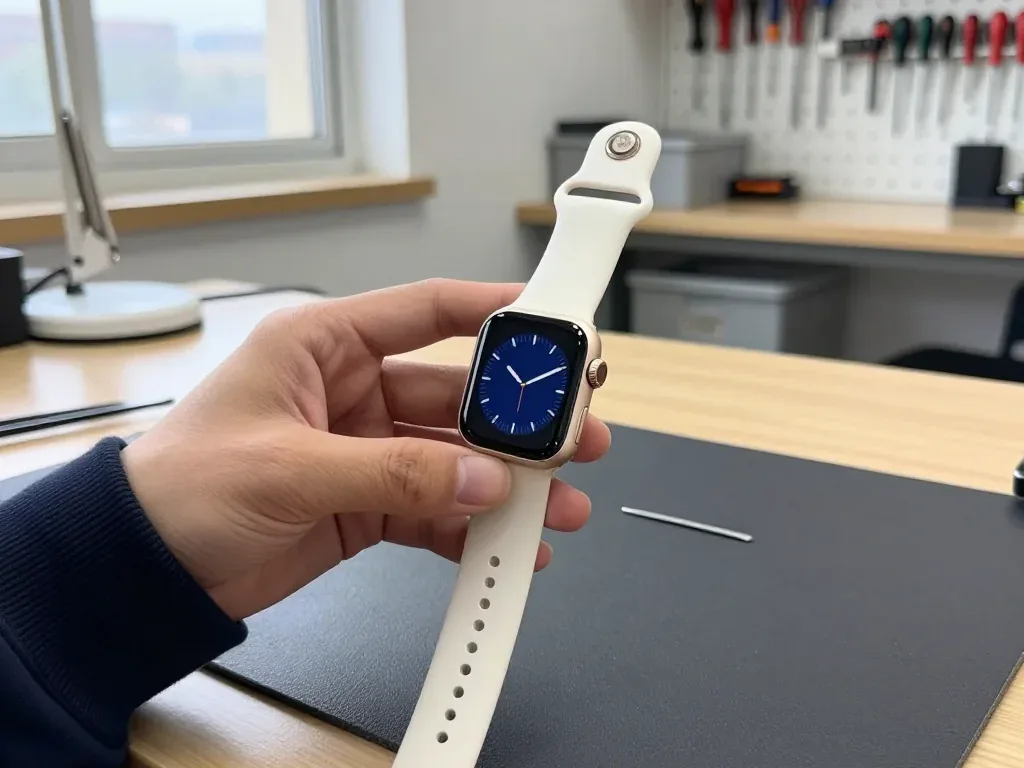
Master holds an Apple Watch SE 3 with a dark blue analog dial after display replacement

Apple Watch SE 3: black screen after impact

The client hit the watch against a door handle — the screen went black even though there was no crack. We replaced the display and checked the touch sensor and water resistance: the watch tells time and responds to touch again.

from 40 900 ₸repair cost
I want the same

How Apple Watch SE 3 repair is done in Almaty

Usually the whole journey — from message to pickup — takes less than an hour; complex repairs follow the timeline in the receipt.

Book a repair
  1. Step 1

    Message or call

    5 min

    You send a photo of the damage on WhatsApp — we quote the price and available time. Or you call a courier.

  2. Step 2

    Free diagnostics

    15 min

    An engineer checks the device in front of you and shows what is broken. 0 ₸, even if you decline the repair.

  3. Step 3

    Price in the receipt

    2 min

    We fix the price, the part (original or analog), the timeline and the warranty. You sign — we start.

  4. Step 4

    Repair while you wait

    20–40 min

    Before installation we show you the new part in its factory packaging. You wait in the waiting area with coffee and Wi‑Fi.

  5. Step 5

    Post-repair check

    10 min

    Touchscreen, brightness, Digital Crown, sensors, microphone, speaker, charging. You check them together with the engineer.

  6. Step 6

    Pick up your device

    warranty up to 1 year

    Together with the receipt, warranty card and the old part. Payment — Kaspi, card or cash.

Who will fix your Apple Watch SE 3

Technicians for iPhone, Mac, iPad, Apple Watch and AirPods repair.

1 / 6
MNMukhpilov Nail — smartphone repair technician, iServices service center in AlmatyPhoto: Mukhpilov Nail

Mukhpilov Nail

smartphone repair technician
10years of experience
4.83rating, 83 reviews
MRMolchanov Rinat — Apple repair and diagnostics engineer, iServices service center in AlmatyPhoto: Molchanov Rinat

Molchanov Rinat

Apple repair and diagnostics engineer
10years of experience
4.85rating, 33 reviews
SAShokan A — diagnostics technician, iServices service center in AlmatyPhoto: Shokan A

Shokan A

diagnostics technician
8years of experience
5.0rating, 37 reviews
SBSybanbaev Birzhan — firmware specialist, iServices service center in AlmatyPhoto: Sybanbaev Birzhan

Sybanbaev Birzhan

firmware specialist
7years of experience
4.75rating, 74 reviews
DGDenis Gushchin — display replacement technician, iServices service center in AlmatyPhoto: Denis Gushchin

Denis Gushchin

display replacement technician
20years of experience
5.0rating, 34 reviews
DADuisebaev Azhdar — connector replacement technician, iServices service center in AlmatyPhoto: Duisebaev Azhdar

Duisebaev Azhdar

connector replacement technician
7years of experience
4.3rating, 35 reviews
Gamid K, phone repair technician
“If the repair didn’t suit you or you have a complaint, write to me personally.”
Gamid Kphone repair technician · +7 705 900-70-95

We'll quote Apple Watch SE 3 repair in Almaty from a photo in 5 minutes

Send a photo of the fault — an engineer will reply on WhatsApp, give the price and a time you can come in.

  1. 5 minAn engineer replies and names the price
  2. 0 ₸Diagnostics in front of you in 15 minutes
  3. 30 minMost repairs — while you wait

Apple Watch SE 3 Repair in Almaty Done While You Wait

In short

For Apple Watch SE 3 repair in Almaty, iServices diagnoses the watch free of charge in front of you in 15 minutes, then fixes most faults while you wait in the lounge. The price, the part (original or aftermarket), the turnaround and a warranty up to 1 year are fixed on the receipt before any work begins.

Mukhpilov NailWe reply on WhatsApp within 10 minutes
Ask

What Usually Fails and How We Tell the Faults Apart in Apple Watch SE 3 Repair

The SE 3 pairs an Always-On display and fast charging in an aluminium case with Ion-X front, so one drop can damage the outer surface, the touch sensor or the battery underneath. We start by naming the fault.

Cracked Glass, Dead Touch or Lines on the Screen

On the SE 3 the protective glass is bonded to the display, so a crack with a clean picture can be fixed by replacing the glass alone, while lines, blotches or dead touch mean the whole module goes. Ion-X takes the impact first and often spiderwebs across the surface without reaching the panel below, which is why a shattered face can still show a perfect image with working Always-On dimming. Once liquid reaches the touch sensor, symptoms change: ghost taps, a strip that ignores pressure or a green line along one edge. Our engineer runs a touch test on all four corners and the centre before quoting, then shows you the result on the spot. For this repair, the test tells a glass-only job apart from a full module swap.

Why the Watch Dies Fast or the Screen Lifts

A battery that drains by midday or shuts down in the cold is worn out, and a swollen cell physically pushes the screen up, so we replace the cell and re-seat the display. Age alone explains the drain: after roughly two to three years of daily charging, a battery holds less and the watch starts cutting out at low temperatures or under GPS load. Swelling is the more serious stage — the pouch expands against the rear cover and lifts the module off its adhesive gasket, leaving a visible gap along the edge. Stop charging a watch with a lifted screen and bring it in uncharged, since a swollen cell under continued charge is the one case where waiting makes the damage worse.

When the Watch Won't Charge or Power On

Where the charging fault sits, from puck to board
SymptomLikely nodeWhat we check
No charge on any puckCharger or cableYour own charger first
Charges only at an angleCoil or contactsCoil and contact ring
Warm, then stopsBattery or boardCell health, current draw
Dead after waterBoard and coilCorrosion under microscope
No response at allBoard (SiP)Power rails under microscope

Original Part or Aftermarket for Your Apple Watch SE 3 Repair

The SE 3 keeps Always-On and fast charging, and a cheap panel can quietly drop both. Here is how the two options differ and how your choice is locked in before work starts.

How Original and Aftermarket Parts Differ on the SE 3

An original display keeps Always-On, the full brightness range and factory touch response, while an aftermarket panel can dim the ambient mode or soften touch at the edges, so we show both before you decide. The gap shows up in three spots: the dimming layer, peak brightness outdoors and how the digitizer reads a quick tap near the bezel. On the power side, a fresh cell from a reputable supplier restores a full day of use, and fast top-up stays stable only when the controller pairs correctly with the battery. 64% of customers pick the factory option once they see the two side by side on the bench. If Always-On and quick top-up matter to you day to day, take the original panel, since those two features are the first to suffer on a budget unit.

How Your Choice Is Fixed Before We Start

We write the part type, the turnaround and the warranty on the receipt in about two minutes, and we show the new component in its factory packaging before it goes in. That slip records the exact unit, whether it is original or aftermarket, the promised turnaround and the warranty term, so nothing is left to memory on either side. The engineer opens the sealed box in front of you, checks the flex and connector, and only then mounts the component. We hand back the old unit together with the warranty card, so you can see what came out of your watch. Keep that receipt, because it is what the warranty is checked against later, and it also records that you received the replaced component back.

Repair or Replace the Watch

  • Cracked glass, clean picture: a glass-only fix keeps the original panel and restores the look without swapping the whole display.
  • Worn battery: a fresh cell brings back a full day of use and stable fast top-up for everyday wear.
  • Water-damaged board: board work runs under a microscope and takes one to three days, so we quote before you commit.
  • Dead sensors after a fall: we test the board first, since a failed sensor often traces back to a micro-crack.

Water, Crown and Sensors After a Drop

Water, a sticking control and lost sensor readings are the faults owners most often misread. Each has a clear cause and a clear check, and none of them should wait once the watch has been submerged.

Can You Swim After a Repair

We re-glue the case every time we open it, but factory water resistance cannot be guaranteed once the watch has been opened, so we advise against swimming following a repair. The gasket that seals the housing is compressed the moment the case comes apart, and a fresh adhesive layer restores splash protection, not the WR50 rating the device carried from the factory. Watches that go back into a pool within a week of service return with moisture behind the display more often than those kept dry. Treat the watch as splash-resistant rather than swim-ready following service, and rinse it with fresh water when sweat or soap builds up instead of taking it into a pool. Shower steam and salt water find a weak seal fastest.

A Sticky Crown or a Button That Won't Click

A control that grinds or a button that feels mushy is usually debris or a worn seal, and we clean or replace the assembly without touching the display. The Digital Crown sits on a stem with its own gasket, and dust, sand or dried sweat packed into that gap is what turns a smooth rotation into a gritty one. Our experienced technicians strip the part, flush the stem and fit a new seal, then check the click of the side button on the same visit. Avoid forcing a stiff dial with your fingernail, since grit pushed deeper scores the stem and turns a clean-up into a replacement. If it still turns heavily once rinsed under a tap, stop twisting it and let the assembly be opened instead.

Pulse, ECG and the Lost Connection to iPhone

A watch that stops reading pulse or loses its iPhone link following a drop usually has a disturbed rear sensor or antenna, which we test against a known-good phone during diagnostics. The heart sensor and its LEDs sit in the rear cover, and a hard knock can shift the cover just enough to break optical contact with the skin, so readings drop out during workouts or read low at rest. The same impact disturbs the antenna path that carries Bluetooth and cellular, which shows up as a Watch app that keeps searching for the phone. Before assuming a hardware fault, unpair and re-pair the watch once, because a stale pairing mimics a dead sensor and costs nothing to rule out. If the drop is followed by a reconnect that fails repeatedly, the rear cover needs to come off for inspection.

What a Visit Looks Like and How Long It Takes

For Apple Watch SE 3 repair in Almaty, most jobs are finished during a single visit, and the whole path from first message to pickup usually takes under an hour. Here is what happens at each step.

From a WhatsApp Photo to a Booked Slot

Send a photo of the damage on WhatsApp and an engineer replies within five minutes with a price and a free time slot, so you arrive knowing what to expect. The engineer reads the shot against the SE 3 chassis: a hairline crack along the Ion-X glass, a lifted display edge, a dented crown. From that image we name the part, the turnaround and the warranty, and both are fixed on the receipt in about two minutes before any work starts. You can also call a courier across the city, which takes 90 minutes and comes free with a repair. A clear, well-lit photo of the crack or the lifted screen lets us quote accurately, which saves a second trip if a part has to be ordered.

Free Diagnostics in Front of You

Diagnostics are free and take about 15 minutes in front of you, and the engineer shows you exactly what is broken even if you decide not to repair. The check runs through the touch layer, the pulse sensor, the crown rotation, charging on the magnetic pad and the wireless link to your iPhone. Nothing disappears behind a closed door: you watch the screen as each test fires and see which one fails. A "dead battery" often turns out to be a swollen cell pushing the display up, or a charging fault traced to the pad rather than the watch. Watch the screen during the test, because seeing the touch and sensor checks yourself is the surest way to know the quote matches the real fault.

Waiting on Site and Preparing the Watch

72% of repairs finish while the customer waits in the lounge with coffee and Wi-Fi, and the whole process usually takes less than an hour. Most jobs land in the 20-40 minute band: a screen swap, a battery, camera glass. Board-level work under the microscope is the exception and runs one to three days, and after water contact diagnostics can stretch to two days. Payment is by Kaspi, card or cash at the desk. Unpair the watch from your iPhone before the visit, since the backup stays on the phone and a paired watch can block the post-repair function test.

The Handover Check and What the Warranty Covers

The repair is not finished until you have tested the watch yourself. We run a 32-point check and then hand the device back with its paperwork and the old part.

What We Test Before Handover

Functions verified together with you after repair
CheckWhat we confirmWhy it matters
TouchAll corners respondConfirms the panel
Pulse and sensorsLive readingsRear sensor seated
ChargingFull fast-charge cycleCoil and battery
SoundSpeaker and micSeals intact
Crown and buttonsClean clicksAssembly correct

The Receipt, the Old Part and the Warranty

The watch comes back with the receipt, a warranty card covering it up to 1 year, and the removed part, and you can pay by Kaspi, card or cash. The document lists the spare fitted, the date and the scope of work, so nothing rests on memory. We hand over the replaced module in the same bag it came out of, which lets you see what was actually swapped. Payment clears at the counter before you leave, and the engineer notes the transaction on the same slip. Store the warranty card with the receipt, since a claim is matched against the part and date recorded there rather than a verbal promise.

Why a Direct Repairer Changes the Outcome

We are a direct repairer with our own experienced technicians and workshop, not an aggregator or middleman, so the person who quotes your SE 3 is the one who fixes it. Eleven years in business and 46,000+ repairs mean the bench, the microscope for board work and the stock of spares sit in one place rather than being passed between firms. A smartwatch repair in Almaty handled this way keeps a single chain of responsibility: the engineer who diagnoses the fault also signs the paperwork and answers for the warranty. With a direct shop the item shown to you is the item installed, since there is no third party between the quote and the bench.

Summary: Apple Watch SE 3 Repair

A short recap of what decides the outcome of an SE 3 repair, from diagnosis to the final test on your wrist.

  • Crack versus display fault: a clean crack with an intact picture can mean a glass-only fix, while lines or dead touch point to the full display module.
  • Swollen battery: rapid drain or a screen lifting at the edge means the cell should be replaced before the watch is charged again.
  • Water resistance: sealing degrades after any opening, so treat a repaired unit as splash-resistant rather than swim-ready.
  • Turnaround: most screen and battery jobs finish during a single visit, often in under an hour.
  • Before you leave: unpair the watch from the iPhone, then test touch, pulse and charging on your own wrist at the counter.

What owners ask before an Apple Watch SE 3 repair

Did not find an answer? Message us on WhatsApp: an engineer replies, not a bot.

Ask a question
What should I check on an Apple Watch SE 3 after a fall on the pavement?

Look at the glass edges in the light, since a small chip at the rim often hides a crack. Then check that the screen reacts to touch everywhere, the Digital Crown turns smoothly and the side button clicks. If any of this fails, avoid water until the watch has been inspected.

Can my old watch band be used with an SE 3?

Usually yes, as long as the case size matches. Check that the lock clicks firmly and the lugs are not worn before trusting a used band with a new watch.

Should I call the seller first if the fault appeared by itself?

Yes. If the watch has no signs of impact or water and the fault appeared soon after purchase, start with the seller's warranty. For physical damage a repair service is the normal route.

Is an aftermarket display fine for a child's watch?

Often yes. Brightness matters less indoors, and the price is lower. The warranty up to 1 year applies either way.

Can an Apple Watch SE 3 be handed in while still linked to my iPhone?

Yes, it can stay linked to your iPhone and Apple ID. Just make a fresh iPhone backup and remember your Apple ID password. Unpairing is needed mainly when the watch changes owner.

Will the glass survive being removed?

It might not, because it is bonded to the display. The technician will explain the risk beforehand and may suggest the full module if needed.

Can parts from an earlier SE fit an SE 3?

No. Display, glass and other modules are specific to each generation and size, so the technician confirms your version before ordering anything.

Customer reviews of Apple Watch SE (3-го поколения) repair

1 / 6
4.9

average rating on Google Maps, wikicity and our website · 445 reviews
Google Maps4.438 reviews ›wikicity5.015 reviews ›Reviews on the iServices website5.0392 reviews ›
РШ
Рустам Ш.Order No. IS‑2511‑•••23 · 20 November 2025
Apple Watch SE (3-го поколения) · buttons

У моего Apple Watch SE (3-го поколения) цифровое колёсико стало нажиматься туго. Ребята проверили работу колёсика и привели управление в порядок.

iServices customer review, in Russian
РТ
Рустам Т.Order No. IS‑2511‑•••22 · 8 November 2025
Apple Watch SE (3-го поколения) · system

Проблема была такая: уведомления приходили с большими задержками — и непонятно что делать. В итоге проверели соединение и системные настройки.

iServices customer review, in Russian
АЦ
Асель Ц.Order No. IS‑2512‑•••71 · 17 December 2025
Apple Watch SE (3-го поколения) · screen

На Apple Watch SE (3-го поколения) у часов начал отходить экран. В севрисе осмотрели корпус и крепление дисплея.

iServices customer review, in Russian
ГС
Гульнура Сундетова10 September 2020

Забрала эпл вотч с ремонта, поменяли стекло на часах, супер, а то сколы глаза мазолили постоянно и красоту портили

Service reply

Добрый день, Гульнура. Благодарим Вас за обратную связь. Мы рады, что Ваше обращение в наш сервис оставило положительные эмоции. Если потребуется квалифицированный совет, мы всегда готовы оказать необходимую помощь.

ГО
Гаухар О.30 August 2026

На смарт-часах треснуло защитное стекло на задней панели, где стоят датчики. Боялся, что внутрь попадет пот или влага при тренировках. Принес ребятам, деталь оперативно заменили на новую. Всё работает корректно, часы как новые.

МЖ
Марат Ж.28 August 2026

Умные часы перестали ловить домашний вай-фай и постоянно теряли связь с телефоном. В сервисе обновили внутреннее программное обеспечение и устранили ошибку модуля связи. Теперь всё подключается моментально, уведомления приходят.

Showing 6 of 6See all reviews

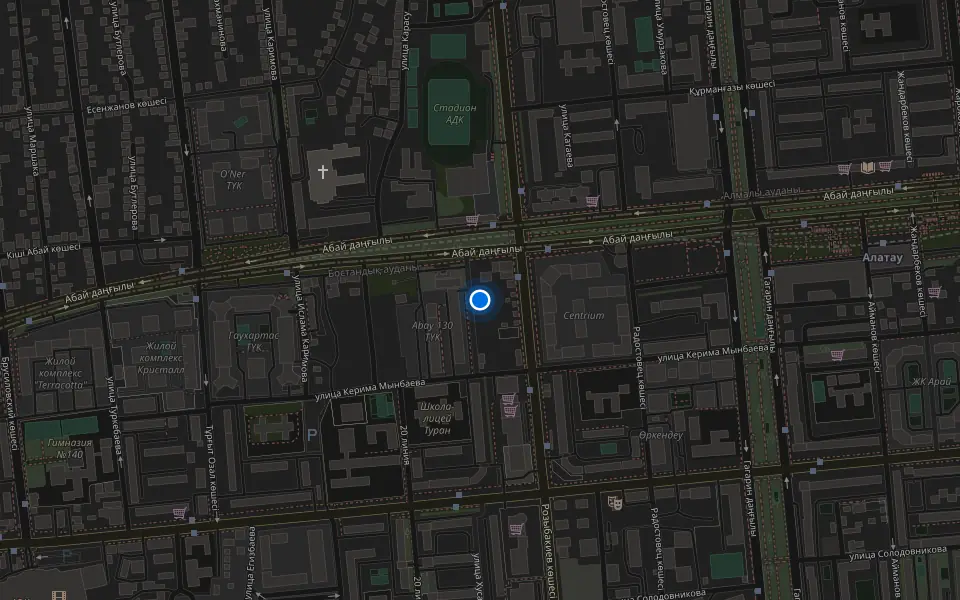
Where to get Apple Watch SE 3 repair in Almaty

Address
Khusainov St., 28
Opening hours
Mon–Fri 10:00–19:00Sat–Sun 11:00–18:00
Phone and messengers
+7 705 900-70-95WhatsApp: +7 705 900-70-95
Directions map: iServices Almaty — Khusainov, 28© OpenStreetMapFind us on the maps: Google Maps · 2GIS