MN Photo: Mukhpilov Nail
Mukhpilov Nail
smartphone repair technician
10years of experience
4.83rating, 83 reviews

Mac Studio M4 Max won't start or slows down on export — we'll find the cause free and quote the price upfront.
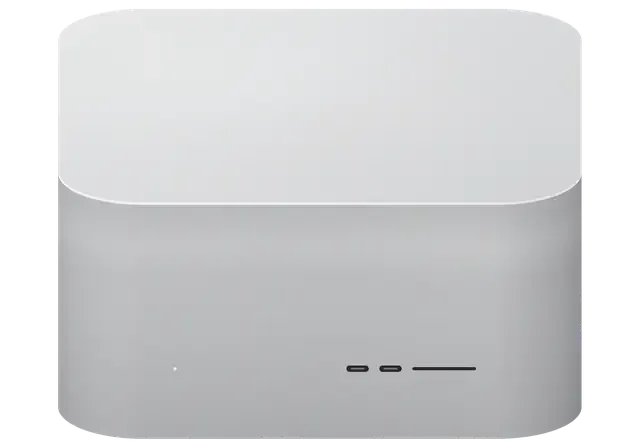
The symptoms that most often bring this compact workstation to the bench, from power and cooling to ports and networking.
No light and no reaction to the button: the built-in supply or board power protection.
Exports and calculations slow down: a dust-choked heat sink or dried paste.
Noise appears without any load: bearing wear, a temperature sensor or dust.
A dock or drive stays silent: the connector, the cable or the port controller.
A drive on the front panel connects, then does not: wear or a ribbon fault.
The camera and card go undetected: slot contacts or the controller.
Ethernet loses the link or slows down: the cable, the port or the controller.
The system reboots at peaks: heat, power or a board fault.
The TV shows no picture over HDMI, while Thunderbolt works fine.
The wireless network disappears and the Bluetooth keyboard disconnects.
The 3.5 mm jack is noisy, clicks or doesn't detect the headset.
Drink got into the top grille — cut power until inspection.
We give the exact price of Mac Studio M4 Max repair after diagnostics; a request can be left by phone or on WhatsApp.
| Service | Original | Aftermarket |
|---|---|---|
| Power supply replacement | 80 900 ₸ | 44 900 ₸ |
| Fan replacement | 24 900 ₸ | 13 900 ₸ |
| USB-C / Thunderbolt ports replacement | 37 900 ₸ | 20 900 ₸ |
| Other repairs | Price | |
| SSD installationstorage installation | 39 900 ₸with parts | |
| Dust cleaningdisassembly and dust cleaning | 17 900 ₸per job | |
| Logic board repairmicrosoldering · 1–3 days | 44 900 ₸per job | |
| Wi-Fi module repairwireless module · board-level repair | 33 900 ₸with parts | |
| MacOS installationOS installation, no parts replaced | 12 900 ₸per job | |
The result depends on the configuration, the part needed and the complexity of the job, so exact figures are not stated beforehand.
On a modern workstation the choice of part depends on how critical uninterrupted work is for you.
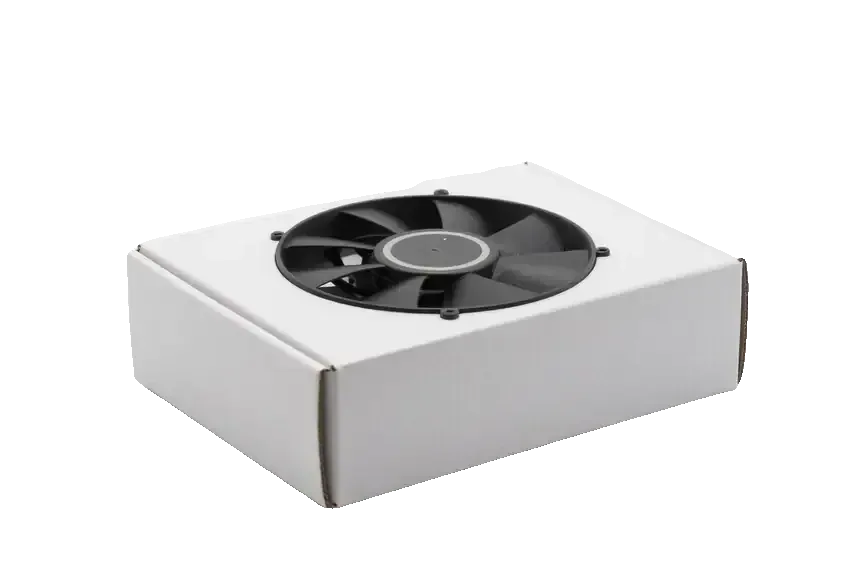
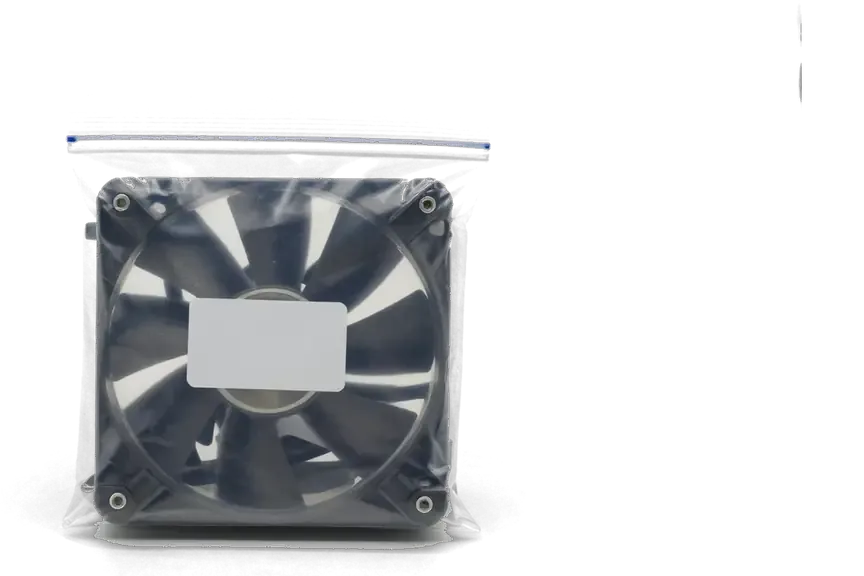
What stands behind a Mac Studio repair here: experience, a warranty and an unhurried schedule.
We have serviced Apple equipment for eleven years, so new models quickly fit into a diagnostic logic we already know well.
Completed repairs carry a warranty up to 1 year, and the technician explains the terms for each part in advance.
Workstations go to experienced technicians who handle the board, the power section and the thin ribbons with care.
You hear the cause and the options first, and only then decide whether to repair the station now or later.
The service operates in Almaty and Astana, so a station that moves along with a studio stays within our care.
We receive visitors 10:00–19:00 Monday to Friday and 11:00–18:00 on weekends and holidays, so a time is easy to pick.
Usually the whole journey — from message to pickup — takes less than an hour; complex repairs follow the timeline in the receipt.
Book a repairYou send a photo of the damage on WhatsApp — we quote the price and available time. Or you call a courier.
An engineer checks the device in front of you and shows what is broken. 0 ₸, even if you decline the repair.
We fix the price, the part (original or analog), the timeline and the warranty. You sign — we start.
Before installation we show you the new part in its factory packaging. You wait in the waiting area with coffee and Wi‑Fi.
Startup and operation under load, ports, Wi‑Fi and Bluetooth, sound. You check together with the engineer.
Together with the receipt, warranty card and the old part. Payment — Kaspi, card or cash.
Technicians for iPhone, Mac, iPad, Apple Watch and AirPods repair.
Photo: Mukhpilov Nail Photo: Molchanov Rinat
 Photo: Shokan A
 Photo: Sybanbaev Birzhan
 Photo: Denis Gushchin
 Photo: Duisebaev Azhdar

“If the repair didn’t suit you or you have a complaint, write to me personally.”
Send a photo of the fault — an engineer will reply on WhatsApp, give the price and a time you can come in.
Mac Studio M4 Max Repair in Almaty with Free Diagnostics
For Mac Studio M4 Max repair in Almaty, iServices runs free diagnostics in front of you in 15 minutes. We quote from a WhatsApp photo within 5 minutes, fix the price, part, turnaround and warranty on the receipt, and back every job with a warranty up to 1 year.
The Mac Studio M4 Max keeps the familiar square aluminium body but hides a new-generation chip, unified memory and a built-in power supply, and that changes what a technician can and cannot swap.
The M4 Max sits in the same square aluminium chassis as earlier Mac Studio units, so opening it looks familiar, yet the main circuitry, chip and power delivery are a new generation. The external shell, the fan layout and the rear port cutout carry over almost unchanged from the M1 version, which is why the machine reads as a mild refresh from the outside. Inside, the processor package, the memory placement and the voltage stages follow a different design, and the connectors no longer line up the way they did on the older model. Because M1 and M4 Max boards are not interchangeable, a technician who has only worked on the older model should re-check every connector before quoting a fix. For a mac studio m4 max repair in Almaty, this means the work starts with a careful check of the new layout rather than a straight swap.
Unified memory on the M4 Max is built into the chip itself, so it cannot be added or replaced, and the SSD lives on modules tied to the system. There is no spare memory slot and no standard drive bay inside the case, which means the configuration you buy is the configuration the machine keeps for its whole life. When a storage module fails, the work moves to the board level: reading the module, checking the controller and restoring the system, not sliding in a new drive. Plan storage around the machine you buy, because a failed SSD module is a component-level job rather than a quick swap.
| Component | Serviceable | Typical fault | Our approach |
|---|---|---|---|
| Power supply | Yes | Dead unit after a surge | Test and replace |
| Thunderbolt ports | Yes | No signal, loose contact | Reflow or replace |
| Logic board | Yes | Liquid, burn marks | Microscope repair |
| Cooling fans | Yes | Noise under load | Clean and re-seat |
| Chip and memory | No | Rare failure | Board-level only |
A new machine is not a fragile one, but the faults we see on the M4 Max cluster around the PSU, ports and physical damage, and here is what owners actually bring in.
A voltage spike can take out the built-in power supply and the circuits behind it, and the M4 Max may simply stay silent with no fan spin. The supply on this model is internal, so there is no external brick to swap and test in seconds — the fault sits inside the case, behind the internal connectors. A spike from the mains during an outage, or a dying outlet that arcs, sends a short burst far above the rated voltage straight into those rails. We check the output stage and the downstream circuits separately, because a dead unit and a shorted rail look the same from the outside. A surge protector or UPS costs far less than a board repair, so plug the workstation into one before the next outage.
When a Thunderbolt port stops passing signal, the cause is usually a damaged connector or a cracked solder joint rather than the display itself. Owners describe it the same way: the monitor is not detected, an external drive vanishes mid-copy, or Ethernet drops to nothing while Wi-Fi keeps working. On the M4 Max the Thunderbolt, HDMI and Ethernet connectors are soldered directly to the main circuitry, so a bent pin or a hairline crack in the joint interrupts the link without any visible damage outside. We inspect the connector under magnification and check continuity to the controller. Test the same cable and monitor on another port first, because a dead port and a dead cable look identical from the desk.
Diagnosis comes first, and on the M4 Max it happens in front of you so you see exactly what failed and what a fix involves.
We run free diagnostics in front of the customer, and the engineer checks the device and shows what is broken within 15 minutes, even if you decide not to repair. The bench check walks through the PSU, each Thunderbolt port, the monitor outputs and the main circuitry itself, so a dead port is never confused with a failing PSU. You watch every step on the bench rather than reading a summary afterwards, and the technician explains each reading as it appears on the meter. Watching the tests means you leave knowing the true fault instead of a guess, which makes a second opinion easy to judge. On liquid damage the same inspection can stretch to two days, because corrosion keeps hiding new shorts as the unit dries.
Send a picture of the damage on WhatsApp and an engineer replies within 5 minutes with a price and a free time slot, so you know the cost ahead of leaving. The shot does not replace the bench check — it shortens the first conversation and lets us reserve the right slot and component in advance. For a machine that will not switch on, one image of the rear panel and one of the cable setup usually tells us whether the fault sits in the PSU or deeper. A clear picture from two angles saves a trip, because most supply and port faults are visible prior to the case being opened. A courier can be called across the city if bringing the unit in yourself is awkward.
Once the fault is confirmed, the repair itself depends on the part involved — a port, the PSU or the main circuitry — and each needs a different set of tools and a different timeline.
We repair the main circuitry under a microscope, tracing damaged traces and replacing components that a naked-eye repair would miss. The M4 Max assembly is densely packed, so a single lifted pad or a hairline crack between layers stays invisible at normal magnification; under the lens we map the damaged section, reflow it with a controlled soldering station and restore the connection without disturbing neighbouring parts. This is the one job that rarely finishes on the same day — plan for one to three days on the bench. Microscope work is slower than a straight swap, but it avoids replacing the whole assembly, which keeps more of the original machine intact and preserves the pairing between the chip, memory and storage.
The built-in PSU is tested with a lab bench supply to confirm whether the fault sits in the unit itself or in the circuits it feeds. We disconnect the internal module, feed the main circuitry from a regulated source and watch the current draw: a clean boot on the bench supply means the supply is the culprit, while a dead unit on a known-good source sends us back to the microscope. Because the module sits inside the case and feeds the whole machine, a failing one can mimic a deeper fault — random shutdowns, no output at all, or a fan that spins for a second and stops. A PSU that tests good but still shows no output usually points to the main circuitry, which changes both the repair and the timeline.
| Stage | What we check | Why it matters |
|---|---|---|
| Cleaning | Fans, heatsink, intake | Restores airflow and cuts noise |
| Load test | Temperatures under stress | Confirms cooling holds up |
| Function check | 32 functions, ports, audio | Catches faults before handover |
What owners ask last is usually what matters most, whether their files survive, how long the machine is away and how it comes back.
Data on the M4 Max lives on SSD modules tied to the system, and firmware is restored through another Mac in DFU mode when the machine will not boot. The storage is soldered in place, so a failed drive is a component-level job, not a swap. A firmware restore through the second Mac can revive a unit that shows no image, yet it may also erase a drive that was not saved first. Files on an external drive and an iCloud or Time Machine copy stay untouched by component-level work. Back up before any component-level work, because a firmware restore can wipe a drive that was not saved first.
Most Mac Studio repairs take from 1 hour to 1 day, board work runs 1–3 days, and 72% of our repairs finish while the customer waits in the waiting area. A PSU swap and cooling service usually clear within a working day, while a circuitry fault goes under the microscope and stays longer. Our technicians book the slot from a WhatsApp photo, so the part is often on the bench before you arrive. Booking a slot from a WhatsApp photo means the part can be ready before you arrive, which shortens the downtime further. If the unit needs a part we do not keep on the bench, we tell you the exact day it arrives, so you can plan the trip instead of calling for updates.
A short recap of what matters when a new Mac Studio stops working — the fault patterns, the diagnostic order and the turnaround to plan around.
Did not find an answer? Message us on WhatsApp: an engineer replies, not a bot.
Ask a questionA lit power indicator means the station receives power, so the fault is usually in the video path or the system. Try a different cable, another Thunderbolt 5 port and the HDMI output. If no output gives a picture, the station is checked and, if needed, restored from another Mac.
Swap the cable for a known-good Cat6 one and plug into another switch port. Check in Network settings that the port is active and not set to a fixed speed the switch does not support. If the link light never comes on, the port itself is diagnosed.
Yes, the internal speaker can be checked and replaced if it is worn or damaged. First play the same file through headphones: if the crackle disappears, the speaker is to blame rather than the audio settings.
It can, because it draws air through the base and pushes it out at the back. In a closed cabinet the hot air recirculates and the fans run at full speed. Leave free space behind and below the station, and do not stand it on soft surfaces.
Usually yes: the update restarts or the system is recovered through macOS Recovery. If the station no longer starts at all, its firmware is revived from another Mac in DFU mode, which normally keeps the data.
Not necessarily: compatibility depends on the dock, its firmware and the cable used. Update the dock firmware, plug it straight into a rear port and try a experienced Thunderbolt cable. If newer accessories also fail on that port, the port is checked in the workshop.
Проблема была такая: при подключении внешнего накопителя появлялись ошибки — и непонятно что делать. По результатам диагностики проверили порты и работу хранения данных.

 iPad
 MacBook
 iMac
 Apple Watch
 AirPods
 Apple Pencil
 Apple TV
 HomePod
