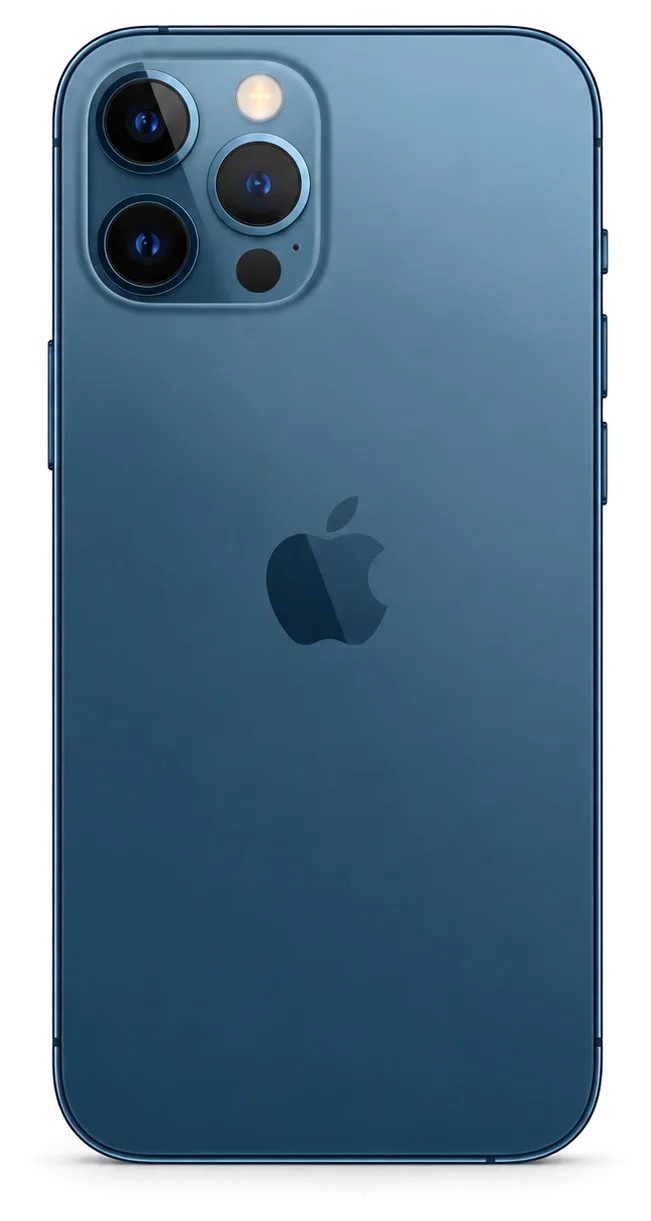
The 12 Pro Max pairs a large body with flat steel edges and Ceramic Shield glass. That combination shapes which faults arrive most often and where damage starts, so the pattern for this model differs from smaller iPhones.
The Most Common Faults and How They Show Up
matching each visible symptom to its underlying cause| Symptom | Likely cause | What we do |
|---|
| Cracked glass, green lines | Broken display module | Fit a new assembly |
|---|
| Drops fast, shuts down | Worn cells | Install a fresh unit |
|---|
| Blurry or dusty photos | Cracked lens cover | Replace the cover |
|---|
| Cable falls out, slow charge | Dirty Lightning socket | Clean or renew it |
|---|
| Back panel shattered | Impact on the steel frame | Replace the rear glass |
|---|
| No sound on calls | Blocked microphone | Clean or renew it |
|---|
Battery and Charging Problems
We replace the 12 Pro Max battery in about 25 minutes, and we first check whether a weak charge comes from the cell, the Lightning socket or the charging flex. A phone that dies at 30% and one that only charges at a certain cable angle look similar to the owner but have different causes. The health screen shows a maximum capacity figure, yet that number alone does not confirm the cell is the culprit — oxide and lint inside the connector mimic a failing pack. That is why inspection comes before any replacement in our workshop, and it is also why iPhone 12 Pro Max repair in Almaty starts with a free check in front of you. If the flex is torn, a fresh unit will not fix the charging either. Bring the cable you normally use, since a worn connector explains a surprising share of charging complaints.
Camera Glass and the Back Panel
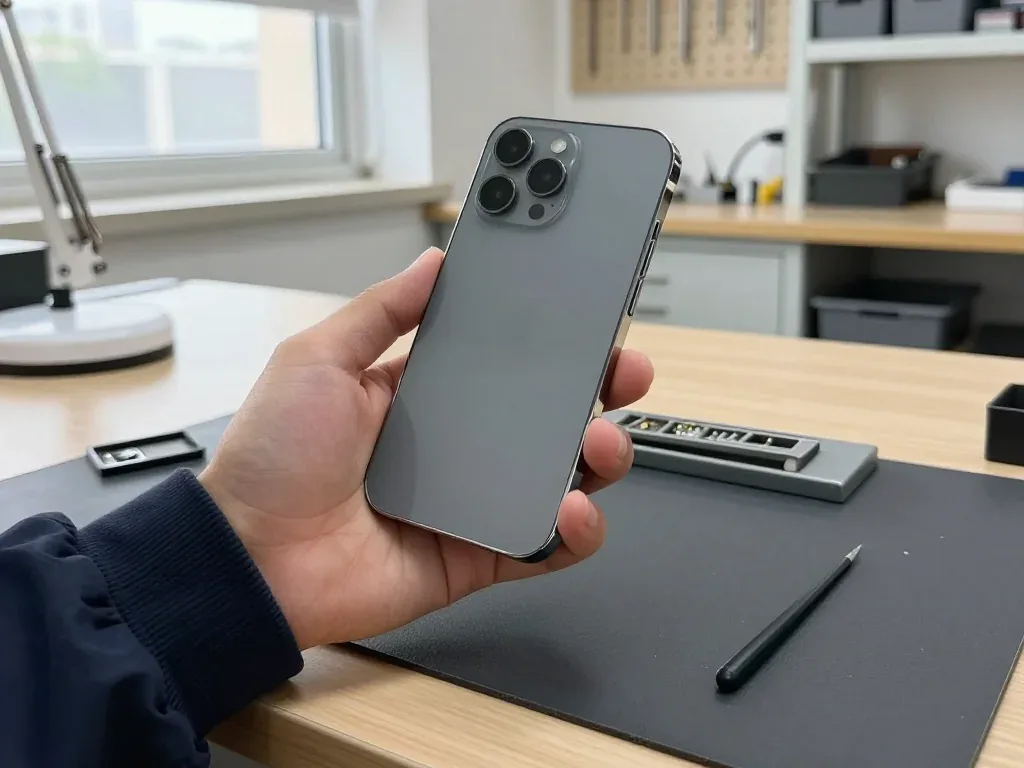
We renew the camera glass on the 12 Pro Max in about 20 minutes, and we check the camera module itself before touching the cover. The part sits over the main lens, so a sharp impact can crack it while leaving the sensor untouched — or damage both. Dust entering through the crack reaches the lens surface and shows up as soft, hazy frames in bright light. The rear panel and the steel frame take the same knocks: a shattered back often hides a bent frame that keeps the new cover from seating flat. We test focus, stabilisation and all three rear lenses after the job. If the module is fine, the work stays quick; if not, we say so before starting.
Screen Repair on the 12 Pro Max
The front panel is the most frequent reason owners bring this model in. Here is when fresh glass is enough, when the whole assembly has to go, and what happens to True Tone afterwards.
Glass Only or the Whole Display Module
On the 12 Pro Max we replace only the glass when the OLED matrix and touch layer are intact, and the full display assembly when there are dead pixels, lines or a failing touch. That unit is a single part combining the OLED panel and the touchscreen, so once the image layer itself is hurt the two cannot be swapped independently. A crack that stays on the surface with a sharp picture and responsive taps usually means the protective layer took the hit and everything underneath survived. When we look at the phone, we test touch across the whole surface and inspect the image on a plain background before quoting either option. Lines and a green tint point to matrix damage rather than surface damage, so a glass-only job will not remove them.
What Happens to True Tone and Face ID
We carry over the True Tone calibration to the new screen, and Face ID keeps working because the TrueDepth unit is separate from the display. That sensor cluster sits above the screen and is transferred across during the job, which is why face unlock is not tied to the part you are replacing. The colour-temperature feature reads ambient light and adjusts the white balance, and that calibration is written to the screen, so it has to be programmed to the new one rather than left as it arrives. On some aftermarket options the calibration does not transfer and the picture stays cooler than before — worth confirming before installation, not after.
How Long a Screen Job Takes
A screen replacement on this handset takes about 40 minutes, and 72% of our repairs finish while the customer waits in the waiting area. The estimate covers the swap, the calibration programming and the function check that follows, so the slot you book reflects the whole visit rather than the bench time alone. If the matrix is intact and only the outer layer is changed, the work runs longer than a full swap because of the re-lamination, so we name the timing after diagnostics rather than from the first message. Our engineers have handled 46,000+ repairs over 11 years, and the waiting area has coffee and Wi-Fi. Ask for the timing in writing on the receipt before work begins.
Original or Aftermarket Parts and the Functions You Keep
The component you choose shapes which functions survive and whether the phone flags a unit as unrecognised. Here is how the options differ by unit, and how we lock the choice into the receipt.
How Original and Aftermarket Parts Differ
Side-by-side comparison of original and aftermarket components by function| Part type | Functions kept | What to expect |
|---|
| Original display | True Tone, Face ID, auto-brightness | Factory packaging, no part warning |
|---|
| Aftermarket display | Face ID, brightness; True Tone may drop | Possible unknown part message |
|---|
| Original battery | Full health reporting, no warnings | Factory packaging, sealed cell |
|---|
| Aftermarket battery | Charging works; health data may be limited | Possible service message |
|---|
| Original camera module | Full camera and Face ID pairing | Factory packaging, no warning |
|---|
The Unknown Part Message Explained
The unknown component message is an indicator of the component type, not a fault, and it appears when the phone cannot confirm a unit as original. On the iPhone 12 Pro Max the notice shows up in Settings and, on some modules, as a small banner on the lock screen. It does not stop the display, the battery or the camera from working, and it does not shorten the life of the fitted component. What it does is tell the next owner, or the next technician, that a non-original component sits inside the device. We raise this before the job starts rather than after, because a message nobody warned you about feels like a defect at pickup. If a clean settings screen matters more to you than the saving, say so at the quote stage.
What the Receipt Locks In
We fix the price, the component, the turnaround and the warranty on the receipt in about 2 minutes before any work starts. The document names the exact component, states whether it is original or aftermarket, gives the promised completion time and carries a warranty of up to 1 year. The new component is shown to you in factory packaging before installation, so the line on the paper and the box in your hand match. That paper is also your lever if a dispute about warranty cover ever comes up, which is why we hand it over together with the old component and the warranty card. Keep both — the removed component proves which unit was actually replaced, and the receipt proves what was promised for it.
How a Visit Works From First Message to Pickup
The path from a WhatsApp photo to pickup follows a fixed sequence: quote, booked slot, diagnostics, receipt, repair, handover. Here is each step, the realistic timings and what to prepare in advance so the visit stays under an hour.
From a WhatsApp Photo to a Booked Slot
- First reply: an engineer answers on WhatsApp within 5 minutes and quotes a price from a photo of the damage.
- Slot booking: we reserve a free time slot for you at the same moment, so the visit starts without queuing.
- Free diagnostics: the engineer opens the device in front of you, takes 15 minutes and shows exactly what has failed.
- Receipt: within 2 minutes the price, the part type, the turnaround and the warranty are written down and signed off.
- Part check: the new component is shown in its factory packaging before installation begins.
- Photo tip: shoot the damaged area in good light before you arrive — a clear picture speeds up matching the right component.
What to Do Before You Hand the Phone In
Before handing the phone in, make a backup, know your Apple ID password and be ready to turn off Find My if the repair needs it. A full iCloud or computer backup takes minutes on the 12 Pro Max and protects photos, chats and app data if the engineer has to work on the logic board rather than swap an external component. Find My matters for board-level jobs and for any step that requires the device to be erased and re-activated. Write the passcode down or tell the engineer directly — a locked handset slows diagnostics and can block the 32-function check at pickup. Turn off alarms and remove the case and screen protector yourself, since adhesive films interfere with touch testing.
Waiting on Site or Leaving the Device
Most 12 Pro Max jobs finish in 20–40 minutes while you wait: a screen takes 40 minutes, a battery 25 and camera glass 20. Board repair runs 1–3 days under the microscope, and diagnostics after water contact can stretch to two days. While you wait, the waiting area has coffee and Wi-Fi, and 72% of repairs are completed in front of the customer. If the job needs days, that usually points to the board or liquid rather than a screen or battery — a useful signal for judging how serious the fault really is. A courier across the city takes 90 minutes and is free with a repair, so you can hand the phone over from home and collect it later.
The Final Check and What Stays With You
Handover is where a repair proves itself. We walk through the functions that matter most on this model, hand over the paperwork, and explain what each document and the removed part give you afterwards.
The 32-Point Check at Pickup
- Face ID: unlock and re-register a face, since the TrueDepth module sits close to the display.
- True Tone: toggle it in Display settings and confirm the panel shifts colour temperature.
- Cameras: open all three lenses, check focus, stabilisation and the flash.
- Microphones and speakers: record a voice memo, play it back, then take a call.
- Charging: connect a cable, confirm the battery indicator responds, test wireless charging.
- Network: insert a SIM, watch the carrier name appear, run a data check.
Warranty, Receipt and the Old Part
The device comes back with the receipt, a warranty card up to 1 year and the removed part, and you can pay by Kaspi, card or cash. The receipt is not a formality: it lists the unit fitted, the turnaround and the coverage term, all fixed before work started. We show the replacement in its factory packaging before installation, so the assembly you are paying for is the one that goes in. The card carries the same term as the receipt, up to 1 year, and covers the new piece and our labour together. Keep the old assembly even if you have no use for it — it is the physical record of which unit was swapped, and it settles any later question about what was actually replaced.
A Direct Contractor, Not a Middleman
We are a direct contractor with our own technicians and workshop, not an aggregator or a middleman, and we have completed 46,000+ repairs over 11 years. That structure changes who answers for the work: the engineer who diagnoses the phone also fits the new component, and the same workshop handles any claim if something surfaces later. Because nothing is outsourced to third parties, responsibility stays in one place and you deal with the same team from intake to handover. Our technicians are trained in-house, and board-level work is done under a microscope in our own workshop rather than sent elsewhere. In practice, ask who will actually perform the repair and where the device goes, so you know exactly who is accountable.
Summary: iPhone 12 Pro Max Repair
A repair decision on this phone is really a set of smaller choices, and getting them in the right order keeps both the cost and the downtime predictable.
- Diagnose before you decide: the engineer checks the device in front of you and shows what is broken, so the fault is confirmed rather than guessed.
- Cracked glass or full module: a shattered pane over an intact matrix is a pane job, while dead pixels or a damaged OLED mean the whole display module.
- Original versus aftermarket: 64% of customers pick an original component, the safer route to keeping True Tone and Face ID intact.
- Match the job to the clock: screens and batteries finish within a visit, while board work and water damage run from one to three days.
- Check and keep the paperwork: the 32-point function test at pickup plus the receipt, warranty card and old component protect you after you leave.












 iPad
 MacBook
 iMac
 Mac mini and Studio
 Apple Watch
 AirPods
 Apple Pencil
 Apple TV
 HomePod




