Your city

AstanaAstana, Kabanbay Batyr Ave., 7/2 · +7 727 339-99-12
Eng

iPad 9 repair in Almaty

Home button stuck or iPad 9 not charging — we'll find the cause free while you wait, and a experienced technician will fix it all.

iPad 9 in space gray color
iPad 9, Space Gray repair
Battery replacementfrom 41 900 ₸
Display replacementfrom 78 900 ₸
Charging port replacementfrom 47 900 ₸
All services and prices

Faults behind most iPad 9 repair requests

Typical faults of the ninth-generation iPad: the Home button, Lightning port, glass, display and battery.

01

Home button is stuck

It sinks in, fails to return you home, and Touch ID stops recognizing your finger.

02

Lightning won't charge

The cable won't seat, charging comes in bursts or not at all; the port is packed or worn.

03

Glass is cracked

A school bag or a fall from the desk often leaves a web while the image stays intact.

04

Stains and stripes

Colored lines and dark blotches after a knock mean the panel itself took damage.

05

Dies in a couple of hours

The battery has worn out: it drains fast and shuts off at half charge.

06

Headphones give no sound

The headphone jack is blocked or worn, even though the speaker may still work.

07

Front camera trouble

A video lesson falls apart: the picture is blurred, black or the camera disappears.

08

Tablet got wet

Juice or water on the desk got inside; it needs opening, cleaning and a board check.

09

Smart Keyboard not detected

The keyboard is attached to the Smart Connector, but the tablet doesn't see it.

10

Pencil won't pair

First generation is plugged into Lightning, but the connection prompt never appears.

11

Quiet speakers

Video sound is muffled, and at high volume the bottom speakers crackle and rattle.

12

Power button unresponsive

The top button won't lock the screen, so you must put the tablet to sleep with the cover.

How much iPad 9 repair costs

The table gathers reference prices for the most common jobs, and the technician gives the exact figure after diagnosing the tablet.

ServiceOriginalAftermarket
Battery replacement72 900 ₸41 900 ₸
Display replacement126 900 ₸78 900 ₸
Charging port replacement85 900 ₸47 900 ₸
Display glass replacement80 900 ₸44 900 ₸
Main camera replacement58 900 ₸32 900 ₸
Front camera replacement60 900 ₸33 900 ₸
Home button replacement49 900 ₸27 900 ₸
Button replacement69 900 ₸38 900 ₸
Speaker replacement74 900 ₸41 900 ₸
Microphone replacement26 900 ₸14 900 ₸
Housing replacement136 900 ₸75 900 ₸
Flex cable replacement21 900 ₸15 900 ₸
Other repairsPrice
Logic board repairmicrosoldering · 1–3 days76 900 ₸per job
Post-water cleaningcorrosion cleaning · diagnostics up to 2 days13 900 ₸per job
Wi-Fi module repairwireless module · board-level repair15 900 ₸with parts
Firmware flashingsoftware restore, no parts replaced10 900 ₸per job

The final amount depends on the fault found and the part chosen, so confirm it with the technician.

Original or aftermarket for a school tablet

Both options exist for the screen, battery and camera, and the choice depends on needs and the family budget.

Original Applewarranty up to 1 year
iPad 9 glass and display126 900 ₸
iPad 9 glass and display: original part in Apple packaging
Screen
Sharp image and accurate color
Battery
Capacity close to the factory cell
Pencil
The stylus works without lag
Best for
A student who draws and takes notes
Chosen by 64% of clients
Book with an original part
Aftermarketwarranty 6 months
iPad 9 glass and display78 900 ₸−38%
iPad 9 glass and display: aftermarket part in an antistatic bag
Screen
Enough for reading, video and lessons
Battery
Holds a bit less than the original
Price
Noticeably lower than the original
Best for
A pupil or a spare tablet
Chosen by 36% of clients
Book with an aftermarket part

What our service gives you

What you get with us: we find the cause first, then name the price, and the choice of part stays yours.

11years

Years of practice

We have repaired Apple devices for 11 years and know the usual school-tablet failures and how to avoid them.

1year

Warranty up to 1 year

Completed work is covered by a warranty up to 1 year, and the technician explains what it covers in your case.

2options

Steady hands

Experienced technicians lift the glass and the battery without bending or yanking, so nearby parts stay safe.

0₸

Cause before price

Diagnostics come first: we find what is broken and only then give the cost and the list of work.

5min

Choice without pressure

We show how original differs from aftermarket and do not insist on an expensive part you can skip.

7days a week

Reception hours

Monday to Friday from 10:00 to 19:00, weekends and holidays from 11:00 to 18:00.

iPad 9 before and after repair

1 / 3
iPad 9 held by a technician with screen on, broken touch glass lying on a mat nearby

iPad 9: cracked glass, broken touch

The client dropped the tablet on a tiled floor — the glass cracked, but the image stayed intact. We replaced the touch glass, kept the original matrix, and checked touch response across the whole screen.

from 44 900 ₸repair cost
I want the same
iPad 9 on a mat after battery replacement, technician's hands on both sides, 22:52 and a wavy parrot on screen

iPad 9: died with charge left

The client watched cartoons on the road, and the tablet kept shutting down while the battery still showed charge. We replaced the battery and checked charging — now the iPad holds its charge steadily.

from 41 900 ₸repair cost
I want the same
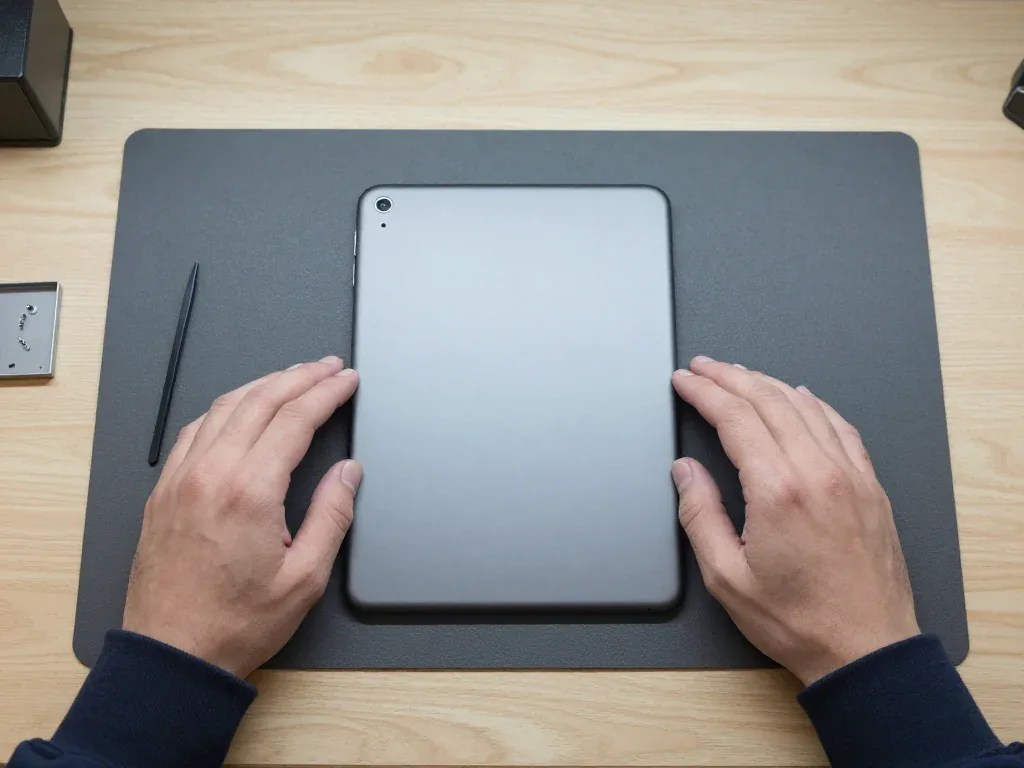
iPad 9 in space gray face down, camera in the corner, technician's hands on both sides, stylus spatula on the mat

iPad 9: bent in a backpack

A client brought in an iPad 9 that got bent in a backpack during a ride on a crowded bus. We transferred the internals to a new housing, checked the buttons and screen — everything works properly.

from 75 900 ₸repair cost
I want the same

How iPad 9 repair is done in Almaty

Usually the whole journey — from message to pickup — takes less than an hour; complex repairs follow the timeline in the receipt.

Book a repair
  1. Step 1

    Message or call

    5 min

    You send a photo of the damage on WhatsApp — we quote the price and available time. Or you call a courier.

  2. Step 2

    Free diagnostics

    15 min

    An engineer checks the device in front of you and shows what is broken. 0 ₸, even if you decline the repair.

  3. Step 3

    Price in the receipt

    2 min

    We fix the price, the part (original or analog), the timeline and the warranty. You sign — we start.

  4. Step 4

    Repair while you wait

    20–40 min

    Before installation we show you the new part in its factory packaging. You wait in the waiting area with coffee and Wi‑Fi.

  5. Step 5

    Post-repair check

    10 min

    Screen and touch, Face ID or Touch ID, cameras, microphones, speakers, charging, Wi‑Fi. You check together with the engineer.

  6. Step 6

    Pick up your device

    warranty up to 1 year

    Together with the receipt, warranty card and the old part. Payment — Kaspi, card or cash.

Who will fix your iPad 9

Technicians for iPhone, Mac, iPad, Apple Watch and AirPods repair.

1 / 6
MNMukhpilov Nail — smartphone repair technician, iServices service center in AlmatyPhoto: Mukhpilov Nail

Mukhpilov Nail

smartphone repair technician
10years of experience
4.83rating, 83 reviews
MRMolchanov Rinat — Apple repair and diagnostics engineer, iServices service center in AlmatyPhoto: Molchanov Rinat

Molchanov Rinat

Apple repair and diagnostics engineer
10years of experience
4.85rating, 33 reviews
SAShokan A — diagnostics technician, iServices service center in AlmatyPhoto: Shokan A

Shokan A

diagnostics technician
8years of experience
5.0rating, 37 reviews
SBSybanbaev Birzhan — firmware specialist, iServices service center in AlmatyPhoto: Sybanbaev Birzhan

Sybanbaev Birzhan

firmware specialist
7years of experience
4.75rating, 74 reviews
DGDenis Gushchin — display replacement technician, iServices service center in AlmatyPhoto: Denis Gushchin

Denis Gushchin

display replacement technician
20years of experience
5.0rating, 34 reviews
DADuisebaev Azhdar — connector replacement technician, iServices service center in AlmatyPhoto: Duisebaev Azhdar

Duisebaev Azhdar

connector replacement technician
7years of experience
4.3rating, 35 reviews
Gamid K, phone repair technician
“If the repair didn’t suit you or you have a complaint, write to me personally.”
Gamid Kphone repair technician · +7 701 333-47-01

We'll quote iPad 9 repair in Almaty from a photo in 5 minutes

Send a photo of the fault — an engineer will reply on WhatsApp, give the price and a time you can come in.

  1. 5 minAn engineer replies and names the price
  2. 0 ₸Diagnostics in front of you in 15 minutes
  3. 30 minMost repairs — while you wait

iPad 9 Repair in Almaty with Same-Day Screen and Battery Service

In short

For iPad 9 repair in Almaty, iServices handles cracked glass, weak batteries and charging faults with its own technicians, not a middleman. Free 15-minute diagnostics happen in front of you, most iPad jobs finish in 1 hour to 1 day, and every repair carries a warranty up to 1 year.

Mukhpilov NailWe reply on WhatsApp within 10 minutes
Ask

What Usually Breaks on an iPad 9 and How iPad 9 Repair Shows

The iPad 9 is a workhorse with a classic body, and most failures on it are predictable. Below is how to tell one fault from another before you visit a workshop.

Cracked glass, dead touch or lines on the display

A crack that leaves the image clean is a surface problem, while lines, dark patches or a dead touch layer point to the LCD or the digitizer underneath. This model uses a non-laminated display, so the touch panel sits as a separate layer above the LCD, and damage often stops at one of them. Spiderweb cracks in a corner usually mean the top sheet alone. Horizontal or vertical lines, black blotches or a bright spot that stays after a reboot come from the matrix. A screen that shows a perfect picture but ignores your finger is a failed digitizer. If the picture is intact and just the outer sheet is shattered, keep using a screen protector and avoid pressing on the crack — pressure is what turns a simple surface repair into a full module swap.

Battery wear, sudden shutdowns and a lifting screen

We see tablet batteries lose real capacity after long use with daily charging, and a swollen cell pushes the screen away from the frame long before it dies completely. The cell is glued into the aluminium body, so as it ages it swells rather than vents, and the first sign is often a gap along one edge or a display that rocks when you press it. Alongside that come shutdowns at 20–30% charge, a device that dies in an hour of video, and a back panel that feels warm in standby. A battery that has visibly lifted the panel should not be charged overnight — heat accelerates swelling, so bring it in with the charge you have left.

When the tablet will not charge or will not turn on

  • Cable and adapter first: swap in a known-good Lightning cable and a wall charger, since a worn cable often delivers too little current.
  • Lightning port and flex: the connector and its flex take the wear of daily plugging, and lint packed into the slot blocks contact.
  • Battery: a deeply discharged or swollen cell reads as a dead device even when the board is healthy.
  • Power controller: only after the three steps above do we test the charging circuit under a microscope.

Glass or Full Module for Your iPad 9 Repair

The iPad 9 keeps the older non-laminated screen, which changes what a repair can look like. Here is how that construction decides whether you pay for the front panel alone or a whole display.

Why the iPad 9 screen is not laminated

On this model the digitizer and the LCD panel sit as two separate parts, so a cracked surface does not automatically mean a new screen. A thin air gap runs between the top sheet and the panel underneath, and that gap is exactly what makes a partial repair possible. On laminated tablets the outer sheet, the touch sensor and the panel are fused into one unit, so one crack forces a full module swap. This construction avoids that trap: the damaged front can be lifted, the panel left untouched, and a fresh adhesive bed laid down before the new surface goes on. That design also means dust and air creep in after a poor reseal, so the quality of the glue matters as much as the part itself.

Glass-only replacement versus a full display swap

Which screen part gets swapped per damage type
What is damagedWhat we replaceWhat stays original
Cracked surface, clean imageFront panel onlyLCD matrix, frame
Lines or dark patchesFull display moduleFrame, home button
Dead touch, intact imageFront panel or digitizerLCD matrix
Surface and image both badFull display moduleFrame only

Keeping Touch ID and Apple Pencil working

The iPad 9 keeps Touch ID in the Home button, and that button is paired to the board, so we transfer the original button onto the new front instead of fitting a fresh one. A new button would physically click but refuse to unlock, because the sensor handshake lives in the paired chip. The same care applies to the digitizer: a cheap aftermarket sheet can track a fingertip fine yet drop pressure levels, so a drawing app loses the light-to-heavy stroke that makes Apple Pencil useful. Test Touch ID and Pencil pressure right after the repair, while the engineer is still beside you — a button that unlocks once but fails on a second finger usually means a loose connector, not a bad sensor.

How iPad 9 Repair Works at iServices

The whole visit is built so you can see each step and keep proof of it. From the first photo to the moment you walk out with the tablet, nothing happens behind a closed door.

From a WhatsApp photo to a fixed quote

Send a photo of the damage on WhatsApp and an engineer replies within 5 minutes with a price and a free time slot, then fixes the price, part, turnaround and warranty on the receipt before any work starts. The quote comes from the picture, you confirm the slot, and the receipt is written in about 2 minutes at the counter. You pick an original or aftermarket part at that point, so the document matches what goes into the tablet. This is how iPad 9 repair in Almaty starts for most customers — with a photo and a fixed quote before any work begins. A quote given from a photo is only as good as the photo — shoot the whole front and the edges in daylight so the technician can see whether the frame is bent too.

Free diagnostics in front of you

We run free diagnostics in front of the customer for 15 minutes, even if you decide not to repair, and the technician shows you exactly what is broken. The check covers the display and its flex cable, the charging port, the battery health readout and the board, and you watch the whole sequence rather than hearing a summary afterwards. If liquid got inside, that inspection can stretch to two days, because corrosion under the shields needs time before anyone can promise a result. Watch where the specialist points during diagnostics — knowing which connector or layer failed helps you judge later whether the quoted work matches the fault.

The part in its packaging and the check before pickup

  • Factory packaging: the new screen or battery is opened in front of you, still sealed, before anything is fitted into the tablet.
  • Function check: 32 functions are tested in roughly 10 minutes, including True Tone, cameras, microphones, speakers, charging and network.
  • Joint inspection: you sit with the technician and confirm each result on the device yourself instead of trusting a checklist.
  • Paperwork: the tablet comes back with the receipt, the warranty card, and the part that was removed.
  • Old part: the failed screen or battery is handed to you in the same bag, useful if you want to compare it with the replacement.
  • Waiting area: coffee and Wi-Fi are there if you prefer to stay, and 72% of repairs finish while the customer waits on site.

Original Part or Aftermarket for an iPad 9

Two part tiers exist for this device, and the tier you pick shapes how the display feels and how long the cell keeps its charge. Here is what actually differs.

How the two screen options differ in daily use

An original iPad 9 display keeps the calibrated colour, brightness and touch response, whereas a compatible panel can differ in tint and in how firmly it registers a light Pencil stroke. The gap is measurable in the workshop: the original module reproduces the white point set at the plant, and a third-party panel often runs cooler or warmer by a visible margin on a blank page. Touch sampling shifts too — fast diagonal swipes with the Pencil register cleanly on the original unit, but some aftermarket panels drop the first few millimetres of a stroke. We show the new component in its packaging before installation, so you can see which module goes in before the screws are back. If you mostly read and browse, an aftermarket panel is often enough; if you draw or colour-match on screen, the difference shows up almost immediately.

Battery choice and what it means for runtime

An original iPad 9 battery holds its rated capacity for longer, whereas an aftermarket cell can lose noticeable runtime within the first months of heavy use. Capacity is only half the story — charge behaviour matters too. The original pack reports its health to the system accurately, so the percentage on screen tracks real charge, and the device stops charging at the right point instead of trickling heat into a full cell. Third-party packs sometimes misreport health, which hides the early stages of wear. We back the work with a warranty. Ask what the warranty covers on the cell specifically — capacity fade and swelling are different failures and not every warranty treats them the same.

What most customers pick and why

Across our repairs, 64% of customers choose an original part, and the warranty applies to the work either way. That share is not a coincidence: this tablet is a long-life machine, and owners who bought it for study, drawing or a family member tend to keep it for a long time. The two branches are easy to tell apart at the counter — people planning to hand the device down usually ask for the original module first, and those who already eye a newer model weigh the aftermarket option openly. Our technicians fit both kinds and explain the trade-off before anything is ordered. The split is not about budget alone — people who plan to keep the tablet long-term lean original, and those replacing a device soon often take the cheaper route.

Turnaround Times and Waiting Options

Most iPad 9 jobs are quick, but a few cases need days. Knowing which is which helps you plan the visit and decide whether to wait on site.

How long each type of job takes

Expected time by job type
Type of workTypical turnaroundNotes
Glass-only replacement1 hour to 1 dayFastest when the LCD is clean
Battery replacement1 hour to 1 dayScreen must be removed first
Charging port repair1 hour to 1 dayDepends on flex or board
Board-level repair1 to 3 daysDone under a microscope
Water damage diagnosticsUp to 2 daysBefore any repair is quoted

Waiting on site, courier or a later pickup

72% of our repairs finish while the customer waits in the waiting area with coffee and Wi-Fi, and a courier can be called if you would rather not come in. A courier run across the city takes about 90 minutes and is free with a repair, so the device leaves your hands once and comes back fixed. If the job is board-level or follows water contact, plan a later pickup instead of waiting — those cases run past the same-day window, and we name the realistic date before any work starts. Photograph the tablet before handing it to the courier — it gives both sides a clear reference for the condition on arrival.

Preparing your iPad before you hand it in

  • Backup: make a fresh copy in iCloud or on a computer, and confirm the latest backup date is recent rather than months old.
  • Apple ID password: know it by heart, since a locked device cannot be tested after the repair without it.
  • Find My iPad: decide in advance whether to switch it off; some checks need the tablet signed in and unlocked.
  • Passcode: share the code or remove it, so the engineer can open apps and confirm touch across the whole screen.

Summary: iPad 9 repair

A quick recap of what decides the outcome of an iPad 9 repair — from the screen construction to the part you get back at pickup.

  • Non-laminated screen: when the LCD is intact, the glass alone can be replaced instead of the whole display module.
  • Swollen battery: a battery that lifts the glass should never be charged overnight — bring it in for inspection first.
  • Touch ID: the sensor sits in the Home button and is paired to the board, so the original button is transferred, not swapped.
  • Timing: most jobs finish in 1 hour to 1 day, board work takes 1 to 3 days, and water diagnostics can run up to 2 days.
  • Before pickup: back up the tablet, confirm your Apple ID password, and ask for the old part back with the receipt.


Questions from parents and owners

Did not find an answer? Message us on WhatsApp: an engineer replies, not a bot.

Ask a question
Why won't the Home button on my iPad 9 click?

The cause is dirt, mechanism wear or a damaged flex cable. First wipe the button and restart the tablet. If that fails, a technician must inspect it and decide whether cleaning is enough or replacement is needed.

Is it the cable or the port when the tablet won't charge?

Try another cable and adapter, then clear the port with a wooden toothpick. If charging still does not start, the cause is the port or the power circuit. The technician measures voltage and suggests a fix.

Can I replace only the glass?

Yes, if the panel is intact and the image and touch work. With stains, stripes and touch faults the whole display is replaced. The technician picks the option with you after inspection.

How do I protect a school iPad from damage?

Get a case with a rim, apply a screen protector, carry the tablet in a separate compartment of the backpack and unplug the charger before getting up. That lowers the risk of the most common failures.

What if juice was spilled on the tablet?

Switch it off at once, unplug the charger and do not turn it on again. Wipe the outside and show it to a technician as fast as you can. Sugar in juice eats contacts, so delay is dangerous.

Is iPad 9 repair covered by a warranty?

Yes, completed work comes with a warranty up to 1 year. The technician explains the terms for your tablet when the order is placed, so keep your paperwork.

iPad 9 repair in Almaty customer reviews

1 / 10
4.9

average rating on Google Maps, wikicity and our website · 445 reviews
Google Maps4.438 reviews ›wikicity5.015 reviews ›Reviews on the iServices website5.0392 reviews ›
АБ
Андрей Б.Order No. IS‑2402‑•••41 · 6 February 2024
iPad (9-го поколения) · system

У моего iPad (9-го поколения) устройство зависало при видеозвонках. По результатам диагностики проверили систему и работу приложений.

iServices customer review, in Russian
ЕШ
Ермек Ш.Order No. IS‑2211‑•••16 · 9 November 2022
iPad (9-го поколения) · buttons

У моего iPad (9-го поколения) кнопка включения работала через раз. В итоге разобрались с кнопкой и её контактами.

iServices customer review, in Russian
ТУ
Тимур У.Order No. IS‑2110‑•••23 · 20 October 2021
iPad (9-го поколения) · camera

У моего iPad (9-го поколения) камера перестала фокусироваться. В итоге провели диагностику камеры и исправили неполадку.

iServices customer review, in Russian
ЕТ
Екатерина Т.Order No. IS‑2410‑•••45 · 15 October 2024
iPad (9-го поколения) · charging

У моего iPad (9-го поколения) зарядка срабатывала не с первого раза. В севрисе проверили разъём и цепь зарядки.

iServices customer review, in Russian
sk
shahram khizab9 October 2026

Я менял тут экран на айпаде. Мастер показал планшет после ремонта, дал гарантию. Я как смог проверил, вроде-бы никаких ошибок в системе не выходит, значит экран оригинальный поставили. Еще камеру заднюю прочистили, больше не мутное изображение.

КН
Карлыгаш Н.25 August 2026

После неудачного обновления системы планшет завис намертво на логотипе яблока. Сама разобраться не смогла, принесла сюда. Специалист полностью восстановил прошивку, сохранил все важные документы. Огромное человеческое спасибо.

КГ
Крокодил Гена3 December 2023

Спасибо за ремонт айпада, сделали быстро и без проблем

ДС
Диана С.23 August 2026

Экран планшета стал самопроизвольно нажиматься в разных местах, как будто им кто-то управляет. Мастер объяснил, что это из-за микротрещины на тачскрине после падения. Заменили стекло, проблема полностью исчезла, пользоваться комфортно.

АН
Айжан Н.17 August 2026

Планшет перестал заряжаться, приходилось ловить положение провода, чтобы пошел контакт. Привез в сервис, мастер заменил разъем питания за пару часов. Провод теперь сидит плотно, зарядка идет быстро и без перебоев, отличная работа.

АТ
Алия Тохтарова23 June 2022

Большое спасибо за ремонт планшета. Обращалась на прошлой неделе, сделали в короткий срок. Стоимость работы более, чем адекватная. Проблема исчезла, пользуюсь постоянно, все хорошо работает.

Service reply

Алия, добрый день. Спасибо вам за такой приятный отзыв!!! Будем рады видеть вас в числе наших постоянных клиентов!

Showing 10 of 10See all reviews

Where to get iPad 9 repair in Almaty

Address
Almaty, Panfilov St., 21
Opening hours
Mon–Fri 10:00–19:00Sat–Sun 11:00–18:00
Phone and messengers
+7 701 333-47-01WhatsApp: +7 701 333-47-01
Directions map: iServices Almaty — Panfilov, 21© OpenStreetMapFind us on the maps: Google Maps · 2GIS