The 15 Plus shares the USB-C switch and Dynamic Island with the rest of the 15 line, so its weak points differ from older Plus models. Here is what owners bring us most often and why.
Screen and back glass damage after drops
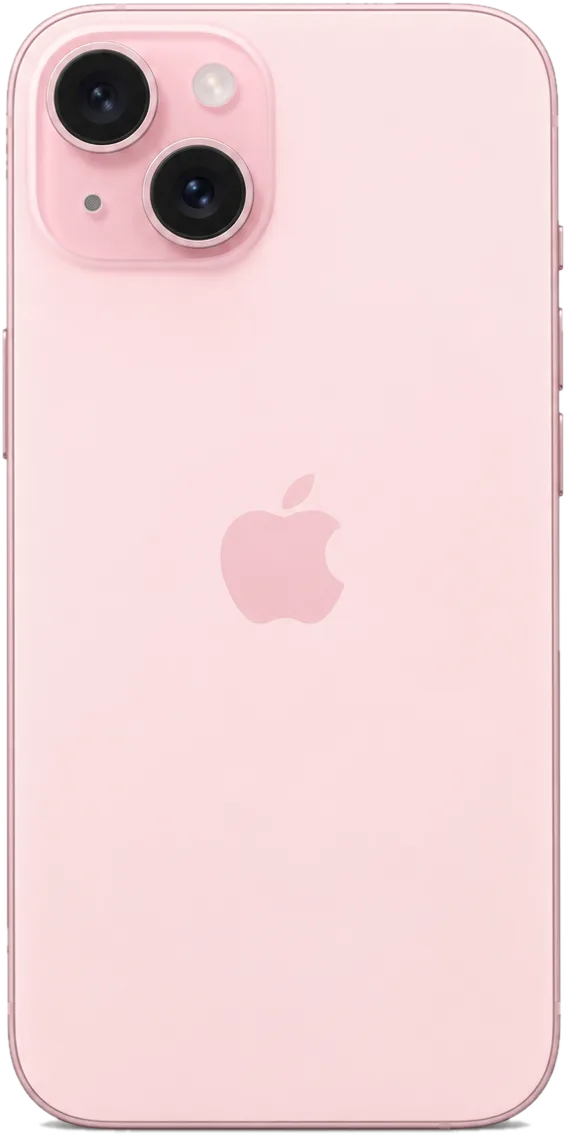
Most iPhone 15 Plus repair cases we see start with a cracked front panel and a display that still works underneath, and we confirm whether the matrix survived during free diagnostics. A drop that leaves the image intact often only needs the outer layer replaced, which keeps the original OLED panel and its True Tone calibration in place. When the picture shows green lines or dead zones, the whole module is the honest route. The rear cover on the Plus cracks in a spiderweb from the corner, and the frame edge usually tells us how hard the impact was. Bring the phone in and we check touch response across the entire surface, not just the visible crack — hairline fractures near the earpiece spread under pressure from a case.
USB-C charging problems and battery wear
The 15 Plus charges over USB-C, and a large share of "not charging" cases turn out to be lint or oxidation in the port rather than a failed board. Because the connector is a separate module on this generation, cleaning or swapping it is a quick fix, while a cell that has dropped below healthy capacity is judged by the Battery Health reading, not by how warm the phone feels. At our bench we test the cable, the port and the charging flex separately before quoting anything. A swollen unit that lifts the screen is a different story — that phone should not be plugged in again until the cell is out. Owners often blame the cable when the real culprit is compacted pocket lint at the bottom of the socket.
Camera glass and rear panel cracks
- Cracked lens cover: hairline fractures over the camera that blur photos and let dust settle on the lens.
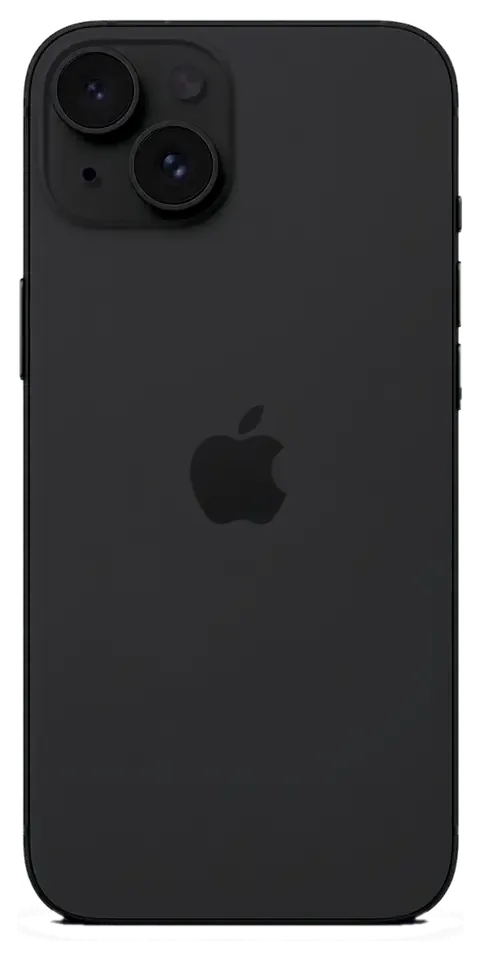
- Shattered back panel: spiderweb cracks across the rear after a drop onto tile or concrete.
- Bent frame: a warped edge that stops a new rear cover from seating flush against the body.
- Camera rattle: a loose internal element that clicks audibly when the phone is shaken near the ear.
- Dust in photos: speckles on every shot that survive a lens wipe and point to a breached cover.
- Scuffed corners: impact marks that hide a hairline crack running toward the camera island.
iPhone 15 Plus Repair Options for Screen and Glass
On the 15 Plus you have more than one way to fix a broken front, and the right choice depends on whether the OLED matrix and touch layer still work. This is how we decide.
Glass-only replacement versus a full display module
When the OLED matrix and touch still respond, we can replace only the cracked outer glass and keep your original display; if the image is striped or touch is dead, the full module is swapped instead. A glass-only job is the lighter option: the matrix, its brightness curve and the digitizer stay untouched, and only the outer sheet is renewed. A full module makes sense once the picture itself is damaged — lines, dead zones, a black patch that grows after a drop. On the 15 Plus the front glass is bonded to the OLED, so separating the layers is delicate work that we do under magnification rather than by hand. Keeping the original screen also keeps its factory True Tone setting. If you are looking for iPhone 15 Plus repair in Almaty, we can assess the damage and confirm which option fits your device.
Which functions survive a screen repair
Face ID keeps working after a screen repair because the TrueDepth module is a separate unit from the display, and we verify it together with you at pickup. The same applies to the front camera, the earpiece and the proximity sensor — they sit on their own flex and are not part of the assembly you are replacing. Water resistance is the one function that depends on how the phone is resealed: the factory gasket is single-use, so a fresh adhesive frame goes back on during assembly. True Tone depends on the calibration transfer, so on some aftermarket panels it may not return, which is exactly why we test it in front of you before you leave.
Original or aftermarket part for the 15 Plus
Three part choices compared by image quality, calibration and cover| Part option | Display quality | True Tone | Warranty coverage |
|---|
| Original | Factory OLED, full brightness | Works after calibration transfer | Covered up to 1 year |
|---|
| Aftermarket | Good OLED, slightly lower peak | May not return on some units | Covered for 6 months |
|---|
| Mixed option | Original glass on kept matrix | Keeps factory setting | Covered up to 1 year |
|---|
iPhone 15 Plus Repair Time and What Happens During Your Visit
Most 15 Plus jobs are finished while you wait, but the exact timing depends on the part. Here is the order of steps from your first message to pickup, and how long each one takes.
From WhatsApp photo to a fixed price on the receipt
You send a photo of the damage on WhatsApp, an engineer replies within 5 minutes with a price and a free time slot, and the price, part, turnaround and warranty are fixed on the receipt in about 2 minutes before work starts. We show the new part in its factory packaging before installation, so you see the component going into your phone rather than a number on a screen. The same receipt travels with the device through the bench and back to you at pickup. Locking those four items on paper before anyone opens the phone is what separates a firm quote from an estimate that drifts once the device is on the bench.
How long each 15 Plus repair takes
turnaround by fault type and waiting option| Repair | Typical time | Wait on site |
|---|
| Screen replacement | About 40 minutes | Yes |
|---|
| Battery replacement | About 25 minutes | Yes |
|---|
| Camera glass | About 20 minutes | Yes |
|---|
| Board repair | 1–3 days | No |
|---|
The 32-point check before you take the phone home
- Face ID and True Tone: confirm both unlock and display tint behave as before the repair.
- Cameras and microphones: check front, rear and video sound on a short recording.
- Speakers and charging: test playback and plug in the USB-C cable to watch the charge indicator.
- Network and calls: verify signal strength and place a live call at the counter.
- Old part and paperwork: collect the replaced part, receipt and warranty card before leaving.
Water Damage and Board-Level Work on the 15 Plus
Water and board faults are the cases where patience matters more than speed. What you do in the first hour after a spill often decides whether the 15 Plus is recoverable at all.
What to do first when the 15 Plus gets wet
A wet 15 Plus should be powered off and kept away from a charger, since current through a damp circuit is what turns a recoverable phone into a dead one. The IP68 rating on this model covers accidental splashes and brief immersion, not pressure, salt water or steam, so a device that still switches on is not proof the internals are dry. Liquid reaches the logic board through the earpiece mesh, the SIM tray gap and the port opening, and once it settles under the shields it starts corroding solder joints and small components. Rice and a hair dryer push moisture deeper and leave residue inside, so the safer move is to bring it in dry and untouched rather than attempt a home rescue.
Why water diagnostics can take up to two days
After water contact, diagnostics can take up to two days because corrosion under the shields only shows once cleaning and controlled drying are done, not on the first look. We clean the logic board in an ultrasonic bath, dry it in a controlled cycle and then inspect every line for oxidation, lifted pads and shorts; a phone that looks clean on the surface can still hide a damaged trace under a shield. We repair boards under a microscope, and that close inspection is what reveals a shorted line a quick visual check would miss entirely. Roughly 72% of our repairs finish while the customer waits, but liquid cases are the exception — rushing them means a repeat visit.
Preparing the phone before you hand it in
- Back up first: run an iCloud or computer backup so photos, messages and app data survive any board-level work.
- Disable Find My: turn off Activation Lock so the technician can service and test the phone without a locked account.
- Share the passcode: needed to test Face ID, calls, cameras and network once the repair is done.
- Note the symptoms: describe when the fault appears — during charging, in calls, on Wi-Fi — to speed up diagnosis.
- Keep the SIM tray: hand it over with the phone so the port and slot can be checked properly.
- Skip the home rescue: no rice, no heat gun, no opening the frame before the engineer sees it.
Why Owners Trust iServices With Their 15 Plus
Choosing where your 15 Plus gets opened matters as much as the component itself. Here is what stays in your hands after the repair, and why owners pick a direct contractor over a middleman.
A direct contractor, not an aggregator
We are a direct contractor with our own technicians and workshop, not an aggregator or a middleman passing your phone to a third party, and we have handled 46,000+ repairs over 11 years. The engineer quoting your job on WhatsApp belongs to the same team that opens the device on the bench, and board-level work happens under a microscope in our own workshop. Nothing is subcontracted to an unknown address. When one team diagnoses, repairs and warrants the device, no handoff exists where responsibility for a fault can quietly change hands — so ask any workshop which hands actually hold the screwdriver before you leave your phone.
What you keep after the repair
- Receipt: records the price, component, turnaround and warranty before any work begins.
- Warranty card: covers the repair up to 1 year, in writing.
- Old component: returned to you as proof of the swap.
- Payment choice: Kaspi, card or cash, whichever suits you.
Waiting in comfort or sending by courier
You can wait in our lounge with coffee and Wi-Fi while the 15 Plus is fixed, or call a courier who covers the city in about 90 minutes, free with a repair. Most screen jobs take 40 minutes and battery swaps 25, so the wait rarely eats a whole afternoon. Because 72% of jobs finish while the customer waits, most owners never part with the phone overnight, which keeps their data and their day uninterrupted. We work from branches in Almaty and Astana, and weekend hours run 11:00–18:00 for owners who can only come in on Saturday or Sunday. If you would rather not travel at all, the courier collects and returns the device the same day.
Summary: iPhone 15 Plus repair
A repair decision on the 15 Plus comes down to matching the fault to the right fix and confirming the result before you leave. These five points cover what matters most.
- Match the fix to the fault: cracked glass over a working display can often keep the original panel, while a dead image needs a full module.
- Confirm functions at pickup: test Face ID, True Tone, cameras, microphones, speakers, charging and network together with the engineer before leaving.
- Ask about timing: screen and battery jobs finish in 20–40 minutes, while board-level work runs from one to three days.
- Treat water seriously: power the phone off, skip the rice, and allow up to two days for proper diagnostics under the microscope.
- Keep the paperwork: the receipt and the old part document exactly which component was replaced and what warranty covers it.











 iPad
 MacBook
 iMac
 Mac mini and Studio
 Apple Watch
 AirPods
 Apple Pencil
 Apple TV
 HomePod




