Your city

AstanaAstana, Kabanbay Batyr Ave., 7/2 · +7 727 339-99-12
Eng

MacBook liquid damage repair in Almaty

We clean the board of a MacBook spilled with tea or coffee and quote the price before work, with no extra charges later.

MacBook screen went dark with a large gray crossed-out power button icon in the centerMacBook screen showing a dark blue wave wallpaper and a large gray crossed-out keyboard iconMacBook screen showing a dark blue wave wallpaper and a large gray crossed-out water drop icon
Open silver MacBook laptop with the screen on and a dark blue wave wallpaper
BeforeAfter
Won't turn on
Price incl. labor
from 16 900 ₸
Warranty
up to 1 year
  • Inspection without power
  • Disconnecting parts
  • Board cleaning

What happens after a spill

Liquid does not always leave an obvious mark, so it helps to recognise the symptoms that show moisture has reached the board.

It will not start

Right after the spill or a couple of days later, the laptop ignores the power button and stays silent.

Keys and trackpad glitch

Letters type themselves, the cursor drifts and some keys do not press, though everything looks dry.

No charging

The light stays off, the battery will not climb, and the port or the case near it runs warm.

Sticky keys and a smell

Keys stick, a sugary film is felt underneath and the case gives off a damp odor.

MacBook liquid damage repair prices by model

The price depends on the model and on how far the liquid got, and common versions are listed below.

ServiceWhat's includedPrice
MacBook Pro A2289 liquid damage cleaningcorrosion cleaning · diagnostics up to 2 days27 900 ₸per job
MacBook Pro A2251 liquid damage cleaningcorrosion cleaning · diagnostics up to 2 days16 900 ₸per job
MacBook Air A2179 liquid damage cleaningcorrosion cleaning · diagnostics up to 2 days27 900 ₸per job
MacBook Pro A2159 liquid damage cleaningcorrosion cleaning · diagnostics up to 2 days27 900 ₸per job
MacBook Pro A1990 liquid damage cleaningcorrosion cleaning · diagnostics up to 2 days27 900 ₸per job
MacBook Pro A1989 liquid damage cleaningcorrosion cleaning · diagnostics up to 2 days27 900 ₸per job
MacBook Air A1932 liquid damage cleaningcorrosion cleaning · diagnostics up to 2 days27 900 ₸per job
MacBook Pro A1708 liquid damage cleaningcorrosion cleaning · diagnostics up to 2 days27 900 ₸per job
MacBook Pro Retina A1534 water damage repaircorrosion cleaning · diagnostics up to 2 days25 900 ₸per job
MacBook Pro Retina A1502 water damage repaircorrosion cleaning · diagnostics up to 2 days25 900 ₸per job
MacBook Pro Retina A1425 water damage repaircorrosion cleaning · diagnostics up to 2 days16 900 ₸per job
MacBook Pro Retina A1398 water damage repaircorrosion cleaning · diagnostics up to 2 days25 900 ₸per job
MacBook Pro A2991 water damage repaircorrosion cleaning · diagnostics up to 2 days16 900 ₸per job
MacBook Pro A2780 water damage repaircorrosion cleaning · diagnostics up to 2 days42 900 ₸per job
MacBook Pro A2485 water damage repaircorrosion cleaning · diagnostics up to 2 days42 900 ₸per job
MacBook Pro A2338 water damage repaircorrosion cleaning · diagnostics up to 2 days42 900 ₸per job
MacBook Pro A1707 water damage repaircorrosion cleaning · diagnostics up to 2 days27 900 ₸per job
MacBook Pro A1706 water damage repaircorrosion cleaning · diagnostics up to 2 days27 900 ₸per job
MacBook Air 11" A1370 water damage repaircorrosion cleaning · diagnostics up to 2 days16 900 ₸per job
MacBook Pro A1297 water damage repaircorrosion cleaning · diagnostics up to 2 days16 900 ₸per job
MacBook Pro A1286 water damage repaircorrosion cleaning · diagnostics up to 2 days16 900 ₸per job
MacBook Pro A1278 water damage repaircorrosion cleaning · diagnostics up to 2 days16 900 ₸per job
MacBook Air A2941 water damage repaircorrosion cleaning · diagnostics up to 2 days42 900 ₸per job
MacBook Air A2681 water damage repaircorrosion cleaning · diagnostics up to 2 days41 900 ₸per job
MacBook Air A2337 water damage repaircorrosion cleaning · diagnostics up to 2 days41 900 ₸per job
MacBook Air A1466 water damage repaircorrosion cleaning · diagnostics up to 2 days26 900 ₸per job
MacBook Air A1465 water damage repaircorrosion cleaning · diagnostics up to 2 days26 900 ₸per job
MacBook Air A1369 water damage repaircorrosion cleaning · diagnostics up to 2 days16 900 ₸per job
MacBook Pro 16" M4 water damage repaircorrosion cleaning · diagnostics up to 2 days27 900 ₸per job
MacBook Pro 14" M4 water damage repaircorrosion cleaning · diagnostics up to 2 days27 900 ₸per job
MacBook Pro 14" M3 water damage repaircorrosion cleaning · diagnostics up to 2 days27 900 ₸per job
MacBook Air 15" M4 water damage repaircorrosion cleaning · diagnostics up to 2 days42 900 ₸per job
MacBook Air 13" M4 water damage repaircorrosion cleaning · diagnostics up to 2 days16 900 ₸per job

We name the total after inspection, because the depth of damage is visible only on an opened board.

What MacBook liquid damage repair includes

The work runs step by step, from an unpowered inspection to a final test, so the damage is not made worse on the way.

  1. 01
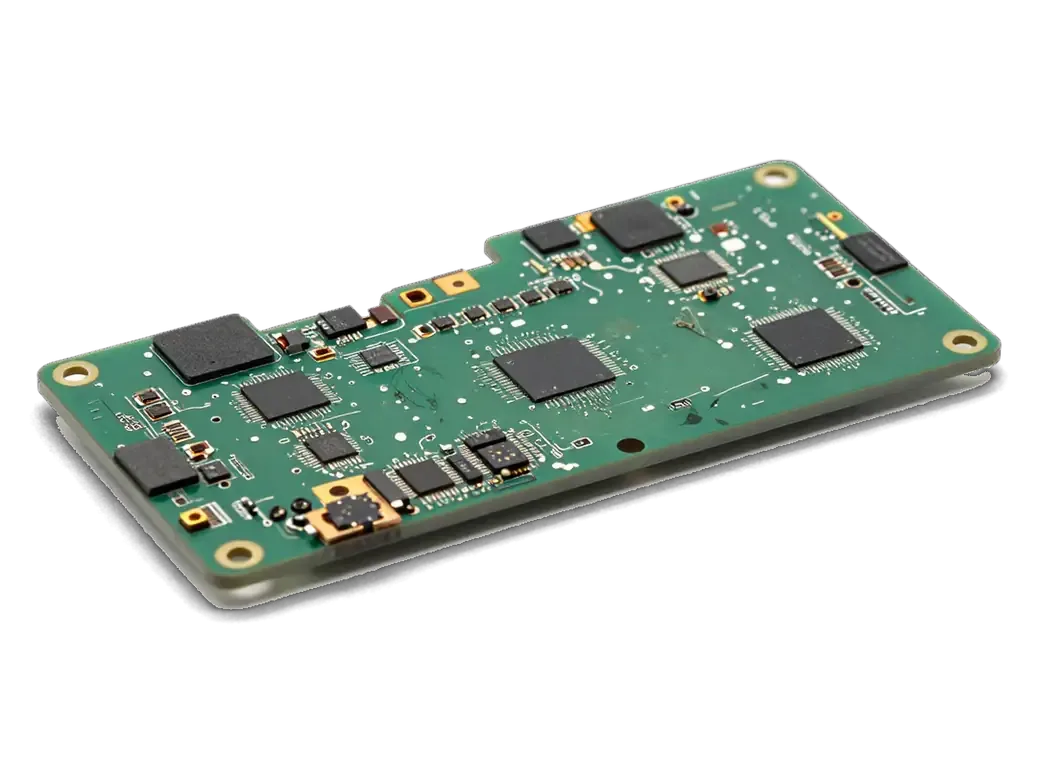
    MacBook board with liquid traces and residue
    Inspection without power

    The technician opens the case and looks for liquid traces, stains and oxidized contacts without applying current.

  2. 02
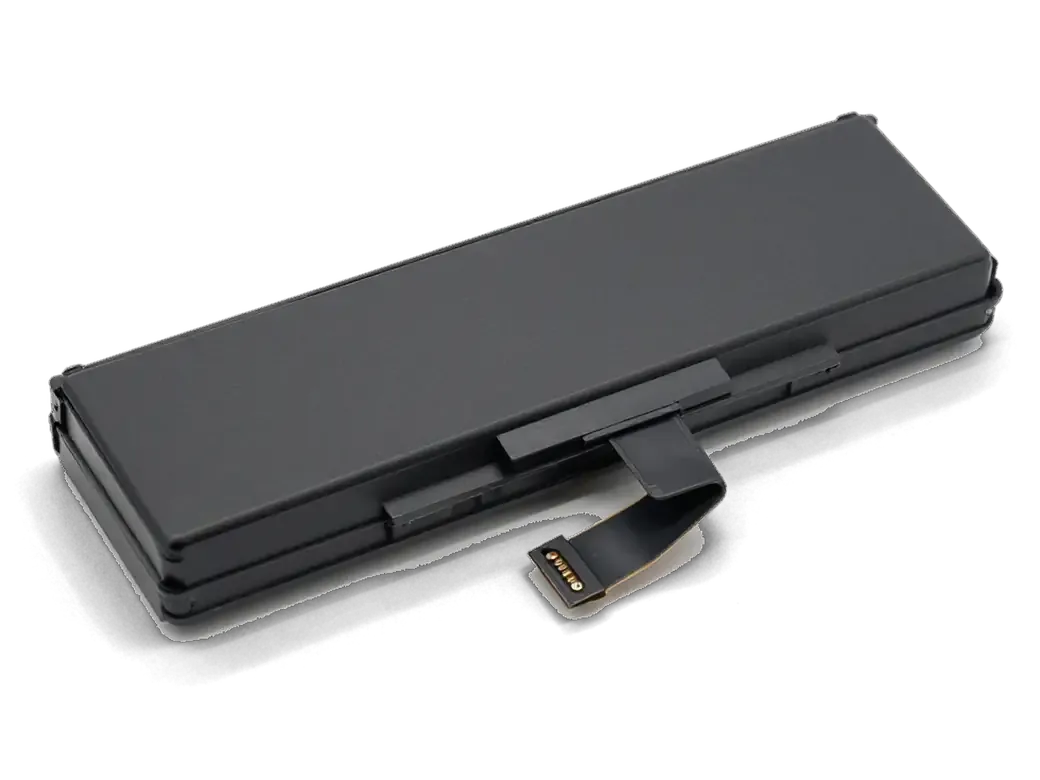
    Disconnected battery and flex cables of a MacBook
    Disconnecting parts

    The battery and cables are detached to remove moisture from places that are hard to reach.

  3. 03
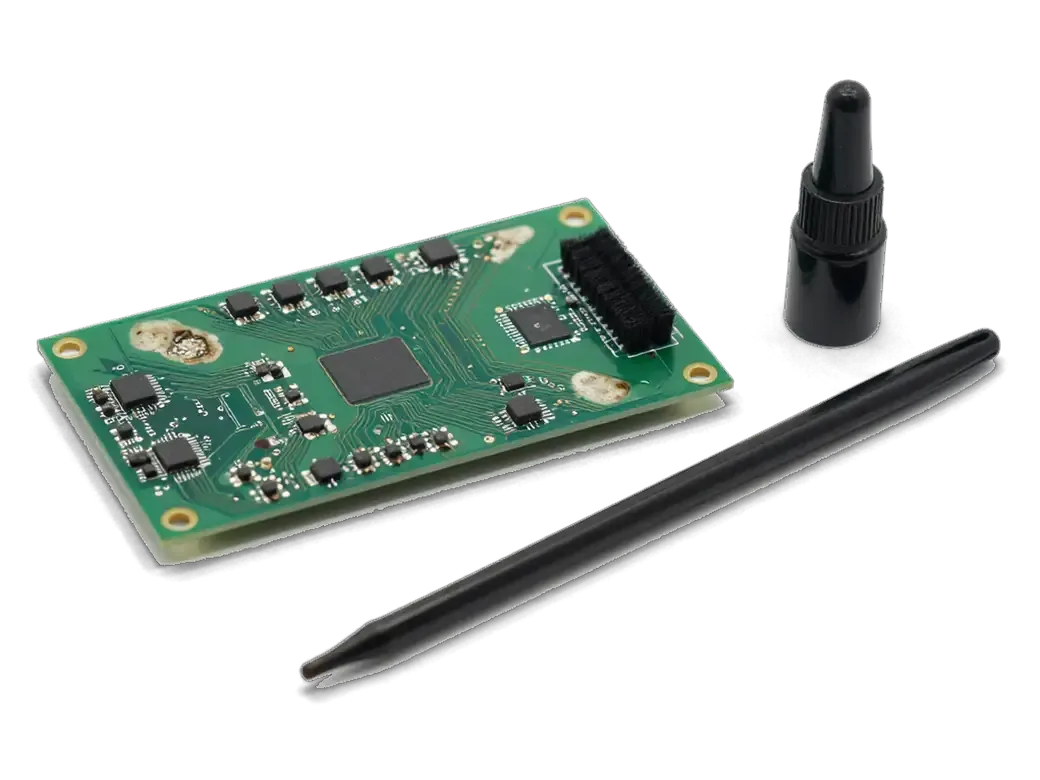
    MacBook logic board with residue and a cleaning tool
    Board cleaning

    Liquid residue and deposits are removed from the board and connectors before corrosion eats the tracks.

  4. 04
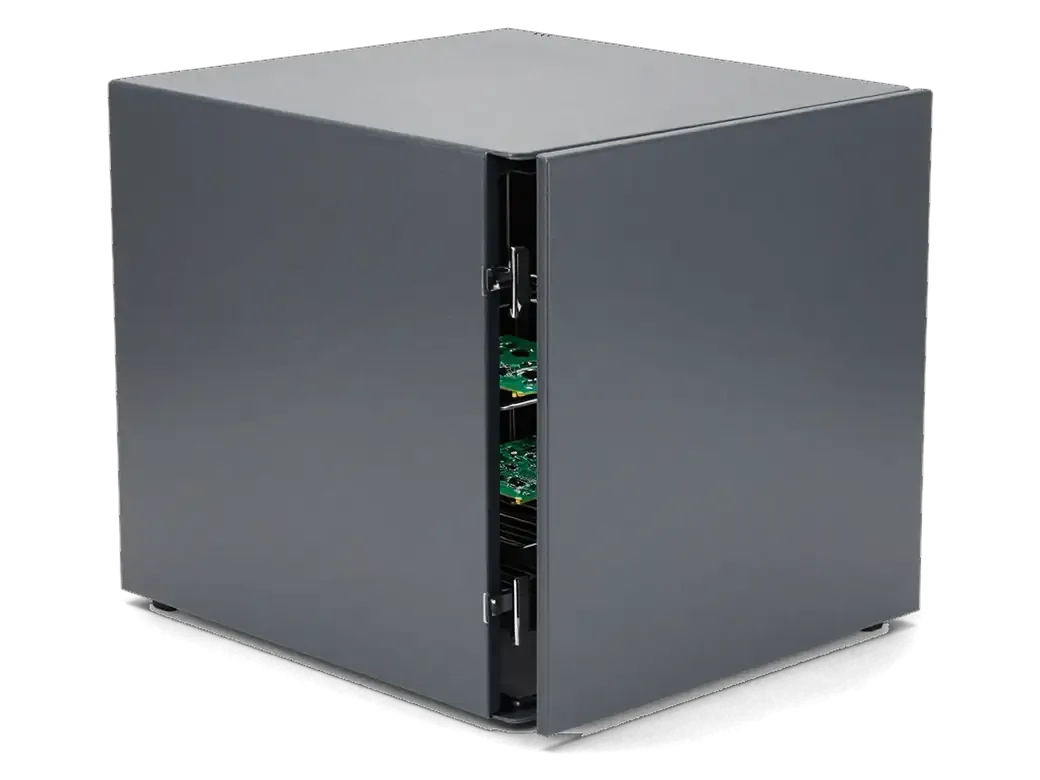
    MacBook logic board inside a drying chamber
    Drying

    The board and parts are kept in dry conditions so no moisture stays under the chips.

  5. 05
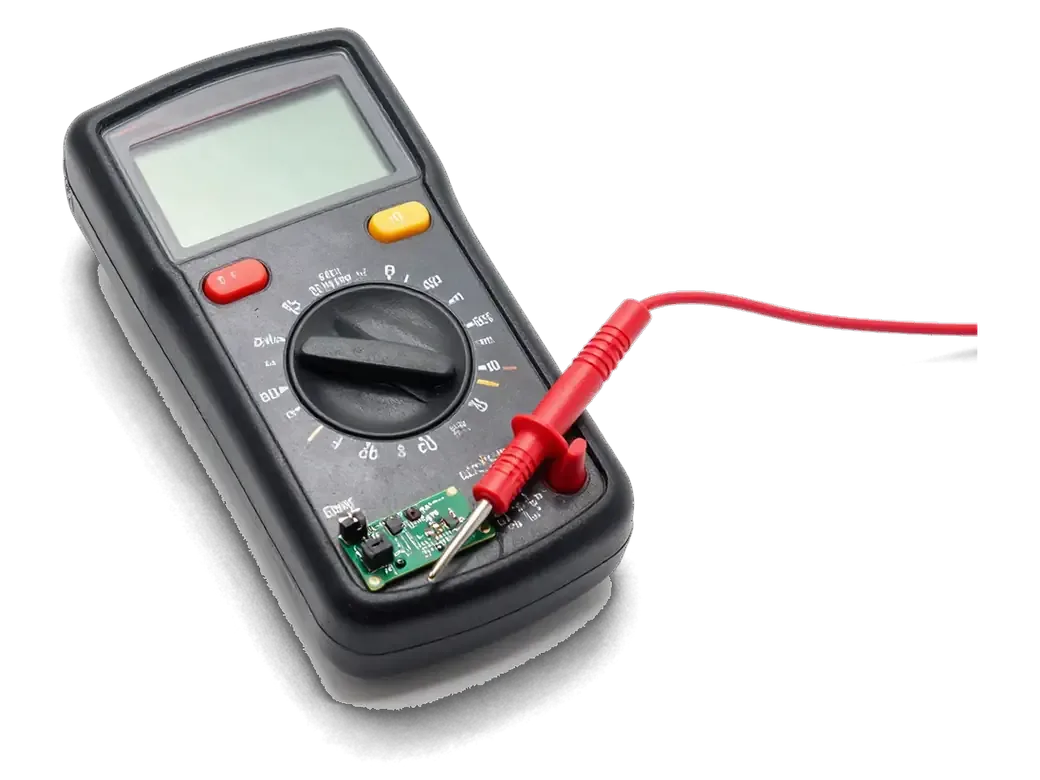
    Multimeter with probes testing a MacBook logic board
    Circuit checks

    After drying, current draw is measured and the power, charging and backlight circuits are tested.

  6. 06
    Assembled MacBook with a checkmark on the screen after testing
    Assembly and testing

    The laptop is put back together and charging, keyboard, trackpad, picture and sound are tested.

  7. MacBook Pro A2251 liquid damage repair
    from16 900 ₸

    If the damage cannot be reversed, we say so directly and explain why.

    Price for my model

What to do with damaged parts

After cleaning, some parts come back to life and others must be replaced, depending on exactly what was hit.

Original Applewarranty up to 1 year
MacBook liquid damage repairafter diagnostics
Open MacBook with a water drop icon on screen
Cleaning
Works if traces are fresh and tracks intact
What stays
Original parts and the familiar assembly
When it works
If the laptop was switched off quickly
Risk
Residue may show up later
Chosen by 64% of clients
Book with an original part
Aftermarketwarranty 6 months
MacBook liquid damage repair16 900 ₸
Open silver MacBook laptop with a green checkmark on screen after cleaning
Replacement
Needed if corrosion destroyed the part
What is swapped
Keyboard, trackpad, cable or a chip
When needed
If the liquid was sugary or salty
Benefit
Prevents a repeat failure in the same spot
Chosen by 36% of clients
Book with an aftermarket part

Why you should bring it in right away

With a soaked laptop time is against you: the sooner it reaches a technician the better the odds for the board, and the decision stays with you.

11years

Repair experience

Eleven years with Apple devices means we know where liquid flows inside notebooks of different generations.

1year

Warranty

Our warranty on finished work lasts up to 1 year, and we explain the conditions when we take in the device.

8technicians

Experienced technicians

A experienced technician opens the laptop and shows you where the traces of liquid remain.

5min

An honest assessment

If the board can no longer be saved, we say so instead of offering work with no chance of success.

The decision is yours

We name the options and their consequences, and we begin only after you give your agreement.

2cities

Almaty and Astana

We accept devices in two cities, and the rules and working schedule are the same in both branches.

MacBooks after liquid damage repair before and after in Almaty

1 / 1
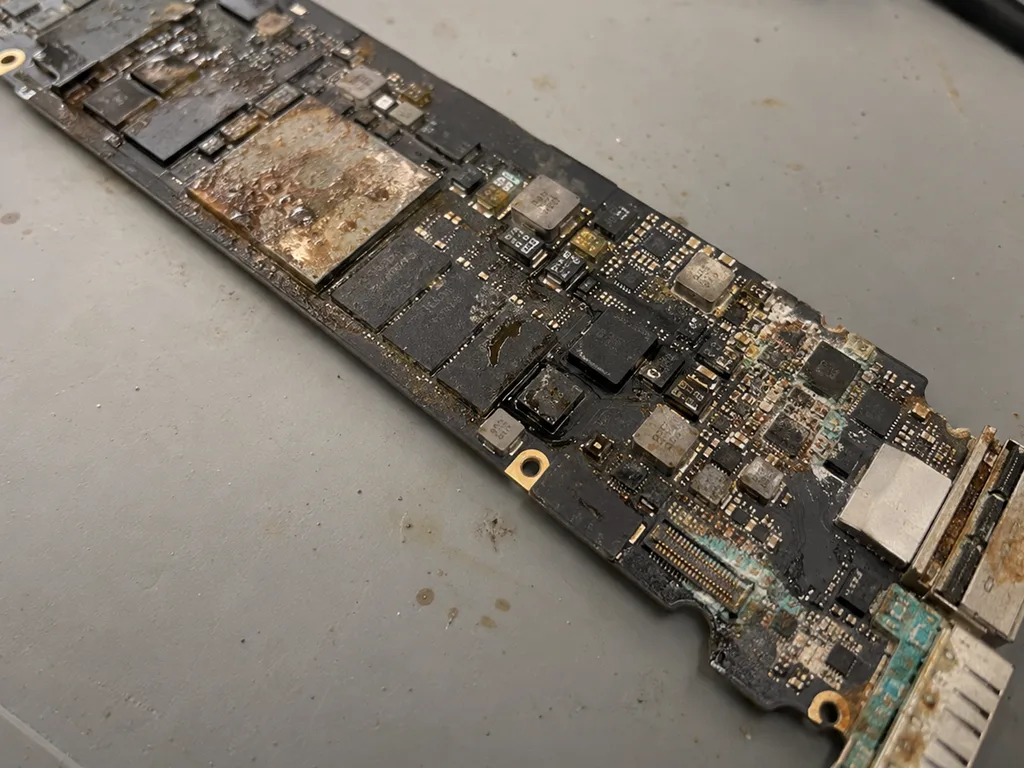
Before photo: MacBook board with corrosion after coffeeBefore: MacBook board with corrosion after coffee
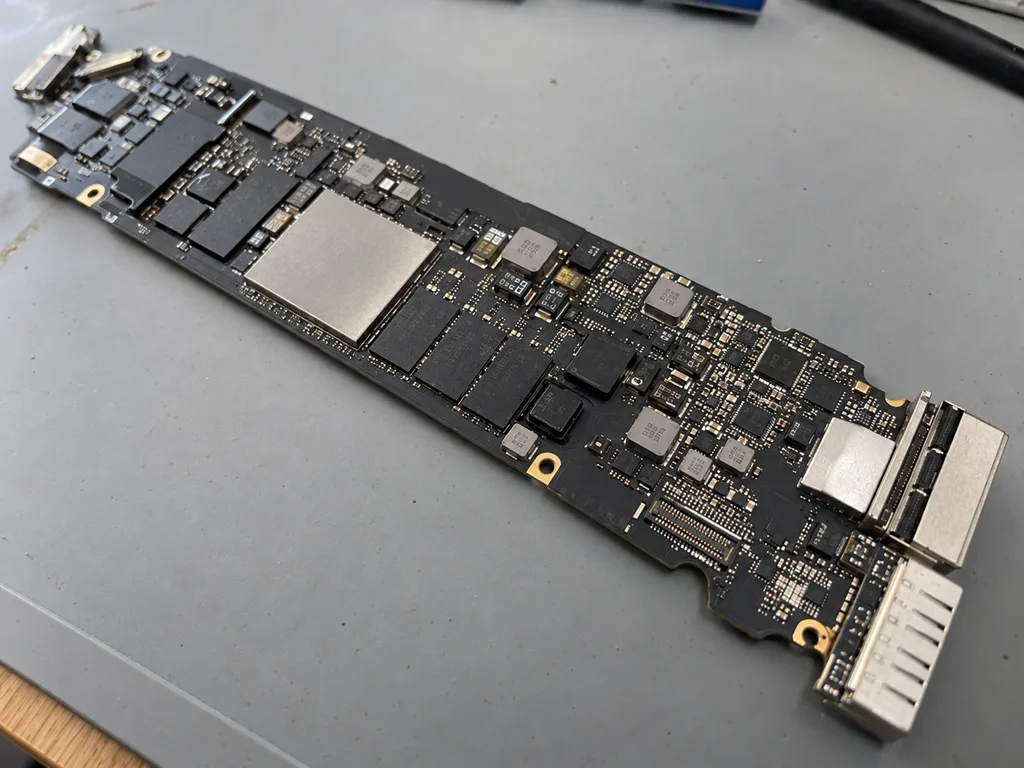
After photo: board after ultrasonic cleaningAfter: the board after ultrasonic cleaning
BeforeAfter

MacBook Air M2: coffee spill

2 daysLogic board repairWarranty 6 months
Problem
Coffee spilled on the keyboard, the laptop won't turn on. Another service suggested replacing the board for 520 000 ₸.
What we did
Cleaned the board in an ultrasonic bath, replaced 2 power controllers and the top case. The data was preserved.
−431 000 ₸against board replacement
I want the same

How MacBook liquid damage repair works in Almaty

Usually the whole journey — from message to pickup — takes less than an hour; complex repairs follow the timeline in the receipt.

Book a repair
  1. Step 1

    Message or call

    5 min

    You send a photo of the damage on WhatsApp — we quote the price and available time. Or you call a courier.

  2. Step 2

    Free diagnostics

    15 min

    An engineer checks the device in front of you and shows what is broken. 0 ₸, even if you decline the repair.

  3. Step 3

    Price in the receipt

    2 min

    We fix the price, the part (original or analog), the timeline and the warranty. You sign — we start.

  4. Step 4

    Repair while you wait

    20–40 min

    Before installation we show you the new part in its factory packaging. You wait in the waiting area with coffee and Wi‑Fi.

  5. Step 5

    Post-repair check

    10 min

    Screen, keyboard and trackpad, camera, microphones, speakers, charging, Wi‑Fi. You check together with the engineer.

  6. Step 6

    Pick up your device

    warranty up to 1 year

    Together with the receipt, warranty card and the old part. Payment — Kaspi, card or cash.

Who will repair your liquid-damaged MacBook logic board

Technicians for iPhone, Mac, iPad, Apple Watch and AirPods repair.

1 / 6
MRMolchanov Rinat — Apple repair and diagnostics engineer, iServices service center in AlmatyPhoto: Molchanov Rinat

Molchanov Rinat

Apple repair and diagnostics engineer
10years of experience
4.85rating, 33 reviews
SAShokan A — diagnostics technician, iServices service center in AlmatyPhoto: Shokan A

Shokan A

diagnostics technician
8years of experience
5.0rating, 37 reviews
MNMukhpilov Nail — smartphone repair technician, iServices service center in AlmatyPhoto: Mukhpilov Nail

Mukhpilov Nail

smartphone repair technician
10years of experience
4.83rating, 83 reviews
SBSybanbaev Birzhan — firmware specialist, iServices service center in AlmatyPhoto: Sybanbaev Birzhan

Sybanbaev Birzhan

firmware specialist
7years of experience
4.75rating, 74 reviews
DGDenis Gushchin — display replacement technician, iServices service center in AlmatyPhoto: Denis Gushchin

Denis Gushchin

display replacement technician
20years of experience
5.0rating, 34 reviews
DADuisebaev Azhdar — connector replacement technician, iServices service center in AlmatyPhoto: Duisebaev Azhdar

Duisebaev Azhdar

connector replacement technician
7years of experience
4.3rating, 35 reviews
Gamid K, phone repair technician
“If the repair didn’t suit you or you have a complaint, write to me personally.”
Gamid Kphone repair technician · +7 705 556-07-59

We'll quote a price for MacBook liquid damage repair in Almaty from a photo in 5 minutes

Send a photo of the screen and the MacBook model. An engineer will reply on WhatsApp, give the price and today's available time.

  1. 5 minAn engineer replies and names the price
  2. 0 ₸Diagnostics in front of you in 15 minutes
  3. 30 minMost repairs — while you wait

MacBook Liquid Damage Repair in Almaty at iServices

In short

At iServices, MacBook liquid damage repair in Almaty starts with free diagnostics in front of you, where the engineer shows what the liquid has damaged. We clean corrosion from the board under a microscope, replace affected parts with original or aftermarket options, and back the work with a warranty up to 1 year. Most jobs are finished while you wait.

Mukhpilov NailWe reply on WhatsApp within 10 minutes
Ask

Why a MacBook liquid damage repair is needed even if it still works

A spilled laptop often powers on and seems fine, yet liquid has already started eating into the circuitry beneath the chips. This section explains why that calm is misleading.

What to Do in the First Minutes After a Spill

  • Cut the power: shut the device down and unplug the charger plus any USB-C or MagSafe cable.
  • Stay off: do not switch it back on — each boot pushes current through wet traces.
  • Keep it level: hold the laptop flat so liquid does not travel deeper toward the logic board.
  • Skip the charger: never plug it back in to check the ports while moisture remains.
  • Get it checked: a free 15-minute inspection in front of you shows what the liquid reached.
  • Act fast: current turns a spill into shorts and corrosion, so cutting power beats drying.

Why Rice and a Hair Dryer Do Not Fix Liquid Damage

Rice and a hair dryer only shift moisture around and leave the corrosive residue that actually kills electronics untouched beneath the chips, and sugary drinks make it worse because sugar and acids feed the reaction. A hair dryer adds heat that pushes liquid deeper toward the logic board, while rice traps dust and does nothing to the minerals left behind by coffee, tea or juice. A clean-looking surface can hide green damage under a chip, which is why an engineer inspects under a microscope rather than judging by symptoms. Bring it in early — a prompt inspection usually costs less than a rebuild later.

What we do with the board during MacBook liquid damage repair

Disassembly and cleaning are the core of any spill repair. Here is what happens to the logic board, and why diagnostics can run up to two days.

Disassembly, Battery Disconnect and Board Cleaning

  • Disassembly: we open the laptop and remove the bottom case to reach the main circuitry and every connector.
  • Power cut: the battery comes off first, before any cleaning, so a wet circuit cannot short.
  • Corrosion removal: we clean corrosion and dried residue off the board, then dry it fully.
  • Condition check: only after cleaning do we test whether the main circuitry still powers on.
  • Photo record: each stage is photographed, so you see the real condition, not a description.

Why Liquid Diagnostics Can Take Up to Two Days

After liquid, diagnostics can take up to two days because we measure circuits under a microscope and a lab power supply to find every short, not just the obvious one. A spill leaves residue between traces, and the fault rarely sits where the liquid first landed — power rails, USB-C charging lines and the CPU supply are the usual hiding places. Our engineers meter each rail for abnormal current draw and inspect the circuitry under the microscope before calling the diagnosis final. For macbook liquid damage repair in Almaty, this thorough approach helps catch hidden faults early. A hidden short left on the circuitry will resurface weeks later, so the extra day separates a lasting repair from a repeat visit.

The 32-Point Check Before You Take the Device Home

  • Keyboard and trackpad: every key registers, the trackpad clicks and responds across the full surface.
  • Speakers and microphones: both channels play and both mics record without distortion.
  • Cameras and display: the front camera opens, and the panel shows no backlight patches.
  • Charging and power: the charger is recognised and the cell reports no service warning.
  • Network and ports: Wi-Fi, Bluetooth and every USB-C port connect without drops.
  • Handover together: you run the 32-function check of about 10 minutes with the engineer, catching a failing trackpad on the bench.

Parts that usually fail after liquid and how MacBook liquid damage repair replaces them

Liquid hits specific components, not the whole laptop. Below we break down which components most often need replacing and how we choose between original and aftermarket units.

Which Parts Liquid Damages Most Often

Components ranked by how often liquid reaches them
ComponentTypical liquid symptomWhat we check
Keyboard and top caseSticky or dead keysKey response, backlight, membrane
Main circuitryNo power, random shutdownsCorrosion, shorts, traces
TrackpadNo click, cursor jumpsConnector, flex, surface
BatterySwelling, fast drainCell health, connector
Display backlightDim or dark screenBacklight circuit, flex

Original Part or Aftermarket, Choosing With You

We offer both an original component and an aftermarket option, show the new unit in factory packaging before installation, and 64% of our customers choose the original. A genuine component matches the factory fit and connector layout exactly, while an aftermarket one costs less and often performs the same for everyday use. Before work starts, the type, turnaround and warranty go on the receipt, so the choice is documented rather than verbal. Our engineer opens the sealed box in front of you. The right choice depends on how long you plan to keep the device, so we explain the trade-off for your specific unit rather than pushing one option.

Board Repair Under the Microscope

We repair the main circuitry under a microscope, and component-level work takes 1 to 3 days because each corroded trace and part is reworked by hand. Corrosion rarely stops at the surface: liquid creeps under chips and along copper traces, so the engineer maps the damaged section, removes residue, and rebuilds broken connections with a soldering station. Replacing the whole assembly is not always necessary, since a targeted repair of the damaged section often restores the laptop and keeps the rest of the hardware intact. A full swap costs far more than a focused fix, which is why we diagnose the exact failure point first.

Your Data on Apple Silicon MacBooks and What to Expect

On Apple Silicon MacBooks the memory and SSD are soldered to the main circuitry, so your files' fate is tied to that assembly. Here is what to expect.

Why Data Depends on the Board on Apple Silicon

On Apple Silicon MacBooks the SSD and memory sit on the main circuitry, so if that assembly survives, the data usually survives with it. The storage chip is not a separate drive you can pull out and read elsewhere — it is part of the same assembly as the CPU and RAM. After a spill, the question is whether the circuitry can be cleaned and brought back to life. Component-level work under the microscope targets corrosion and shorted traces around the storage chip, and an assembly that powers up again usually exposes the files intact. A full assembly swap replaces the storage along with everything on it, which is why a repair path matters for your data as much as for the hardware.

Backups and What to Do Before You Bring It In

If the machine still powers on and you have a recent Time Machine backup, keep it untouched and do not attempt a restore before the circuitry is checked. A restore writes to the SSD and can push a struggling assembly into a worse state, so leave the backup as it is and let diagnostics come first. A backup made before the spill is your safest asset, because it does not depend on the circuitry surviving. If the device will not start, do not keep pressing the power button; each attempt sends current through wet traces. Bring it in as it is and let the engineer assess the circuitry first.

Timing, Receipt and Warranty for the Repair

Turnaround, receipt and warranty are what clients want to know before repair. Here is how we lock the terms and how the laptop reaches the workshop.

How Long the Repair Takes and How to Send It In

A MacBook and iPad repair takes from 1 hour to 1 day, board repair takes 1 to 3 days, and a courier across Almaty arrives in 90 minutes, free with a repair. Most jobs land well inside that window, and 72% of repairs are finished while the customer waits in the waiting area. A photo of the damage on WhatsApp gets a quote within 5 minutes and a reserved free slot, so the courier trip is not wasted on a job we cannot start. A liquid-damaged unit under the microscope can hold the bench for up to 3 days, and diagnostics alone sometimes run to two.

What the Receipt Fixes Before Work Starts

  • Price and part: the agreed sum and whether the component is original or aftermarket are written down before opening.
  • Turnaround: the promised term is fixed on paper and cannot drift once the case is on the bench.
  • Warranty: coverage runs up to 1 year and is recorded in the same document you leave with.
  • Old part and paperwork: you take home the replaced component, the receipt and the warranty card.
  • Two minutes: fixing the terms takes about 2 minutes, ahead of any work.

Summary: MacBook liquid damage repair

The outcome of a liquid repair depends on a few early decisions — in the first minutes after the spill and in the workshop. Here is what matters.

  • Act fast, then stop: power down and unplug the laptop the moment liquid lands; keep it off until an engineer inspects the circuitry.
  • Skip folk remedies: rice and hair dryers leave corrosion; a machine that boots today can fail days later.
  • Cleaning decides the outcome: component cleaning and microscope-level repair keep the device and its data alive.
  • Data follows the circuitry: on Apple Silicon the SSD is soldered, so file recovery depends on repair success.
  • Paper first, old part last: agree part, turnaround and warranty in writing; take the removed component with the receipt.


Common questions about MacBook liquid damage repair

Did not find an answer? Message us on WhatsApp: an engineer replies, not a bot.

Ask a question
My MacBook keyboard is sticky after a spill but everything works. Is wiping it enough?

Usually not. Sweet drinks leave residue under the keys and can creep further onto the board, where it slowly corrodes contacts; opening and cleaning the inside early prevents a bigger repair later.

Does a MacBook have liquid contact indicators?

Yes, many models have small indicators inside that change colour when wet. They show the engineer that liquid got in, but not how far it spread, so the board is still inspected under a microscope.

Can liquid damage the MacBook screen too?

Yes, liquid on a closed lid or splashes along the bottom edge of the display can reach the backlight and leave stains or dark areas. The display is checked together with the board during liquid damage repair.

Does the MacBook battery need replacing after liquid damage?

Not always; it is tested first. If liquid reached its connector or cells, replacing it is the safe option, because a damaged battery can swell later.

Why did my MacBook stop charging a week after the spill?

Corrosion keeps growing on the board after the liquid dries, and the charging circuit near the ports is a common victim. The sooner the board is cleaned, the fewer components end up damaged.

What should I tell the engineer about the spill on my MacBook?

Say what was spilled, roughly how much, when it happened and whether the laptop was on or charging. These details tell the engineer where to look first and how deep the cleaning needs to go.

Reviews of liquid damage repair in Almaty

1 / 10
4.9

average rating on Google Maps, wikicity and our website · 445 reviews
Google Maps4.438 reviews ›wikicity5.015 reviews ›Reviews on the iServices website5.0392 reviews ›
АА
Алишер А.Order No. IS‑2609‑•••16 · 27 September 2026
MacBook Pro 14″ (M3, 2023) · water damage

У моего MacBook Pro 14″ (M3 2023) после попадания жидкости устройство вело себя непредсказуемо. В сервисе осмотрели плату и устранили обнаруженную неисправность; Денис подсказал, что действительно надо проверять.

iServices customer review, in Russian
ЕК
Ерлан К.Order No. IS‑2609‑•••32 · 15 September 2026
MacBook Pro 16″ (M5 Max, 2026) · water damage

На MacBook Pro 16″ (M5 Max 2026) после попадания жидкости устройство вело себя непредсказуемо. После обращения осмотрели плату и устранили обнаруженную неисправность.

iServices customer review, in Russian
НЯ
Никита Я.Order No. IS‑2605‑•••56 · 27 May 2026
MacBook Pro 16″ (M3 Pro, 2023) · water damage

MacBook Pro 16″ (M3 Pro 2023) подвёл: после попадания жидкости устройство вело себя непредсказуемо. После обращения осмотрели плату и устранили обнаруженную неисправность.

iServices customer review, in Russian
АЭ
Арман Э.Order No. IS‑2506‑•••42 · 24 June 2025
MacBook Pro 14″ (M4 Max, 2024) · water damage

С MacBook Pro 14″ (M4 Max, 2024) вышла неприятность: после попадания жидкости устройство вело себя непредсказуемо. После обращения осмотрели плату и устранили обнаруженную неисправность.

iServices customer review, in Russian
ВУ
Вадим У.Order No. IS‑2308‑•••92 · 5 August 2023
MacBook Air 15″ (M2, 2023) · water damage

С MacBook Air 15″ (M2 2023) вышла неприятность: после попадания жидкости устройство вело себя непредсказуемо. После обращения осмотрели плату и устранили обнаруженную неисправность в iservice.

iServices customer review, in Russian
МШ
Михаил Ш.Order No. IS‑2211‑•••06 · 2 November 2022
MacBook Pro 13″ (2016, 2 порта) · water damage

MacBook Pro 13″ (2016 2 порта) подвёл: после попадания жидкости устройство вело себя непредсказуемо. По результатам диагностики осмотрели плату и устранили обнаруженную неисправность.

iServices customer review, in Russian
МП
Марат П.Order No. IS‑2209‑•••69 · 19 September 2022
MacBook Pro 15″ (2017) · water damage

Сначала пытался решить вапрос через настройки, только время потерял. На MacBook Pro 15″ (2017) после попадания жидкости устройство вело себя непредсказуемо; в итоге осмотрели плату и устранили обнаруженную неисправность.

iServices customer review, in Russian
ВУ
Владимир У.Order No. IS‑2209‑•••83 · 9 September 2022
MacBook Pro 16″ (M1 Pro, 2021) · water damage

У моего MacBook Pro 16″ (M1 Pro 2021) после попадания жидкости устройство вело себя непредсказуемо. В итоге осмотрели плату и устранили обнаруженную неисправность в iservice.

iServices customer review, in Russian
ОК
Ольга К.Order No. IS‑2112‑•••44 · 24 December 2021
MacBook Pro 14″ (M1 Max, 2021) · water damage

MacBook Pro 14″ (M1 Max, 2021) подвёл: после попадания жидкости устройство вело себя непредсказуемо. В итоге осмотрели плату и устранили обнаруженную неисправность.

iServices customer review, in Russian
ОЗ
Ольга З.Order No. IS‑2111‑•••19 · 27 November 2021
MacBook Air 13″ Retina (2018) · water damage

У моего MacBook Air 13″ Retina (2018) после попадания жидкости устройство вело себя непредсказуемо. В итоге осмотрели плату и устранили обнаруженную неисправность.

iServices customer review, in Russian
Showing 10 of 14

Where to get MacBook liquid damage repair in Almaty

Address
Almaty, Zharokov St., 128
Opening hours
Mon–Fri 10:00–19:00Sat–Sun 11:00–18:00
Phone and messengers
+7 705 556-07-59WhatsApp: +7 705 556-07-59
Directions map: iServices Almaty — Zharokov, 128© OpenStreetMapFind us on the maps: Google Maps · 2GIS