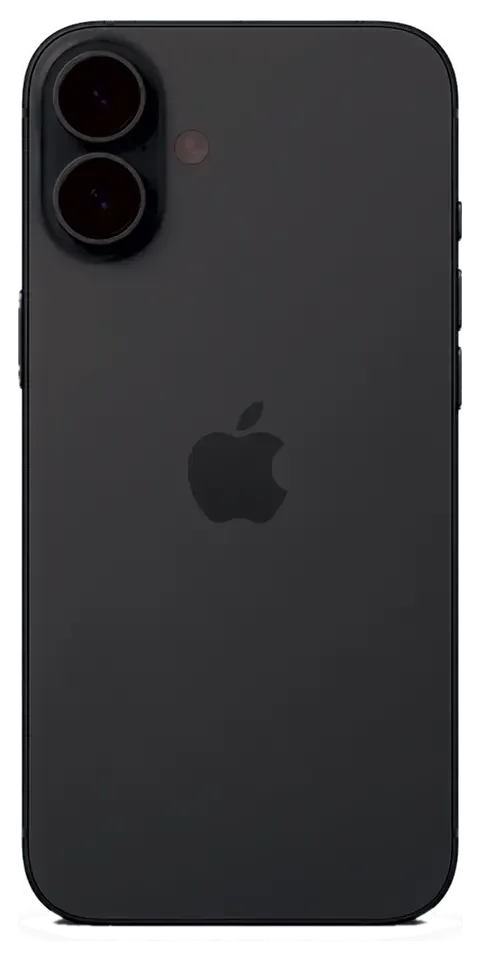
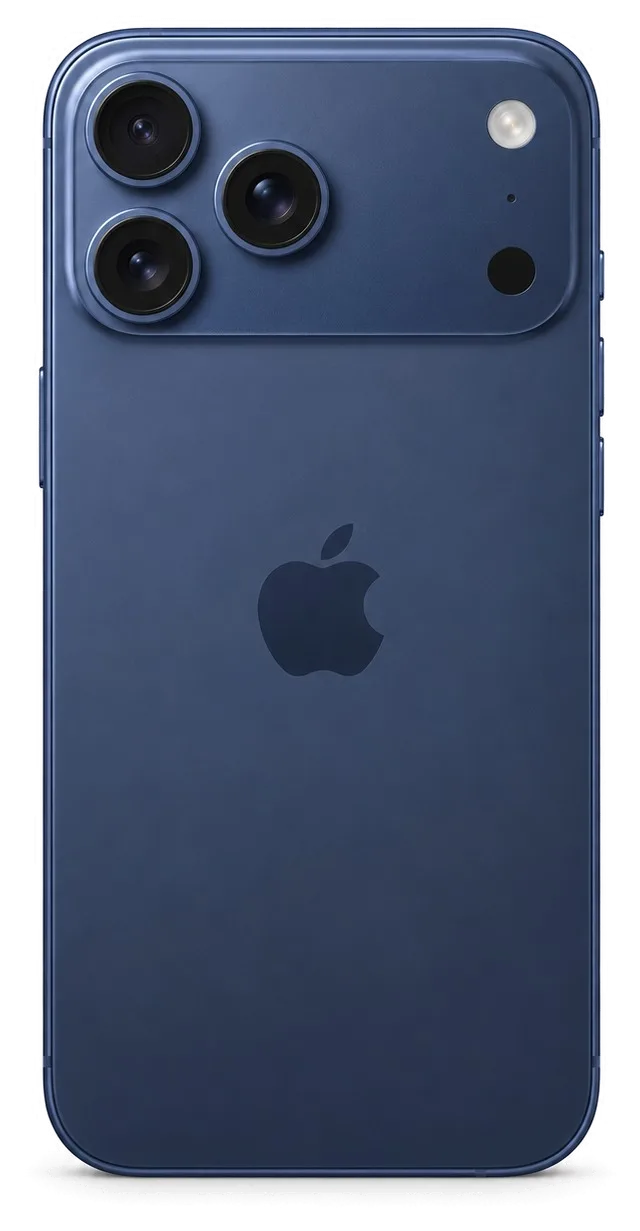
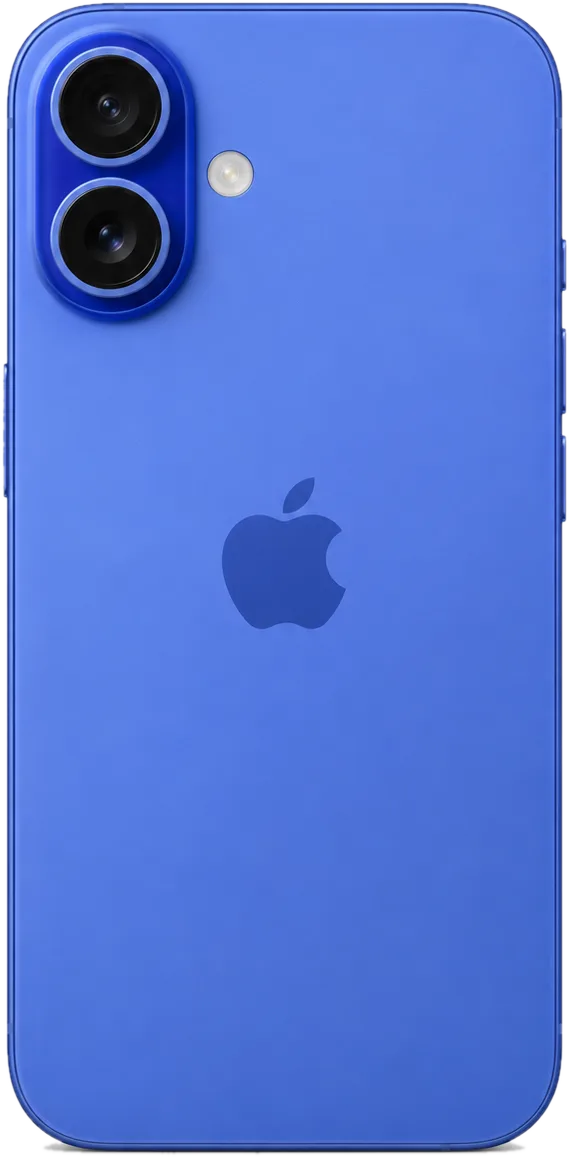
The 16 Plus is a large-screen phone, so drops hit the display and rear glass hardest, while the Camera Control button and USB-C port take daily wear. Here is what we see most often at our workbench.
The faults we see most on this model
On this model we most often replace cracked display panels, worn batteries and the USB-C charging assembly, followed by the rear cover and the camera lens cover after drops. The 6.7-inch panel takes the brunt of a fall on its corners, and the Camera Control button sits exactly where a thumb rests, so pressure damage there is common. The USB-C port collects lint from pockets and bags, then charges slowly or not at all. Rear glass on this model cracks around the camera island, where the frame is thinnest. A large screen spreads impact across a wider surface, so a case that covers the corners matters more than a thin shell that only protects the back. For an iPhone 16 Plus repair in Almaty, this is the shortlist of faults we handle most often.
Symptom, likely cause and what we do
Symptom-to-cause map for the five most common faults| Symptom | Likely cause | What we do |
|---|
| Lines or dead touch | Damaged display module | Replace glass or full module |
|---|
| Battery drains fast | Worn cell | Fit a new battery |
|---|
| Will not charge | Dirty or oxidised port | Clean or replace the port |
|---|
| Blurry photos | Cracked camera glass | Swap the glass only |
|---|
| No sound on calls | Speaker or mic fault | Test and replace the part |
|---|
How long each job takes
Most repairs on this device take 20–40 minutes while you wait, with a screen at about 40 minutes and a battery at about 25. Camera glass is the quickest at 20 minutes, and 72% of jobs are finished while the customer sits in our waiting area with coffee and Wi-Fi. Every device then goes through a 32-function check of about 10 minutes — Face ID, True Tone, cameras, microphones, speakers, charging and network — before it goes back to you. Board-level faults are the exception and run 1–3 days, so a phone that died after water or a hard fall is worth booking early in the day.
Screen Repair and What Survives the iPhone 16 Plus Repair Swap
A cracked front is the most common reason a 16 Plus comes in, and the first question is always whether the whole assembly has to go. Often it does not, and the features you care about can be kept.
Glass only or the whole display module
When the OLED matrix is intact and only the outer layer is cracked, we can replace just that layer; if there are lines, dead touch or a damaged panel, the full module goes in. On the iPhone 16 Plus the touch layer and the OLED sit in one laminated assembly, so the decision depends on whether that unit still shows a clean image. Our engineers test the matrix in front of you prior to quoting: a working panel means a glass-only job is possible. Replacing only the outer layer keeps the factory display and its calibration, which is why it is worth asking for a matrix test before agreeing to a full swap.
Face ID and True Tone after a screen repair
Face ID keeps working after a display repair because the TrueDepth module is a separate unit, and True Tone works once its calibration is carried over to the new panel. That camera-and-sensor block sits above the assembly and is transferred across rather than replaced, so the dot projector and the infrared camera stay paired to the board. True Tone reads a calibration value stored for the factory display; when we fit a fresh one, we copy that value so the image warms and cools with the room as it used to. On some aftermarket parts True Tone may not come back, so it is worth confirming this before the component is fitted, not afterwards.
Water resistance after the phone is opened
Once any handset is opened, the factory water resistance is no longer guaranteed, even when the seal is renewed during the repair. The 16 Plus leaves the plant with an IP68 rating, and that figure rests on a gasket compressed by a machine at the factory. When the front is lifted, the adhesive frame breaks and is replaced with a fresh gasket by hand, which restores a seal but not the lab-tested rating. Treat the device as splash-resistant rather than waterproof afterwards, and keep it away from pools and heavy rain instead of trusting the old IP68 number.
Choosing an Original Part or an Aftermarket One
What you pick determines which features survive the swap, so the trade-off is worth understanding before a technician opens the device. Both routes are legitimate; they simply behave differently in daily use.
How the two part types differ in use
Original versus aftermarket parts compared by functions and use case| Type | Functions kept | Best for |
|---|
| Genuine | All, as designed | Owners who rely on True Tone and resale value |
|---|
| Aftermarket | Fit and touch, some features may vary | Budget jobs on a secondary handset |
|---|
| Genuine (battery) | Full health reporting, no warning banner | Long-term daily use |
|---|
| Aftermarket (battery) | Charging works, health data may be limited | Short-term or backup device |
|---|
What the part message on screen means
The unknown-part banner is an indicator of what was fitted, not a fault, and it does not stop the handset from working. It appears because the system records the serial of its factory hardware, so a factory replacement avoids it while some aftermarket ones trigger it. The notice usually sits in Settings under the battery or display section and can be dismissed, yet it stays in the device log until a matching item is fitted. Face ID, touch response and charging behave normally regardless of the message. If you plan to sell the handset, expect a buyer to ask about that entry — a factory spare clears the question in one step.
Fixing your choice on the receipt
We write the price, the part type, the turnaround and the coverage term on the receipt before any work starts, so your decision is locked in writing. Our engineer shows the new spare in factory packaging before installation, and the document takes about two minutes to prepare. It names the exact item, states the turnaround and carries coverage of up to 1 year. Keep that receipt with the old spare you get back, since both are what you would show if a question ever came up later. Customers who hold on to the replaced hardware and the guarantee card resolve any dispute without a second visit.
Charging, Battery and Camera Glass
Beyond the screen, three smaller jobs bring most 16 Plus phones to us: a port that stops charging, a cell that fades, and glass that cracks over the lens after a drop.
When the USB-C port is the problem
A 16 Plus that will not charge usually has a dirty or oxidised USB-C connector rather than a failed board, and cleaning or swapping it fixes most cases. We inspect the socket under a lamp first, because lint packed against the pins mimics a dead charging flex perfectly. If the pins are clean and the cable still wobbles, the charging flex itself has worn, and we replace that part rather than the whole board. The iPhone 15 introduced USB-C in place of Lightning, and the deeper socket collects pocket debris faster than the old design did. A board-level fault shows differently: the handset warms up near the lens and drains even while idle, which points to a short rather than the connector.
Reading the battery condition
We replace the cell when its health drops and the phone starts shutting down early or draining within a day, and the swap takes about 25 minutes. Open Settings, then Battery, then Battery Health, and read the maximum capacity figure rather than the peak performance line alone. A pack below roughly four-fifths of its factory capacity, combined with sudden shutdowns at a third of a charge, is the signal to book the job. We show the new part in its factory packaging before it goes in, and the old one goes home with you. A worn pack also throttles performance on cold mornings, so a unit that looks fine indoors can still cause slowdowns outside.
Camera glass and the rear panel
A cracked camera cover is replaced on its own in about 20 minutes when the lens underneath is intact, while a shattered rear panel is a larger job. The cover is a separate piece from the module, so a hairline crack over the optics does not automatically mean a new sensor. We check the optics first: if photos stay sharp and autofocus hunts normally, only the outer cover comes off. A rear panel swap takes longer because the frame has to be separated and resealed, and it is booked as a different job at the counter. A cracked cover scatters light and softens photos long before the lens itself is damaged, so replacing it early protects image quality.
How a Visit Works from Photo to Pickup
The whole visit is built to be predictable: you send a photo, get a quote, watch the diagnosis, and check the phone with the engineer before you leave. Nothing is opened before you agree.
From a WhatsApp photo to a booked slot
Send a photo of the damage on WhatsApp and an engineer replies within 5 minutes with a price and a free time slot, before you even leave home. The photo goes straight to the bench, so the right part is ready when you arrive. At the workshop the engineer runs a free 15-minute diagnostic in front of you and shows exactly what is broken, even if you decide not to repair. The price, the part type, the turnaround and the warranty are then fixed on the receipt in about 2 minutes, and the new component is shown in factory packaging before installation. A clear photo of the cracked area lets us bring the right part to the bench, which is why most jobs finish in a single visit.
The 32-point check before you leave
After the repair you check 32 functions with the engineer in about 10 minutes, including Face ID, True Tone, cameras, microphones, speakers, charging and network. The engineer hands you the device and walks through each item with you rather than signing it off alone at the bench. If you cannot come in, a courier covers the city in 90 minutes and the trip is free with a repair. Most jobs — a screen in 40 minutes, a battery in 25, camera glass in 20 — are done while you sit in the waiting area with coffee and Wi-Fi. Testing together means any issue is caught while the phone is still on the bench, not after you have already left the workshop.
Why a direct contractor changes the deal
We are a direct contractor with our own technicians and workshop, not an aggregator, so the person who quotes your repair is the one who does it. That structure is why 72% of jobs are finished while the customer waits, and why the warranty runs up to 1 year on work we control end to end. Board-level faults go under a microscope here, and water damage can take up to two days of diagnostics because we trace the corrosion rather than guess. You leave with the receipt, the warranty card and the old part, which is the paper trail an intermediary cannot always give you.
Summary: iPhone 16 Plus repair
A repair goes smoothly when you know what to settle up front. Here is a short checklist that keeps the visit predictable.
- Diagnose the node first. A charging fault is often the USB-C port rather than the board, so verify the cause prior to agreeing to a bigger job.
- Ask about cover-only repair. Find out whether the cracked outer layer can be swapped on its own instead of committing to a full display module.
- Protect Face ID and True Tone. Make sure both will be preserved, then test them together with the engineer at pickup.
- Choose the part by your habits. Pick between a genuine and an aftermarket unit based on which functions you actually use every day.
- Get it in writing. Price, part type, turnaround and warranty should be fixed on the receipt prior to any work starting.











 iPad
 MacBook
 iMac
 Mac mini and Studio
 Apple Watch
 AirPods
 Apple Pencil
 Apple TV
 HomePod




