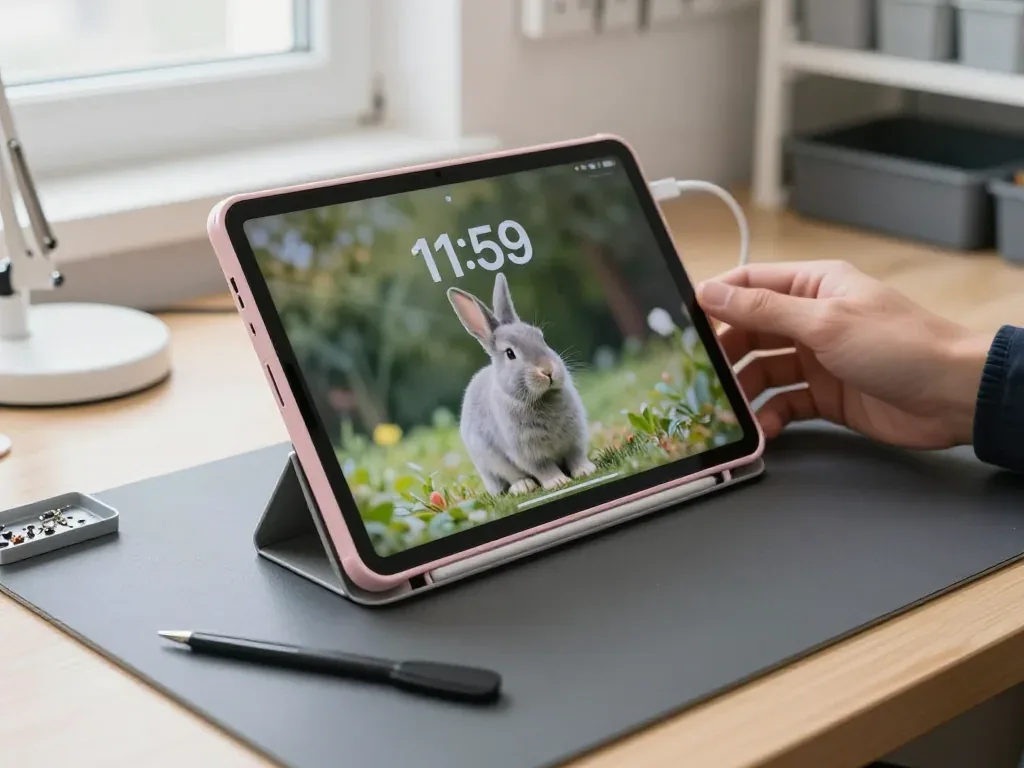
The iPad 10 has a non-laminated screen, a USB-C port and Touch ID in the top button — three things that shape what fails and how we test it.
Cracked Glass, Dead Touch or Lines Across the Screen
On this model the touch layer and the LCD are separate parts, so a cracked top glass with a working image is often a glass-only job rather than a full module swap. The digitizer sits as its own sheet above the panel, and impact damage usually stops at that sheet while the LCD underneath keeps rendering clean colours. Lines across the display, dark patches or a fully black image point the other way: the panel itself took the hit, and the module goes in as one unit. We see both cases weekly on this device, and the split between them decides the whole repair plan. Test the panel before booking — open a white page and a black page at full brightness; grey blotches or bright spots on black mean the LCD is damaged too, and the plan changes from glass to module.
Battery Drain, Sudden Shutdowns and a Screen Lifting at the Edge
A swollen cell pushes the display away from the frame, and a device in that state should not be charged — bring it in for diagnostics instead. The power pack is glued into the chassis, so as it expands it has nowhere to go but outward against the panel, and the earliest sign is a thin gap or a soft click along one edge. Sudden shutdowns at 20–30% charge and a case that runs warm on standby come from the same source. Health readouts in iPadOS settings are a rough guide only; the reliable check is a load test under the bench supply, which shows whether the cell collapses under draw or the controller is at fault.
USB-C Not Charging and the Order We Check It In
- Cable and adapter: a tired cord or an underpowered brick mimics a socket fault, so both get swapped for known-good ones first.
- USB-C port and flex: lint packed into the socket or bent pins explain a connector that only works at one angle.
- Battery: with cable, adapter and connector cleared, we measure draw under load to see if the cell accepts charge normally.
- Power controller: a worn socket usually means tired contacts, not a dead cell; swapping the cell first hides the real fault for a few weeks.
Glass or Full Module for Your iPad 10 Repair
The iPad 10 sits in the non-laminated group, which is good news for a cracked display — but the decision still depends on whether the LCD underneath survived the impact.
Why the iPad 10 Screen Can Be Split Into Two Parts
This model uses a non-laminated display, meaning the touch layer and the LCD panel are separate layers with an air gap between them, so each can be replaced on its own. This construction is shared with the ninth-generation and earlier base models, while the Air and Pro lines use a bonded unit where the front layer and matrix form one piece. On a cracked base tablet, the damage often stays in the top layer: the picture keeps rendering, the backlight stays even, and the touch grid under the cracks still registers fingers. That is exactly the case where a front-only service is possible and the original panel is kept. The same air gap explains the slight flex and hollow tap compared with bonded screens — normal construction, not a defect, and the reason a partial repair is possible at all.
When Glass Alone Is Enough and When the Module Goes
Which layer is damaged and what gets replaced| Symptom on the iPad 10 | What is damaged | What we replace |
|---|
| Cracks, picture and input fine | Top layer only | Front layer |
|---|
| Cracks plus dead input zones | Front layer and digitizer | Front layer |
|---|
| Lines, blotches or black areas | LCD panel | Full module |
|---|
| Shattered front, backlight uneven | Front layer and backlight | Full module |
|---|
| Input works, picture dim | Backlight | Full module |
|---|
Apple Pencil Response After a Screen Repair
Pencil input on this tablet runs through the digitizer, so after a front or module replacement we test pressure, tilt and palm rejection with a Pencil before handing the device back. The first-generation Apple Pencil pairs over Bluetooth and draws through that same plane, which means a badly seated display connector shows up as skipped strokes long before the image itself looks wrong. The connector is the usual suspect: a ribbon sitting a fraction of a millimetre off causes dead bands along one edge while the centre draws perfectly. A Pencil that skips only near the edges usually points to a poorly seated connector rather than a bad digitizer, so ask for it to be re-seated before agreeing to a second part.
How We Run an iPad 10 Repair in Almaty
The workflow is built so you see every step — the fault, the part, the receipt and the final test — instead of leaving the tablet behind a closed door.
From a WhatsApp Photo to a Booked Slot
Send a photo of the damage on WhatsApp and an engineer replies within 5 minutes with a price estimate and a free time slot, so you know the scope before leaving home. That first message is also where we sort the case into a display swap, a battery job or a diagnostic-first board case, and the reply comes from the technician who will actually handle the tablet rather than a call-centre script. Our diagnostics are free and happen in front of you, 15 minutes even if you decide not to repair, and the price, part, turnaround and warranty are fixed on the receipt before any screw comes out. This is how an iPad 10 repair in Almaty starts, with the scope agreed before you leave home.
What to Do on the Tablet Before You Hand It Over
- Back up first: run an iCloud or computer backup and confirm it finished, because a display repair does not touch storage but a board job might.
- Know your Apple ID: write the password down; a locked device cannot be fully tested after reassembly.
- Decide on Find My iPad: keep it on if you want the device protected, and tell the engineer so testing is planned around it.
- Note the passcode: a four or six digit code lets us check touch, cameras and sensors properly before you collect.
Receipt, Factory Packaging and the Final Check
Before work starts we fix the price, the part type, the turnaround and the warranty on the receipt, and the new part is shown in factory packaging before installation. The document names whether the screen or battery is original or aftermarket, so nothing is left to memory when you compare the finished tablet against what was promised; 64% of customers pick an original part, and the choice is written down the same way either way. While the engineer works you can wait in the seating area with coffee and Wi-Fi, since 72% of jobs are finished while the customer stays. Keep the old part and the warranty card — the old glass or battery is your proof of what actually came out of the device, which matters if a fault reappears later.
Original Part or Aftermarket for the iPad 10
Both routes are legitimate, but they behave differently in brightness, touch feel and how long the part lasts — so the choice should follow how you use the tablet.
How Original and Aftermarket Screens Differ in Daily Use
An original display matches factory brightness, colour and touch sensitivity, while an aftermarket glass or module can differ slightly in tint and in how the surface feels under a finger. On a full module the difference shows up first in peak brightness outdoors and in colour shift at an angle; on glass alone it is mostly the coating that changes how fingerprints sit and how the Pencil glides. We show the new part in factory packaging before installation, so you can compare the candidate against the cracked unit in your hands. Touch latency is the one spec that rarely appears on paper yet decides whether handwriting feels natural — if you draw or take notes with a Pencil, ask to test the part with your own stylus before it is glued in.
Battery Choice and What It Changes
The tablet's battery is glued under the display, so replacement always starts with lifting the panel, and the cell you choose decides how the device holds charge a year later. Original cells keep the charge curve the system expects, which matters because iPadOS reads capacity and shuts down cleanly at low percentages; an aftermarket cell may report health that drifts or cuts off earlier in cold rooms. Adhesive quality matters as much as the cell itself — a weak strip lets the display lift at the edge months later. A battery that has been sitting on a shelf for years loses capacity before it is even fitted, so ask for the production date on the cell rather than judging by the label alone.
Matching the Part to the Job
Which part suits which damage on the tablet| Job on the tablet | Part option | What it affects |
|---|
| Cracked glass, LCD intact | Original glass | Touch feel and clarity |
|---|
| Cracked glass, LCD intact | Aftermarket glass | Cost, slight tint shift |
|---|
| Dead LCD or backlight | Original module | Brightness and colour accuracy |
|---|
| Dead LCD or backlight | Aftermarket module | Cost, Pencil latency |
|---|
| Weak battery | Original cell | Long-term capacity |
|---|
| Worn USB-C port | Original flex | Charging stability |
|---|
Turnaround Times and What We Check Before Handover
Most iPad 10 jobs are measured in minutes, but board-level faults and water damage follow a different clock — here is what to expect and how the result is verified.
How Long an iPad 10 Repair Takes
Most tablet repairs take from 1 hour to 1 day, board-level work runs 1 to 3 days, and after water contact diagnostics alone can take up to two days. A display or battery swap on the iPad 10 is a same-day job: the technician opens the device, fits the part and reseals it while you wait in the seating area with coffee and Wi-Fi. Board faults go under the microscope, and that queue moves on its own schedule — the engineer tells you the realistic window after the free 15-minute inspection rather than promising a number on the spot. Book a slot rather than walking in at closing time — a job that starts late in the day usually rolls into the next morning simply because the adhesive needs time to cure.
The 32-Point Check You Do Together With the Engineer
- Touch ID in the top button: unlock the tablet several times to confirm the sensor still reads your fingerprint reliably.
- Cameras and microphones: open the camera app and record a short clip to test both lenses and the mics together.
- Speakers and charging: play audio at full volume and plug in the USB-C cable to watch the charge indicator respond.
- Network and Wi-Fi: connect to the shop network and confirm the signal holds while you move around the room.
- Screen and Pencil: check brightness, True Tone and draw a few strokes if you use an Apple Pencil.
Warranty, Payment and Getting the Device Back
Every repair carries a warranty up to 1 year, payment works by Kaspi, card or cash, and the device goes back to you with the receipt, the warranty card and the old part. Handover is a short handover conversation, not a queue: the engineer returns the tablet in the same session you collected it, and the replaced component travels home in a separate bag so you can see exactly what came out. Keep the receipt in the box with the old component — if a touch fault returns, the serial on the paperwork links the claim to the exact part that was fitted.
Summary: iPad 10 repair
A short recap of what matters most when an iPad 10 fails — from the split display design to the paperwork that proves the work was done.
- The iPad 10 screen is split into glass and LCD, so a crack with a working image can often be fixed by replacing the top glass alone.
- A swollen battery is a stop signal, not a slow-wear issue — the tablet should not be charged until it has been inspected.
- Charging faults follow a fixed order: cable and adapter, then the USB-C port, then the battery, then the board.
- A backup and a known Apple ID are the two things that make any repair smoother and testing more complete.
- Ask for the old part and the paperwork — they are the simplest proof of what was actually replaced.















 MacBook
 iMac
 Mac mini and Studio
 Apple Watch
 AirPods
 Apple Pencil
 Apple TV
 HomePod





