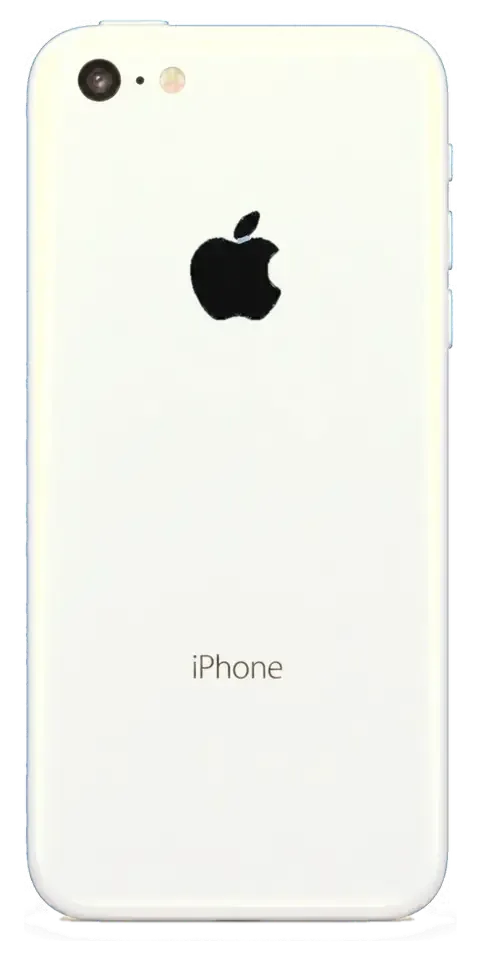
The 5c is a compact polycarbonate iPhone on a Lightning connector with a physical Home button. Below is what fails most often on this model and why its age changes the approach to the repair Almaty owners need.
The Failures We See Most on the 5c
- Front panel: cracks start at the corners, and because the pane sits under the frame, a chip spreads across it within weeks.
- Battery: after years of cycles the cell swells or drops charge fast.
- Lightning port: pocket lint and worn pins make the cable loose, so charging works only at an angle.
- Camera lens cover: scratches dull photos, and a hairline crack lets dust onto the optics.
- Home button: the click wears out or Touch ID stops reading a finger after moisture gets under the seal.
Symptom, Likely Cause and What We Do
How common complaints map to the actual fault| Symptom | Likely cause | What we do |
|---|
| Won't charge or charges at an angle | Worn or dirty Lightning port | Clean or replace the port |
|---|
| Dies at 20–30% | Aged battery cell | Fit a new battery |
|---|
| Cracked or dead display | Broken pane or module | Swap pane or full module |
|---|
| Blurry photos | Scuffed lens cover | Replace the lens cover |
|---|
| Touch ID fails | Worn Home button or moisture | Inspect the button and seal |
|---|
Why the Plastic Body Changes the Repair
The 5c's polycarbonate shell clips and unclips differently from the aluminium 5 and 5s, so we open it with plastic tools to avoid cracking the housing. The back panel flexes slightly under pressure, and metal pry tools leave marks on the soft finish that stay visible after reassembly. Inside, the layout is close to the 5s, but the plastic frame holds the display with clips rather than the aluminium tabs, and those clips lose tension if they are forced. We keep the original housing when we can, because a replacement shell rarely fits as tightly. Because the shell is plastic, a scuffed or cracked back is a cosmetic issue rather than a structural one, and it rarely needs replacing to keep the phone working.
Screen, Battery and Charging Port Repairs
Three jobs account for most of the 5c work that comes through our workshop: the display, the battery and the charging port. Here is what actually gets replaced in each case and how long the device stays with us.
Glass Only or the Whole Display Module
On the 5c the glass and the LCD are bonded into one module, so a cracked front usually means replacing the full display assembly rather than the outer sheet alone. The touch layer sits inside that same bonded stack, which is why a glass-only job is not practical on this panel. When a handset arrives with a shattered front but a picture that still shows cleanly, we check whether touch still registers across the whole surface before recommending anything. A module swap restores both the front sheet and the touch layer in one step, and it takes about 40 minutes at our bench. If only the outer layer is broken and the image is fine, ask specifically whether the touch layer survived — that answer decides whether you need the full assembly or nothing at all.
Battery and Charging Port in One Visit
A 5c battery swap takes about 25 minutes and a socket repair is done in the same sitting, so both can be finished while you wait in our reception area. The cell is a wear item on a handset this age: capacity drops and the device starts shutting down under load or draining faster than it used to. The Lightning socket is the usual culprit when a cable only charges at a certain angle. That is more often worn contacts or packed lint than a failed cable, so the connector is cleaned and tested before quoting a replacement. If charging works only at one angle, have the connector cleaned and tested first — it frequently avoids an unnecessary part.
How Long Each 5c Job Takes
Turnaround by job type on the 5c| Job | Typical time | Wait on site |
|---|
| Screen module | 40 minutes | Yes |
|---|
| Battery | 25 minutes | Yes |
|---|
| Camera glass | 20 minutes | Yes |
|---|
| Board-level repair | 1–3 days | No |
|---|
Choosing a Part and Keeping Your Functions
The part you fit decides what the phone can still do afterwards. We compare original and aftermarket options for the 5c, explain what happens to Touch ID and the display, and show how the choice is written down.
Original or Aftermarket for a 5c
We offer both an original part and a quality aftermarket one for the 5c, and 64% of our customers choose the original because it keeps the display and battery behaviour closest to factory. Every part is shown to you in its factory packaging before installation, so you see exactly what goes in. An aftermarket display can show slightly different colour temperature and peak brightness than the original panel, and an aftermarket battery may settle at a marginally different charge curve. On a phone this age an aftermarket battery can be a sensible, cheaper route if the rest of the device is already worn, while an original display matters more if you rely on colour accuracy.
What Happens to Touch ID and the Display After a Swap
The 5c uses a Home button with Touch ID, and because that sensor is paired to its own flex, a screen repair does not touch it — Touch ID keeps working as long as the button itself is undamaged. The display swap replaces the panel and its cables; the Home button assembly stays with your device and is transferred carefully. Brightness and colour come from the new panel, so an original module reproduces the factory look most closely. If Touch ID stops after a drop, the fault is usually the button flex rather than the display, so it is worth testing the sensor before agreeing to a screen swap.
What the Receipt Locks In
Before any work starts we fix four things on the receipt in about two minutes — the price, the part (original or aftermarket), the turnaround and the warranty. You sign the same document the engineer signs, and it states the turnaround we commit to, with a warranty up to 1 year attached to the fitted part. A written receipt is what separates a direct repair shop from a middleman, because the person who signs it is the same team that does the work and honours the warranty. Keep it with the old part you get back — both are your proof if anything needs revisiting later.
How an iPhone 5c Repair in Almaty Runs from Photo to Pickup
The path from your first message to the moment you walk out with a working device is short and predictable. Below is how the process runs and what is worth preparing before you hand it over.
From a WhatsApp Photo to a Booked Slot
Send a photo of the damage on WhatsApp and an engineer replies within five minutes with a price and a free time slot, so you know the cost before you travel across town. The shot does not need to be artistic — a clear close-up of the cracked glass, the swollen cell or the charging port is enough for a first figure. We then hold that slot and confirm the part we will fit, original or aftermarket, based on what the picture shows and what you prefer. If the damage turns out to be broader once the device is open, you hear it from the bench before anyone proceeds. This is how an iPhone 5c repair in Almaty starts — with a photo, not a queue.
Free Diagnostics in Front of You
Diagnostics are free and take about 15 minutes in front of you, and the engineer shows exactly what is broken even if you decide not to go ahead with the repair. The device is opened on the counter, the suspect component is tested while you watch, and you see the display, the battery health reading or the port behaviour for yourself rather than taking a verdict on trust. This is the same bench where the work happens, so nothing disappears behind a closed door. If the fault sits on the board, the check goes under a microscope and can stretch to two days after water damage — that is the one case where the timeline is not same-day. Watching the check happen is the simplest way to tell a real fault from an upsell, because you see the part being tested rather than just hearing a verdict.
What to Do Before You Hand the Phone Over
Before handing over a 5c, make a backup, note your passcode and decide whether to sign out of your account, so the repair does not stall on access. A quick iCloud or computer backup takes minutes and covers you if the fault turns out to be more than a tired battery. Write the passcode on paper rather than keeping it only in the device — the engineer needs it to test touch, cameras and network after the swap. Signing out of your account is your call; if you keep it signed in, ask that the unit stays on the bench in your sight. A screen or battery repair does not touch your data, but a board-level job might, so a fresh backup is the one step that protects you if the fault turns out to be deeper than expected.
What You Get Back and How We Check It
Handover is the stage most owners underestimate. You leave with the repaired phone, the paperwork and the part we removed, and every function is tested with you at the counter before payment.
The 32-Point Check at Handover
- Touch ID: we register a fingerprint and verify the sensor still unlocks the 5c after a screen or home-button swap.
- Cameras: rear and front modules are opened and shot in both photo and video mode, with focus checked up close and in low light.
- Speakers and microphones: a call on speaker and a voice memo test the earpiece, loudspeaker and both mics.
- Charging and network: the port is tested with a cable while the SIM tray goes back in to check signal, calls and mobile data.
- Body and fit: we run a finger around the frame to make sure the new glass sits flush, with no lift at the edges or gaps.
- Final walkthrough: the engineer repeats the whole list with you and notes anything unusual on the paperwork before you pay.
Warranty, Old Part and Payment
The device comes back with the receipt, a warranty card covering up to 1 year, and the old part, and you can pay by Kaspi, card or cash. The document names the exact item fitted, so a later claim does not depend on anyone remembering the job. If you cannot reach the workshop, a courier covers the city in about 90 minutes and the trip is free when it is tied to a repair. Keeping the removed piece is useful proof of what was actually replaced, and it is worth holding onto in case you ever want to compare it against the new one.
Summary: iPhone 5c Repair
A repair on a plastic-bodied 5c comes down to a few facts worth carrying into any service conversation. Here is the short version.
- Display module, not glass: the 5c screen is bonded, so a cracked front means a full module swap rather than a glass-only fix.
- Battery and port first: a phone that will not wake or charge usually points to these two parts before anything else.
- Touch ID is separate: the fingerprint flex sits apart from the display, so a screen job does not touch it.
- Written receipt: fixing the part, turnaround and warranty on paper before work starts is your real protection.
- Back up first: a full backup before handover is the single step that guards your data.












 iPad
 MacBook
 iMac
 Mac mini and Studio
 Apple Watch
 AirPods
 Apple Pencil
 Apple TV
 HomePod




