Your city

AstanaAstana, Kabanbay Batyr Ave., 7/2 · +7 727 339-99-12
Eng

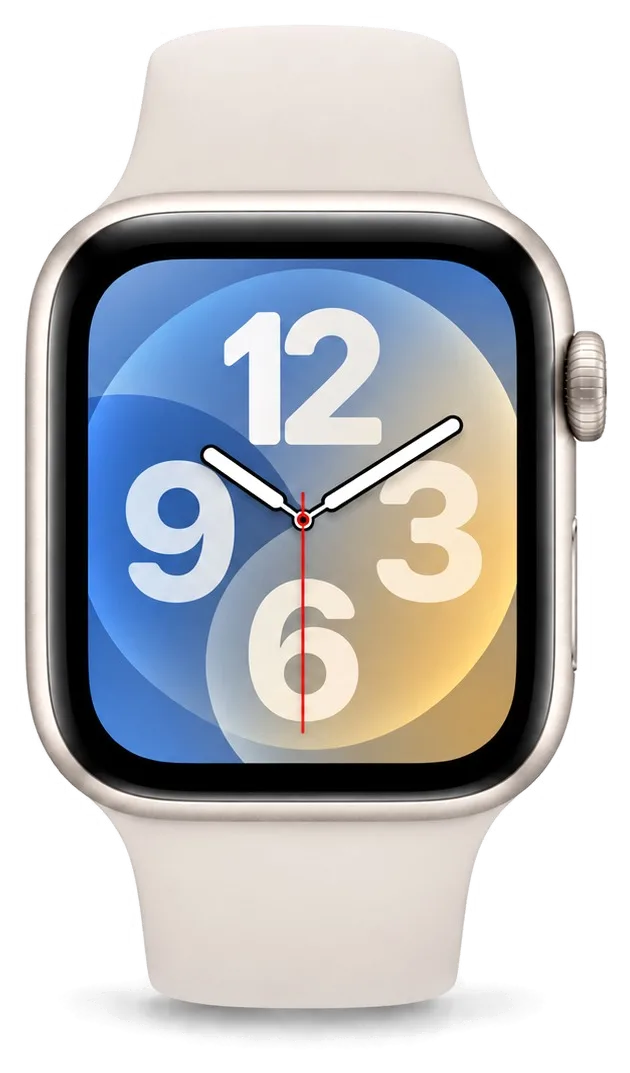
Apple Watch Series 8 Repair in Almaty

Cracked Apple Watch 8 glass or battery dying by noon — we inspect it free while you wait, confirm the price and return the old part.

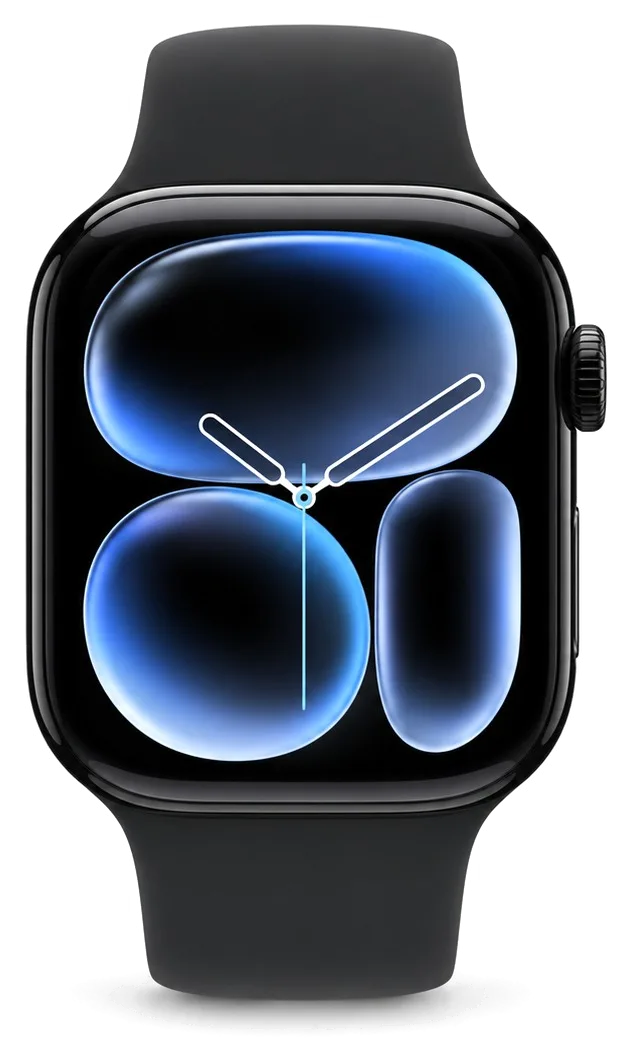
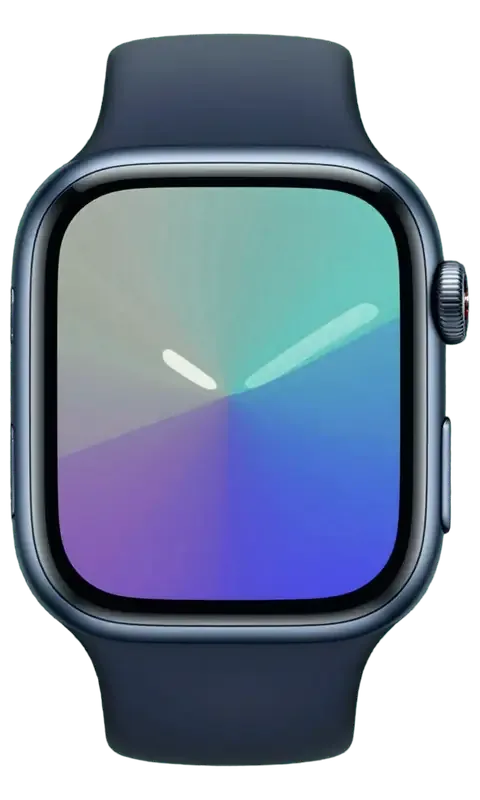
Apple Watch Series 8 in dark night color
Apple Watch Series 8, Midnight repair
Glass replacementfrom 51 900 ₸
Display replacementfrom 95 900 ₸
Battery replacementfrom 24 900 ₸
All services and prices

Sport wear we see when an Apple Watch Series 8 comes in for repair

Sweat, chlorine and knocks take their toll on a watch worn all day, and these are the faults they tend to leave behind.

01

Battery tires mid-workout

Capacity has faded, so long runs or swims now end with a dead watch.

02

Haze from the pool

After swimming, a cloudy patch stays in the corner of the screen.

03

Gym-floor crack

A dropped dumbbell or a fall on tile leaves a chip and a web of cracks.

04

Sensors give odd numbers

Heart rate and temperature jump around because the back is coated with sweat.

05

Salt on the contacts

Sweat and sea salt darken the charging area, so the puck connects poorly.

06

Crown gritty after a swim

Sand and chlorine make the dial grind or stick.

07

Speaker gurgles

Water left in the openings makes calls and sounds muffled.

08

Touch glitches when wet

The screen reacts to droplets and misses real taps, even after drying.

09

Won't charge

The watch sits on the magnetic charger, but no indicator appears and charge doesn't go up.

10

Back cover bulging

The battery has swollen, the cover has lifted, and the screen is separating from the case.

11

Side button not working

The button below the dial doesn't respond, so Apple Pay and Dock won't open.

12

Touch not responding

The touchscreen misreads taps or ignores swipes along the edge.

How much does Apple Watch Series 8 repair cost?

We handle battery, display and glass work on the Series 8, using original or aftermarket parts.

ServiceOriginalAftermarket
Glass replacement92 900 ₸51 900 ₸
Display replacement172 900 ₸95 900 ₸
Battery replacement42 900 ₸24 900 ₸
Rear cover with sensors replacement96 900 ₸53 900 ₸
Digital Crown repair24 900 ₸13 900 ₸
Side button replacement24 900 ₸13 900 ₸
Speaker replacement24 900 ₸13 900 ₸
Microphone replacement24 900 ₸13 900 ₸
Other repairsPrice
Board repairmicrosoldering · 1–3 days47 900 ₸per job
Firmware flashingsoftware restore, no parts replaced5 490 ₸per job

The final amount depends on the chosen part and the state of the case — we confirm it after inspection, by phone or WhatsApp.

Parts for a watch that trains hard

A watch that goes to the pool and the gym needs parts that cope with water, sweat and knocks, so the choice matters.

Original Applewarranty up to 1 year
Apple Watch Series 8 glass92 900 ₸
Apple Watch Series 8 glass: original part in Apple packaging
Sealing
Glue and fit are made for the case
Sensors
Heart rate and temperature read normally
Screen
Brightness stays outdoors in the sun
Warranty
Up to 1 year on the completed work
Chosen by 64% of clients
Book with an original part
Aftermarketwarranty 6 months
Apple Watch Series 8 glass51 900 ₸−44%
Apple Watch Series 8 glass: aftermarket part in an antistatic bag
Sealing
Small gaps at the rim are possible
Sensors
Readings may differ from factory values
Screen
A little dimmer in strong sunlight
Warranty
Up to 1 year on work, ask about the part
Chosen by 36% of clients
Book with an aftermarket part

What we promise active owners

An active owner wants a clear plan, so we show costs openly and explain each step of the repair in plain language.

11years

Eleven years behind the bench

We have repaired watches, earbuds and phones for eleven years and know what sweat, chlorine and drops do to them.

1year

Warranty up to 1 year

Completed repairs carry a warranty up to 1 year, and the technician explains the terms before the work.

8technicians

Experienced technicians

Sensor-packed cases are opened by experienced technicians who are used to fragile flex cables.

0₸

Costs shown upfront

Battery, display and glass starting prices are on this page, and the total is confirmed after inspection.

7days a week

Reception hours

We receive visitors on weekdays 10:00–19:00 and on weekends and holidays 11:00–18:00.

2options

Plain explanations

We show you what is wrong, and if a clean or reset is enough we say so rather than swap parts.

Apple Watch Series 8 before and after repair

1 / 3
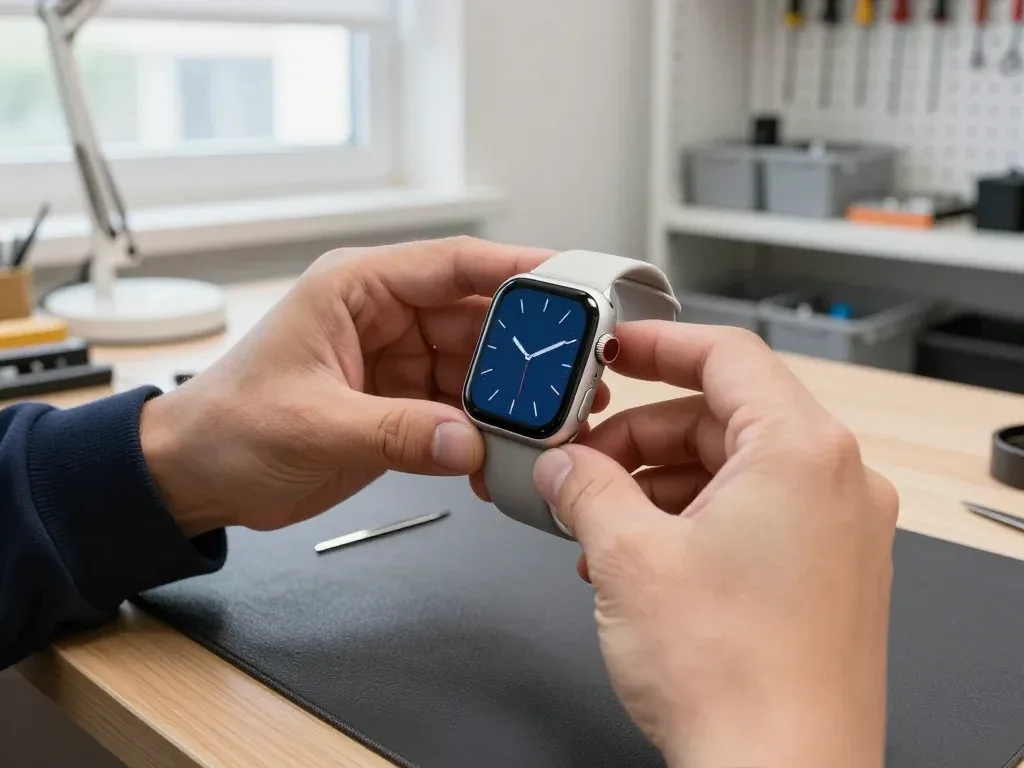
Apple Watch 8 with a blue analog dial in the technician's hands after glass replacement

Apple Watch 8: cracked glass after hitting a wall

The client hit their hand against a wall — the glass cracked, but the image remained intact. We replaced only the glass, checked the sensor and water resistance — the watch works as before.

from 51 900 ₸repair cost
I want the same
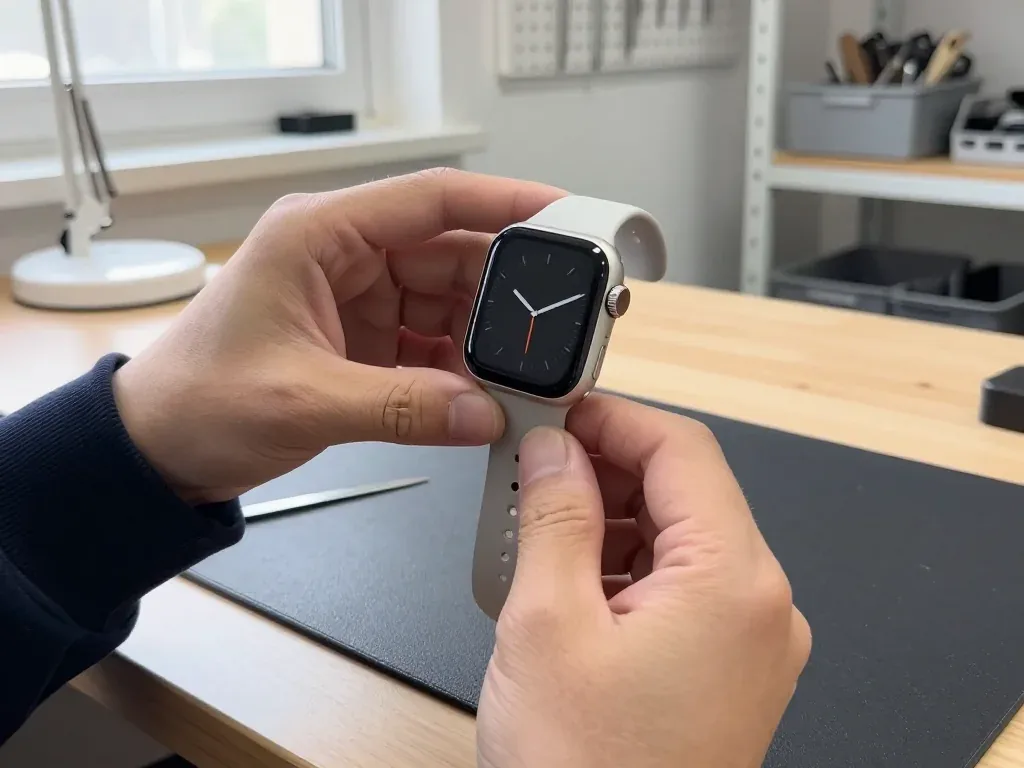
Apple Watch 8 with a dark analog clock face in the technician's hands after display replacement

Apple Watch 8: lines appeared after a hit

The client caught the watch on a door frame — lines appeared on the screen and the touch sensor stopped responding in places. We replaced the display, checked the sensor and water resistance: the watch shows the clock face and works properly again.

from 95 900 ₸repair cost
I want the same
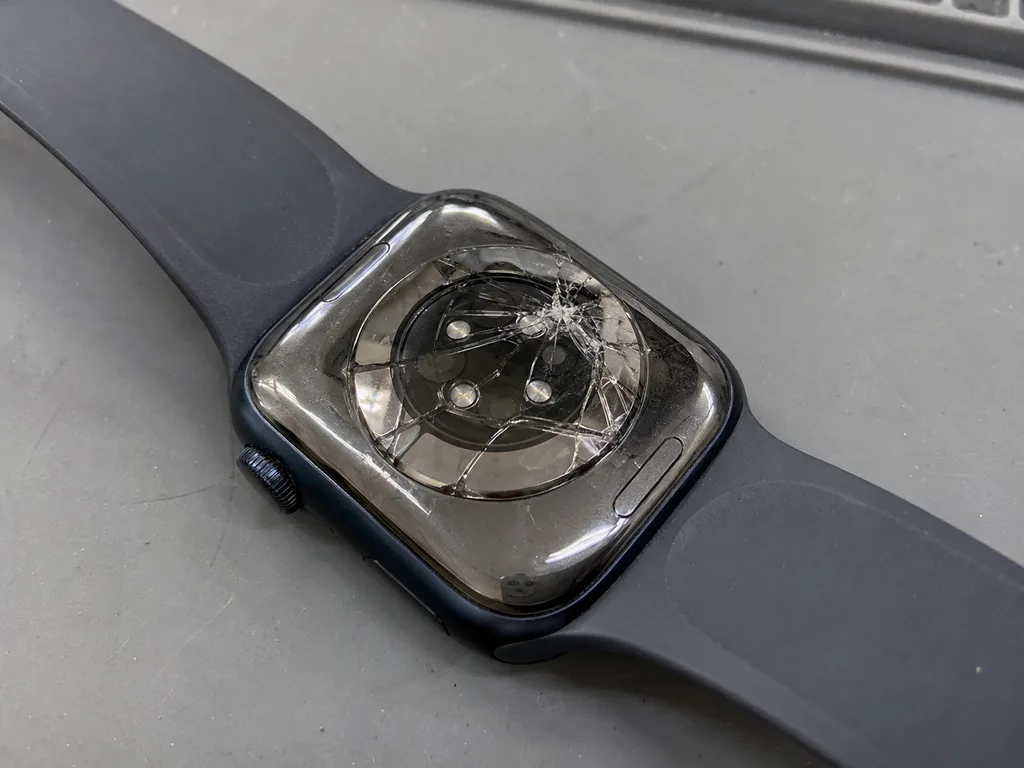
Before photo: cracked back cover with sensorsBefore: cracked cover with sensors
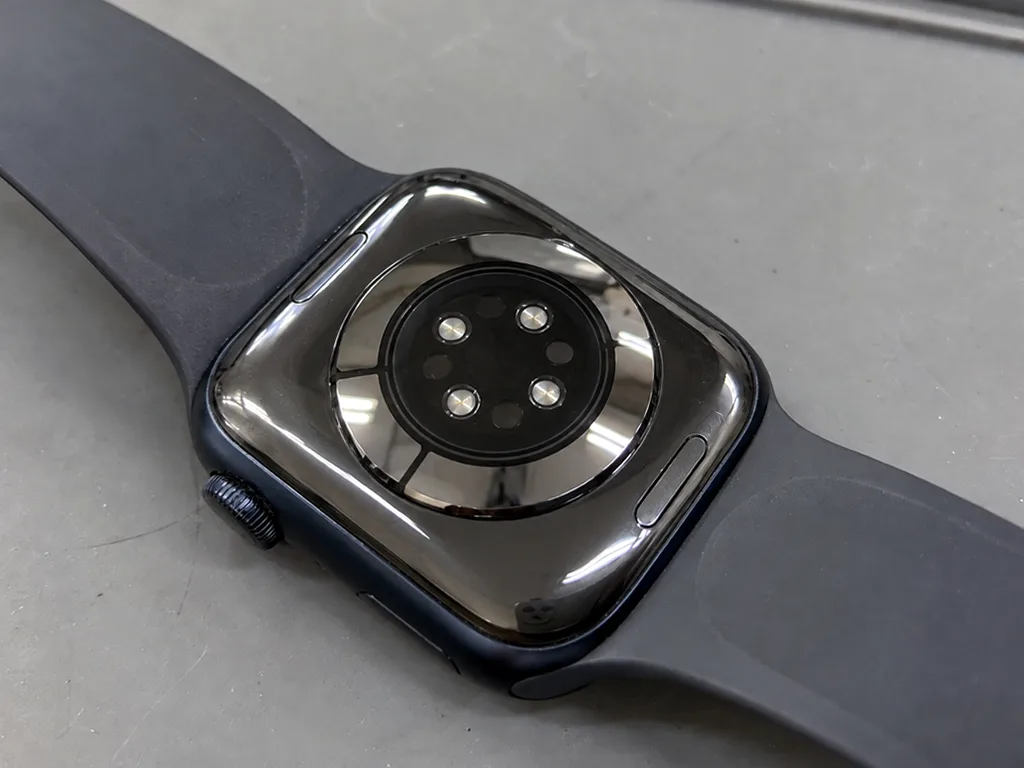
After photo: new back coverAfter: new back cover
BeforeAfter

Apple Watch Series 8: cracked back cover

1 dayOriginal1-year warranty
Problem
The watch stopped measuring heart rate, there is a crack on the back cover.
What we did
Replaced the rear cover with heart rate and oxygen sensors, calibrated.
1 dayheart rate is measured
I want the same

How Apple Watch Series 8 repair is done in Almaty

Usually the whole journey — from message to pickup — takes less than an hour; complex repairs follow the timeline in the receipt.

Book a repair
  1. Step 1

    Message or call

    5 min

    You send a photo of the damage on WhatsApp — we quote the price and available time. Or you call a courier.

  2. Step 2

    Free diagnostics

    15 min

    An engineer checks the device in front of you and shows what is broken. 0 ₸, even if you decline the repair.

  3. Step 3

    Price in the receipt

    2 min

    We fix the price, the part (original or analog), the timeline and the warranty. You sign — we start.

  4. Step 4

    Repair while you wait

    20–40 min

    Before installation we show you the new part in its factory packaging. You wait in the waiting area with coffee and Wi‑Fi.

  5. Step 5

    Post-repair check

    10 min

    Touchscreen, brightness, Digital Crown, sensors, microphone, speaker, charging. You check them together with the engineer.

  6. Step 6

    Pick up your device

    warranty up to 1 year

    Together with the receipt, warranty card and the old part. Payment — Kaspi, card or cash.

Who will fix your Apple Watch Series 8

Technicians for iPhone, Mac, iPad, Apple Watch and AirPods repair.

1 / 6
MNMukhpilov Nail — smartphone repair technician, iServices service center in AlmatyPhoto: Mukhpilov Nail

Mukhpilov Nail

smartphone repair technician
10years of experience
4.83rating, 83 reviews
MRMolchanov Rinat — Apple repair and diagnostics engineer, iServices service center in AlmatyPhoto: Molchanov Rinat

Molchanov Rinat

Apple repair and diagnostics engineer
10years of experience
4.85rating, 33 reviews
SAShokan A — diagnostics technician, iServices service center in AlmatyPhoto: Shokan A

Shokan A

diagnostics technician
8years of experience
5.0rating, 37 reviews
SBSybanbaev Birzhan — firmware specialist, iServices service center in AlmatyPhoto: Sybanbaev Birzhan

Sybanbaev Birzhan

firmware specialist
7years of experience
4.75rating, 74 reviews
DGDenis Gushchin — display replacement technician, iServices service center in AlmatyPhoto: Denis Gushchin

Denis Gushchin

display replacement technician
20years of experience
5.0rating, 34 reviews
DADuisebaev Azhdar — connector replacement technician, iServices service center in AlmatyPhoto: Duisebaev Azhdar

Duisebaev Azhdar

connector replacement technician
7years of experience
4.3rating, 35 reviews
Gamid K, phone repair technician
“If the repair didn’t suit you or you have a complaint, write to me personally.”
Gamid Kphone repair technician · +7 705 900-70-95

We'll quote Apple Watch Series 8 repair in Almaty from a photo in 5 minutes

Send a photo of the fault — an engineer will reply on WhatsApp, give the price and a time you can come in.

  1. 5 minAn engineer replies and names the price
  2. 0 ₸Diagnostics in front of you in 15 minutes
  3. 30 minMost repairs — while you wait

Apple Watch Series 8 Repair in Almaty Done While You Wait

In short

iServices handles Apple Watch Series 8 repair in Almaty as a direct contractor with its own experienced technicians. We run free 15-minute diagnostics in front of you, finish most units while you wait, and back every job with a warranty up to 1 year. Price, part and turnaround are fixed on the receipt before work starts.

Mukhpilov NailWe reply on WhatsApp within 10 minutes
Ask

What the Apple Watch Series 8 repair screen is made of and why it cracks

The Series 8 ships in 41 and 45 mm, in aluminium with Ion-X or stainless steel with sapphire. The front pane is bonded to the part beneath, so a fracture is not always a full module failure.

Ion-X or Sapphire and How the 41 and 45 mm Cases Differ

The Series 8 comes in 41 mm and 45 mm, and the aluminium version uses Ion-X, while the stainless steel version carries a sapphire crystal, which resists scratches but still shatters on a hard edge hit. This aluminosilicate pane is ion-strengthened, softer than the crystal yet more forgiving on impact because it flexes slightly before it breaks. The 41 mm case takes the same drop energy over a smaller surface, so its edge chips more readily; the 45 mm spreads the load across a wider face. Case material matters more than size for scratch resistance. A sapphire face often survives scratches, yet when it does break the damage tends to run deeper, so the technician checks what sits underneath before quoting a glass-only fix. For an apple watch series 8 repair in Almaty, the case size and material decide which part the engineer orders.

Cracked Glass, Dead Touch or Lines Across the Screen

We sort Series 8 screen damage into three cases: a crack with a clean picture needs only the outer pane re-bonded, dead touch points mean the digitiser is gone, and lines or ink spots mean the whole module is replaced. The protective surface is glued to the panel with an optically clear adhesive, and that bond is what fails first in a corner impact. A touch fault shows up as a dead strip along one edge or a zone that ignores swipes while the OLED underneath still glows evenly. Lines, a green tint or ink-like blotches come from the OLED itself, not the surface. Shining a light at an angle reveals hairline fractures that a straight-on look misses, so bring the watch even if the screen still works, because a spreading break can reach the digitiser within days.

Damage Type and What We Replace

Symptoms mapped to replaced parts on Series 8
SymptomPart we replaceWhat stays original
Crack, picture cleanProtective glass onlyDisplay and digitiser
Touch dead in spotsDigitiser layerOLED panel
Lines or ink spotsFull display moduleCase and sensors
Glass lifted, no crackRe-bond and sealDisplay module

Battery drain and a screen that pushes up in Apple Watch Series 8 repair

A Series 8 that dies by midday or lifts its screen is telling you the battery has aged or swollen. Both cases are common, and both are fixable in a single visit.

When Fast Drain Means a Worn Battery

If your Series 8 drops below 20 percent before evening or shuts down in cold weather, the cell has lost capacity and a battery replacement restores a full day of use. Lithium cells lose usable charge as they cycle, and a watch that lasted two days when new often needs a charger by afternoon after a couple of years on the wrist. Always-On display and background workout tracking drain an ageing cell faster than a healthy one, so the same settings that felt fine a year ago now empty the watch by afternoon. We have completed more than 46,000 repairs over 11 years, and a battery swap on this model is one of the quickest jobs on our bench. Before you blame the cell, charge it for an hour on a known-good puck — a weak charger mimics a dying battery almost exactly.

A Swollen Cell That Lifts the Display

A swollen battery pushes the display up from the case, and we treat it as urgent because a charged, expanding cell can damage the display flex and the seal. The rear cover bows outward, the gap along the edge widens, and the screen may still respond even as it sits proud of the aluminium. This is a physical failure of the cell, not a software glitch, and no setting or reset reverses it. Stop charging a watch with a lifted screen and do not press the display back down, since the pressure can crack the panel or tear the flex before it ever reaches the bench. Bring it in early: a cell and seal job is straightforward, while a torn flex turns a simple swap into a longer repair.

Power Symptoms and the Node We Check

Which part we inspect for each power fault
SymptomNode we check firstNext step
Dies by middayBattery capacityCell replacement
Screen liftedSwollen batteryCell and seal
Won't charge at allPuck and cableCoil and contacts
Charges then stopsRear cover contactsBoard inspection

Water, sensors and the seals we rebuild in Apple Watch Series 8 repair

The Series 8 is rated for swimming, yet any opening of the case changes that, and liquid inside the watch reaches the sensors and circuitry fast.

What Happens to Water Resistance After a Repair

We re-glue the case seal after every opening, but no service can promise the factory water rating once the watch has been apart, so we tell customers to keep a repaired Series 8 out of pools and showers. The adhesive gasket that keeps liquid out of a WR50 case is a thin ring pressed between the display and the frame, and once a technician lifts the glass it has to be replaced, not reused. A fresh gasket restores the seal geometry, yet the bond depends on pressure and cure time that only the production line controls. A unit sealed on the bench holds against splashes and rain but is not a device to swim in again. A swim test is the wrong way to check our work.

A Watch That Went Swimming and Stopped

A water-damaged Series 8 needs the circuitry cleaned under a microscope, and diagnostics after liquid can take up to two days because corrosion spreads and shows up late. Moisture that enters through a cracked screen or a worn gasket reaches the logic board within minutes, and the salts in it keep eating copper traces long after the watch dries out. We strip the mainboard, clean it under the microscope and check each pad before we power anything, which is why liquid cases run one to three days rather than the twenty to forty minutes a screen swap takes. Do not power on or charge a wet watch, since current through a damp circuit turns a cleanable short into a burned trace that no cleaning can reverse.

Pulse, ECG and iPhone Pairing After the Case Is Opened

The heart sensor and electrodes sit in the rear cover, so after any rear-cover work we test pulse reading, ECG and iPhone pairing before the watch leaves the bench. The optical sensor reads blood flow through a window in the back, and the ECG electrodes share the same housing, so a rear plate that is not seated flat gives a weak pulse trace or a failed ECG reading while everything else looks fine. Pairing drops for a different reason — a connector that is not fully clicked into the mainboard. A watch that pairs but shows no heart rate usually has a loose rear-cover connector rather than a dead sensor, which is why we reseat and re-test instead of swapping the cover outright.

Original Part or Aftermarket and How We Fix the Choice

On a Series 8 the display choice affects brightness, Always-On and touch feel, so we lay out both options before the receipt is written.

What an Original Display Keeps That an Aftermarket One May Not

An original Series 8 display keeps the factory brightness curve, Always-On behaviour and touch response, while an aftermarket panel can dim, drop Always-On or feel less precise under a finger. Original panels hold their peak brightness as the backlight ages and keep the low-refresh Always-On state stable, which matters on a watch you glance at dozens of times a day. Aftermarket glass and drivers vary by batch, so two cheap panels can look different side by side. 64% of customers choose an original part once they see the difference on a live unit. Always-On is the first feature to suffer on a cheaper panel, because it runs the display at low refresh constantly and exposes any weakness in the aftermarket driver.

How the Choice Is Locked on the Receipt

We write the part type, price, turnaround and warranty on the receipt in about two minutes, and we show the new part in its factory packaging before it goes in. The receipt names the panel as original or aftermarket, states the warranty up to 1 year and records the promised turnaround, so nothing about the job stays verbal. You see the sealed packaging opened in front of you, and the old part goes back to you with the warranty card. A written part type protects you later, because if a repair is ever questioned the receipt proves which panel was fitted and what warranty applies to it.

Original and Aftermarket Side by Side

How the two panel options compare for a Series 8
FeatureOriginal displayAftermarket display
BrightnessFactory curveCan dim over time
Always-OnFull behaviourMay drop or flicker
Touch feelFactory responseSometimes less precise
WarrantyUp to 1 year6 months

The Visit From WhatsApp Photo to Final Check

The whole path from first message to pickup usually takes under an hour, and 72 percent of repairs finish while the customer waits in our lounge.

Sending a Photo and Booking a Free Slot

Send a photo of the damage on WhatsApp and an engineer replies within five minutes with a price estimate and a free time slot, and the in-person diagnostic takes 15 minutes in front of you. The engineer opens the case, shows you the cracked glass or the lifted display on the bench, and explains which node failed before anything is ordered. Price, part type, turnaround and warranty are fixed on the receipt in about two minutes, and the new component is shown in its factory packaging before installation. A clear photo of the crack or lifted screen lets us pre-order the right part, which is often what keeps the visit itself down to a single wait.

Unpairing From iPhone and What to Bring

Before you hand over a Series 8, unpair it from the iPhone in the Watch app so Activation Lock is off, and your backup stays on the phone. Open Watch, tap All Watches, hit the info button and choose Unpair Apple Watch — the watch wipes itself and the phone keeps the last backup for restoring onto the repaired unit. Bring the watch alone; the band, the charger and the box are not needed for the repair. Unpairing also clears the watch for testing, because a locked unit cannot be paired to a test phone to confirm sensors and pairing after the repair.

The 32-Point Check Before You Take It Home

After the repair we run a 32-function check over about ten minutes with you present, covering touch, heart rate, charging, vibration, speaker, microphone and iPhone pairing. The engineer works through the list on the bench and lets you tap the screen, start an ECG reading and spin the Digital Crown yourself, so nothing is taken on trust. You leave with the receipt, a warranty card up to 1 year and the old part in a bag. Testing with the customer watching catches a loose connector on the spot, which is far quicker to fix now than to diagnose after the watch has been worn for a week.

Summary: Apple Watch Series 8 Repair

A short recap of what decides the outcome of a Series 8 repair, so the choice of part, the booking and the final check are clear before you hand the watch over.

  • Cracked glass alone: a clean picture with a responsive panel may need only the glass, while lines or dead input mean the full display module.
  • Battery symptoms: a watch that dies by midday or lifts its screen points to the cell, and a swollen one should be taken off charge at once.
  • Seals after opening: water resistance drops once the case is opened, so keep a repaired watch out of pools and showers.
  • Panel choice: original and aftermarket displays differ most in brightness and Always-On, and the decision is fixed on the receipt.
  • Before you leave: unpair from the iPhone first, then confirm the digitizer, heart rate, charging and pairing with the engineer.

Series 8 questions from active owners

Did not find an answer? Message us on WhatsApp: an engineer replies, not a bot.

Ask a question
Should I rinse my Apple Watch Series 8 after the pool?

Yes, chlorine left on the case slowly wears down the seals and the crown. Rinse the Series 8 under clean tap water, dry it with a soft cloth and only then put it on the charger. Do the same after sea water.

Why does the Apple Watch Series 8 temperature data not appear?

Wrist temperature is collected while you sleep, and the watch needs several nights of wear to build a baseline. Make sure Sleep Focus and sleep tracking are set up. If data never appears after that, the sensors can be checked.

Can Crash Detection on an Apple Watch Series 8 go off at the gym?

It is designed for severe car crashes, so false alerts during normal workouts are rare. Fall Detection is a separate feature that can react to hard falls. If alerts keep appearing for no reason, update watchOS and tell the engineer.

Why do Apple Watch Series 8 heart readings jump during workouts?

A loose strap, sweat under the sensor or intense wrist movement often cause jumps. Tighten the band a little for training and wipe the back. If readings stay erratic at rest too, the sensor needs diagnostics.

Can I keep swimming with haze under the Apple Watch Series 8 glass?

No, haze means moisture already got inside. More water will speed up corrosion of the contacts. Keep the watch dry, do not charge it and show it to the engineer before the next swim.

Is it safe to train with an Apple Watch Series 8 that has swollen?

No, a swollen battery can overheat, and sport adds heat and pressure. Remove the watch and leave it off the charger. Bring it in so the battery can be replaced before it damages the display.

Series 8 repair reviews from Almaty customers

1 / 6
4.9

average rating on Google Maps, wikicity and our website · 445 reviews
Google Maps4.438 reviews ›wikicity5.015 reviews ›Reviews on the iServices website5.0392 reviews ›
ИЗ
Ирина З.Order No. IS‑2610‑•••27 · 22 October 2026
Apple Watch Series 8 · system

Проблема была такая: уведомления приходили с большими задержками — и непонятно, что делать. Ребята проверили соединение и системные настройки.

iServices customer review, in Russian
ТЗ
Татьяна З.Order No. IS‑2307‑•••69 · 1 July 2023
Apple Watch Series 8 · charging

Apple Watch Series 8 подвёл: зарядная шайба то определялась, то нет. В сервисе проверили контакты и зарядку.

iServices customer review, in Russian
МР
Марат Р.Order No. IS‑2210‑•••49 · 20 October 2022
Apple Watch Series 8 · sound

На Apple Watch Series 8 микрофон плохо передавал голос. Ребята проверили запись звука и исправили неисправность.

iServices customer review, in Russian
ГС
Гульнура Сундетова10 September 2020

Забрала эпл вотч с ремонта, поменяли стекло на часах, супер, а то сколы глаза мазолили постоянно и красоту портили

Service reply

Добрый день, Гульнура. Благодарим Вас за обратную связь. Мы рады, что Ваше обращение в наш сервис оставило положительные эмоции. Если потребуется квалифицированный совет, мы всегда готовы оказать необходимую помощь.

ГО
Гаухар О.30 August 2026

На смарт-часах треснуло защитное стекло на задней панели, где стоят датчики. Боялся, что внутрь попадет пот или влага при тренировках. Принес ребятам, деталь оперативно заменили на новую. Всё работает корректно, часы как новые.

МЖ
Марат Ж.28 August 2026

Умные часы перестали ловить домашний вай-фай и постоянно теряли связь с телефоном. В сервисе обновили внутреннее программное обеспечение и устранили ошибку модуля связи. Теперь всё подключается моментально, уведомления приходят.

Showing 6 of 6See all reviews

Where to get Apple Watch Series 8 repair in Almaty

Address
Khusainov St., 28
Opening hours
Mon–Fri 10:00–19:00Sat–Sun 11:00–18:00
Phone and messengers
+7 705 900-70-95WhatsApp: +7 705 900-70-95
Directions map: iServices Almaty — Khusainov, 28© OpenStreetMapFind us on the maps: Google Maps · 2GIS