Your city

AstanaAstana, Kabanbay Batyr Ave., 7/2 · +7 727 339-99-12
Eng

MacBook Repair in Almaty

MacBook won't turn on, cracked or liquid-damaged — free on-site diagnosis, courier across Almaty in 90 minutes. Independent service, not authorized by Apple

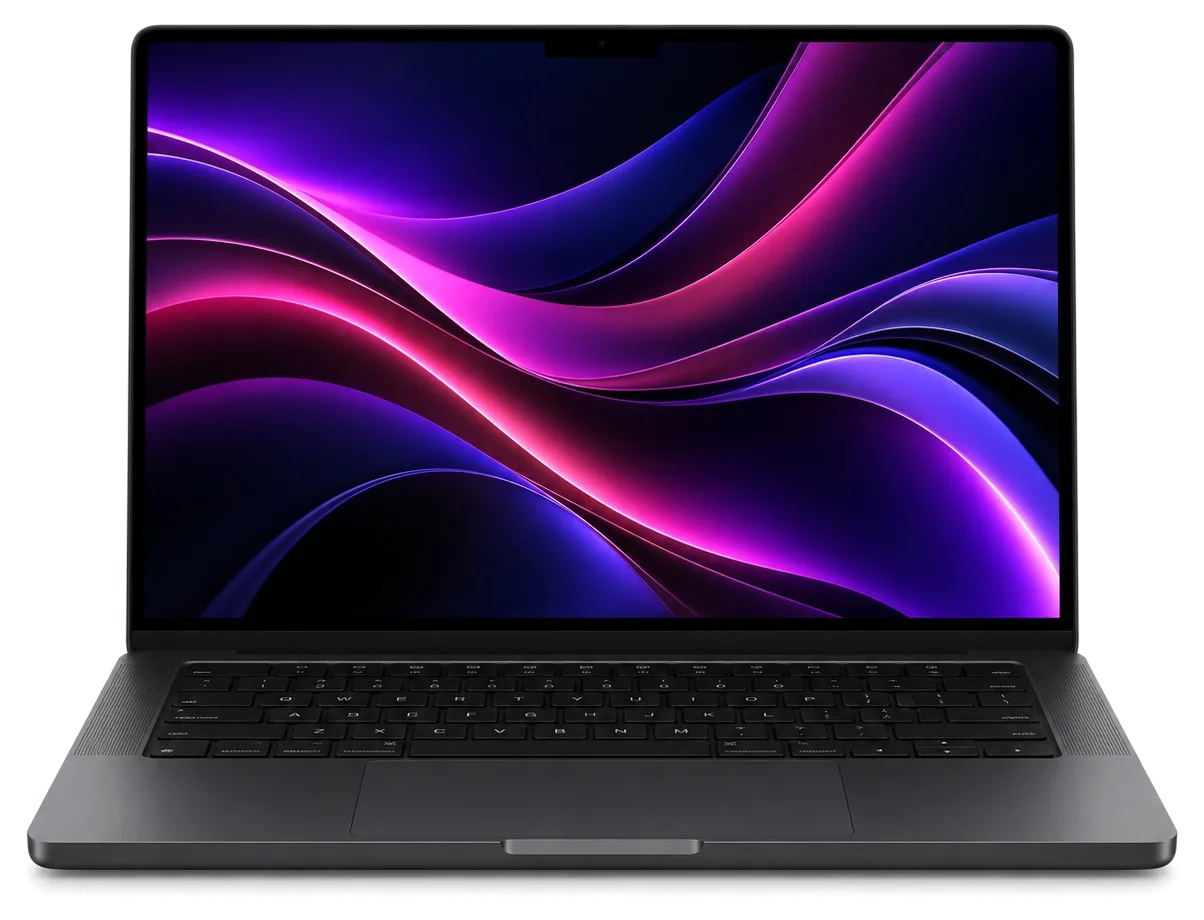
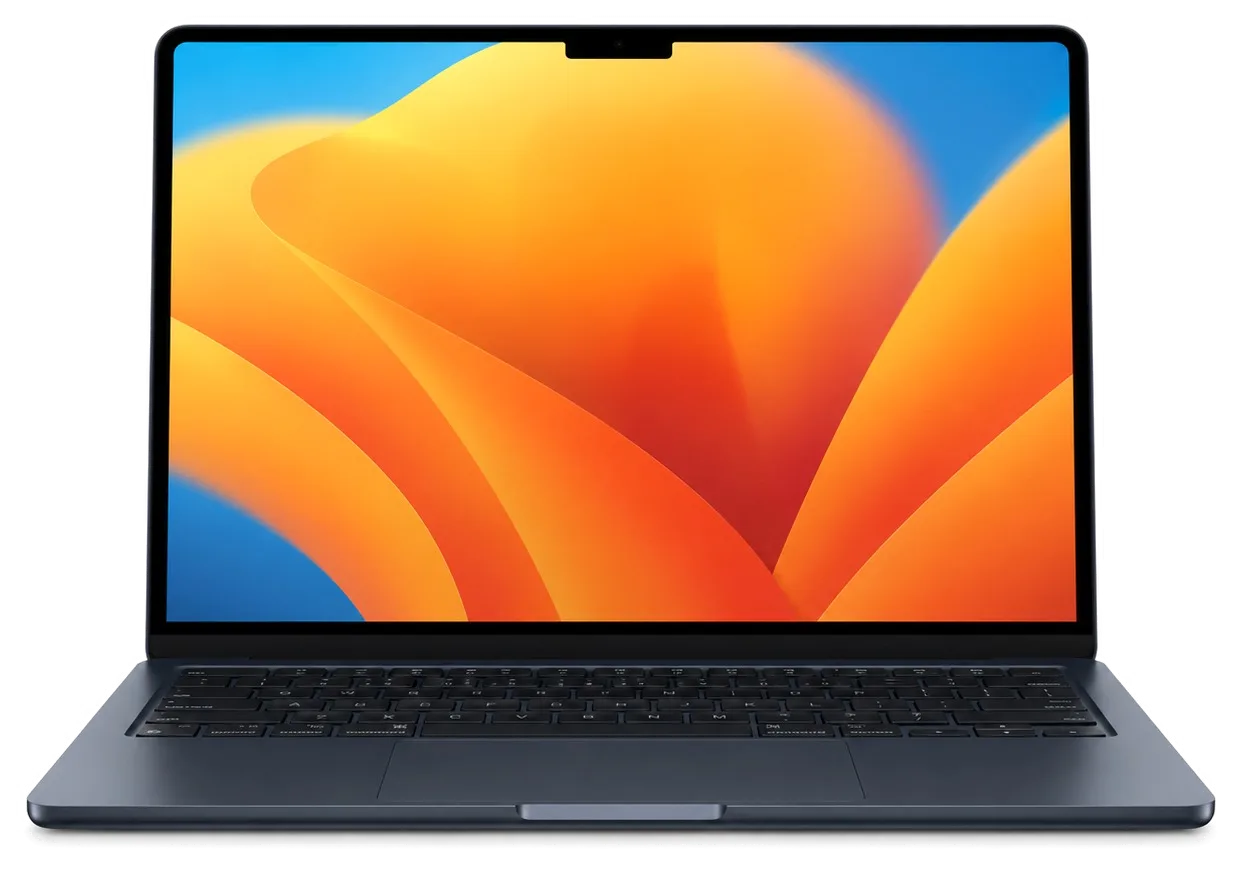
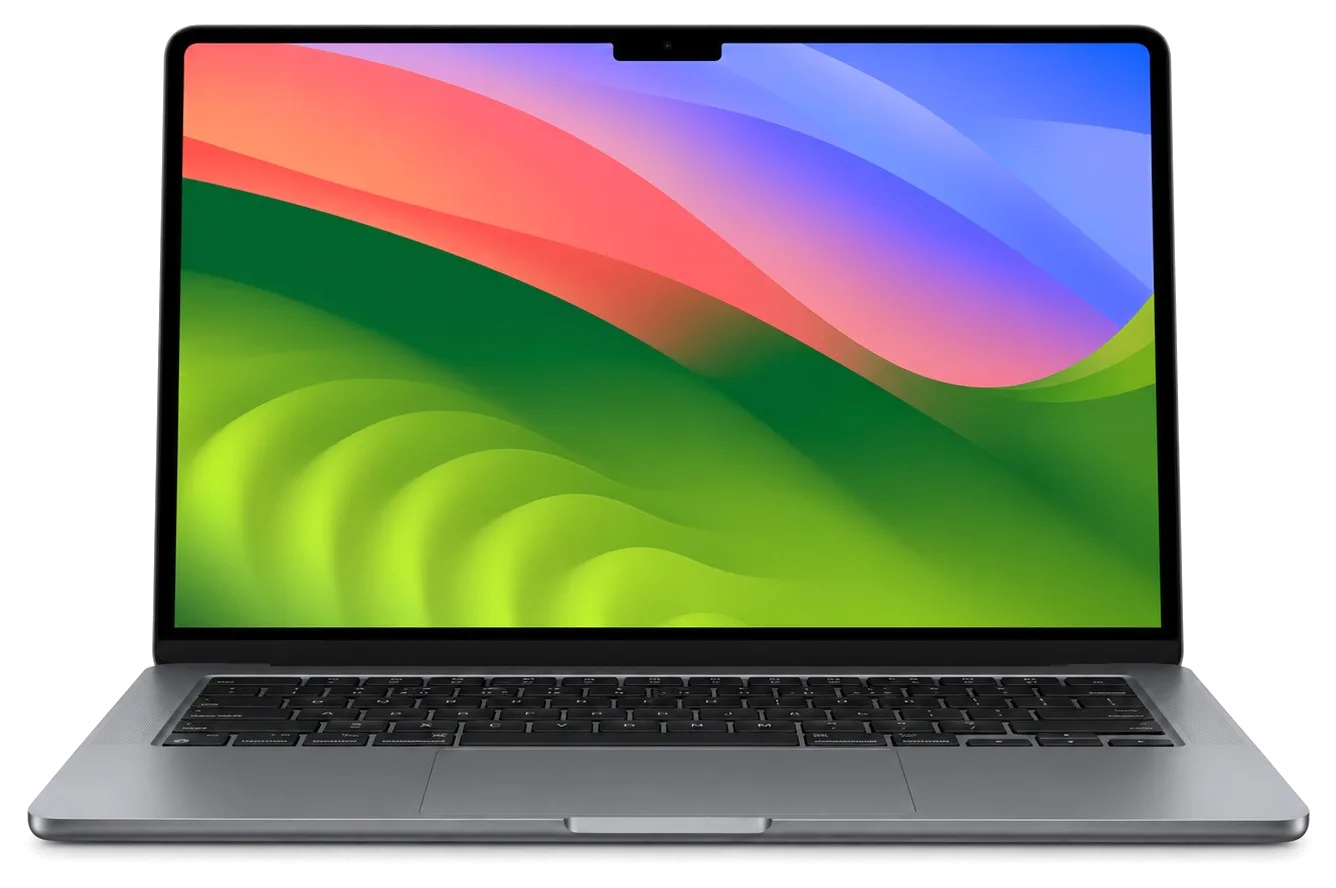
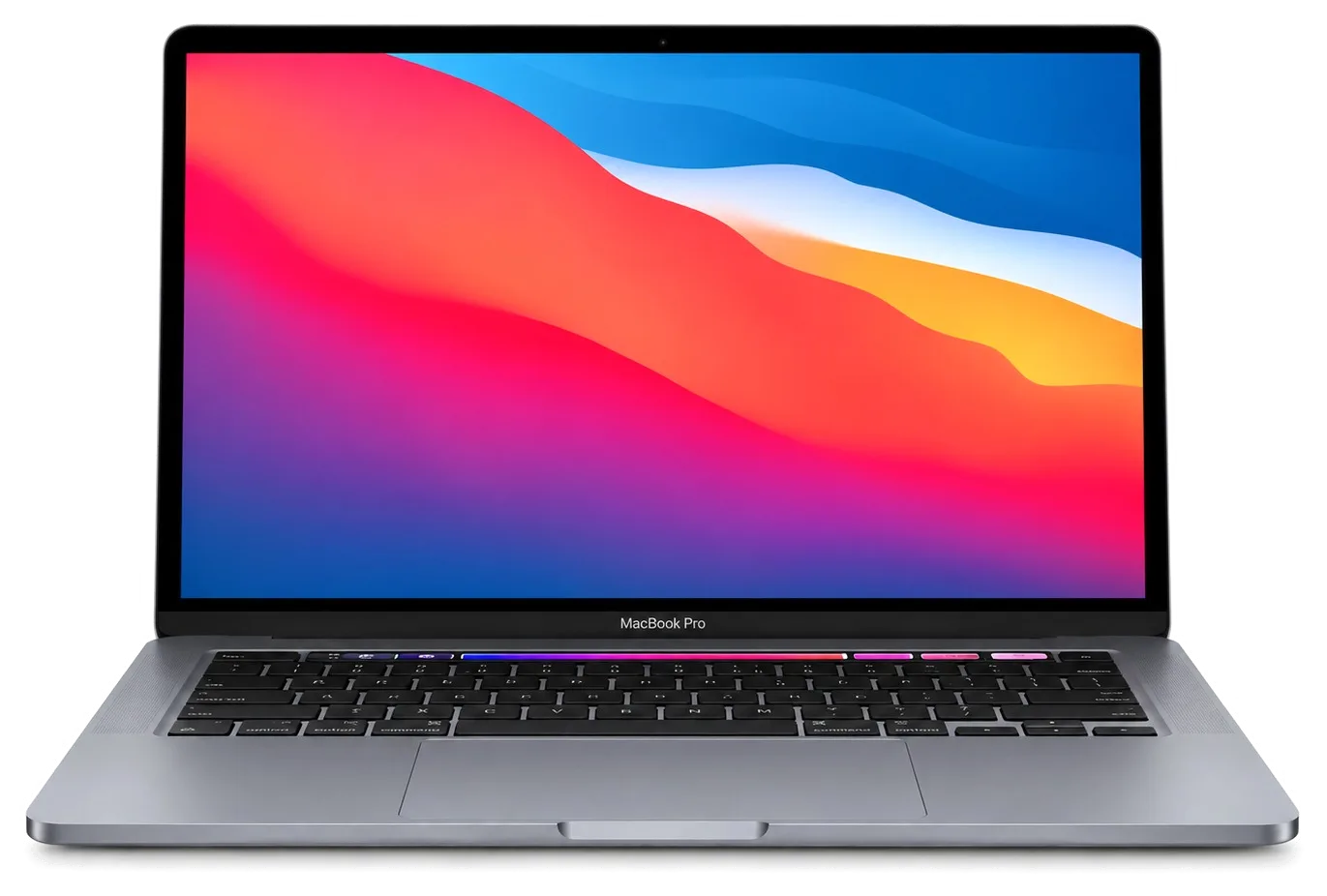
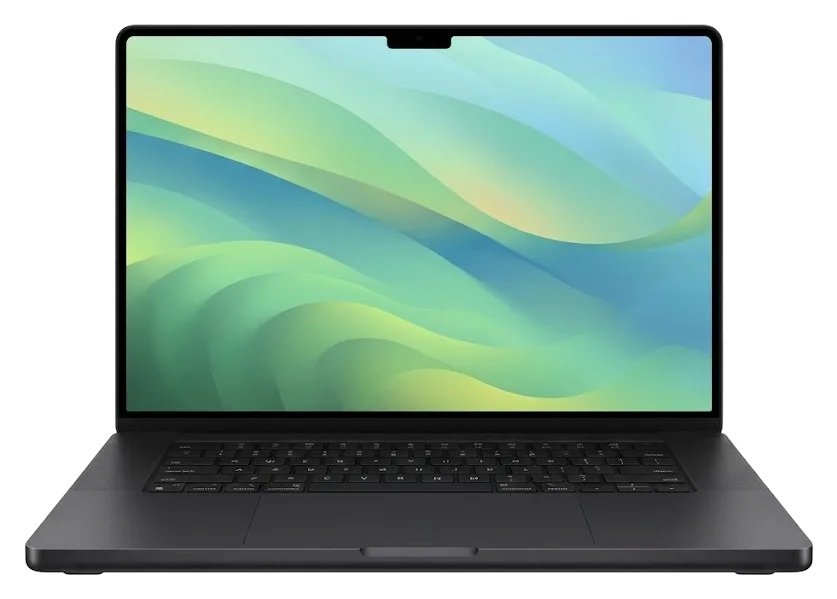
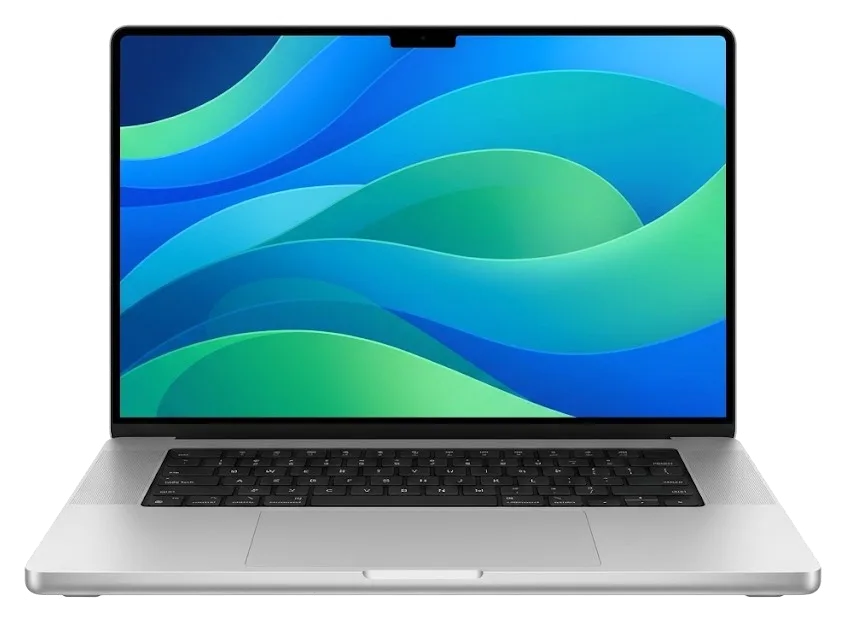
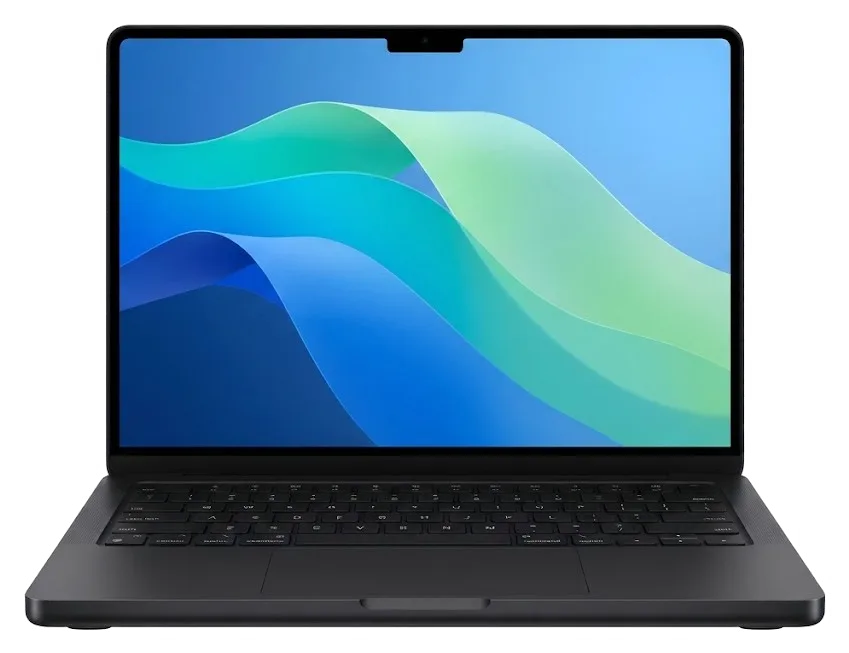
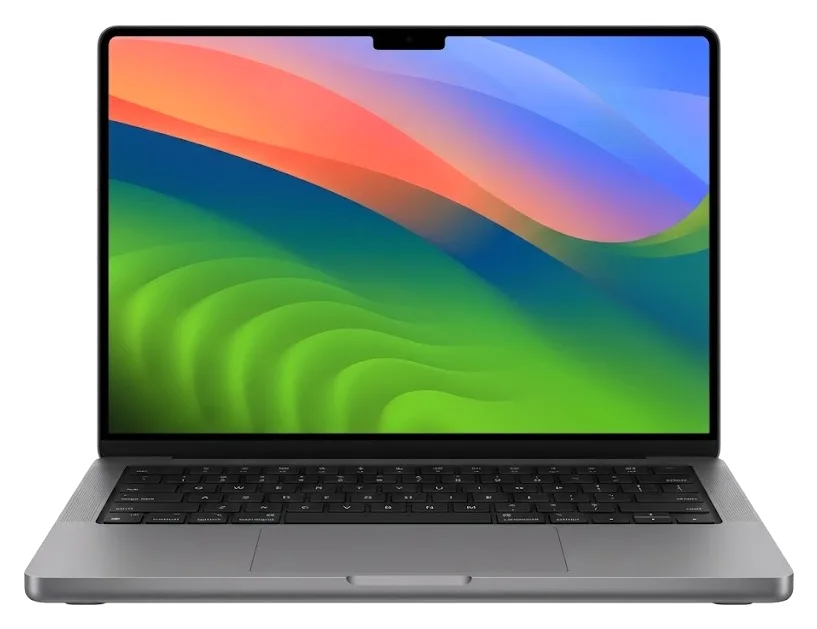
MacBook Air 13 M4MacBook Air 15 M4MacBook Pro 14 M4MacBook Pro 16 M4 Pro
MacBook repair — all models
Battery replacementfrom 32 900 ₸
Graphics chip replacementfrom 83 900 ₸
Keyboard replacementfrom 21 900 ₸
All MacBook prices

MacBook repair for your exact model

Find the model and year on the bottom case or in About This Mac, then open the jobs and prices for it.

MacBook Air

Repair from 10 900 ₸

MacBook Air
2022

MacBook Air M2

Repair from 10 900 ₸

MacBook Air M2

MacBook Air A1369

Repair from 10 900 ₸

MacBook Air

MacBook Air A1465

Repair from 12 900 ₸

MacBook Air

MacBook Air A1466

Repair from 12 900 ₸

MacBook Air

MacBook Air A1932

Repair from 10 900 ₸

MacBook Air A1932
2020

MacBook Air A2179

Repair from 10 900 ₸

MacBook Air A2179
2020

MacBook Air A2337

Repair from 10 900 ₸

MacBook Air A2337
2022

MacBook Air A2681

Repair from 10 900 ₸

MacBook Air A2681
2023

MacBook Air A2941 M3 (15" M2)

Repair from 10 900 ₸

MacBook Air A2941

MacBook Air 15" M4

Repair from 10 900 ₸

MacBook Air 15" M4

MacBook Air 13" M4

Repair from 10 900 ₸

MacBook Air 13" M4

MacBook Air M3

Repair from 10 900 ₸

MacBook Air M3

Not sure about the model?

Send a photo and we will identify the model and name the price.

Send a photo

MacBook repair prices in Almaty

The amount depends on the model and year, whether the part is original or aftermarket, and the scope of work.

ModelCharging portLogic boardSpeakerWi-Fi module repairmacOS installation
MacBook Air19 900 ₸16 900 ₸18 900 ₸41 900 ₸10 900 ₸
MacBook Air M219 900 ₸16 900 ₸18 900 ₸41 900 ₸10 900 ₸
MacBook Air A136919 900 ₸16 900 ₸18 900 ₸41 900 ₸10 900 ₸
MacBook Air A146519 900 ₸24 900 ₸18 900 ₸41 900 ₸15 900 ₸
MacBook Air A146619 900 ₸27 900 ₸18 900 ₸41 900 ₸15 900 ₸
MacBook Air A193221 900 ₸44 900 ₸27 900 ₸55 900 ₸10 900 ₸
MacBook Air A217921 900 ₸44 900 ₸27 900 ₸55 900 ₸10 900 ₸
MacBook Air A233719 900 ₸55 900 ₸18 900 ₸41 900 ₸10 900 ₸
MacBook Air A268119 900 ₸16 900 ₸18 900 ₸41 900 ₸10 900 ₸
MacBook Air A294141 900 ₸16 900 ₸18 900 ₸41 900 ₸10 900 ₸
MacBook Air 15" M419 900 ₸16 900 ₸18 900 ₸41 900 ₸10 900 ₸
MacBook Air 13" M419 900 ₸16 900 ₸18 900 ₸41 900 ₸10 900 ₸
MacBook Air M319 900 ₸16 900 ₸18 900 ₸41 900 ₸10 900 ₸

Board-level and liquid damage cases are priced after diagnostics; before that only a rough guess is possible.

Original or aftermarket part for your MacBook in Almaty

Displays, keyboards and batteries come in two versions, and the difference shows in brightness, key travel and battery life.

Original Applewarranty up to 1 year
MacBook Air 15 M4 battery230 900 ₸
MacBook Air 15 M4 battery: original part in Apple packaging
Display
Brightness, color and viewing angles close to factory
Keyboard
Key travel and backlight without compromises
Battery
Capacity and behavior closest to the factory cell
Price
Higher than aftermarket, with fewer trade-offs
Chosen by 64% of clients
Book with an original part
Aftermarketwarranty 6 months
MacBook Air 15 M4 battery132 900 ₸−42%
MacBook Air 15 M4 battery: aftermarket part in an antistatic bag
Display
Good image, tint and brightness may differ slightly
Keyboard
Works normally, key feel may be different
Battery
Runtime is usually shorter than original
Price
Noticeably lower, suited to older models
Chosen by 36% of clients
Book with an aftermarket part

Why people leave their MacBook with us

Before you hand over a laptop, see what you get: experience, a warranty, a choice of part, clear prices and hours that work around your job.

11years

Eleven years of experience

Laptops from many generations have been through our technicians' hands, so common faults are recognized quickly without needless teardown.

1year

Warranty up to 1 year

Warranty on completed work lasts up to 1 year, and the technician clarifies the terms for your job before the repair begins.

8technicians

Experienced technicians

A experienced technician opens the laptop: the cause comes first, and the scope of work and total are agreed with you afterward.

2options

Original or aftermarket

For displays, keyboards and batteries we explain how the versions differ, and you pick according to your budget.

0₸

Prices in a table

Ten frequent jobs are listed with prices, while board and liquid cases are quoted after diagnostics.

7days a week

Hours around your job

Mon–Fri 10:00–19:00, Sat–Sun and holidays 11:00–18:00, so you can stop by after the office or on Saturday.

MacBook state before and after repair in Almaty

1 / 10
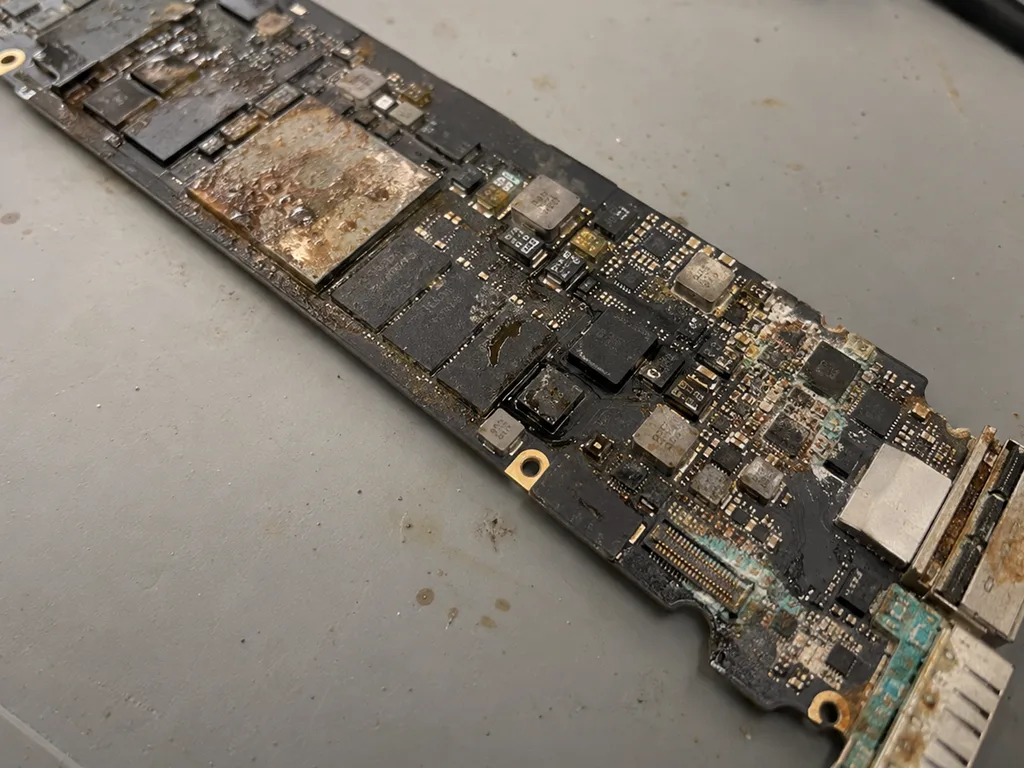
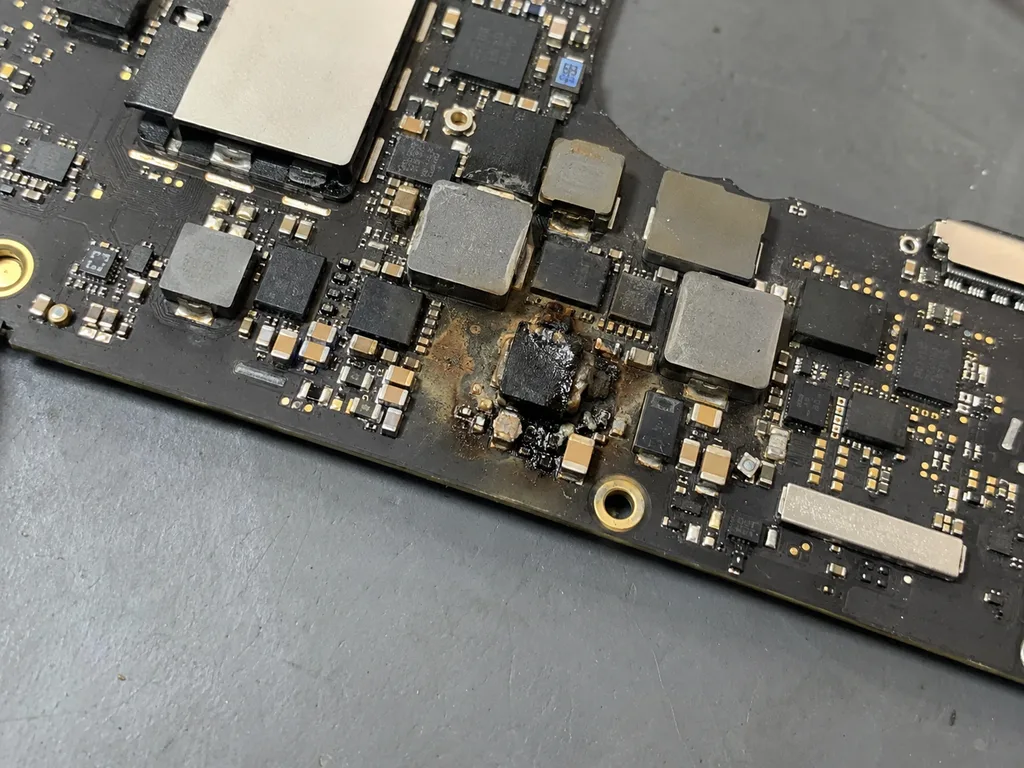
Before photo: MacBook board with corrosion after coffeeBefore: MacBook board with corrosion after coffee
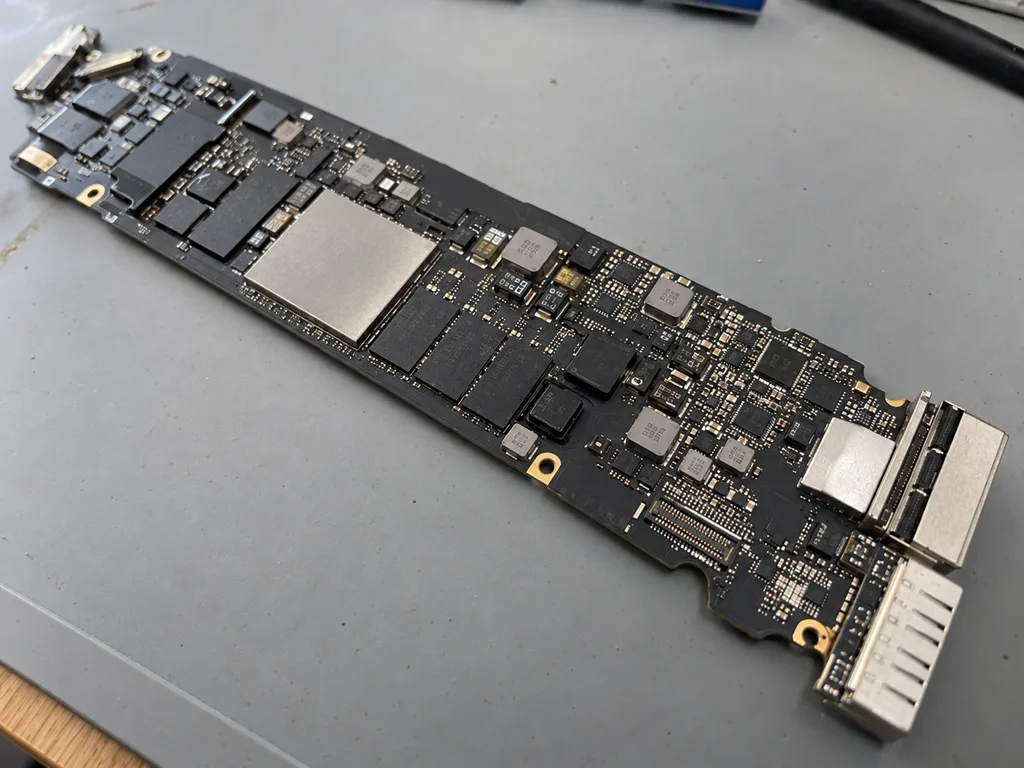
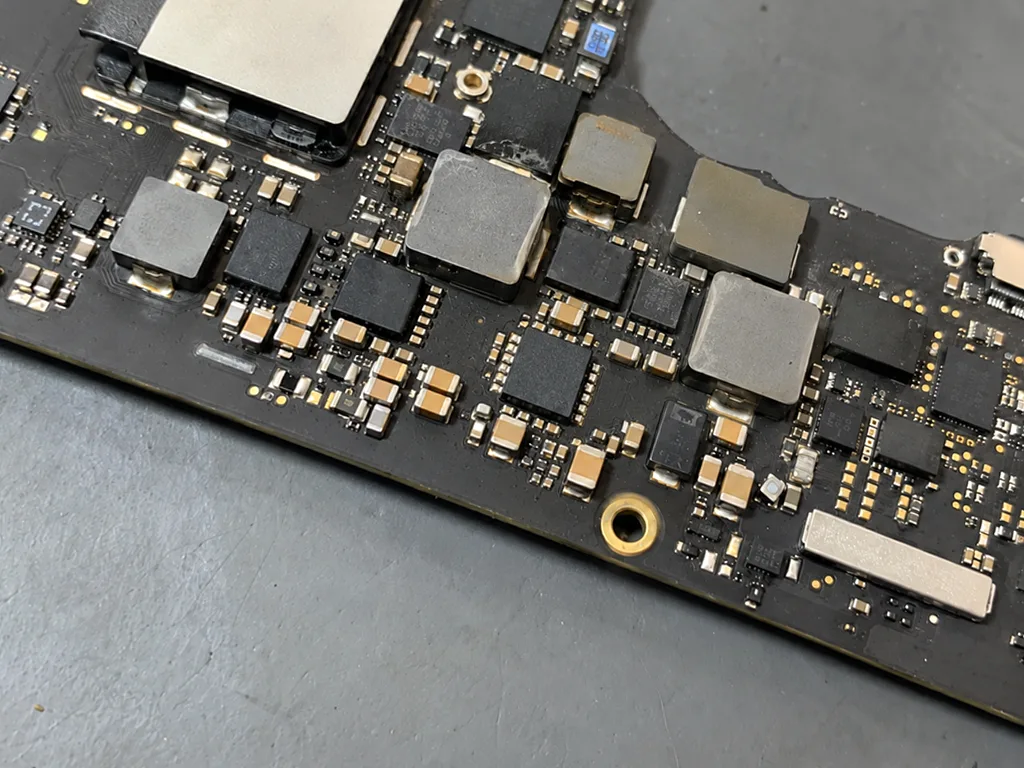
After photo: board after ultrasonic cleaningAfter: the board after ultrasonic cleaning
BeforeAfter

MacBook Air M2: coffee spill

2 daysLogic board repairWarranty 6 months
Problem
Coffee spilled on the keyboard, the laptop won't turn on. Another service suggested replacing the board for 520 000 ₸.
What we did
Cleaned the board in an ultrasonic bath, replaced 2 power controllers and the top case. The data was preserved.
−431 000 ₸against board replacement
I want the same
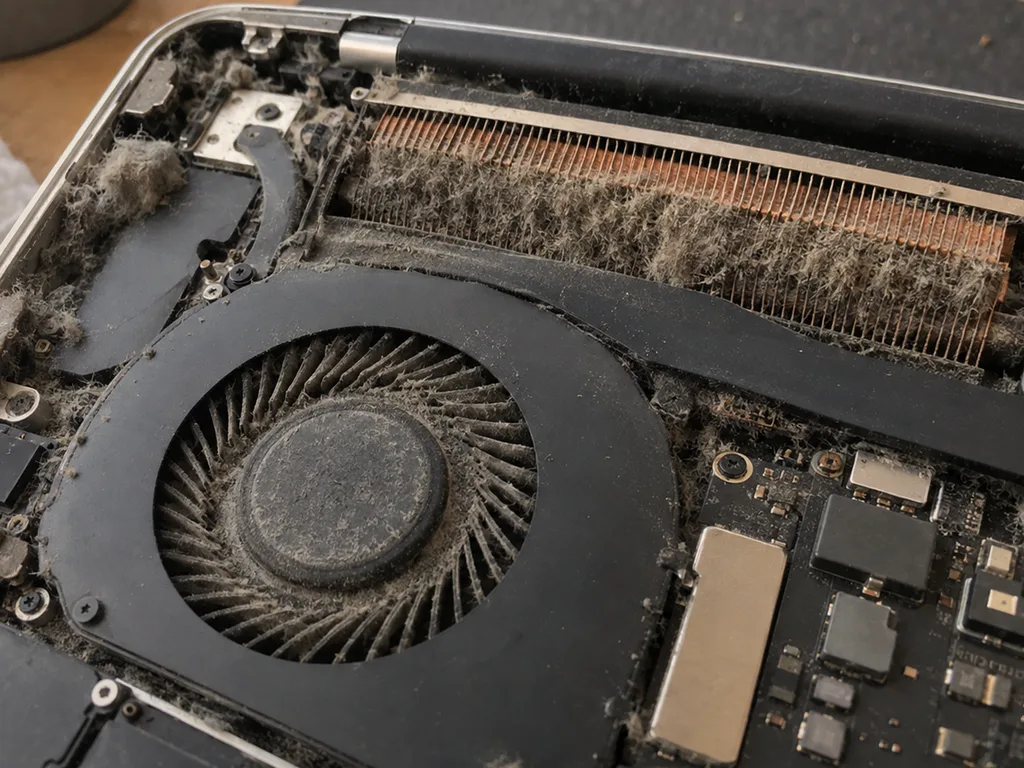
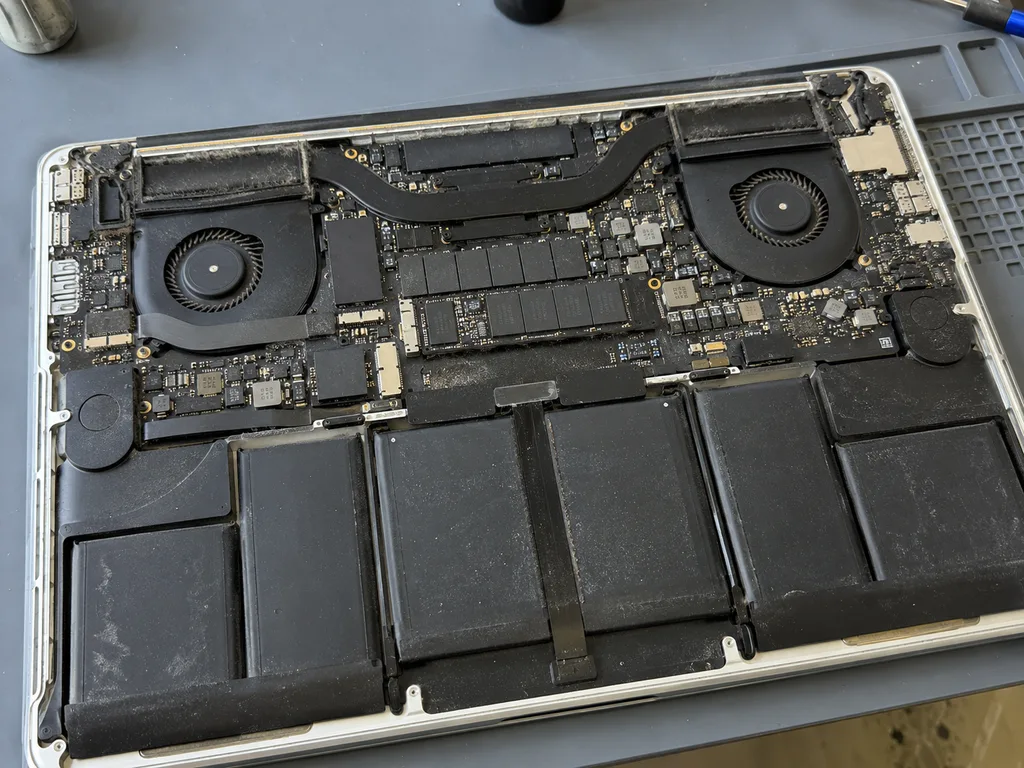
Before photo: dusty MacBook fanBefore: dusty MacBook fan
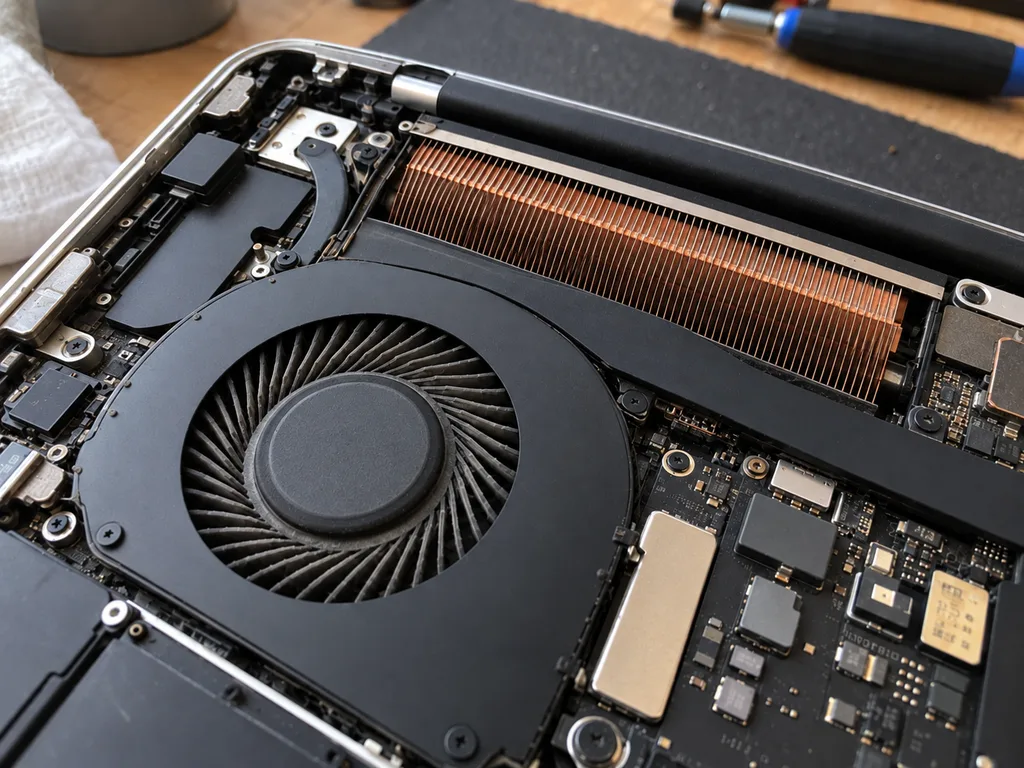
After photo: clean fanAfter: clean fan
BeforeAfter

MacBook Pro 14 M3: noisy and overheating

1 hourCleaningWarranty 3 months
Problem
Under load 98 °C, fans at maximum, Final Cut lags.
What we did
Cleaned the fans and heatsink, replaced the thermal paste and thermal pads.
−27 °Cunder load in Final Cut
I want the same
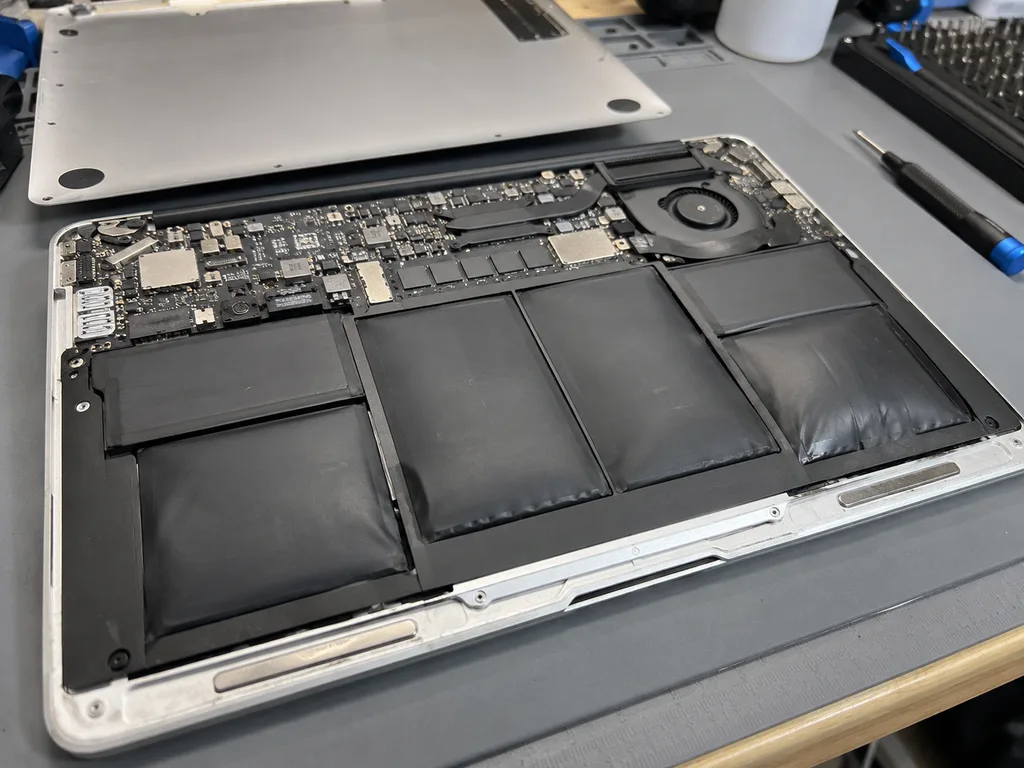
Before photo: swollen battery lifted the bodyBefore: swollen battery lifted the body
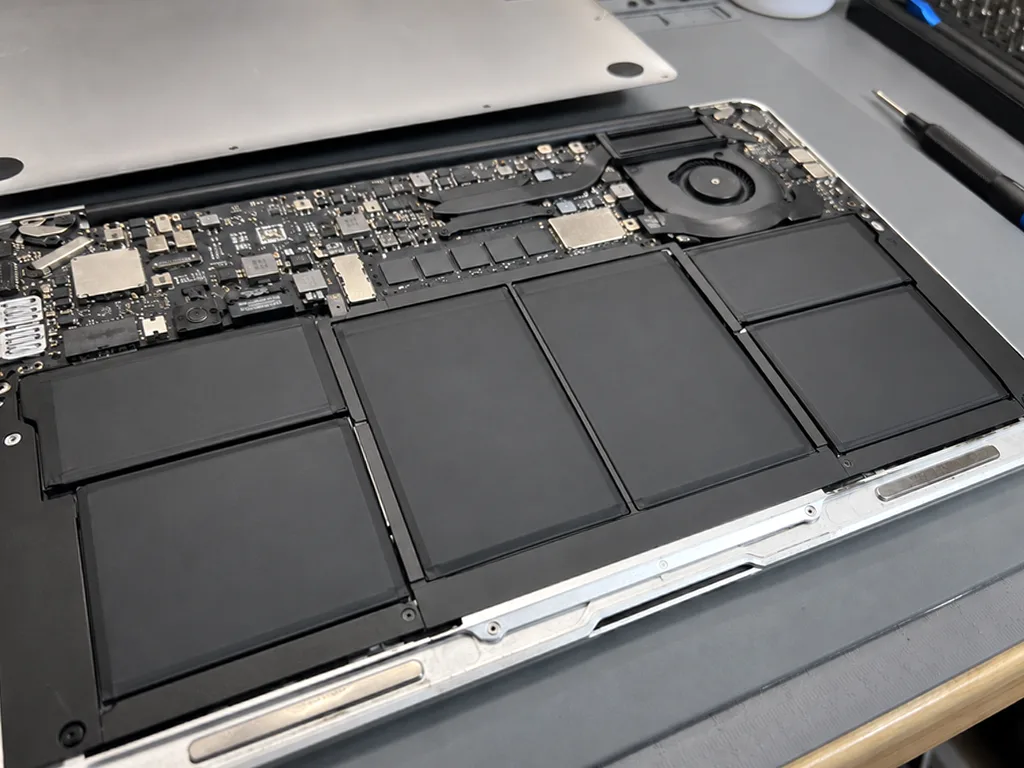
After photo: new battery, even bodyAfter: new battery, even body
BeforeAfter

MacBook Air M1: swollen battery

1 hourOriginalWarranty up to 1 year
Problem
The trackpad stopped clicking, the body rocks on the table. Inside — swollen battery cells.
What we did
Replaced the battery, checked the trackpad and charge cycles. Recycled the old battery.
17 hbattery life
I want the same
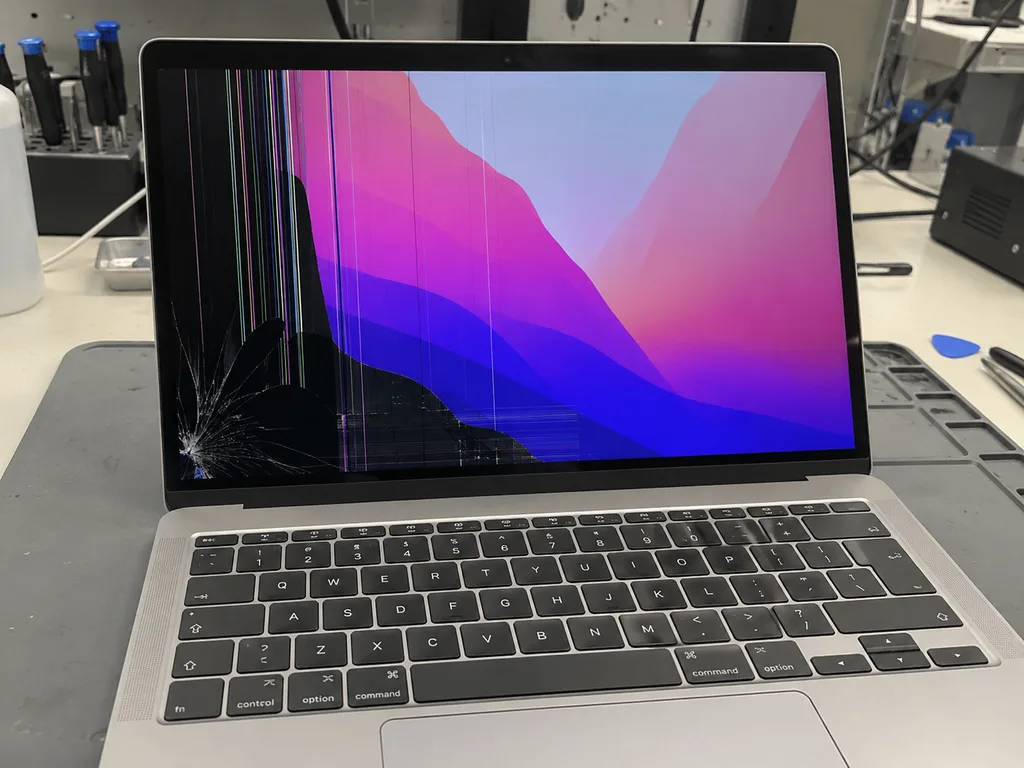
Before photo: crack and black spots on the screenBefore: crack and black spots on the screen
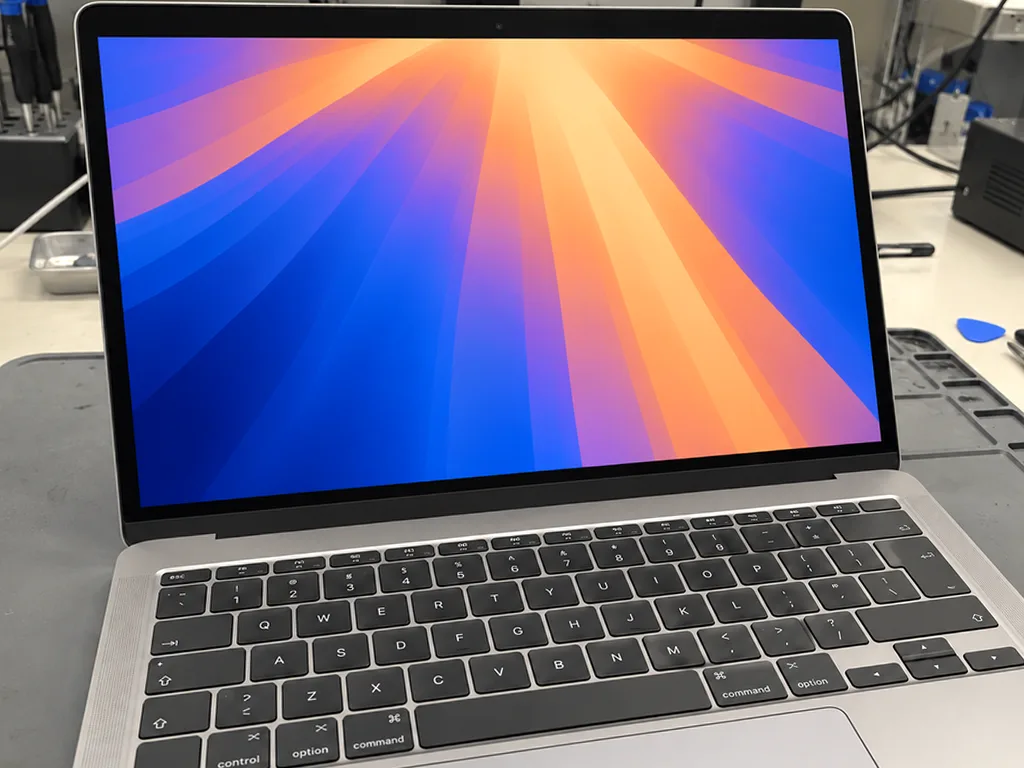
After photo: new displayAfter: new display
BeforeAfter

MacBook Pro 14 M3: cracked display

1 dayOriginalWarranty up to 1 year
Problem
The lid was closed with headphones on the keyboard. A crack in the corner, and stripes spread across the screen.
What we did
Replaced the display assembly with the lid, transferred the color calibration, checked True Tone.
1 dayscreen like from the factory
I want the same
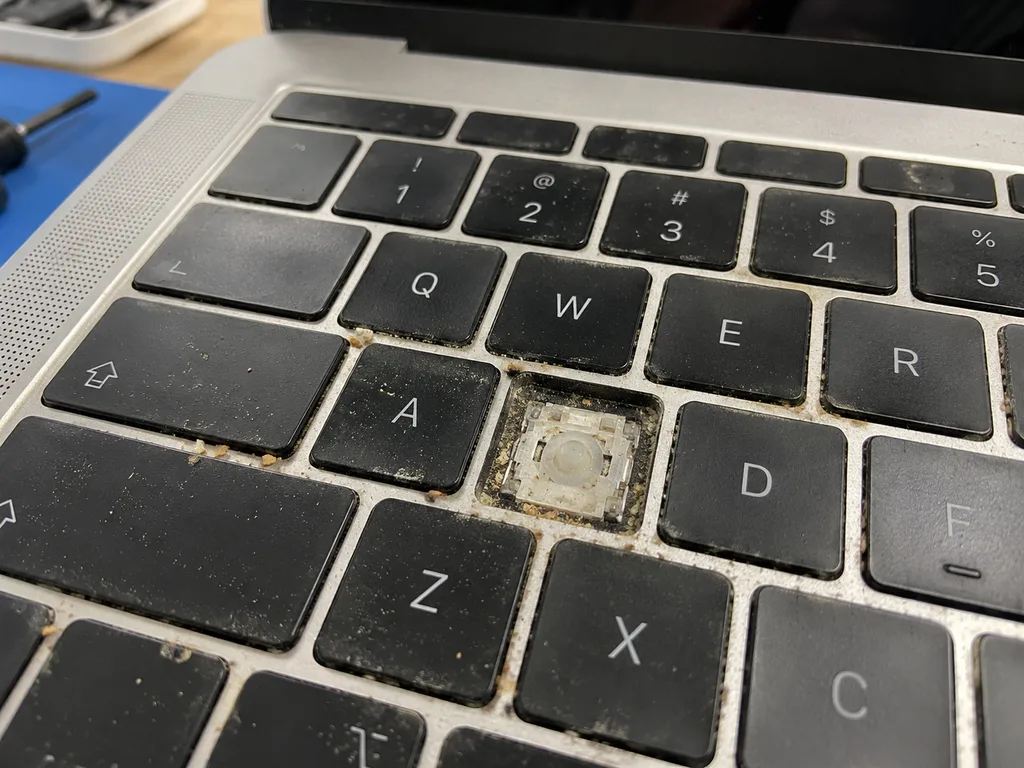
Before photo: butterfly keyboard with sticking keysBefore: butterfly keyboard with sticking keys
After photo: new keyboardAfter: new keyboard
BeforeAfter

MacBook Pro 13 2018: sticking keys

1 dayOriginalWarranty up to 1 year
Problem
The space bar and «E» worked only every other time, and letters doubled while typing.
What we did
Replaced the top case with the keyboard, cleaned the vents, and changed the thermal paste along the way — at the price of the cleaning.
1 daytypes without skips
I want the same
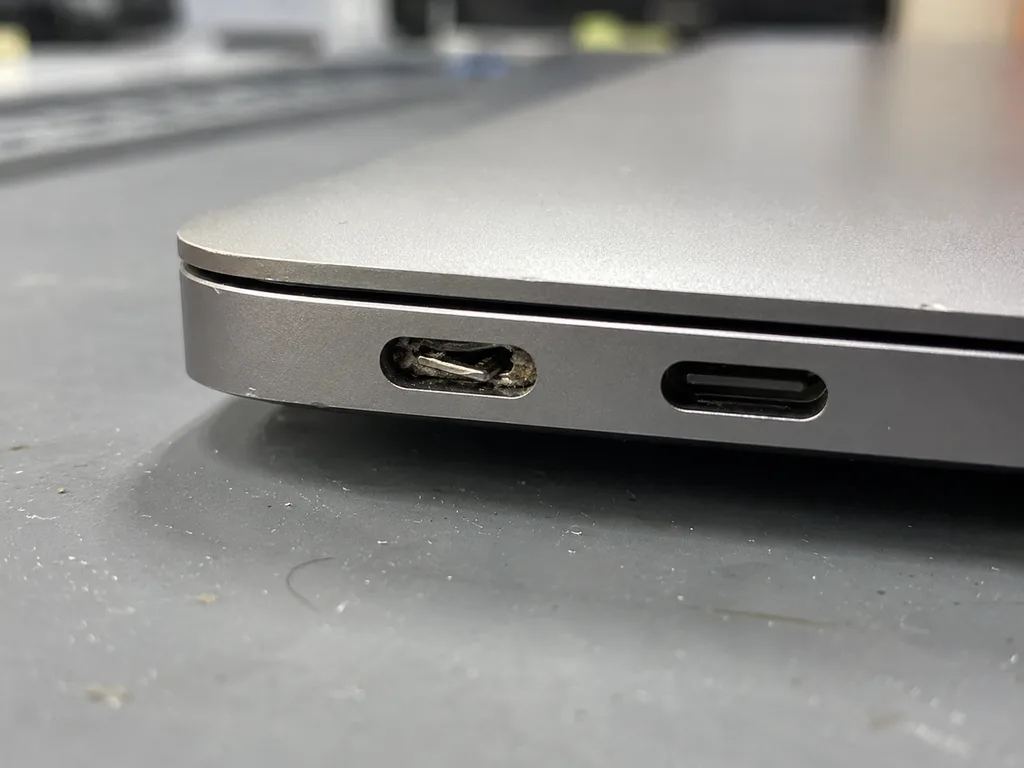
Before photo: loose USB‑C portBefore: loose USB‑C port
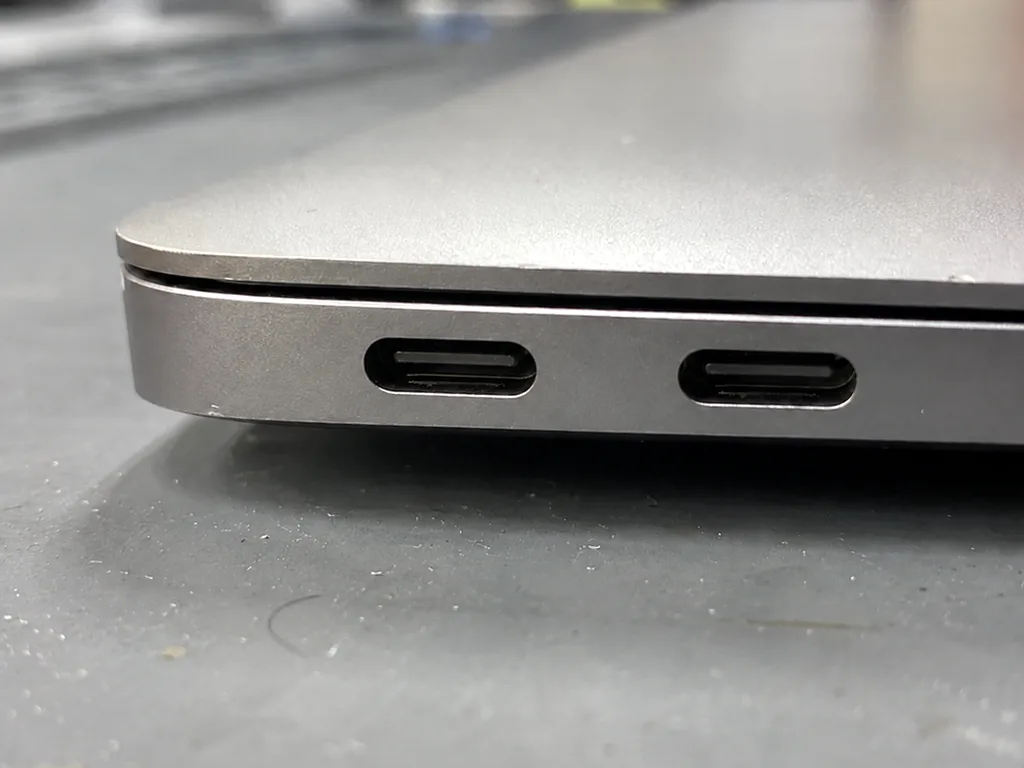
After photo: new USB‑C portAfter: new USB‑C port
BeforeAfter

MacBook Air M2: not charging

1 dayOriginalWarranty up to 1 year
Problem
Charging only worked if the cable was held in place. The left USB‑C port was loose.
What we did
Replaced the USB‑C and MagSafe port board, tested charging at 30 and 70 W.
1 daycharges from any port
I want the same
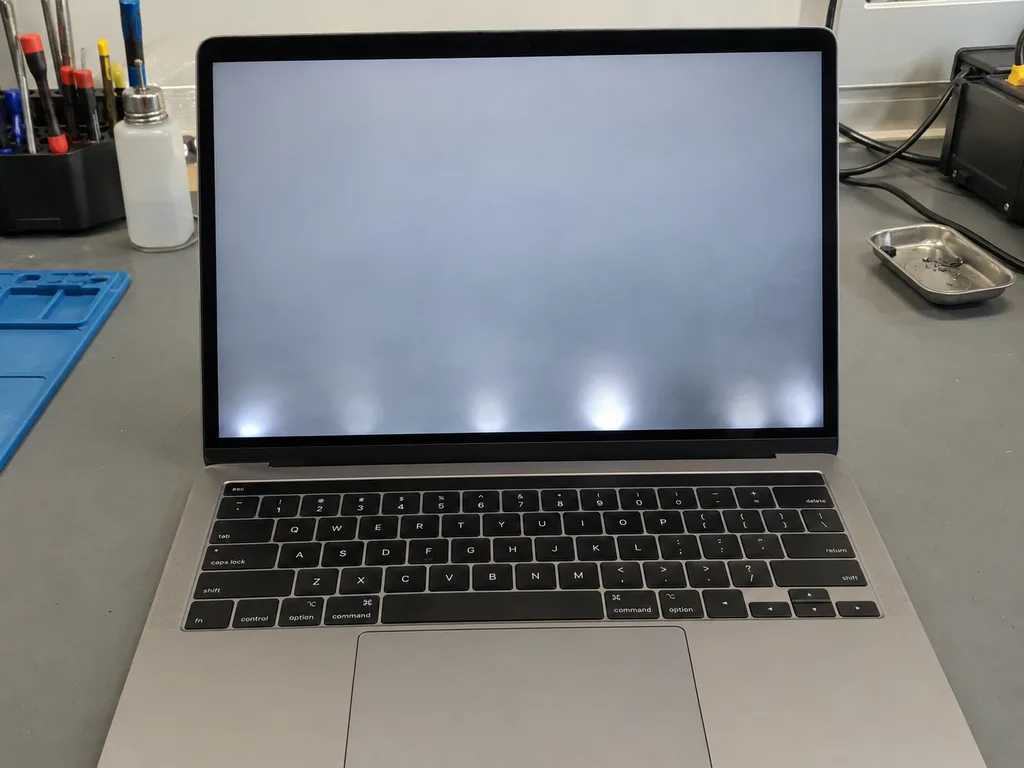
Before photo: screen goes dark when opening the lidBefore: screen goes dark when opening the lid
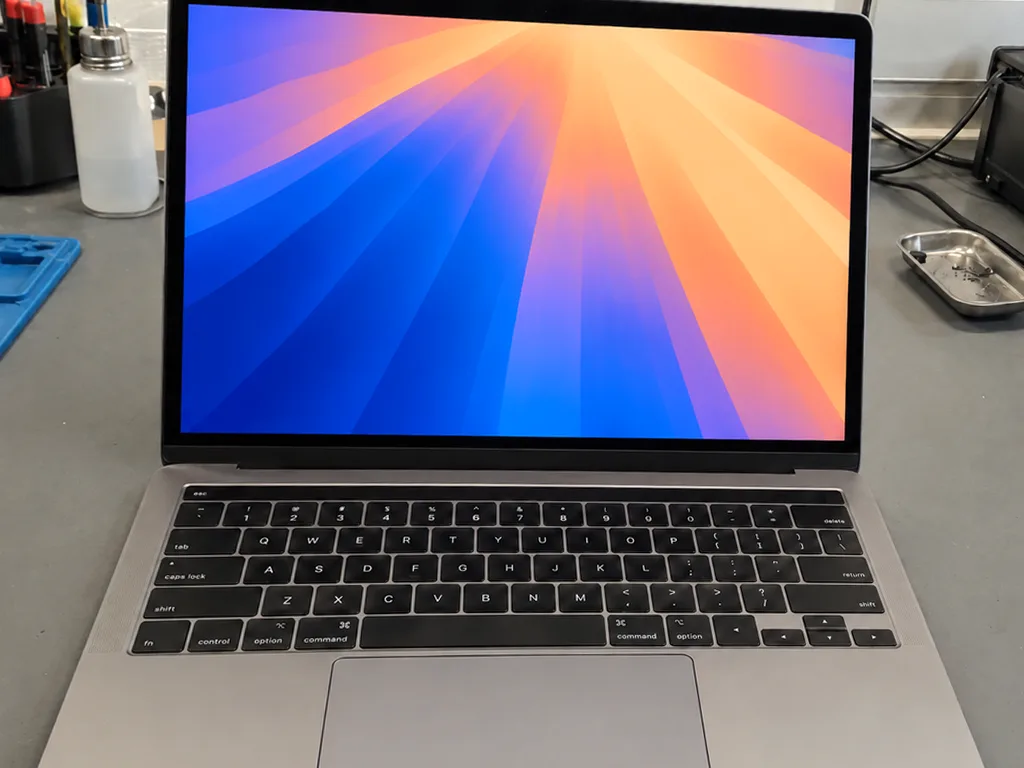
After photo: even backlightAfter: even backlight
BeforeAfter

MacBook Pro 13 2017: screen goes dark

1 dayFlex cableWarranty up to 1 year
Problem
The screen went dark if the lid was opened more than 90°, and there was a «stage» of light spots at the bottom.
What we did
Replaced the backlight flex cable with extra length so the fault wouldn't recur.
1 dayscreen stays on
I want the same
Before photo: burnt element on the boardBefore: burnt element on the board
After photo: restored boardAfter: restored board
BeforeAfter

MacBook Pro 16 2019: does not turn on

3 daysMicrosolderingWarranty 6 months
Problem
Does not turn on after a thunderstorm, charging is not detected.
What we did
Found a failed power controller, resoldered it under a microscope, and ran a 12-hour test.
3 daysinstead of a board for 480,000 ₸
I want the same
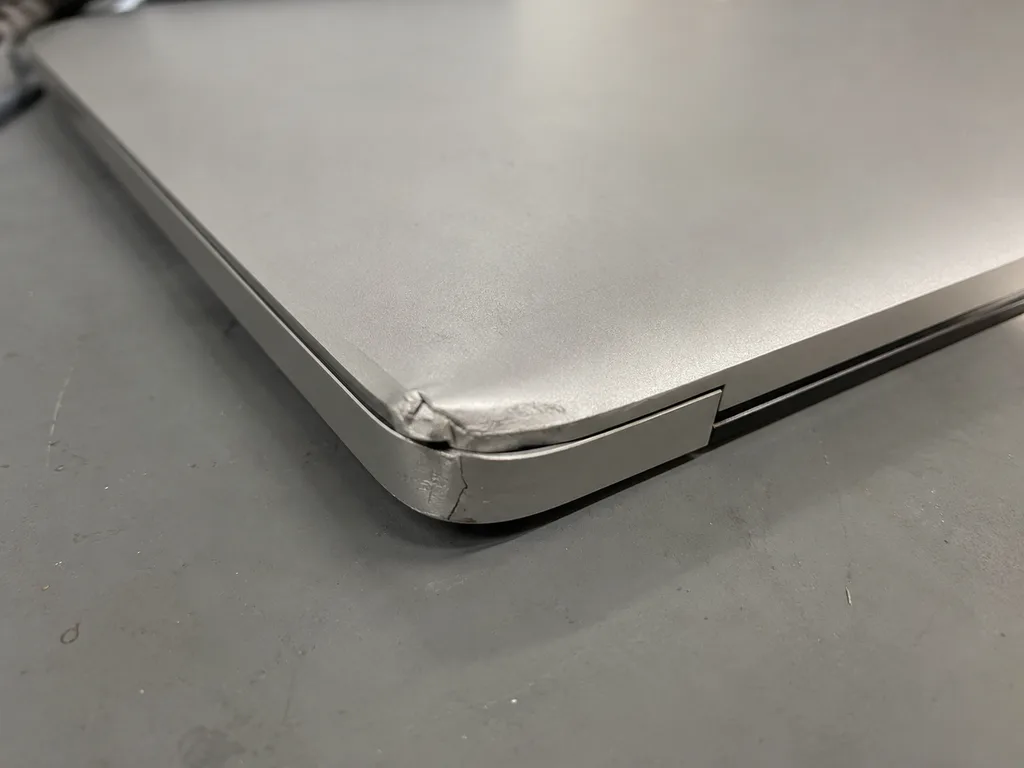
Before photo: cracked case near the hingeBefore: cracked case near the hinge
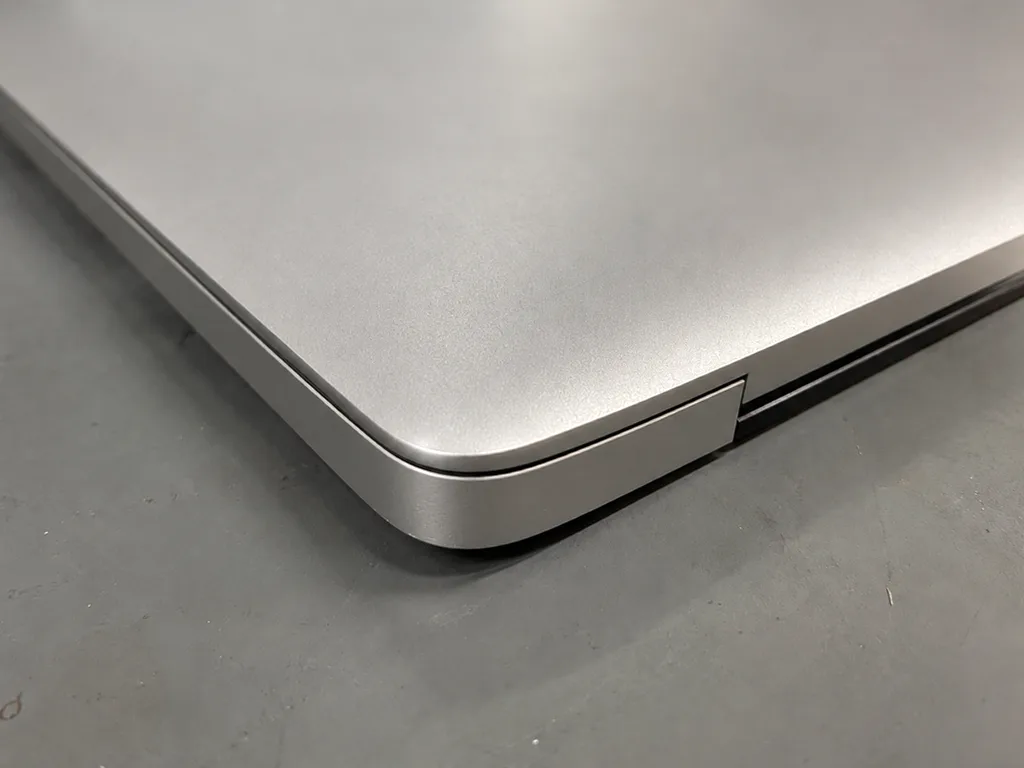
After photo: new caseAfter: new case
BeforeAfter

MacBook Air M1: case cracked at the hinge

1 dayOriginal colorWarranty up to 1 year
Problem
Fell in a backpack, the case near the hinge cracked, the lid closed crooked.
What we did
Replaced the bottom part of the case in silver, aligned the hinges.
1 daylid closes evenly
I want the same
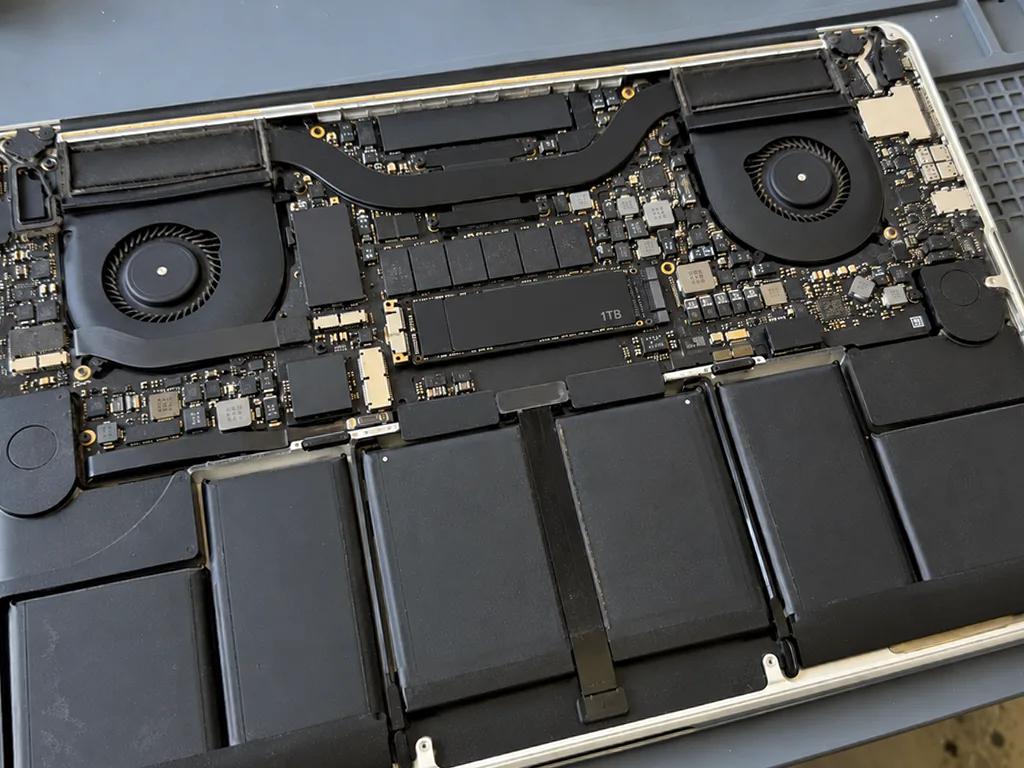
Before photo: old drive, 3-minute bootBefore: old drive, 3-minute boot
After photo: new 1 TB SSDAfter: new 1 TB SSD
BeforeAfter

MacBook Pro 13 2015: slow

2 hoursUpgradeWarranty up to 1 year
Problem
Took 3 minutes to boot, with 4 GB left on the drive.
What we did
Installed a 1 TB SSD, migrated the system and files, updated macOS to the latest supported version.
18 secboot instead of 3 minutes
I want the same

How MacBook repair works in Almaty

Battery and cleaning — while you wait. Board repair — 1–3 days; the price is fixed in the receipt before work begins.

Book a repair
  1. Step 1

    Message or call

    5 min

    You send a photo of the damage on WhatsApp — we quote the price and available time. Or you call a courier.

  2. Step 2

    Free diagnostics

    15 min

    An engineer checks the device in front of you and shows what is broken. 0 ₸, even if you decline the repair.

  3. Step 3

    Price in the receipt

    2 min

    We fix the price, the part (original or analog), the timeline and the warranty. You sign — we start.

  4. Step 4

    Repair while you wait

    20–40 min

    Before installation we show you the new part in its factory packaging. You wait in the waiting area with coffee and Wi‑Fi.

  5. Step 5

    Post-repair check

    10 min

    Screen, keyboard and trackpad, camera, microphones, speakers, charging, Wi‑Fi. You check together with the engineer.

  6. Step 6

    Pick up your device

    warranty up to 1 year

    Together with the receipt, warranty card and the old part. Payment — Kaspi, card or cash.

The people fixing MacBook in Almaty

Technicians for iPhone, Mac, iPad, Apple Watch and AirPods repair.

1 / 6
MNMukhpilov Nail — smartphone repair technician, iServices service center in AlmatyPhoto: Mukhpilov Nail

Mukhpilov Nail

smartphone repair technician
10years of experience
4.83rating, 83 reviews
MRMolchanov Rinat — Apple repair and diagnostics engineer, iServices service center in AlmatyPhoto: Molchanov Rinat

Molchanov Rinat

Apple repair and diagnostics engineer
10years of experience
4.85rating, 33 reviews
SAShokan A — diagnostics technician, iServices service center in AlmatyPhoto: Shokan A

Shokan A

diagnostics technician
8years of experience
5.0rating, 37 reviews
SBSybanbaev Birzhan — firmware specialist, iServices service center in AlmatyPhoto: Sybanbaev Birzhan

Sybanbaev Birzhan

firmware specialist
7years of experience
4.75rating, 74 reviews
DGDenis Gushchin — display replacement technician, iServices service center in AlmatyPhoto: Denis Gushchin

Denis Gushchin

display replacement technician
20years of experience
5.0rating, 34 reviews
DADuisebaev Azhdar — connector replacement technician, iServices service center in AlmatyPhoto: Duisebaev Azhdar

Duisebaev Azhdar

connector replacement technician
7years of experience
4.3rating, 35 reviews
Gamid K, phone repair technician
“If the repair didn’t suit you or you have a complaint, write to me personally.”
Gamid Kphone repair technician · +7 705 556-07-59

We'll quote MacBook repair in Almaty from a photo in 5 minutes

Send a photo of the fault and the MacBook model. An engineer will reply on WhatsApp, give the price and available time — no calls or forms.

  1. 5 minAn engineer replies and names the price
  2. 0 ₸Diagnostics in front of you in 15 minutes
  3. 30 minMost repairs — while you wait

MacBook Repair in Almaty with Free Diagnostics and a Warranty up to 1 year

In short

For MacBook repair in Almaty, iServices covers every generation, from unibody Pro to Apple Silicon Air and Pro. Free diagnostics take 15 minutes in front of you; most units are fixed in 1 hour to 1 day, with a warranty up to 1 year. You choose an original or aftermarket part, fixed on the receipt before work starts.

Mukhpilov NailWe reply on WhatsApp within 10 minutes
Ask

Which MacBook Failures We See Most Often

MacBooks reach our bench with a small set of repeating symptoms. Below is what sits behind each one, which faults are genuinely repairable, and where a quick fix turns into a bigger job.

The Six Failures That Bring Most Units In

Common symptoms mapped to checks and repairs
SymptomWhat we check firstWhat the fix usually is
Lines or a dark patch on screenMatrix, lid cable, backlight flexDisplay module or cable replacement
Battery drains fast, trackpad liftsCycle count, cell swellingBattery replacement
Keys stick or type twiceKey mechanism, top case, dustKey, top case or keyboard service
Spilled liquid, dead unitCorrosion on the circuitry, portsCircuitry cleaning and repair
Won't charge on MagSafe or USB-CPort, cable, power controllerPort or controller repair
No power, no fan, no chimeLogic board, power railsBoard-level repair under microscope

Why a Swollen Battery Is an Emergency, Not an Inconvenience

A swollen battery pushes on the trackpad and the bottom panel, and on some models it cracks the trackpad glass from underneath. The Force Touch trackpad stops clicking evenly, the lid no longer closes flush, and the chassis bulges enough to rock the machine on a desk. Cycle count shows how much charge the cells have taken; swelling means the chemistry has failed, and those are different problems. Keep using a swollen unit and the pressure can bend the top case, turning a battery swap into a top-case job. So the swelling itself, not the runtime, is the trigger to book — a machine that still holds four hours is not safe once the shell has started to bow.

Overheating and Fan Noise on Pro Versus Air

On Intel Pro models we usually find dust packed into the fan and dried thermal paste, while the fanless Air M1 has no fan to clog and overheats far less often. A 13-inch or 16-inch Pro pulls hot air through a single blower and a fin stack that clogs with lint within a couple of seasons of daily use; the heatsink then saturates and the chip throttles long before the fan hits full speed. The Air M1 sheds heat through its aluminium shell, so it stays quiet but can still slow down under a long export. A Pro that runs hot after a clean usually needs the paste refreshed too — dust removal alone restores airflow but not the contact between chip and heatsink.

How the Generation of Your MacBook Changes the Repair

The same crack means different work on an older unibody and an M2 Air; the generation decides which parts are replaceable and which are fixed to the board.

Finding Your Model Number on the Bottom Case

The model number is printed in small type on the bottom case, in the form A followed by four digits, and that code — not the marketing name — is what selects the right display, cell and keyboard. It sits near the hinge on most bodies, sometimes beside the regulatory marks, and survives years of use better than the sticker inside. Reading it takes a minute and a good light, or a photo sent on WhatsApp, where the digits are usually legible. Two machines sold under one name can carry different panels and connectors, so the A-number is the only reliable key to a matching spare. "Air M1" or "Pro 16" tells you the family but not the part. Quote the A-number when you message us and the answer comes back specific.

What Each Generation Lets Us Replace

What each laptop generation allows to be swapped
GenerationMemory and driveTypical repair angle
Unibody Pro (A1278, A1286, A1297)HDD and RAM replaceableDrive upgrade, cell, SuperDrive
Air 11/13 non-Retina (A1369, A1466)RAM fixed, SSD proprietaryCell, SSD swap, MagSafe port
Pro Retina (A1425, A1502, A1398)RAM fixed, cell gluedDisplay, cell, circuitry
Pro with Touch Bar (A1706–A2289)Fixed, T2 chipKeyboard, flexgate, circuitry
Apple Silicon (A2337, A2338, A2681)Fixed, unifiedBoard-level, cell, display

Butterfly Versus Scissor Keyboards and the Touch Bar

The butterfly keyboard on Pro models with a Touch Bar fails from dust and crumbs, giving sticky presses or double input, while the later scissor design is far more tolerant. The mechanism sits a fraction of a millimetre from the deck, so a single crumb stops the press registering cleanly, and the fault often spreads button by button over weeks. The scissor switches on later models absorb everyday debris without the same drama. The Touch Bar above is a separate failure point: its OLED strip and the Touch ID button beside it are ribbon-connected and can fail independently. A single stuck button on a butterfly board often means the whole top case, because the mechanism is riveted in — so catching it early, before debris spreads, can keep the job to one button.

How We Run Your MacBook Repair in Almaty

The path from first message to pickup is short and fixed at every step, so you know the price, the component and the turnaround before any screw comes out.

From a WhatsApp Photo to a Fixed Receipt

Send a photo of the damage on WhatsApp and an engineer replies within 5 minutes with a price and a free time slot. At the bench, price, component, turnaround and warranty are fixed on the receipt in roughly a couple of ticks before work starts. The new unit is shown in factory packaging before installation, so you see what goes into your laptop rather than reading a description of it. Our service runs on this order every time: quote by photo, terms on paper, then the bench. Getting the conditions on paper first means a surprise later — a swap that turns out to need a different fix — is a conversation, not a bill.

Free Diagnostics in Front of You

Diagnostics take 15 minutes and cost nothing, even if you decide not to repair, and the engineer checks the device in front of you and shows what is broken. He points at the failed module and explains how it produces the symptom you walked in with, so the quote has a visible cause behind it. Eleven years of bench work and 46,000+ repairs have taught us that the check itself builds more trust than any written report. Watching the procedure is the point — you see the faulty element and the reason for the quote, so the decision rests on what you saw, not on a description.

Turnaround Times and the Courier Across the City

Most laptop repairs take from 1 hour to 1 day, board-level work takes 1 to 3 days under the microscope, and 72% of jobs finish while the customer waits in the waiting area. Coffee and Wi-Fi are there for the wait, and a courier can be called if you would rather not sit it out. Courier runs across the city take about 90 minutes and come free with a repair. A board fix is the one job worth planning around — it is measured in days, not hours, so a same-day expectation there is the usual source of disappointment.

Original Part or Aftermarket Part

Both routes are legitimate and both are written on the receipt; the choice comes down to how long you plan to keep the machine and how you use it.

What Actually Differs Between the Two

An original component matches the factory fit and finish, while an aftermarket one is a compatible copy that can differ in brightness, color or key feel. The model number on the bottom case decides which of the two is even available to you, because it defines the compatible screen, battery and keyboard for that chassis revision. A copy display often looks close on the bench, and a replacement battery reports the same health percentage in the menu bar. The gap shows up over time, not on day one — a copy display may look right at pickup and drift in color or brightness months later, which matters if the laptop is your main screen.

How We Help You Choose

We show the new component in its factory packaging before installation, and 64% of our customers choose an original one. The decision itself takes a couple of minutes at the counter, because the engineer lays out both options against your model number and your daily workload rather than against a sales target. A designer who color-grades on a 14-inch panel and a student running lectures on an older Air are not solving the same problem, and the recommendation reflects that. The right call depends on the job — a battery or a port is rarely worth an aftermarket gamble, while a cosmetic piece on an older machine often is.

What the Receipt Locks In

The receipt records the price, whether the component is original or aftermarket, the turnaround and the warranty, and it is signed before any work begins. Writing it down takes about two minutes, and the same sheet carries the warranty term of one year from the date of handover. Both parties keep a copy, so nothing about the grade is left to a verbal promise made at the counter. That single sheet is what you compare the finished device against — if the grade or the timeline drifts, the paper is the reference, not memory. It also names the exact model, so a later claim never depends on which counter assistant was on shift.

Liquid Damage and a MacBook That Won't Power On

A spill and a dead unit look alike from the outside but call for different first moves; what you do in the first minutes shapes how much is recoverable.

First Aid After a Spill

Power the device off at once and do not charge it, because corrosion on the circuitry spreads as long as current is flowing. Tilt the machine so liquid runs out of the vents and keyboard rather than deeper toward the logic board, then unplug every cable — charger, hub, external drive. Keep the lid open so the panel and keyboard can air out evenly. Do not press the power button to "test if it still works": each attempt feeds fresh current into wet traces and turns a surface stain into eaten copper. Rice and a warm radiator do more harm than good — they push residue deeper and bake it on, so the safest move is off, unplugged and straight to a bench.

Why Liquid Diagnostics Can Take Up to Two Days

After liquid contact, diagnostics can take up to two days, because corrosion keeps revealing itself as the board dries and is cleaned. Sugar in coffee and salts in sweat stay on the circuitry invisibly, then pull moisture from the air and keep the reaction going under a shield can. Our engineers clean the board, inspect it under magnification and re-check the power rails at intervals, so the picture changes between passes rather than in one sitting. That is why we warn about the longer window up front instead of promising a same-day answer. A quick "it works now" after a spill is the trap — a unit that powers on can still fail weeks later once corrosion reaches a trace, so the slow check is the honest one.

Board Repair Under the Microscope

Board-level repair is done under a microscope and takes 1 to 3 days, because the faults sit at a scale no eye or phone camera can resolve. We work on the logic circuitry itself: trace corrosion, a shorted power controller, a cracked joint near the charging circuit. A customer who wants a MacBook repair in Almaty often arrives convinced the chip is dead, when the real fault is a single component a fraction of a millimetre wide. Parts and the exact turnaround go on the receipt before we open anything, and the replaced module is shown in factory packaging. Not every dead unit is a circuitry job — a failed charging port or a flat battery mimics it, which is why the 15-minute check comes before anyone quotes such work.

Data, Handover and What Happens After the Repair

A MacBook is checked against a fixed list before it leaves the bench, and a short backup beforehand saves a long conversation later. Here is how handover works at both ends.

Preparing the Device Before You Bring It In

Make a Time Machine backup, know your login password and decide what to do about Find My Mac while the device is still with you. Time Machine on an external drive covers the whole system in one pass, and the login password lets an engineer run the full 32-function test without waiting on you. Find My Mac is the awkward one: on models with a T2 chip the drive is soldered to the main circuitry and encrypted by that chip, so data recovery after a fault there is far harder than on older machines with a removable SSD. Decide in advance whether to sign out of the account or leave it linked, and say so at drop-off. A backup matters most for logic work — when the fault sits on that circuitry, the storage may be the component that cannot simply be read afterward.

The 32-Point Check Before Handover

After the repair we check 32 functions in about 10 minutes, and you go through True Tone, cameras, microphones, speakers, charging and network together with the engineer. The test runs in the waiting area rather than behind a closed door, so each result is visible as it is recorded on the sheet. iServices hands over the receipt, the warranty document and the removed component at the end of that same session, and the engineer walks you through every line before you sign. The joint check is the moment to raise anything that feels off — a keyboard that is 95% right is easier to settle at the counter than a week later, when the cause is harder to trace.

Warranty, Old Part and the Waiting Area

The device comes back with the receipt, a warranty document covering the work up to 1 year, and the old part, and while you wait there is a seating area with coffee and Wi-Fi. For MacBook and iPad the turnaround runs from 1 hour to 1 day, so the wait is usually one coffee long; logic work takes longer, and we tell you which case yours is before anything is opened. Payment runs by Kaspi, card or cash, and a courier can collect the unit across the city if you cannot come in. Keep the removed component and the warranty paperwork together — that piece is your proof of what was actually replaced if a question ever comes up.

Summary: MacBook Repair

A MacBook is worth repairing when the fault is named, the part is agreed and the terms are written down before anyone opens the case. These points cover the decisions that matter most.

  • Model number first: the A-number on the bottom case, not the marketing name, decides which parts fit your device.
  • Upgrade limits: soldered memory and SSD on newer machines rule out the upgrades older unibody Pro models still allow.
  • Act same-day: a swollen battery or a spilled drink is a same-day call, not a wait-and-see.
  • Written terms: ask for the price, the part type, the turnaround and the warranty in writing prior to any work starting.
  • Data and Find My Mac: back up your files and sign out of the account so the device leaves your hands clean.


MacBook repair questions

Did not find an answer? Message us on WhatsApp: an engineer replies, not a bot.
Ask a question
Is it worth repairing an older MacBook in Almaty or is it time for a new one?

Usually it is worth repairing if your model still gets macOS updates and only one part is failing. A new battery, keyboard or cleaning often keeps an older MacBook useful for years, while a dead logic board on a model without updates is rarely worth the money. The technician gives an honest assessment after the free diagnostics.

Can a MacBook locked with Find My be repaired?

Yes, the hardware can be repaired, but you need to know the Apple ID password for that laptop. Without it the engineer cannot fully test macOS after the work, and the activation lock cannot be removed by any service.

Do you install Windows on a MacBook?

On Intel MacBooks Windows can be installed next to macOS through Boot Camp. MacBooks with M-series chips cannot boot Windows directly, so there it runs only inside a virtual machine. Tell us the model and year and the technician will say which option fits.

Why won't my MacBook charge from a USB-C adapter?

Most often the cable, an underpowered adapter or a worn port is to blame, and less often the power circuit on the logic board. Try an adapter with at least the original wattage and a different USB-C port first. If nothing changes, diagnostics will show whether the port or the board needs work.

Do you repair MacBooks bought in the US or Europe?

Yes, a MacBook's hardware is the same whatever the country of purchase. The main difference is usually the keyboard layout, which matters only if the keyboard has to be replaced. Send the model number so the technician picks the correct part.

How should I prepare the laptop before drop-off?

Make a Time Machine or iCloud backup, remember your account and Apple ID passwords and bring the charger. You do not need to write passwords down, just know them.

Can I wait in Almaty while my MacBook is being repaired?

For many jobs, yes: there is a waiting area with coffee and Wi-Fi, and the whole visit usually takes less than an hour. Board repair and liquid damage need more time, so the technician will tell you at the start whether waiting makes sense.

Why does my MacBook restart by itself and show an error report?

An unexpected restart with a report is a kernel panic, and its cause can be software, a peripheral or failing hardware. Disconnect hubs and drives and update macOS first. If it keeps happening, the report text helps the engineer find whether memory, storage or the board is involved.

MacBook repair in Almaty through customer feedback

1 / 10
4.9

average rating on Google Maps, wikicity and our website · 445 reviews
Google Maps4.438 reviews ›wikicity5.015 reviews ›Reviews on the iServices website5.0392 reviews ›
ЖЧ
Жанна Ч.Order No. IS‑2611‑•••07 · 1 November 2026
MacBook Pro 14″ (M5 Pro, 2026) · sound

Проверила после ремонта несколько раз. С MacBook Pro 14″ (M5 Pro 2026) вышла неприятность: периодически пропадал звук. По результатам диагностики проверили аудиотракт и восстановили звук. Денис подсказал, что действительно надо проверять.

iServices customer review, in Russian
АА
Алишер А.Order No. IS‑2609‑•••16 · 27 September 2026
MacBook Pro 14″ (M3, 2023) · water damage

У моего MacBook Pro 14″ (M3 2023) после попадания жидкости устройство вело себя непредсказуемо. В сервисе осмотрели плату и устранили обнаруженную неисправность; Денис подсказал, что действительно надо проверять.

iServices customer review, in Russian
ВЗ
Владимир З.Order No. IS‑2609‑•••07 · 22 September 2026
MacBook Pro 16″ (M5 Pro, 2026) · screen

У моего MacBook Pro 16″ (M5 Pro 2026) после сна появлялся чёрный экран. По результатам диагностики разобрались с запуском и изображением; Спасибо Денис: разобрался с нюансами без лишних разговоров.

iServices customer review, in Russian
КЦ
Ксения Ц.Order No. IS‑2607‑•••39 · 6 July 2026
MacBook Pro 13″ (2019, 4 порта) · board

У моего MacBook Pro 13″ (2019 4 порта) внешний монитор постоянно терял подключение. Ребята проверили порты и стабильность подключения; Аждар подсказал, что действительно надо проверять.

iServices customer review, in Russian
ЕБ
Ермек Б.Order No. IS‑2606‑•••66 · 10 June 2026
MacBook Air 13″ Retina (2018) · screen

Проблема была такая: на экране появились полосы — и непонятно, что делать. В сервисе проверили подключение и дисплей, изображение восстановили; Денис не отмахнулся от моих вопросов.

iServices customer review, in Russian
ЕЧ
Ермек Ч.Order No. IS‑2606‑•••82 · 5 June 2026
MacBook Air 13″ (M5, 2026) · keyboard

У моего MacBook Air 13″ (M5, 2026) клавиатура начала пропускать нажатия. В сервисе проверили клавиатуру и устранили проблему с клавишами; Спасибо Аждар: разобрался с нюансами без лишних разговоров.

iServices customer review, in Russian
АД
Алия Д.Order No. IS‑2605‑•••86 · 11 May 2026
MacBook Air 13″ (M2, 2022) · keyboard

MacBook Air 13″ (M2, 2022) подвёл: клавиатура начала пропускать нажатия. В итоге проверили клавиатуру и устранили проблему с клавишами; Спасибо Денис: разобрался с нюансами без лишних разговоров.

iServices customer review, in Russian
ЕБ
Ерлан Б.Order No. IS‑2605‑•••85 · 5 May 2026
MacBook Pro 15″ (2018) · screen

С MacBook Pro 15″ (2018) вышла неприятность: на экране появились полосы. После обращения проверили подключение и дисплей изображение восстановили; Денис спокойно объяснил, с чего лучше начать.

iServices customer review, in Russian
АВ
Андрей В.Order No. IS‑2512‑•••18 · 31 December 2025
MacBook Pro 13″ (2019, 2 порта) · screen

На MacBook Pro 13″ (2019 2 порта) после сна появлялся чёрный экран. Ребята разобрались с запуском и изображением; Аждар спокойно объяснил, с чего лучше начать.

iServices customer review, in Russian
ИХ
Ирина Х.Order No. IS‑2511‑•••90 · 7 November 2025
MacBook Pro 14″ (M2 Pro, 2023) · sound

На MacBook Pro 14″ (M2 Pro, 2023) периодически пропадал звук. После обращения проверили аудиотракт и восстановили звук; Денис подсказал, что действительно надо проверять.

iServices customer review, in Russian
Showing 10 of 108

Where to get MacBook repair in Almaty

Address
Almaty, Zharokov St., 128
Opening hours
Mon–Fri 10:00–19:00Sat–Sun 11:00–18:00
Phone and messengers
+7 705 556-07-59WhatsApp: +7 705 556-07-59
Directions map: iServices Almaty — Zharokov, 128© OpenStreetMapFind us on the maps: Google Maps · 2GIS