SB Photo: Sybanbaev Birzhan
Sybanbaev Birzhan
firmware specialist
7years of experience
4.75rating, 74 reviews

We install Windows on your MacBook where the model supports it, and quote the price before work starts.
Situations where a Mac struggles without Windows: a Windows-only program, work requirements, gaming or a need for both systems side by side.
Accounting software, CAD tools or a game has no macOS version, and you cannot do without Windows.
Corporate systems and bank clients at your job open only in a Windows environment.
Some games come out only for Windows, and a Mac with a strong graphics chip can run them.
Some tasks suit macOS better and others suit Windows, so you end up switching between them often.
The price depends on the model and the chosen method, and the reference for the work is below.
| Service | What's included | Price |
|---|---|---|
| MacBook macOS installation | OS installation, no parts replaced | 10 900 ₸per job |
| iMac macOS installation | OS installation, no parts replaced | 13 900 ₸per job |
| Mac mini macOS installation | OS installation, no parts replaced | 10 900 ₸per job |
| Mac Studio macOS installation | OS installation, no parts replaced | 12 900 ₸per job |
| Mac Pro macOS installation | OS installation, no parts replaced | 12 900 ₸per job |
| MacBook SSD installation | storage installation | 19 900 ₸with parts |
| iMac SSD installation | storage installation | 43 900 ₸with parts |
| Mac mini SSD installation | storage installation | 10 900 ₸with parts |
| Mac Studio SSD installation | storage installation | 39 900 ₸with parts |
| Mac Pro SSD installation | storage installation | 39 900 ₸with parts |
| iMac RAM replacement | memory chip installation | 15 900 ₸with parts |
| Mac mini RAM replacement | memory chip installation | 23 900 ₸with parts |
| Mac Pro RAM replacement | memory chip installation | 16 900 ₸with parts |
We confirm the total after checking the model, since that decides which method is possible at all.
The steps behind a Windows install on a MacBook, from checking the model and partitioning the disk to drivers and a startup check.

We see which processor is inside and decide what suits it: Boot Camp or a virtual machine.
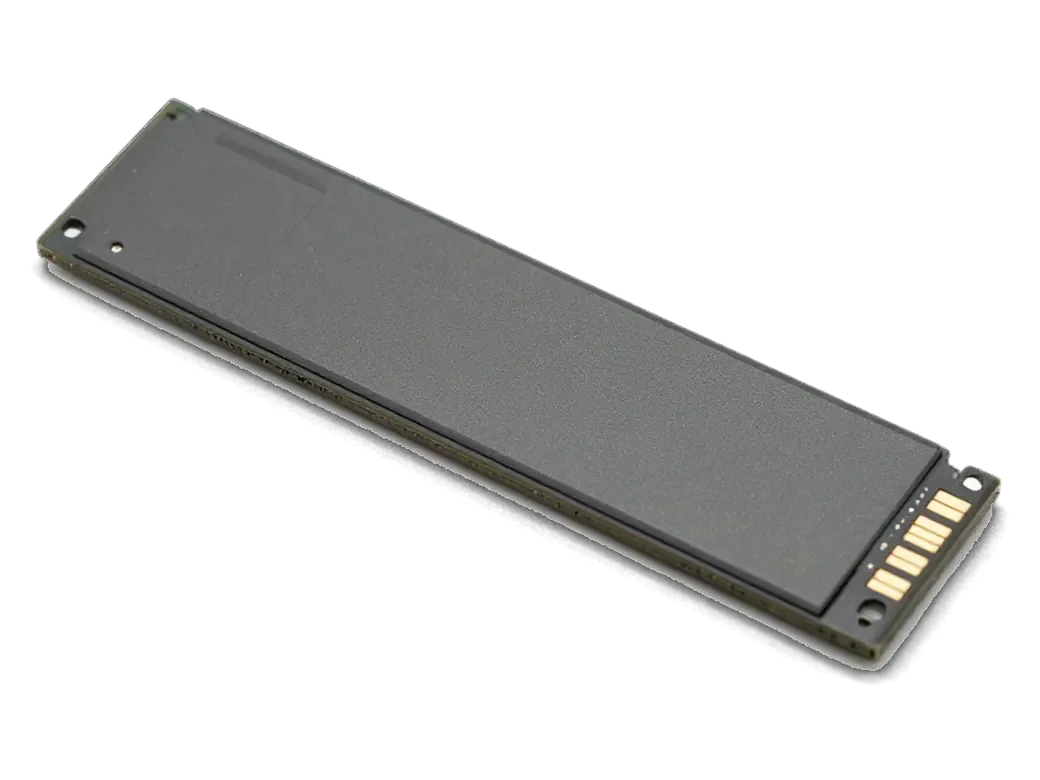
A separate partition is set aside for Windows after we confirm the drive has enough room.
The installer is started, the partition is chosen and we wait for the files to finish copying.
A driver set for video, sound, Wi-Fi, trackpad and camera is added so that everything works.
We check how to switch between macOS and Windows when the laptop starts.
We confirm that updates install, the network connects and the device does not overheat.
If your model cannot take Windows, we suggest another way.
Price for my modelThe two methods solve one task but differ in speed, convenience and fit with your particular model.
Why leave a Windows install to a technician: a straight answer on whether your model supports it, and the decision stays yours.
Eleven years with Apple notebooks means we quickly work out which method fits your specific model.
Our warranty on completed work lasts up to 1 year, and we explain the conditions when we take in the device.
A experienced technician splits the disk and installs the system, and warns you about the risks in advance.
If your Mac cannot run Boot Camp, we say so and offer another route instead of a useless install.
We explain how the options differ and start work only after you give your consent.
Devices are accepted in two cities under the same rules, and the working schedule is shared by both branches.
Usually the whole journey — from message to pickup — takes less than an hour; complex repairs follow the timeline in the receipt.
Book a repairYou send a photo of the damage on WhatsApp — we quote the price and available time. Or you call a courier.
An engineer checks the device in front of you and shows what is broken. 0 ₸, even if you decline the repair.
We fix the price, the part (original or analog), the timeline and the warranty. You sign — we start.
Before installation we show you the new part in its factory packaging. You wait in the waiting area with coffee and Wi‑Fi.
Screen, keyboard and trackpad, camera, microphones, speakers, charging, Wi‑Fi. You check together with the engineer.
Together with the receipt, warranty card and the old part. Payment — Kaspi, card or cash.
Technicians for iPhone, Mac, iPad, Apple Watch and AirPods repair.
Photo: Sybanbaev Birzhan Photo: Mukhpilov Nail
 Photo: Molchanov Rinat
 Photo: Shokan A
 Photo: Denis Gushchin
 Photo: Duisebaev Azhdar
Windows needs room, and on supported models the drive can be enlarged.
02Under load the laptop runs hotter, so cleaning the cooling system helps.
03Windows drains the battery noticeably, so a worn one is worth replacing.
04Before the disk is changed, we remind you to save key files with Time Machine.
05If keys stick, they can be checked on the same visit.
06If the laptop was wet, we inspect the board before a new system goes on.

“If the repair didn’t suit you or you have a complaint, write to me personally.”
Send a photo of the screen and the MacBook model. An engineer will reply on WhatsApp, give the price and today's available time.
MacBook Windows installation in Almaty done right by iServices
For MacBook Windows installation in Almaty, iServices picks the method by chip: Intel Macs get Boot Camp with a real second partition, Apple Silicon runs Windows for ARM in a virtual machine. We check model, free space and RAM first, then fix method, turnaround and warranty on the receipt.
The method depends entirely on the chip inside your device, not on the software version. Two families exist, and each one supports a different Windows route.
Open the Apple menu, choose About This Mac, and read the Chip or Processor line, which names either Intel or M-series silicon. Older hardware shows a line like "Processor: 2.0 GHz Quad-Core Intel Core i5", while newer units display "Chip: M1" or M2, M3 and later. The same window lists memory and system version, so one screenshot covers everything needed for a quote. The label matters more than the model year, because an M1 Air and a late Intel Air look identical outside but support completely different Windows routes. When the line names M-series silicon, Boot Camp is unavailable on that device, and a virtual machine becomes the only path. Take the screenshot before contacting anyone — it saves a round of questions. If you are planning a MacBook Windows installation in Almaty, this one screenshot is usually enough for an engineer to name the right route.
| MacBook chip | Windows route | What you get |
|---|---|---|
| Intel | Boot Camp | Separate partition, native speed, pick system at startup |
| Apple Silicon (M1 and newer) | Virtual machine | Windows for ARM running alongside macOS |
| Apple Silicon, older macOS | Virtual machine (UTM) | Free alternative when Parallels is not an option |
On Intel hardware the setup tool splits the SSD, installs Windows onto its own volume and adds the drivers that make the trackpad, keyboard and sound behave inside Windows.
The assistant carves out a separate Windows volume, runs the Windows installer and then loads the driver package for trackpad, keyboard, sound and networking. It first takes that space from free SSD capacity, then reboots into Windows setup, and once the install finishes it pulls the drivers that teach Windows to talk to Apple hardware. Without those drivers the trackpad scrolls erratically, the function keys misfire and audio stays silent, so the driver step is not optional. On a 256 GB drive the tool will not offer a slice smaller than roughly 30 GB, and Windows itself wants more once updates land. That reserved area is invisible to macOS until you hold Option at startup, so a failed install never touches your macOS files as long as the splitting step is done correctly.
You switch systems by holding Option during startup, but only one of them runs at a time and the Windows side cannot see macOS apps. A small startup manager appears, you pick the disk, and the laptop boots straight into that system while the other one sits idle on its reserved area. Native speed is the real prize here: games, CAD suites and video editors that choke inside a virtual environment run at full hardware pace. The trade-offs are fixed, though. You gain that native pace for games and heavy software, yet it costs you a fixed slice of SSD and a reboot every time you cross over, so people who need both systems daily usually prefer a virtualised setup instead.
On M1 and newer MacBooks Windows for ARM runs inside a virtual environment, side by side with macOS, so you never reboot and both systems share the same files.
| Virtual machine | Best for | Setup effort |
|---|---|---|
| Parallels Desktop | Daily Windows work, 1C, Office | Low, guided installer |
| VMware Fusion | Mixed workloads, IT users | Medium |
| UTM | Occasional use, free option | Higher, manual tuning |
Windows for ARM runs most business software through built-in emulation, but games with kernel-level anti-cheat and some hardware drivers simply refuse to launch. Office suites, 1C and browsers start without extra steps, while x86 programs are translated on the fly at a modest speed cost. The blockers are specific: anti-cheat engines such as those in competitive online shooters detect the guest system and stop the session, and low-level drivers for dongles, capture cards or specialised controllers often have no ARM build at all. Emulation does not fix a missing kernel driver, so a laptop that depends on one stays unusable regardless of how the guest is configured. Check the anti-cheat list before you commit, because a game that blocks the guest environment will not start no matter how much RAM you assign.
Before any installation we look at free SSD space, RAM and your Windows licence, because those three decide how smoothly the second system will run.
We ask for at least 40 GB of free SSD space for a virtual machine and 64 GB for a Boot Camp partition, plus 8 GB of RAM as a working minimum. Windows itself settles around 25–30 GB after updates, and Parallels or VMware keeps a growing disk image on top of that, so a 256 GB drive fills faster than owners expect. On Apple Silicon the virtual machine file expands as you install apps, while a Boot Camp split is fixed at creation and cannot be resized later without wiping it. A virtual machine borrows RAM from macOS while it runs, so on an 8 GB machine we close heavy apps first and warn you that two systems at once will feel tight.
We take a Time Machine backup before we start and only work with a genuine Windows licence, so your macOS files stay untouched. The backup runs to an external drive or a network volume, and we verify that the snapshot actually restores before touching the partition table. A Windows 11 licence is tied to the hardware or to your Microsoft account, and an unactivated copy blocks personalisation and security updates after the grace period ends. A backup is not a formality here, because a partition resize is the one step where an interrupted install can cost you data, and a genuine key is the only way Windows keeps receiving security updates after activation.
We fix the method, turnaround and warranty on the receipt before work starts, and most MacBook jobs are finished the same day you bring the device in.
MacBook and iPad work at iServices takes from 1 hour to 1 day, and you can send a photo on WhatsApp to get a price and a free slot within 5 minutes. An engineer replies there and quotes from the photo, so you know the scope before leaving home or office. The turnaround is confirmed after the free diagnostics, when the engineer checks the device in front of you and shows what is broken. 72% of repairs are finished while the customer waits in the waiting area with coffee and Wi-Fi. A courier across Almaty takes 90 minutes and is free with a repair, which suits customers who cannot leave the office during working hours.
The receipt records the method, the part, the turnaround and a warranty of up to 1 year before any work begins. Writing it takes 2 minutes, and the document also names the part involved, so nothing is agreed verbally and then quietly changed. We hand it back together with the warranty card and the old part, and payment runs by Kaspi, card or cash once you have checked the result yourself. Keep the receipt, because it is the document we check first if the device ever misbehaves after the repair, and it also names the exact part we installed so a future service visit never surprises you.
The route you pick depends on the chip inside the laptop, and each route sets its own rules for software, storage and turnaround. Below are the points worth settling ahead of any installation work.
Did not find an answer? Message us on WhatsApp: an engineer replies, not a bot.
Ask a questionNot through Boot Camp, but Windows for ARM processors can run inside macOS using virtualization software. It suits office tasks and many working programs.
Yes. The system and its activation are bought separately, while we help with the installation and setup. It is best to have everything ready in advance.
Windows 11 needs at least 64 GB, and a Boot Camp partition should leave room to spare beyond that. Office work is fine close to that minimum, while games and heavy programs need noticeably more. The technician picks the size based on your drive.
No, not when the installation is done properly. Disk operations still carry some risk, so make a backup with Time Machine or iCloud first.
Timing depends on the model, the method and the speed of the drive, so we name it after checking. We cannot promise an exact time in advance.
Yes. The partition is deleted through the utility and the room goes back to macOS. It is better to leave this to a technician so the disk structure stays intact.
Yes, Windows Update works as usual. With Boot Camp, the Mac-specific drivers for the keyboard, trackpad and sound are updated through the Apple Software Update tool inside Windows.
Нужно было срочно увеличить память на рабочем ноутбуке, поставить быстрый накопитель побольше. Сделали всё очень быстро, перенесли всю мою систему со всеми программами без потерь. Скорость работы выросла в разы, супер.

Replace the battery when macOS reports Service Recommended and runtime no longer covers your workday. A free 15-minute check shows whether the cell is at fault.

Why your MacBook runs hot and loud, and whether cleaning solves it or the board needs repair.

Power it off, unplug the charger and bring the laptop in for a free 15-minute check before corrosion spreads.

Sticky or unresponsive keys usually mean debris, worn mechanisms or liquid damage. A technician can check the keyboard and advise on cleaning or replacement.

Back up your data, turn off Find My, and bring proof of purchase — then the repair starts faster.
 iPad
 iMac
 Mac mini and Studio
 Apple Watch
 AirPods
 Apple Pencil
 Apple TV
 HomePod
