Your city

AstanaAstana, Kabanbay Batyr Ave., 7/2 · +7 727 339-99-12
Eng

iPhone X repair in Almaty

A green line appeared on the iPhone X OLED — we'll replace the screen in 40 minutes, and your data stays on the phone.

iPhone X in space gray color showing the back side
iPhone X, Space Gray repair
Battery replacementfrom 22 900 ₸
Speaker replacementfrom 19 900 ₸
Display replacementfrom 33 900 ₸
All services and prices

What goes wrong with an iPhone X in Almaty

A green line, a deaf touch layer and a failing Face ID: the usual troubles of the first iPhone without a Home button.

01

Green line on screen

A vertical line or colour blotches appear on the OLED, often after a knock.

02

Cracked cover glass

Cracks spread across the front while the picture underneath can stay intact.

03

Touch misbehaves

The screen presses itself, lags near the top or ignores the edges.

04

Face ID unavailable

After a hit, water or a poor repair the phone no longer recognises your face.

05

Short battery life

Charge drains quickly and the phone shuts off in the cold or when the camera opens.

06

Splintered back panel

The glass rear cracked, and wireless charging suffers along with it.

07

Distorted sound

The caller crackles, or the speaker and microphone fail after moisture.

08

Charging trouble

The socket is loose, and the phone will not charge or does so at one angle only.

09

Boot loop

The phone shows the Apple logo, goes dark, and starts loading again.

10

Stiff buttons

The volume and side buttons stick, and screenshots don't work on the first try.

11

Buzzing vibration

The Taptic Engine rattles against the case or stays silent on incoming calls.

12

Camera glass chips

The protruding camera bump hits the table first, and glare appears in photos.

iPhone X repair prices by type of job

The table gives the labour price for the main iPhone X faults; you choose between an original and an aftermarket part.

ServiceOriginalAftermarket
Battery replacement39 900 ₸22 900 ₸
Speaker replacement32 900 ₸19 900 ₸
Display replacement55 900 ₸33 900 ₸
Camera replacement55 900 ₸30 900 ₸
Housing replacement74 900 ₸41 900 ₸
Charging port replacement31 900 ₸18 900 ₸
Camera glass replacement22 900 ₸12 900 ₸
Back glass replacement38 900 ₸24 900 ₸
Front camera replacement44 900 ₸24 900 ₸
Earpiece speaker replacement36 900 ₸21 900 ₸
Microphone replacement34 900 ₸20 900 ₸
Button replacement37 900 ₸22 900 ₸
Vibration motor replacement36 900 ₸21 900 ₸
Proximity sensor replacement36 900 ₸21 900 ₸
Other repairsPrice
Cleaning after liquid damagecorrosion cleaning · diagnostics up to 2 days17 900 ₸per job
Face ID repairpaired to the board — no aftermarket32 900 ₸per job
Power controller replacementboard-level chip · microsoldering43 900 ₸with parts
Wi-Fi module repairwireless module · board-level repair21 900 ₸with parts
Logic board repairmicrosoldering · 1–3 days27 900 ₸per job
Storage replacement and upgradememory chip installation53 900 ₸with parts
Firmware flashingsoftware restore, no parts replaced15 900 ₸per job

The technician names the final sum after inspection, once it is clear which parts actually suffered.

Should your iPhone X get an original OLED screen

On the tenth iPhone the display choice affects brightness, colour and power use more than any other part.

Original Applewarranty up to 1 year
iPhone X screen55 900 ₸
iPhone X screen: original part in Apple packaging
Brightness
Peak brightness and colour like the factory panel
Contrast
Deep black typical of OLED
True Tone
Automatic white balance works as designed
Cost
Higher, with a clearly better picture
Chosen by 64% of clients
Book with an original part
Aftermarketwarranty 6 months
iPhone X screen33 900 ₸−39%
iPhone X screen: aftermarket part in an antistatic bag
Brightness
Lower than the original, especially in sunlight
Contrast
Good, though shades may differ
True Tone
May be missing or behave differently
Cost
Lower, suitable for a spare phone
Chosen by 36% of clients
Book with an aftermarket part

Why owners hand us their iPhone X

Owners of this anniversary model care about a fair price and a say in which part goes in, so we spell out how we work.

11years

Eleven years of repairs

Having repaired Apple devices for 11 years, we find Face ID cables and OLED panels familiar, not frightening.

1year

Warranty up to 1 year

A completed repair is covered by a warranty up to 1 year, and the terms are explained before work starts.

8technicians

Experienced technicians

Experienced technicians handle the notch and its sensors with care and test the phone once the work is done.

2options

No push for the dear part

We show how an original display differs from an aftermarket one and never insist on the costlier choice.

0₸

Price known upfront

The sum is named after inspection and before work, so you see the result in advance and decide calmly.

7days a week

Hours that suit you

We open Mon–Fri 10:00–19:00 and on weekends and holidays 11:00–18:00, so an evening visit is possible.

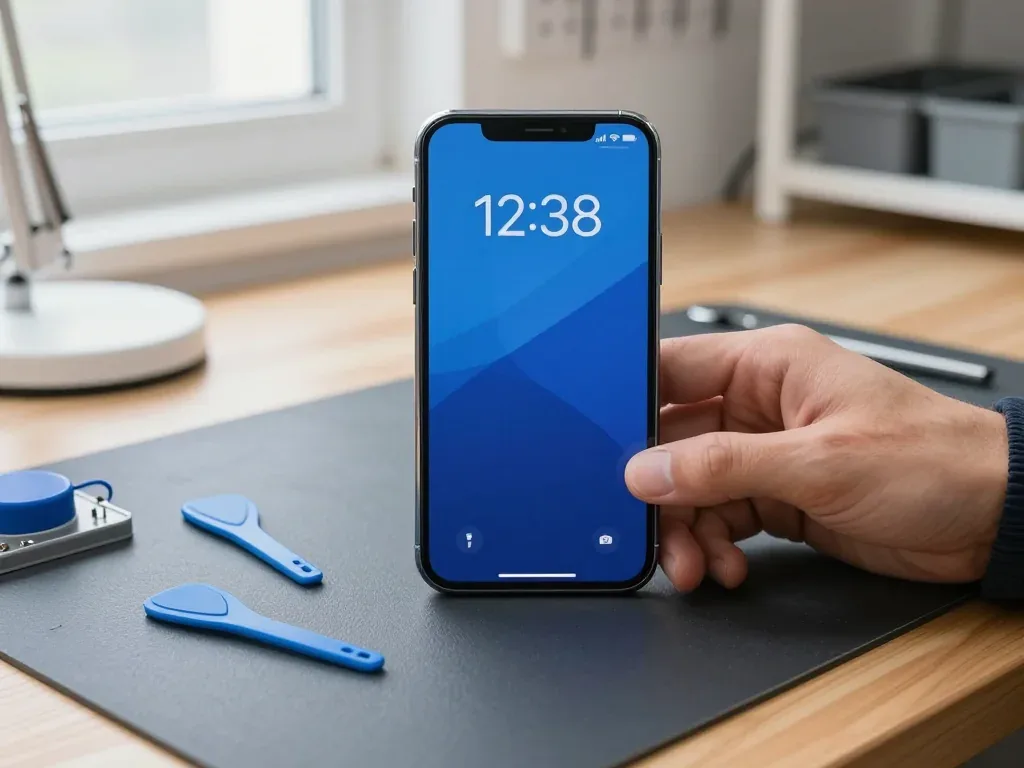
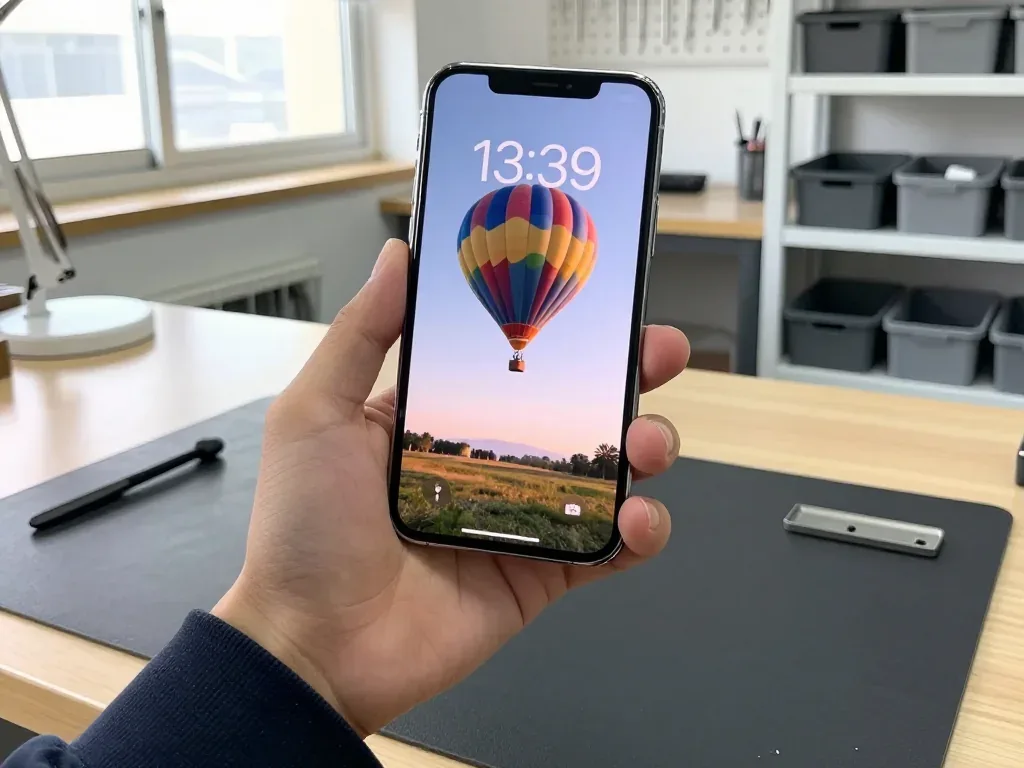
iPhone X before and after repair

1 / 2
Technician holds an iPhone X with the screen on over a mat, blue pry tools and a suction cup nearby

iPhone X: screen cracked after a fall

The customer dropped the phone on tiles — the glass cracked and the touchscreen stopped responding in places. We replaced the display module and checked the sensor, brightness and True Tone — the device works properly again.

from 33 900 ₸repair cost
I want the same
Silver iPhone X held by a technician, lock screen showing a hot air balloon in the morning sky and the time 13:39

iPhone X: swollen battery lifted the screen

The client noticed the screen starting to lift at the edge with a gap underneath — the battery had swollen. We replaced the battery and checked capacity and charging: the phone holds charge again and the screen sits flush.

from 22 900 ₸repair cost
I want the same

How iPhone X repair is done in Almaty

Screen — 40 minutes, battery — 25. Body and board — 1–3 days.

Book a repair
  1. Step 1

    Message or call

    5 min

    You send a photo of the damage on WhatsApp — we quote the price and available time. Or you call a courier.

  2. Step 2

    Free diagnostics

    15 min

    An engineer checks the device in front of you and shows what is broken. 0 ₸, even if you decline the repair.

  3. Step 3

    Price in the receipt

    2 min

    We fix the price, the part (original or analog), the timeline and the warranty. You sign — we start.

  4. Step 4

    Repair while you wait

    20–40 min

    Before installation we show you the new part in its factory packaging. You wait in the waiting area with coffee and Wi‑Fi.

  5. Step 5

    Checking 32 functions

    10 min

    Face ID, True Tone, cameras, microphones, speakers, charging, network. You check them together with the engineer.

  6. Step 6

    Pick up your device

    warranty up to 1 year

    Together with the receipt, warranty card and the old part. Payment — Kaspi, card or cash.

Who will fix your iPhone X

Technicians for iPhone, Mac, iPad, Apple Watch and AirPods repair.

1 / 8
MNMukhpilov Nail — smartphone repair technician, iServices service center in AlmatyPhoto: Mukhpilov Nail

Mukhpilov Nail

smartphone repair technician
10years of experience
4.83rating, 83 reviews
GKGamid K — phone repair technician, iServices service center in AlmatyPhoto: Gamid K

Gamid K

phone repair technician
9years of experience
4.8rating, 65 reviews
AAArman A — on-site technician, iServices service center in AlmatyPhoto: Arman A

Arman A

on-site technician
8years of experience
4.9rating, 43 reviews
MRMolchanov Rinat — Apple repair and diagnostics engineer, iServices service center in AlmatyPhoto: Molchanov Rinat

Molchanov Rinat

Apple repair and diagnostics engineer
10years of experience
4.85rating, 33 reviews
SAShokan A — diagnostics technician, iServices service center in AlmatyPhoto: Shokan A

Shokan A

diagnostics technician
8years of experience
5.0rating, 37 reviews
SBSybanbaev Birzhan — firmware specialist, iServices service center in AlmatyPhoto: Sybanbaev Birzhan

Sybanbaev Birzhan

firmware specialist
7years of experience
4.75rating, 74 reviews
DGDenis Gushchin — display replacement technician, iServices service center in AlmatyPhoto: Denis Gushchin

Denis Gushchin

display replacement technician
20years of experience
5.0rating, 34 reviews
DADuisebaev Azhdar — connector replacement technician, iServices service center in AlmatyPhoto: Duisebaev Azhdar

Duisebaev Azhdar

connector replacement technician
7years of experience
4.3rating, 35 reviews
Gamid K, phone repair technician
“If the repair didn’t suit you or you have a complaint, write to me personally.”
Gamid Kphone repair technician · +7 701 333-47-01

We'll quote iPhone X repair in Almaty from a photo in 5 minutes

Send a photo of the fault — an engineer will reply on WhatsApp, give the price and a time you can come in.

  1. 5 minAn engineer replies and names the price
  2. 0 ₸Diagnostics in front of you in 15 minutes
  3. 30 minMost repairs — while you wait

iPhone X Repair in Almaty with Face ID and True Tone Kept Working

In short

iServices handles iPhone X repair in Almaty as a direct contractor with its own technicians, not a middleman. Free 15-minute diagnostics happen in front of you, the part is shown in factory packaging before fitting, and warranty runs up to 1 year. Most screen and battery jobs finish in 20–40 minutes while you wait.

Mukhpilov NailWe reply on WhatsApp within 10 minutes
Ask

What Breaks on an iPhone X and How iPhone X Repair Shows

The iPhone X is a five-generation-old flagship with an OLED panel, a steel frame and Face ID. Its most common failures are predictable, and each one has a clear first step.

The Symptoms Owners Bring In Most Often

  • Cracked glass or a dead display: green lines, black patches or a touch strip that stops responding after a drop.
  • Worn cell: the handset shuts down early, heats up on charge or drops from 40% to zero fast.
  • Clogged Lightning port: the lead only charges at an angle, or the device stops charging entirely.
  • Damaged rear lens: blurry shots, glare in every frame or a cracked ring around the glass.
  • Board-level faults: reboots, no image on screen or a unit that will not power on at all.

Symptom, Likely Cause and What We Do

Complaints matched to the part usually responsible
SymptomLikely causeFirst step
Green lines or dead touchDisplay moduleFree diagnostics in front of you
Rapid drainWorn battery cellBattery health check
Will not chargeDirty or oxidised portPort clean and lead test
Blurry rear lensCracked camera glassGlass inspection under light
No sound on callsSpeaker or mic flexFlex and audio test
Weak vibrationTaptic EngineEngine and connection check

Battery, Charging and the Lightning Port

A battery replacement on the handset takes about 25 minutes with us, and a unit that will not charge is checked for dirt and oxidation before anyone blames the board. Battery Health in Settings reports maximum capacity and cycle count, so a reading below the service threshold points to a worn cell rather than a software fault. The Lightning connector collects lint from pockets and bags, and a compressed layer of it stops the contacts from seating; a wooden toothpick and a light blast of air clear most of these cases without a part swap. When the connector is clean and the cable is known-good, the power controller on the board becomes the next suspect, and that job goes under the microscope.

Glass or the Whole Module and What iPhone X Repair Does with Face ID

On the iPhone X the display and the TrueDepth module are separate assemblies, which is why a screen job does not automatically cost the owner Face ID — but the choice between glass and a full module does change the outcome.

When Only the Glass Can Be Replaced

If the OLED matrix still lights up and the touch layer responds, we can replace just the cracked glass instead of the whole module. The panel is laminated in two layers: the outer sheet carries the scratches and chips, while the matrix underneath produces the image and handles input. When only the top layer is broken, we separate it, clean the residue of optical adhesive and bond a new sheet under vacuum. Brightness, colour temperature and 3D Touch sensitivity stay as they were. On the bench we test the assembly before committing to this route: a uniform white field, a black field for light bleed and a drag test across all four corners. Glass-only work makes sense when the picture is clean and input is even across the surface; a single dead strip or a green tint means the whole assembly has to go.

Face ID and True Tone After a Screen Job

Face ID keeps working after a correct screen replacement because the TrueDepth module is a separate unit that we do not touch, and True Tone returns once its calibration is carried over to the new panel. The dot projector, infrared camera and flood illuminator sit in the notch above the display, paired to the logic board at the factory; a technician who moves that unit intact loses nothing. True Tone is different — it reads the ambient light sensor and needs its serial transferred to the replacement, otherwise the setting disappears from Control Centre. On our bench the transfer is part of the job, not an extra. True Tone is the function most likely to go missing on a cheap aftermarket display, so it is worth asking for it to be tested in front of the owner before the phone leaves the bench.

Water Resistance and the Unknown Part Message

Any opening of the device reduces its factory water resistance, and a message about an unknown part is an indicator of the component type rather than a fault in the repair. The IP67 rating depends on a gasket compressed between the glass and the frame; once the phone is opened that seal is disturbed, and a fresh adhesive strip restores splash protection but not the original factory figure. The warning appears when a display does not carry the serial the board expects — it shows which component is fitted, not that the unit is faulty. We re-glue the frame on reassembly, but the phone should be treated as splash-resistant afterwards and kept away from pools and sinks rather than trusting the original IP rating.

Original or Aftermarket Parts and How iPhone X Repair Locks In Your Choice

The part you pick decides which functions survive, and the way that choice is recorded before work starts is what protects you if anything is off afterwards.

How Original and Aftermarket Differ in Practice

How part options affect functions and who picks them
Part typeWhat it means for functionsWho tends to pick it
Original display moduleTrue Tone, brightness and colour hold steady64% of our customers
Aftermarket panelCan match on day one, may drift over monthsOwners on a tighter budget
Original batteryHealth readings behave as expectedHeavy daily users
Aftermarket batteryWorks, but health data can misreportShort-term keepers

What the Receipt Fixes Before Work Starts

Before any work begins we write the price, the part type, the turnaround and the warranty on the receipt, which takes about two minutes and is signed off with the owner. Every line is read aloud so nothing is assumed: the exact module going in, whether it is original or aftermarket, the promised finish time and the warranty term up to 1 year. The new part is then opened in front of you in its factory packaging, still sealed. A receipt that names the part is what lets the owner tell an original from an aftermarket later, so it should be kept with the warranty card rather than left in the bag.

Why a Direct Contractor Changes the Deal

iServices is the direct contractor with its own technicians and workshop, so the team that quotes the iPhone X repair in Almaty is the same one that performs it and honours the warranty up to 1 year. Nothing is subcontracted out to a third workshop, and the old part comes back to the owner with the receipt and warranty card. With a middleman the part and the warranty pass through an extra set of hands, which is where mismatched parts and vague guarantees usually creep in. It is worth asking any shop whether they solder and fit in-house or forward the device elsewhere — the answer shows who actually stands behind the work.

How Long an iPhone X Repair Takes and Whether You Can Wait

Most jobs on this model are short enough to watch from start to finish. Knowing which ones finish while you sit in the waiting area and which need the bench for a day or more saves you a second trip.

Repair Times by Job

How long each common job takes and whether it runs while you wait
JobTypical timeWait or leave
Screen module40 minutesWait
Battery25 minutesWait
Camera glass20 minutesWait
Charging port30–40 minutesWait
Board-level repair1–3 daysLeave

From First Message to Pickup

An iPhone X repair in Almaty starts with a photo, and the engineer replies with a price and a free slot. A photo of the damage goes to us on WhatsApp, an engineer replies within 5 minutes with a price from the photo, and the whole process from first contact to pickup usually takes less than an hour. The free diagnostics run 15 minutes in front of the owner, even if the repair is declined, and the price, part, turnaround and warranty are fixed on the receipt within 2 minutes before any work starts. We open the new part in its factory packaging in front of the owner, fit it, then run the check together. A clear photo of the cracked area and the model screen lets us quote accurately the first time, which is what keeps the visit to a single trip.

Waiting Area, Courier and Payment

While the repair runs there is a seating area with coffee and Wi-Fi, a courier across the city takes 90 minutes and is free with a repair, and payment goes by Kaspi, card or cash. The engineer replies on WhatsApp within 5 minutes and quotes from a photo, so the visit starts with a number rather than a guess. If coming in is not possible, the courier route still includes the same in-person check at handover, so the engineer walks the owner through the functions before the device goes back in the bag. The handover check can be done on the call — it takes about 10 minutes and catches anything the trip could have loosened.

The Handover Check and What Stays With You

The last ten minutes decide whether the repair holds up in daily use, so the handover is a shared check rather than a quick hand-back at the counter.

What to Do Before You Hand the Phone In

  • Back up the device: run an iCloud or computer backup so a copy of the photos, messages and apps exists outside the handset.
  • Note the Apple ID password: it is needed to sign back in, and a forgotten password stalls the handover at the counter.
  • Decide on Find My: the engineer can confirm whether the job needs it off, since board-level work may require a full sign-out.
  • Remove the case and screen film: the engineer needs a clean look at the frame and glass to quote accurately.
  • Bring the charger in use: a charging fault is sometimes the cable, and we test the port with the owner's own accessory.

The 32-Point Check We Do Together

After the repair we check 32 functions in about 10 minutes, and the owner goes through Face ID, True Tone, cameras, microphones, speakers, charging and network together with the engineer. The list runs past those headline items into the smaller ones that fail quietly: proximity sensing during a call, the earpiece at low volume, auto-brightness, both rear lenses and the front camera, the taptic feedback, and the Lightning port holding a cable at an angle. The owner holds the handset rather than watching from a chair — a True Tone shift or a Face ID miss is obvious to the owner in a way it is not on a bench sheet. Testing Face ID and True Tone at the counter, not at home, is what catches a calibration miss while the device is still on the bench and the fix is a two-minute adjustment.

Warranty, Old Part and the Paperwork You Keep

The device comes back with the receipt, a warranty card covering up to 1 year and the old component, so the owner leaves with proof of what was done and what was replaced. The receipt repeats the details fixed before work started — the component fitted, whether it was original or aftermarket, the turnaround and the warranty term — and it is the document a second workshop reads if the handset changes hands. We hand over the removed screen or battery in the same visit rather than storing it, because a component kept behind the counter is one the owner cannot inspect. Keeping the old item matters on this model because it lets a future technician confirm what was swapped, which is useful if the device is ever sold or repaired again.

Summary: iPhone X repair

A few practical points decide whether an iPhone X repair goes smoothly or turns into a headache, and they are worth keeping in mind before the phone is handed over.

  • Screen jobs and Face ID: on the iPhone X the display and the TrueDepth module are separate, so a correct screen job keeps Face ID and, with calibration carried over, True Tone.
  • Glass versus module: glass-only replacement is worth it when the OLED matrix and touch layer are intact; a dead strip or colour tint means you need the full module.
  • Part choice on paper: original and aftermarket parts diverge over months, not at pickup, so the part type belongs on the receipt before work starts.
  • Timing: most screen, battery and camera-glass jobs finish in 20–40 minutes, while board work runs 1–3 days.
  • Two habits: a backup before hand-in and a shared function check at handover prevent most surprises.


Frequent questions about iPhone X in Almaty

Did not find an answer? Message us on WhatsApp: an engineer replies, not a bot.

Ask a question
Is the iPhone 10 the same phone as the iPhone X?

Yes, the X is the Roman numeral for ten, so both names mean one model. It is a different phone from the iPhone XS and XR, which came out a year later. When asking about parts, mention the exact name to avoid mix-ups.

Why does my iPhone X screen react to touches I did not make?

Ghost touches and parts of the screen that ignore your finger are a known weakness of the iPhone X display module. A restart and removing a thick screen protector are worth trying first. If the problem returns, the display assembly is replaced.

Does the iPhone X still get iOS updates?

Major updates for the iPhone X ended with iOS 16, which keeps getting security fixes for some time. Most apps still run, but new iOS features no longer arrive. That is worth weighing before an expensive repair in Almaty.

Why does the earpiece on my iPhone X crackle during calls?

A crackling earpiece is usually a worn speaker or dirt in the mesh at the top of the screen. On the X the earpiece sits right next to the Face ID components in the notch, so it is opened with extra care. After the job Face ID is checked together with you.

Why does my iPhone X restart by itself during the day?

Random restarts come from a worn battery, a damaged board or an iOS fault. The phone keeps crash reports in Settings, Privacy & Security, Analytics & Improvements, Analytics Data, and the engineer reads them to find the cause. That saves replacing parts that are fine.

Why has my iPhone X stopped charging on a wireless pad?

Remove a thick or magnetic case first and try another pad. If the cable still charges but the pad does not, the receiving coil under the glass back or its connection may be damaged, often after a crack in the back. The engineer checks the coil during diagnostics.

iPhone X repair in Almaty client feedback

1 / 10
4.9

average rating on Google Maps, wikicity and our website · 445 reviews
Google Maps4.438 reviews ›wikicity5.015 reviews ›Reviews on the iServices website5.0392 reviews ›
НС
Нурлан С.Order No. IS‑1907‑•••57 · 20 July 2019
iPhone X · camera

На iPhone X камера стала выдавать мутные снимки. В итоге проверили камеру и привели качество снимков в норму; От Арман получил понятные рекомендации на будущее.

iServices customer review, in Russian
КЮ
Ксения Ю.Order No. IS‑2601‑•••84 · 9 January 2026
iPhone X · sound

Проблема была такая: динамик стал звучать очень тихо — и непонятно, что делать. После обращения проверели акустику и устранили причину тихого звука.

iServices customer review, in Russian
ОА
Олжас А.20 August 2026

Батарея на айфоне совсем износилась, телефон выключался на холоде даже при тридцати процентах заряда. Заменили аккумулятор на новый оригинальный буквально за полчаса. Теперь заряд держит отлично весь день, очень доволен.

ГС
Гульмира С.16 August 2026

Разбила стекло на своем айфоне, думала, придется менять весь экран за бешеные деньги. Мастер посмотрел и сказал, что сама матрица целая, можно переклеить только стекло. Сделали за пару часов, дисплей как новый, сенсор работает идеально.

ДА
Дастан Айбекулы18 December 2019

Надо было восстановить работу Айфона пытался сначала сам сделать но при переустановке по постоянно выдавало ошибку восстановления . В этом сервисном центре помогли исправить ошибку . Мастеру понадобилось пару часов на это . Когда я вернулся в сервис уже айфон был в порядке . Спасибо действительно лучше заплатить немного мастеру чем самому мучиться.

AY
Asya Yarosh18 August 2018

Обратилась в данную компанию по ремонту в связи с неработающей кнопкой на iPhone. Довольно профессиональная компания и сотрудники. Сделали все качественно и быстро. Подробно объяснили что случилось с моей техникой и пути решения моей проблемы. Прейскурант цен умеренный. Очень порадовали сами сотрудники. Обходительность и вежливость сотрудников уже 80 % успеха компании.

АШ
Айнур Ш.29 August 2026

Случайно сломал кнопку блокировки на телефоне, она просто провалилась внутрь корпуса и не нажималась. Мастер разобрал устройство и заменил сам механизм кнопки на шлейфе. Теперь нажимается с четким щелчком, не западает больше.

КЕ
Кайрат Е.18 August 2026

Телефон упал в воду на отдыхе, сразу выключился и больше не подавал признаков жизни. Прибежал сюда, мастера оперативно приняли устройство, полностью разобрали и удалили всю окись. Аппарат спасли, все фотки и данные внутри целы.

К
Крис18 November 2025

Отдала телефон, который перестал заряжаться, поменяли разъём и даже корпус протёрли, мелочь но приятно.

РР
Роман Расулев27 October 2024

Очень рекомендую Service Apple! Пролил воду на телефон, после этого перестала работать камера. Принес в этот сервис, и остался очень доволен. Все сделали быстро, и качественно. Очень вежливый персонал. Впечатление очень хорошее!

Showing 10 of 13

Where to get iPhone X repair in Almaty

Address
Almaty, Panfilov St., 21
Opening hours
Mon–Fri 10:00–19:00Sat–Sun 11:00–18:00
Phone and messengers
+7 701 333-47-01WhatsApp: +7 701 333-47-01
Directions map: iServices Almaty — Panfilov, 21© OpenStreetMapFind us on the maps: Google Maps · 2GIS