Eng

iPhone X repair in Astana

Face ID on iPhone X stopped recognising your face — we'll test the module free, fix it in 1 day and agree the price upfront.

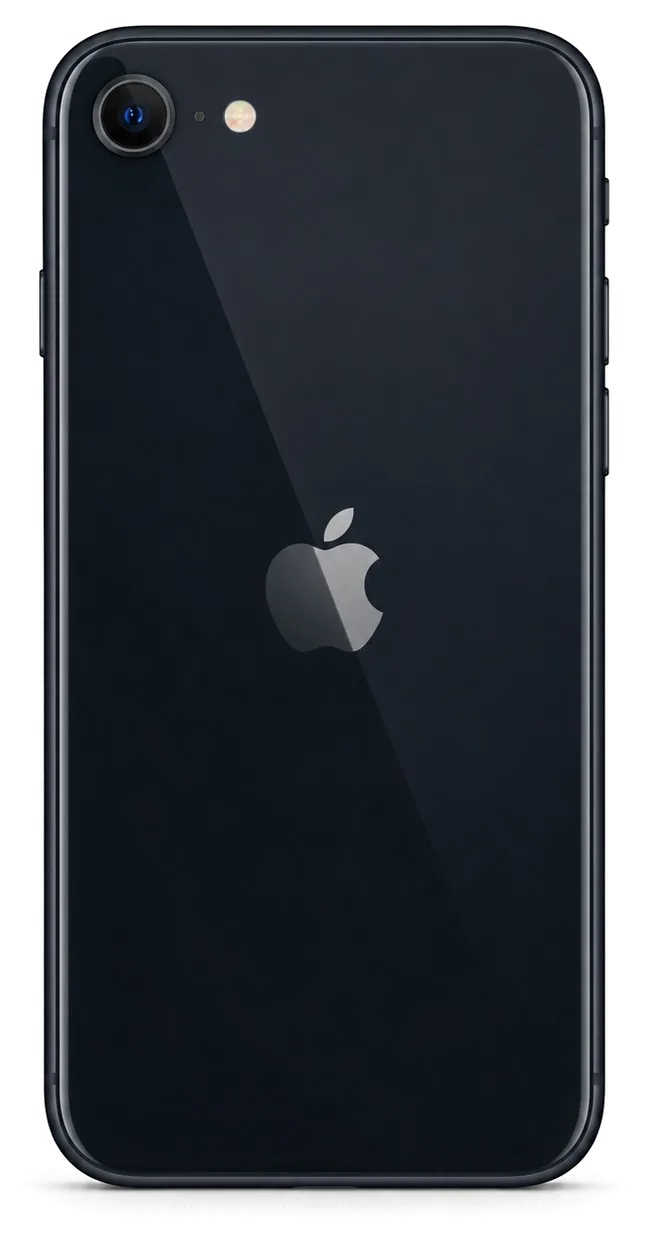
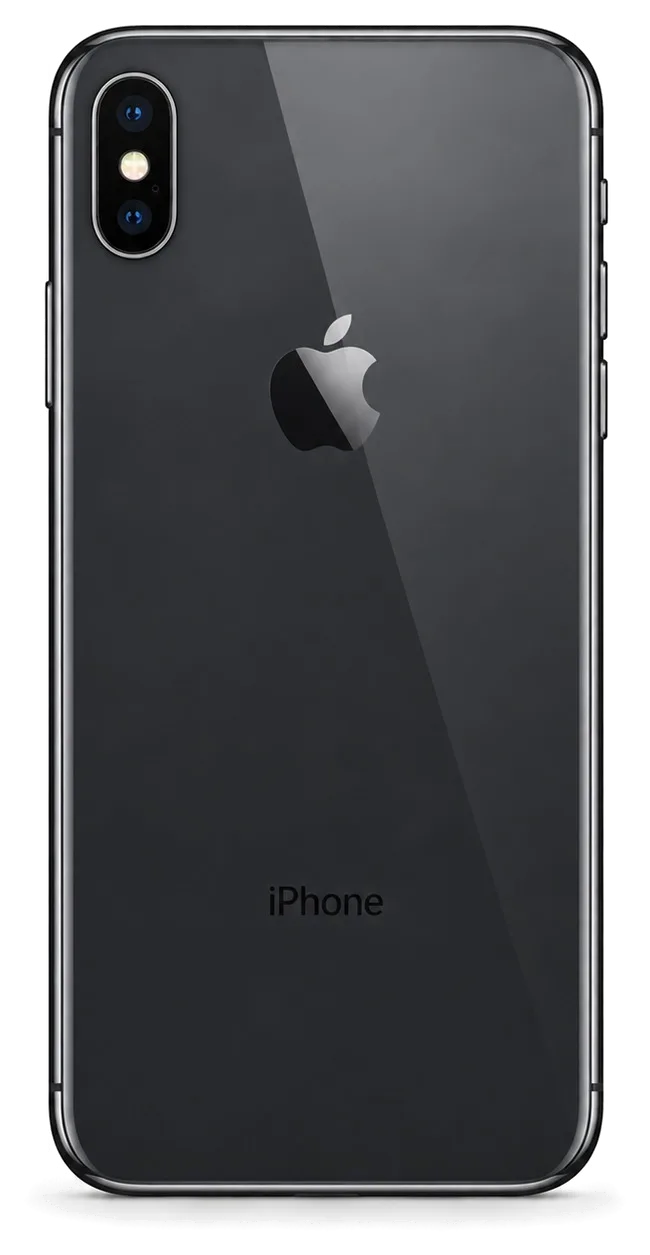
iPhone X in space gray shown from the front
iPhone X, Space Gray repair
Battery replacementfrom 22 900 ₸
Speaker replacementfrom 19 900 ₸
Display replacementfrom 33 900 ₸
All services and prices

Signs that an iPhone X needs attention

It stays black, restarts alone, Face ID goes quiet: worrying signs that tell you the phone should be shown to a technician.

01

Stays black

It was charging, yet the screen stays dark: the power circuit or battery may be to blame.

02

Restarts alone

The logo keeps returning, especially under load or in freezing weather.

03

Face ID unavailable

After a drop or water the option to set up face recognition has disappeared.

04

Silent in calls

The caller hears nothing though you hear them well, which points to the microphone.

05

Hot around the port

The socket area is warm while charging and the percentage rises slowly or not at all.

06

Sticky side buttons

Volume or power presses feel heavy or register by themselves.

07

No haptic buzz

The tactile feedback disappeared or rattles while sound still works.

08

Traces of water

White or green residue on contacts, a flickering screen and noisy sound.

09

Green line on OLED

A vertical stripe runs across the whole screen and stays after a restart.

10

Cracks on back glass

The rear glass is shattered around the cameras and the edges catch on pockets.

11

Blurry telephoto

2x zoom shoots fuzzy and the camera jumps when switching lenses.

12

Quiet earpiece

The earpiece in the screen cutout is clogged, calls are audible only on speaker.

Prices for iPhone X repair work

The table lists labour prices for the main iPhone X units; where there is a choice of part, you decide between original and aftermarket.

ServiceOriginalAftermarket
Battery replacement39 900 ₸22 900 ₸
Speaker replacement32 900 ₸19 900 ₸
Display replacement55 900 ₸33 900 ₸
Main camera replacement55 900 ₸30 900 ₸
Housing replacement74 900 ₸41 900 ₸
Charging port replacement31 900 ₸18 900 ₸
Camera glass replacement22 900 ₸12 900 ₸
Back glass replacement38 900 ₸24 900 ₸
Front camera replacement44 900 ₸24 900 ₸
Earpiece speaker replacement36 900 ₸21 900 ₸
Microphone replacement34 900 ₸20 900 ₸
Button replacement37 900 ₸22 900 ₸
Vibration motor replacement36 900 ₸21 900 ₸
Proximity sensor replacement36 900 ₸21 900 ₸
Other repairsPrice
Face ID repairpaired to the board — no aftermarket32 900 ₸per job
Water damage cleaningcorrosion cleaning · diagnostics up to 2 days17 900 ₸per job
Power controller replacementboard-level chip · microsoldering43 900 ₸with parts
Wi-Fi module repairwireless module · board-level repair21 900 ₸with parts
Logic board repairmicrosoldering · 1–3 days27 900 ₸per job
Storage replacement and upgradememory chip installation53 900 ₸with parts
Firmware flashingsoftware restore, no parts replaced15 900 ₸per job

The technician names the exact sum after inspection, once it is clear which unit truly failed.

Where an aftermarket part on an iPhone X shows itself

On the iPhone X some jobs allow no choice of part, and where there is one, the screen and battery decide.

Original Applewarranty up to 1 year
iPhone X screen55 900 ₸
iPhone X screen: original part in Apple packaging
Display
OLED with native brightness and colour
Battery
Capacity and wear readout display correctly
Notch sensors
Work without errors after a module swap
Budget
Higher, but without extra compromise
Chosen by 64% of clients
Book with an original part
Aftermarketwarranty 6 months
iPhone X screen33 900 ₸−39%
iPhone X screen: aftermarket part in an antistatic bag
Display
A good picture, though darker in sunlight
Battery
Lower capacity; the status may read differently
Notch sensors
Need checking after fitting
Budget
Lower, suited to a spare device
Chosen by 36% of clients
Book with an aftermarket part

What we offer iPhone X owners

An estimate before the job and diagnosis instead of guessing: this is how we treat owners of this phone in Astana.

11years

11 years of practice

For eleven years now our team has been fixing Apple gear, so Face ID flexes and OLED screens are routine stuff for us rather than something to fear.

1year

Warranty up to 1 year

Every finished job comes with coverage lasting one year, and we walk you through those conditions before any work begins.

6technicians

Experienced technicians

A team of experienced technicians opens the body gently and verifies every unit it touches.

2options

Diagnosis, not guessing

We find the cause first and only then name the jobs, so parts are never replaced by hunch.

0₸

Estimate before work

You learn the total after inspection and before the repair, and the decision stays with you.

7days a week

Flexible hours

Our experienced specialists treat the notch and the sensors inside it gently, then run a full check of the device after the job.

iPhone X before and after repair

1 / 2
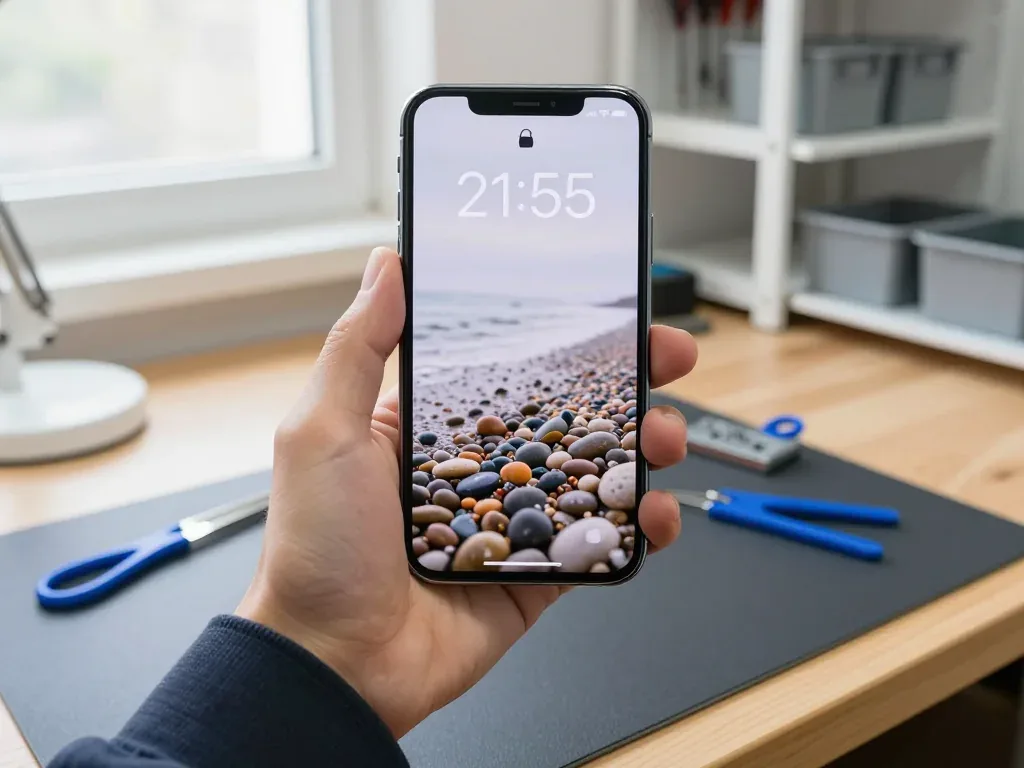
iPhone X held by a technician with a new display showing a pebble beach wallpaper

iPhone X: screen full of lines after a drop

The client dropped the phone on the tile floor in the hallway — lines appeared across the display and the touchscreen stopped responding in places. We replaced the display module and checked the touchscreen, brightness and True Tone — the device works like new again.

from 33 900 ₸repair cost
I want the same
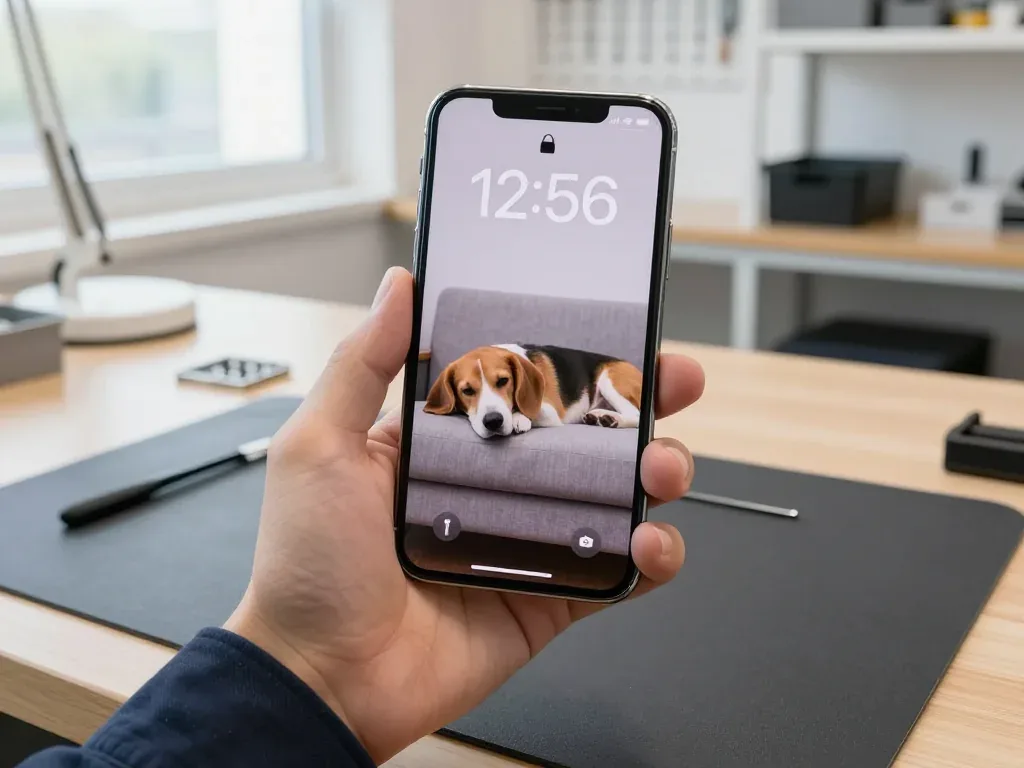
Technician holds an iPhone X with a beagle wallpaper on a couch, time 12:56

iPhone X: swollen battery lifted the screen

A client from Astana noticed the screen was bulging and the body had warped. We replaced the swollen battery, checked the capacity and charging — the phone is as good as new again.

from 22 900 ₸repair cost
I want the same

How iPhone X repair is done in Astana

Screen — 40 minutes, battery — 25. Body and board — 1–3 days.

Book a repair
  1. Step 1

    Message or call

    5 min

    You send a photo of the damage on WhatsApp — we quote the price and available time. Or you call a courier.

  2. Step 2

    Free diagnostics

    15 min

    An engineer checks the device in front of you and shows what is broken. 0 ₸, even if you decline the repair.

  3. Step 3

    Price in the receipt

    2 min

    We fix the price, the part (original or analog), the timeline and the warranty. You sign — we start.

  4. Step 4

    Repair while you wait

    20–40 min

    Before installation we show you the new part in its factory packaging. You wait in the waiting area with coffee and Wi‑Fi.

  5. Step 5

    Checking 32 functions

    10 min

    Face ID, True Tone, cameras, microphones, speakers, charging, network. You check them together with the engineer.

  6. Step 6

    Pick up your device

    warranty up to 1 year

    Together with the receipt, warranty card and the old part. Payment — Kaspi, card or cash.

Meet the iServices team

Technicians for iPhone, Mac, iPad, Apple Watch and AirPods repair.

1 / 5
BSBakmukhammed S. — on-site iPhone technician, iServices service center in AstanaPhoto: Bakmukhammed S.

Bakmukhammed S.

on-site iPhone technician
13years of experience
4.93rating, 107 reviews
GSGalymzhan S. — iPhone repair technician, iServices service center in AstanaPhoto: Galymzhan S.

Galymzhan S.

iPhone repair technician
8years of experience
4.79rating, 90 reviews
ZSZhandos Sh. — iPhone screen replacement technician, iServices service center in AstanaPhoto: Zhandos Sh.

Zhandos Sh.

iPhone screen replacement technician
6years of experience
4.65rating, 112 reviews
DTDarkhan T. — iPhone firmware technician, iServices service center in AstanaPhoto: Darkhan T.

Darkhan T.

iPhone firmware technician
8years of experience
4.44rating, 19 reviews
KSKudiret S. — iCloud unlock specialist, iServices service center in AstanaPhoto: Kudiret S.

Kudiret S.

iCloud unlock specialist
10years of experience
4.37rating, 100 reviews
Bakmukhammed S., on-site iPhone technician
“If the repair didn’t suit you or you have a complaint, write to me personally.”
Bakmukhammed S.on-site iPhone technician · +7 701 333-47-01

We'll quote iPhone X repair in Astana from a photo in 5 minutes

Send a photo of the fault — an engineer will reply on WhatsApp, give the price and a time you can come in.

  1. 5 minAn engineer replies and names the price
  2. 0 ₸Diagnostics in front of you in 15 minutes
  3. 30 minMost repairs — while you wait

Astana iPhone X Repair Guide to Face ID and Screen Choices

In short

In Astana, iServices performs iPhone X repairs itself — in-house technicians, its own workshop, no middlemen. Diagnostics take 15 minutes and are free, done while you watch; screen or battery swaps usually need 20–40 minutes of waiting, and repairs come with a warranty of up to 1 year. Original or aftermarket parts are your choice, fixed on the receipt.

iServices Editorial TeamWe reply on WhatsApp within 10 minutes
Ask

iPhone X Repair Typical Breakdowns and What They Reveal

The iPhone X is the first Face ID generation, built around an OLED panel and a stacked two-layer board, so its weak points differ from older models. Here is what owners most often bring in.

Screen Damage, Lines and a Dead Touch Layer

On this model the OLED panel and the touch layer sit in one module, so a shattered front glass usually means a full display replacement rather than glass alone. A single dead strip across the image, green or pink lines, or a digitizer that stops responding in one zone all point to damage inside that assembly, not to the protective layer on top. We see three typical patterns: a spiderweb crack after a drop, vertical lines after pressure in the pocket, and a black screen with the phone still vibrating. If the picture stays intact and only the outer layer is cracked, ask the engineer to check the matrix under magnification first. If the module must be swapped, the Astana iPhone X repair begins with a no-cost matrix inspection, so you know the price before work starts.

Face ID and TrueDepth Problems After a Fall

The TrueDepth unit that powers biometric unlocking is a separate component from the display, so a correct screen replacement does not disable it — but a drop that damaged the projector itself needs its own diagnosis. Owners describe the failure the same way every time: the phone unlocks with the passcode, then reports that biometric unlocking is unavailable, or the dot projector stops registering a face in low light. Because this unit sits beside the front camera and the earpiece, a hit to the top edge can crack the infrared projector while the screen above it still looks perfect. Check the unlock while the phone is still in your hands, not later: a failure that is already there on arrival points to the TrueDepth unit, and replacing the screen alone will not cure it.

Power, Charging, and the Lightning Connector

Often a handset that refuses to charge simply has an oxidized or clogged Lightning port rather than a dead board; meanwhile Battery Health around or under 80% typically means the cell has worn out. Lint packed into the connector stops the pins from seating, so the cable wiggles loose and charging cuts in and out; a worn charging flex shows the same symptom but fails after a drop or a bend. Age looks different again — sudden shutdowns at 30%, a case that warms up on the charger, a percentage that jumps. Bring the cable and adapter you actually use — a failing cable mimics a port fault, and swapping it during diagnostics saves you an unnecessary repair.

Face ID Glass-Only Swap vs Full Module Replacement

The screen question on iPhone X splits into two jobs with different outcomes for touch, True Tone and Face ID. This section lays out which repair fits which damage and what stays working afterwards.

When a Glass-Only Repair Makes Sense

A glass-only repair is worth considering when the OLED matrix still shows a clean image with no lines, no dead zones and a responsive digitizer, since the panel itself is then untouched. We lift the shattered outer sheet and keep the original display underneath, so picture quality and the sensing surface you already know stay as they were. Bonding is the catch: the new cover must be laminated to the matrix under controlled pressure, and the frame needs fresh adhesive so dust does not creep back in. On a phone with a hairline crack and a fully working panel, this route preserves more original hardware than any full swap. Ask how the new sheet is laminated and whether the frame is resealed.

What Changes With a Full Display Module

A full assembly replacement restores input and image in one step, and True Tone keeps working when the calibration is transferred to the new panel during installation. The part is the whole front unit — OLED matrix, digitizer and the top cover — so a cracked panel with dead zones or a digitizer that no longer responds gets solved in a single job. Face ID sits in the TrueDepth system above the screen and is not part of the assembly, so it survives a swap as long as the flex connectors are handled carefully. On some aftermarket panels the colour adaptation cannot be carried over at all, so confirm before the job whether you want the original part.

Comparing Screen Repair Options on iPhone X

Three screen routes side by side by parts and functions
Repair routeWhat is replacedFunctions to confirmTypical time
Glass onlyOuter glass, frame resealedTouch, True Tone, Face IDSame visit
Aftermarket moduleFull display assemblyTouch, image, True Tone may varyAbout 40 minutes
Original moduleFull display assemblyTouch, True Tone, Face IDAbout 40 minutes

Genuine vs Aftermarket Parts and How the Choice Gets Recorded

Your pick of component determines what keeps working and which messages the phone displays later. Here is how the two options differ in practice and how the decision is recorded before any work begins.

How Original and Aftermarket Parts Differ in Use

Genuine components keep the full function set including True Tone and the expected brightness behaviour, while aftermarket ones vary by batch and may drop some of those functions. Because True Tone calibration lives on the iPhone X display, a panel lacking the correct pairing may appear bright and cold, with no warm tint under indoor lighting. Aftermarket batteries sometimes report health data inconsistently, and camera glass of a softer grade scratches faster than the factory lens cover. We show every new component in its factory packaging before installation, and 64% of our customers pick a genuine one once they see both options side by side. Ask to see the hardware in its factory packaging before installation — that is the moment to compare what you were promised with what is actually going in.

What the Receipt Records Before Work Starts

The receipt, prepared before any screw is turned, pins down four points in writing — price, exact component, turnaround, warranty — and takes roughly two minutes. The document names the module, states whether it is genuine or aftermarket, and carries the same warranty we give up to 1 year on the work. That written record matters more than a verbal promise at the counter, because a swap done quietly is impossible to prove later without it. The engineer signs the same sheet you do, and the timeline on it comes from our own bench schedule rather than a generic estimate. Keep the receipt and the warranty card together with the old component you get back; that trio is what you present if a function fails later.

Why the Unknown Part Message Appears

An unknown part notice simply reflects the hardware type detected by the phone; it is neither a defect nor evidence that the repair went wrong. On the iPhone X the system compares the serial of the fitted display or battery against the record stored on the logic board, and when the two do not match it posts the notice in Settings. A genuine module moved from another iPhone X triggers the same line, so the message can follow a perfectly good original as easily as an aftermarket one. It can appear even after a perfectly working replacement, so judge the repair by how the phone behaves in daily use rather than by that one notification.

iPhone X Repair Duration and Whether Waiting Is an Option

Most iPhone X jobs are short enough to wait through, but a few need the phone to stay. Below is the visit path, from the first message through to pickup, plus which repairs can be done in a single sitting.

From a WhatsApp Photo to a Fixed Time Slot

WhatsApp a picture of the damage and an engineer answers in 5 minutes or less with a price estimate and an available slot, so you come in already informed. Then free diagnostics take roughly 15 minutes with you watching — the engineer opens the device, points out the failed part and lays out the options, even if you choose not to proceed. Prior to starting, the part, warranty, turnaround and price go onto the receipt; preparing it takes about 2 minutes. From that first message, most visits wrap up with the phone ready in under an hour; payment can be made with Kaspi, by card or in cash. Snap the damaged zone or connector in daylight — with the display still reacting, keep the screen on — and one round of clarifying questions is skipped.

Which Repairs Finish While You Wait

Which jobs finish in one visit
JobTypical timeWait on site
Screen module replacementAbout 40 minutesYes
Battery replacementAbout 25 minutesYes
Camera glass replacementAbout 20 minutesYes
Repair at board level1–3 daysNo

Water Damage and Board Work That Takes Longer

A phone that fell into water needs the board cleaned and inspected under a microscope, and that diagnosis can take up to two days before any repair is confirmed. Board-level faults are soldered under the microscope as well, so a single shorted component is traced and replaced rather than the whole board being swapped blindly. While the client sits in the lounge over coffee with Wi-Fi, 72% of all jobs get finished; a device with liquid damage belongs to the slower group, so plan the booking accordingly. Do not charge or dry a wet iPhone with a hairdryer before bringing it in — power on a wet board is what turns a cleanable phone into a dead one.

What You Take Away and the Handover Inspection

Daily-use durability is settled in the final ten minutes of the job. Here is what gets tested together with the engineer and what you take home besides a working device.

The 32-Point Check Before You Leave

  • True Tone and Face ID: display warmth and unlocking act the way they did before the damage.
  • Cameras and microphones: front and rear capture, calls and voice notes record clearly.
  • Speakers: earpiece and loudspeaker play without crackle or dropouts.
  • Charging: the port takes a charge with your own cable and adapter.
  • Network: cellular signal and Wi-Fi connect and stay stable.

What You Take Home After the Repair

You get the handset back together with a receipt, a warranty card valid up to 1 year for the work, and the removed part if you wish to inspect it. Everything agreed before the work began — fitted part, warranty term, turnaround — is repeated on the receipt, so nothing has to be recalled from memory afterwards. Our engineers release the handset only after the 32-function check is signed off, and the removed component travels with you rather than disappearing into a bin. Accountability for the entire job rests with a direct contractor that runs its own workshop and technicians — not with an aggregator who hands the phone to a third party and walks away from the outcome. Keep the warranty card together with the receipt in one place — that pair is what ties a future fault to this specific repair.

Preparing the Phone Before You Hand It Over

Back up the phone and know your Apple ID password before handing it in, since some repairs need the device unlocked for testing. A current iCloud or computer backup protects photos, chats and app data if a board fault turns out to be deeper than the symptoms suggested. Find My should be switched off ahead of time — a locked activation state blocks testing and can stall a logic board job until the account is verified. Note the passcode separately and mention any recent drops or water contact, because that history changes which parts get inspected first. A fresh backup means a repair never costs you data, and that is the cheapest insurance against a worst-case outcome.

Summary: iPhone X repair

A short recap of what decides the outcome of an iPhone X repair: matching the fix to the damage, keeping Face ID intact and confirming your part choice in writing.

  • Match the repair to the damage: a clean matrix may only need new glass, while lines and a dead touch layer point to a full module.
  • The TrueDepth module houses Face ID: when the screen replacement is done correctly it keeps functioning, so verify it together with the engineer during handover.
  • Pick original or aftermarket parts deliberately: confirm the choice in writing so the receipt matches your decision once work starts.
  • Screen, battery and camera glass jobs usually finish within a single visit, while board and water work takes days.
  • Back up the phone and disable Find My ahead of your visit, then watch the function check at pickup so nothing surprises you later.


Questions Astana owners ask about iPhone X repair

Did not find an answer? Message us on WhatsApp: an engineer replies, not a bot.

Ask a question
Does the iPhone X have a fingerprint scanner?

No, the iPhone X was the first iPhone without a Home button and Touch ID, so it unlocks only with Face ID or a passcode. If you see a fingerprint sensor offered for this model, it is not a factory option. Fixing Face ID is the way to restore quick unlocking.

What does a faulty power controller do to an iPhone X?

The charging controller on the board decides how current flows from the port to the battery. When it fails, the phone may stop charging, show odd percentages or drain while plugged in. It is soldered on the board, so the work is done under a microscope.

Can the iPhone X frame be replaced without the back cover?

No, on the iPhone X the steel frame and the glass back form one housing. Replacing the frame means moving all internals into a new housing with a new back. If only the back glass is cracked, the engineer discusses both options with you.

Can just the touch layer be fixed on an iPhone X screen?

No, on the iPhone X the touch layer is built into the OLED display assembly. When touch fails in a zone, the whole display is replaced. Sometimes a loose connector causes the same symptom, so it is checked first.

How do I force restart a frozen iPhone X before bringing it in?

Press and release volume up, then volume down, then hold the side button until the logo appears. This does not erase anything. If the phone still does not respond, bring it in as is for diagnostics in Astana.

Why is the proximity sensor on my iPhone X not detecting my face?

The proximity sensor in the notch is not seeing your face, often because of a screen protector covering it or a past screen repair. Remove the protector and test again. If the screen still stays lit, the sensor cable is checked.

iPhone X repair in Astana customer reviews

1 / 6
4.9

iServices network rating on Google Maps, wikicity and our website · 2 028 reviews
Google Maps4.438 reviews ›wikicity5.015 reviews ›Reviews on the iServices website4.91 975 reviews ›
БТ
Берік Т.Order No. IS‑•••46 · 13 February 2026
iPhone X · camera

Позвонил по объявлению, приехал на следующий день. Честно, думал продать на запчасти. Проблема — не включается. Мастер вышел, послушал и сразу забрал в работу. Внутри оказалось: камера. Пользуюсь и вспоминаю добрым словом.

iServices customer review, in Russian
АИ
Алихан И.Order No. IS‑•••72 · 30 November 2023
iPhone X · camera

У нас в офисе три таких ноутбука, один сломался. Залил чаем, и через день — не работает камера. Проверил на всех режимах — держит.

iServices customer review, in Russian
ТШ
Тимур Ш.Order No. ЗК‑IS‑•••18 · 16 February 2022
iPhone X

Бағасын білмей тұрып, бірнеше жерге қоңырау шалдым. Алдымен интернеттен қарадым, кейін осында келдім. Кезекте аздап отырдым.

iServices customer review, in Kazakh
АМ
Аида М.Order No. ЗК‑IS‑•••17 · 11 January 2021
iPhone X · water damage

Живу в Есиле, искала поближе к дому. После обновления началось: попала вода. Сейчас работает без нареканий

iServices customer review, in Russian
КВ
Куралай В.Order No. ISV‑•••72 · 7 March 2019
iPhone X

Ғалымжан С. пообещал и сделал, без напоминаний. Мастер сам предложил забрать технику позже. Сейчас работает без нареканий.

iServices customer review, in Russian
КЮ
Ксения Ю.Order No. IS‑2601‑•••84 · 9 January 2026
iPhone X · sound

Проблема была такая: динамик стал звучать очень тихо — и непонятно, что делать. После обращения проверели акустику и устранили причину тихого звука.

iServices customer review, in Russian
Showing 6 of 6See all reviews

Where to get iPhone X repair in Astana

Address
Astana, Kabanbay Batyr Ave., 7/2
Opening hours
Mon–Fri 10:00–19:00Sat–Sun 11:00–18:00
Phone and messengers
+7 727 339-99-12WhatsApp: +7 701 333-47-01
Directions map: iServices Astana© OpenStreetMapFind us on the maps: Google Maps · 2GIS