Eng

iPhone Battery Replacement in Astana

Your iPhone dies by lunch or in the cold — we replace the battery in 25 minutes, price fixed before we start.

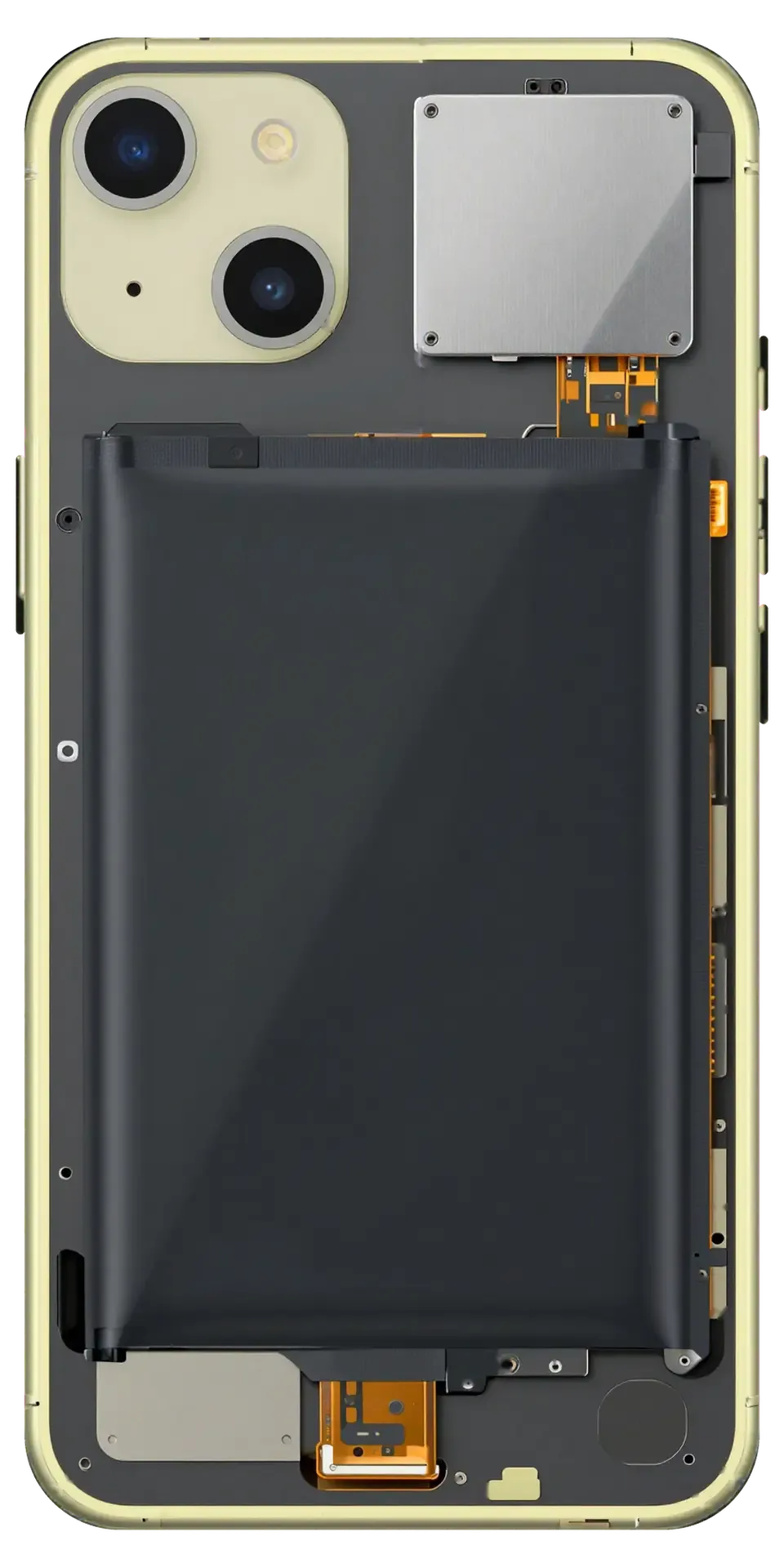
Yellow iPhone with the back cover removed showing the battery inside
Price incl. labor
from 27 900 ₸
Warranty
up to 1 year
  • Confirming the cause
  • Careful opening
  • Lifting out the old cell

Signs your iPhone needs a new battery

Cold kills the phone, charge fades by lunchtime, the case warms up for no reason and the screen lifts: time for a new battery.

It quits outside in winter

On a cold walk to the bus stop the phone switches off with charge left, then starts again indoors.

The gauge drops in jumps

The percentage falls from forty to ten in a moment, and an ordinary day uses far more charge than before.

It runs warm for no reason

The case is warm when idle and hot while charging, and charging slows down and takes longer than usual.

A bulge or a gap

The display edge has lifted or the back shows a bump: the battery has swollen and the phone should not be charged.

iPhone battery replacement prices in Astana by model

The table gives guide prices for current models; an original battery costs more than an aftermarket one.

ServiceOriginalAftermarket
iPhone 17 battery replacement176 900 ₸101 900 ₸
iPhone 16 battery replacement110 900 ₸63 900 ₸
iPhone 15 battery replacement77 900 ₸44 900 ₸
iPhone 14 battery replacement65 900 ₸37 900 ₸
iPhone 13 battery replacement47 900 ₸27 900 ₸
iPhone 12 battery replacement47 900 ₸27 900 ₸
iPhone 11 battery replacement47 900 ₸27 900 ₸
iPhone 7 battery replacement21 900 ₸12 900 ₸
iPhone 17 Pro Max battery replacement244 900 ₸140 900 ₸
iPhone 17 Pro battery replacement176 900 ₸101 900 ₸
iPhone 16 Pro Max battery replacement152 900 ₸87 900 ₸
iPhone 16 Pro battery replacement110 900 ₸63 900 ₸
iPhone 16 Plus battery replacement96 900 ₸55 900 ₸
iPhone 16e battery replacement101 900 ₸58 900 ₸
iPhone 15 Pro Max battery replacement105 900 ₸60 900 ₸
iPhone 15 Pro battery replacement86 900 ₸49 900 ₸
iPhone 15 Plus battery replacement82 900 ₸47 900 ₸
iPhone 14 Pro Max battery replacement73 900 ₸42 900 ₸
iPhone 14 Pro battery replacement73 900 ₸42 900 ₸
iPhone 14 Plus battery replacement68 900 ₸39 900 ₸
iPhone SE (2022) battery replacement37 900 ₸21 900 ₸
iPhone 13 Pro Max battery replacement67 900 ₸38 900 ₸
iPhone 13 Pro battery replacement56 900 ₸32 900 ₸
iPhone 13 mini battery replacement47 900 ₸27 900 ₸
iPhone 12 Pro Max battery replacement53 900 ₸30 900 ₸
iPhone 12 Pro battery replacement47 900 ₸27 900 ₸
iPhone 12 mini battery replacement47 900 ₸27 900 ₸
iPhone SE 2 battery replacement28 900 ₸16 900 ₸
iPhone 11 Pro Max battery replacement47 900 ₸27 900 ₸
iPhone 11 Pro battery replacement47 900 ₸27 900 ₸
iPhone XS Max battery replacement30 900 ₸17 900 ₸
iPhone XS battery replacement37 900 ₸21 900 ₸
iPhone XR battery replacement37 900 ₸21 900 ₸
iPhone X battery replacement39 900 ₸22 900 ₸
iPhone 8 Plus battery replacement27 900 ₸15 900 ₸
iPhone 8 battery replacement27 900 ₸15 900 ₸
iPhone 7 Plus battery replacement27 900 ₸15 900 ₸
iPhone SE battery replacement18 900 ₸10 900 ₸
iPhone 6s Plus battery replacement23 900 ₸13 900 ₸
iPhone 6s battery replacement23 900 ₸13 900 ₸
iPhone 6 Plus battery replacement21 900 ₸12 900 ₸
iPhone 6 battery replacement20 900 ₸11 900 ₸
iPhone 5s battery replacement20 900 ₸11 900 ₸
iPhone 5c battery replacement14 900 ₸8 900 ₸
iPhone 5 battery replacement16 900 ₸9 900 ₸
iPhone 4s battery replacement10 900 ₸6 490 ₸
iPhone 4 battery replacement9 900 ₸5 990 ₸

The final figure is confirmed by the technician after inspecting the phone, once any other faults have been ruled in or out.

What happens during the swap

We carry out the swap in a clear order: a condition check, careful opening, connecting the new cell and a charging test.

iPhone 13 battery replacement
from27 900 ₸
The phone comes back with a new battery that charges properly and carries its load.
Price for my model
  1. Step 1

    Confirming the cause

    Settings are read for battery details, so we are sure the cell and not a busy app is behind the drain.

  2. Step 2

    Careful opening

    The body is opened as your model requires, taking care of the seal, ribbon cables and adhesive.

  3. Step 3

    Lifting out the old cell

    The old cell is detached from its base without any bending; a puffed one is lifted extra slowly.

  4. Step 4

    Connecting the new one

    A new cell is seated, its connector joined, and the cables are left loose and unstrained.

  5. Step 5

    Sealing the case

    Fresh adhesive and seal go in, the screen or glass sits flush, and the edge seam gets a final check.

  6. Step 6

    Charging check

    With the phone on charge we watch for battery recognition and a steady climb in the level.

Which cell suits your iPhone battery replacement

Your selection determines capacity, service life, and the way iOS displays battery condition.

Original Applewarranty up to 1 year
iPhone battery replacement9 900 ₸
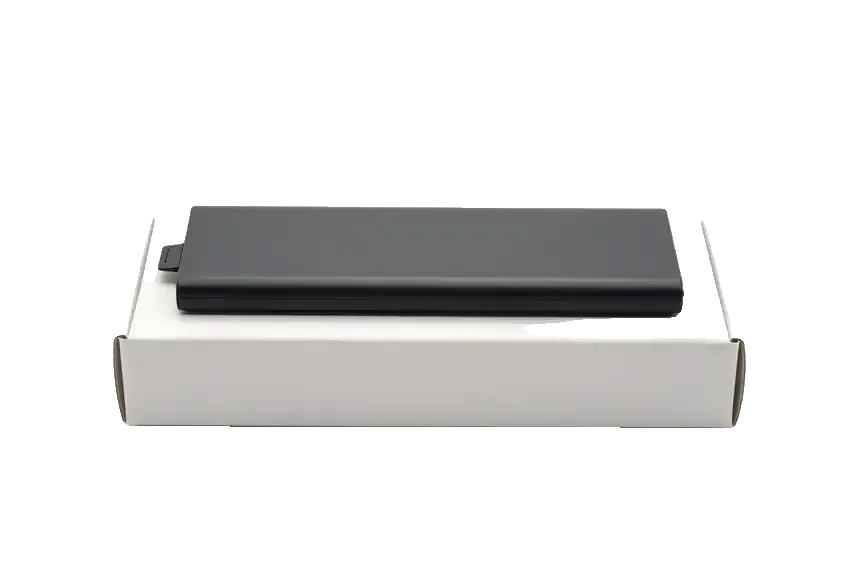
Original: iPhone battery resting on a white box
Capacity
Near the model's standard
In the cold
More dependable than aftermarket
iOS notices
Condition is displayed properly
Availability
Check with the technician ahead of your visit
Chosen by 64% of clients
Book with an original part
Aftermarketwarranty 6 months
iPhone battery replacement5 990 ₸−39%
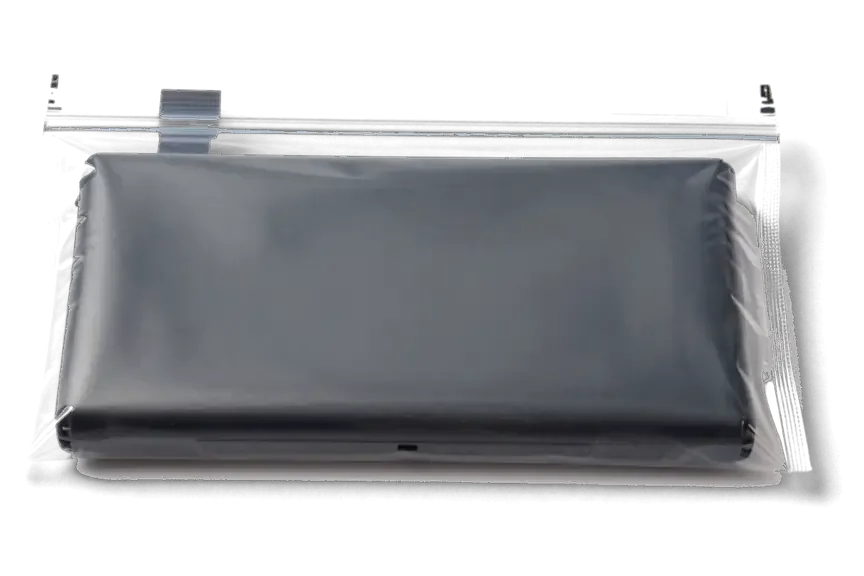
Analog: iPhone battery inside an antistatic bag
Capacity
Usable, may be a little less
In the cold
May shut down earlier than original
iOS notices
A battery notice may appear
Budget
Cheaper than the original
Chosen by 36% of clients
Book with an aftermarket part

What an iPhone owner gets from our service

A battery is easy to oversell, so below is how we approach the choice and the swollen cells that turn up in Astana.

11years

Eleven years of practice

We have repaired Apple devices for eleven years and know how the opening and battery swap differ between iPhone generations.

1year

Warranty up to 1 year

What brings you to our Astana location for an iPhone battery replacement, and what would make the process easier for you?

2options

No selling of extras

A phone sometimes drains because of software or a worn port. We check the cause first and offer a part only afterwards.

6technicians

Caution with swelling

Our experienced technicians never pierce or bend a battery: a swollen cell is detached slowly, avoiding heat.

5min

The choice is yours

Not all models take the same cell, so we diagnose the actual problem and install the version you pick without risk.

Receiving in Astana

In Astana our doors are open weekdays from 10:00 to 19:00, while Saturday, Sunday and holidays follow 11:00–18:00.

iPhone battery before and after repair in Astana

1 / 3
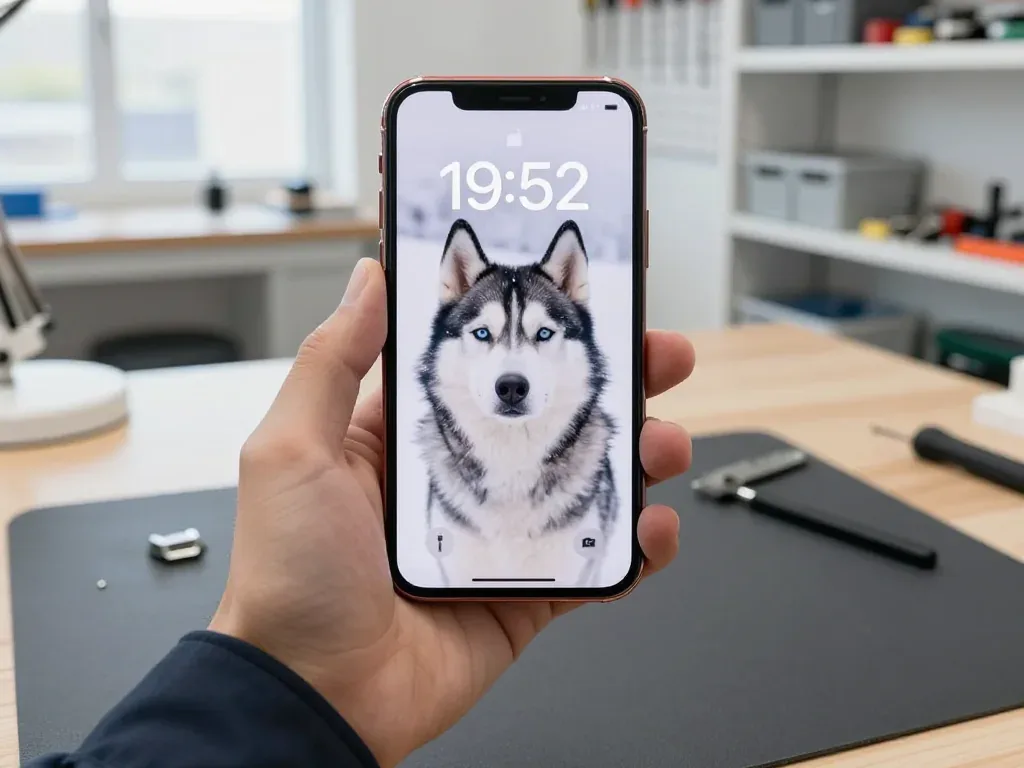
Red iPhone 12 held by a technician showing a husky wallpaper on snow after battery replacement

iPhone 12: died in the cold

A customer in Astana said the phone would shut off outside in freezing weather even with charge showing. We replaced the battery and checked capacity and charging — it now handles the cold fine.

from 27 900 ₸repair cost
I want the same
Blue iPhone 12 Pro in the technician's hand showing a father carrying his son on his shoulders in the mountains, 20:00

iPhone 12 Pro: dead by midday

A client from Astana said the phone had to go on the charger by lunchtime even with moderate use. We replaced the battery and checked its capacity and charging — the phone now easily lasts the day.

from 27 900 ₸repair cost
I want the same
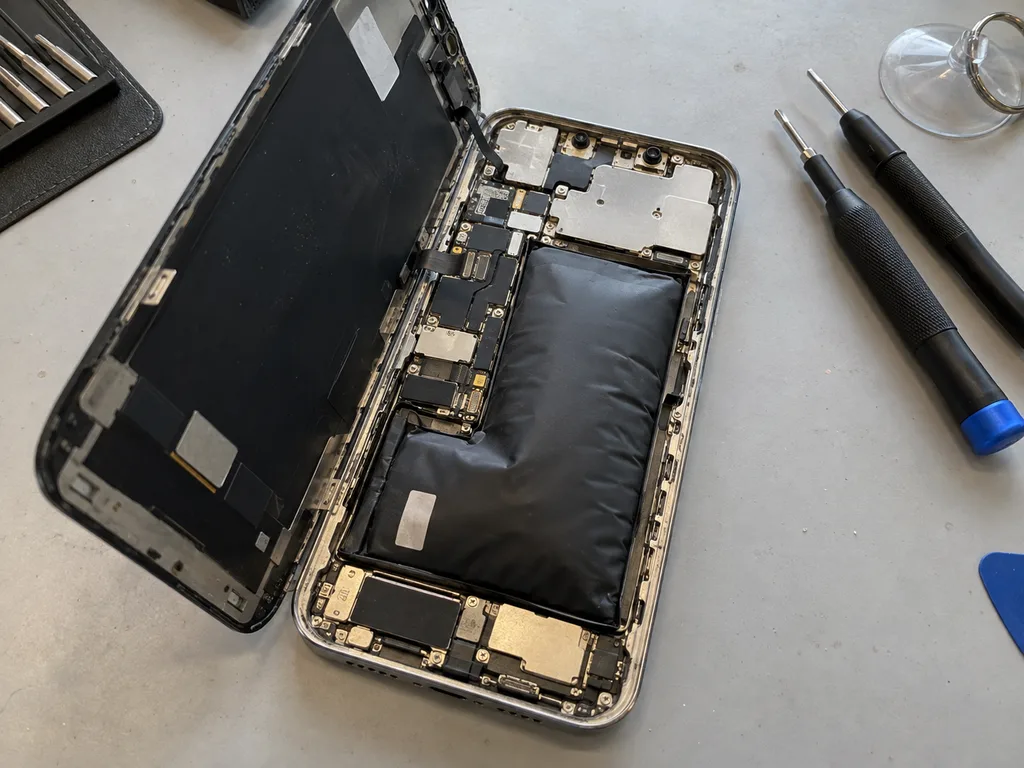
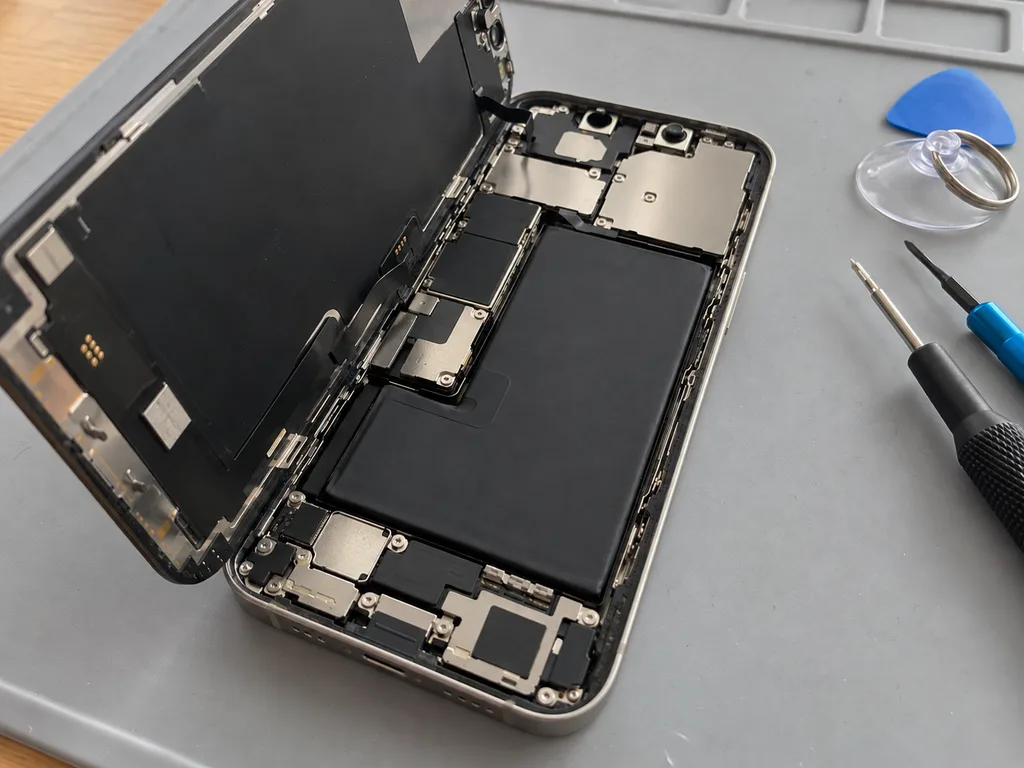
Before photo: the swollen battery of iPhone 13Before: a swollen battery in iPhone 13
After photo: a new batteryAfter: a new battery in iPhone 13
BeforeAfter

iPhone 13: died by midday

25 minOriginalWarranty up to 1 year
Problem
Capacity 71%, the phone shuts down in the cold at 30% charge. The battery has swollen and started to lift the screen.
What we did
Replaced the battery and transferred the controller data — iOS shows the capacity without warnings.
+29%capacity, a day without charging
I want the same

How iPhone battery replacement is done in Astana

The whole journey — from message to finished phone. We give you the old part.

Book a replacement
  1. Step 1

    Message or come in

    5 min

    You message us on WhatsApp with the model and what happened — we give you the price and time. Or you come in without an appointment.

  2. Step 2

    Diagnostics in front of you

    10 min

    We check the battery capacity and cycle count, inspect the charging port and controller: sometimes the battery isn't the culprit.

  3. Step 3

    Price in the receipt

    2 min

    We note the model, the part (original or aftermarket), the price, the timeframe, and the warranty.

  4. Step 4

    We show you the new battery

    1 min

    We open the factory packaging in front of you and check the number against the receipt.

  5. Step 5

    We replace the battery

    25 min

    We remove the old battery, install a new one and seal the case with new water-resistant adhesive.

  6. Step 6

    You check together with the engineer

    warranty up to 1 year

    Charging, capacity in Settings, operation under load. You take the phone, the receipt and the old battery.

Meet the iServices team

Technicians for iPhone, Mac, iPad, Apple Watch and AirPods repair.

1 / 5
BSBakmukhammed S. — on-site iPhone technician, iServices service center in AstanaPhoto: Bakmukhammed S.

Bakmukhammed S.

on-site iPhone technician
13years of experience
4.93rating, 107 reviews
GSGalymzhan S. — iPhone repair technician, iServices service center in AstanaPhoto: Galymzhan S.

Galymzhan S.

iPhone repair technician
8years of experience
4.79rating, 90 reviews
ZSZhandos Sh. — iPhone screen replacement technician, iServices service center in AstanaPhoto: Zhandos Sh.

Zhandos Sh.

iPhone screen replacement technician
6years of experience
4.65rating, 112 reviews
DTDarkhan T. — iPhone firmware technician, iServices service center in AstanaPhoto: Darkhan T.

Darkhan T.

iPhone firmware technician
8years of experience
4.44rating, 19 reviews
KSKudiret S. — iCloud unlock specialist, iServices service center in AstanaPhoto: Kudiret S.

Kudiret S.

iCloud unlock specialist
10years of experience
4.37rating, 100 reviews
Bakmukhammed S., on-site iPhone technician
“If the repair didn’t suit you or you have a complaint, write to me personally.”
Bakmukhammed S.on-site iPhone technician · +7 701 333-47-01

We'll quote iPhone battery replacement in Astana from a photo in 5 minutes

Send a photo of the screen and the iPhone model. An engineer will reply on WhatsApp, give the price and today's available time.

  1. 5 minAn engineer replies and names the price
  2. 0 ₸Diagnostics in front of you in 15 minutes
  3. 30 minMost repairs — while you wait

iPhone Battery Replacement in Astana and What Changes After It

In short

iServices handles iPhone battery replacement in Astana in roughly 25 minutes, done while you wait, and backs it with a warranty of up to 1 year. You pick an original or aftermarket battery, see the part in factory packaging before installation, then we check 32 functions together. Your data stays untouched.

iServices Editorial TeamWe reply on WhatsApp within 10 minutes
Ask

When an iPhone Battery Replacement Really Becomes Necessary

A battery is a consumable part, and its capacity falls with every charge cycle. Below are the signs that tell you it is time, plus how to read the health menu on your own generation of iPhone.

Reading the Health Menu without Guessing

The key figure sits under Settings → Battery → Battery Health as Maximum Capacity; when it lands in the high 70s alongside shutdowns or throttling, that is a practical cue to replace — not a condition worth tolerating. Under it sit Cycle Count, Peak Performance Capability and the service message — the line that says the battery needs attention. Peak Performance tells you whether the chip is throttling the processor to keep the phone stable, which is why a device can feel slow without any app being at fault. The reading is not the whole story: charge cycles and throttle behaviour are read together. Since this menu appears only on iPhone 6 and later, for a 5s or anything older rely on symptoms — power cuts at 20–30 %, swelling, warmth while charging — instead of a percentage the device won't show.

Five symptoms that point at the battery, not the charger

  • Dying at 20–30 %: the phone cuts out with charge still on the indicator, then restarts once plugged in — a classic sign of a worn battery.
  • Fast drain: several percent disappear within an hour of light use, messaging and browsing, with no heavy app running.
  • Heat on a normal charger: the lower half of the phone warms up noticeably during a routine top-up, not only under fast charging.
  • Random reboots under load: the device restarts while gaming, recording video or navigating, when the current draw peaks.
  • Swelling: the screen lifts or the back panel bulges — a swollen battery pressing on the display from inside is a stop-and-bring-it-in case, not one to monitor.

How Screen Changes Affect iPhone Battery Replacement in Original vs Aftermarket Cases

Each route uses working components; the gap between them becomes visible in the Battery menu and in later system notices. Below is a properties comparison and what an XR, XS or 11 owner will see.

Comparing the Two Options Side by Side

Two battery types compared by screen behavior
OptionHealth readings in menuSystem message on XR/XS/11Best for
OriginalFull, as designedNoneDaily driver on XR, XS, 11 or newer
AftermarketMay not displayUnknown Part warningOlder models, spare phones
Original on older modelsFull, as designedNoneiPhone 6 through X; long-term use

Why XR, XS and 11 show a part message after an aftermarket swap

Inside iPhone XR, XS, XS Max and the 11 family, the battery controller carries a pairing to the device — fit a non-original pack and an Unknown Part notice appears, with the health percentage sometimes vanishing from the menu. The controller stores a serial that the phone compares against the factory record on every boot; an aftermarket battery carries a different one, and the software flags it as unidentified rather than faulty. Runtime, peak performance and charging speed stay unaffected by this flag — what changes is only the notice and the readings. That notice is an identification mark, not a fault, so if it bothers you, pick the original at the start instead of swapping again later.

iPhone Battery Replacement Process at iServices

The order of steps is the same for every model, and each stage is fixed before any work begins. Below is the full route, from a photo on WhatsApp to handover with the old part.

Fixed Receipt, Starting From a WhatsApp Photo

  • WhatsApp quote: an engineer replies inside 5 minutes and names a price from your photo, so you know the figure at home.
  • Paperwork comes first: before any work begins, the price, the part used, the turnaround time and warranty terms are recorded — filling in that entry takes just 2 minutes.
  • Part in packaging: the new battery is shown in its factory packaging prior to installation, so the label and model can be checked.
  • No charge for diagnostics: for 15 minutes the engineer examines your device while you watch and explains which components are failing, even if you decide not to proceed.
  • Old part returned: the battery that came out is handed to you along with your warranty card and receipt — so if any question about the installed part arises later, it is settled.

Waiting in the lounge versus leaving the phone

The swap itself runs 25 minutes; 72% of our repairs are completed while the customer waits in the lounge over coffee and Wi-Fi, which means most people never leave the phone behind. If you are looking for iPhone battery replacement Astana, this is the same route every customer follows. Free diagnostics adds 15 minutes, and the 32-function check after installation takes roughly 10 minutes, which is why the whole visit from first contact to pickup usually stays under an hour. Payment works by Kaspi, card or cash, and we are open Mon–Fri 10:00–19:00, Sat–Sun and holidays 11:00–18:00. If you cannot stay, ask about the courier when you call — it saves a second trip, and the pickup time is confirmed on the same WhatsApp thread as the quote.

What We Check After the New Battery Is In

A battery replacement touches the display, the flex cables and the adhesive seal, so the job is not finished when the new battery clicks into place. Below is what the engineer verifies before the device leaves the bench.

The 32-Function Check and Why Face ID and True Tone Are on It

Once the swap is done, a 32-function check follows — roughly 10 minutes — covering Face ID and True Tone, plus cameras, microphones, speakers, charging, network; the engineer walks through it together with you. The list also includes wireless charging on iPhone 8 and newer, verified with a charging pad, and current draw on a USB tester to confirm the battery holds voltage under load. True Tone and Face ID sit on flex cables routed right next to the battery connector, so a test that skips them can miss a pinched cable that only shows up days later. That is why the panel test runs before the back plate goes on, not after.

Your data, the splash protection and the warranty card

  • Your data: nothing is wiped during a battery replacement, and the handset is returned unlocked and exactly as you left it, photos and accounts intact.
  • Guarding against splashes: since iPhone 7 and newer models depend on a gasket around the screen, we install a new adhesive seal once the frame has been opened.
  • Warranty card: each job includes a warranty of up to 1 year, and the receipt lists the part, turnaround and terms.
  • Old battery: the original battery goes back to you in the box, so you can see exactly what was removed from the device.
  • Few days of use: keep the old part — if anything feels off, it is the fastest way to show which battery was in the handset.

Battery, Charging Port or Board, Telling the Cause Apart

Not every charging problem is a battery. Below we explain how to tell the cause apart before work starts, and what to do if the device has already been opened or the cell has started to swell.

Three Causes Behind One Symptom

We start with a free 15-minute diagnostic in front of you, because a device that will not charge can be the cable, the Lightning or 30-pin connector, the battery or the power controller on the board. We test the cable and charger first, then measure current draw with a USB power tester at the connector, and only after that open the unit to check the battery lead and the controller. Our engineers run this in front of the customer, so you see which part actually fails rather than hearing a guess. A device that charges only at a certain angle is usually the connector, not the battery — swapping the battery first would leave the real fault in place and the symptom unchanged.

What to Do Before You Bring in a Swollen Cell

  • Stop charging: a swollen battery that keeps taking current heats up further, and pressure on the frame grows with every cycle.
  • Do not press the display: pushing the lifted panel back down bends the module and the frame, turning a battery job into a panel replacement.
  • Keep it cool and flat: leave the device off a soft surface where heat builds up, away from direct sun and radiators.
  • Bring it in early: a swelling pack is a safety issue, so book the earliest slot instead of waiting for the glass to lift more.
  • Skip the DIY pry: opening a swollen unit at home risks puncturing the battery, and a punctured lithium pack can ignite.

Summary: iPhone Battery Replacement

A battery swap is predictable once you know what to check before and after, and the notes below cover the points that matter most when you decide.

  • Judge by the health menu plus behaviour: Maximum Capacity alone rarely tells the full story, so weigh it against shutdowns, sudden drops and throttling under load.
  • The health menu depends on the component in the XS, XR and 11: a part message may appear with an aftermarket battery, whereas readings normally stay intact with an original one.
  • Get the terms in writing first: ask for the component type, turnaround and warranty on paper before work starts, so nothing shifts afterwards.
  • Verify the functions with the technician: check Face ID, True Tone, charging, cameras and speakers on the spot rather than at home.
  • Treat a swollen battery as urgent: a bulging battery is a stop-and-go item, not something to watch for another month.

What people ask before an iPhone battery replacement

Did not find an answer? Message us on WhatsApp: an engineer replies, not a bot.

Ask a question
Can the battery be replaced in an iPhone SE?

Yes, all generations of the iPhone SE have a replaceable battery. The engineer checks which SE you have, because the batteries of different generations are not the same.

Is an iPhone X battery swap different from other models?

Yes, the iPhone X has a two-cell L-shaped battery, and the phone is opened with extra care because of the OLED screen and Face ID parts. The work itself goes through the same steps, just with more caution.

Will a new battery bring back the speed my iPhone lost?

Often yes: when an old battery cannot deliver peak power, iOS slows the phone down to avoid shutdowns. With a new battery that limit is removed, and apps open as quickly as before.

Can my iPhone battery and screen be replaced in the same visit?

Yes, and it is convenient, because the phone is opened only once. Tell us about both faults when you send a photo, so both parts are ready.

Is fast charging safe for a new iPhone battery?

Yes, if you use a experienced adapter and cable: the iPhone controls the current and slows charging near full. Avoid cheap no-name chargers, which can overheat the new cell.

Can a new battery revive an iPhone that does not turn on at all?

Sometimes: if the old cell is deeply discharged or dead, a new one brings the phone back. If the iPhone stays dark with a new battery, the board is checked next.

Does the cycle count start from zero after an iPhone battery swap?

Yes, a new cell starts its own count. On newer iPhones you can see the cycle count in Settings, General, About, and on older ones the engineer can read it during the check.

Battery replacement in Astana customer reviews

1 / 10
4.9

iServices network rating on Google Maps, wikicity and our website · 2 028 reviews
Google Maps4.438 reviews ›wikicity5.015 reviews ›Reviews on the iServices website4.91 975 reviews ›
АР
Алим Р.Order No. ЗК‑IS‑•••22 · 14 October 2026
iPhone 15 Pro · screen

Проблема — треснул экран. Сейчас роботает без нареканий. Экран яркий, батарея держит.

iServices customer review, in Russian
ГЗ
Гордей З.Order No. IS‑•••21 · 24 September 2026
iPhone 14 Pro · screen

Проблема — не держит заряд. Внешне не видно, что разбирали. Экран яркий, батарея держит

iServices customer review, in Russian
СМ
Сара М.Order No. ISV‑•••18 · 10 September 2026
iPhone 16 Pro Max · battery

Полдня гуглила, потом плюнула и поехала. Проблема — не работает камера. Назвали срок — два дня, уложились. Внутри оказалас: аккумулятор. 12 000 за работу и деталь, считаю нормально. Обращусь ещё. После ремонта — как новое

iServices customer review, in Russian
ГЭ
Гульмира Э.Order No. ISV‑•••34 · 5 September 2026
iPhone 15 · battery

Разозлилась на себя больше, чем на технику. Проблема — хрипит динамик. Бақмухаммед С. сам позванил и сказал, что готово. Привезла на такси, приняли без вопросов. Вытащили и показали: аккумулятор. Скажу знакомым. Внешне не видно, что разбирали

iServices customer review, in Russian
МЮ
Молдир Ю.Order No. IS‑•••26 · 15 August 2026
iPhone 15 Pro Max · battery

Позвонил по объявлению, приехал на следующий день. Просто перестало работать: не включается. Бақмухаммед С. подобрал аналог дешевле, не навязывал оригинал. Позвонил, описал проблему, сказали привозить — посмотрят. Приговор — аккумулятор. Отдал 22 500 и не жалею. Дома включил, всё на месте!!

iServices customer review, in Russian
НЗ
Нурия З.Order No. ISV‑•••99 · 12 August 2026
iPhone XS · battery

Проблема — грееться при зарядке. Работает, как будто и не ломалось. Работает, даже лучше прежнего.

iServices customer review, in Russian
КМ
Кристина М.Order No. IS‑•••50 · 26 July 2026
iPhone 17 Pro Max · screen

Знакомый мастер раньше работал с Apple, дал наводку. Просто перестало работать: не держит заряд. Экран яркий, батарея держит)

iServices customer review, in Russian
СЖ
Салима Ж.Order No. •••64 · 22 July 2026
iPhone 16 Pro Max · screen

Проблема — хрипит динамик. Вернули — проверила, всё ок. Экран яркий, батарея держит

iServices customer review, in Russian
БН
Бауыржан Н.Order No. •••69 · 14 July 2026
iPhone 11 · battery

Проблема — греется при зарядке. Бақмухаммед С. показал старую деталь, всё прозрачно. Функционирует, тьфу-тьфу.

iServices customer review, in Russian
ТШ
Татьяна Ш.Order No. •••11 · 25 June 2026
iPhone 16 Plus · battery

У нас в офисе три таких ноутбука, один сломался. Приехала с мороза, занесла — и не включаеться. Ғалымжан С. показал старую деталь, всё прозрачно. Ответили в WhatsApp, потом созвонились. Замена: аккумулятор. Все функции проверила — работают.

iServices customer review, in Russian
Showing 10 of 120

Where to get iPhone Battery replacement in Astana

Address
Astana, Kabanbay Batyr Ave., 7/2
Opening hours
Mon–Fri 10:00–19:00Sat–Sun 11:00–18:00
Phone and messengers
+7 727 339-99-12WhatsApp: +7 701 333-47-01
Directions map: iServices Astana© OpenStreetMapFind us on the maps: Google Maps · 2GIS