Not every sign of a draining device means a worn battery. Before swapping the part, a technician separates the battery itself from the charging port and the board underneath.
Signs That Point to the Battery
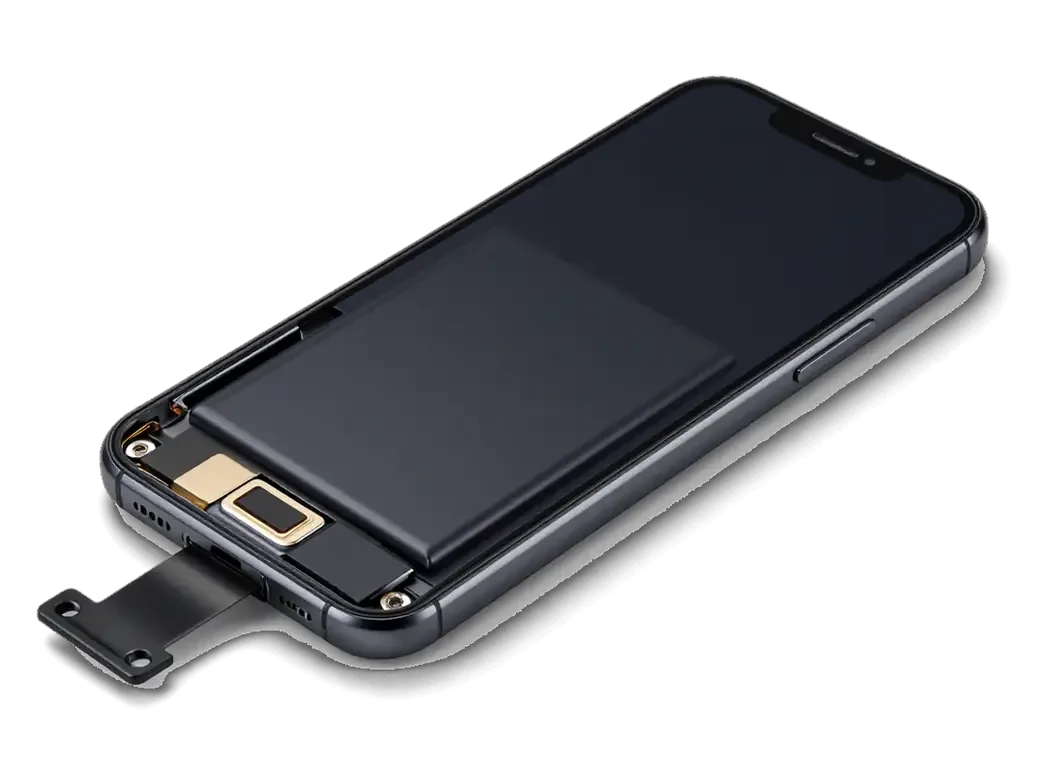
A battery is the likely cause when the handset shuts down with charge left, drains within hours, or shows a service recommendation in Settings. Open Settings and check Battery Health: maximum capacity below 80 percent, together with a high cycle count, confirms the pack has lost usable capacity and can no longer hold voltage under load. The iPhone 7 ships with a 1960 mAh unit, and after several hundred charge cycles its real runtime drops from a full day to a few hours. Shutdowns at 20–30 percent remaining are the clearest signal, because the device reads a voltage drop and powers off to protect the storage. Cold weather makes a worn battery lose voltage faster, so winter shutdowns are a symptom of wear, not of the cold itself.
When the Charging Port or Board Is the Real Culprit
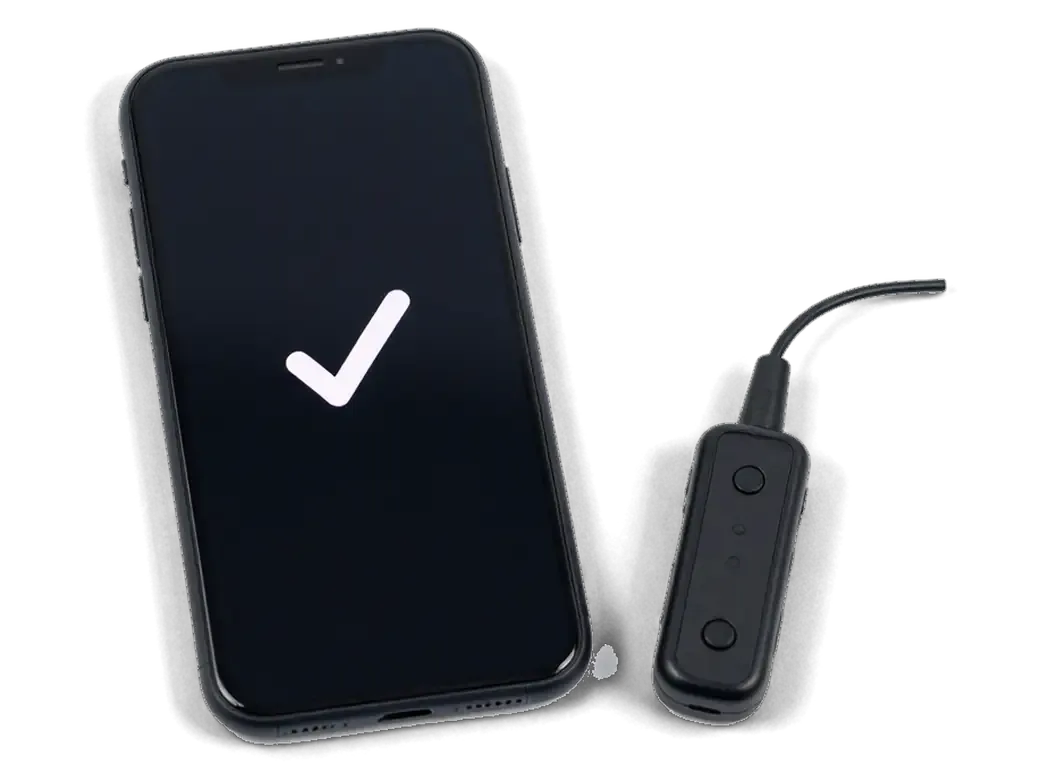
We check the port and the charging board with a USB current tester before quoting a battery, because a handset that only charges at an angle usually has a worn Lightning connector, not a dead battery. A tester shows the actual current the device draws: a healthy unit pulls a steady figure, while a clogged or bent socket gives a fluctuating reading and a loose cable. Our engineer runs this test in front of you as part of free diagnostics, which takes about 15 minutes even if you decide not to repair. If a fresh battery does not fix the drain, the fault sits on the power controller of the board, and we diagnose it under a microscope rather than replacing parts by guess.
Choosing an Original or Aftermarket Battery
On the iPhone 7 the battery is not paired to the board, so both an original and an aftermarket unit install without warnings. The real difference lies in how each holds capacity over time.
How the Two Options Compare on iPhone 7
original versus aftermarket battery on iPhone 7| Option | Capacity readout in Settings | Behaviour under load | Warranty |
|---|
| Original battery | Shows maximum capacity | Holds voltage at low charge | Up to 1 year |
|---|
| Aftermarket battery | Shows maximum capacity | May drop faster over time | 6 months |
|---|
| What we check | Menu after assembly | Shutdown test at low charge | Card issued on pickup |
|---|
Why Most Customers Pick the Original Cell
64% of our customers choose an original part for an iPhone 7, because the phone is often kept as a backup device and the original battery holds its capacity longer. We offer either option and fit both with the same 32-point check, yet the original wins on how it behaves after months of light use. An aftermarket unit can read full capacity on day one and still lose it faster, so the honest comparison is the warranty and the behaviour after a year, not the first screenshot. For a phone that will sit in a drawer for weeks, a pack that keeps its charge matters more than the price difference, since deep self-discharge is what kills spare batteries.
How the iPhone 7 Battery Replacement Works at iServices
From the first message to the moment you pick up the phone, less than an hour usually passes. Each step is documented before any work begins, so nothing about the scope changes halfway through.
From a WhatsApp Photo to a Fixed Receipt
We reply on WhatsApp within five minutes, quote from a photo, and fix the price, the part, the turnaround and the warranty on the receipt before any work starts. The engineer who answers is the same one who opens the device, so you deal with a single person from the first message to pickup. Free diagnostics take 15 minutes in front of you, even if you decide against the repair, and the new part is shown in its factory packaging before installation. If you are looking for iPhone 7 battery replacement in Astana, this is how the process runs from the first message to pickup. A written receipt protects both sides if the phone arrives with a fault the photo could not show, because the agreed scope is already on paper when the case is opened.
25 Minutes in the Waiting Area and a 32-Point Check
- Battery swap time: the swap itself takes about 25 minutes, and 72% of our repairs finish while the customer waits in the waiting area with coffee and Wi-Fi.
- Function check: after the swap we test 32 functions in roughly 10 minutes — cameras, microphones, speakers, charging and network.
- Shared inspection: you run through that check together with the engineer, so any issue is caught before you leave the workshop.
- Paperwork: the device comes back with the receipt, a warranty card covering up to 1 year and the old battery in its box.
- Your own proof: the worn battery goes home with you, so you can see the part that came out instead of taking the new one on trust.
What Changes After the New Battery Is In
The new battery does not touch your files, but opening the case does disturb the factory seal, and a handful of functions deserve a check once the device is closed again.
Your Data, the Seal and the Warranty
Replacing the battery does not touch your data, and on iPhone 7 we re-apply the body seal after opening so the handset keeps its splash protection. Photos, messages, accounts and apps stay exactly where they were, because the work happens on the power side of the board and the storage chip is never read or reset. The gasket is a thin adhesive strip around the frame, and we fit a new one every time the case comes apart. Our warranty runs up to 1 year and covers the replacement battery together with the labour, and the terms sit on the receipt you take home. This strip is a consumable, not a reusable gasket, so a handset opened twice without a clean layer loses water resistance even if the repair itself was tidy.
The Functions We Test Together With You
After assembly we run a 32-point check in about 10 minutes and go through the results with you, from charging and network to cameras, microphones and speakers. The cameras and the charging port get their own pass, since both sit close to the battery connector and can shift during reassembly. We also watch the charge percentage climb rather than jump, which tells us the installed power unit is talking to the controller correctly. Testing in front of the customer catches a loose connector before you leave the workshop, which is far cheaper than a second visit for the same device.
Caring for the New Cell and Keeping the Phone Alive Longer
A fresh battery serves longer when it is not pinned to a charger all day and not left in the cold. On an older handset the same reasoning settles whether the repair is worth doing at all.
Habits That Extend Battery Life
- Charge range: stay between 20 % and 80 % and top up briefly rather than draining the handset flat daily.
- Optimized Battery Charging: leave it on so the device holds at 80 % overnight and finishes just before you wake.
- Heat: remove the case while charging and place the unit off radiators and sunny dashboards.
- Frost: below −10 °C the chemistry slows sharply, so carry it in an inside pocket, not a bag.
- Chargers: use a stable adapter and a cable that clicks in firmly, since a worn connector makes the pack work harder.
Is a Battery Worth It on an Older iPhone
A replacement makes sense on an older iPhone when the phone still runs the apps you need and the only real complaint is runtime, not speed or storage. Models from the 6s through the 11 Pro Max still receive security updates and handle messaging, maps and banking without strain, so a new pack returns them to a full working day. On a device that already stutters on basic apps or cannot install the software you depend on, fresh capacity restores runtime but not the experience, and the money is better spent elsewhere. Peak performance management, which throttles the chip once the battery degrades, disappears with a healthy one. Check storage and app compatibility before booking, because those limits stay after the repair.
Summary: iPhone 7 battery replacement
The decision about a new battery comes down to a few practical points: how the symptoms read, what to check first and what the phone can realistically do afterwards.
- Symptoms over numbers: a worn battery shows up as shutdowns with charge left and fast drain, not only as a low capacity reading.
- Rule out the port and board first: the charging port and board produce the same warning signs, so confirm the power source is the cause before work begins.
- Compare more than capacity: original and aftermarket options both show their reading in Settings, so weigh warranty and long-term behaviour instead.
- Expect a fresh seal: opening the body always means a new gasket, and the repair leaves your data untouched.
- Know the limit: a fresh power source restores runtime, but an outdated phone will not run modern apps faster on it.












 iPad
 MacBook
 iMac
 Mac mini and Studio
 Apple Watch
 AirPods
 Apple Pencil
 Apple TV
 HomePod




