Eng

iPhone 7 charging port replacement in Astana

The cable in iPhone 7 is loose and charging cuts in and out — we'll fit a new connector in 40 minutes, experienced technicians.

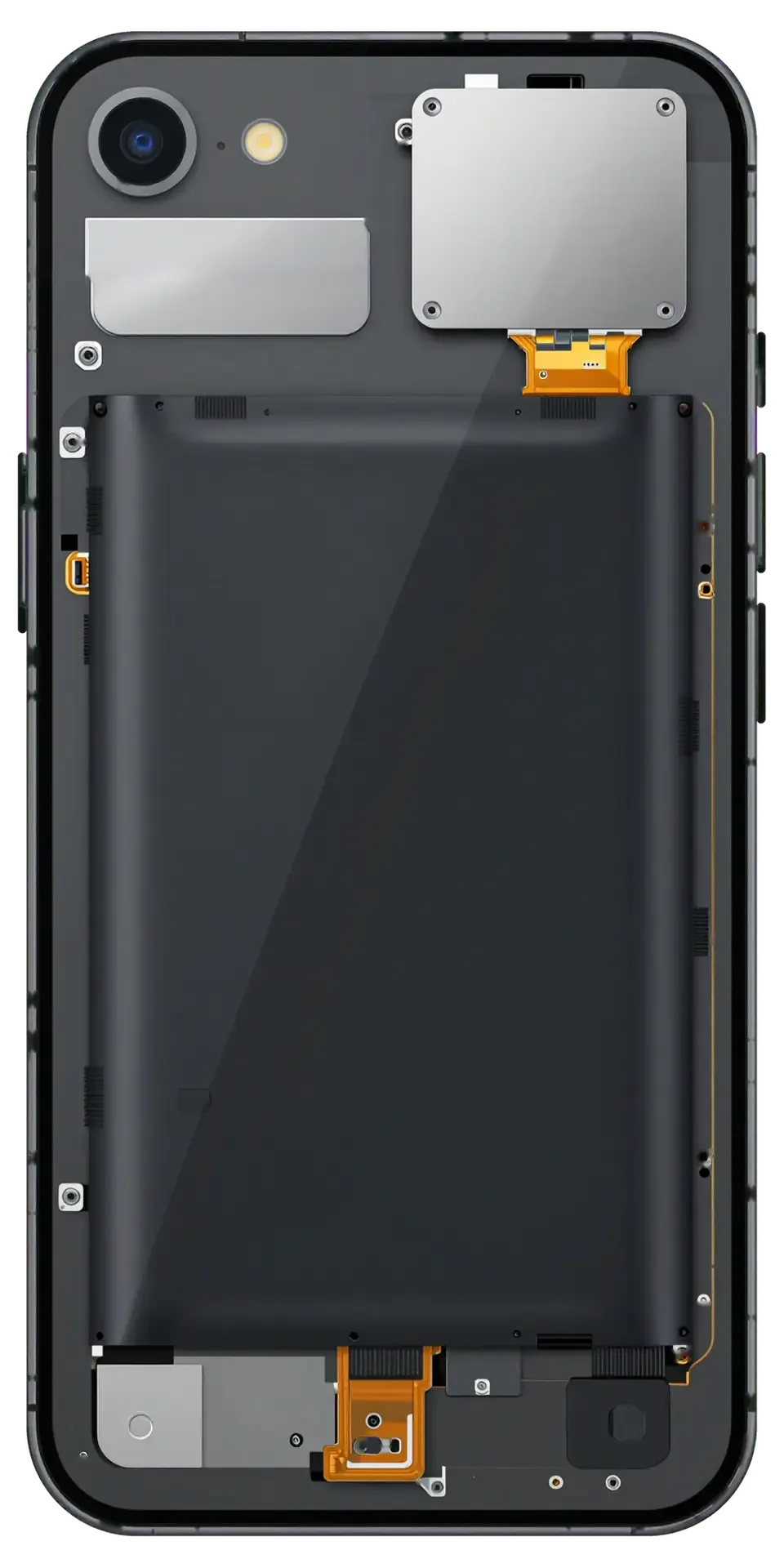
iPhone 7 in black onyx with the back cover removed showing the charging and microphone connector cable
Price incl. labor
from 10 900 ₸
Warranty
6 months
  • Charging test on the bench
  • Inspecting and cleaning the port
  • Opening and battery disconnect

How a phone behaves with a worn port

A loose cable, charging in jerks and a warm socket: familiar symptoms when the charging port has worn out.

The cable wobbles

The plug sits loosely and drops out at a light touch; charging runs only if the wire is held at an angle.

Charging comes in jerks

The lightning icon flickers on and off, and the percentage creeps up or stays frozen all night.

The phone ignores the cable

Nothing happens when you plug in, and a different wire and adapter give the same result.

The port gets warm

The bottom edge feels clearly warm during charging; the contacts show a darkened film or corrosion.

How much does iPhone 7 charging port replacement cost in Astana?

The price depends on whether just the port is changed or the bottom cable goes along with it.

ServiceOriginalAftermarket
Charging port replacement17 900 ₸10 900 ₸
Battery replacement21 900 ₸12 900 ₸
Microphone replacement26 900 ₸15 900 ₸
Display replacement28 900 ₸21 900 ₸
Housing replacement55 900 ₸30 900 ₸
Camera glass replacement19 900 ₸10 900 ₸
Main camera replacement38 900 ₸21 900 ₸
Front camera replacement29 900 ₸16 900 ₸
Home button replacement36 900 ₸21 900 ₸
Earpiece speaker replacement26 900 ₸15 900 ₸
Speaker replacement26 900 ₸15 900 ₸
Button replacement26 900 ₸15 900 ₸
Vibration motor replacement26 900 ₸15 900 ₸
Proximity sensor replacement27 900 ₸16 900 ₸
Other repairsPrice
Power controller replacementboard-level chip · microsoldering22 900 ₸with parts
Water damage cleaningcorrosion cleaning · diagnostics up to 2 days17 900 ₸per job
Audio codec replacementboard-level chip · microsoldering23 900 ₸with parts
Modem repairboard-level chip · microsoldering26 900 ₸with parts
Wi-Fi module repairwireless module · board-level repair19 900 ₸with parts
Logic board repairmicrosoldering · 1–3 days75 900 ₸per job
Storage replacement and upgradememory chip installation30 900 ₸with parts
Firmware flashingsoftware restore, no parts replaced10 900 ₸per job
Touch ID repairpaired to the board — no aftermarket27 900 ₸per job

The technician names the exact amount after checking the port, the cable and the contacts.

What iPhone 7 charging port replacement includes

From a bench test and cleaning the socket to assembly and a charge check, here is what the connector job consists of.

  1. 01
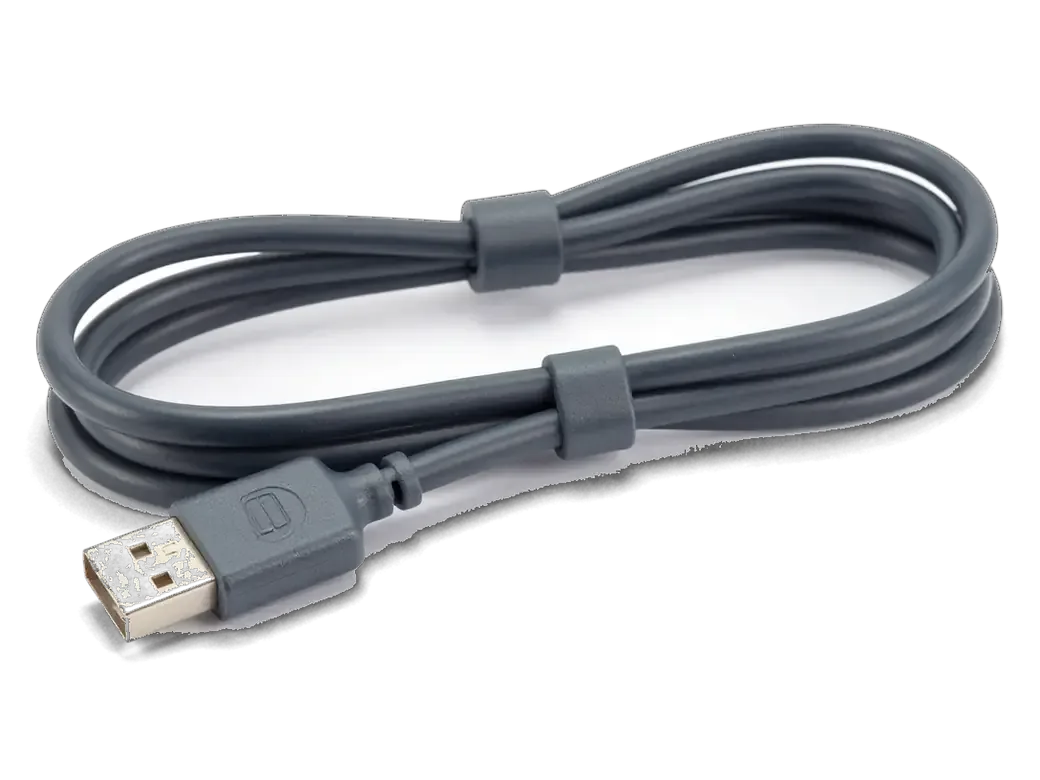
    Dark gray charging cable with a connector for iPhone
    Charging test on the bench

    We connect the phone to a cable and power block and watch the current and how the port holds the plug.

  2. 02
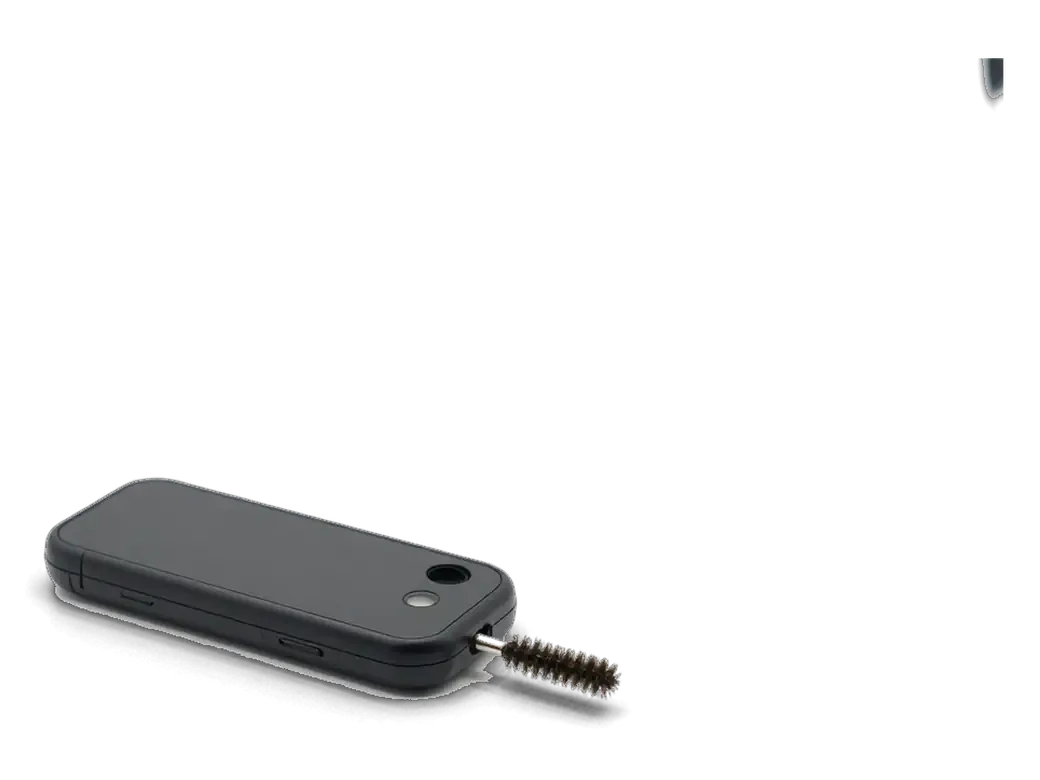
    iPhone connector and a small cleaning brush
    Inspecting and cleaning the port

    We shine a light in, clear lint and dirt, and sometimes charging returns after that without any replacement.

  3. 03
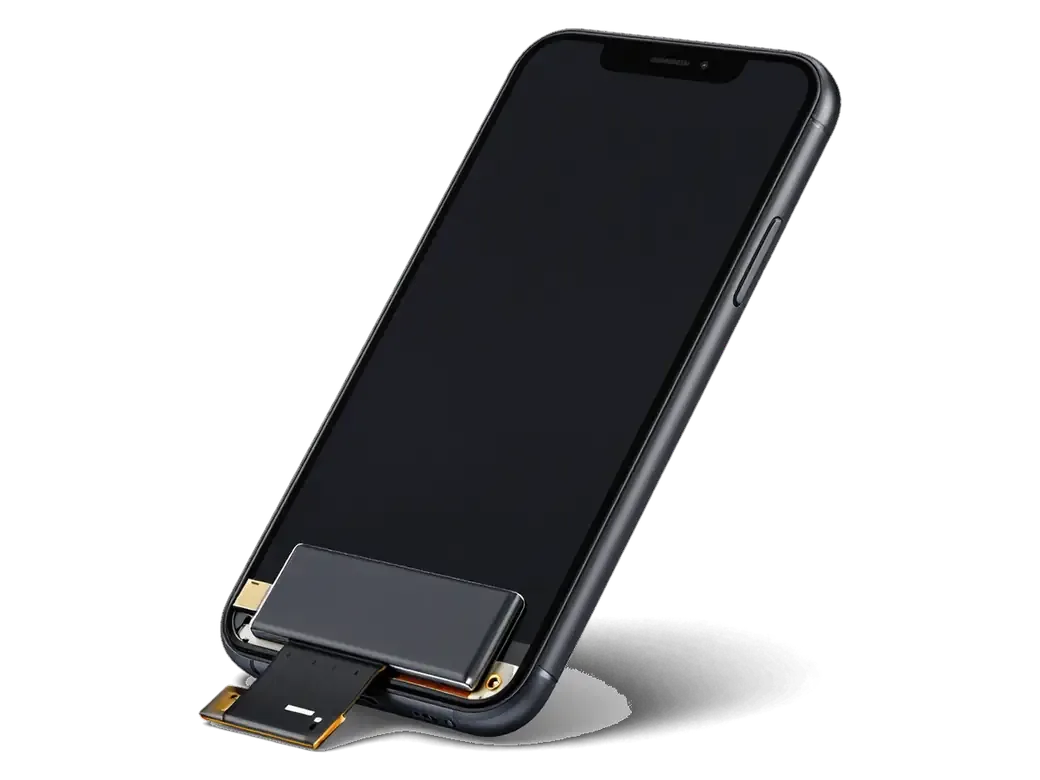
    Opened iPhone with the display flipped on its flex and the battery visible
    Opening and battery disconnect

    The display module comes off and the battery is unplugged so the bottom unit can be handled safely.

  4. 04
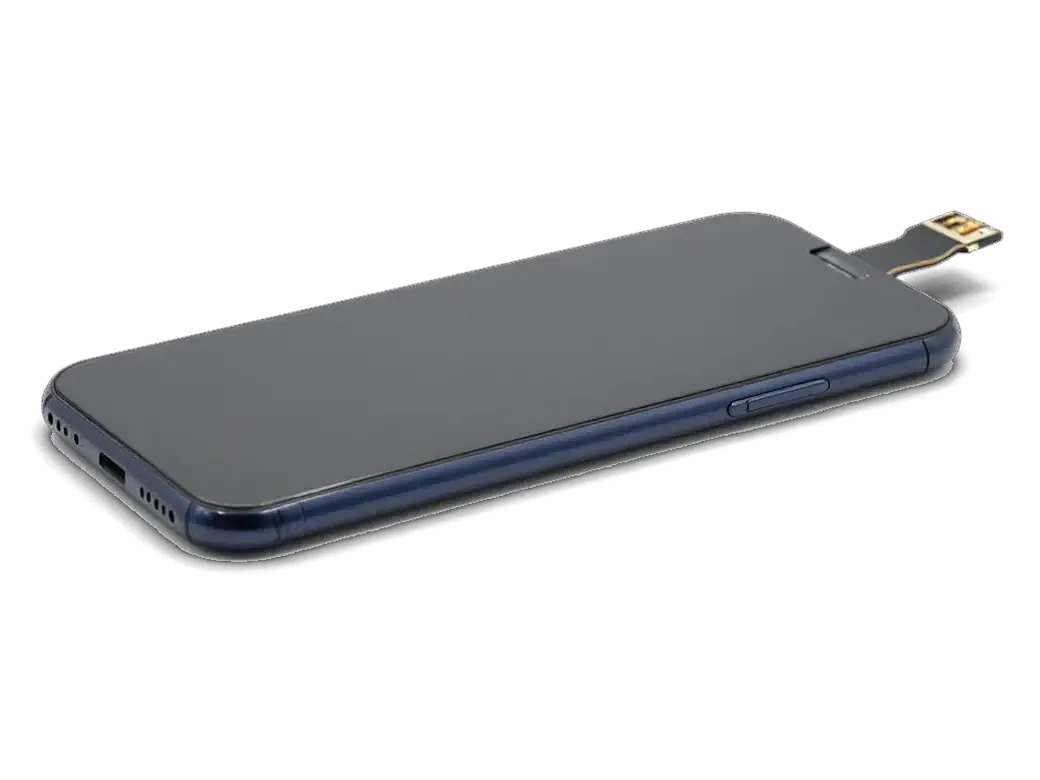
    New lower flex cable with a connector for iPhone
    Replacing the connector on the cable

    The worn port comes out together with the bottom cable, and a new one takes its place.

  5. 05
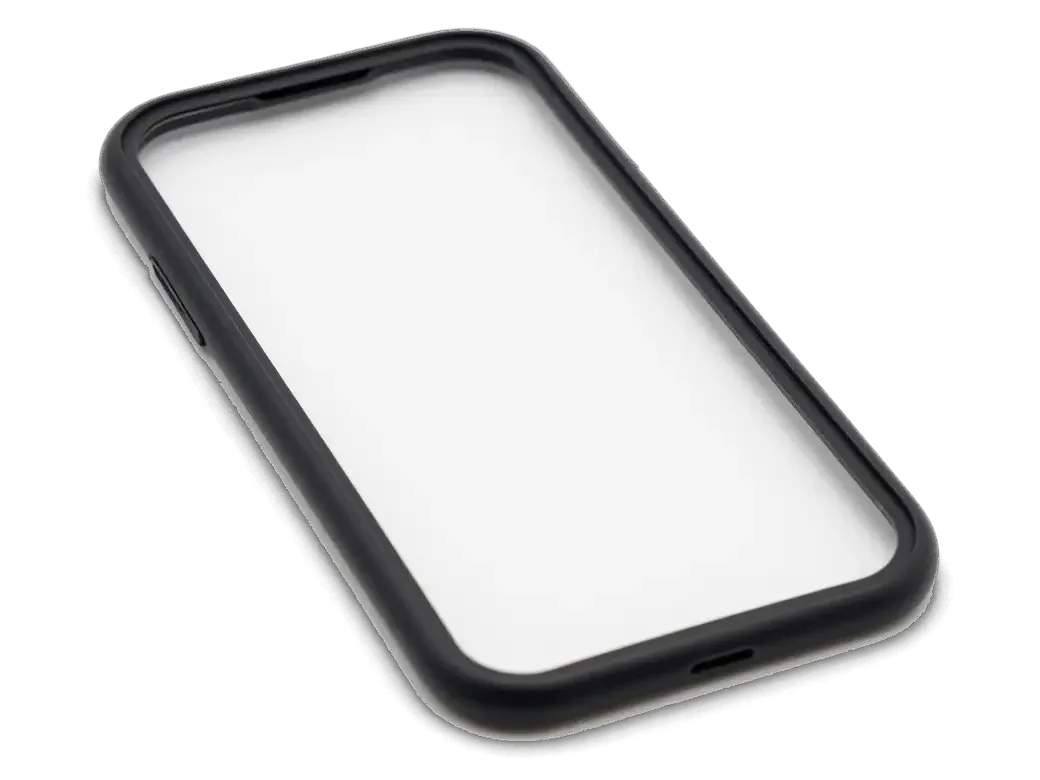
    Dark adhesive gasket for the iPhone body
    Assembly and sealing

    Gaskets and the screen return to position so dust and splashes stay outside.

  6. 06
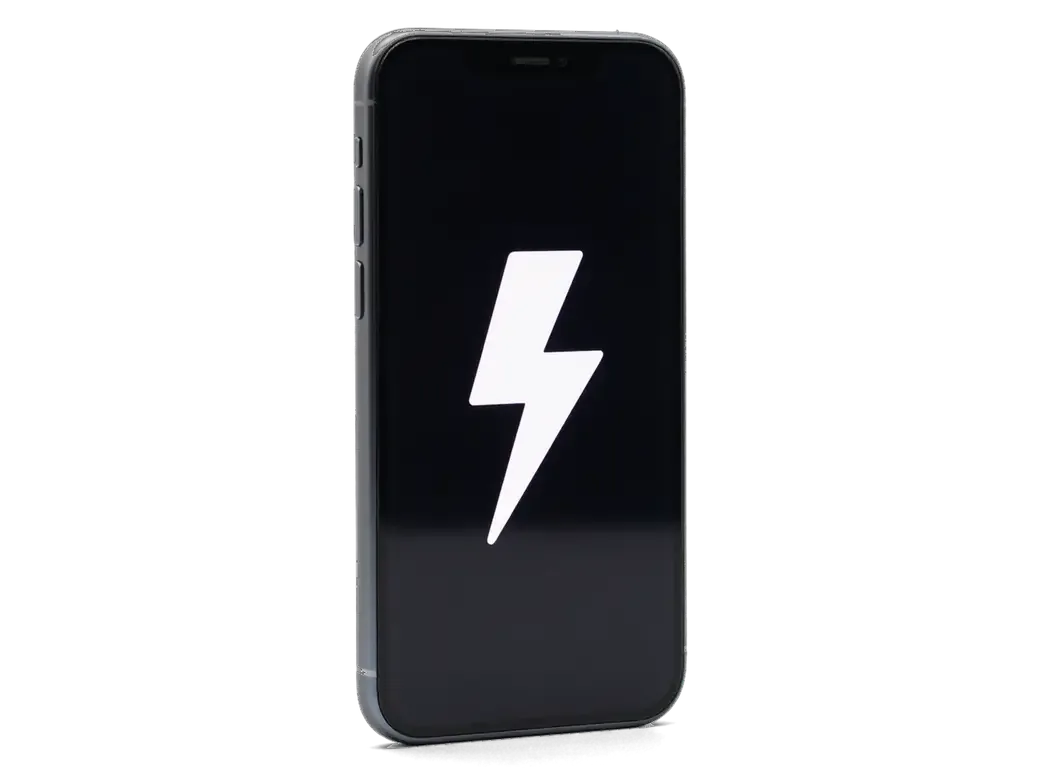
    iPhone with a large white lightning bolt on the screen
    Charge and sound check

    We test charging, data transfer, headphones through an adapter and the microphone on the bottom cable.

  7. iPhone 7 charging port replacement
    from10 900 ₸

    A technician performs every stage, and we do the check with you present.

    Price for my model

Original or aftermarket for iPhone 7 charging port replacement

The difference shows in how tightly the plug seats, how steady charging is and how long the port lasts.

Original Applewarranty up to 1 year
iPhone 728 900 ₸
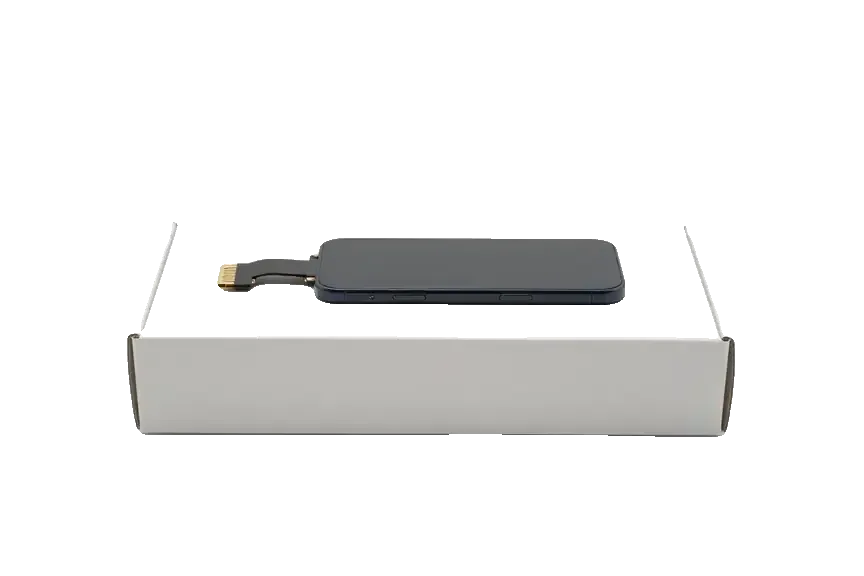
Original: iPhone power connector on a white box
Fit
The plug goes in with light effort and stays
Charging
Even current with no jerks
Data
Syncing works dependably
Lifespan
Made for long daily use
Chosen by 64% of clients
Book with an original part
Aftermarketwarranty 6 months
iPhone 721 900 ₸−24%
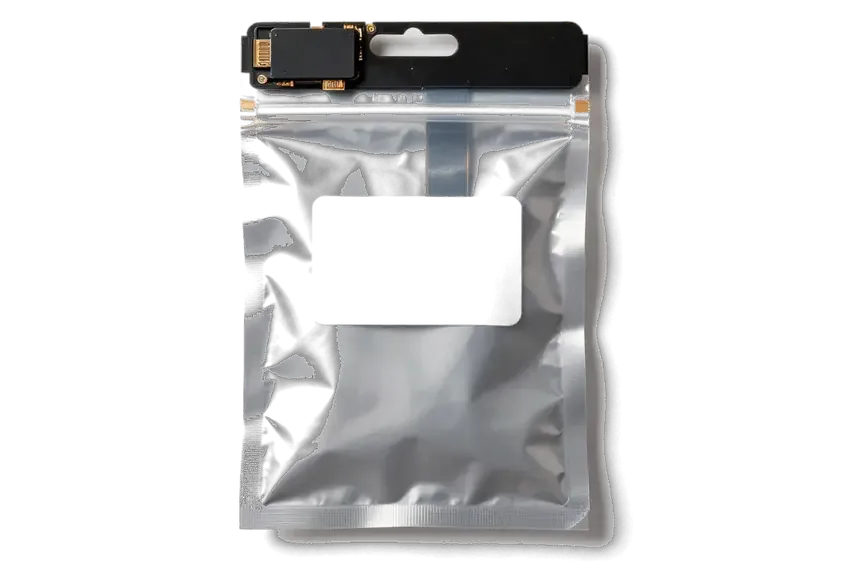
Analog: iPhone power connector in an antistatic bag
Fit
Can be stiff or slightly loose
Charging
Dropouts possible with some cables
Data
Transfers may stutter
Lifespan
Wears noticeably sooner
Chosen by 36% of clients
Book with an aftermarket part

Why have the port replaced here

Sometimes a clean is enough and sometimes a replacement is needed, and below is how we tell the difference in Astana.

11years

We know the weak spots

Eleven years repairing Apple devices: the usual wear of ports and cables on the iPhone 7 is familiar to us.

1year

Warranty on the repair

If charging turns unsteady again because of the work, we correct it. The warranty runs up to 1 year.

6technicians

Experienced technicians

Port replacement is handled by experienced technicians who treat the thin cable with care.

2options

Cleaning when it is enough

If lint is the cause, we stop at cleaning, and you do not have to pay for a new part.

7days a week

Weekend visits too

We wait on weekdays from 10:00 to 19:00 and on Saturday, Sunday and holidays from 11:00 to 18:00.

2cities

Two cities, one set of rules

Astana and Almaty share common standards, so the result is predictable in either workshop.

iPhone 7 before and after repair

1 / 1
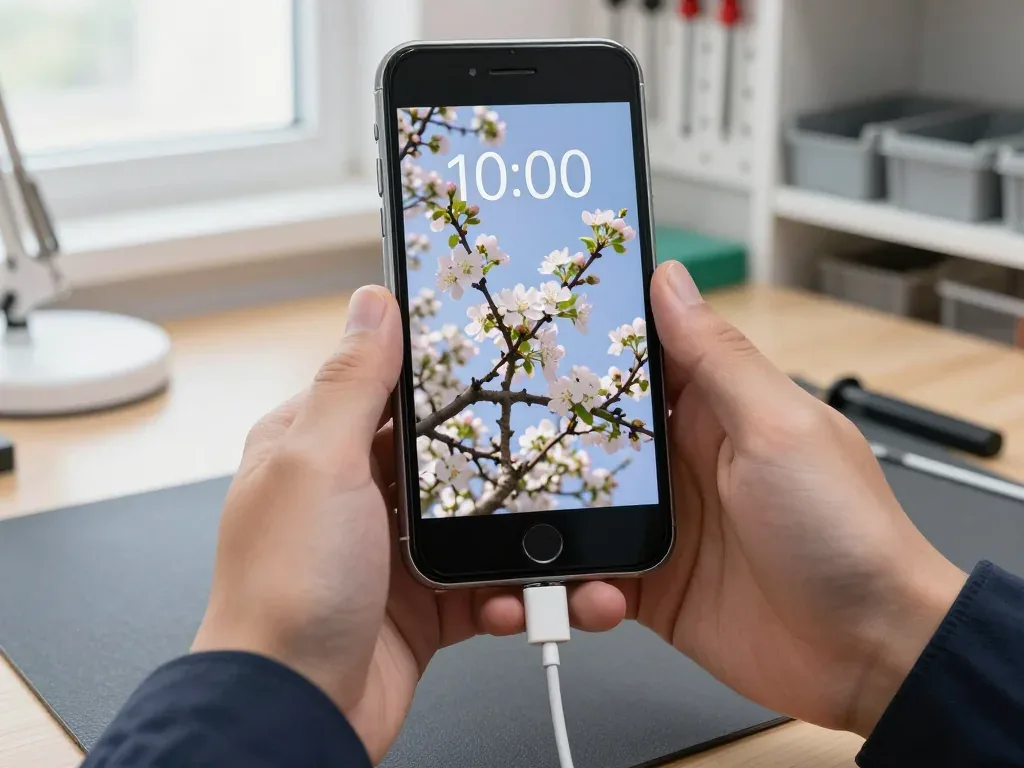
Black iPhone 7 in the technician's hand with the charging cable plugged in, blooming apple tree wallpaper on screen

iPhone 7: only charges with the cable held at an angle

A client from Astana said the phone only charged if the cable was held at an angle. The port was packed with pocket lint and the contacts were worn, so we cleaned the socket and replaced the lower flex with the connector, then checked charging and data transfer.

from 10 900 ₸repair cost
I want the same

How iPhone 7 charging port replacement is done in Astana

The whole journey — from message to finished phone. We give you the old part.

Book a replacement
  1. Step 1

    Message or come in

    5 min

    You message us on WhatsApp with the model and what happened — we give you the price and time. Or you come in without an appointment.

  2. Step 2

    Diagnostics in front of you

    10 min

    We check charging and the cable, clean the connector: sometimes cleaning is enough.

  3. Step 3

    Price in the receipt

    2 min

    We note the model, the part (original or aftermarket), the price, the timeframe, and the warranty.

  4. Step 4

    Show the new connector

    1 min

    We open the factory packaging in front of you and check the number against the receipt.

  5. Step 5

    Replace the charging connector

    time on the receipt

    We fit a new flex cable with the connector and seal the case with water-resistant adhesive.

  6. Step 6

    You check together with the engineer

    warranty up to 1 year

    Charging, connecting to a computer, microphone, sound. You pick up the phone, the receipt and the old connector.

Meet the iServices team

Technicians for iPhone, Mac, iPad, Apple Watch and AirPods repair.

1 / 5
BSBakmukhammed S. — on-site iPhone technician, iServices service center in AstanaPhoto: Bakmukhammed S.

Bakmukhammed S.

on-site iPhone technician
13years of experience
4.93rating, 107 reviews
GSGalymzhan S. — iPhone repair technician, iServices service center in AstanaPhoto: Galymzhan S.

Galymzhan S.

iPhone repair technician
8years of experience
4.79rating, 90 reviews
ZSZhandos Sh. — iPhone screen replacement technician, iServices service center in AstanaPhoto: Zhandos Sh.

Zhandos Sh.

iPhone screen replacement technician
6years of experience
4.65rating, 112 reviews
DTDarkhan T. — iPhone firmware technician, iServices service center in AstanaPhoto: Darkhan T.

Darkhan T.

iPhone firmware technician
8years of experience
4.44rating, 19 reviews
KSKudiret S. — iCloud unlock specialist, iServices service center in AstanaPhoto: Kudiret S.

Kudiret S.

iCloud unlock specialist
10years of experience
4.37rating, 100 reviews
Bakmukhammed S., on-site iPhone technician
“If the repair didn’t suit you or you have a complaint, write to me personally.”
Bakmukhammed S.on-site iPhone technician · +7 701 333-47-01

We'll quote iPhone 7 charging port replacement in Astana from a photo in 5 minutes

Send a photo of the screen and the iPhone model. An engineer will reply on WhatsApp, give the price and today's available time.

  1. 5 minAn engineer replies and names the price
  2. 0 ₸Diagnostics in front of you in 15 minutes
  3. 30 minMost repairs — while you wait

iPhone 7 Charging Port Replacement in Astana with Warranty up to 1 year

In short

iServices handles iPhone 7 charging port replacement in Astana as a direct contractor with its own technicians. We swap the Lightning port together with the lower flex and offer an original or aftermarket part. Free diagnostics take 15 minutes, and the price, part, turnaround and warranty up to 1 year are fixed on the receipt before work starts.

iServices Editorial TeamWe reply on WhatsApp within 10 minutes
Ask

Why an iPhone 7 charging port replacement points to the port when charging at an angle

The Lightning port is the first mechanical part to wear out on any iPhone, and most charging faults start there rather than in the battery. Here is how owners recognise a tired port.

Signs the Lightning Connector Is Worn

  • Charging only at an angle: the phone powers up when the plug is tilted, pointing to flattened or dirty pins inside.
  • A loose fit: the tip sits unsteady and loses contact at the slightest movement, a sign the housing has widened.
  • “Accessory may not be supported”: a known-good cable is rejected because data pins no longer read the chip inside it.
  • Charging that cuts in and out: the battery icon flickers between charging and idle, worse when the lead hangs free.
  • Needing constant pressure: holding the tip down to keep the charge going is the last stage before failure.

When the Port Also Affects Sound and Sync

The same Lightning port carries data and sits on the lower flex that holds the microphone, so a failing socket can stop syncing with a computer or make your voice faint on calls. Data pins handle the transfer, while the mic and its antenna line share the same ribbon, which is why one worn contact produces two unrelated symptoms at once. A handset that no longer appears in Finder or iTunes after a cable swap, or a caller who says you sound distant, is describing the flex rather than the software. If the device warms up noticeably around the connector during charging, stop using that lead until the part is checked, since heat usually signals poor contact rather than a weak battery.

Cleaning the port or iPhone 7 charging port replacement

Before swapping a part, it helps to know whether the port is simply clogged or the contacts are already worn. Below is when a tidy-up is enough and when only a new socket will hold a charge.

What a Cleaning Can Fix and What It Cannot

We start every case with a look inside the port, because lint and pocket dust often stop the plug from seating fully, and a careful sweep restores charging without any part being replaced. Under a magnifier the packed fibre is easy to spot, and we lift it out with a fine probe and isopropyl alcohol rather than a needle, which scratches the gold plating. A tidy-up only helps while the contacts are still intact; once they are flattened or corroded, the link stays unreliable even when the socket looks spotless, and that is the point where replacement becomes the honest option. Ask us to show you the inside under magnification before agreeing to any work — the difference between dust and worn gold is visible in seconds.

When Corrosion Means the Flex Has to Go

If the contacts show green or dark corrosion following moisture, we replace the lower ribbon rather than scrub it, since oxidized metal keeps failing and can damage the charging circuit over time. Water usually reaches the connector through a pocket downpour or a spilled drink, and the salts stay behind long after the phone dries. Following liquid exposure our diagnostics can take up to two days, because corrosion sometimes spreads beneath the shielding and only shows up once the board is checked under the microscope. On a handset that has been wet, we would rather spend that extra time than fit a fresh connector cable onto a board that is already failing — the new part would simply take the blame for an older fault.

Telling the Port Apart from the Cable, Battery and Board

Not every phone that refuses to charge has a worn port. We separate the cable and the battery from the port and the logic board in a few minutes, before anyone touches a screwdriver.

A Quick Check with Another Cable and a Current Tester

We swap in a known-good cable and measure the current with a USB tester, which tells us within minutes whether the port is passing power or the problem sits deeper. A healthy iPhone 7 pulls a steady draw the moment it is plugged in; a worn Lightning plug contact shows a reading that flickers as the plug shifts in its housing. The same test rules out a tired battery and a failing charging chip, because both behave differently under load. Our engineers run this check in front of you as part of the free diagnostics, so you see the tester screen yourself. A reading that jumps or drops to near zero while the plug is held steady points at the port, while a flat reading with a good cable usually shifts suspicion to the battery or the supply circuit.

When the Fault Is the Charging Controller on the Board

If a fresh charging cable still does not charge, the next suspect is the power controller on the mainboard, and we check it under the microscope before suggesting any further part. The U2 chip handles charging negotiation and sits close to the socket, so a shorted or burned controller mimics a dead port almost perfectly. On the bench we look for corrosion, lifted pads and cracked traces around it, then test the rails with the logic board powered up. In many cases the connector was fine all along and the money went to the wrong part. Board-level faults are worth confirming early, because replacing a healthy part twice costs more time than one proper check of the chip and leaves the real cause untouched.

What Sits on the Lower Flex of the iPhone 7

The connector is not swapped on its own — it is soldered to a ribbon assembly, so the job touches several functions at once. Here is what rides on that assembly and what changes between generations.

Microphone, Antenna and No Headphone Jack

On the iPhone 7 the lower ribbon carries the Lightning connector and the main microphone, and unlike the iPhone 6 or SE it has no headphone jack, since audio moved to the Lightning port on this generation. The same assembly also holds the antenna contact and the lower speaker grille, so a single ribbon ties charging, voice capture and signal together. On the iPhone 6 the lower assembly joined the charging port, the 3.5 mm jack and the microphone in one piece, which is why older phones lose audio output when the port corrodes. Because the microphone shares the ribbon on the iPhone 7, a worn connector can quietly degrade call quality before charging fails outright — voice issues are worth mentioning during diagnostics, as they often point to the same part.

Comparing the Flex Across iPhone 6, 7 and 8

Lower assemblies by generation and related functions
ModelOn the lower assemblyHeadphone jackExtra check after repair
iPhone 6Connector, microphone, jackYesJack and mic
iPhone 7Connector, microphoneNoMic and charging
iPhone 7 PlusConnector, microphoneNoMic and charging
iPhone 8Connector, microphoneNoWireless charging

How the Replacement Runs and What We Check Afterwards

We walk you from the first message to device pickup, explain what gets tested after reassembly, and show how the body seal is renewed so moisture stays out.

From a WhatsApp Photo to a Fixed Receipt

  • WhatsApp photo: send a picture of the damage, and an engineer answers within 5 minutes with a quote from that image.
  • Fixed on the receipt: before work begins, price, component, turnaround and warranty are written down and signed off in 2 minutes.
  • Part in factory packaging: we show the new component in its sealed box before installation, so you inspect what you are paying for.
  • Repair while you wait: most jobs finish in 20–40 minutes, and 72% are completed while the customer sits in the waiting area.
  • Free diagnostics: the engineer checks the device in front of you for 15 minutes and shows what is broken, even if you decline the repair.

Original or Aftermarket Flex and the Final Check

We offer an original part or an aftermarket one, and after assembly we test 32 functions in about 10 minutes, including charging, microphones, speakers and network, together with you. Across the charging port replacement jobs we handle in Astana, 64% of customers pick the original component, and the receipt states which one went in so there is no ambiguity later. The iPhone 7 charging port replacement in Astana follows the same route, so you know exactly what is checked before pickup. The checklist also covers both cameras, plus a live charging test with a cable and a current reading. On the iPhone 7, 7 Plus and 8 we renew the body adhesive during reassembly, since splash protection depends on that seal, and a reused gasket lets moisture reach the port again.

Summary: iPhone 7 charging port replacement

The points below sum up how to tell a worn Lightning port from a cable fault, when cleaning is enough, and what the lower flex carries on the iPhone 7.

  • Charging only at an angle: if the plug wobbles or needs a tilt to draw power, the Lightning pins are likely worn or clogged with lint.
  • Cleaning versus replacement: a brush and alcohol help while the contacts stay intact, but corrosion after moisture calls for a new lower assembly.
  • Isolating the fault: swapping in a known-good lead and reading a current tester separates the port from the battery and the board.
  • Microphone on the flex: on the iPhone 7 this part carries the mic and no headphone jack, so voice quality belongs in the final check.
  • Adhesive after the repair: renewing the body seal on the 7, 7 Plus and 8 keeps splash protection working once the phone is closed.

What people usually ask about charging

Did not find an answer? Message us on WhatsApp: an engineer replies, not a bot.

Ask a question
Why does my iPhone 7 pause charging partway and finish later?

That is usually Optimised Battery Charging, which holds the charge for a while to reduce battery wear, not a port fault. You can see the note on the lock screen and turn the feature off in Battery Health. A port problem looks different: charging stops and starts as the cable moves.

Does using a headphone adapter wear out the iPhone 7 port faster?

It can, because the iPhone 7 has no headphone jack and the same port serves for charging and wired headphones. Frequent plugging and a dangling adapter strain the contacts. Wireless headphones reduce this load.

Why does my iPhone 7 charge but not connect to a computer?

The data contacts of the port or the cable may be damaged, while the power contacts still work. Try another original cable first. If the computer still does not see the phone, the port or the charging chip needs checking.

Does the iPhone 7 support fast charging?

No, fast charging arrived with later models, so a powerful adapter will not speed up an iPhone 7. Slow charging with a regular adapter is normal. A sudden slowdown compared with before is worth checking.

Why does the iPhone 7 port get hot while charging?

Burnt or dirty contacts and traces of moisture raise resistance, and the connector heats up. Stop charging and let the phone cool down. A port that gets hot again should be inspected before it damages the cable or the board.

How firmly should the cable sit in a new iPhone 7 port?

It should click in and stay put without wobbling. Check this together with the engineer before you leave the Astana branch. A loose fit right after the repair is not normal and is fixed on the spot.

Customer reviews of iPhone 7 repair

1 / 4
4.9

iServices network rating on Google Maps, wikicity and our website · 2 028 reviews
Google Maps4.438 reviews ›wikicity5.015 reviews ›Reviews on the iServices website4.91 975 reviews ›
ВС
Всеволод С.Order No. IS‑•••72 · 6 June 2025
iPhone 7 · screen

Жұмыстан кейін баруға болатын жер керек еді. Экран сынып қалды, көрсетуге апардым. Мастер бәрін түсіндірді. Диагностика тегін болды. Кепілдік берді, бұл маңызды. Ескі бөлшекті көрсетіп, қайтарып берді. Жұмыс істеп тұр, шағым жоқ

iServices customer review, in Kazakh
АЗ
Айлин З.Order No. ISV‑•••37 · 19 September 2022
iPhone 7 · charging

Ходил вокруг да около, пока не надоело. Проблема — не заряжается. Позвонил, описал проблему, сказали привозить — посмотрят. Вышло из строя: шлейф зарядки. Отдал 9 000 и не жалею. Порт починили, зарядка идёт. Работает, даже лучше прежнего

iServices customer review, in Russian
УУ
Ульяна У.Order No. IS‑•••74 · 7 November 2019
iPhone 7 · charging

Досым осы жерді ұсынды, сеніммен келдім. Алдымен интернеттен қарадым, кейін осында келдім. Мастер бәрін түсіндірді. Ескі бөлшекті көрсетіп, қайтарып берді. Жұмысты сол күні аяқтады. Барлығы ресми, чек берді. Қосымша жұмыс қажет болды, бірақ бағаны көтермеді. Жақсы сервис.

iServices customer review, in Kazakh
СГ
Степан Г.Order No. IS•••11 · 23 November 2017
iPhone 7 · charging

Samoe nepriiatnoe — sluchilos pered poezdkoi. Problema — ne zariazhaetsia. Vneshne ne vidno, chto razbirali.

iServices customer review, in Russian transliteration
Showing 4 of 4See all reviews

Where to get iPhone 7 charging port replacement in Astana

Address
Astana, Kabanbay Batyr Ave., 7/2
Opening hours
Mon–Fri 10:00–19:00Sat–Sun 11:00–18:00
Phone and messengers
+7 727 339-99-12WhatsApp: +7 701 333-47-01
Directions map: iServices Astana© OpenStreetMapFind us on the maps: Google Maps · 2GIS