On the iPhone 7 the glass, the touch layer and the LCD are bonded into a single unit, so replacing only the glass almost never works out. Here is how to tell that the whole assembly needs to go.
Cracked glass, dead touch or black screen
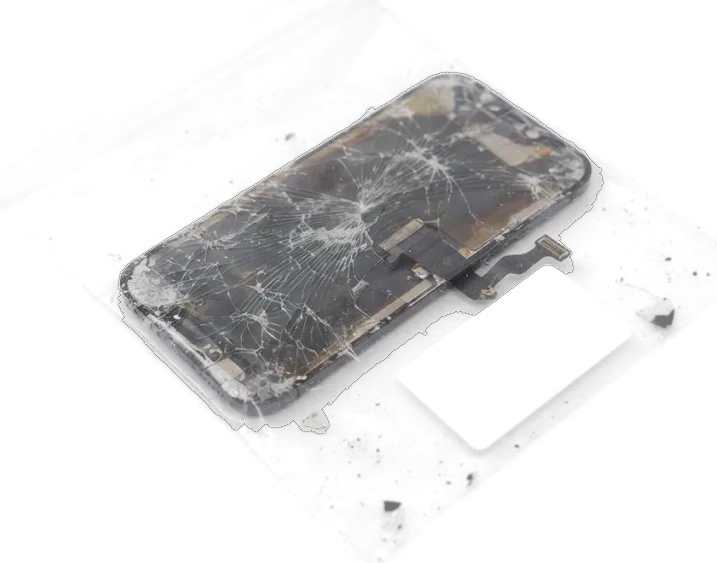
On the iPhone 7 the glass, touch layer and LCD are bonded into one unit, so a crack that leaves the image intact still means the whole assembly is replaced. A spiderweb pattern spreading from a corner, bright vertical lines, dark blotches under the surface or a panel that ignores taps all point the same way — the damage sits in the bonded layers, not on top of them. A black screen with a working vibration motor is the same story from the inside. Small shards along the frame keep pressing on the touch layer and can turn a cosmetic crack into dead zones within weeks, so waiting rarely saves the part.
When the screen looks fine but does not respond
We see units with an unbroken screen that stays black or ignores touches, and in those cases the fault is often the display flex or the board rather than the glass. A flex that was pinched during an earlier drop, a connector loosened by a bent frame, faint flicker at low brightness — each of these mimics a dead panel while the assembly itself is intact. Liquid damage is the slowest to read, so we tell customers up front that a water-hit device can take up to two days of diagnostics until we know whether the module or the board is at fault. Free diagnostics in front of the customer settle the question in 15 minutes for a dry device.
Original or aftermarket part for your iPhone 7 display replacement
The iPhone 7 uses an LCD panel, so the real choice is between an original assembly and a quality aftermarket one. The difference shows up in brightness, colour and touch behaviour, and it is worth seeing both options before installation.
How the two part options differ
Two module types side by side| Module option | Panel type | Brightness and colour | Best for |
|---|
| Original module | LCD, factory spec | Closest to the shipped screen | Daily-use phones kept long-term |
|---|
| Quality aftermarket | LCD, copy panel | Slightly dimmer, cooler tint | Backup or secondary devices |
|---|
| Aftermarket, budget tier | LCD, copy panel | Dimmer, cooler tint, softer edges | Short-term or spare use |
|---|
Seeing the part before it goes in
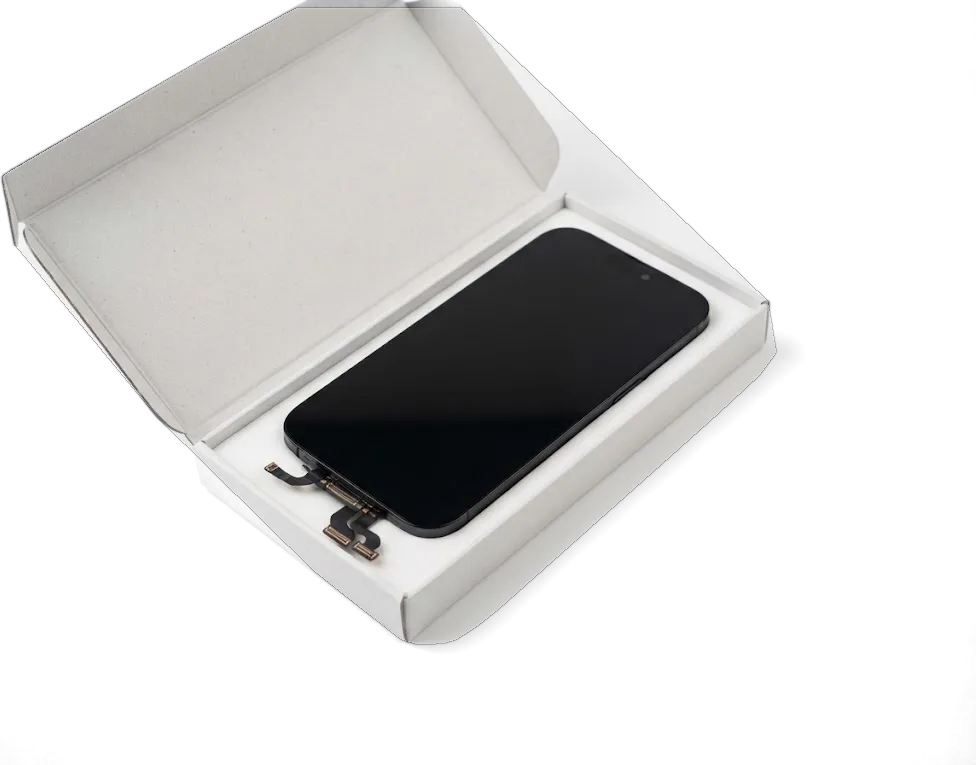
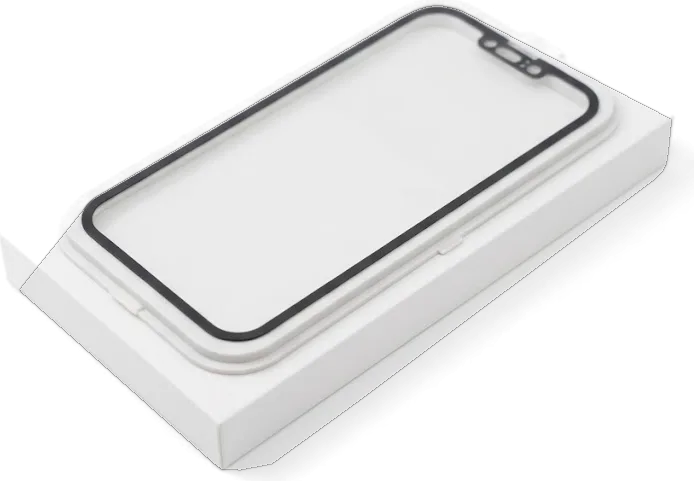
We show the new module in its factory packaging before installation, and the option chosen, turnaround and warranty go on the receipt in about two minutes. The display replacement Astana customers book starts with a photo of the damage sent on WhatsApp: an engineer replies within five minutes and quotes a price from that photo. That early quote lets you compare the original and aftermarket options ahead of leaving home, rather than deciding at the counter. 64% of customers choose the original module once they see both panels side by side. Ask to hold the assembly under the shop light and tilt it — a cooler tint and softer edges near the bezel are the two things that give a copy panel away.
Keeping Touch ID and auto-brightness after the swap
On the iPhone 7 the Home key holds the Touch ID scanner tied to the logic board, and auto-brightness depends on data stored in the display. That makes component transfer a working condition, not a formality.
Why the original Home button has to travel
We always move your Home key onto the new panel, because the Touch ID scanner inside it is paired to the logic board and a fresh unit would not unlock the phone. The pairing lives in the board, not in the key, so a donor module from another unit cannot be re-paired by software. During the swap the sensor is lifted with its flex intact and seated into the new frame under the same bracket and gasket. The same transfer carries the top flex with the earpiece and proximity sensor, so skipping it costs you call audio and auto-brightness, not just the fingerprint. Ask for your old screen back at pickup — it is the only way to confirm your own sensor came out of the phone and went back in.
Auto-brightness and the iOS part notice
Auto-brightness keeps working only when the data from your factory display is carried over, and we check it right after the new panel is seated. The screen stores its own calibration, and a fresh unit without that data leaves the picture bright and cold under warm room light. On an aftermarket module iOS may show a notice about an unverified component in Settings, which does not stop the screen working but is worth knowing before you choose the cheaper option. 64% of customers pick the factory module, and on those units the notice does not appear at all. Test auto-brightness in a warm-lit room rather than under shop lighting, where the shift is easy to miss.
How the iPhone 7 display replacement runs at our bench
The work happens in front of you and fits into a single visit. Below is the path from diagnostics to a re-sealed frame, and how long each stage actually takes on the bench.
From free diagnostics to a sealed frame
An engineer runs free diagnostics in front of you for about 15 minutes, then disconnects the battery, lifts the old assembly, transfers the Home button and top flex, seats the new unit and re-seals the frame. The iPhone 7 display replacement in Astana follows that same order every time, because the Home button is paired to the logic board and the top flex carries the front camera and earpiece. Ahead of fitting the new module, we show it in its factory packaging, and the option chosen, turnaround and warranty are fixed on the receipt in about two minutes. Re-sealing the frame matters on this model because the adhesive gasket is what keeps dust and splash out, and an assembly dropped in without it leaves the phone more exposed than before.
How long you wait and where
A screen swap here takes about 40 minutes while you wait, and 72% of our repairs finish with the customer in the waiting area, which has coffee and Wi-Fi. That 40-minute figure covers the swap itself; the full visit, from the first message to pickup, usually lands under an hour. You can send a photo of the damage on WhatsApp and an engineer replies within five minutes with a quote from the photo, so a free slot is booked ahead of your trip across the city. Our doors are open Mon–Fri 10:00–19:00 and Sat–Sun and holidays 11:00–18:00, and a courier can be called if you would rather not come in. Booking ahead on WhatsApp is what keeps the wait predictable, not the repair itself.
The check, the paperwork and the warranty you leave with
After the new assembly is seated, the job is not finished. We run the phone together with you, hand over the documents and return the old module that came out.
The functions we test together
- Touch ID: unlock and fingerprint enrolment confirmed on the new assembly.
- Auto-brightness: toggled and watched for a smooth shift.
- Cameras: front and rear capture checked for focus and clarity.
- Microphones and speakers: call audio and recording tested both ways.
- Charging and network: cable, Wi-Fi and cellular signal confirmed.
- Touch across the panel: edges and corners swept for dead zones.
Receipt, warranty card and your old part
The phone comes back with the receipt, a warranty card covering the work up to 1 year, and the old assembly in your hands, and a courier can be called if you cannot come in. The receipt is not a generic slip: price, option chosen, turnaround and warranty terms are written on it before work starts and stay unchanged at pickup. Our engineer hands over the warranty card together with the device, and the removed display travels home with you in the same bag. If you cannot reach the workshop in Astana, a courier collects and returns the phone on a slot agreed over WhatsApp. Keeping the old assembly is worth it on the iPhone 7 because it still holds your original Home button data, which matters if the new unit ever needs a second look.
Summary: iPhone 7 display replacement
A screen replacement is one assembly swap plus a few details that decide how the phone feels afterwards. Here is what matters most ahead of booking.
- One bonded unit, not three layers: on the iPhone 7 the glass, digitizer and LCD are fused together, so a cracked front means a full unit swap rather than a glass-only fix.
- Grade shows up in daily use: the gap between original and aftermarket options appears in brightness, colour and responsiveness, and it is worth seeing the unit before installation.
- The Home button travels: the factory Home button and top flex must move to the new assembly, or Touch ID, earpiece audio and auto-brightness stop working.
- Back up ahead of handover: a current iCloud or computer backup keeps photos, contacts and messages safe, and the engineer checks the device in front of you before any work starts.
- About 40 minutes, then a full check: a screen job runs roughly 40 minutes, and the phone should leave with tested functions, paperwork and the old component in hand.










 iPad
 MacBook
 iMac
 Mac mini and Studio
 Apple Watch
 AirPods
 Apple Pencil
 Apple TV
 HomePod




