The model is still new, yet its construction already points to the usual failure spots: a large display, the raised camera plateau, a USB-C port and the biggest battery in the line.
The Five Faults We See Most on This Model
- Front glass: cracked corners and spider-web fractures after a drop, even when the frame shows no mark.
- Battery: capacity fades with heavy daily charging, and the phone shuts down under load.
- USB-C port: lint, sweat and pocket grit pack the contacts, so the cable sits loose.
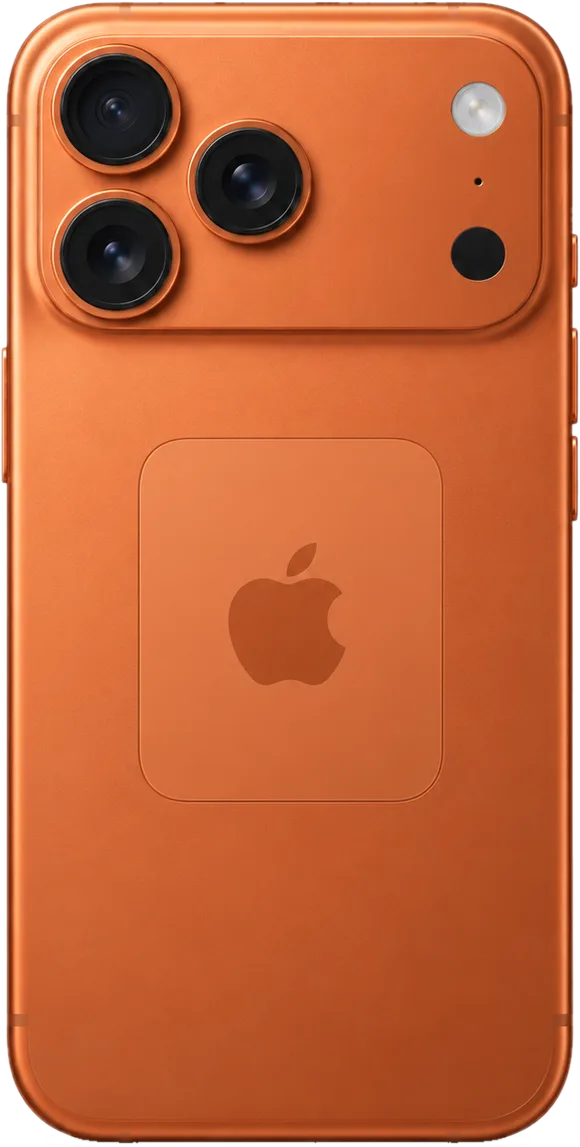
- Camera cover: the square plateau shatters on impact while the lenses underneath stay intact.
- Rear panel: scuffs, dents and hairline cracks around the plateau after a flat fall.
Symptom, Likely Cause and What We Do
Common complaints mapped to the part that usually fails| Problem | Probable origin | Our approach |
|---|
| Will not charge | Dirty or oxidised USB-C port | Clean or swap the port flex |
|---|
| Charge depletes quickly | Degraded battery | Install a new cell |
|---|
| Lines or dead touch | Damaged display module | Renew glass or full module |
|---|
| Blurry photos | Cracked camera glass | Renew the cover only |
|---|
| No sound on calls | Blocked microphone mesh | Clean or swap the mesh |
|---|
Why the Camera Plateau and Rear Panel Take the Hit
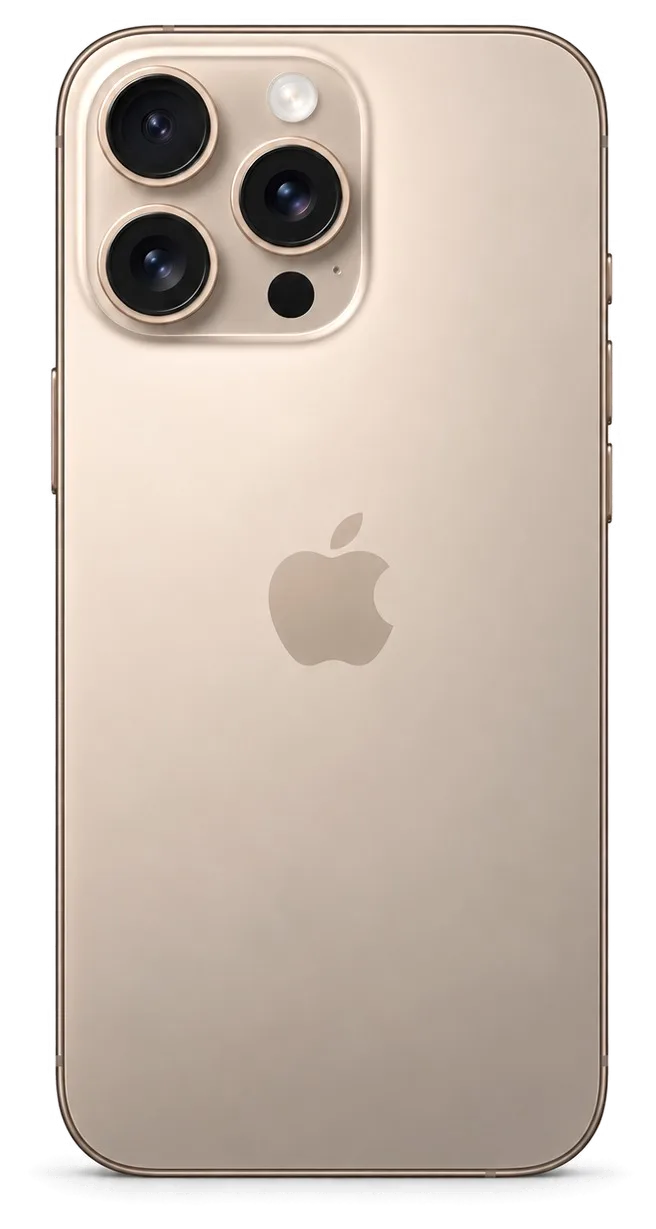
The raised camera plateau is the first point of contact in a flat drop, so shattered covers and scuffed backs arrive more often than on flatter bodies. The three 48 MP lenses sit under a single square plate that stands proud of the back, and the unibody rear panel is bonded to the frame rather than clipped on, so impact energy travels straight into the outer layer instead of the chassis. A cracked cover left alone lets dust reach the lens, and the scratch it leaves on the optics cannot be polished out later — book the cover swap early, before the first pocket of grit works its way underneath.
Screen Repair for the iPhone 17 Pro Max
A shattered or dead screen is the usual reason owners bring this model to us. We clarify when just the outer pane suffices, when the complete unit must be fitted, and how True Tone and Face ID are affected.
Replacing Just the Glass Versus the Full Assembly
Where the OLED panel still produces a sharp picture and touch responds, we swap only the upper glass; where streaks, non-responsive areas or a broken panel appear, the whole display unit is installed. The glass-only option is a bonding process: the broken pane is detached from the screen, leftover glue is removed and a fresh sheet is glued under vacuum. It preserves the original OLED, the original digitizer and the factory colour profile unchanged. A complete unit replaces the entire assembly, which is the sole choice once the panel itself leaks or stops responding. A glass-only service retains your original panel and its colour calibration, so it is worth requesting first while the image remains flawless.
What Happens to True Tone and Face ID
The TrueDepth assembly sits apart from the display, which is why Face ID remains functional after a screen swap; True Tone also works provided the calibration is carried over to the replacement panel. During the procedure, our technician relocates the sensor unit, the earpiece and the ambient light sensor to the new part, then matches the calibration values so the display warms or cools its tone to match the surroundings exactly as it did before. Since Face ID hardware lives in the TrueDepth array at the top of the chassis and has no direct link to the front glass, a fall that shatters the screen seldom damages the biometric system. Certain aftermarket panels do not permit True Tone transfer at all, so should this matter to you, let us know prior to placing the order for the component.
How Long a Screen Job Takes Here
- Duration: a screen replacement for the iPhone 17 Pro Max takes about 40 minutes, and you can relax in our lounge with coffee and Wi-Fi while we complete the work.
- What we confirm first: the engineer checks the device in front of you for free and shows which layer is damaged — glass, matrix or both.
- WhatsApp booking: message us a picture of the breakage and the engineer answers in 5 minutes or less with a quote and an available time slot, so you avoid standing in line.
- Before you leave: we run the 32-function check with you — True Tone, Face ID, touch across the whole surface, cameras, microphones and charging — and hand back the receipt, warranty card and the old part.
Picking Original or Aftermarket Parts for iPhone 17 Pro Max Repair
The choice of component is the fear most owners bring to the counter. Here is how original and aftermarket components differ in real function, and how we fix the choice so nothing surprises you later.
How the Two Part Types Differ in Practice
Original versus aftermarket behaviour by replaced node| Node | Original part | Aftermarket part |
|---|
| Display | True Tone transfers, full brightness | True Tone may not transfer |
|---|
| Battery | Full health reporting | Health reading may be limited |
|---|
| Camera glass | Matches factory optics | Fit can vary slightly |
|---|
| USB-C port | Full charging speed | Speed may be capped |
|---|
What the Receipt Locks In Before We Start
At the outset, we verify four details on the document within roughly 2 minutes — the cost, the component category, the finish time and the guarantee — and you receive a copy. That one paper is what averts any future dispute over which component was installed or how long the task ought to have lasted. We next display the fresh component in its unopened manufacturer box prior to fitting, so the packaging and the document always match. Once finished, the device comes back to you together with the document, the guarantee slip and the previous component in a bag. Hold onto that bag until you have checked the phone at home for several days. This very document safeguards you whichever component you choose when you are organizing an iPhone 17 Pro Max repair in Astana.
Why the Unknown Part Message Appears
The unknown-part notice signals the part type rather than a defect — the phone keeps working, it merely reports that the component is not the one it shipped with. Apple links the display module and the battery to the logic board during production, and a replacement node carries a distinct identifier, so Settings displays the notice even when the hardware performs correctly. The message may show up after a flawlessly installed third-party screen, so assess the repair by the device's behaviour — brightness, touch across the whole panel, overnight battery loss — not by that single line in settings. If the notice troubles you, ask which component will be fitted before the work starts rather than afterwards.
Liquid Damage and Micro-Soldering iPhone 17 Pro Max Repair in Astana
Liquid and logic board faults are the hardest cases to call, and the right sequence matters far more than raw speed. Here is what to do in the first hours and why a proper check sometimes runs longer.
What to Do in the First Hours After a Drop in Water
- Do not charge it: plugging in a damp handset feeds current through moisture and can short the power controller before anyone has opened the case.
- Skip the hairdryer: warm air pushes liquid deeper past the seals and into the circuitry, so leave the device cold and still.
- Power it off and keep it off: a running handset heats up, and warmth plus moisture speeds up corrosion on the contacts.
- Bring it in wet: oxidation starts within hours, so hand the device over damp rather than waiting days for it to dry out at home.
How We Treat a Wet Board Under the Microscope
We strip the logic board, clean oxidation under a microscope and check the power controller before reassembling, and after liquid the diagnostic alone can take up to two days. Opening the case lowers the factory IP68 water resistance, so every affected device gets a full inspection rather than a quick wipe and a new seal. Our technicians work under magnification on the mainboard, tracing damaged tracks and contacts that look perfectly fine from the outside. A panel that seems dry often hides oxidation under the metal shields. That is why a fast turnaround promise after a spill is a warning sign, not a selling point — the honest answer is that timing depends on what the microscope shows.
Back Up and Switch Off Find My Before You Hand It In
- Make a backup: save photos, chats and documents to iCloud or a computer first, because a board fault can wipe data without warning.
- Turn off Find My: a locked handset cannot be fully tested after the repair, and activation lock blocks the final check.
- Keep your passcode to yourself: enter it on the spot when the engineer is ready to test with you, rather than sharing it in advance.
How to Verify the iPhone 17 Pro Max Repair Outcome, Warranty and Technician
The last step is handover. Here is what you test together with the engineer, what stays in your hands afterwards, and why a direct contractor differs from a middleman.
The 32 Functions You Check Together at Handover
- Face ID: unlock the phone several times and re-register a face to confirm the sensor reads depth correctly after a screen or camera job.
- True Tone: toggle it in Display settings and watch the panel shift colour, which proves the ambient sensor still works.
- Cameras: open all lenses and switch between them, then shoot one photo and one video to rule out a dead stabiliser.
- Microphones and speakers: record a voice memo, play it back, and take a call on speaker to test every audio channel.
- Charging and network: plug in a cable, watch the percentage climb, then check Wi-Fi, cellular bars and Bluetooth pairing.
What You Take Home After the Repair
You leave with the device, the receipt, a guarantee card covering the work up to 1 year, and the old component in a bag. The receipt repeats what was agreed before the work started: which component went in, whether it was original or aftermarket, the turnaround and the coverage term. We hand the old component back because it belongs to you, not to the workshop. Our technicians have handled 46,000+ repairs over 11 years, and the handover routine has stayed the same throughout. Keep the old component until the coverage period ends — it is the simplest proof of which item was actually replaced if a question ever comes up.
Direct Repair Shop or Middleman
iServices is the direct contractor whose own technicians and workshop handle the job, not an aggregator handing your phone to a third party, so a single team answers for the outcome. That counts when a fault shows up a week later: the person who signs the guarantee card is the same one whose bench your device sat on. A middleman divides responsibility between the front desk and an outside workshop, and it is the front desk that decides whether a fault counts as covered or as fresh damage. Ask who signs the guarantee card before you hand over a device anywhere — the answer reveals how long the chain of responsibility truly is.
Summary: iPhone 17 Pro Max Repair
A repair that lasts rests on three habits: watching the diagnosis, choosing the component on purpose and testing the handover yourself before leaving.
- Diagnosis first: watch the engineer show the fault on your own device, so the order names the real problem rather than a guess.
- Choose the component deliberately: settle on an original or aftermarket replacement ahead of the job, and get that decision onto the receipt.
- Lock the terms in writing: type of spare, turnaround and coverage belong on paper before anyone touches the phone.
- Inspect at handover: go through Face ID, True Tone, the photo and video lenses, the mics, the loudspeakers, power input and connectivity alongside the specialist who performed the work.
- Keep the old unit and paperwork: the removed piece and the coverage card are your proof if anything misbehaves later.










 iPad
 MacBook
 iMac
 Mac mini and Studio
 Apple Watch
 AirPods
 Apple Pencil
 Apple TV
 HomePod




