KS Photo: Kudiret S.
Kudiret S.
iCloud unlock specialist
10years of experience
4.37rating, 100 reviews

When a Mac mini M4 refuses power or the display keeps cutting out, we pinpoint the fault with diagnostics in front of you and back the fix with a warranty.
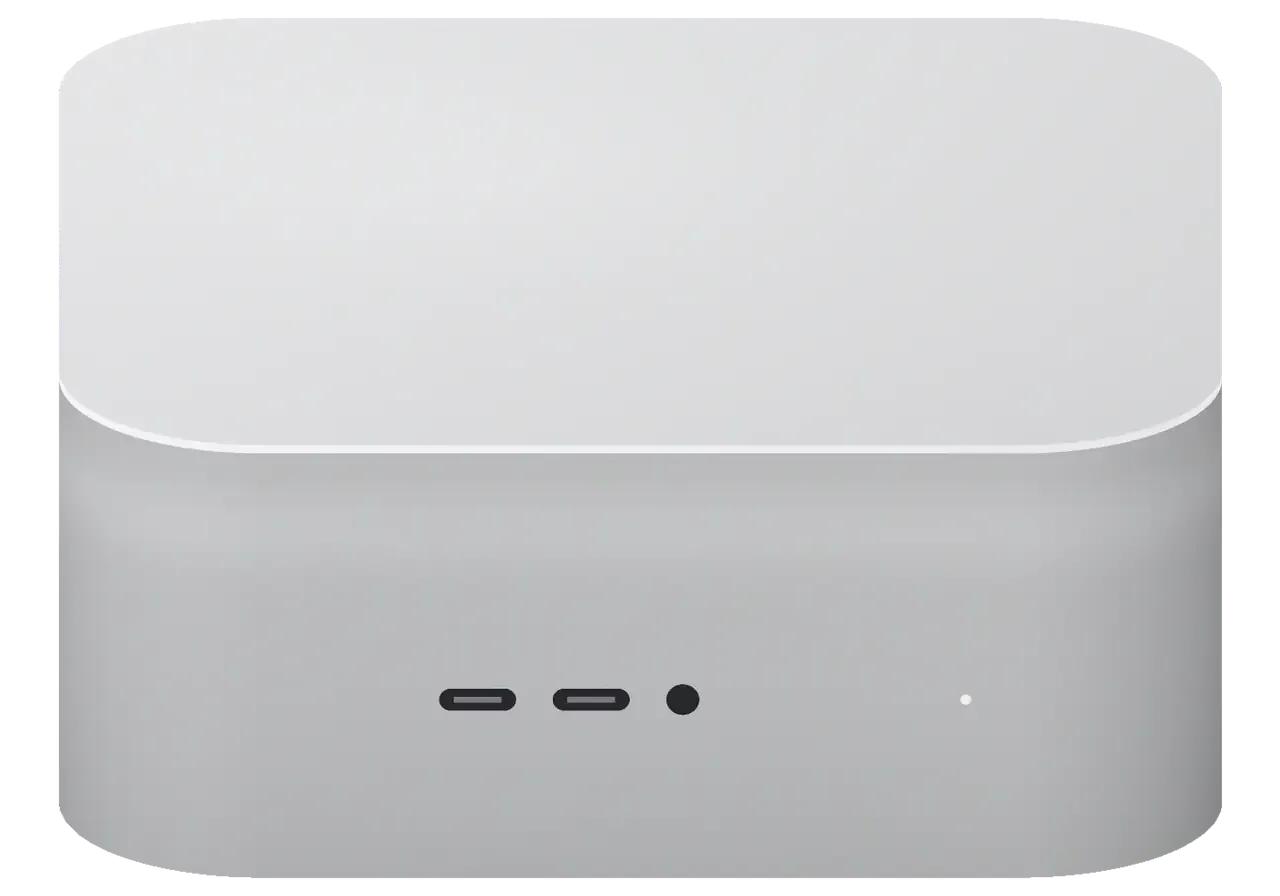
This compact desktop computer, whether in the office or at home, often suffers from power surges, dust, and rough handling of its ports.
Light is out, fan makes no sound: we inspect the PSU and boot circuitry.
Video editing or code compilation aborts: protection kicks in or power sags.
The compact case means the heatsink quickly clogs with dust, cooling runs at its limit.
The monitor flickers or isn't detected: we check the port, cable, and video output.
An external SSD or monitor disconnects: we diagnose the controller and connector.
Keyboard and mouse don't respond: possible controller failure or oxidized contacts.
The 3.5 mm jack doesn't detect the headset: we check the socket and audio path.
Wireless modules disappear after sleep: diagnostics of antennas and board needed.
The system doesn't reach the desktop: we check the storage and firmware integrity.
A surge has damaged the power supply: don't plug it in again, bring it in for inspection.
Spilled coffee or condensation causes oxidation: the sooner it's disassembled, the better.
Pressing doesn't work or only works intermittently: we clean or replace the mechanism.
Here are approximate prices for typical Mac mini M4 operations. The technician will give you the exact cost after diagnostics.
| Service | Original | Aftermarket |
|---|---|---|
| Power supply replacement | 58 900 ₸ | 32 900 ₸ |
| Fan replacement | 24 900 ₸ | 13 900 ₸ |
| USB-C / Thunderbolt ports replacement | 37 900 ₸ | 20 900 ₸ |
| Other repairs | Price | |
| SSD installationstorage installation | 10 900 ₸with parts | |
| Dust cleaningdisassembly and dust cleaning | 17 900 ₸per job | |
| Logic board repairmicrosoldering · 1–3 days | 25 900 ₸per job | |
| Wi-Fi module repairwireless module · board-level repair | 33 900 ₸with parts | |
| MacOS installationOS installation, no parts replaced | 10 900 ₸per job | |
After liquid damage or a severe power surge, we quote the price only after opening and inspecting the board.
Owners of the Mac mini M4 face two paths, and which one fits depends on how much you rely on the computer running non-stop.
We understand that a desktop Mac is often at the center of the workflow, so we first determine the cause and then discuss the repair.
Diagnostics are free, and you learn what exactly is broken before agreeing to work. No hidden charges.
We provide a warranty of up to 1 year on all work performed. If the issue recurs, we'll fix it free of charge.
Over eleven years we've repaired many compact Macs and know their weak points. This helps us find the cause faster.
Only experienced specialists are allowed to disassemble the Mac mini M4, and they work carefully with the dense internal layout.
Before handing over, we test 32 functions of the computer to ensure all ports, wireless modules, and cooling work after repair.
Weekdays 10–19, Saturday, Sunday, and public holidays 11–18. You can drop off your laptop before or after your shift.
Usually the whole journey — from message to pickup — takes less than an hour; complex repairs follow the timeline in the receipt.
Book a repairYou send a photo of the damage on WhatsApp — we quote the price and available time. Or you call a courier.
An engineer checks the device in front of you and shows what is broken. 0 ₸, even if you decline the repair.
We fix the price, the part (original or analog), the timeline and the warranty. You sign — we start.
Before installation we show you the new part in its factory packaging. You wait in the waiting area with coffee and Wi‑Fi.
Startup and operation under load, ports, Wi‑Fi and Bluetooth, sound. You check together with the engineer.
Together with the receipt, warranty card and the old part. Payment — Kaspi, card or cash.
Technicians for iPhone, Mac, iPad, Apple Watch and AirPods repair.
Photo: Kudiret S. Photo: Kamran A.

“If the repair didn’t suit you or you have a complaint, write to me personally.”
Send a photo of the fault — an engineer will reply on WhatsApp, give the price and a time you can come in.
Mac mini M4 Repair in Astana by iServices Technicians
For the Mac mini M4 repair that owners in Astana need, iServices covers everything from a dead power button to Thunderbolt and HDMI faults, with free 15-minute diagnostics done in front of you. We are the direct contractor with our own technicians, fix boards under a microscope, and back every job with a 1-year warranty.
Compact and quiet, the Mac mini M4 rarely shows dramatic failures — instead, they surface as symptoms. No power, no image, fan noise, dead sockets. This is what we actually see at the bench.
When the unit is completely unresponsive, we start by examining the built-in power supply, since it sits inside the case and takes the brunt of voltage spikes. With no external adapter, surges travel straight to the power circuit on the main board before reaching the M4 chip. A quick check involves pressing the power button underneath: if the fan doesn't move at all, that points to one cause, while a short spin followed by silence suggests another. Instead of a single continuity check, we then measure the voltage under load. A device that clicks or spins the fan briefly and then shuts down usually points to a problem with the power circuit rather than the chip, so the button test tells us more than any software diagnostic.
A machine that boots but shows nothing on HDMI or Thunderbolt is usually a display-handshake fault, not a dead GPU. The M4 drives both outputs from the same silicon, and a single dead lane rarely kills every monitor at once — so the pattern of what lights up matters. A unit that wakes to a black screen but still answers keyboard input has a handshake problem, not a boot failure. Testing the same cable on a second Thunderbolt socket and a different monitor isolates whether the fault lives in the connector, the cable or the display before anything is opened. On units that fail to wake entirely, a DFU restore confirms whether the firmware recovers or the fault is physical.
Diagnostics come ahead of any repair decision. We open the machine with you watching, test the supply path and ports, and tell you what has failed even if you choose not to fix it.
Our engineer runs a free 15-minute diagnostic in front of you and shows exactly what has failed, whether or not you go ahead with the repair. The check happens on the bench, not behind a closed door: the technician connects the unit to a lab supply, reads the draw on the meter and compares it against the expected values for each rail. From there he traces the feed path and tests every port one by one. Watching the test matters because a supply fault and a logic fault can look identical from the outside — the difference only shows on the bench meter.
Once you approve the work, we lock in the price, part, deadline and warranty on the receipt before starting, and show you the new component in its sealed factory packaging. Filling out the receipt takes roughly a couple of minutes and specifies the exact part — original or third-party — so nothing is left vague later. The technician opens the factory seal in your presence, fits the part, then puts the device through a 32-point check of power, connections, cooling and networking before handing it back. Putting the terms on paper beforehand guarantees the part you approved is the one installed — no swaps mid-repair. You go home with the receipt, the warranty card and the old part packed up.
Some faults need the main circuit assembly on the bench. Here is how we approach component-level work, port repair and firmware recovery on the M4 chassis.
We service the Mac mini M4 logic board under magnification, pinpointing the fault to one element rather than swapping the whole assembly. The M4 packs the chip, power delivery and memory into a cramped space, so a single failed regulator or a hairline solder joint can bring the entire unit down. On the bench we use a soldering station with hot-air rework and a stereo microscope to inspect and reflow those spots, then test the unit before it returns to the case. This kind of work typically runs 1–3 days, longer than a display or battery job, because every trace is verified twice. During Mac mini M4 repair in Astana, board-level work takes more time yet keeps your machine's serial identity and saves you the price of a full replacement, so request it when a shop offers only a swap.
A dead Thunderbolt or HDMI connector on the Mac mini M4 is usually a solder joint or controller problem we can rework without replacing the whole logic assembly. Connectors fail for two reasons: physical stress that cracks the joint where the port meets the PCB, or a controller that stops negotiating a link. We test continuity with a multimeter, reflow or swap the connector on the soldering station, then confirm the port handles data and video again. The front USB-C ports and rear Thunderbolt ports run on separate signal paths, and the M4 layout cannot be interchanged with earlier generations, so parts and diagrams from an older mini won't fit. Since those paths are separate, a fault on one side seldom means the other is gone.
A Mac mini M4 stuck before macOS loads can often be revived by restoring firmware through DFU from a second Mac. The chip enters Device Firmware Update mode when the internal software is corrupted or an update is interrupted, and the machine shows no image even though the hardware is intact. Recovery means connecting the two machines with a supported cable, running Apple Configurator on the host and pushing a clean image to the M4. The process takes minutes when the host is stable, but the M4 must be recognised on the first attempt. DFU recovery needs a steady host and the right cable, so a failed attempt on an unstable setup can look like a hardware fault when it is not.
The M4 keeps memory and storage on the board itself, which changes what can be replaced and how data is recovered. These are the questions owners bring to us most often.
On the Mac mini M4 the memory is soldered to the board and the storage is tied to it, so you cannot drop in a bigger SSD the way you would in a desktop PC. The unified memory sits in the same package as the M4 chip, and the NAND modules are paired with the controller on the main circuit. There is no slot, no tray and no service door — the fan and the aluminium housing are the only parts that come off easily. Disk Utility can still show you drive health and free space, but it cannot detach the storage from the logic board. That is why a storage fault is a component-level job, not a parts swap — and why backing up before symptoms worsen is the single most useful habit for an M4 owner.
Files on a Mac mini M4 are only reachable while the logic board is alive, so we assess it first and recover data before any component work. An engineer answers on WhatsApp in five minutes or less and quotes from a photo, then runs a free 15-minute diagnostic in front of you and shows what has failed. If the machine still mounts its drive, we copy the files off before touching anything else. Where the main circuit is dead, the work moves under the microscope, and component repair can take one to three days. The replacement part arrives in factory packaging and is shown to you before installation; the receipt lists the price, part, turnaround and warranty in advance. If the machine still boots, a Time Machine backup taken now is worth more than any recovery attempt later — do it before the next power cycle.
A voltage spike can damage the built-in power supply and the board simultaneously, so after an outage any Mac mini M4 that dies needs both examined. The power supply sits inside the chassis with no external brick to swap, meaning a surge travels straight to the main circuit along the same path that feeds the M4 chip. Symptoms differ: a unit that is completely dead, one that powers on but shows no image, or a fan that spins with no boot chime. We test the supply rail and the main circuit separately during the free diagnostic, because replacing one while the other is damaged brings the fault straight back. A surge protector on the wall socket is cheaper than a board repair, and it is the one preventive step most owners skip.
Owners want to know how long it takes, what comes back and what happens if something goes wrong. Here are the terms we commit to in writing.
| Job type | Typical turnaround | What we verify at handover |
|---|---|---|
| Fan clean and service | Same visit | Fan speed, temps at load |
| Port rework (Thunderbolt/HDMI/USB-C) | Same visit to 1 day | Each port at sustained transfer |
| Power supply fault | 1 day | Power-on, boot, stability |
| Component-level repair | 1–3 days | Boot, ports, storage, 32-function test |
After the repair we run a full function test with you present, then hand over the device with the receipt, warranty card and the old part. The procedure covers 32 functions over roughly ten minutes, from boot and port throughput to storage reads and thermal behaviour at load. We show the replacement in its factory packaging before installation, so you can confirm what went inside. Our warranty lasts up to 1 year and is written on the same receipt as the part type and turnaround. Testing ports and storage together at handover catches a fault that only appears once the unit is running real workloads again.
If you are unable to visit, we can organize a courier, and payment is accepted via Kaspi, card or cash after the work is completed. A courier can be dispatched to pick up the device and return it after repair, which is convenient for owners with weekday commitments. Our branches operate in Almaty and in the capital, with shorter hours on weekends and holidays compared to weekdays. Sending a photo of the issue on WhatsApp beforehand means the courier brings the right part expectation, not just the hardware — an engineer responds within five minutes and provides a quote based on the picture. Approximately 72% of jobs are completed while the customer waits in the waiting area, so many owners never need a second trip.
A Mac mini M4 rarely fails without a reason — the cause is usually a connector, a supply rail or a soldered component. Here is what matters most before you hand the machine over.
Did not find an answer? Message us on WhatsApp: an engineer replies, not a bot.
Ask a questionNo — the RAM is fixed onto the logic board with no separate slot. So when it goes bad, we repair the board itself rather than swap a stick.
The compact case and a dust-clogged heatsink impede heat dissipation. The fan starts running louder, and the case becomes hot. We recommend cleaning the cooling system.
Don't try to turn it on again and don't plug it in. A power surge could have damaged the power supply or controllers. Bring the computer for diagnostics, we'll check the power circuits.
Yes, we disassemble the case and repair or replace the button mechanism. If the problem is in the cable or contacts, the technician will restore the connection.
First check the cable and the drive itself on another computer. If the drive works but the Mac mini doesn't see it in any port, there may be a Thunderbolt controller failure — diagnostics needed.
Simple jobs like cleaning or button replacement are done on the day of contact. Board repair may take several days; the technician will give the exact time after diagnostics.
Алдымен интернеттен қарадым, кейін осында келдім. Екі күнен кейін өзі қоңырау шалды. Рахмет, ұсынамын.
Работаю рядом, заехала в обед. Проблема — шумит. Нагрев в норме, постороних звуков нет.
Утром открыл крышку, а там — шумит. Камран А. объяснял без умных слов, за это спасибо. Приняли, объяснили, что и почему. Обошлось заменой: кулер. Крутится ровно, без рывков.
Проблема — не включаеться. Камран А. разобрался в редкой модели. Все функции проверил — работают.
Искала, где есть оригинальные запчасти, а не «как оригинал». Работал годами — и на тебе. Проблема — не включаеться. Мастер сам предложил забрать технику позже. Приговор — плата. Один раз не дозвонилась, но перезвонили. Кулер не слышно, греется меньше.
Было важно, чтобы сделали до конца недели. Позвонила насчёт Mac mini M4. Проблема — перегревается. Камран А. пообещал и сделал, без напоминаний. Привезла на такси, приняли без вопросов. Вытащили и показали: кулер. Отдала 45 500 и не жалею. Не разочаровалась. Полёт нормальный.
Искал, где есть оригинальные запчасти, а не «как оригинал». Отдал в сервис: Mac mini M4. Проблема — не включается. Приняли вечером, хотя до закрытия было минут десять. Замена: плата. В другом месте просили на треть больше. Ни разу не пожалел
Было ощущение, что ремонт выйдет дороже нового. Проблема — перегревается. Камран А. всё сделал при мне, за пятнадцать минут. Выдали номер заказа и сказали, как отслеживать. Сейчас работает без нареканий.
Камран А. всё сделал при мне, за пятнадцать минут. Пользуюсь и вспоминаю добрым словом.
Астанада тұрамын, қаланың арғы жағына бару ыңғайсыз болды. Күтуге уақытым аз еді, сол күні бітірді. Жұмысты сол күні аяқтады. Қосымша жұмыс қажет болды, бірақ бағаны көтермеді. Бағасы мен сапасы сай.


 iPad
 MacBook
 iMac
 Apple Watch
 AirPods
 Apple Pencil
 Apple TV
 HomePod
