BS Photo: Bakmukhammed S.
Bakmukhammed S.
on-site iPhone technician
13years of experience
4.93rating, 107 reviews

A stick or ice axe smashed the Apple Watch Ultra 2 glass — we replace the display in a day, show the part in its packaging and return the old one.
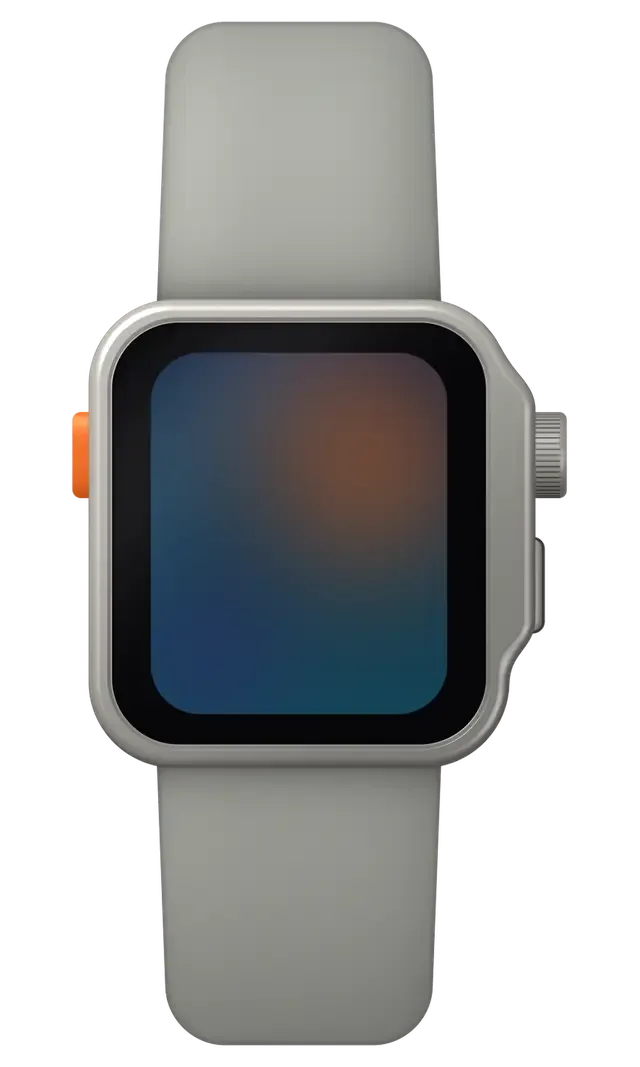
A watch for business trips and cold-weather training collects glass knocks, condensation and a loose crown.
Dirt or moisture in the microphone ports makes your voice sound faint.
Wrist calls and alerts come out dull after water or dust.
A shirt cuff rubs the titanium and presses the Action button by accident.
Resting the wrist on a table corner chips the front glass at the rim.
A busy day of calls and alerts empties the cell by the afternoon.
Messages arrive late because the link to the iPhone keeps dropping.
After a fall the screen develops patches that ignore touch.
Moving between a cold street and a warm room leaves moisture under the glass.
The Action button does not start a workout or the flashlight.
The emergency signal is barely audible even though the speakers are clean.
The watch does not respond to the button or charging, and the screen stays dark.
On a call from the watch, the other person hears only noise.
We list the main Ultra 2 jobs below; the final amount depends on the part chosen and the inspection.
| Service | Original | Aftermarket |
|---|---|---|
| Display replacement | 391 900 ₸ | 217 900 ₸ |
| Battery replacement | 82 900 ₸ | 47 900 ₸ |
| Rear cover with sensors replacement | 206 900 ₸ | 114 900 ₸ |
| Digital Crown repair | 24 900 ₸ | 13 900 ₸ |
| Side button replacement | 24 900 ₸ | 13 900 ₸ |
| Speaker replacement | 20 900 ₸ | 11 900 ₸ |
| Microphone replacement | 22 900 ₸ | 12 900 ₸ |
| Other repairs | Price | |
| Board repairmicrosoldering · 1–3 days | 68 900 ₸per job | |
| Firmware flashingsoftware restore, no parts replaced | 38 900 ₸per job | |
We state the final cost after diagnostics, once the case, battery and seals have been examined — by phone or WhatsApp.
In an office the demands differ from a mountain trail, so the part you choose should reflect that.


On the Ultra 2 we replace only what has truly failed and lay out the options in plain words.
After the repair, a warranty up to 1 year applies, so if the same fault comes back because of our work, we take care of it again.
Eleven years around Apple hardware mean we can often tell at a glance what a drop, a spill or a long trip has done to a watch.
A titanium case and a bonded seam leave no room for haste, which is why experienced technicians do the opening.
If a cleaning or a software update solves it, you hear that first and the working parts stay as they are.
We compare original and aftermarket parts for office, travel and sport use, and the final call stays with you.
Our weekday hours run 10:00–19:00, and on weekends plus holidays we are here 11:00–18:00 — easy to fit a visit around your day.
Usually the whole journey — from message to pickup — takes less than an hour; complex repairs follow the timeline in the receipt.
Book a repairYou send a photo of the damage on WhatsApp — we quote the price and available time. Or you call a courier.
An engineer checks the device in front of you and shows what is broken. 0 ₸, even if you decline the repair.
We fix the price, the part (original or analog), the timeline and the warranty. You sign — we start.
Before installation we show you the new part in its factory packaging. You wait in the waiting area with coffee and Wi‑Fi.
Touchscreen, brightness, Digital Crown, sensors, microphone, speaker, charging. You check them together with the engineer.
Together with the receipt, warranty card and the old part. Payment — Kaspi, card or cash.
Technicians for iPhone, Mac, iPad, Apple Watch and AirPods repair.
Photo: Bakmukhammed S. Photo: Galymzhan S.
 Photo: Zhandos Sh.
 Photo: Darkhan T.
 Photo: Kudiret S.
“If the repair didn’t suit you or you have a complaint, write to me personally.”
Send a photo of the fault — an engineer will reply on WhatsApp, give the price and a time you can come in.
Apple Watch Ultra 2 Repair in Astana for Titanium and Sapphire Damage
In Astana, iServices repairs Apple Watch Ultra 2 by working directly on the flat sapphire and titanium case, with a free 15-minute diagnostic in front of you. Cracked sapphire, swollen batteries and charging faults are all fixed by us; we show the new part in factory packaging and cover the work with a warranty up to 1 year.
The Ultra 2 is a 49 mm titanium watch with flat sapphire and an action button, and it fails differently from aluminium Series models. The material and the size change both what breaks and how we diagnose it.
The Ultra 2 uses a flat sapphire crystal over a titanium case, so a hard hit usually leaves a chip or a spider crack in the crystal rather than a dent in soft aluminium. Titanium is stiffer than the aluminium of a standard Series watch, so the case absorbs less impact and the glass takes more of it. Ion-X on cheaper models scratches and shatters into a wide web, while the harder crystal resists scratching but splits along a single running line. The 49 mm footprint also puts more glass past the edge of the wrist, and the raised lip catches doorframes at a shallow angle. That is also why in Astana, apple watch ultra 2 repair cases frequently involve only the crystal, while the titanium body stays intact.
A healthy Ultra 2 battery handles Astana winters, so a watch that shuts down at -10 °C or drops from full to empty in a day is showing an aged cell, not a software bug. Cold slows the chemistry inside any lithium pack, and a worn one has less headroom, so it reaches the cutoff voltage sooner and powers off while the gauge still shows a third. Altitude adds load: on a mountain hike the watch runs GPS and the always-on display harder, and a tired pack fumbles that first. A battery health figure in Settings is a guide, not a verdict — the honest test is how the watch behaves outdoors on a frosty morning. The drain pattern is read before opening anything, and the outdoor shutdown at low temperature is the clearest sign of a cell that needs replacing.
On the Ultra 2, the OLED panel, touch layer and sapphire are fused as one, so the key question becomes whether the crack affected only the glass or reached the display.
If the picture is sharp, touch responds everywhere and there are no lines or bright spots, we can replace the sapphire on its own and keep the original OLED panel. The protective crystal on the Ultra 2 is flat and bonded directly to the display assembly, and a chip at the edge often leaves the active matrix untouched. We separate the broken crystal, clean the adhesive residue from the frame and press a new sheet onto the original screen under controlled pressure so no air pockets sit between the layers. A glass-only job costs less and keeps the factory OLED that already matches the watch, but it only makes sense when the digitising surface is intact — a single dead zone means the whole assembly has to come off as one unit.
Vertical lines, ink-like patches or a surface that ignores swipes mean the OLED or the digitiser is damaged, and we replace the full display module rather than the glass. The digitiser on this model is laminated to the panel, so a damaged touch grid cannot be swapped independently of the OLED underneath. We fit a complete assembly with the sapphire already bonded at the factory, which removes the risk of dust trapped between layers. On the Ultra 2 the Always-On dim state is the quickest test — if the faint always-on image shows the same lines as the bright screen, the fault is in the panel, not in the glass on top of it.
| What you see | Part we replace | What stays original |
|---|---|---|
| Chip or crack, picture clean | Sapphire glass only | OLED panel, touch layer |
| Lines or bright spots | Full display module | Titanium case, sensors |
| Dead touch zones | Full display module | Battery, crown, board |
| Black screen, watch boots | Full display module | Case, back cover |
| Crack plus water inside | Module plus board check | Case after re-seal |
Power complaints on the Ultra 2 split into three groups — the cell itself, the charging path through the back cover, and the board — and each one is checked in a different order.
A swollen cell pushes the display up off the titanium frame, and we replace the battery before the lifted glass cracks or the cell damages the board. Swelling starts inside the pouch, where gas builds up as the chemistry ages and the cell is repeatedly held at full charge or exposed to heat; the pressure has to go somewhere, so the display module lifts at the weakest edge first. On the Ultra 2 the titanium frame barely flexes, which is why the glass and the adhesive gasket take the strain instead. A swelling cell is a chemical failure, not a charging habit, so a new charger will not fix it — and continuing to wear or charge a lifted watch risks the seal opening and moisture reaching the inside.
If an Ultra 2 refuses to charge, we start by excluding the cable and puck, then inspect the charging coil and back-cover contacts, and the board is checked last. The wireless coil sits directly under the back crystal, next to the heart-rate sensor, and it takes the same impacts as the case; a cracked or scuffed back cover lets moisture in, and the contact pads corrode quietly. Before anything else is touched, our engineers measure the coil and test the watch using a charger known to be good. A watch that charges only at a certain angle usually has a worn coil or a loose contact rather than a dead board, so it is worth testing on a known-good charger before assuming the worst.
| Symptom | Likely node | What we check |
|---|---|---|
| Dies fast, shuts down in cold | Battery cell | Health reading, swell, voltage |
| Display lifted at one edge | Swollen battery | Cell, seal, frame |
| No charge on any puck | Coil or contacts | Back cover, coil, cable |
| Charges only at an angle | Worn coil | Coil, contact pads |
| Dead, no boot at all | Board or cell | Board under microscope |
Liquid, a stiff crown and a sensor that stops reading are the faults that follow a hit or a swim, and each one has a different limit on what a repair can restore.
When liquid penetrates, the board is cleaned and dried and the case re-sealed, but after the watch has been opened, factory-level resistance cannot be guaranteed. The adhesive gasket around the back cover is single-use, so every opening breaks the factory barrier, and a watch that took on liquid needs the circuitry inspected under magnification before anything is closed again. We dry the case and the sensor stack, then check the contacts for corrosion. When corrosion reaches the circuitry, diagnostics can run up to two days. The Ultra 2 leaves the factory rated for deep immersion, yet a perfect re-seal is a moisture barrier, not a guarantee — swimming after a repair is a known risk, so keep it out of the pool.
A Digital Crown that grinds or an orange key that sticks is usually grit or a bent internal part, and we clean or replace the crown and switch assembly. Fine sand from a beach trip and dried salt work under the wheel and chew the internal O-ring, which is why it starts to catch or feel loose on its axis. The same grit reaches the side key, whose spring can bend after a hard knock. We strip the wheel, flush the mechanism and fit a new assembly when the shaft is worn. That orange key on the Ultra 2 sits on its own seal, so a control that no longer clicks is often the first sign that liquid or sand got past it — worth checking before it reaches the circuitry.
If the pulse reader or the link to the iPhone drops after a knock, we check the back-cover module, the antennas and the circuitry, since all three sit close to the impact point. The optical reader and the ECG electrodes share the rear crystal, and a cracked or lifted cover breaks contact with the skin, so readings turn erratic or vanish. Antenna faults show up as dropped calls on the cellular model or a watch that pairs but loses its connection a few metres from the phone. We test each node separately before touching the mainboard. A watch that pairs but shows no heart rate usually has a module or contact fault rather than a software one, so a reset rarely helps and the back cover is where the check starts.
How the Ultra 2 feels afterwards depends on the component you pick and the way the visit is run, so before any work starts both are fixed on the receipt.
We offer an original component or an aftermarket one, show the new unit in factory packaging before fitting, and write the choice on the receipt so there is no surprise later. 64% of customers pick the original, and the split is not about budget alone — owners who lean on Always-On and the faint dimmed clock tend to go original, while those replacing a cracked module on a work watch often take the aftermarket. Both options are fitted by our own technicians with 4 to 13 years of experience, and the warranty runs up to 1 year on original glass and 6 months on aftermarket. An aftermarket display can look close on a bright screen but may dim differently in Always-On, so if the faint always-on view matters, that is the moment to pick the original.
Before coming in, make sure to unpair your watch from the iPhone — this keeps the backup on your phone. After the repair, verify touch, pulse, charging and vibration together with the engineer. Unpairing takes a couple of minutes in the Watch app and means the fresh pairing later restores the faces, alarms and health history without a trip home for the phone. Once the repair is done, roughly ten minutes go into a 32-point inspection; you receive the watch along with its old component, warranty card and receipt, so hold on to that removed part until you have verified everything functions correctly. A courier can be called if coming to the workshop in Astana is not possible, and payment goes by Kaspi, card or cash at pickup.
A few points decide whether an Ultra 2 repair goes well, and nearly all of them can be settled early. This closing list collects what matters most.
Did not find an answer? Message us on WhatsApp: an engineer replies, not a bot.
Ask a questionDirt or moisture in the microphone ports is the usual cause. Clean the openings gently with a soft brush, test a voice recording indoors and, if it stays faint, have the watch inspected.
Yes, the watch can be repaired without the iPhone. Still, bringing the phone at pickup lets the engineer test calls, pairing and notifications with you. Make sure your iPhone backup is fresh.
A cuff or a tight sleeve may be pressing it. Reassign its function, wear the watch slightly higher on the wrist and, if it still triggers alone, have it checked.
Fine marks are normal wear and do not affect operation. Avoid home polishing, which can damage coatings. Deeper damage should be assessed by a technician.
If the display matrix is intact, it may be. Since the glass is bonded, it can fail to survive opening, and the technician will explain the risk first.
Water resistance may change after glass replacement, since much rests on fresh seals and the glue line. A technician can tell you if diving or swimming remains safe with your watch.
Often yes. It is cheaper and adequate for calls, alerts and time. If you also train outdoors, an original display is the safer choice.
Ғалымжан С. — мастер от бога, если можно так сказать. Диагностику сделали при мне. Работает, как будто и не ломалось.
Смотрела отзывы в 2ГИС, выбрала по адекватности. После обновления началось: треснуло стекло. Сказали, что перезвонят, и правда перезвонили. Вскрытие показало: аккумулятор. Экран яркий, батарея держит.
Техника рабочая, терять её надолго нельзя. Проблема — не включается. Ни шума, ни запаха, всё штатно!!
Работаю рядом, заехал в обед. В командировке достал, а у него треснуло стекло. Экран яркий, батарея держит
Хотел сначала в официальный, но там очередь и цена. Достал из кармана, а там уже не включается. Всё чётко, без сюрпризов.
Проблема — не включается. Ғалымжан С. объяснял без умных слов, за это спасибо. Вернули — проверил, всё ок.
Думал, проще новое купить. Проблема — не держит заряд. Ғалымжан С. пообещал и сделал, без напоминаний. Мастер вышел, послушал и сразу забрал в работу. Пришлось ставить: стекло. Минус — запчасть ждали три дня. Функционирует, тьфу-тьфу.
Хотел сначала в официальный, но там очередь и цена. После обновления началось: не включается. Приняли, объяснили, что и почему. Нужна была новая деталь: дисплей. За такую работу 35 000 — адекватно. Сначала назвали одну сумму, потом уточнили. Пять баллов. Сделали так, что и не придерёшься!!
Проблема — не включается. Ғалымжан С. принял без вопросов, хотя был без записи. Проверил на всех режимах — держит!!
Смотрел отзывы в 2ГИС, выбрал по адекватности. Отдал в сервис: Apple Watch Ultra 2. Проблема — не держит заряд. Ғалымжан С. пообещал и сделал, без напоминаний. Пользуюсь и вспоминаю добрым словом.

A cracked screen does not always mean a new display. Here is how to tell what broke and what to do next.

Most fast drains come from a worn cell or background settings, and a 15-minute check shows which one you have.

The red bolt means the watch is receiving power but not charging. Here is how to tell a cable fault from a watch fault.

Decide whether your older Apple Watch is worth fixing: what breaks, what a repair costs and how long it takes.

Back up your data, turn off Find My, and bring proof of purchase — then the repair starts faster.

 iPad
 MacBook
 iMac
 Mac mini and Studio
 AirPods
 Apple Pencil
 Apple TV
 HomePod
