Eng

iPad Pro 11" M4 Repair in Astana

The slim iPad Pro 11 M4 is fragile and can bend or crack easily — we'll diagnose it at no charge and quote the price up front, so nothing catches you off guard.

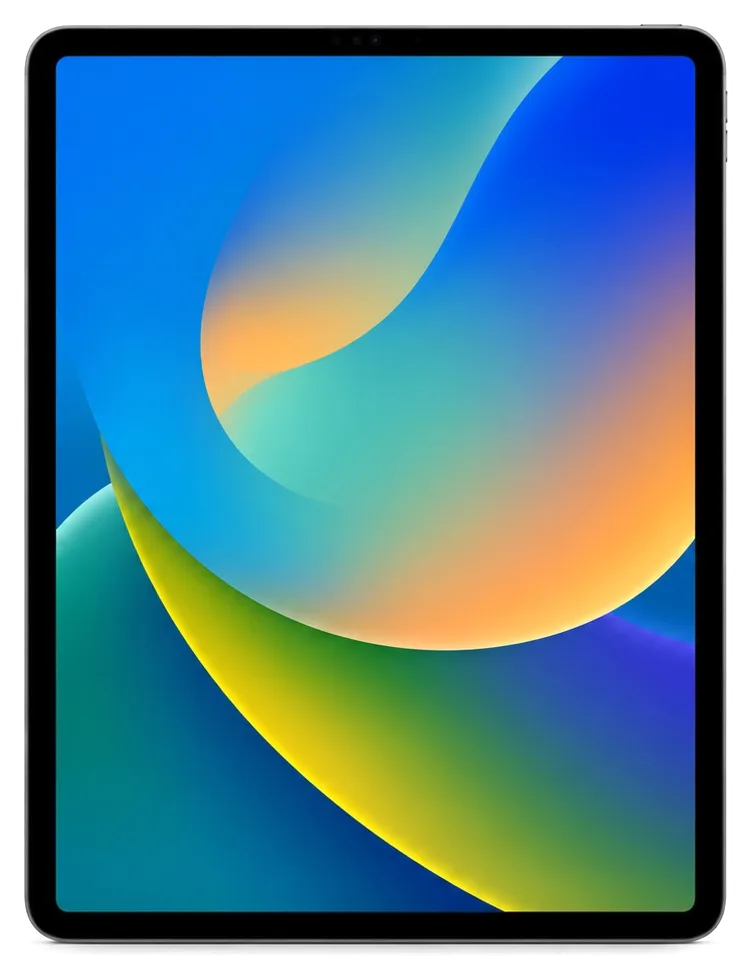
iPad Pro 11 M4 tablet shown on a plain background
iPad Pro 11" M4 repair
Front camera replacementfrom 33 900 ₸
Button replacementfrom 38 900 ₸
Speaker replacementfrom 20 900 ₸
All services and prices

Common iPad Pro 11 M4 Problems That Lead to Repair

The slim body and large OLED screen make the tablet vulnerable to drops, bending and temperature changes, especially with active use in the city.

01

Screen with colored stripes

After an impact or pressure, bright lines, flickering or dark spots appear on the OLED.

02

Cracked glass, touch still works

The laminated display is replaced as a whole unit, so cracks mean a full module swap.

03

Tablet turns off in the cold

In winter, the iPad shuts down despite charge — the battery can't deliver enough current.

04

Not charging via USB-C

The port gets clogged with dust or corroded by moisture; charging fails.

05

Face ID doesn't recognize the owner

After an impact or contact with liquid, the sensors along the long side may quit.

06

Pencil Pro not charging

The magnetic contact on the side edge gets dirty or damaged, so the stylus won't attach.

07

Body bent

The thin frame bends in a backpack, causing light spots and pressure marks on the screen.

08

Camera takes blurry photos

The main module doesn't focus after an impact; document scans and photos come out blurry.

09

No sound from speakers

One or both speakers sound distorted or silent after moisture or dust exposure.

10

Volume buttons stick

The side buttons are hard to press or unresponsive, and the volume doesn't change.

11

iPad won't turn on after a drop

A flex cable or the board may be damaged; the device doesn't respond to the power button.

12

Touchscreen not responding

The screen is intact but touches don't register — possibly a display flex failure.

How Much iPad Pro 11 M4 Fixes Cost in Astana

The cost depends on the fault and type of part; the table shows approximate prices for the main repairs for this model.

ServiceOriginalAftermarket
USB-C port replacement83 900 ₸46 900 ₸
Battery replacement96 900 ₸55 900 ₸
Display replacement273 900 ₸169 900 ₸
Main camera replacement96 900 ₸53 900 ₸
Front camera replacement85 900 ₸47 900 ₸
Button replacement78 900 ₸43 900 ₸
Speaker replacement67 900 ₸37 900 ₸
Microphone replacement73 900 ₸40 900 ₸
Housing replacement202 900 ₸112 900 ₸
Flex cable replacement21 900 ₸15 900 ₸
Other repairsPrice
Logic board repairmicrosoldering · 1–3 days36 900 ₸per job
Liquid damage cleaningcorrosion cleaning · diagnostics up to 2 days13 900 ₸per job
Wi-Fi module repairwireless module · board-level repair21 900 ₸with parts
Firmware flashingsoftware restore, no parts replaced12 900 ₸per job

The final price will be given by the technician after diagnostics, taking into account the tablet's condition and the chosen part.

Original or Analog, the Right Part for iPad Pro 11 M4

For the display and battery, there are two options, and the choice depends on your needs and budget.

Original Applewarranty up to 1 year
iPad Pro 11" M4 glass and display
iPad Pro 11" M4 glass and display: original part in Apple packaging
Display
Factory brightness and color, no distortion
Pencil Pro
Full compatibility and familiar stylus response
Cost
Higher than analog
Warranty
We provide up to 1 year on work
Aftermarket
iPad Pro 11" M4 glass and display
iPad Pro 11" M4 glass and display: aftermarket part in an antistatic bag
Display
Good picture, but a different tint is possible
Functions
Some options should be clarified with the technician
Cost
Lower — budget option
Warranty
Up to 1 year on work

iPad Pro 11" M4 repair in Astana why they come to us

Repairing a thin tablet with a laminated screen requires care and experience, so it's important to trust it to proven technicians.

11years

Eleven years with Apple technology

Over eleven years of work, we have thoroughly studied the iPad Pro design, including thin bodies and laminated displays.

1year

Warranty up to 1 year

All completed work carries a guarantee of up to 1 year; exact coverage is confirmed by the technician before the repair begins.

2options

Experienced technicians

Our engineers handle the delicate parts of this tablet with great care, paying attention to every connector and cable.

5min

We'll help you choose a part

We'll explain the difference between original and analog, and select a part for your needs and budget without pressure.

2cities

Astana and Almaty

We accept in Astana and also in Almaty — the conditions and approach are the same in both cities.

7days a week

Convenient schedule

Reception on weekdays 10:00–19:00, on weekends and holidays 11:00–18:00 — choose a convenient time.

iPad Pro 11" M4 before and after repair

1 / 2
iPad Pro 11 M4 on a mat with an autumn wallpaper, technician's hands on both sides

iPad Pro 11" M4: black spots after a fall

The tablet fell from the sofa onto the tile — black spots and stripes appeared on the screen. We replaced the display module and checked touch and image — everything works properly.

from 106 900 ₸repair cost
I want the same
iPad Pro 11 M4 on a mat after battery replacement, technician's hands on both sides, balloon wallpaper on screen

iPad Pro 11" M4: battery died by lunchtime

A client from Astana brought in the tablet: the charge was draining by lunch and the device kept shutting down. We replaced the battery and checked the charging — now the iPad lasts all day.

from 41 900 ₸repair cost
I want the same

How iPad Pro 11" M4 repair is done in Astana

Usually the whole journey — from message to pickup — takes less than an hour; complex repairs follow the timeline in the receipt.

Book a repair
  1. Step 1

    Message or call

    5 min

    You send a photo of the damage on WhatsApp — we quote the price and available time. Or you call a courier.

  2. Step 2

    Free diagnostics

    15 min

    An engineer checks the device in front of you and shows what is broken. 0 ₸, even if you decline the repair.

  3. Step 3

    Price in the receipt

    2 min

    We fix the price, the part (original or analog), the timeline and the warranty. You sign — we start.

  4. Step 4

    Repair while you wait

    20–40 min

    Before installation we show you the new part in its factory packaging. You wait in the waiting area with coffee and Wi‑Fi.

  5. Step 5

    Post-repair check

    10 min

    Screen and touch, Face ID or Touch ID, cameras, microphones, speakers, charging, Wi‑Fi. You check together with the engineer.

  6. Step 6

    Pick up your device

    warranty up to 1 year

    Together with the receipt, warranty card and the old part. Payment — Kaspi, card or cash.

Meet the iServices team

Technicians for iPhone, Mac, iPad, Apple Watch and AirPods repair.

1 / 5
BSBakmukhammed S. — on-site iPhone technician, iServices service center in AstanaPhoto: Bakmukhammed S.

Bakmukhammed S.

on-site iPhone technician
13years of experience
4.93rating, 107 reviews
GSGalymzhan S. — iPhone repair technician, iServices service center in AstanaPhoto: Galymzhan S.

Galymzhan S.

iPhone repair technician
8years of experience
4.79rating, 90 reviews
ZSZhandos Sh. — iPhone screen replacement technician, iServices service center in AstanaPhoto: Zhandos Sh.

Zhandos Sh.

iPhone screen replacement technician
6years of experience
4.65rating, 112 reviews
DTDarkhan T. — iPhone firmware technician, iServices service center in AstanaPhoto: Darkhan T.

Darkhan T.

iPhone firmware technician
8years of experience
4.44rating, 19 reviews
KSKudiret S. — iCloud unlock specialist, iServices service center in AstanaPhoto: Kudiret S.

Kudiret S.

iCloud unlock specialist
10years of experience
4.37rating, 100 reviews
Bakmukhammed S., on-site iPhone technician
“If the repair didn’t suit you or you have a complaint, write to me personally.”
Bakmukhammed S.on-site iPhone technician · +7 701 333-47-01

We'll quote iPad Pro 11" M4 repair in Astana from a photo in 5 minutes

Send a photo of the fault — an engineer will reply on WhatsApp, give the price and a time you can come in.

  1. 5 minAn engineer replies and names the price
  2. 0 ₸Diagnostics in front of you in 15 minutes
  3. 30 minMost repairs — while you wait

In Astana, iPad Pro 11 M4 repairs are handled by iServices Experts

In short

For iPad Pro 11 M4 repair in Astana, our own iServices technicians take on board-level faults, Face ID, the USB-C port, battery and the laminated XDR display. Diagnostics are free and last 15 minutes while you watch, most fixes take an hour to a day, and the work carries a warranty of up to 1 year.

iServices Editorial TeamWe reply on WhatsApp within 10 minutes
Ask

What kinds of breakdowns happen with the iPad Pro 11 M4 repair and in what ways are they noticed

The thin body and the large laminated OLED front give this tablet its own set of failures. Below are the faults that most often reach our bench, and how each symptom points to the part behind it.

Fractures, stripes and non-responsive areas on the OLED panel

After an impact, a spiderweb of cracks often spreads across the whole laminated front of the iPad Pro 11 M4, because the glass and OLED layers are fused into one piece. A blow to a corner can leave the image working while a band along the edge stops responding to touch, or green smears that widen over days. This Ultra Retina XDR panel is a sealed stack of glass, touch layer and two OLED films, so broken outer glass is much more than a cosmetic flaw. At our bench we check for dead touch zones, bright spots and pressure marks under the surface. A crack with a still-clear picture is no reason to delay — grit and moisture work their way between the layers and the touch layer fails within weeks, so book diagnostics while the display still functions.

Battery wear, sudden shutdowns and a screen that lifts

A swollen battery on this model pushes the display up along one edge, and we treat any gap between glass and frame as a battery case until diagnostics prove otherwise. The cell is glued into the chassis, so as it ages it can swell and lose capacity at once, which shows up as a tablet that dies at 20% or shuts down under load. Owners often notice a faint click when pressing the screen or a thin line of light at the bezel. Do not charge or press down on a lifted screen — the pressure can crack the OLED underneath, and a unit brought in with the panel still flat is far cheaper to bring back to shape.

Charging, USB-C and Face ID faults

  • Cable and adapter: a worn Thunderbolt cable or a weak charger is the first thing we swap to rule out the simple cause.
  • USB-C port and flex: lint, bent pins or a cracked flex stop the port from seating, so we inspect it under magnification.
  • Battery: a cell that no longer holds charge mimics a charging fault, so we read its health first.
  • Power controller: when port and cell are fine, the fault sits on the board and needs micro-soldering.
  • Face ID after a drop: a unit that unlocks by passcode but not by face usually has a sensor-array fault, not a camera fault.

Why iPad Pro 11 M4 repair replaces the Ultra Retina XDR display as one unit

In this tablet both OLED films are fused to the outer glass as one sealed unit, so "glass replacement only" is a matter of how it is built, not a technician's whim.

Two OLED layers bonded into one part

The Ultra Retina XDR screen of the iPad Pro 11 M4 uses tandem OLED technology bonded to the cover glass, so the front is treated as one part rather than separate glass and matrix. Two emissive layers sit on top of each other, attached to the touch digitiser and the outer pane with optically clear adhesive, and the whole stack is pressed into a slim aluminium frame. Taking those films apart means cutting through the adhesive layer, and the OLED emitters below cannot survive that. Because the panel arrives pre-bonded, frame, digitiser and matrix make up a single SKU. That is why an estimate for "just the glass" on this model ought to look suspicious — the films cannot be separated without destroying the panel, and any promise to do so means an aftermarket unit is being sold as a lighter job.

What becomes of Face ID and the front-facing sensors

The Face ID module of the iPad Pro 11 M4 sits in the top bezel along the long edge, and we transfer the sensor array and its paired components into the new assembly so unlocking keeps working after the swap. The TrueDepth stack — dot projector, infrared camera and flood illuminator — is matched to the logic board at the factory, and that pairing resides in the sensors, not in the front glass. When we open the tablet, the array is lifted out in one piece and seated into the new panel before the adhesive sets. Ask any workshop whether the TrueDepth parts are moved over rather than swapped — a fresh sensor array not paired to the board will leave the tablet on passcode-only, and that only becomes clear at handover, not earlier.

Apple Pencil Pro response after a screen swap

Pencil pressure and hover rely on the digitiser built into the module, so we check Apple Pencil Pro response over the entire surface before the tablet leaves the bench. The digitiser senses tilt, pressure and the hover height that drives the on-screen preview, and it is glued into the same stack as the outer pane. A finger tap proves the capacitive grid works; it tells nothing about the pressure curve at the corners or palm rejection along the long edge. We run a stroke test from edge to edge and verify the Smart Connector and magnetic attach at the same time. Bring your own Pencil to handover if you use one daily — a stylus that skips near the edges is easy to miss with a finger test but obvious the first time you draw a straight line.

How is iPad Pro 11 M4 repair in Astana carried out step by step

The workflow is arranged so every stage is visible, from a photo in a messenger to checking the functions alongside the engineer. Below is the sequence of work and what to get ready at home in advance.

From a messenger photo to an agreed price

  • Photo first: send a picture of the problem via WhatsApp and an engineer answers in 5 minutes with a cost estimate and a free appointment.
  • Live diagnostics: the engineer inspects the tablet in your presence for 15 minutes and demonstrates exactly what is faulty, even if you choose not to proceed with the repair.
  • Paperwork in 2 minutes: price, part, turnaround and warranty are fixed on the receipt before any work starts.
  • Part in packaging: the replacement component is displayed in its factory box prior to fitting, so you can see what goes into the device.
  • Full handover: you leave with the receipt, warranty card and the old part in a bag.

Backing up and switching off Find My before handover

  • Backup: make an iCloud or computer backup the morning of your visit so your photos and notes are current, not a month old.
  • Apple ID password: write it down and keep it with you, since activation and some tests need the account signed in after iPadOS boots.
  • Find My iPad: turn the toggle off in settings before handover so the engineer can run the full function test without activation locks.
  • Screen protector and case: remove both at home, because a cracked protector can hide a hairline in the glass and slow the intake check.

Relaxing in the waiting area or having the tablet delivered

You may relax in our lounge with a hot drink and internet access while the work is under way, or request a courier if coming to the branch yourself is not possible. The iPad Pro 11 M4 repair in Astana follows the same path, so every stage is known to you beforehand. For iPad and MacBook the turnaround ranges from an hour to a day, and 72% of repairs are finished while the customer waits on site; board-level work takes 1–3 days under the microscope. Payment is by Kaspi, card or cash once you accept the result. Staying on site is the better choice for a screen job — it lets you check Face ID, Pencil and touch yourself the moment the module is fitted, whereas a couriered device is verified by the engineer alone.

Genuine component versus aftermarket option for the OLED module and battery in iPad Pro 11 M4 repair

Choosing a part for this tablet shapes peak brightness, Pencil response and how long a charge lasts — we show both options plainly, with no pressure toward the costlier one.

How the two module options differ in daily use

Screen and power variants compared by use case
OptionWhat you getBest forCover
Original moduleFull brightness and colour range, native Pencil responseColour work, outdoor use, long ownershipUp to 1 year
Aftermarket assemblyGood image, slightly lower peak brightnessEveryday reading, browsing, media6 months
Original cellMatches rated capacity and charging behaviourUnits kept for yearsUp to 1 year
Aftermarket cellLower capacity, shorter service lifeOlder units, budget priority6 months

Why the battery choice matters more than it looks

The battery of the iPad Pro 11 M4 is bonded under the display, so swapping it always means opening the front, and the part you fit decides how many charge cycles you get before the next visit. We lift the panel with heat and controlled pressure instead of force, since the OLED films beneath crack easily along the edges. A genuine cell holds its rated capacity longer; a third-party one loses roughly a fifth of its runtime sooner, which on a device kept for years means one extra opening. A swollen unit that has already bent the frame is a reason to replace it before the screen, not after — fitting a fresh module onto a warped chassis leaves a gap that collects dust.

What the receipt and warranty card lock in

Before work starts we write the price, the part type, the turnaround and the cover on the receipt, and you get that receipt, the warranty card and the old part back with the tablet. That record matters because the part choice is not abstract once a fault appears: it names exactly which assembly sits inside your device, so a later conversation starts from paper instead of memory. Cover runs up to 1 year on genuine parts and 6 months on aftermarket ones, and the removed component travels home with you in the same bag as the device. Keep the old module until you have used the tablet for a week — if a touch zone misbehaves, having the removed part makes the cover conversation a matter of fact rather than recollection.

Turnaround, handover checks and warranty

Turnaround depends on the part at fault: a module or battery is usually handled the same day, while board work takes longer. Below are the timings and the checks you personally run when the tablet comes back to you.

Time needed for each kind of work

Jobs compared by time away from you
JobTypical turnaroundNotes
Display module swap1 hour – 1 dayDepends on part availability
Battery replacement1 hour – 1 dayFront must be opened
USB-C port and flex1 hour – 1 dayCharging tested after
Board-level repair1 to 3 daysDone under a microscope
Liquid exposure assessmentAs long as 2 daysPrice given after assessment

The 32-point inspection and what you verify on your own

  • Face ID: unlock the tablet in your usual lighting, not under the bright lamp of the counter.
  • True Tone: open a white page and tilt the screen to confirm the tint shifts naturally.
  • Cameras: take one photo and one short video with both front and rear lenses.
  • Microphones and speakers: record a voice note, play it back at full volume, then make a call.
  • Charging and network: plug in your own charger and connect to your home Wi-Fi.
  • Pencil: draw a line and check the stroke follows the tip with no lag or gaps.

When a board fault is behind the symptom

If the tablet heats up, drops Wi-Fi or shuts down under load, the cause is often on the board rather than in the part that shows the symptom, so we diagnose before quoting a replacement. A power controller fault drains the battery exactly like a worn cell, and a failing Wi-Fi module looks like a software glitch until the network disappears for good. We read the board under a microscope, which is why this category runs 1 to 3 days rather than an hour. Board-level cases are the ones where a second opinion pays off — swapping the battery first only hides a controller fault for a few weeks before the shutdowns return.

Summary: iPad Pro 11" M4 Repair

A repair on this tablet rewards a careful owner: the right questions at booking and a short test at pickup protect both the panel and your budget.

  • Laminated front: the display is one sealed OLED assembly, so a glass-only offer is a red flag rather than a saving.
  • Lifted edge: a screen that rises along one side points to the battery and deserves a check while the panel is still untouched.
  • Preparation: back up, note the Apple ID password and switch off Find My prior to handing the device over.
  • Paper trail: ask for the part type, turnaround and warranty in writing at the start, and keep the old part.
  • Your own check: test Face ID, Pencil response, sound and charging yourself at handover instead of trusting the checklist alone.


Questions Astana owners ask about this iPad Pro 11 M4

Did not find an answer? Message us on WhatsApp: an engineer replies, not a bot.

Ask a question
Why do colored stripes appear on the screen of the 11-inch M4 iPad Pro?

This is a sign of damage to the matrix or flex cable after an impact or bending. The dual-layer OLED is sensitive to pressure, so stripes can appear even without cracks. Diagnostics will show if the display needs replacement.

Is it possible to replace only the glass on the 11-inch M4 iPad Pro?

No, the display is laminated, and the glass is not replaced separately. If cracked, the entire module is replaced as a whole. This ensures reliability and maintains seal integrity.

The tablet is not charging — what's the reason?

Most often, it's a dirty or corroded USB-C port, less often — battery or power controller wear. The technician will check the port and battery, and replace the faulty component if necessary.

Face ID doesn't work after a drop — can it be repaired?

Probably yes, the Face ID sensors on the edge may have shifted or been damaged. Repair is possible but requires precision and original components. A specialist will inspect the device and suggest an option.

Apple Pencil Pro stopped charging from the tablet — what to do?

Check the magnetic contact on the side edge: it may be dirty. If cleaning doesn't help, there may be a fault in the flex cable or the stylus itself. Bring the tablet and Pencil — we'll check both devices.

Will my data be preserved after repair?

When replacing the display, battery or port, data is usually not affected. However, we recommend backing up before repair, especially if the fault is related to the board.

Customer reviews of iPad Pro 11″ (M4) repair

1 / 10
4.9

iServices network rating on Google Maps, wikicity and our website · 2 028 reviews
Google Maps4.438 reviews ›wikicity5.015 reviews ›Reviews on the iServices website4.91 975 reviews ›
НД
Нонна Д.Order No. IS•••78 · 12 September 2026
iPad Pro 11″ (M4)

Проблема — не держит заряд. Ғалымжан С. пообещал и сделал, без напоминаний. Работает, даже лучше прежнего.

iServices customer review, in Russian
НИ
Наталья И.Order No. IS‑•••51 · 14 June 2026
iPad Pro 11″ (M4)

Ғалымжан С. показал старую деталь, всё прозрачно. Выдали номер заказа и сказали, как отслеживать. Третий месяц — никаких проблем.

iServices customer review, in Russian
ТР
Тимур Р.Order No. IS•••54 · 13 March 2026
iPad Pro 11″ (M4)

В Астана сервисов много, но по Apple берут не все. Уронил на плитку — и всё, не держит заряд. Назвали срок — два дня, уложились. Обошлось заменой: шлейф. Заплатил 12 000 тенге, и всё. Внешне не видно, что разбирали.

iServices customer review, in Russian
АЗ
Анелия З.Order No. IS‑•••24 · 24 January 2026
iPad Pro 11″ (M4) · charging

Смотрела отзывы в 2ГИС, выбрала по адекватности. Проблема — не заряжается. Работает, даже лучше прежнего.

iServices customer review, in Russian
АЖ
Арсен Ж.Order No. ISV‑•••87 · 15 September 2025
iPad Pro 11″ (M4) · charging

Проблема — не заряжается. Ғалымжан С. сам позванил и сказал, что готово. Функционирует, тьфу-тьфу!!

iServices customer review, in Russian
СХ
Сезим Х.Order No. •••03 · 20 June 2025
iPad Pro 11″ (M4) · screen

Хотел сначала в официальный, но там очередь и цена. Проблема — треснул экран. Нашёл i-service по отзывам в 2ГИС. Вернули — проверил, всё ок

iServices customer review, in Russian
ҚЮ
Қуаныш Ю.Order No. IS•••02 · 10 March 2025
iPad Pro 11″ (M4) · screen

Обидно, вещь не из дешёвых. Проблема — треснул экран. Всё оформили по договору, с печатью. Обошлось заменой: дисплей. За такую работу 33 000 — адекватно. Ни шума, ни запаха, всё штатно.

iServices customer review, in Russian
ДТ
Дарья Т.Order No. IS•••84 · 23 November 2024
iPad Pro 11″ (M4) · screen

Проблема — треснул экран. Ғалымжан С. разрулил всё быстро. Ни шума, ни запаха, всё штатно.

iServices customer review, in Russian
ТА
Толғанай А.Order No. IS‑•••39 · 26 August 2024
iPad Pro 11″ (M4) · screen

Техника рабочая, терять её надолго нельзя. Проблема — треснул экран. Внешне не видно, что разбирали.

iServices customer review, in Russian
АЧ
Айнура Ч.Order No. IS•••45 · 22 July 2024
iPad Pro 11″ (M4) · charging

Позвонила по объявлению, приехала на следующий день. Было ощущение, что ремонт не окупится. Проблема — не заряжается. Ответили в WhatsApp, потом созвонились. Вскрытие показало: шлейф. i-service оказался единственным, кто взял такую модель. Дома включила, всё на месте

iServices customer review, in Russian
Showing 10 of 10See all reviews

Where to get iPad Pro 11" M4 repair in Astana

Address
Astana, Kabanbay Batyr Ave., 7/2
Opening hours
Mon–Fri 10:00–19:00Sat–Sun 11:00–18:00
Phone and messengers
+7 727 339-99-12WhatsApp: +7 701 333-47-01
Directions map: iServices Astana© OpenStreetMapFind us on the maps: Google Maps · 2GIS