Eng

iPhone Charging Port Replacement in Astana

Charging on and off, plug wobbling? In 15 minutes we show you what is wrong, then replace the port with a warranty up to 1 year.

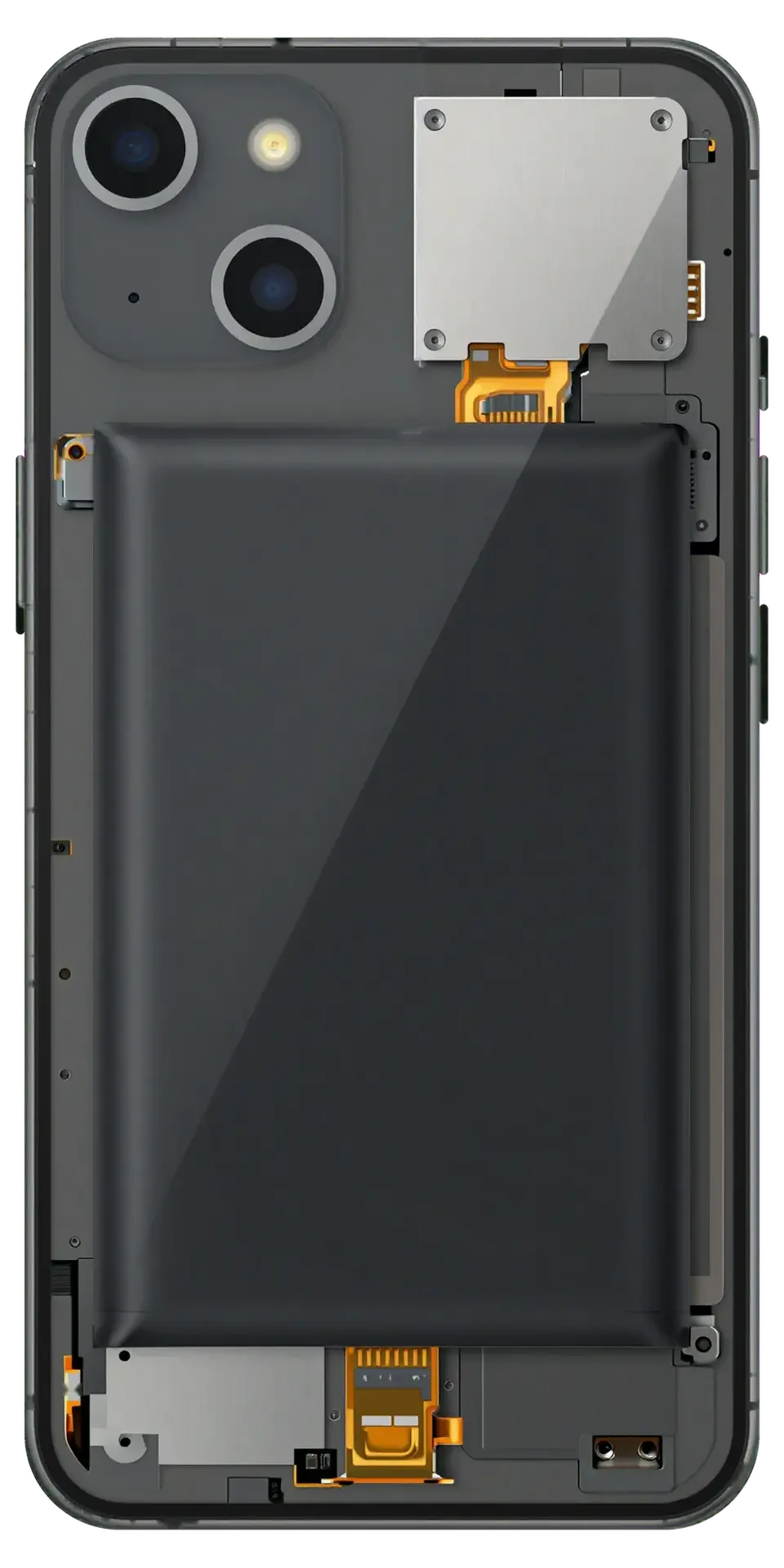
Black iPhone with the back cover removed showing the charging port and microphone flex cable
Price incl. labor
from 44 900 ₸
Warranty
up to 1 year
  • Cleaning and a reading first
  • Power disconnected
  • Lower parts removed

When an iPhone Charging Port Replacement Is the Only Fix

Battery percentage stalls

An hour on the cable adds almost nothing, or the level keeps dropping while the screen is on.

Plug wobbles in the socket

The cable used to sit tight, now it feels loose and the slightest touch interrupts charging.

Port gets warm

The frame near the connector heats up during charging and dark marks appear on the plug.

Cleaning stopped helping

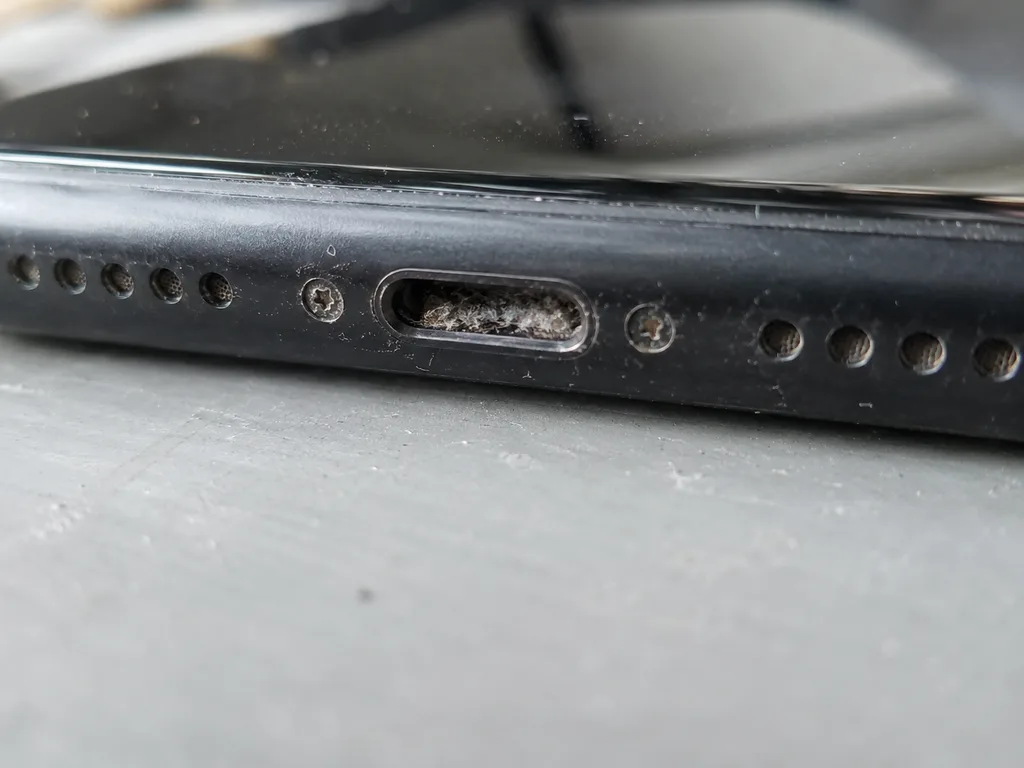
You have picked out lint several times, yet the problem is back in days because the contacts are worn.

iPhone Charging Port Replacement Prices in Astana

Prices include the part for models from iPhone 13 up to iPhone 17 Pro Max; you choose original or aftermarket after the inspection.

ServiceOriginalAftermarket
iPhone 17 Pro Max charging port replacement178 900 ₸106 900 ₸
iPhone 17 Pro charging port replacement168 900 ₸100 900 ₸
iPhone 17 charging port replacement164 900 ₸98 900 ₸
iPhone 17 Air charging port replacement164 900 ₸98 900 ₸
iPhone 16 Pro charging port replacement131 900 ₸78 900 ₸
iPhone 16 charging port replacement111 900 ₸66 900 ₸
iPhone 16e charging port replacement144 900 ₸86 900 ₸
iPhone 15 charging port replacement108 900 ₸64 900 ₸
iPhone 14 charging port replacement92 900 ₸55 900 ₸
iPhone 13 charging port replacement74 900 ₸44 900 ₸

Price, part and warranty go on the receipt in advance, so the amount does not change after the work is done.

How a Technician Swaps the Port on Your Phone

iPhone 13 charging port replacement
from44 900 ₸
Your iPhone charges again from any working cable, not just in one lucky position.
Price for my model
  1. Step 1

    Cleaning and a reading first

    The port is gently cleared of lint and the current measured, and sometimes that alone solves the problem.

  2. Step 2

    Power disconnected

    Once the phone is open, the battery is unplugged first so nothing on the board can short out.

  3. Step 3

    Lower parts removed

    The bottom speaker and Taptic Engine come out if they block access to the port flex on your model.

  4. Step 4

    New flex fitted

    The new module with the port and bottom microphone is routed into place and secured with the original screws.

  5. Step 5

    Resealing

    Old adhesive is cleaned off and a new gasket is laid around the frame to keep out splashes.

  6. Step 6

    Checks with you

    Together we test charging, fast charging from an adapter, a voice recording and the connection to a computer.

Which Port Should You Choose for Your iPhone

The difference shows in the details, such as plug fit, charging speed and mic sound, while the warranty on the work is the same.

Original Applewarranty up to 1 year
iPhone charging port replacement74 900 ₸
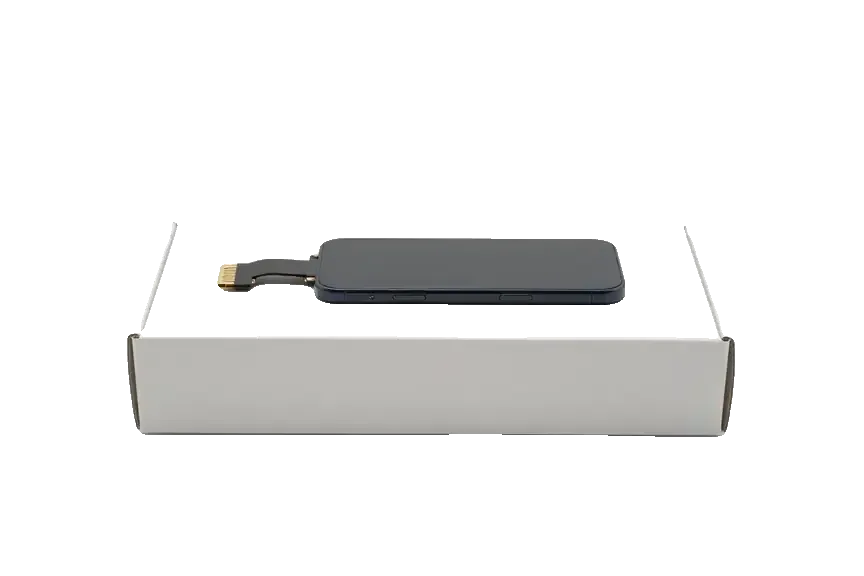
Original: iPhone power connector on a white box
Compatibility
Full, just like the factory part
Socket lifespan
Built for years of daily plugging
Data transfer
Same speed as a new phone
Price
Higher than aftermarket
Chosen by 64% of clients
Book with an original part
Aftermarketwarranty 6 months
iPhone charging port replacement44 900 ₸−40%
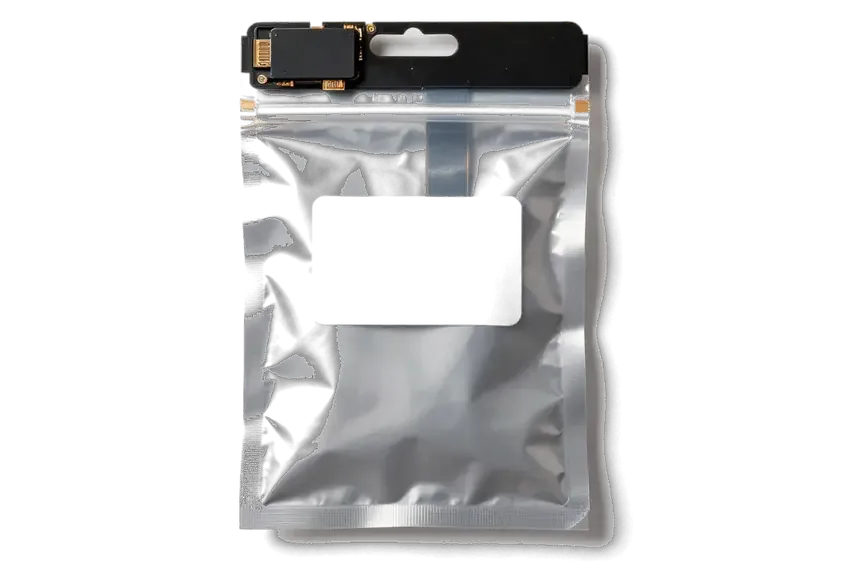
Analog: iPhone power connector in an antistatic bag
Compatibility
Fits the model, quality depends on the batch
Socket lifespan
May wear out a little sooner
Data transfer
Usually no difference day to day
Price
About a third cheaper than original
Chosen by 36% of clients
Book with an aftermarket part

What You Get When You Come to iServices

11years

Repairing since 2015

Over eleven years our technicians have worked on every iPhone generation, so a port on any model is familiar work.

15min

Free diagnostics

The check takes 15 minutes in front of you and commits you to nothing, even if you decide not to go ahead.

1year

Warranty in writing

The warranty up to 1 year comes with a card, and the part, price and turnaround are on the receipt before work starts.

0₸

Quote from a photo

Snap the port or describe the issue on WhatsApp and an engineer will reply with a price estimate.

32checks

Checked before handover

Before pickup you and the engineer check charging, microphones, speakers, cameras and the network together.

7days a week

Open seven days

We take devices every day of the week, 10:00 to 19:00 on weekdays and 11:00 to 18:00 on weekends and holidays.

iPhone charging port repair before and after in Astana

1 / 3
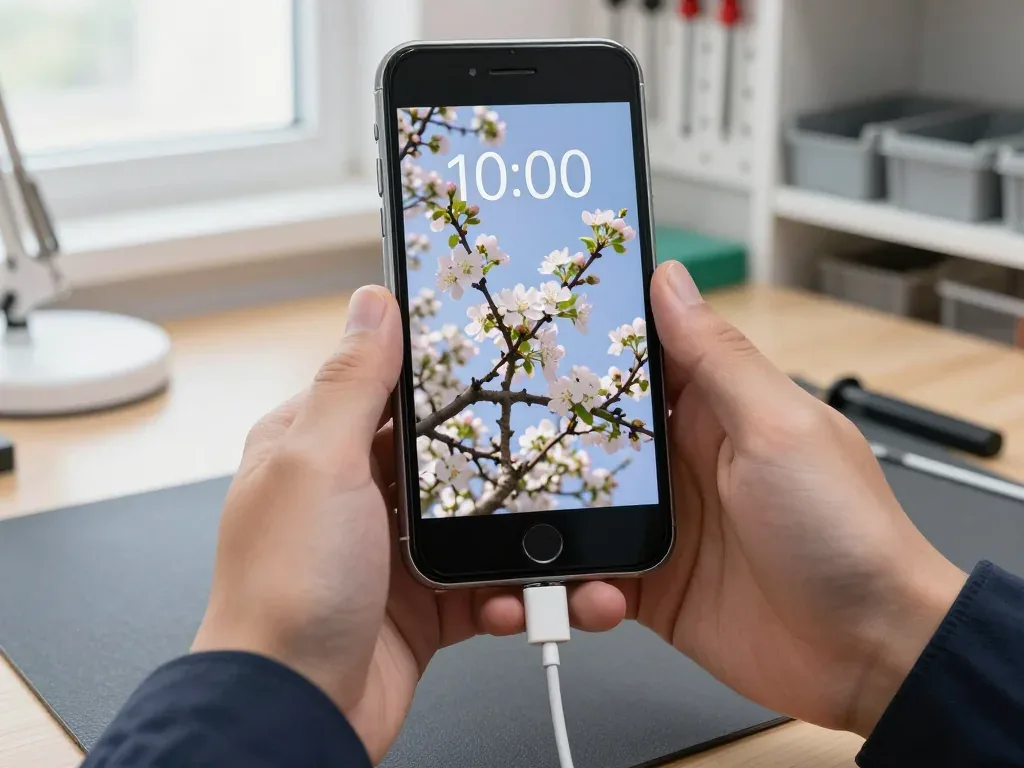
Black iPhone 7 in the technician's hand with the charging cable plugged in, blooming apple tree wallpaper on screen

iPhone 7: only charges with the cable held at an angle

A client from Astana said the phone only charged if the cable was held at an angle. The port was packed with pocket lint and the contacts were worn, so we cleaned the socket and replaced the lower flex with the connector, then checked charging and data transfer.

from 10 900 ₸repair cost
I want the same
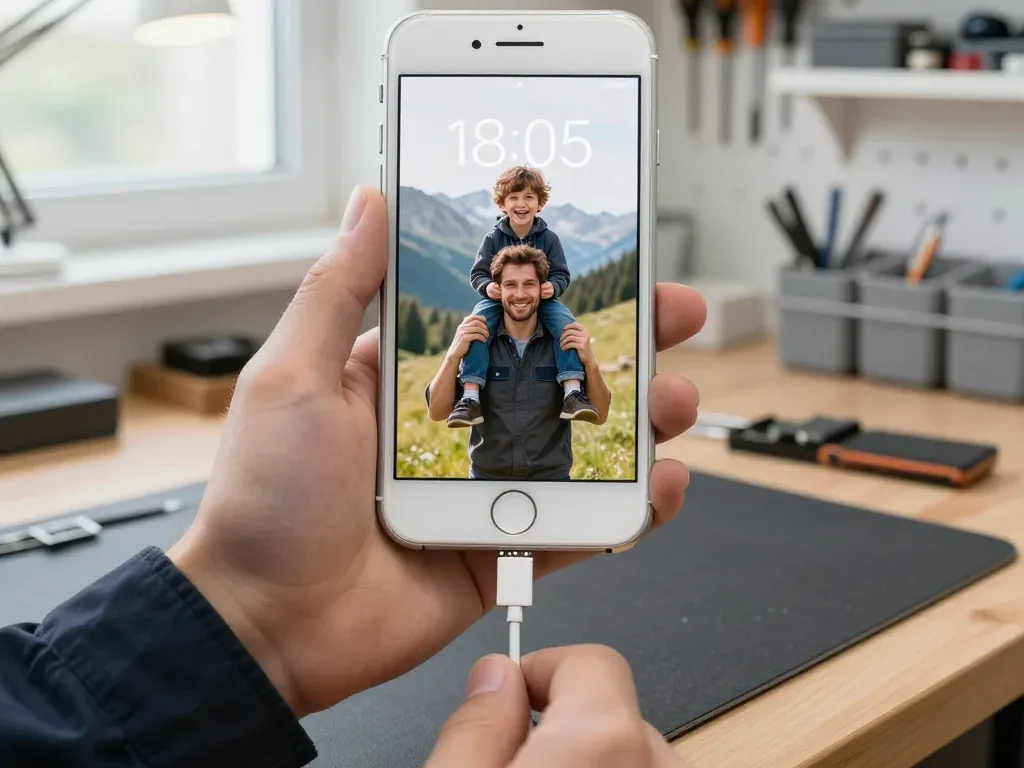
Silver iPhone 8 in the technician's hand with a charging cable plugged in, wallpaper showing a father and son in the mountains

iPhone 8: cable only works at an angle

The client brought the phone in after a trip to the countryside — dust and grass had packed into the charging port, and the cable only made contact at one angle. We cleaned the port, replaced the lower flex with the connector, and checked charging and data transfer — everything works properly now.

from 13 900 ₸repair cost
I want the same
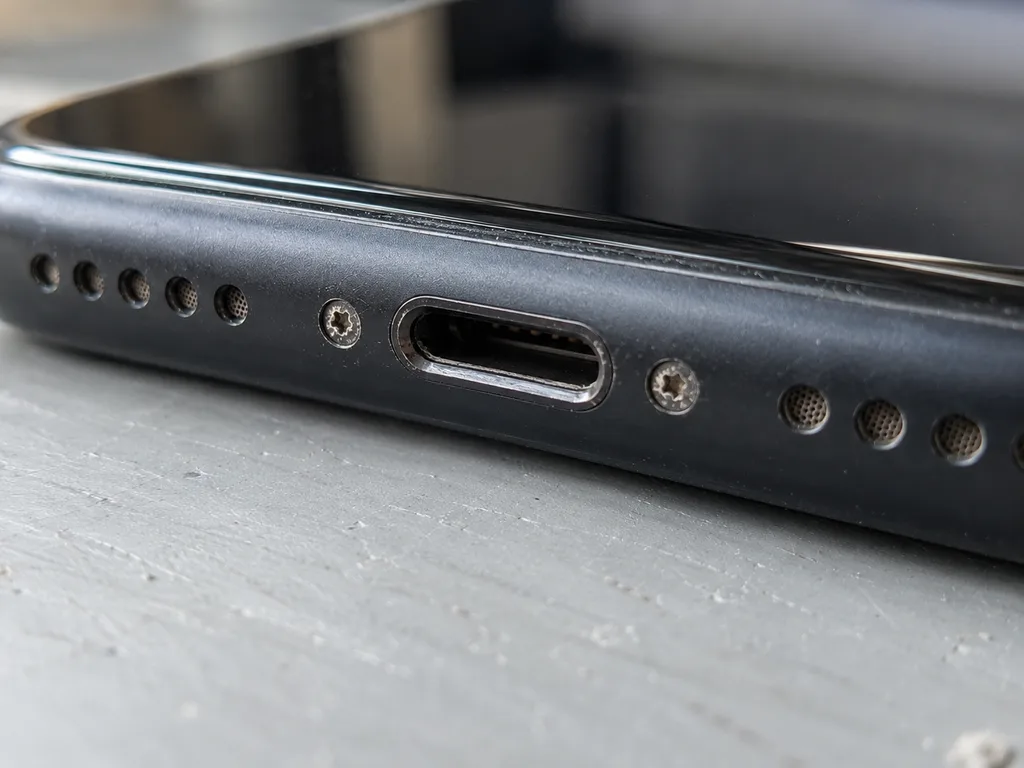
Before photo: Lightning port clogged with lintBefore: Lightning port clogged with lint
Photo after: clean connectorAfter: clean connector
BeforeAfter

iPhone 11: won't charge

40 minOriginalWarranty up to 1 year
Problem
It only charges at an angle, the cable falls out. Inside the connector there is a dense layer of pocket lint.
What we did
We cleaned the connector, one contact was bent — we replaced the charging flex cable and checked fast charging.
40 mincharges on the first try
I want the same

How iPhone charging port replacement is done in Astana

The whole journey — from message to finished phone. We give you the old part.

Book a replacement
  1. Step 1

    Message or come in

    5 min

    You message us on WhatsApp with the model and what happened — we give you the price and time. Or you come in without an appointment.

  2. Step 2

    Diagnostics in front of you

    10 min

    We check charging and the cable, clean the connector: sometimes cleaning is enough.

  3. Step 3

    Price in the receipt

    2 min

    We note the model, the part (original or aftermarket), the price, the timeframe, and the warranty.

  4. Step 4

    Show the new connector

    1 min

    We open the factory packaging in front of you and check the number against the receipt.

  5. Step 5

    Replace the charging connector

    time on the receipt

    We fit a new flex cable with the connector and seal the case with water-resistant adhesive.

  6. Step 6

    You check together with the engineer

    warranty up to 1 year

    Charging, connecting to a computer, microphone, sound. You pick up the phone, the receipt and the old connector.

Meet the iServices team

Technicians for iPhone, Mac, iPad, Apple Watch and AirPods repair.

1 / 5
BSBakmukhammed S. — on-site iPhone technician, iServices service center in AstanaPhoto: Bakmukhammed S.

Bakmukhammed S.

on-site iPhone technician
13years of experience
4.93rating, 107 reviews
GSGalymzhan S. — iPhone repair technician, iServices service center in AstanaPhoto: Galymzhan S.

Galymzhan S.

iPhone repair technician
8years of experience
4.79rating, 90 reviews
ZSZhandos Sh. — iPhone screen replacement technician, iServices service center in AstanaPhoto: Zhandos Sh.

Zhandos Sh.

iPhone screen replacement technician
6years of experience
4.65rating, 112 reviews
DTDarkhan T. — iPhone firmware technician, iServices service center in AstanaPhoto: Darkhan T.

Darkhan T.

iPhone firmware technician
8years of experience
4.44rating, 19 reviews
KSKudiret S. — iCloud unlock specialist, iServices service center in AstanaPhoto: Kudiret S.

Kudiret S.

iCloud unlock specialist
10years of experience
4.37rating, 100 reviews
Bakmukhammed S., on-site iPhone technician
“If the repair didn’t suit you or you have a complaint, write to me personally.”
Bakmukhammed S.on-site iPhone technician · +7 701 333-47-01

We'll quote iPhone charging port replacement in Astana from a photo in 5 minutes

Send a photo of the screen and the iPhone model. An engineer will reply on WhatsApp, give the price and today's available time.

  1. 5 minAn engineer replies and names the price
  2. 0 ₸Diagnostics in front of you in 15 minutes
  3. 30 minMost repairs — while you wait

iPhone Charging Port Replacement in Astana with iServices

In short

iServices handles iPhone charging port replacement in Astana with its own technicians, not through a middleman. We run a free 15-minute diagnostic in front of you, let you pick an original part or an aftermarket one, fix the price, part, turnaround and warranty on the receipt before work starts, and back the job with a warranty up to 1 year.

iServices Editorial TeamWe reply on WhatsApp within 10 minutes
Ask

Is It Really the iPhone Charging Port Replacement Issue

A dead charging port is the most common guess, but the cable, lint in the connector, the battery or the power controller can all look the same. Here is how we tell them apart before touching the phone.

Why an iPhone Stops Charging When the Cable Is Fine

A phone that ignores a known-good cable usually has one of four culprits: compacted lint in the port, a worn Lightning or USB-C plug, a tired battery, or a power controller fault on the board. Swap in a second adapter and cable first, then shine a light into the connector: a grey felt-like plug of pocket dust against the back wall is the classic find. A worn plug shows dark scoring on the pins or no longer clicks home. Battery wear shows as early dying or shutdowns under load, while a power controller fault leaves the device cold to every charger. Lint is the cheapest fix and the most often missed. If the socket itself is the problem, an iPhone charging port replacement in Astana is the next step, confirmed during the free diagnostic.

Cleaning or Replacing the Port

We start every case with a free 15-minute diagnostic in front of you, and if the port only needs cleaning we say so instead of selling a replacement. The engineer checks the device while you watch and shows what is actually broken — lint, bent pins or a cracked solder joint on the connector. A wooden or plastic pick lifts compacted dust out; metal tools scrape the pins and make a bad contact worse. If the socket itself is worn, the replacement is the fix, and the part goes in as a sealed unit. Wireless charging working while wired charging fails points at the port or cable rather than the battery, which narrows the diagnosis before we open anything. Ask for that split test at the counter — it takes a minute and saves you a pointless battery swap.

Original or Aftermarket iPhone Charging Port Replacement and iOS Reaction

Both options are on the table, and the choice changes charging behaviour, durability and what Settings shows. We lay out the difference so you decide with facts, not guesswork.

How to Tell an Original Port from an Aftermarket One

We show the new component in its factory packaging ahead of installation, so you see the connector, the ribbon and the labelling while everything is still sealed. A genuine assembly arrives with a printed number that matches the model, while a third-party unit usually comes in a plain bag with a sticker. Look at the flex ribbon: the genuine one is matte and flexible, the copy is often glossy and thin. Check the connector pins under light — they should sit level and evenly spaced, with no solder residue around the housing. A budget flex tends to feel stiffer, and its pins sit slightly differently, which is why a side-by-side look ahead of fitting matters more than any label on the box.

What Changes in Charging Speed and iOS Warnings

Comparing port options after installation
OptionCharging behaviouriOS noticeTypical choice
Genuine assemblyMatches factory rateNoneMost owners
Aftermarket unitSame rate when quality is goodPossible warning on supported modelsBudget-focused owners
Worn part, reusedUnstable contact, slow chargingNoneNot offered

What Happens to Face ID, True Tone and Water Resistance

The port sits near the flex cables that feed several features, so the real question is what still works after the phone is closed. We test it rather than promise it.

Which Functions We Check After the Repair

Once the repair is done we check the key functions together with you — Face ID, True Tone, cameras, microphones, speakers, charging and network — and you go through them with the engineer. The port shares its flex assembly with the microphone and the lower speaker, so a connector that is not seated evenly shows up first as a muffled call or a buzzing speaker at high volume. True Tone is the other sensitive one: the display calibration data travels through the same area, and a pinched cable drops the warm-to-cool shift within seconds of opening a photo. The engineer runs each test in front of you, then hands the handset over so you can repeat them yourself. Testing with you in the room catches a loose connector before you leave, which is far cheaper than a second visit a week later.

Water Resistance After the Phone Is Opened

Any device loses part of its factory water resistance once it is opened, because the sealing adhesive is disturbed, and a replacement port does not restore the original rating. The gasket around the screen and the adhesive bead along the frame are single-use parts: they compress on the first factory press and never return to the same profile. Fresh adhesive during reassembly brings back splash protection, not the depth rating printed in the specifications. The charging port itself sits in a sealed channel, but the opening around it is exactly where lint and moisture collect after the seal is broken. Treat the handset as splash-resistant rather than waterproof afterwards, and keep it away from pools and heavy rain even if it survived them before.

How the iPhone Charging Port Replacement Works and How Long It Takes

The job is short, but the steps around it are what keep the result predictable. Here is the sequence from your first message to the moment you walk out with the phone.

From WhatsApp Photo to Fixed Receipt

  • First message: send a photo of the damage on WhatsApp, and an engineer replies within 5 minutes with a price quoted from that photo.
  • Free diagnostics: the engineer checks the device in front of you for 15 minutes and shows what is broken, even if you decide not to repair.
  • Fixed receipt: price, part, turnaround and warranty are written on the receipt in about 2 minutes before any work starts.
  • Part in packaging: the new port is shown in factory packaging before installation, so the agreed component matches what goes in.
  • Old part returned: you leave with the receipt, warranty card and the removed port, which keeps the record verifiable later.

How Long the Replacement Takes in Astana

Most charging port replacement jobs here are done while you wait, with the whole visit from first contact to pickup usually under an hour, and most jobs are finished while you wait in the waiting area. The port is reached without stripping the whole phone, so the job stays short: most repairs take 20–40 minutes, and you can sit in the waiting area with coffee and Wi-Fi while the engineer works. A courier can be called if you would rather not come in, and we accept devices 7 days a week. The job stays short unless the diagnostic uncovers water damage or a board fault underneath — those go to the microscope bench and can stretch the timeline to 1–3 days. Ask for the free diagnostic up front: it tells you within 15 minutes whether you are looking at a quick swap or a deeper fault.

Water Damage, Previous Repairs and Warranty Terms

Some phones arrive after a spill or after another workshop has already been inside. Those cases need a different pace and clear terms, so we spell out both here.

Phones That Took On Water or Were Repaired Elsewhere

Following water contact our diagnostic can take longer than usual, and we still take on phones that another workshop has already opened, as long as the logic board is not beyond repair. Liquid reaches the charging connector long before it shows on the outside, so the port itself is often only half the story. Our engineers run board-level work under a microscope, which is how corroded traces and lifted pads get found rather than guessed at. A device that came in from another shop gets the same treatment: we open it, inspect what was done earlier, and only then quote the port replacement. Corrosion hides under shields and connectors, so a phone that charges today can fail next month if the circuitry is not cleaned properly first.

What the Warranty Covers

  • Covered: the replacement port and our soldering work, with coverage up to 1 year fixed on paper ahead of the work.
  • Paperwork: you leave with the device, the receipt, the warranty card and the old part in a bag.
  • Voided by: liquid ingress after the repair or another workshop touching the same connector.
  • Claim: bring the phone and the card back, and we re-check the port and circuitry before naming the fault.
  • Board faults: if the connector is fine but the mainboard is not, that conversation is handled separately and plainly.
  • Timing: most port swaps are done while you wait, so claims are usually settled on the same visit.

Summary: iPhone Charging Port Replacement

A charging fault is rarely just a port, and the right decision comes from checking the device before agreeing to any work. These points summarise what matters most.

  • Diagnose first: a handset that ignores a good cable may have a software, cable or board fault, so the port is confirmed only after a proper check.
  • Choose the part deliberately: original and aftermarket ports both restore charging, but only the original avoids the iOS notice on supported models.
  • Verify functions afterwards: Face ID, True Tone, cameras, microphones, speakers, charging and network are tested one by one, while water resistance drops once the unit is opened.
  • Fix the terms on paper: the agreed part, turnaround and warranty belong on the receipt before work starts, and most visits finish in under an hour.
  • Allow extra time for hard cases: water damage and earlier repairs elsewhere need a longer diagnostic, so plan extra time until the device is ready.

Common Questions About iPhone Charging Port Replacement

Did not find an answer? Message us on WhatsApp: an engineer replies, not a bot.

Ask a question
How can I tell if it is the iPhone port and not the cable?

Try the phone with another working cable and adapter. If charging still cuts out while the cable works on another device, the socket is the problem. A current reading during diagnostics confirms it.

Why does my iPhone charge only in one position?

Usually the socket contacts are worn or packed with compressed lint, so the plug touches them only at an angle. Sometimes the port solder on the flex cracks. The technician inspects the socket and tells you whether it needs replacing.

Can I wait while the iPhone port is replaced?

Yes, you can wait in the waiting area with coffee and Wi-Fi. The whole process from first contact to pickup usually takes less than an hour. The technician gives the exact time after the inspection.

Wireless charging works but the cable does not, is it the port?

Most likely yes. If MagSafe or Qi charges the phone, the power circuit and battery are fine. The fault is usually in the socket or its flex cable, and diagnostics confirm it in 15 minutes.

Will fast charging work with the new iPhone port?

Yes, with an original flex fast charging works as it did from the factory. Aftermarket parts support it too, though speed can differ slightly. The technician explains the difference before installation.

Do Face ID and my data survive an iPhone port repair?

Yes, a port replacement affects neither Face ID nor storage. The camera module and board stay in place and only the lower flex is changed. We check Face ID with you after reassembly.

Astana clients on charging port repair iPhone feedback

1 / 10
4.9

iServices network rating on Google Maps, wikicity and our website · 2 028 reviews
Google Maps4.438 reviews ›wikicity5.015 reviews ›Reviews on the iServices website4.91 975 reviews ›
НЗ
Нурия З.Order No. ISV‑•••99 · 12 August 2026
iPhone XS · battery

Проблема — грееться при зарядке. Работает, как будто и не ломалось. Работает, даже лучше прежнего.

iServices customer review, in Russian
БН
Бауыржан Н.Order No. •••69 · 14 July 2026
iPhone 11 · battery

Проблема — греется при зарядке. Бақмухаммед С. показал старую деталь, всё прозрачно. Функционирует, тьфу-тьфу.

iServices customer review, in Russian
МТ
Меруерт Т.Order No. ISV‑•••92 · 7 May 2026
iPhone 8 · charging

Друг посоветовал, у него после воды ноут подняли. Оставил на зарядке на ночь, утром — Home не работает. Приняли вечером, хотя до закрытия было минут десять. Вышло из строя: кнопка. Кнопку Home заменили, нажимается. Квитанцию потеряли, пришлось восстанавливать. Дома включил, всё на месте.

iServices customer review, in Russian
РВ
Рахим В.Order No. ISV‑•••59 · 30 November 2025
iPhone X · battery

Утром включил, а у него хрипит динамик. Мастер сам предложил забрать технику позже. Внутри оказалас: аккумулятор. После ремонта — как новое.

iServices customer review, in Russian
БЦ
Белла Ц.Order No. ISV‑•••04 · 14 June 2025
iPhone 11 · battery

Проблема — не заряжается выше 80. Бақмухаммед С. разобрался в редкой модели. Всё чётко, без сюрпризов.

iServices customer review, in Russian
ПФ
Перизат Ф.Order No. ЗК‑IS‑•••75 · 9 June 2025
iPhone 11 Pro Max · screen

Знакомый мастер раньше работал с Apple, дал наводку. Оставил на зарядке на ночь, утром — чёрный кадр. Экран яркий, батарея держит.

iServices customer review, in Russian
ВС
Всеволод С.Order No. IS‑•••72 · 6 June 2025
iPhone 7 · screen

Жұмыстан кейін баруға болатын жер керек еді. Экран сынып қалды, көрсетуге апардым. Мастер бәрін түсіндірді. Диагностика тегін болды. Кепілдік берді, бұл маңызды. Ескі бөлшекті көрсетіп, қайтарып берді. Жұмыс істеп тұр, шағым жоқ

iServices customer review, in Kazakh
ЯТ
Ясмина Т.Order No. •••68 · 1 May 2025
iPhone 7 Plus · screen

Работаю рядом, заехала в обед. Залила чаем, и через день — треснул экран. Мастер сам предложил забрать технику позже. Внутри оказалось: камера. Спасибо, что выручили. Ни разу не пожалела.

iServices customer review, in Russian
АФ
Акжол Ф.Order No. IS‑•••17 · 22 March 2025
iPhone 8 · screen

В Астана сервисов много, но по Apple берут не все. Проблема — не заряжаеться. Экран яркий, батарея держит.

iServices customer review, in Russian
ОФ
Оксана Ф.Order No. IS•••03 · 27 June 2024
iPhone 15 Pro · battery

Оставила на зарядке на ночь, утром — не работает камера. Ғалымжан С. провозился, но сделал. Мастер сам предложил забрать технику позже. Внутри оказалось: аккумулятор. Вышло около 30 500, точнее не считала. Достойно сделали. Проверила на всех режимах — держит.

iServices customer review, in Russian
Showing 10 of 60

Where to get iPhone Charging Port replacement in Astana

Address
Astana, Kabanbay Batyr Ave., 7/2
Opening hours
Mon–Fri 10:00–19:00Sat–Sun 11:00–18:00
Phone and messengers
+7 727 339-99-12WhatsApp: +7 701 333-47-01
Directions map: iServices Astana© OpenStreetMapFind us on the maps: Google Maps · 2GIS