The iPhone 8 has a glass back, a Touch ID home button and a Lightning port, and each fails in its own recognisable way. Here is what we see most often.
The Symptoms Owners Bring to Us Most Often
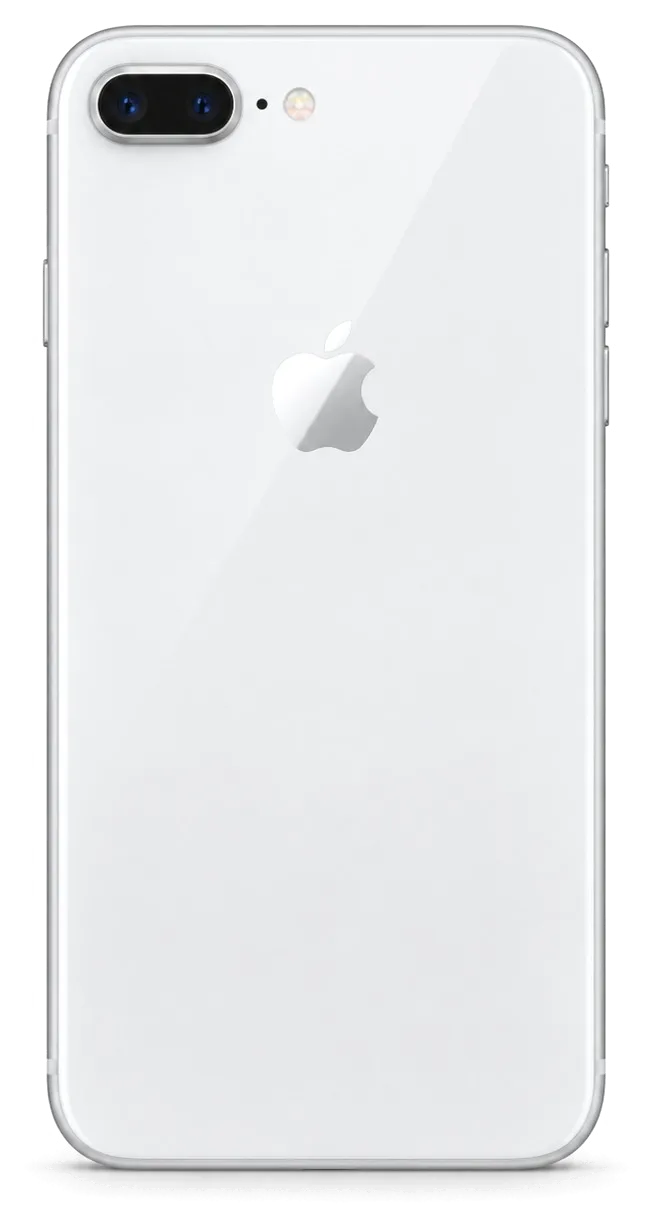
Four iPhone 8 issues show up repeatedly: a cracked front or rear panel, an unresponsive home button, a Lightning port that charges unreliably, and a battery that dies in hours. The rear panel is bonded to a Qi charging coil, so impact damage there spreads differently than on a metal-bodied phone, and the home button carries Touch ID, which makes any looseness a security concern rather than a cosmetic one. Because that coil sits directly under the glass, even a hairline crack can disturb wireless charging before the damage is visible. The Lightning port collects pocket lint until the pins lose contact, while the battery simply ages: after several hundred charge cycles its runtime falls sharply.
Symptom to Cause to What We Do
Common complaints matched to the fault behind them| What you notice | Probable reason | What we do |
|---|
| Cracked front cover, image still fine | Broken protective layer over the display | Cover-only replacement where the matrix is intact |
|---|
| Lines, dead zones, no touch | Damaged display module | Full display module replacement |
|---|
| Battery drops fast, phone warm | Worn battery | Battery replacement, 25 minutes |
|---|
| Will not charge or charges only at an angle | Dirty or worn Lightning port | Port cleaning or charging flex replacement |
|---|
| Blurry photos, cracked lens cover | Broken camera glass | Camera glass replacement, 20 minutes |
|---|
| Home button loose or unresponsive | Worn home button assembly | Home button service with Touch ID check |
|---|
Why the Glass Back Matters More Than It Looks
Since the rear panel on the iPhone 8 is a bonded sheet over a Qi charging coil, a crack there affects function, not just appearance. Water and grit enter through the break and corrode the coil and the contact pads beneath it, which is why a phone can charge wirelessly one week and refuse the next. Opening the body also breaks the factory adhesive seal, so we re-apply fresh gasket material on every rear-panel job to keep dust out afterwards. If the rear panel is shattered but the frame is straight, we replace it and re-glue the body; if the frame itself is bent, the new sheet will not sit flat, so the frame is straightened first.
Screen Damage and How We Decide What to Replace
Two separate repairs may be needed when an iPhone 8 screen cracks. Whether you need the glass alone or the whole display module depends on what still works underneath, and the diagnostic tells us which.
Glass Only or Full Display Module
If the image is sharp, touch responds everywhere and there are no lines, we can often replace just the top layer; if the matrix or digitiser is damaged, the full display module is the honest fix. A cover-only job separates the broken top layer from the LCD underneath on a heated plate, then bonds a new sheet with optical adhesive and cures it under pressure. When the LCD shows dark patches, coloured streaks or dead touch zones, the panel itself is gone and swapping the top layer alone would only hide the fault. We confirm the route during iPhone 8 repair in Astana diagnostics by testing touch across the grid and viewing the image at full brightness.
What Happens to True Tone and Touch After a Screen Repair
True Tone continues to function post-repair if calibration is moved to the new panel, and touch response is verified across the entire surface before you leave. The display module stores its own calibration data, so we read it from the original part and write it to the replacement with a programmer before the screen goes back on the frame. Without that transfer the panel still lights up and responds, but the colour temperature stays fixed and no longer adapts to room light. On some aftermarket panels True Tone cannot be carried over, so if that setting matters to you, say so at the counter and we will confirm which part keeps it before the work starts.
Screen Repair Times You Can Plan Around
About 40 minutes are needed for an iPhone 8 screen replacement, and 72% of our repairs are completed while customers wait in our waiting area. The clock starts once the part is on the bench: the old module comes off, adhesive residue is cleaned from the frame, the new panel is seated, and the 32-function check adds roughly ten minutes for touch, True Tone, cameras and sensors. A cover-only job runs on a different line and takes longer than a module swap because of the bonding and curing stages, so we schedule it around the laminating press rather than the counter. If you arrive close to closing time, the cover-only route is the one that reliably fits into a single visit, while a full module swap is better booked into a morning slot so the function check is not rushed.
Genuine Component vs Aftermarket Touch ID Consequences
The component you choose affects the phone's behavior later, not merely its appearance. We show both options, explain what each keeps working, and put your choice on the receipt before any work begins.
Original and Aftermarket Parts Side by Side
How each part type behaves after repair| Part | What it preserves | Best for |
|---|
| Original display | True Tone, full brightness, factory fit | Daily use, resale value |
|---|
| Aftermarket display | Touch and image, True Tone may not transfer | Budget repair on a spare phone |
|---|
| Original battery | Full health reading, stable charging | Long-term ownership |
|---|
| Aftermarket battery | Normal charging, shorter service life | Short-term or backup device |
|---|
| Original camera cover | Clean focus, sealed fit | Keeping photo quality |
|---|
| Aftermarket camera cover | Basic protection | Minor cosmetic fix |
|---|
Does Touch ID Survive the Repair
On the iPhone 8 the fingerprint sensor sits in the home button and is separate from the display, so a screen repair does not affect Touch ID, and we test it with you before handover. Since the Home button is built as its own module, swapping a shattered cover or a non-working display leaves biometrics untouched. We open the phone in front of you, confirm the home button still reads your finger, and only then close it up. If the home button itself is the faulty component, the sensor is paired to the board, which is why we check Touch ID first and tell you upfront whether the button can be serviced or needs a paired replacement.
What Gets Fixed in the Receipt Before Work Begins
The price, part type, turnaround, and warranty are recorded on the receipt in about two minutes before any work begins, and nothing changes afterward without your consent. We write down whether the display is original or aftermarket and show the new component in factory packaging before installation, so the document and the box match. Warranty runs up to 1 year on the work we do. Keep that receipt with the old part we return to you — together they are what a warranty claim is checked against, so a missing slip is the one thing that can slow a future visit down.
Charging, Battery and Camera Glass Repairs
Power faults and cracked lens covers are the two repairs owners most often postpone, and both get worse with time. Here is how we tell a simple fix from a board-level one.
When It Is the Port and When It Is the Board
A Lightning port that will not take power is usually dirt, a worn connector or a damaged flex, and only a minority of cases turn out to be a board fault. We start by looking into the port under magnification for lint, corrosion and bent pins, then test the flex and the power controller with a multimeter while the cable is connected. On the iPhone 8 the port and the flex form one assembly, so a physically worn connector is swapped as a unit rather than re-soldered. We clean and test the port first, because replacing a flex on a phone that only needed cleaning adds cost and time for no benefit — the diagnostic shows which one you actually have. If the device still draws no current after a known-good part is fitted, we move to board-level work under the microscope.
Reading Battery Health Before You Replace It
We evaluate the battery health reading and charger behavior together, and replacing the cell on an iPhone 8 requires roughly 25 minutes. The Settings screen shows a percentage, but that figure is an estimate the controller reports, not a measurement of how the cell performs under load. We compare it against how the phone behaves when plugged in: swelling behind the screen or a device that dies at the same moment every day points to a worn cell. A reading that looks healthy but still drains fast can point to a background app or a power fault, so we confirm the cause on the diagnostic rather than swapping the cell on the number alone. 64% of customers choose an original part, and the receipt states which one goes in before we open the device.
Rear Panel and Camera Glass Repairs
Swapping a cracked lens cover on an iPhone 8 takes roughly 20 minutes; a shattered back panel requires more time, since the body must be re-glued afterward. The cover sits over the module, so a crack lets dust and moisture reach the sensor and the focus mechanism, and a splintered shard can scratch the lens itself. We lift the broken cover with heat, clear the frame, fit a new one and check the module for focus, blur and spots on a test shot. Rear panel work is quoted separately once we see whether the frame is bent, since a bent body will not hold a new sheet flat.
What the Visit Involves and What You Receive
Every visit follows identical steps — starting with your first WhatsApp message and ending when you leave with the phone. Knowing them in advance is what makes the hour predictable.
From Photo to Fixed Price
If you message us on WhatsApp with a picture showing what is broken, a specialist answers in under 5 minutes, quoting the cost and an available time; after that, at no charge, your phone gets a 15-minute inspection while you watch. At the counter, the engineer opens the device, shows you the failed part, and identifies the exact component — display module, battery, charging flex, or camera cover. Price, part type, turnaround and warranty are fixed on the receipt in about 2 minutes before any work starts, and the new component is shown in factory packaging before installation. The photo quote is a starting point, not a final bill — the in-person diagnostic confirms the part, and you may walk away after it even if you choose not to repair.
The 32-Point Check Before Handover
- Touch ID: unlock and purchases checked on the home button.
- True Tone: display warmth shifts correctly with ambient light.
- Cameras: front and rear focus, flash and video recording.
- Sound: earpiece, loudspeaker and both microphones.
- Charging: Lightning cable and Qi wireless pad both accepted.
- Network: cellular signal, Wi-Fi and Bluetooth pairing.
What You Take Home and Why It Is a Direct Repair
Once the work is done you receive the phone, the receipt, a 1-year warranty card for the service, plus the replaced part packed in a bag; you can settle the bill with Kaspi, a bank card or cash. Our full diagnostic check spans 32 functions and lasts roughly 10 minutes, and 72% of jobs are completed on the spot — guests spend that time in the waiting area enjoying coffee and Wi-Fi. Rather than an aggregator, we handle repairs ourselves, with in-house technicians and our own workshop, so the specialists who give you the quote are the very team backing the warranty — and if coming in is not possible, a courier pickup can be arranged. Ask for the old part at the counter: keeping it makes any later warranty question a two-minute conversation instead of a search through records.
Summary: iPhone 8 Repair
A repair that lasts comes down to a few plain steps, not to luck or a low quote. Here is what to hold onto before you hand over an iPhone 8 anywhere.
- Diagnose first: a free check in front of you separates a simple fix from a board fault and tells you what actually failed.
- Choose the part knowingly: original and aftermarket differ in what they preserve, not just in how they look on the outside.
- Know the functions: Touch ID, True Tone and wireless charging should be confirmed working after the work, not assumed.
- Get it in writing: price, part, turnaround and warranty belong on the receipt before anyone opens the device.
- Keep the old part: it and the warranty card are what a future claim is checked against, so store both together.












 iPad
 MacBook
 iMac
 Mac mini and Studio
 Apple Watch
 AirPods
 Apple Pencil
 Apple TV
 HomePod




