The iPhone 8 uses an LCD module where glass, sensor and matrix are bonded together, so most visible damage means replacing the whole unit rather than the top layer alone.
Cracked Glass or a Dead Matrix
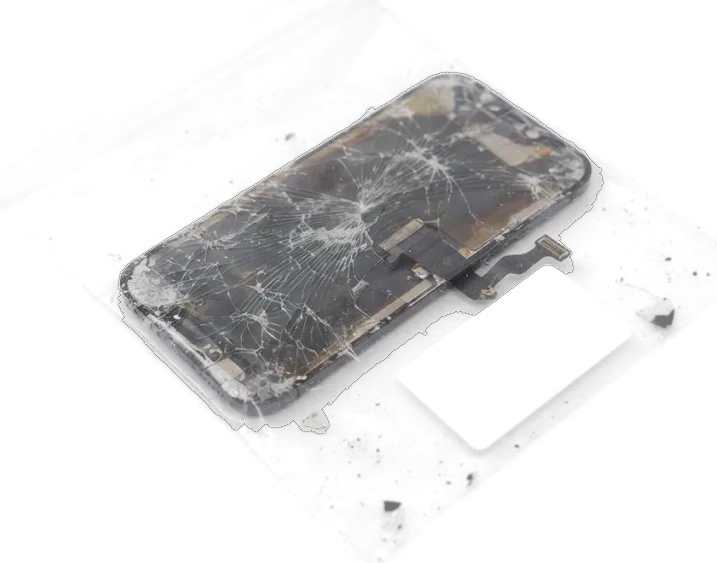
A crack in the top layer and a dead matrix look different, and the difference decides whether you need a full module or a diagnostic first. A hairline fracture or a spiderweb with a clean, evenly lit image and working sensor points to broken glass only. Dark blotches, ink-like patches spreading from an impact point, or a picture that stays black while the handset still vibrates mean the LCD panel itself is gone. On this model the layers cannot be separated in practice: the sensor is laminated to the sheet above and the panel sits directly beneath, so a glass-only swap is not a real option. If the image is clean and every tap registers, the panel is likely fine, but the unit is replaced as one piece because the layers are bonded.
Lines, Spots and Screens That Ignore Touch
- Vertical or horizontal lines: coloured stripes across the picture usually trace back to a damaged display flex or a board fault.
- Dark spots and discolouration: pressure marks or liquid residue under the surface darken one corner and spread slowly.
- Ghost touch: the handset registers taps nobody made and makes typing impossible.
- Black screen that still vibrates: calls connect and charging works, pointing to the unit or its connector.
- Flicker and dim backlight: the image pulses at low brightness, a sign of a worn backlight circuit.
Original or Aftermarket Panel for Your iPhone 8
The device uses an LCD panel, so both options are LCD, but they differ in brightness, colour accuracy, tap response and how the Home button behaves after the data transfer.
How Original and Aftermarket Panels Differ
Two display options compared by build and feel| Module type | Brightness and colour | Tap response | Typical pick |
|---|
| Original | Factory-matched, accurate | Edge-accurate across surface | 64% of customers |
|---|
| Aftermarket | Slightly dimmer, cooler tint | Good, softens at edges over time | Budget-conscious owners |
|---|
| Refurbished original | Factory-matched, minor wear | Accurate, tested before fitting | Owners who want a middle option |
|---|
Will the New Panel Show a Warning in Settings
On this model, iOS does not show the unknown part banner that newer devices display, so a correctly installed screen behaves like the factory one in Settings. That message appeared on later generations, where the display pairs with a serial chip; the handset has no such pairing, and the software has nothing to flag. What separates a clean install from a rushed one is behaviour, not notifications: the True Tone toggle stays in Display settings only when the original display data was transferred, and the Home button keeps reading fingerprints only when the original button moved across with its cable intact. A missing toggle or a button that clicks without unlocking points to the transfer step, not to the module itself. Ask the engineer to show both before you pay — these checks take under a minute.
Keeping Touch ID and True Tone After iPhone 8 Display Replacement
The iPhone 8 Home button carries a Touch ID sensor paired to the logic board, so it must travel from the old module to the new one, and True Tone needs the original display data copied across.
Why the Original Home Button Has to Move
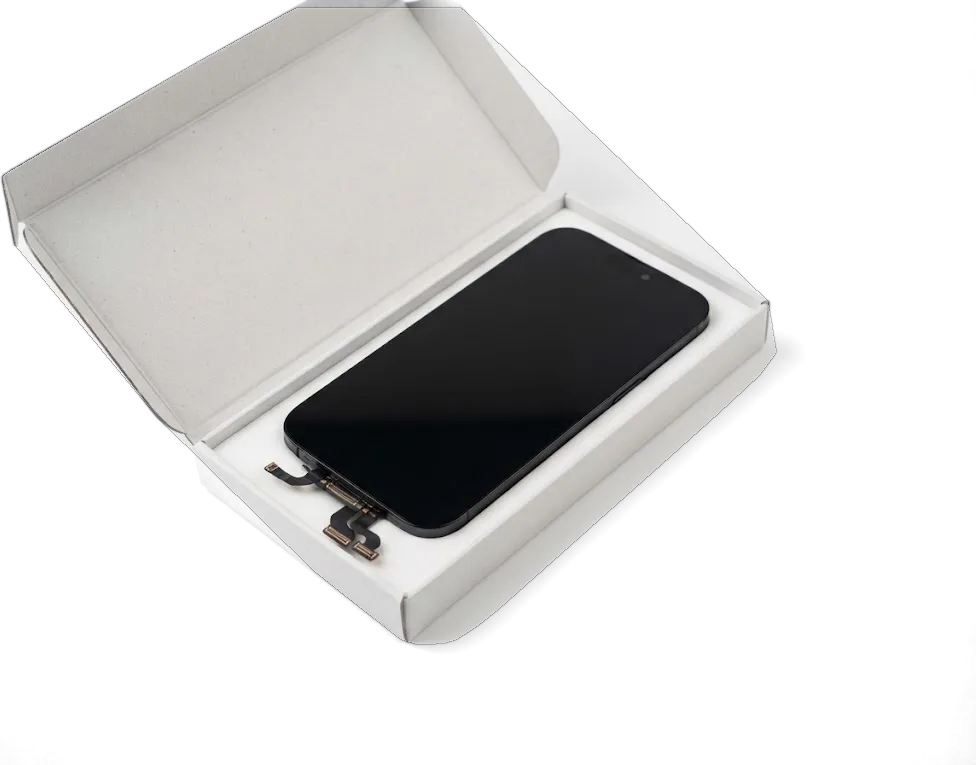
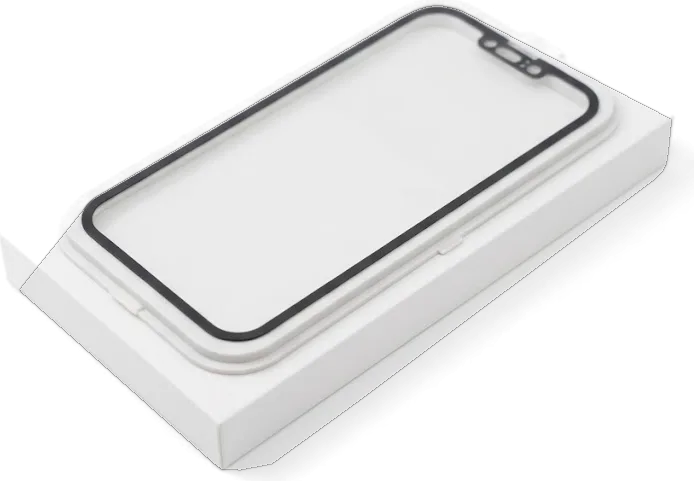
We always transfer your existing Home button to the new panel because the fingerprint scanner is paired to the logic board and a replacement part would break unlock. On this model the component is not a simple switch: it holds the sensor and a unique identifier that the board verifies at every unlock. When the panel comes off, the part stays with the phone and rides onto the fresh assembly along with its flex cable. We show the new part in factory packaging before installation, then refit the original component and test the click response by hand. A transferred part keeps its click feel and unlock speed, while a swapped one typically leaves you with a component that only registers presses. If you are booking an iPhone 8 display replacement in Astana, this transfer step is part of the job.
True Tone, Auto-Brightness and 3D Touch
True Tone, auto-brightness and pressure-sensitive taps all keep working on this model when the display data is transferred and the sensor flex is seated correctly. True Tone reads the ambient light sensor in the top flex and shifts colour temperature to match the room; auto-brightness uses the same sensor, and pressure-sensitive taps depend on the layer built into the panel itself. During a display replacement in Astana we copy the original display data to the new assembly and check that the proximity sensor sits flush, because a pinched flex kills all three at once. If True Tone is missing after a repair done elsewhere, the fix is usually a data transfer, not a new panel, so it is worth a diagnostic before paying for another assembly. A missing toggle or a button that clicks without unlocking points to the transfer step, not to the module itself.
How the iPhone 8 Display Replacement Is Done in Astana
The whole visit is built around you watching the work: free diagnostics at the counter, a fixed receipt before we start, and the new part shown in its factory packaging.
From WhatsApp Photo to Fixed Receipt
You send a photo of the damage on WhatsApp, an engineer replies within 5 minutes with a quote and a free slot, and the price, part, turnaround and warranty are fixed on the receipt in about 2 minutes before work starts. The free diagnostics take 15 minutes at the counter, and the engineer opens the phone in front of you, points at the cracked layer or dead matrix and explains what has to be replaced — you can walk away without paying even if you decide against the repair. On arrival the new assembly is unwrapped from factory packaging and shown to you before anyone touches the frame. A written receipt protects you if the final bill ever drifts from the quote, so keep it until you have tested the phone at home.
What Happens at the Workbench
At the bench we open the phone, disconnect the battery, move the Home button and top flex onto the new assembly, fit it, re-seal the frame and run a 32-point check in about 10 minutes. The Home button stays the original one because Touch ID is paired to it at the factory, and the top flex carries the earpiece speaker and proximity sensor, so both travel to the new module intact. A screen job takes 40 minutes while you wait in the seating area with coffee and Wi-Fi — 72% of our repairs finish while the customer is still there. Re-sealing the frame matters more than people expect, because a loose seal lets dust and moisture reach the new assembly and shortens its life.
Turnaround, Warranty and What You Take Home
Most iPhone 8 screen swaps finish while you wait, and you leave with the phone tested in your hands, the old part, a receipt and a warranty card.
Waiting Times and Opening Hours
An iPhone 8 screen takes about 40 minutes while you wait, 72% of our repairs finish in the waiting area, and the whole visit from first contact to pickup usually stays under an hour. The lounge has coffee and Wi-Fi, and a courier can be called if you would rather not sit through the job. We work Mon–Fri 10:00–19:00 and Sat–Sun plus holidays 11:00–18:00, so a weekday morning is the calmest slot for a walk-in. A photo of the damage on WhatsApp gets an engineer's reply within 5 minutes, with a price quoted from the picture before you travel. Booking that slot first avoids the busiest weekend hours, when seats fill up and a 40-minute job can stretch.
The 32-Point Check and Your Warranty
- Full function test — after the swap we run 32 checks in about 10 minutes and go through Touch ID, True Tone, cameras, microphones, speakers, charging and network with you.
- Paperwork on handover — the device comes back with the receipt, a card covering up to 1 year and the old part in the box.
- Locked-in terms — price, part type, turnaround and coverage are written down before work starts, so nothing changes afterwards.
- Your own check — unlocking the phone at the counter is the fastest way to catch a loose flex, since Touch ID and True Tone fail visibly the moment the display wakes.
Summary: iPhone 8 Display Replacement
A cracked iPhone 8 screen comes down to a few decisions you control at the counter. Here is what actually matters when you hand the device over.
- Module swap, not glass — the front glass, digitizer and LCD panel are bonded together, so a crack means a new display assembly rather than a surface-only fix.
- Home button stays with the device — the original Home button must move to the new panel, otherwise Touch ID stops working for good.
- Data transfer keeps the sensors — True Tone and auto-brightness survive only when the display data is carried over to the replacement.
- Written receipt first — a document listing the part, turnaround and warranty protects you ahead of any screw being turned.
- Test at the counter — checking Touch ID and True Tone while the handset is still in hand catches problems prior to leaving the shop.









 iPad
 MacBook
 iMac
 Mac mini and Studio
 Apple Watch
 AirPods
 Apple Pencil
 Apple TV
 HomePod




