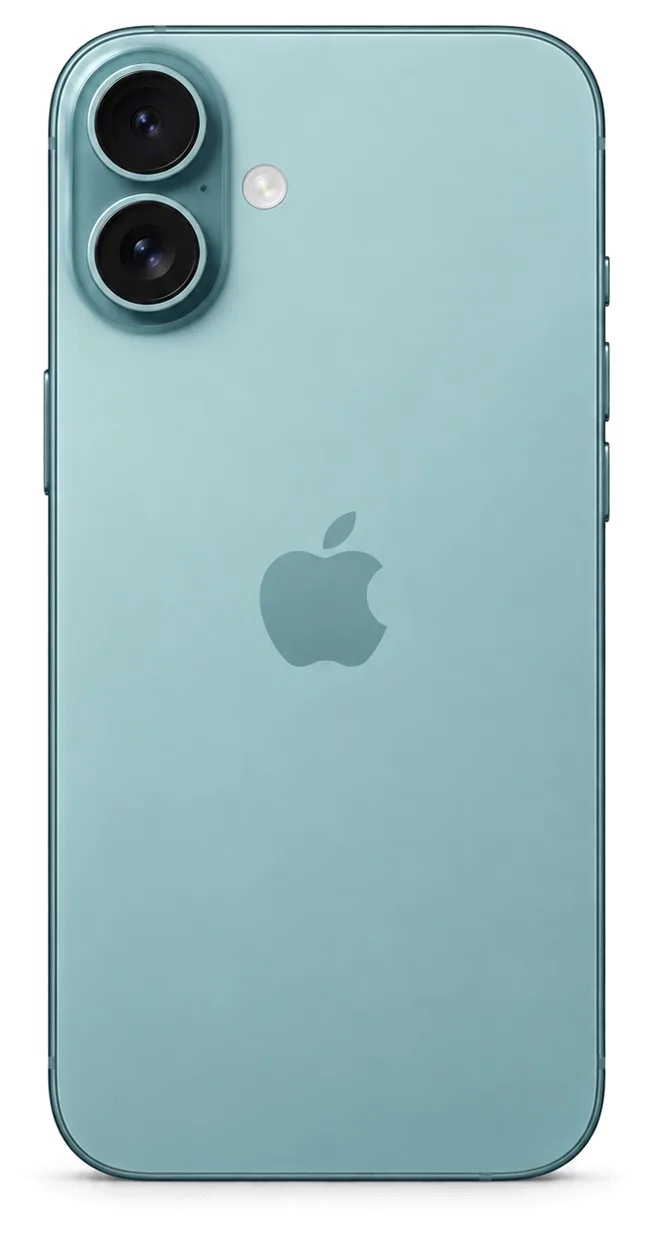
iPhone 17 keeps the Ceramic Shield front, aluminium frame, glass back with MagSafe, USB-C and two 48 MP cameras. Most faults we see come from drops, water and worn connectors, and each shows a clear symptom.
The Symptoms Owners Bring Us Most Often
We see four faults most often on iPhone 17 — a cracked front panel, a tired battery, a USB-C socket that stops taking a charge, and a shattered camera lens cover. Drops account for the panel and camera damage, while power trouble builds up slowly from lint, moisture and daily plugging. Battery complaints usually arrive after a year and a half of heavy use, when health drops and the handset starts shutting down under load. A device that only takes power at a certain angle is usually a dirty or oxidised socket, not a dead board, and the free diagnostic shows which within minutes.
Symptom, Likely Cause and What We Do
Symptoms mapped to causes and repair work| Symptom | Likely cause | What we do |
|---|
| Cracked front panel, image fine | Broken glass over intact OLED | Glass-only replacement |
|---|
| Lines or dead touch | Damaged display module | Full module replacement |
|---|
| Battery drains fast | Worn cell, low health | Battery replacement |
|---|
| Takes power only at an angle | Dirty or oxidised USB-C socket | Socket clean or replacement |
|---|
| Blurry photos, cracked lens | Broken camera glass | Camera glass replacement |
|---|
| No sound on calls | Blocked or damaged microphone | Microphone check and repair |
|---|
Why USB-C and the Glass Back Change the Repair
iPhone 17 uses USB-C and a glass rear panel with MagSafe, so a power fault and a cracked shell are handled as separate jobs from the screen. The connector sits on its own small board, which means a worn socket does not force a full logic board swap. The rear panel is glass bonded over the MagSafe coil and the wireless charging layer, so replacing it means lifting that glass without disturbing the coil underneath. Because the rear is bonded over the MagSafe coil, a hairline crack there rarely affects wireless charging, so it can wait while a charging socket cannot.
Screen Damage and Whether Your iPhone 17 Repair Needs the Whole Module
The iPhone 17 screen is a 6.3-inch OLED with ProMotion up to 120 Hz and Dynamic Island under Ceramic Shield. Whether you need the glass or the whole module depends on what still works after the drop.
Just the Glass or the Whole Screen Unit
When the OLED still shows a clear picture and reacts to taps, replacing only the broken top layer is possible; however, lines, blank zones or unresponsive touch call for fitting the whole assembly. We inspect both cases under magnification before quoting — the touch layer and the panel show which route fits. A glass-only job preserves the factory OLED, so its brightness behaviour and colour calibration stay untouched. A full assembly swaps panel, digitiser and cover as one sealed unit. The iPhone 15 Pro followed the same rule: a cracked cover over a healthy panel qualified for a glass-only repair, whereas any image or touch issue required the module. Keeping the original panel maintains its colour, which matters on an OLED where a cheap module can look dimmer or shift hue.
What Decides the Choice
- Image quality: a clean, even picture with no lines points to glass-only.
- Touch response: dead zones or ghost touches mean the digitiser is damaged.
- True Tone: if it already misbehaves, a full module with calibration transfer is safer.
- Frame condition: a bent housing needs straightening first or the new cover will crack.
- Your priority: keeping the original panel versus the fastest possible turnaround.
How Long a Screen Job Takes
Swapping an iPhone 17 screen usually takes around 40 minutes and happens while the customer is present, and 72% of all our repairs are completed with the client waiting on site. That bench time covers opening the handset, moving the display, resealing and the 32-function check at handover. A glass-only job runs longer than an assembly swap because separating and rebonding the panel adds steps, so we give you the exact figure once the phone is open. Booking the slot from a WhatsApp photo means the part is already reserved when you arrive, so the 40 minutes is bench time, not queue time.
Biometric Unlock, Colour Warmth and Moisture Protection Post-Repair
A repair is only successful if the phone retains all its original functions. Below we explain what happens to biometric unlock, screen color temperature and moisture resistance on the iPhone 17, and how we confirm these at handover.
Face ID and True Tone keep working
After the display is swapped out, unlocking by face still functions, because the TrueDepth sensor is located separately from the screen panel, and True Tone returns once its calibration value is recorded into the new front assembly. That sensor is fixed in the upper bezel and remains undisturbed while the front part is taken off, so recognition speed is the same as before the damage. True Tone works differently: every panel comes with its own calibration value, which we copy across during reassembly, so the image becomes warmer or cooler with ambient light rather than staying fixed. Some third-party panels are unable to bring back True Tone at all, so we test it together with you before the phone leaves our workbench. If both features must be guaranteed, ask for an original module — in our experience, that configuration keeps working through months of daily use.
What Water Resistance Really Means After Opening
Once a phone has been opened, its original water resistance cannot be guaranteed, even if a new seal is installed during the repair. The IP68 rating applies to a factory-sealed unit, and the adhesive gasket forming that barrier is cut when a technician removes the front panel. We install a new gasket with every repair, restoring splash resistance, but no repair shop can replicate the pressure-tested conditions of the production line. Treat a repaired phone as splash-resistant, not waterproof, and never plug in a wet device — blow-drying forces moisture deeper into the board. If the device has already been exposed to water, diagnostics may require up to two days, because corrosion under the shields only becomes visible after the board is cleaned and examined under a microscope.
The Functions We Check Together at Handover
- Face ID: lock and unlock the phone to confirm it registers your face instantly.
- True Tone: toggle it in Display settings and watch the panel shift warmth.
- Cameras: open both lenses and check focus, zoom and the front camera.
- Microphones and speakers: record a voice note and play it back.
- Charging: plug in USB-C and confirm the battery icon responds.
- Network: check signal bars and make one test call.
Genuine or Third-Party Component and How We Settle the Choice
The component you choose shapes how the phone behaves afterwards. We lay out both options plainly, then fix your decision on paper before any work begins.
How Original and Aftermarket Parts Differ
options compared by brightness, health, fit and speed| Component | Original | Aftermarket |
|---|
| Display | Full brightness, True Tone reliable | May lose True Tone or look dimmer |
|---|
| Battery | Matches health reporting | Works, health reading may vary |
|---|
| Camera glass | Exact fit and clarity | Fits, slight optical difference |
|---|
| Charging port | Full USB-C speed | Usually fine, check data transfer |
|---|
What Goes on the Receipt Before We Start
Prior to starting any repair, we confirm the cost, the part, the duration and the guarantee in the paperwork, which takes roughly two minutes. The technician notes whether the replacement is genuine or third-party, which functions it restores and how long the job lasts — screen work is 40 minutes, a battery change 25. You sign once the details match what was agreed, and the new component is shown in its factory packaging before anyone opens the device. Our guarantee covers the installed item for one year. A written specification protects you afterwards — if the handset returns with a fault, the document shows exactly what was fitted and what the coverage includes.
Why a Direct Contractor Matters
We are a direct contractor with our own technicians and workshop, not an aggregator passing your handset to a third party. That means the engineer who runs the free 15-minute diagnostics in front of you is the same person who fits the replacement and hands the device back with the old piece, the receipt and the warranty card. Eleven years in the trade and 46,000+ repairs sit behind that workflow, and 72% of jobs finish while the customer waits in the waiting area. With one team handling the whole job, nobody in the chain can point at someone else when a question comes up about what was installed.
Fitting an iPhone 17 Repair in Astana into Your Schedule
Most people want their phone back the same day. From the first message to pickup, the iPhone 17 repair process in Astana goes like this, along with what to do before handing over the device.
From WhatsApp Photo to Pickup
You share a picture of the issue on WhatsApp, an engineer answers in 5 minutes or less with a quote and an available appointment slot, and the whole process usually takes less than an hour. At the workshop the technician performs free diagnostics in front of you for 15 minutes and identifies the problem, even if you decide not to proceed with the repair. Cost, part, duration and guarantee are then written on the receipt within roughly 2 minutes, and the replacement component is shown in its factory box before fitting. While the repair is done you can relax in the waiting area with coffee and Wi-Fi, then check Face ID, True Tone, cameras, microphones, speakers, charging and network together with the technician. Quoting from a photo means the part is reserved before you arrive, so a screen job becomes bench time instead of a wait for stock.
What to Do Before You Hand Over the Phone
- Back up: run an iCloud or computer backup so your data survives any repair, including board-level work.
- Find My: sign out of Find My so the phone is not locked to your account when the engineer starts testing.
- Passcode: note it down and bring it, so the engineer can test every function at handover.
- SIM card: keep it in if you want the network checked when you collect the device.
- Damage photo: send it on WhatsApp first to get a price and a slot before you travel across the city.
- Old part: ask for it back on the receipt — we return it with the warranty card.
When You Can Wait and When to Leave the Phone
While you wait, most iPhone 17 repairs are done in 20 to 40 minutes, but board-level work under the microscope takes 1 to 3 days. A screen replacement takes roughly forty minutes, camera glass 20 minutes and a battery 25 minutes; 72% of repairs are completed while the customer waits in the seating area. Board repair is done under a microscope, which is why it does not fit into a coffee break, and a courier can be called if you would rather not come back twice. A phone that took on water is the exception — diagnostics there can stretch to two days, so plan for it rather than expecting a same-hour fix.
Summary: iPhone 17 Repair
A repair decision comes down to a handful of checks that cost nothing but attention. Keep these five points in mind before you hand over the phone.
- Match symptom to cause: a charging fault is often a dirty port rather than a dead board, so diagnose before agreeing to a replacement.
- Screen choice: glass-only keeps the original OLED when the image and touch response are still intact.
- Verify the main features: confirm the cameras, True Tone and Face ID are working before you pick up the device.
- Part on paper: a written part type and warranty protect you if the same fault returns.
- Water changes everything: after any opening, regard the phone as splash-resistant, not waterproof.









 iPad
 MacBook
 iMac
 Mac mini and Studio
 Apple Watch
 AirPods
 Apple Pencil
 Apple TV
 HomePod




