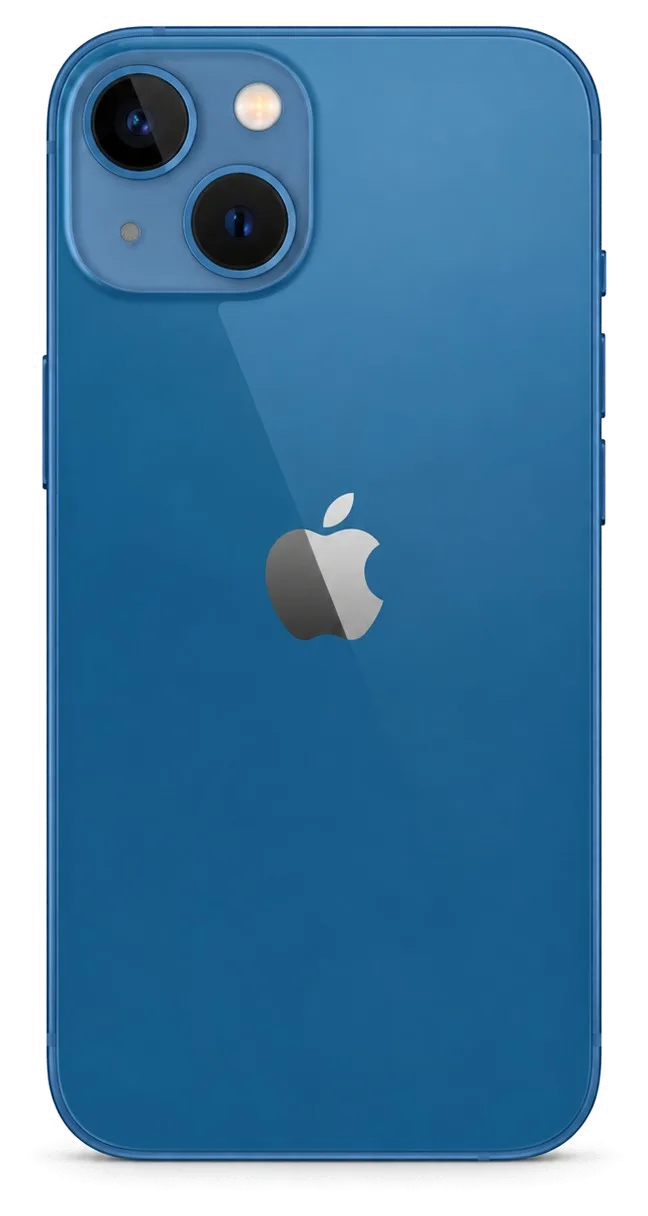
The 13 mini packs a 5.4-inch OLED screen and a small battery into a compact body, so drops and charge cycles hit it differently than bigger models. Here is what we see most often at our workbench.
The faults we see most on this compact model
Most iPhone 13 mini repairs we take in come down to four things — a cracked 5.4-inch OLED display, a worn battery, a clogged Lightning port, and cracked camera glass. The compact chassis leaves little room for shock absorption, so the display module and the rear lens take the impact a larger phone would spread across its frame. The Lightning port sits low on the bottom edge, where pocket lint and moisture collect fastest. With 46,000+ repairs behind us over 11 years, we have handled this model enough to know which components fail first. Because the body is small, a single drop loads the corners and the display edge, so a hairline crack often spreads across the panel within days — catching it early can save the OLED layer.
Symptom, likely cause and what we do
Complaints mapped to the component that usually fails| Symptom | Likely cause | What we do |
|---|
| Lines or green tint on screen | Damaged OLED panel | Swap display module |
|---|
| Battery drains fast, shuts down | Worn cells | Fit a new cell |
|---|
| Will not charge | Dirty Lightning connector | Clean or swap connector |
|---|
| Cracked camera glass | Impact on rear lens | Fit new lens glass |
|---|
| No sound on calls | Blocked speaker mesh | Clean or swap mesh |
|---|
Battery and charging faults on a small battery
We swap the 13 mini cell in about 25 minutes, and a healthy one should hold a full day of mixed use without the low-power warning. The small unit cycles faster than a full-size one, so capacity fades sooner under heavy use. Charging trouble usually traces to the Lightning connector or the flex cable behind it rather than the board, and a free 15-minute diagnostic in front of you shows which one is at fault. Check Battery Health in Settings before assuming the connector is the culprit — if maximum capacity has dropped well below 80 %, a fresh cell fixes the drain faster than any charging-port work.
iPhone 13 mini Repair for the 5.4-Inch Screen
The 13 mini screen is a single OLED unit bonded to the front layer, which changes what can be repaired. Here is how we decide between a glass-only job and a full display replacement.
Glass only or the whole display module
On the iPhone 13 mini we swap the complete OLED module in most cases, because the front layer and the panel are bonded together and a glass-only job makes sense only when the matrix underneath is intact. That protective surface sits directly on the pixels, so a hard drop usually cracks both at once — the impact travels through the top and reaches the display itself. When just the outer layer breaks, we can separate it and press a new one on, keeping your original OLED. If the touch layer still responds and there are no lines or dead pixels, a glass-only repair is possible — but if the matrix shows any discoloration, a full swap is the safer route.
Will Face ID and True Tone survive a new screen
Face ID keeps working after a display replacement because the TrueDepth module is a separate part, and we transfer the True Tone calibration so the screen keeps its original colour balance. The camera-and-sensor unit sits above the panel on its own flex, so a new module does not touch it — we move it across and test the unlock in front of you. True Tone depends on a calibration file matched to the panel; we write that setting onto the new unit during the swap. On some aftermarket panels True Tone may not restore at all, so if colour accuracy matters to you, choose an original module and confirm it on the receipt before work begins.
How long a screen swap takes
A screen replacement for the 13 mini takes about 40 minutes, and 72% of our repairs are finished while the customer waits in the waiting area. The swap itself is fast because the part comes as one unit — no pressing, no overnight curing. We open the phone, disconnect the battery, lift the old panel, fit the new one and run the 32-function check, which adds roughly 10 minutes and covers Face ID, True Tone, cameras, microphones, speakers, charging and network. Book a slot by sending a photo on WhatsApp first — an engineer replies within 5 minutes and quotes from the photo, so the part is ready when you arrive instead of being ordered on the spot.
Original Part or Aftermarket and What Each Keeps
The component you choose decides which features keep working and what appears on screen afterwards. Here is how original and aftermarket options differ on the 13 mini, and how we lock your choice in writing.
How original and aftermarket parts differ in use
What each part type keeps working after repair| Feature | Original part | Aftermarket part |
|---|
| True Tone | Works after calibration | May not restore |
|---|
| Face ID | Unaffected | Unaffected |
|---|
| Battery health reading | Shows correctly | May show a service message |
|---|
| Factory packaging | Shown before fitting | Shown before fitting |
|---|
The unknown part message explained
The unknown component message is an indicator of the component type, not a fault, and it appears when the phone cannot confirm a component as original. The notice shows up in Settings under the battery or display section, depending on which component was replaced, and it does not affect how the hardware performs day to day. A screen with the notice still responds to touch, and a battery with it still charges and holds capacity the same way. The message does not stop the component from working, but it stays in Settings, so decide before the repair whether that notice matters to you — it cannot be removed afterwards without the original component.
What we write on the receipt before we start
Before any work starts we fix the price, the component type, the turnaround and the warranty on the receipt, and it takes about 2 minutes to complete. The document names the exact component, states whether it is original or aftermarket, and carries a warranty up to 1 year, so nothing about the job is left verbal. We show the new component in factory packaging before installation, and the same paper confirms you will get the old component back with the device. Keep that receipt — it is what the warranty is checked against, and it also records that you received the old part back with the device.
Water Damage, Board Work and the Hard Cases
Some faults go past a simple part swap — liquid contact, board-level damage and intermittent failures need a closer look. Here is how we handle those cases on the 13 mini.
What happens after the phone takes on water
After liquid contact we clean the board and check for corrosion under a microscope, and diagnostics can take up to two days before we know the full picture. Moisture reaches the charging port, the speaker mesh and the shield covers first, and corrosion there shows up as a unit that charges one minute and refuses the next. If you decide not to repair, the free diagnostics still happen in front of you and take about 15 minutes for the visual check, though a wet unit sometimes needs longer. Do not charge a wet device and do not dry it with a hairdryer — heat pushes moisture deeper into the circuitry, and a proper clean started early gives the best chance of saving it.
Board-level repair under the microscope
Board-level faults on the 13 mini are repaired under a microscope with micro-soldering, and this kind of work usually takes 1 to 3 days. A dropped unit often cracks a solder joint under the A15 chip or tears a pad near the display connector, and the symptom looks like a dead screen or a boot loop until the circuitry is examined. Our engineers work with a microscope and a soldering station rated for the small components here, and the free diagnostics will tell you up front whether the fault sits in a replaceable component or deeper. This is the one job we cannot finish while you wait, so plan for the device to stay with us — most other work is done in 20–40 minutes.
What to do before you hand the phone in
- Back up first: make an iCloud or computer backup so your photos and messages are safe.
- Turn off Find My: disable Activation Lock so the engineer can test every function freely.
- Note your passcode: share it so the engineer can check the device before you leave.
- Bring the charger: a known-good cable helps confirm where the charging fault sits.
- Remove the case: it lets the engineer inspect the frame and corners for drop damage.
How the Visit Works and What You Get Back
From the first photo to the moment you walk out with your phone, the visit follows a fixed order. Here is what happens at each step and what you leave with.
From WhatsApp photo to a fixed slot
Send a photo of the damage on WhatsApp and an engineer replies within five minutes with a price and a free time slot, so you arrive knowing what to expect. When you come in, the engineer runs free diagnostics in front of you for a quarter of an hour and shows exactly what is broken, even if you decide not to go ahead. The quote, the component (original or aftermarket), the turnaround and the warranty are then written on the receipt before any work starts, which takes about two minutes. The photo quote is a starting point, not a final figure — the free inspection in front of you confirms the real fault, and the price is only locked once that check is done.
The 32-function check before you leave
After the repair we run 32 functions together with you in roughly 10 minutes, covering Face ID, True Tone, cameras, microphones, speakers, charging and network. You sit next to the engineer, not behind a counter, and the same hands-on pass covers the screen response and the battery reading. Most jobs — a screen, a battery, camera glass — finish in 20–40 minutes while you wait in the waiting area with coffee and Wi-Fi, and 72% of repairs are completed that way. Run through the list yourself rather than watching — testing Face ID and the cameras in your own hands confirms the phone behaves the way you use it day to day.
A direct contractor, a warranty and your old part
We are a direct contractor with our own technicians and workshop, not an aggregator or middleman, and every iPhone 13 mini repair in Astana comes with a warranty up to 1 year. Payment works by Kaspi, card or cash, and a courier can be called if you would rather not come in to the workshop yourself. You leave with the receipt, the warranty card and the old component in hand. Keeping the old component is useful proof of what was replaced if a question ever comes up — and that component stays your record of the swap long after the visit ends, so store it somewhere safe.
Summary: iPhone 13 mini repair
A repair goes smoothly when the fault, the component and the pickup check are settled in the right order. Here is what to keep in mind as you hand the phone over.
- Match the repair to the fault: a cracked OLED, a worn battery and a clogged port are separate jobs, each with its own turnaround time.
- Decide on the component early: original and aftermarket components keep distinct features, so settle the choice ahead of work starting.
- Ask what survives: Face ID usually stays, True Tone depends on calibration, and factory water resistance is never guaranteed once the device is opened.
- Prepare the phone: a backup and Find My switched off protect your data and speed up testing.
- Check on pickup: test the screen, cameras, charging and network yourself prior to leaving the workshop.










 iPad
 MacBook
 iMac
 Mac mini and Studio
 Apple Watch
 AirPods
 Apple Pencil
 Apple TV
 HomePod




