Eng

iPhone 13 Pro repair in Astana

Face ID on iPhone 13 Pro shows an error — we'll fix it in a day, price fixed in the receipt before work.

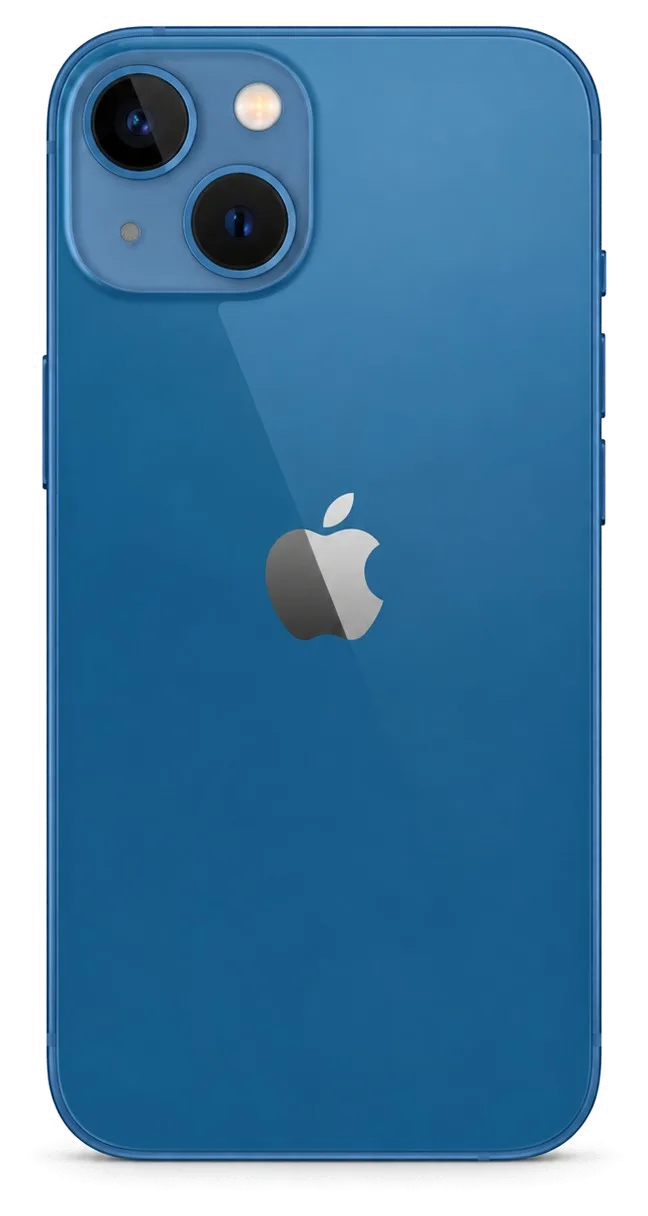
iPhone 13 Pro in graphite color shown from the front
iPhone 13 Pro, Graphite repair
Battery replacementfrom 32 900 ₸
Speaker replacementfrom 29 900 ₸
Display replacementfrom 84 900 ₸
All services and prices

Which iPhone 13 Pro repair requests come in most often in Astana

A high-refresh display, a triple camera and Face ID sensors make repairing this model a delicate job.

01

Screen flickers

ProMotion stutters, vertical lines show on the panel and touch answers late.

02

Camera is fogged

After frost, damp stays inside the block and shots look hazy and spotty.

03

Frame is dented

A fall on ice left a dent in the steel and the glass around it cracked.

04

Hot while charging

In a case and on MagSafe the phone overheats and the percentage jumps.

05

Face ID is gone

After a knock an error message appeared and face unlock is unavailable.

06

Quiet earpiece

Sound is dull, the mesh is dirty and callers hear you poorly.

07

Charging fails

The Lightning port is clogged or corroded after slush and road chemicals.

08

Phone won't start

After frost and a fall the screen stays dark and the button does nothing.

09

Macro mode jumps

Camera twitches when switching to ultra-wide lens up close.

10

Matte back cracked

Rear glass shatters near the camera block or along the edge after a drop.

11

Battery drains fast

Battery worn out: ProMotion and shooting drain charge by midday.

12

Microphone hisses

Caller hears noise and echo, voice recordings sound muffled.

What an iPhone 13 Pro repair costs in Astana, job by job

The table lists the main iPhone 13 Pro jobs with the price of the work itself, before any phone-specific extras.

ServiceOriginalAftermarket
Battery replacement56 900 ₸32 900 ₸
Speaker replacement49 900 ₸29 900 ₸
Display replacement123 900 ₸84 900 ₸
Camera replacement110 900 ₸61 900 ₸
Button replacement59 900 ₸35 900 ₸
Housing replacement100 900 ₸55 900 ₸
Microphone replacement54 900 ₸32 900 ₸
Charging port replacement74 900 ₸44 900 ₸
Camera glass replacement42 900 ₸23 900 ₸
Display glass replacement94 900 ₸52 900 ₸
Back glass replacement70 900 ₸44 900 ₸
Front camera replacement89 900 ₸49 900 ₸
Earpiece speaker replacement64 900 ₸38 900 ₸
Vibration motor replacement47 900 ₸28 900 ₸
Proximity sensor replacement54 900 ₸32 900 ₸
Flex cable replacement75 900 ₸55 900 ₸
Other repairsPrice
Face ID repairpaired to the board — no aftermarket49 900 ₸per job
Water damage cleaningcorrosion cleaning · diagnostics up to 2 days27 900 ₸per job
Power controller replacementboard-level chip · microsoldering66 900 ₸with parts
Wi-Fi module repairwireless module · board-level repair30 900 ₸with parts
Logic board repairmicrosoldering · 1–3 days78 900 ₸per job
Firmware flashingsoftware restore, no parts replaced13 900 ₸per job

The technician states the final sum after an inspection, because it depends on the chosen part and the condition of the device.

Which part copes with frost better on a Pro, original or aftermarket

In the cold and through sudden temperature swings the gap between parts shows more clearly, so compare the options.

Original Applewarranty up to 1 year
iPhone 13 Pro screen123 900 ₸
iPhone 13 Pro screen: original part in Apple packaging
Display
ProMotion and brightness like new, True Tone intact
Camera
Stabilization and focus as before the damage
Battery
Capacity near factory level, holds up better in frost
Warranty
On the work, up to 1 year
Chosen by 64% of clients
Book with an original part
Aftermarketwarranty 6 months
iPhone 13 Pro screen84 900 ₸−31%
iPhone 13 Pro screen: aftermarket part in an antistatic bag
Display
Good picture, smoothness may feel different
Camera
Fine for everyday shots
Battery
Lower capacity, gives up sooner in the cold
Warranty
Also up to 1 year on the work
Chosen by 36% of clients
Book with an aftermarket part

What a Pro owner gets at iServices

This model packs in many sensors, and we move them across carefully so familiar features still work after the repair.

11years

Technician know-how

11 years of Apple repairs builds the skill needed for the Pro: the steel frame, three cameras and Face ID.

1year

Warranty up to 1 year

The finished work carries a warranty that lasts up to 1 year, and the terms are explained when you hand the phone in.

0opening marks

Careful sensor transfer

Experienced technicians try to move the Face ID and light sensors without disturbing the thin cables near the screen.

2options

Honest part advice

The technician compares original and aftermarket on your phone and explains the difference without pushing the pricey one.

2cities

Astana and Almaty

The service works in two cities, so on a business trip you can hand the phone in at the Almaty branch too.

7days a week

A schedule by day

We receive phones on weekdays 10:00–19:00, and on weekends and public holidays 11:00–18:00.

iPhone 13 Pro before and after repair

1 / 3
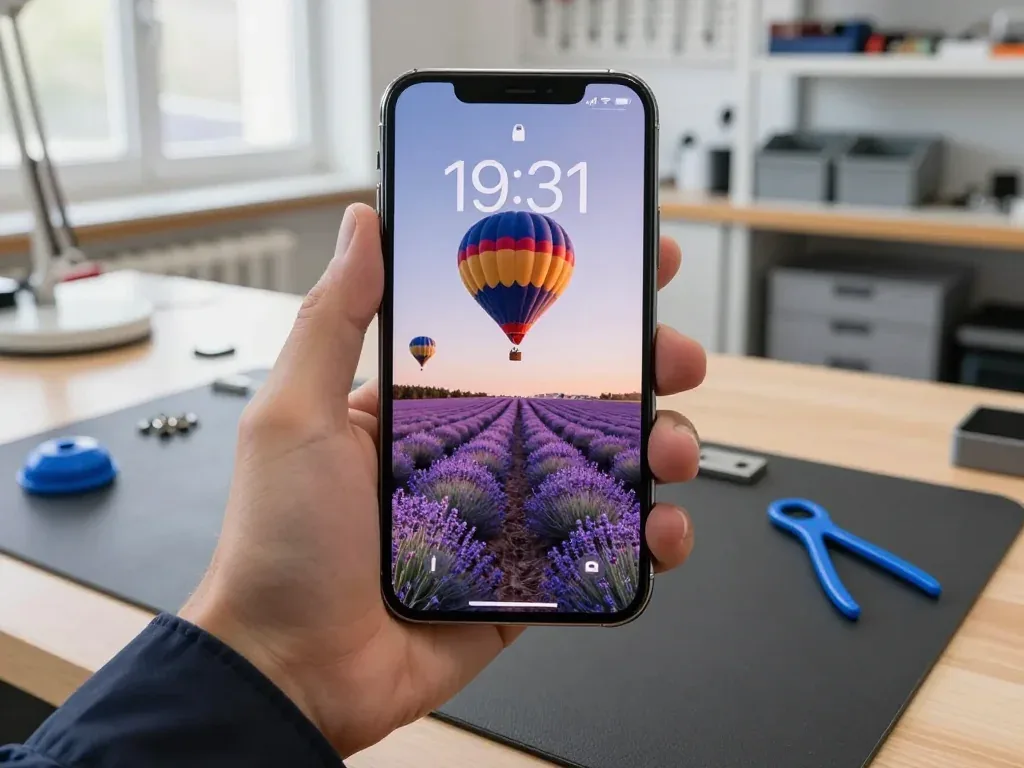
Technician holding a graphite iPhone 13 Pro with a hot air balloon wallpaper over lavender

iPhone 13 Pro: lines across screen after drop

The customer dropped the phone on tiles, and lines appeared across the screen; the touchscreen sometimes didn't respond. We replaced the display module and checked the sensor, brightness, and True Tone — the phone works properly again.

from 84 900 ₸repair cost
I want the same
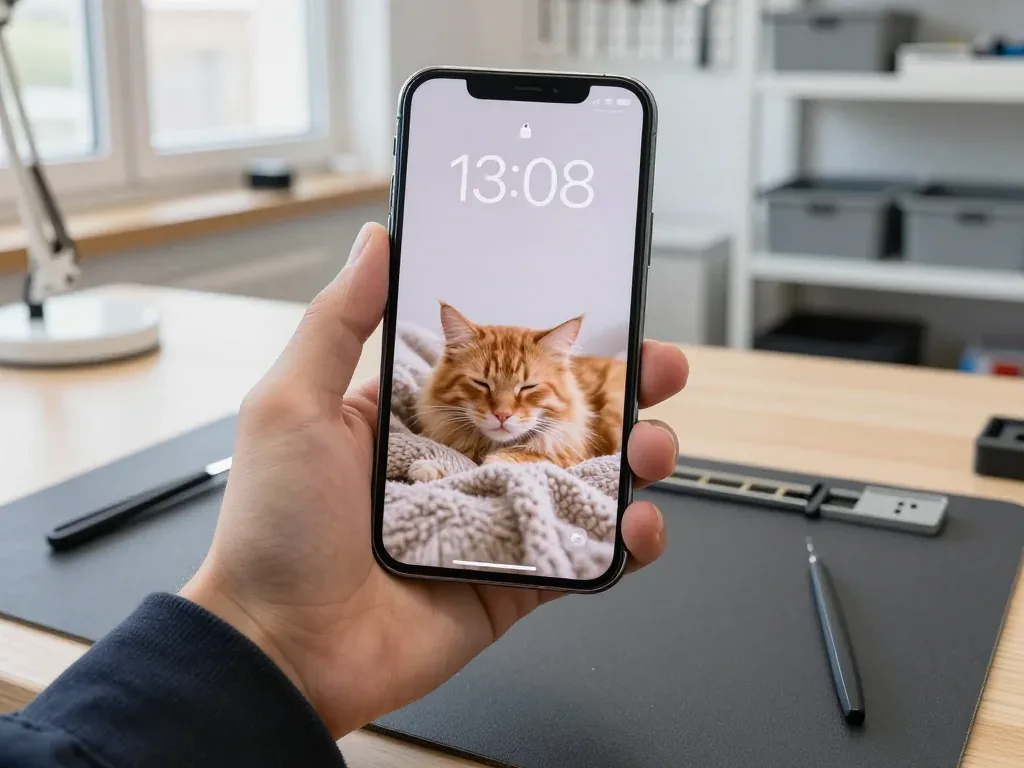
Technician holds iPhone 13 Pro with a ginger cat wallpaper on a plaid after battery replacement

iPhone 13 Pro: died by lunchtime

A client from Astana complained the phone wouldn't last until evening—by lunch it was asking for a charger. We replaced the battery, checked capacity and charging: now it holds up confidently.

from 32 900 ₸repair cost
I want the same
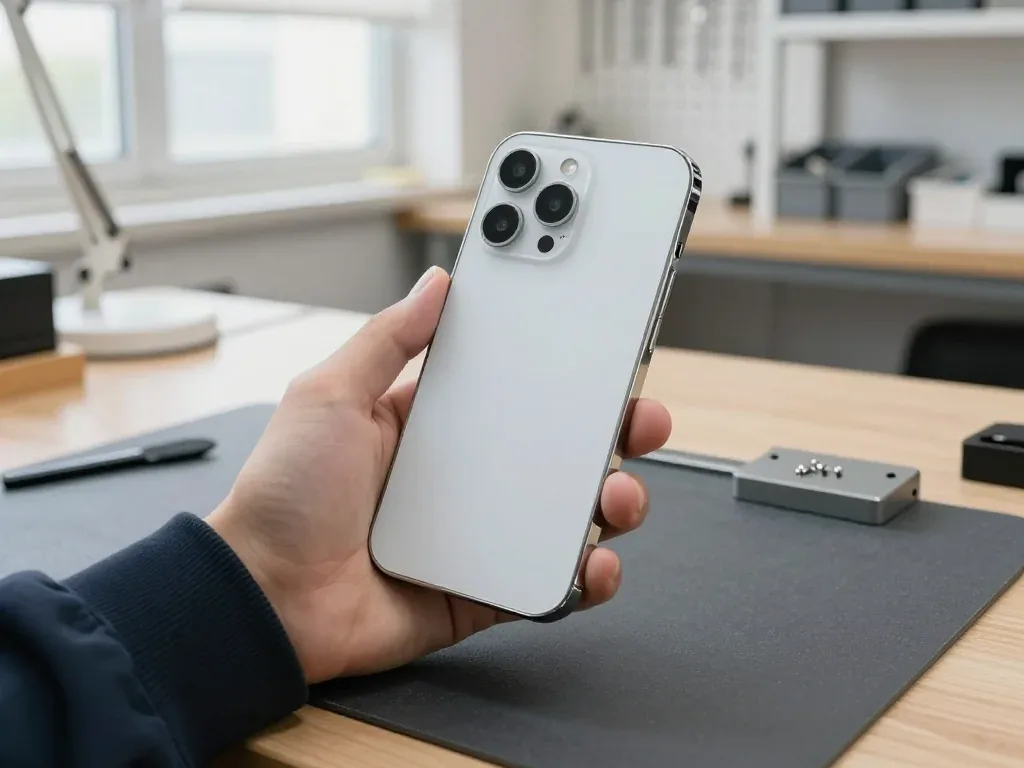
Silver iPhone 13 Pro in a technician's hand, back side: new rear glass, three cameras and LiDAR

iPhone 13 Pro: rear glass cracked near the camera

The customer dropped the phone on its back — the rear glass cracked and started crumbling around the camera block. We replaced the rear glass in the matching color and checked the camera, flash, and charging — everything works.

from 44 900 ₸repair cost
I want the same

How iPhone 13 Pro repair is done in Astana

Screen — 40 minutes, battery — 25. Body and board — 1–3 days.

Book a repair
  1. Step 1

    Message or call

    5 min

    You send a photo of the damage on WhatsApp — we quote the price and available time. Or you call a courier.

  2. Step 2

    Free diagnostics

    15 min

    An engineer checks the device in front of you and shows what is broken. 0 ₸, even if you decline the repair.

  3. Step 3

    Price in the receipt

    2 min

    We fix the price, the part (original or analog), the timeline and the warranty. You sign — we start.

  4. Step 4

    Repair while you wait

    20–40 min

    Before installation we show you the new part in its factory packaging. You wait in the waiting area with coffee and Wi‑Fi.

  5. Step 5

    Checking 32 functions

    10 min

    Face ID, True Tone, cameras, microphones, speakers, charging, network. You check them together with the engineer.

  6. Step 6

    Pick up your device

    warranty up to 1 year

    Together with the receipt, warranty card and the old part. Payment — Kaspi, card or cash.

Meet the iServices team

Technicians for iPhone, Mac, iPad, Apple Watch and AirPods repair.

1 / 5
BSBakmukhammed S. — on-site iPhone technician, iServices service center in AstanaPhoto: Bakmukhammed S.

Bakmukhammed S.

on-site iPhone technician
13years of experience
4.93rating, 107 reviews
GSGalymzhan S. — iPhone repair technician, iServices service center in AstanaPhoto: Galymzhan S.

Galymzhan S.

iPhone repair technician
8years of experience
4.79rating, 90 reviews
ZSZhandos Sh. — iPhone screen replacement technician, iServices service center in AstanaPhoto: Zhandos Sh.

Zhandos Sh.

iPhone screen replacement technician
6years of experience
4.65rating, 112 reviews
DTDarkhan T. — iPhone firmware technician, iServices service center in AstanaPhoto: Darkhan T.

Darkhan T.

iPhone firmware technician
8years of experience
4.44rating, 19 reviews
KSKudiret S. — iCloud unlock specialist, iServices service center in AstanaPhoto: Kudiret S.

Kudiret S.

iCloud unlock specialist
10years of experience
4.37rating, 100 reviews
Bakmukhammed S., on-site iPhone technician
“If the repair didn’t suit you or you have a complaint, write to me personally.”
Bakmukhammed S.on-site iPhone technician · +7 701 333-47-01

We'll quote iPhone 13 Pro repair in Astana from a photo in 5 minutes

Send a photo of the fault — an engineer will reply on WhatsApp, give the price and a time you can come in.

  1. 5 minAn engineer replies and names the price
  2. 0 ₸Diagnostics in front of you in 15 minutes
  3. 30 minMost repairs — while you wait

iPhone 13 Pro Repair in Astana with Face ID and ProMotion Checked

In short

For iPhone 13 Pro repair in Astana, iServices handles screen, battery, charging, camera and board issues with its own technicians. Free 15-minute diagnostics happen in front of you, the part is shown in factory packaging, and warranty runs up to 1 year. Most repairs finish in 20–40 minutes while you wait.

iServices Editorial TeamWe reply on WhatsApp within 10 minutes
Ask

What Usually Fails Before You Book an iPhone 13 Pro Repair

The iPhone 13 Pro combines a ProMotion OLED panel, a steel frame and a Face ID module tied to the board, so the same drop produces different damage than on older models. Here is what owners bring in most often.

The Four Failures We See Most on This Model

Most units of this model we receive come in with a cracked display, a worn battery, a clogged Lightning port or a shattered camera lens, and each has a distinct symptom pattern. A damaged ProMotion OLED panel shows green lines, flicker or a dead strip along one edge, while a failing cell reveals itself through sudden shutdowns below 30% charge. The Lightning connector collects pocket lint and oxidises, so the cable seats loosely and charging drops in and out; the camera lens glass cracks on the raised ring and blurs every photo taken against light. A 13 Pro that overheats and drains fast is often a cell-health issue rather than a board fault, so checking Settings ahead of booking saves a diagnostic trip. If you are searching for an iPhone 13 Pro repair in Astana, this list covers the faults we handle most often.

Symptom, Likely Cause and What We Do

Complaint matched to first inspected part and usual fix
SymptomLikely causeWhat we do
Green lines or flickerOLED panel damageReplace display module
Ghost touch, no responseTouch layer failureReplace display module
Dies by middayBattery wearReplace battery
Will not chargeDirty or oxidised portClean or replace port flex
Blurry photosCracked camera glassReplace lens glass
Random restartsBoard or connector faultMicroscope board diagnostics

Why the 13 Pro Breaks Differently from Older iPhones

The 13 Pro pairs a 120 Hz ProMotion panel with a Face ID module calibrated to the board, so a careless screen swap can cost you both True Tone and facial recognition. The TrueDepth assembly sits in a separate unit above the display, which means the two can be serviced independently, but the panel carries a pairing record the phone checks on every boot. A swapped display without that record transferred shows a warning and disables automatic brightness; a rushed repair that disturbs the dot projector kills Face ID outright. Because the display and TrueDepth assembly are separate units, a competent repair keeps Face ID intact even when the whole panel is replaced. Ask any workshop how it preserves the pairing before you agree to a screen job — in Astana this single question separates a careful technician from a fast one.

Screen Damage and What an iPhone 13 Pro Repair Can Save

A cracked 13 Pro screen is not always a full module replacement. Whether the glass alone can be swapped depends on the matrix, the touch layer and how the damage happened.

Glass Only or the Whole Display Module

We replace only the glass when the OLED matrix and touch layer are intact, and swap the full module when there are lines, dead zones or ghost touch. A clean spiderweb crack with a sharp impact point usually leaves the panel underneath working, so the repair stops at the outer layer. Once you see green or pink lines, black patches that grow, or the screen responding to touches you never made, the OLED or digitiser is compromised and a glass-only job will not fix it. A glass-only job keeps your original panel and its calibration, which is why it preserves colour accuracy better than a budget aftermarket module. Ask the engineer to show you the test pattern before deciding — a two-minute check under the microscope tells you which route you are on.

Will Face ID and True Tone Still Work

Face ID keeps working after a correct display replacement because the TrueDepth module is a separate unit, and True Tone survives once its calibration is transferred to the new panel. The TrueDepth assembly sits in the top bezel and is paired to the logic board, so a technician who moves it across carefully keeps the infrared projector and dot projector matched to your device. True Tone is a different story: the ambient light sensor and its calibration data travel with the original display, and the new panel has to be programmed to read them. On some aftermarket panels True Tone cannot be restored at all, so ask which part is going in before you agree to the job. We test Face ID and True Tone together with you on pickup, so you see both working before you leave.

What Happens to Water Resistance After a Screen Swap

Any time a 13 Pro is opened, the factory IP68 seal is broken, and no repair can promise the original water resistance afterwards. The rating depends on a gasket compressed at the factory under controlled pressure, and once the housing is separated that gasket no longer seals the way it did on day one. We re-apply the water-resistant adhesive during reassembly, which restores splash protection but not the factory rating — treat the phone as rain-safe, not swim-safe. Keep it out of pools, the shower and the steamy bathroom, and dry the charging port before plugging in a cable. That habit matters more for a repaired phone than for a new one, because the adhesive bond is only as good as the surface it sits on.

Original Part or Aftermarket and Which Functions Survive

Choosing between an original part and an aftermarket one changes more than the bill — it decides which features keep working and what message the phone may show afterwards.

How Original and Aftermarket Parts Differ in Practice

What each part type preserves on a 13 Pro
FeatureOriginal partAftermarket part
Face IDWorksWorks
True ToneWorks after calibrationMay not work
Battery health %Reported correctlyOften hidden
Part messageMay still appearMay still appear
WarrantyUp to 1 year6 months

Why the Phone Shows an Unknown Part Message

The unknown part message is an indicator of part pairing, not a sign the repair failed, and it can appear even with a genuine component. Apple ties certain components — the display, the battery, the camera — to the logic board through a serial check, and a replacement that has not been paired in software trips that banner in Settings. The screen still lights up, the battery still charges, the camera still shoots; only the readout changes. On a 13 Pro this most often concerns the display and the battery, where the health percentage can vanish from the menu. The message affects the settings readout, not how the screen or battery performs, so judge the repair by function tests rather than by that banner.

What We Write on the Receipt Before Work Starts

Before any work begins we fix the price, the part type, the turnaround and the warranty on the receipt, which takes about two minutes. The document names whether the screen, battery or camera glass is original or aftermarket, so there is no room for a swap behind your back. We show the new component in its factory packaging before it goes in, and the old part travels home with you alongside the warranty card. A receipt that names the exact part is your proof if a feature like True Tone stops working later, so keep it with the warranty card.

How the Visit Works and How Long It Takes

From the first WhatsApp photo to pickup, most iPhone 13 Pro repairs fit inside a single visit. Here is the sequence and the timings you can plan around.

From WhatsApp Photo to Finished Repair

You send a photo of the damage on WhatsApp, an engineer replies within 5 minutes with a price and a free slot, and the device is checked in front of you for 15 minutes. That diagnostic happens whether or not you go ahead with the work. Before anything is opened, price, component type, turnaround and warranty go onto the receipt in about 2 minutes, and the replacement is shown to you in its factory packaging. You can wait in the waiting area with coffee and Wi-Fi, or call a courier if coming in is awkward. Sending the photo first means the needed component is already on the bench when you arrive, which is why 72% of jobs finish while the customer waits.

How Long Each iPhone 13 Pro Repair Takes

Turnaround by repair type for this model
RepairTimeCan you wait on site
Screen replacement40 minutesYes
Battery replacement25 minutesYes
Camera glass20 minutesYes
Board repair1–3 daysNo

The 32-Point Check Before You Take the Phone Home

  • Face ID: unlock and re-scan your face in front of the engineer before you leave.
  • True Tone: toggle it in Display settings and watch the tint shift across the panel.
  • Cameras: shoot with all three lenses and check focus on each one.
  • Microphones and speakers: record a voice note and play it back at full volume.
  • Charging and network: plug in and confirm signal and Wi-Fi connect cleanly.
  • Final handover: collect the receipt, warranty card and your old component.

Charging, Battery and Camera Glass Repairs

Not every 13 Pro fault needs the screen off. Charging, battery and camera-glass issues are quick jobs, provided you prepare the phone correctly before handing it over.

Is It the Port, the Cable or the Battery

A 13 Pro that will not charge is usually suffering from a dirty or oxidised Lightning port rather than a dead board, and the diagnostic shows which within minutes. We first inspect the Lightning connector under magnification for lint, corrosion and bent pins, then test the charging flex and the power controller with the cell still connected. If the port is clean and the phone still ignores the cable, the fault is often the charging flex rather than the cell, so swapping that part alone would not help. The connector oxidises from moisture and pocket dust, and a cable that wiggles loosely speeds that up. Bring the cable and adapter you normally use — we test them alongside the phone, and a failed accessory is the cheapest fault to rule out first.

When the Battery Actually Needs Replacing

A maximum capacity below 80% plus shutdowns in cold weather or sudden drops from 30% to zero are the clearest signals the cell is due for replacement. Open Settings, then Battery, then Battery Health, and read the maximum capacity figure rather than the peak-performance message alone. A worn cell also throttles peak performance, so a phone that feels slow after two years often speeds up again with a fresh one. Cells lose capacity over two to three years of daily charging, and the power controller manages the ageing chemistry rather than failing outright. Check the cycle count and the service recommendation on the same screen before you book anything — a healthy cell at 84% with no shutdowns rarely needs swapping yet.

What to Do Before You Hand the Phone Over

  • Back up first: run an iCloud or computer backup ahead of the visit.
  • Know your Apple ID: some tests need the phone signed in and unlocked.
  • Decide on Find My: sign out only if the repair requires it.
  • Note the passcode: the engineer may need it to test functions.
  • Bring the old part home: we return it with the receipt and warranty card.

Summary: iPhone 13 Pro repair

A repair decision comes down to a few practical checks: what is actually broken, which component goes in, and what you confirm working before leaving.

  • Glass versus module: a cracked 13 Pro display sometimes needs only the glass, so confirm the matrix and touch layer are intact prior to agreeing to a full module swap.
  • Face ID and True Tone: both survive a correct display swap once the calibration data is transferred to the new panel.
  • Unknown part message: this reflects pairing rather than a failed job, so judge the work by how the phone actually behaves.
  • Turnaround: most common fixes finish in 20–40 minutes, while board-level work runs one to three days.
  • At handover: back up the phone, know your Apple ID password, and test Face ID, True Tone and charging prior to leaving the counter.


What people in Astana ask about iPhone 13 Pro repair

Did not find an answer? Message us on WhatsApp: an engineer replies, not a bot.

Ask a question
Why does an iPhone 13 Pro show 'Important Display Message' after a screen swap?

iOS shows it when it cannot verify the panel as a genuine display for that iPhone. The screen still works, and the note stays in Settings > General > About. Ask before the job which display will be installed so the message does not surprise you.

Can the iPhone 13 Pro back glass be replaced without changing the whole frame?

Yes: the old glass is separated from the frame with a laser and a new panel is glued in place. The frame, buttons and internals stay where they are. A full housing swap is only needed if the frame itself is bent.

Why is the iPhone 13 Pro telephoto blurry while the main camera is sharp?

The 3x module or its cover glass is likely damaged. Test it in bright light, because in dim scenes the phone may crop from the main camera instead of using the telephoto. If 3x stays soft in daylight, the telephoto module is checked.

People cannot hear me on speakerphone, but normal calls are fine on my iPhone 13 Pro. Why?

The phone uses different microphones for regular calls, speakerphone and video. Record a voice memo and short videos with both cameras to see which one is muffled. That microphone is then cleaned or replaced.

Can a stuck iPhone 13 Pro volume button be fixed separately?

Yes, the buttons sit on a flex cable inside the frame and can be replaced without other parts. A sticky button after a spill can sometimes just be cleaned. Test the side switch too when you hand the phone in.

Why does my iPhone 13 Pro restart by itself after a fall?

A restart loop after a drop usually points to a shifted connector, a damaged flex cable or a board fault. Make a backup while the phone still runs. The engineer opens it and finds which component triggers the reboots.

iPhone 13 Pro repair reviews in Astana

1 / 10
4.9

iServices network rating on Google Maps, wikicity and our website · 2 028 reviews
Google Maps4.438 reviews ›wikicity5.015 reviews ›Reviews on the iServices website4.91 975 reviews ›
ЛИ
Лаура И.Order No. IS•••98 · 23 May 2026
iPhone 13 Pro · water damage

Искала сервис, где дадут гарантию и чек. Проблема — попала вода. Сейчас работает без нареканий.

iServices customer review, in Russian
АЭ
Амир Э.Order No. IS‑•••95 · 23 December 2025
iPhone 13 Pro

Проблема — не держит заряд. Бақмухаммед С. пообещал и сделал, без напоминаний. Ни шума, ни запаха, всё штатно.

iServices customer review, in Russian
СС
Серик С.Order No. ЗК‑IS‑•••67 · 21 July 2025
iPhone 13 Pro · screen

Работаю рядом, заехал в обед. Проблема — попала вода. Экран яркий, батарея держит!!

iServices customer review, in Russian
ТС
Темір С.Order No. IS‑•••97 · 24 March 2025
iPhone 13 Pro · water damage

Хотел сначала в официальный, но там очередь и цена. Проблема — попала вода. Всё чётко, без сюрпризов.

iServices customer review, in Russian
РХ
Рая Х.Order No. IS‑•••60 · 8 January 2025
iPhone 13 Pro

Құрылғыны әкелдім, бірден қабылдады. Екі күнен кейін өзі қоңырау шалды. Ескі бөлшекті көрсетіп, қайтарып берді. Жұмысты сол күні аяқтады. Қосымша жұмыс қажет болды, бірақ бағаны көтермеді. Бөлшек қоймада бар екен, күтпедік. Бағаны алдын ала айтты, соңында өзгермеді. Жақсы сервис

iServices customer review, in Kazakh
СР
Серик Р.Order No. ЗК‑IS‑•••46 · 16 August 2024
iPhone 13 Pro

В Астана сервисов много, но по Apple берут не все. Проблема — не включаеться. После ремонта — как новое.

iServices customer review, in Russian
АД
Айсана Д.Order No. ЗК‑IS‑•••20 · 7 March 2024
iPhone 13 Pro · battery

Смотрел отзывы в 2ГИС, выбрал по адекватности. Привёз на диагностику: iPhone 13 Pro. Проблема — не держит заряд. Приняли без записи, оформили за пять минут. По факту меняли: аккумулятор. Сравнивал — здесь дешевле. Приятно удивлён. Дома включил, всё на месте.

iServices customer review, in Russian
ДЧ
Дархан Ч.Order No. ЗК‑IS‑•••24 · 20 November 2023
iPhone 13 Pro · screen

У нас в офисе три таких ноутбука, один сломался. Проблема — треснул экран. Полёт нормальный!!

iServices customer review, in Russian
ББ
Берік Б.Order No. IS‑•••17 · 11 September 2023
iPhone 13 Pro · screen

Позвонил по объявлению, приехал на следующий день. Думал, всё, приехали. Проблема — хрипит динамик. Бақмухаммед С. разобрался в редкой модели. Приняли без записи, оформили за пять минут. Экран яркий, батарея держит)

iServices customer review, in Russian
ТГ
Томирис Г.Order No. ISV‑•••87 · 13 March 2023
iPhone 13 Pro · screen

До этого обращался в сервис у дома, там только развели руками. Проблема — не держит заряд. Экран яркий, батарея держит.

iServices customer review, in Russian
Showing 10 of 16

Where to get iPhone 13 Pro repair in Astana

Address
Astana, Kabanbay Batyr Ave., 7/2
Opening hours
Mon–Fri 10:00–19:00Sat–Sun 11:00–18:00
Phone and messengers
+7 727 339-99-12WhatsApp: +7 701 333-47-01
Directions map: iServices Astana© OpenStreetMapFind us on the maps: Google Maps · 2GIS