KS Photo: Kudiret S.
Kudiret S.
iCloud unlock specialist
10years of experience
4.37rating, 100 reviews

Should your Mac Studio M2 refuse to power on or act up, we identify the fault on the spot and fix the quote in your receipt prior to starting any work.
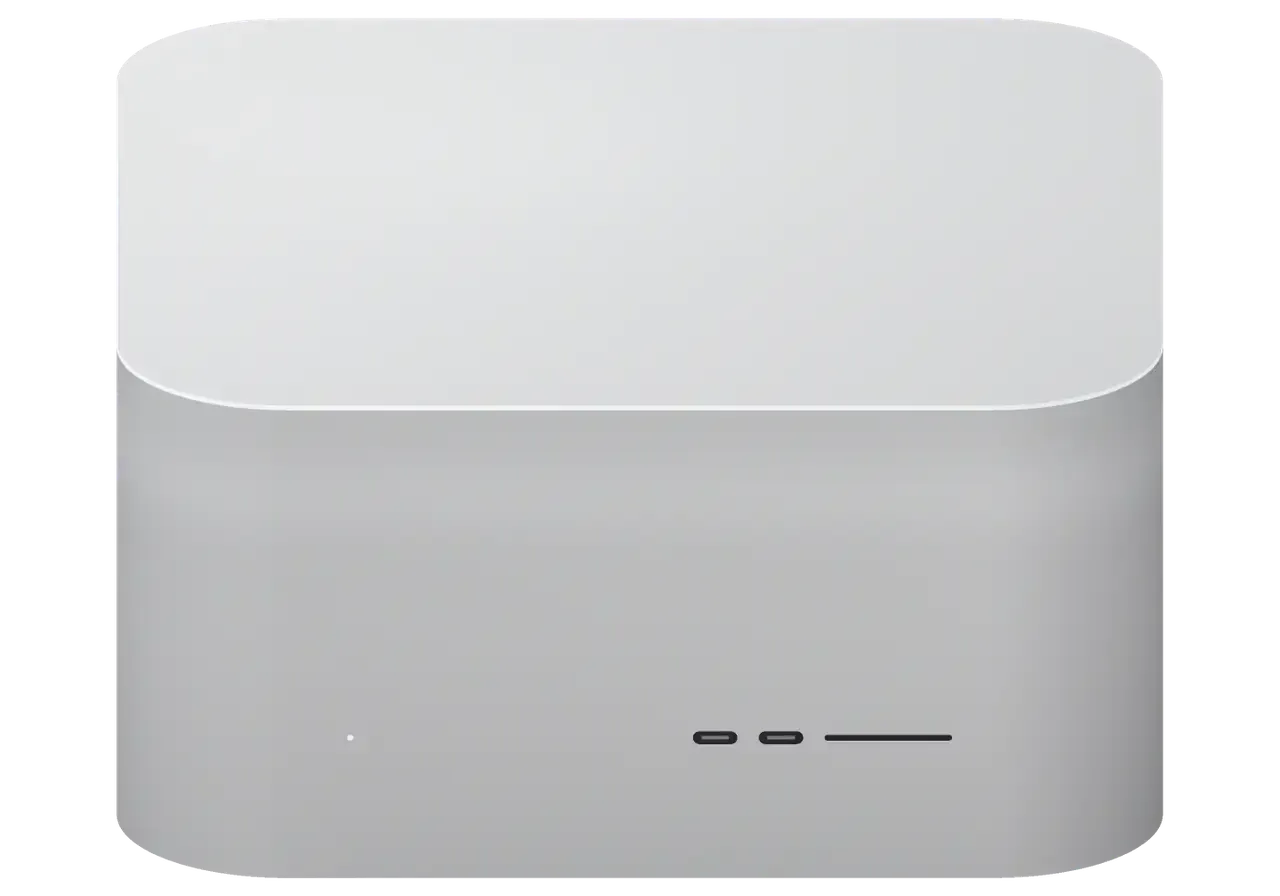
A desktop workstation runs every day, and the first failures tend to involve boot, power, ports and cooling.
The progress bar freezes: a firmware, storage or board power fault.
The unit is silent after a voltage spike: the built-in power supply is damaged.
The case hums under no load: a clogged heatsink or dried-out thermal paste.
The aluminium chassis is hot even under light tasks: heat dissipation is impaired.
The screen goes black after a while: video circuit, HDMI port or cable.
The network drops or runs slow: port, cable or controller.
The port doesn't see devices: worn socket or a break in the circuit.
The card isn't detected: dirty or damaged slot contacts.
The external drive isn't visible: port, hub or controller.
The 3.5 mm jack is noisy: socket contact or audio circuit.
Wireless connections cut out: antenna module or board.
The process aborts with an error: corrupted firmware or storage.
Once we pinpoint the fault, we tell you what bringing your Mac Studio M2 back to life in Astana will cost; call or message us on WhatsApp.
| Service | Original | Aftermarket |
|---|---|---|
| Power supply replacement | 80 900 ₸ | 44 900 ₸ |
| Fan replacement | 24 900 ₸ | 13 900 ₸ |
| USB-C / Thunderbolt ports replacement | 37 900 ₸ | 20 900 ₸ |
| Other repairs | Price | |
| SSD installationstorage installation | 39 900 ₸with parts | |
| Dust cleaningdisassembly and dust cleaning | 17 900 ₸per job | |
| Logic board repairmicrosoldering · 1–3 days | 44 900 ₸per job | |
| Wi-Fi module repairwireless module · board-level repair | 33 900 ₸with parts | |
| MacOS installationOS installation, no parts replaced | 12 900 ₸per job | |
Since the amount hinges on the model version, the component and how much labour is involved, no fixed sum can be given up front.
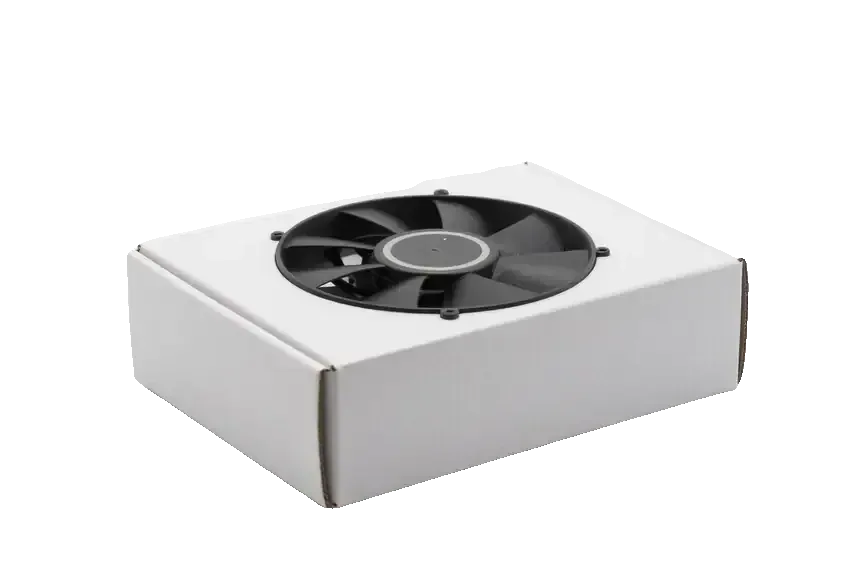
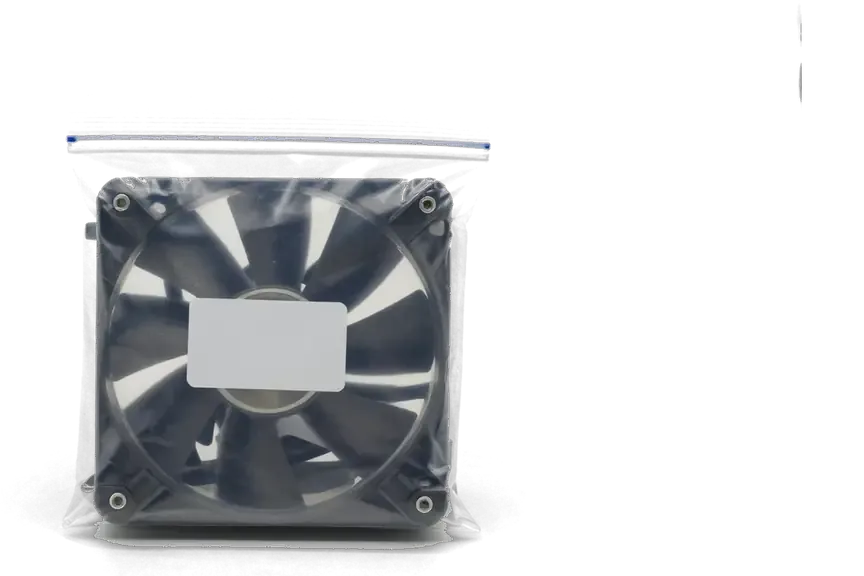
When replacing fans, ports and power components in a Mac Studio M2, you choose between a genuine option and a compatible one.
For a powerful desktop, clear diagnostics and an honest quote matter more than replacing everything in sight.
The technician explains the cause and the options; the decision is yours, and we never push the most expensive repair.
Apple experience helps us quickly tell a software glitch from a hardware fault and avoid wasting your time.
Every repair carries a warranty of up to 1 year: should the same problem come back, we fix it with no fuss.
Desktops are repaired by accredited specialists familiar with the internal power supply, board and fan cables.
We're open weekdays 10:00–19:00 and on Saturday, Sunday and holidays 11:00–18:00, so a visit is easy to plan.
Our offices are in Astana and Almaty, so after relocating you can keep getting the device serviced in the other city.
Usually the whole journey — from message to pickup — takes less than an hour; complex repairs follow the timeline in the receipt.
Book a repairYou send a photo of the damage on WhatsApp — we quote the price and available time. Or you call a courier.
An engineer checks the device in front of you and shows what is broken. 0 ₸, even if you decline the repair.
We fix the price, the part (original or analog), the timeline and the warranty. You sign — we start.
Before installation we show you the new part in its factory packaging. You wait in the waiting area with coffee and Wi‑Fi.
Startup and operation under load, ports, Wi‑Fi and Bluetooth, sound. You check together with the engineer.
Together with the receipt, warranty card and the old part. Payment — Kaspi, card or cash.
Technicians for iPhone, Mac, iPad, Apple Watch and AirPods repair.
Photo: Kudiret S. Photo: Kamran A.

“If the repair didn’t suit you or you have a complaint, write to me personally.”
Send a photo of the fault — an engineer will reply on WhatsApp, give the price and a time you can come in.
Mac Studio M2 Repair in Astana with Clear Terms and a Warranty up to 1 year
Mac Studio M2 repair in Astana is done by iServices' own engineers, not a middleman. For 15 minutes we run diagnostics free while you watch, fix board faults under a microscope in 1–3 days, and back every job with a warranty up to 1 year. You pick an original or aftermarket part, fixed on the receipt first.
The Mac Studio M2 comes with an M2 Max or an M2 Ultra, and cooling plus behaviour under long loads set these chips apart. Below is a look at the internals and at which components can genuinely be replaced.
The Mac Studio M2 comes with the M2 Max or the M2 Ultra, and the flagship chip uses a larger cooling setup since it runs more cores during long workloads. Both versions use the same compact aluminium body, the same built-in power supply and the same arrangement of Thunderbolt 4 and HDMI ports at the back. The real difference lies beneath the heatsink: the flagship consumes more current over a longer duty cycle, which places greater thermal strain on the fans, the fins and the power delivery stages near the chip. Flagship machines more often draw airflow complaints, while the base model tends to develop port and storage problems. Since memory is soldered onto the chip and cannot be expanded later, a fault that resembles "not enough RAM" is nearly always a logic problem, not an upgrade you can purchase.
| Part | Replaceable | What we do |
|---|---|---|
| Power supply | Yes | Test and replace |
| Fans and heatsink | Yes | Clean or replace |
| Ports (Thunderbolt, HDMI, USB-C, SD) | Yes | Repair or re-solder |
| SSD modules | Component-level | Repair or restore, not a plain swap |
| Unified memory | No | Diagnose logic and firmware instead |
The front USB-C ports and SD slot sit on a separate module that takes the brunt of daily card swaps, so a dead front port or an unread SD card is usually a connector fault rather than a dead unit. Photographers and video editors who cycle cards all day wear those contacts faster than any other part of the chassis, while the 10-gigabit Ethernet and rear Thunderbolt connectors rarely fail first. When a card reader stops mounting, the cause is often a bent pin or a cracked solder joint on the front connector panel, not the storage itself. If only the front ports fail while the rear Thunderbolt and HDMI still drive a display, the fault is local and cheap to isolate, which is why we test each port separately before quoting.
A workstation that will not boot, roars when pushed, or loses its display is telling you where to look. These are the symptoms we see most often on the Mac Studio M2 and what usually sits behind them.
A computer that gives no response at all most often points to a power-delivery or logic-board problem, and because the PSU is internal we verify it on the bench before blaming the chip. There is no external adapter, so the mains lead connects to a sealed unit that supplies the main circuits and the SSD. We take the case apart, check the power rail with a multimeter, and only after that investigate further. A desktop that clicks or lights a rear LED but never starts differs from one that is entirely dead. If the rear LED remains unlit and no fan movement occurs, ask for a bench check before approving any component. Should you require Mac Studio M2 repair in Astana, the procedure starts the same way: a bench check that identifies the defective part before any work starts.
Random restarts and a dropping display usually trace to a power delivery problem, a failing connector, or a firmware issue rather than the monitor itself. A Mac Studio M2 running a heavy render may reboot when a rail sags during sustained load, while a monitor that blacks out for a second and returns points at the Thunderbolt or HDMI path. We check each rear socket separately, watch the system with a full load applied, and read the firmware state before touching hardware. Swapping the cable and trying a second display is the fastest way to tell an external fault from a graphics fault, and it saves a bench slot if the issue sits outside the unit. Bring the cable you actually use — a cheap adapter fails more often than the socket.
Diagnosis comes first, ahead of any screwdriver. We examine the unit in front of you, show what has failed, and only then decide whether the fix is a part, a port, or component-level service under the microscope.
While you watch, our engineer performs free diagnostics for 15 minutes, and even if you decide against repairing, he shows you exactly which component has failed. The session covers power delivery, every rear and front port, display output over HDMI and Thunderbolt, fan behaviour and the thermal path beneath the base. You see the readings on the bench rather than getting a summary afterwards, and the engineer points to the specific rail, connector or component behind the fault. Nothing is opened until you agree to the next step, and the machine stays with you if you walk away. Watching the fault yourself is what lets you judge whether a deep fix is worth it, instead of taking a stranger's word for it.
| Stage | What we examine | Why it matters |
|---|---|---|
| Bench diagnosis | Power, ports, display output | Finds the fault before opening |
| Component-level service | Microscopic inspection, re-solder | Fixes what a part swap cannot |
| Load test | Sustained render, thermals, all ports | Confirms the fix holds during long jobs |
After contact with liquid, diagnostics on a Mac Studio M2 may stretch to two days, since corrosion continues to spread and every trace must be examined before we commit to a repair. Liquid seldom remains where it landed: it travels along the circuitry, harms solder joints and connector pins, and leaves deposits that keep conducting long after the surface looks dry. Under the microscope the technician maps the affected zone, cleans it, and inspects every trace individually, which is why a water-damaged unit never gets an answer within an hour. Powering on a wet machine to check whether it works is the most damaging thing an owner can do, so bring it in dry and unplugged.
For most owners the device is the work, and the work is the data. Before any Mac Studio M2 repair we talk about what happens to your files and how a stuck unit gets its firmware back.
We advise creating a backup via Time Machine or an external drive before the work, as a board repair may need a firmware restore that affects the system. A complete Time Machine run onto a working external SSD typically takes overnight for a loaded workstation, so begin it the evening before you bring the unit in. The complimentary inspection before your eyes lasts 15 minutes, and during that time we determine whether the fault lies on the main circuitry or in the storage path. If the unit does not boot at all, inform us before you arrive so we can plan a data-first approach rather than a straight repair.
The SSD in this desktop is fitted on modules yet tied to the system, so unlike a PC drive it cannot be pulled and replaced with an off-the-shelf part. The storage controller is linked to the logic board and to the security chip, and a blank module from another unit will not mount without that pairing. That is why the drive reads as a raw, uninitialised disk after a logic fault even when the NAND chips themselves are healthy. That pairing is also why a failed drive often shows up as a firmware or boot problem, and why the fix is a component-level job rather than a quick swap.
When the unit will not boot because of firmware, we restore it through DFU from a second Mac rather than replacing hardware that is still good. The second machine runs the restore tool over a USB-C cable into the port the service manual specifies, and the routine rewrites the boot firmware on the paired storage. A unit that shows a question mark folder or loops on the startup chime is the usual candidate, and a mainboard that passes the microscope check rarely needs a new chip. A DFU restore can wipe the drive, which is exactly why the backup conversation comes first and not after the unit is already on the bench.
A workstation down is money lost, so we keep the timeline honest and put it in writing. Below are the expected repair duration, what the warranty covers, and how the machine reaches us.
Send us a photo of the problem via WhatsApp and a technician answers in 5 minutes or less with a quote and an available free slot, while most board repairs need 1–3 days. Simpler tasks on the unit — a fan, a port, a drive replacement — are often completed while you wait, and 72% of repairs are finished before the customer leaves the waiting area with its coffee and Wi-Fi. MacBook and iPad jobs take from an hour to a full day, so a desktop slot can be arranged around a lunch break. A well-lit picture of the port or the label saves a journey, because it lets us distinguish a cable fault from a board fault before you leave home.
You can call a courier to bring the Mac Studio M2 to us, and we work from branches in Almaty and Astana with hours that include weekends and holidays. Weekdays run 10:00–19:00, Saturdays, Sundays and public holidays 11:00–18:00, so a drop-off can fit around a working day. When you collect, an engineer sits with you and runs through 32 functions in about 10 minutes — microphones, speakers, charging and network — and you sign off only after that check. A desktop like the Mac Studio travels best in its original box with the base protected, since the intake grille underneath is the part most easily bent in transit.
A repair ends well when the owner knows what to protect beforehand and what to confirm in writing. These five points matter most when a Mac Studio M2 needs work in Astana.
Did not find an answer? Message us on WhatsApp: an engineer replies, not a bot.
Ask a questionRecovery mode and a system reinstall sometimes help. If the process aborts with an error or the unit won't enter the mode, the cause is more likely hardware.
The storage is soldered to the board and inaccessible without a working system. Make backups in advance; if it fails, your data is recovered along with the repair.
Usually yes, the issue is fixable. Begin by plugging the same cable into a port at the back: if it works there, the culprit is the socket or its circuitry.
Look at whether dust has built up on the heatsink and if the machine stands close to a radiator or other heat source. When the noise does not go away, the cooling system and thermal paste call for diagnostics.
The built-in power supply can fail and the unit will stop turning on. In an Astana office with an unstable grid, a UPS is worth having so you can save your work and shut down.
Connect the unit to another Mac with a USB-C cable, put it in DFU mode and reinstall the firmware via Apple Configurator. If the procedure aborts, the cause is usually the board.
Было важно, чтобы сделали до конца недели. Проблема — шумит. Нагрев в норме, посторонних звуков нет.
Проблема — перегревается. Про i service узнала от коллеги из офиса. Полёт нормальный
Проблема — не включается. Третий месяц — никаких проблем. Функционирует, тьфу-тьфу.
Думал, придётся оставить на неделю. Проблема — шумит. Мастер сам предложил забрать технику позже. Вскрытие показало: плата. Мастер опоздал, правда предупредил. Рекомендую без оговорок. Нагрев в норме, посторонних звуков нет.
Было важно, чтобы сделали до конца недели. Залил кофе, и через день — не видит диск. Крутится ровно, без рывков!!
Было важно, чтобы сделали до конца недели. После обновления началось: не включается. Приняли без записи, оформили за пять минут. Кулер не слышно, греется меньше.
Было важно, чтобы сделали до конца недели. Приехала с Mac Studio M2, как есть. Проблема — не включается. Ответили в WhatsApp, потом созвонились. Внутри оказалось: блок питания. Всё чётко, без сюрпризов.
Проблема — не видит диск. Камран А. сам позвонил и сказал, что готово. Крутиться ровно, без рывков.
Сначала думал сам поменять, посмотрел видео и передумал. Проблема — не включается. Проверил на всех режимах — держит
Залил кофе, и через день — перегреваеться. Камран А. принял без вопросов, хотя был без записи. Приняли вечером, хотя до закрытия было минут десять. Обошлось заменой: кулер. По деньгам вышло ровно, без сюрпризов. Пользуюсь и вспоминаю добрым словом


 iPad
 MacBook
 iMac
 Apple Watch
 AirPods
 Apple Pencil
 Apple TV
 HomePod
