BS Photo: Bakmukhammed S.
Bakmukhammed S.
on-site iPhone technician
13years of experience
4.93rating, 107 reviews

Chips on Apple Watch Ultra glass or a weak battery — free diagnostic while you wait, price and time up front, experienced technician.
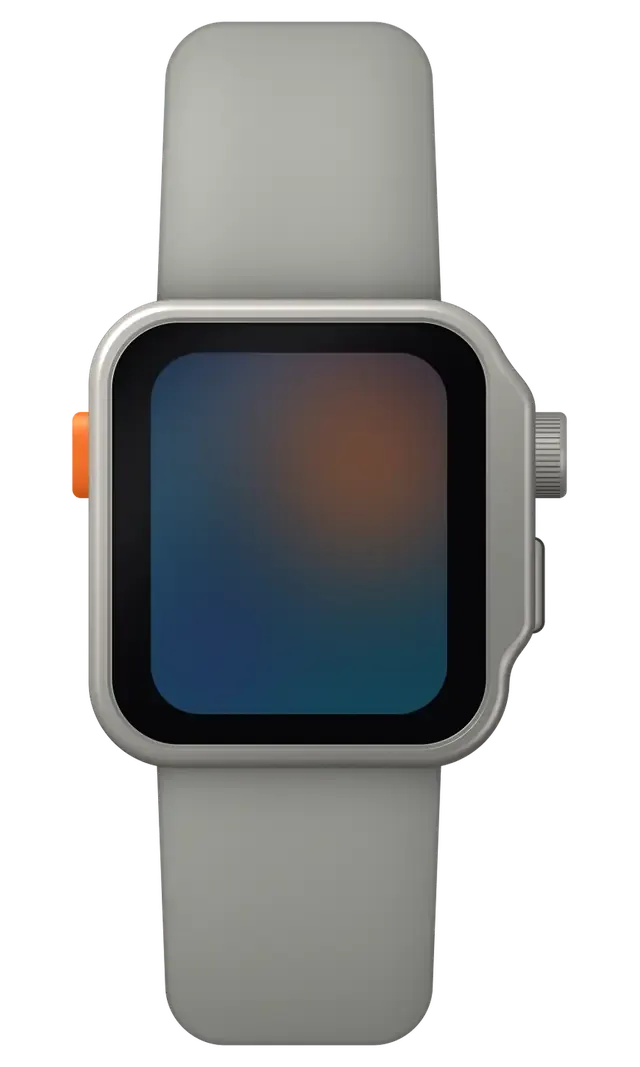
Flat glass, an action button, a siren and a depth sensor: faults that belong to the rugged Ultra in particular.
A hit against rock or a rail left a pin-point chip, and a crack runs from it.
A watch built for several days now barely lasts until the evening.
The orange button will not press, or fires by itself after an impact and dirt.
The loud alarm sounds dull because snow, dust or salt has packed the speaker mesh.
The Digital Crown scrapes after sweat, seawater and hand cream.
Water and pressure data go wrong when the sensor openings are clogged with grit.
In frost the picture jitters or blanks, pointing to a cable or battery issue.
The watch ignores the puck because the back is dirty or the coil has worn.
On the ski track the numbers vanish or spike for no reason.
The route draws as a broken line and the dot drifts off the trail.
The button next to the crown sinks in, and Apple Pay won't open.
On calls from the watch the other side hears wind noise instead of your voice.
These are the main Apple Watch Ultra jobs; prices are starting prices, and the part is included where marked “with parts”.
| Service | Original | Aftermarket |
|---|---|---|
| Glass replacement | 55 900 ₸ | 30 900 ₸ |
| Display replacement | 177 900 ₸ | 98 900 ₸ |
| Battery replacement | 28 900 ₸ | 16 900 ₸ |
| Rear cover with sensors replacement | 107 900 ₸ | 59 900 ₸ |
| Digital Crown repair | 24 900 ₸ | 13 900 ₸ |
| Side button replacement | 24 900 ₸ | 13 900 ₸ |
| Speaker replacement | 22 900 ₸ | 12 900 ₸ |
| Microphone replacement | 24 900 ₸ | 13 900 ₸ |
| Other repairs | Price | |
| Board repairmicrosoldering · 1–3 days | 68 900 ₸per job | |
| Firmware flashingsoftware restore, no parts replaced | 5 490 ₸per job | |
The technician names the final total after inspecting the watch, since it depends on the part and on what is found.
For a watch taken to the mountains or the sea, toughness and screen legibility in bright light matter most.


A tough watch still needs gentle disassembly, and this is what the Astana workshop gives you when you leave one with us.
11 years with Apple devices helps our technicians work carefully with the Ultra's massive case and tight seals.
Completed work is covered by a warranty up to 1 year, and the technician explains the terms before the repair starts.
Your watch is handled by a experienced technician used to tiny parts and adhesive joints.
We explain the gap between original and aftermarket and leave the choice to you, based on use and budget.
The prices of the main jobs are published, and the final total is named after inspection and agreed before the repair.
Mon–Fri 10:00–19:00, Sat–Sun and holidays 11:00–18:00, so any day of the week works.
Usually the whole journey — from message to pickup — takes less than an hour; complex repairs follow the timeline in the receipt.
Book a repairYou send a photo of the damage on WhatsApp — we quote the price and available time. Or you call a courier.
An engineer checks the device in front of you and shows what is broken. 0 ₸, even if you decline the repair.
We fix the price, the part (original or analog), the timeline and the warranty. You sign — we start.
Before installation we show you the new part in its factory packaging. You wait in the waiting area with coffee and Wi‑Fi.
Touchscreen, brightness, Digital Crown, sensors, microphone, speaker, charging. You check them together with the engineer.
Together with the receipt, warranty card and the old part. Payment — Kaspi, card or cash.
Technicians for iPhone, Mac, iPad, Apple Watch and AirPods repair.
Photo: Bakmukhammed S. Photo: Galymzhan S.
 Photo: Zhandos Sh.
 Photo: Darkhan T.
 Photo: Kudiret S.
“If the repair didn’t suit you or you have a complaint, write to me personally.”
Send a photo of the fault — an engineer will reply on WhatsApp, give the price and a time you can come in.
Apple Watch Ultra Repair in Astana with Original or Aftermarket Parts
For Apple Watch Ultra repair in Astana, iServices runs a free 15-minute diagnosis in front of you, then fixes most faults while you wait. You pick an original or aftermarket part, and the price, part, turnaround and warranty up to 1 year are fixed on the receipt first.
Watch shops rank high for repair searches, so owners of an Ultra end up weighing a fix against a new device. Here is how the two paths split by fault type, with the facts that decide each case.
We repair most Ultra faults in-house, and 72% of our repairs are finished while the customer waits in the lounge, so a cracked screen or a worn battery rarely means replacing the watch. A sapphire-only crack, a display with failing touch, a cell that drains by late afternoon and a sticky Action Button all land on the repair side: each is a module swap on a titanium body that is otherwise intact. Our engineers run the work as a direct contractor with their own workshop, not a middleman, and 46,000+ repairs sit behind that bench. The titanium shell and sapphire outlast the parts inside, so the battery and buttons usually fail long before the body does — fixing those keeps an otherwise healthy watch on your wrist.
A watch that took on water and now has a non-starting logic board plus a bent titanium frame is the scenario where a new device often beats a repair. Liquid damage is the one case where the final scope stays unknown until the circuit sits under the microscope, and a bent shell adds a second part to the bill that no module swap can absorb. Opening the watch also lowers its factory water resistance, so a device that has already flooded once carries a repeat risk. Ask for a diagnosis before committing — a 15-minute check tells you whether the mainboard survived.
| Fault | Usually worth repairing | What decides it |
|---|---|---|
| Cracked sapphire, image intact | Yes | Glass-only replacement possible |
| Cracked glass with lines or failing touch | Yes | Full display module needed |
| Battery drains before evening | Yes | Cell wear, not the circuitry |
| Action button or crown stuck | Yes | Button module, not the case |
| Water damage, mainboard unresponsive | Often no | Circuit survival after microscope check |
| Bent frame plus unresponsive mainboard | Often no | Case and circuitry both compromised |
On the Ultra the glass and the display are two separate parts, and what cracked decides the scope of work. Here is how to tell one from the other and what happens to each.
If the picture is clean and touch works, only the sapphire glass is cracked; if you see lines, blotches or dead touch zones, the OLED panel underneath is damaged too. Run your fingernail across the crack — a glass-only break catches the nail on the surface, while a display fault shows as a bright spot, a green or pink line, or a patch that ignores your finger. On the Ultra the sapphire is bonded to the panel, so a glass-only job is a delicate re-lamination, not a swap. Check that the workshop separates the two layers instead of replacing the whole module by default — that is the difference between a light repair and a full assembly change. If you are unsure which layer is damaged, an Apple Watch Ultra repair specialist in Astana can confirm it during a free check.
We show the replacement sapphire in its factory packaging before installation, and after the job we check touch and the screen edges together with you. The glass sits under a raised titanium lip that shields it from flat drops but not from edge impacts, so most Ultra cracks start at the rim. A case or bumper that covers the lip prevents the exact hit that cracks sapphire. Our engineers also confirm the seal line around the rim after re-lamination, because a lifted edge lets dust and moisture under the sapphire within weeks. A rim that is not pressed down evenly shows as a faint halo at the edge of the picture, so we check the border at an angle under a lamp before the watch leaves the bench.
| Damage pattern | Part needed | Touch and image |
|---|---|---|
| Hairline crack, clean picture | Sapphire glass only | Both work |
| Chip at the rim, no lines | Sapphire glass only | Both work |
| Lines or blotches on screen | Full display module | Image affected |
| Dead touch zones | Full display module | Touch affected |
| Crack plus water inside | Display plus board check | Depends on board |
Fast drain and a refusal to charge on the Ultra usually trace back to the battery or the charging coil rather than the board. Here is how those symptoms read and what we do with each.
A battery that no longer reaches evening is usually worn out, and we replace the cell after opening the watch through the front panel. The Ultra packs a large cell behind a tight gasket, so the swap is a careful lift of the sapphire panel, not a pry. Once the cell is out, we check the charging coil and the screen flex while the watch is open, since both sit a few millimetres away and a second trip costs you another visit. On a device this small, a worn cell loses capacity fast — what reads as a sudden drop is months of gradual wear. A swollen cell lifts the screen from the case before it fails outright, so a panel that sits proud of the frame is a battery warning, not a cracked-cover problem — get it checked before the swelling damages the screen.
We start with a free 15-minute diagnosis in front of you to separate a dead charger or coil from a board fault, since the fix is very different for each. The engineer places the watch on a known-good puck, reads the charge behaviour and shows you the result on the spot. A coil that has taken a knock or water often stops passing current while the cell itself is fine; a board fault behaves differently and needs the microscope. Most power repairs run 20–40 minutes while you wait in the seating area with coffee and Wi-Fi. Try a different charging puck and cable before you book — a surprising share of "dead" watches charge fine on another stand, and that check costs nothing.
| Symptom | Likely part | What we do |
|---|---|---|
| Drains before evening | Battery cell | Replace cell |
| Screen lifted at the edge | Swollen battery | Replace cell, reseat display |
| Will not charge on any stand | Charging coil | Replace coil |
| Charges then dies | Coil or board | Diagnose, then repair |
| Dead after water | Board | Microscope check, 1–3 days |
On the Ultra, impacts more often reach the controls and seals than the sapphire itself. Below we cover the action button, the Digital Crown and what opening the housing does to moisture protection.
A sticking action button or Digital Crown is usually grit or a worn seal, and we clean or replace the switch module rather than the whole housing. The Ultra adds an extra side control next to the dial, and both sit in narrow gaps where fine dust and dried salt collect after training sessions and swims. When the control loses its click, the cause is rarely the titanium body — it is the ring underneath that has hardened or trapped debris. We open the module, wipe the contact surfaces and fit a new ring; if the switch itself has failed, the unit is swapped while the original body stays. Sea water and fine dust work into the seal over time, so rinsing the watch in fresh water after pool use slows the sticking that leads to a repair.
We reseal the housing with a fresh gasket after any opening, but the factory rating is reduced, so we do not recommend swimming in a repaired watch. The Ultra leaves the factory with a glued layer pressed under controlled conditions; once the case is opened, that layer is replaced with a new adhesive seal and the body is re-glued, yet the result is close to, not equal to, the original resistance. Showering, hot tubs and open-water swims put the most stress on the repaired joint, while rain and hand washing stay low-risk. Liquid damage diagnostics can take up to two days because corrosion spreads under the board, so bring a wet watch in immediately rather than letting it dry out first.
| Component | Ultra feature | Repair |
|---|---|---|
| Action button | Extra side button | Clean or replace module |
| Digital Crown | Larger, guarded | Clean seal, replace if worn |
| Sapphire glass | Flat, raised lip | Glass-only or full display |
| Titanium case | Light, strong | Reseal, rarely replaced |
| Speaker and siren | Louder output | Clean or replace |
The part you choose and the way the visit runs decide how predictable the repair turns out. Below is how original and aftermarket options differ, and what the intake looks like for a watch brought to Astana.
You choose between an original and an aftermarket part, and 64% of our customers pick the original; whichever you pick is written on the receipt before work starts. The new component arrives in factory packaging and we open it in front of you, so the part type on paper matches the part that goes into the watch. An aftermarket panel can lose brightness, and an aftermarket battery may report health differently in the settings menu, so the trade-off is real and worth naming out loud. We quote both options at intake, not after the case is already open. If brightness matters to you, confirm the part type before the job rather than after — a screen swap is the one place where the cheaper route is most visible day to day.
Send a photo of the damage on WhatsApp, get a price and a free slot within 5 minutes, then check the 32 functions with the engineer at handover. On arrival the engineer runs free diagnostics in front of you for about 15 minutes and shows what is broken, even if you decide not to repair. Price, part type, turnaround and warranty go onto the receipt in roughly two minutes, before any work begins. Most jobs finish in 20–40 minutes while you wait in the seating area with coffee and Wi-Fi. Unpair the watch from your iPhone before you come in so the engineer can test pairing and network without your account in the way — it also protects your data.
We hand the watch back with the receipt, a warranty card up to 1 year and the old part, and we are the direct contractor with our own technicians, not an aggregator. Handover is a joint check, not a box you sign: cameras, microphones, speakers, charging and network are verified together with the engineer across 32 functions in about 10 minutes. Experienced technicians do the work in our own workshop, and board-level jobs run under a microscope, which is why a logic board case takes 1–3 days rather than the 20–40 minutes of a screen or battery swap. Keep the old part and the warranty card together — if a replaced component ever misbehaves, the old part and the dated receipt make the warranty claim straightforward.
Five points below compress the whole guide into the decisions that actually matter when an Ultra stops working as it should.
Did not find an answer? Message us on WhatsApp: an engineer replies, not a bot.
Ask a questionOnly after the sealing has been checked. Ask the technician whether the watch can go back into the water, and do not stress it right after the repair.
Dirt, salt or sand has probably got inside. Rinse the watch with fresh water, and if that does not help, bring it in.
Not if there is charge left. It usually means the battery is worn, and replacing it solves the problem.
No. The case, display and battery are unique, so parts are chosen strictly for the Ultra.
Rarely: the flat sapphire is bonded to the display, so a crack is usually fixed with a new display module. The raised titanium rim protects the edges, which is why many Ultra cracks start from a direct hit on the face. The engineer checks the panel before advising.
It is a sign that moisture got past the seal, which an Ultra should not allow when intact. Stop using it in water, keep it off the charger and let it dry indoors. The seals and the board are then checked for traces of moisture.
That is Night Mode, which tints the whole display red for use in the dark. On the Wayfinder face it is switched on by turning the Digital Crown, and turning it back switches it off. It is a feature, not a display fault.
Ғалымжан С. отсоветовал дорогой ремонт, предложил простой. Вернули — проверил, всё ок.
Ғалымжан С. показал старую деталь, всё прозрачно. Ни шума, ни запаха, всё штатно.
Приехала с мороза, занесла — и не включается. Экран яркий, батарея держит.
Техника қымбат, сондықтан сенімді жер іздедім. Күтуге уақытым аз еді, сол күні бітірді. Бөлшек қоймада бар екен, күтпедік. Бағаны алдын ала айтты, соңында өзгермеді. Қосымша жұмыс қажет болды, бірақ бағаны көтермеді. Жақсы сервис)
Искал, где есть оригинальные запчасти, а не «как оригинал». В командировке достал, а у него не держит заряд. Полёт нормальный.
Было важно, чтобы сделали до конца недели. Не ожидал, что придётся искать сервис. Проблема — треснуло стекло. Ғалымжан С. провозился, но сделал. Все функции проверил — работают.
В Астана сервисов много, но по Apple берут не все. Проблема — не роботает дисплей. Третий месяц — никаких проблем.
Проблема — треснуло стекло. Сейчас роботает без нареканий. Полёт нормальный)
Обратился по поводу Apple Watch Ultra. Проблема — не роботает дисплей. Ответили в WhatsApp, потом созвонились. Работает, как будто и не ломалось.
Проблема — не роботает дисплей. Ғалымжан С. посмотрел и честно сказал: менять не надо. Экран яркий, батарея держит.

A cracked screen does not always mean a new display. Here is how to tell what broke and what to do next.

Most fast drains come from a worn cell or background settings, and a 15-minute check shows which one you have.

The red bolt means the watch is receiving power but not charging. Here is how to tell a cable fault from a watch fault.

Decide whether your older Apple Watch is worth fixing: what breaks, what a repair costs and how long it takes.

Back up your data, turn off Find My, and bring proof of purchase — then the repair starts faster.

 iPad
 MacBook
 iMac
 Mac mini and Studio
 AirPods
 Apple Pencil
 Apple TV
 HomePod
