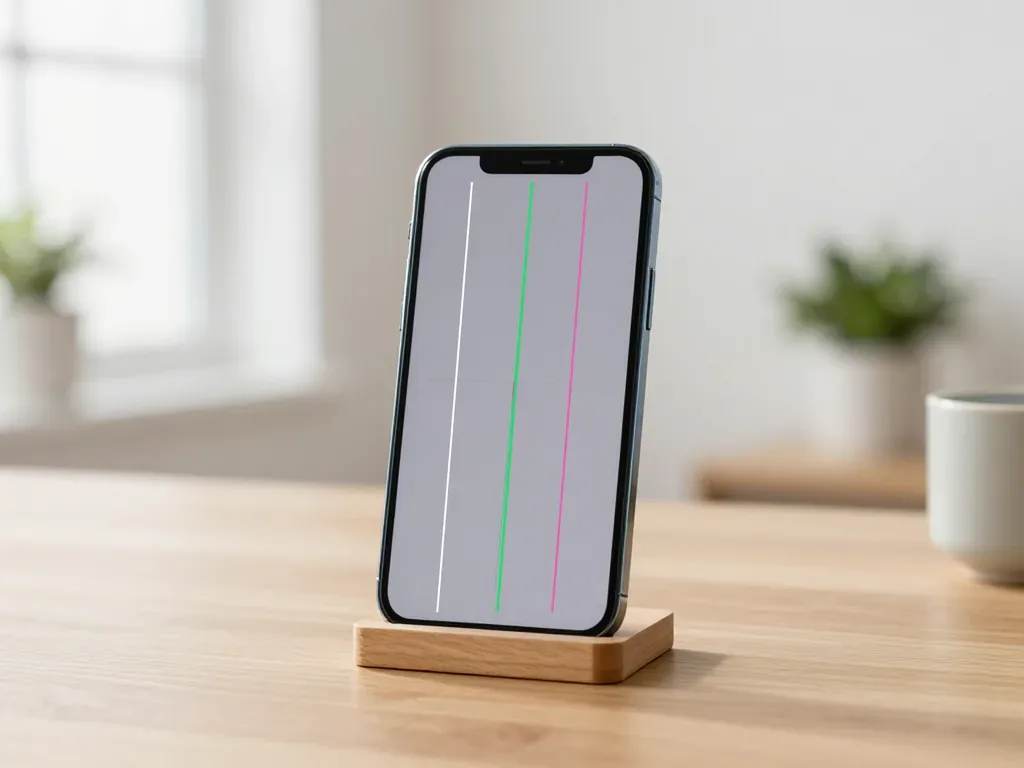
Before you prepare a device for repair in Almaty, back it up, turn off Find My and sign out of Apple ID, then bring the device, its charger and a note on the fault. At iServices the engineer runs free diagnostics in front of you and fixes price, part, turnaround and warranty on the receipt.
Prepare device repair by backing up your data before you hand it over
Saving your files is the first step ahead of any repair, even when the fault looks minor — a tired battery, a hairline crack over the camera lens. Here is how to get ready without risking a single photo.
Service details: “iPhone Repair”.
Why a backup matters even for a simple battery swap
We do not wipe user information when swapping a battery or a camera lens, yet an archive still belongs on your checklist. Board-level work and a failed firmware update are the two scenarios that can leave a phone asking for a fresh setup, and both arrive without warning. Our engineers handle 46,000+ repairs, and the customers who lose sleep are never the ones with a recent snapshot in iCloud. Make it a day ahead of your visit, not on the morning of the repair — an archive taken while an app is already misbehaving simply duplicates the fault you came in to fix. To prepare device for repair in Almaty, confirm the last successful backup date prior to leaving home. Open Settings, tap your name, then iCloud, and check the last successful date once more.
How to back up an iPhone when the screen is cracked or unresponsive
If the touchscreen no longer reacts, connect the iPhone to a computer with a cable and copy it through Finder or iTunes — the process needs no taps on the glass. A cracked but working display is easier still: trust the computer when the prompt appears, enter the passcode once, and let the transfer finish. Expect roughly 20–40 minutes for a typical library, longer if you shoot a lot of video. When the panel is completely dead, saving your files is often impossible, and that is normal — the information stays on the device, and the technician works with it directly instead of resetting the phone.
Backing up a MacBook without losing your files
For a MacBook we recommend Time Machine on an external drive plus a copy of key folders in iCloud, so your work survives any repair. Plug in a drive at least twice the size of your startup disk, open System Settings, then General, then Time Machine, and run the first full archive overnight. A laptop that will not power on gives up its files only after board diagnostics under a microscope, which is why a weekly external snapshot costs far less worry than recovery. iServices repairs MacBook and iPad from one hour to a full day, so start the transfer before you book a slot.
Prepare device repair by turning off Find My and signing out of Apple ID
Activation locks are the most common reason a repair stalls at the counter. This section covers what to switch off, in which order, and why the sign-in side matters more than the hardware side.
Do you need to turn off Find My before a screen repair
Yes — Find My iPhone has to be switched off before the device changes hands, otherwise it stays activation-locked even after a new display is fitted and tested. The lock is tied to your Apple ID, not to the screen, so swapping glass does nothing to clear it. In our practice the sequence that works is: sign out of iCloud, confirm the locator is off in Settings, then hand the unit over. We check this at intake because a locked board cannot be verified after reassembly — Face ID, True Tone and the touch layer all get tested on an unlocked handset. Switch the locator off the evening prior to your visit rather than at the reception desk: if the password has slipped your mind, recovering access takes longer than the screen replacement itself.
What to do if you do not remember your Apple ID password
If the login password is forgotten, start recovery through the iforgot flow before your visit — without it, the activation lock cannot be lifted at all. The route runs through a trusted phone number or a trusted device, and the review can take hours or several days depending on how much detail you can confirm. Do not leave this until the handset is already open on a workbench: a technician can replace a display in 40 minutes, but nobody at the shop can reset your credentials on your behalf. Write the recovery status down and bring the trusted number with you, so the engineer knows where the process stands.
Should you remove bank cards from Apple Pay
Removing cards from Apple Pay before a repair is not mandatory, but it is sensible — it strips out unnecessary risk if the device stays in the workshop for a day or more. The cards live in the Secure Element and are tied to your Apple ID, not to the glass, battery or board being replaced, so a repair does not touch them. When the handset comes back, re-adding a card takes about a minute in Wallet, and the card details at the bank stay exactly as they were. If a board-level job is planned, pull the cards first — those repairs run one to three days, and a shorter gap between handover and pickup is easier to reason about.
Prepare device repair when the device will not turn on or you forgot the passcode
A faulty device is the hardest to hand over: you cannot unlock it, back it up or even confirm it still works. Here are three common scenarios — a cracked screen, water damage and a unit that will not power on.
Can you hand over a phone with a cracked but working screen
Yes — a cracked but still working screen is accepted for repair. We run free diagnostics in front of you in 15 minutes and show exactly what is damaged underneath the glass. A display that responds to touch can still hide a damaged digitizer layer or a bent frame, and the engineer checks both prior to quoting anything. The part, turnaround and warranty are fixed on the receipt before work starts, so the estimate does not move once the phone is open. Most iPhone screen repairs take 40 minutes while you wait in the waiting area. Do not tape over the crack or try to press the glass back down: dust collects under the tape and travels inside the housing during disassembly, and loose glass fragments can scratch the display cable.
What to do if the phone fell into water
If a phone has fallen into water, do not switch it on and do not plug it in — it needs diagnostics first, so moisture does not short the circuitry under voltage. Powering up a wet device is the single most common way a recoverable short becomes a dead logic chip. Skip the rice, the hairdryer and the warm radiator: heat pushes moisture deeper into the connectors, and rice dust settles in the charging port. Bring the device in switched off and let the engineer open it. Diagnostics after water contact sometimes takes up to two days, and that is normal — corrosion has to be assessed under a microscope rather than by eye, because early oxidation inside the casing is invisible from the outside.
Handing over a device that will not power on
A device that will not power on is accepted without a backup and without a passcode — the engineer first establishes whether the main circuitry is alive, and only then discusses the repair. We are a direct contractor with our own technicians and workshop, not an intermediary, so the same person who diagnoses the fault also repairs it. A dead iPad or iPhone usually points to the battery, the charging port or the power rail, and the free 15-minute check in front of you narrows it down before any work is agreed. If an iPad or iPhone shows no signs of life, do not open it yourself: torn flex cables and pry marks make diagnostics harder and can turn a simple fix into a deeper job.
Getting iPhone, iPad, MacBook, Apple Watch and AirPods Ready for Service
Each device carries its own locks and its own preparation steps. We put the differences into one table so you do not have to hold them in your head before a visit.
How preparation differs across Apple devices
| Device | What to switch off | What to bring | Typical repair time |
|---|---|---|---|
| iPhone | Find My, account sign-out | Device, charger | 20–40 minutes |
| iPad | Find My, account sign-out | Device, charger | 1 hour to 1 day |
| MacBook | FileVault, iCloud | Device, charger | 1 hour to 1 day |
| Watch | Pairing with iPhone | Device, charger | While you wait |
| AirPods | Account pairing | Case and earbuds | While you wait |
Unpairing Apple Watch and AirPods from your account
A Watch is unpaired from its iPhone through the Watch app, and AirPods are released through Bluetooth settings and your account; without this step the device stays tied to the previous owner. On the watch, open the Watch app, tap All Watches, hit the info button and choose Unpair — the wearable wipes itself once the process ends. For the earbuds, go to Settings, Bluetooth, tap the info icon beside the AirPods and pick Forget This Device, then confirm the removal in your Apple ID device list. In our practice these two steps take a couple of minutes when the paired iPhone is at hand, and they save far more time than a stalled handover. Do the unpairing before you leave home, not in the waiting area — a watch or earbuds case still locked to an account holds up the repair.
Preparing a MacBook with FileVault and iCloud
Before a MacBook goes in for repair, switch off FileVault and sign out of iCloud — otherwise the engineer cannot boot the system and test the machine after the work. Open System Settings, go to Privacy and Security, find FileVault and turn it off; the Mac asks for your password and starts decrypting the disk. Then sign out of iCloud through the account panel, keeping a local copy of anything you still need. FileVault does not release the drive instantly: decryption runs in the background and on a full disk can stretch over hours, so start the process the evening before rather than five minutes ahead. A MacBook that still boots into a locked account turns a one-hour job into a diagnostic puzzle, and the engineer will simply hand it back until the encryption is gone.
What to bring and how handover works at the service
Handover takes a couple of minutes when you arrive prepared. Here is what to bring with the device and how the intake process runs with our engineers.
What to bring besides the device itself
Bring the device itself, its charging cable and a short description of the fault — that is enough for an engineer to start a free diagnostic in front of you. The check takes 15 minutes, and you watch the whole process, so you see what is actually broken before anyone touches the screws. A cable matters more than people expect: a phone that will not charge often just needs a different adapter to prove the port is fine. The engineer runs the same test on the spot and shows you the result on the screen. Take the case and screen protector off in advance — dust collects underneath, and the technician has to remove them anyway to assess the body and display.
How the handover and receipt work
We fix the price, the component, the turnaround and the warranty on the receipt within 2 minutes before any work starts, and we show the new spare in its factory packaging. The warranty runs up to 1 year, and 64% of customers choose an original component over an aftermarket one. Ask to see the item prior to installation — that way you know whether it is original or aftermarket, and the decision stays yours, not the technician's behind a closed door. The receipt lists the exact replacement and the promised time, so there is nothing to argue about at pickup, and the turnaround is agreed on paper rather than promised aloud.
Sending the device with a courier
A courier across the city arrives within 90 minutes and is free with a repair — prior to handing the device over, make a backup and turn off Find My, exactly as you would for a walk-in visit. The same rules apply to a unit that travels by car instead of in your pocket. Photograph the item before giving it to the courier: the shot records the condition of the body and screen, and no dispute about scratches comes up at intake. The engineer replies on WhatsApp within 5 minutes and quotes a price from the photo, so you know the ballpark before the courier even rings your doorbell.
Checking the device after repair and choosing the right part
The repair does not end when the device comes back to you. Here is what to check together with the engineer at the counter and how to choose the right component before the work starts.
What to check when you pick up the device
- Face ID: unlocking with your face should work on the first try in ordinary indoor light, without a second attempt.
- True Tone: the screen tint shifts with the room lighting and shows neither a yellow nor a pink cast.
- Cameras: test the front and main lens, take a photo and record a clip, and look for spots or soft focus.
- Microphones and speakers: record a voice message and play music at full volume to catch muffled sound.
- Charging and network: plug in the cable, then check Wi-Fi, mobile signal and Bluetooth before you leave the counter.
Original part or aftermarket part
| Component | Best for | What you get | Warranty |
|---|---|---|---|
| Original | Display, battery | Factory packaging, full function set | Up to 1 year |
| Aftermarket | Camera glass, speaker | Working unit at lower cost | Up to 1 year |
| Mixed choice | Screen on older models | Original glass, aftermarket frame | Up to 1 year |
Why repairs happen while you wait
We finish 72% of repairs while the customer waits in the waiting area with coffee and Wi-Fi, and an iPhone screen swap takes about 40 minutes. A battery is done in 25 minutes and camera glass in 20, so most jobs fit into a single visit rather than a drop-off and a second trip. Board-level work under the microscope runs 1 to 3 days, and MacBook or iPad jobs take from an hour to a day. Watching the device come apart is the practical side: you can ask the engineer about a connector or a seal while it is open, not after it is sealed again. Bring the device before 18:00 on a weekday if you want the same-day slot.
Summary: How to prepare your Apple device for repair
Five steps cover most of the preparation: a backup, cleared locks, the essentials in a bag, a written receipt, and a careful check at pickup. Here is the short version to keep on hand.
- Back up first: copy your data to iCloud, a computer or an external drive ahead of the visit, not on the morning of the repair.
- Clear the locks: switch off Find My, sign out of Apple ID, and on a MacBook sign out of iCloud and unlock FileVault.
- Bring the basics: the device itself, its charging cable and a short written description of what fails and when.
- Ask for the receipt: price, part, turnaround and warranty should be fixed on paper prior to any work starting.
- Check on pickup: Face ID, True Tone, cameras, microphones, speakers, charging and network — all while still at the counter.