MN Photo: Mukhpilov Nail
Mukhpilov Nail
smartphone repair technician
10years of experience
4.83rating, 83 reviews

Mac mini M2 overheating or no image — we check it free in front of you and quote the price upfront.
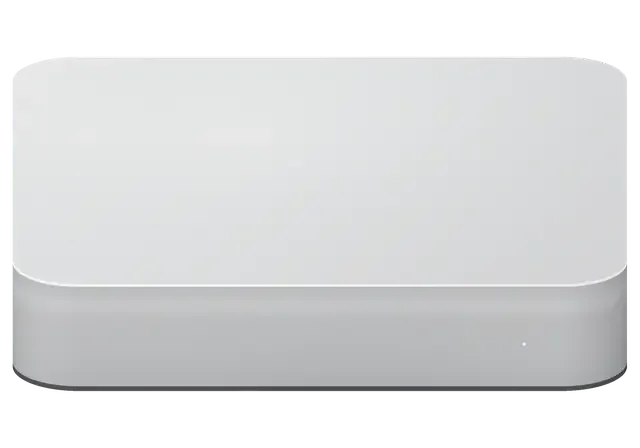
On a small desktop like this, trouble usually starts with power, heat or ports rather than the chip itself.
No light, no chime when the cable goes in: the supply or the board is suspected.
The fan screams during video export: the heat sink is clogged or the paste worn out.
The chip overheats and slows itself down, so the interface stutters for no reason.
The Mac mini is on but the display is silent: HDMI, Thunderbolt or video outputs.
A dock or a drive stops being detected: a worn socket or a failed controller.
The network comes and goes and earbuds disconnect: antenna or wireless module.
After a macOS update the computer keeps rebooting: firmware or storage trouble.
Moisture on the board leads to corrosion, so power must be cut straight away.
The Mac mini goes to sleep and no longer responds to the mouse or the power button.
macOS installation stops with an error message and the volume is not created.
The drive disconnects when copying large files.
The built-in SSD is almost full and apps open in fits and starts.
The table gathers reference prices for the most requested Mac mini M2 jobs, and the final bill depends on the inspection result.
| Service | Original | Aftermarket |
|---|---|---|
| Power supply replacement | 60 900 ₸ | 33 900 ₸ |
| Fan replacement | 17 900 ₸ | 9 900 ₸ |
| USB-C / Thunderbolt ports replacement | 37 900 ₸ | 20 900 ₸ |
| Other repairs | Price | |
| Logic board repairmicrosoldering · 1–3 days | 19 900 ₸per job | |
| Dust cleaningdisassembly and dust cleaning | 12 900 ₸per job | |
| SSD installationstorage installation | 10 900 ₸with parts | |
| Wi-Fi module repairwireless module · board-level repair | 33 900 ₸with parts | |
| MacOS installationOS installation, no parts replaced | 10 900 ₸per job | |
| Water damage repaircorrosion cleaning · diagnostics up to 2 days | 16 900 ₸per job | |
Cleaning after a spill is quoted after diagnostics because the extent of the damage is not known in advance.
Both options are possible on a Mac mini M2, and the sensible choice depends on the owner's tasks and budget.
A desktop is awkward to carry around, so a clear check and easy drop-off matter most.
We have repaired Apple equipment for eleven years, so we know where small desktops are weak and head straight for the likely cause.
Repairs carry a warranty up to 1 year, and if the fault returns, we work out together what went wrong.
The case is opened by experienced technicians who know the teardown order and do not tear the thin fan and antenna ribbons.
We name the sum after diagnostics, once the cause is clear, so you never pay and then find the problem still there.
The service operates in two cities, so if you relocate, warranty questions are easy to follow up.
We are open 11:00–18:00 on weekends and holidays and 10:00–19:00 on weekdays, so come on whichever day suits you.
Usually the whole journey — from message to pickup — takes less than an hour; complex repairs follow the timeline in the receipt.
Book a repairYou send a photo of the damage on WhatsApp — we quote the price and available time. Or you call a courier.
An engineer checks the device in front of you and shows what is broken. 0 ₸, even if you decline the repair.
We fix the price, the part (original or analog), the timeline and the warranty. You sign — we start.
Before installation we show you the new part in its factory packaging. You wait in the waiting area with coffee and Wi‑Fi.
Startup and operation under load, ports, Wi‑Fi and Bluetooth, sound. You check together with the engineer.
Together with the receipt, warranty card and the old part. Payment — Kaspi, card or cash.
Technicians for iPhone, Mac, iPad, Apple Watch and AirPods repair.
Photo: Mukhpilov Nail Photo: Molchanov Rinat
 Photo: Shokan A
 Photo: Sybanbaev Birzhan
 Photo: Denis Gushchin
 Photo: Duisebaev Azhdar

“If the repair didn’t suit you or you have a complaint, write to me personally.”
Send a photo of the fault — an engineer will reply on WhatsApp, give the price and a time you can come in.
Mac mini M2 repair in Almaty with clear terms and checks
Mac mini M2 repair in Almaty is handled by iServices, a direct contractor with its own technicians, not an agency. We run free 15-minute diagnostics in front of you, fix the logic board under a microscope, and back every job with a warranty up to 1 year. Most jobs finish while you wait.
The Mac mini M2 has no screen and no battery, so faults surface as power, display or sleep symptoms. These are the patterns we meet most often at intake.
When a Mac mini M2 is dead, the built-in PSU is the first thing we check, because the unit has no external brick to swap and the supply sits inside the chassis. A machine that shows nothing at all, no airflow and no chime, usually points to that internal supply or to the rail it feeds on the main circuit. Voltage spikes from the mains are the classic trigger: a surge passes through the supply and can damage the circuitry before the fuse reacts. We open the case, measure the output rails and inspect the main circuit for scorched traces or swollen components near the supply section. A failed PSU often takes the board rail with it, so a machine that "just went off" during a storm should be checked before it is plugged in again.
A Mac mini M2 that powers up but stays dark is usually a display-handshake or port problem, not a dead GPU, since the M2 chip drives video through the Thunderbolt and HDMI outputs. The cooling spins, the status light glows, yet the monitor reports no signal — and in most cases the fault sits in the cable, the adapter or a single port rather than in the graphics core. Multi-monitor setups add another layer: a daisy-chained display can wake the machine into a state where the second screen never re-syncs after sleep. We check each Thunderbolt and HDMI output separately with a known-good cable and a second monitor. Trying a second cable and a second display before assuming a failed output saves a diagnostic trip, because one bad HDMI lead mimics that symptom almost perfectly.
The two Mac mini M2 versions look identical from outside but differ inside. Knowing which one you own changes the parts, the connectors and the repair plan.
You can identify your unit by the connector layout and the About This Mac panel, since the M2 Pro version carries more Thunderbolt sockets than the base model. The base ships with two Thunderbolt 4 sockets, HDMI, two USB-A and a headphone jack; the Pro adds two more Thunderbolt and Gigabit Ethernet as standard. Open the Apple menu, choose About This Mac and read the chip line — it names M2 or M2 Pro directly, along with the core count. A third-party dock or a swapped case can blur the back-panel impression, so treat the physical layout as a rough hint only. If you are planning a mac mini m2 repair in Almaty, knowing the exact version helps the engineer pick the right parts and plan the work.
| Version | Connectors to check | Board work |
|---|---|---|
| Mac mini M2 | Two Thunderbolt, HDMI, USB-A | Standard microscope repair |
| Mac mini M2 Pro | Four Thunderbolt, HDMI, Ethernet | Denser wiring, longer bench time |
| Both versions | Ethernet, audio, Wi-Fi | Chip confirmed before quote |
M1 and M2 logic assemblies are not interchangeable, so a repair plan built for the earlier generation does not carry over to a newer unit. The older model uses a different chip package, a different power delivery stage and a different port controller arrangement, which means the mounting points, connector routing and thermal contact surfaces do not line up with the M2 chassis. A technician who has only worked on the M1 will find familiar-looking parts in unfamiliar positions, and that is where mistakes happen. Owners upgrading from M1 sometimes assume the old unit can serve as a donor, but the layout and power delivery differ enough that this is not a safe swap. If you keep an old M1 machine, treat it as a separate unit rather than a parts source for the newer one.
Diagnosis comes first, long before any screwdriver touches the case. We test power, display and ports in front of you so you see exactly what is broken.
We run free diagnostics in front of the customer for 15 minutes, even if you decide not to repair, and the engineer shows you what is broken as it is found. The unit goes on the bench and we connect it to a lab power supply to read the actual current draw instead of guessing from a cable. A healthy M2 pulls a steady figure at idle and spikes predictably under load; a unit with a shorted rail jumps before the fan even spins. You watch the whole sequence on the same bench where the repair will happen. Seeing the fault live removes the guesswork of a phone diagnosis, because you watch the same test that decides the repair plan.
An engineer replies on WhatsApp within 5 minutes and quotes a price from a photo, so you know the likely fault and slot prior to leaving home. A shot of the port panel, the adapter label or the About This Mac screen narrows the fault to one subsystem — a dead Thunderbolt channel, a failing supply or a memory warning — and we reserve the bench time that matches it. If the unit will not start at all, a courier can collect it across the city in about 90 minutes, free with a repair, so you skip the trip entirely. A clear photo of the port panel or the About This Mac screen often shortens the bench time once the unit arrives, because the engineer already knows which test to run first.
Some faults are a single port, others sit deep in the main circuit. Here is what we can repair, what is fixed to the board, and how we protect the unit.
We repair the logic board under a microscope, tracing the fault to the component level rather than swapping the whole assembly, and board work takes 1 to 3 days. A soldering station lets us lift a single failed chip instead of replacing the entire assembly, and an engineer works only on the section that tested bad during diagnostics. Component-level repair keeps the original chip and serial pairing intact, which a full assembly swap cannot guarantee on these machines. The microscope pays off most on liquid damage and on hairline cracks around the supply circuitry, where the fault is invisible to the eye. If a unit reaches us after another workshop, ask for the old component back — a genuine part on the receipt is the only proof the work was done at component level.
| Part | Replaceable | Repair route |
|---|---|---|
| Memory | No, soldered | Board-level only |
| SSD | No, soldered | Board-level only |
| Ports | Serviceable | Port repair |
| Fan | Serviceable | Clean or replace |
| Power supply | Internal | PSU repair |
After a voltage spike the built-in PSU is checked first, because it sits between the wall and the main circuit and often absorbs the surge before the circuit does. We test the rails under load rather than at idle, since a weakened supply can hold a normal voltage with nothing connected and collapse the moment the machine draws current. A unit that survived a spike can still fail days later as a weakened rail drifts, so a post-surge check is worth doing even if the machine still boots. Bring the unit in after any surge at the socket — the free 15-minute diagnostics will show whether the supply or the circuit took the hit, and that decides whether you face a repair or a replacement.
Data and firmware are the two things owners worry about most. Here is how we protect your files, recover startup software, and what you check at pickup.
Because the SSD is soldered to the logic board, your files are only reachable while that circuit works, so we treat data safety as part of the component repair itself. On the Mac mini M2 the storage is not a removable drive — it is a set of NAND chips soldered directly to the main circuit, alongside the unified memory. That means we cannot pull the drive and read it on another machine, and any component-level work carries a real risk to the files on it. Owners are told this before the microscope comes out, not after. A Time Machine backup made ahead of the fault is the only reliable safety net on these machines, since the drive cannot be pulled and read separately.
Startup software on the M2 is restored through another Mac in DFU mode, which reloads the boot code when the unit will not start normally. The procedure uses Apple Configurator on a second Mac connected by a USB-C cable, and it can revive a unit stuck on a blank screen or a failed update without opening the case at all. DFU recovery needs that second machine and the right cable, so a unit that "won't boot" is not always a hardware failure until this step has been tried. A share of no-power cases turn out to be corrupted startup code, not hardware — worth ruling out before anyone quotes a component repair.
A Mac mini M2 repair comes down to a few clear checks before any part is ordered. Here is what to keep in mind when a fault appears.
Did not find an answer? Message us on WhatsApp: an engineer replies, not a bot.
Ask a questionMost often the heat sink is clogged or the thermal paste has dried, so the chip lowers its clock speed. Dust cleaning with fresh paste helps. If noise remains, the technician checks the fan, since the bearing may be worn.
No, memory and storage are soldered to the board and cannot be added later. For more space, use an external drive connected over Thunderbolt or USB.
Not necessarily. Try another cable, port and screen first, and unplug any dock. If there is no picture on any output, the video circuits and the board need diagnostics.
Interference is the usual cause: a metal desk, a USB hub right next to the computer or a router pressed against it weakens the signal. Move the Mac mini into the open and try again. If devices still drop next to it, the wireless module or its antenna is checked.
Yes, if it ran down to the rear ports or the vent ring underneath. Unplug the power, wipe the case and do not switch it on. Sweet drinks leave a sticky residue that corrodes the board, so a cleaning inside is the safe choice.
Open the Apple menu and choose About This Mac: the chip is named on the first line. The M2 Pro version also has four Thunderbolt ports on the back, while the M2 has two. Name the exact chip when you contact us, as parts differ.
Mac mini (M2 Pro, 2023) подвёл: компьютер сильно нагревался под нагрузкой. По результатам диагностики проверили терморежим и состояние охлаждения.
На Mac mini (M2 Pro 2023) несколько портов перестали распознавать устройства. В итоге проверили разъёмы и цепи подключения.
На Mac mini (M2 Pro 2023) Bluetooth стал терять периферию. По результатам диагностики проверели беспроводную связь и сопряжение.

 iPad
 MacBook
 iMac
 Apple Watch
 AirPods
 Apple Pencil
 Apple TV
 HomePod
