The Air 5 is a laminated, all-screen tablet on the M1 chip, so the failures we see most often cluster around the display assembly, the glued-in cell and the charging connector.
Cracks, lines and dead touch zones on the Air 5 screen
We see the Air 5 screen fail in three ways — a cracked outer glass with a working image, coloured lines or dark patches after a drop, and touch zones that stop responding while the picture stays fine. The panel is a single bonded assembly: protective glass, LCD matrix and digitiser are fused into one unit, and Apple Pencil input rides on the same layer. A hairline crack in a corner often leaves the image untouched for weeks, which is exactly why owners postpone the visit. Because that front assembly is sealed, a crack that looks cosmetic still lets dust and moisture reach the matrix, so a small chip is worth showing to an engineer before it spreads. If you are looking for iPad Air 5 repair in Almaty, an engineer can assess the damage and confirm what the display needs.
Why the Air 5 battery swells and pushes the screen up
A swollen Air 5 battery lifts the screen away from the aluminium frame, and that gap along the edge is the sign we ask customers to check first. The cell sits glued under the display, so as it ages and gasses build up, the expansion has nowhere to go except outward against the front panel. Owners usually notice the tablet draining faster, shutting down at 20–30% or rocking slightly on a flat table before they see the lift. A swollen cell should not be charged or pressed back down, since the pressure keeps stressing the glass assembly and can turn a simple cell swap into a full screen replacement.
Charging and USB-C faults on the Air 5
- No charge at all: we test the cable and adapter on a meter first, then the USB-C socket and its flex for bent pins or lint.
- Charges only at an angle: a worn connector inside the socket or a cracked flex solder joint is the usual cause on this model.
- Charges slowly or drops mid-session: battery health and the power controller on the board are checked next.
- Socket looks clean but dead: the flex is inspected under magnification before anyone quotes board-level work.
- Lint-packed socket: pocket fibres compress against the pins, and cleaning under a scope restores contact in most of these cases.
Glass or Full Module on the Air 5
The Air 5 belongs to the laminated generation, which changes what a screen repair actually means compared with older tablets where the glass came off on its own.
Why the Air 5 screen is replaced as one module
On the Air 5 the protective layer and the LCD are bonded into a single laminated assembly, so we swap the whole display unit rather than gluing on a bare sheet. The front panel sits directly on the matrix with an optical adhesive layer between them, and there is no air gap to work through. Separating that bond by hand needs heat and a cutting wire along the full perimeter, and the matrix underneath rarely survives without pressure marks or dust trapped in the new layer. We fit a complete display unit instead, with the backlight, digitiser and front panel already joined at the factory. That swap keeps the factory bond intact, which is why the tablet holds even backlighting and consistent Apple Pencil response after repair instead of showing bright spots where the layers were re-glued.
Touch ID in the top button and what happens to it
The Air 5 keeps Touch ID in the upper key, and that key is paired to the logic board, so we transfer the original one onto the new assembly instead of fitting a fresh unit. The fingerprint sensor inside carries a unique pairing with the board it left the factory with, and no programming step re-registers a different sensor to that board. When the display unit comes off, the top assembly travels with it and is moved across to the replacement by hand, then tested before the frame closes. If a repair shop offers a cheap upper key bundled with the screen, the reader will not register at all, and the tablet comes back with a part that clicks but never unlocks. Ask whether your own one is being reused before you agree to the work.
Comparing repair options for the Air 5 display
Which display work fits which symptom on the Air 5| What is damaged | Part we fit | Typical turnaround | What we check after |
|---|
| Cracked glass, image fine | Laminated assembly | 1 hour to 1 day | Touch, pencil, True Tone |
|---|
| Lines or dark patches | Laminated assembly | 1 hour to 1 day | Backlight, touch zones |
|---|
| Touch ID not reading | Original top button moved over | 1 hour to 1 day | Fingerprint unlock |
|---|
| Swollen battery lifting screen | Battery plus display if bonded | 1 hour to 1 day | Frame fit, charging |
|---|
How an iPad Air 5 Repair Runs at iServices
The whole visit is built so you can watch each step, from the first image on WhatsApp to the moment you test the tablet yourself before leaving.
From a WhatsApp photo to a fixed quote
You send a picture of the damage on WhatsApp, an engineer replies within 5 minutes with a price from that image and a free time slot, and the free 15-minute diagnostics happen in front of you. The technician opens the unit on the bench, points at the cracked module or the swollen cell and shows what failed. If you decide not to repair, the inspection still costs nothing and you keep the findings. Once you agree, the receipt takes about 2 minutes to fill in and lists the price, the part, the turnaround and the warranty, so nothing on it can change once the housing is open. Ask for that sheet first — it is the only document that protects you if the scope of work shifts mid-repair.
The part in its packaging and the old part back
- Factory packaging first: we show the new module or battery in its sealed factory packaging before installation, so you see it go inside.
- Original or aftermarket named: the receipt states which one you chose, and 64% of customers pick an original.
- Old item returned: you get the removed module or cell back in a bag together with the device, the receipt and the warranty card.
- Side-by-side comparison: you can hold old and new next to each other and match the connector and flex layout yourself.
- Nothing swapped out of sight: every component stays on the bench in front of you from unpacking to the final screw.
The 32-point check you run with the engineer
After the repair we run a 32-function test of about 10 minutes, and you go through the key ones with the specialist before the device leaves the bench. That list covers Touch ID in the top button, Apple Pencil pairing, both cameras, the microphones, the stereo speakers, charging over USB-C and the network handshake. You tap, swipe, unlock and shoot a test frame yourself rather than taking our word for it, and the master notes anything that behaves oddly. Testing Touch ID, the pencil, both lenses and charging in the same visit catches a loose connector while the housing is still open, not after you get home. Warranty runs up to 1 year and is written on the card you leave with.
Original Part or Aftermarket for the Air 5
The Air 5 takes either an original module or an aftermarket one, and the difference shows up in brightness, colour and how long the part lasts, not only in the receipt line.
How an original Air 5 module differs from an aftermarket one
An original Air 5 module matches the factory brightness, colour and pencil latency, while an aftermarket module can be dimmer and slightly slower to register the pencil. The gap is most visible on a laminated display: an aftermarket panel often drifts toward a cooler tint at low brightness and drops a step in peak nits, so outdoor reading feels flatter. Apple Pencil response on a cheap module shows up as a faint lag on fast strokes, which matters during sketching rather than typing. We show the new part in its factory packaging before installation, so you can compare the label and the connector yourself. For a tablet used for drawing or reading, the module is the part where an aftermarket choice is felt every day, so decide on the screen before the battery.
Battery choice and what it changes day to day
An original Air 5 battery holds its rated capacity longer, while an aftermarket cell can lose runtime faster under heavy M1 workloads. The M1 chip draws hard during multitasking, video export or long Stage Manager sessions, and a low-grade cell heats up sooner and throttles the charge curve. An original battery keeps its cycle behaviour closer to the factory spec across the first years of use, which is why 64% of our customers pick one. The battery is glued in place under the laminated screen, so a second swap means opening the same module again and stressing the same adhesive line. Because the battery sits under the laminated screen, a second battery swap means opening the same module again, so the first choice matters more than on a phone.
Matching the part to how you use the tablet
Use cases paired with the part customers settle on| How you use the Air 5 | Part that fits best | Why |
|---|
| Drawing and notes with pencil | Original module | Steady latency and colour |
|---|
| Streaming and reading | Original or aftermarket module | Brightness matters most |
|---|
| Long shifts away from a charger | Original battery | Holds capacity longer |
|---|
| Light home use | Aftermarket battery | Shorter runtime is acceptable |
|---|
Turnaround Times and Waiting at the Bench
Most Air 5 jobs finish the same day, but board work and water damage follow their own clock, and it helps to know which case you are in before you arrive.
Which Air 5 repairs finish while you wait
Most Air 5 repairs take from 1 hour to 1 day, screen and battery jobs included, and 72% of our repairs finish with the customer in the waiting area. A display module swap and a battery replacement are the two fastest jobs on this device, because the Air 5 opens from the front and the module lifts as one piece. The waiting area has coffee and Wi-Fi, and our engineer calls you the moment the 32-point check is done. If a job runs past the estimate, you hear it from us before the hour is up, not after. Waiting on site means the specialist can reopen the unit immediately if the check flags something, instead of you booking a second visit.
Board work and water damage on the M1 Air 5
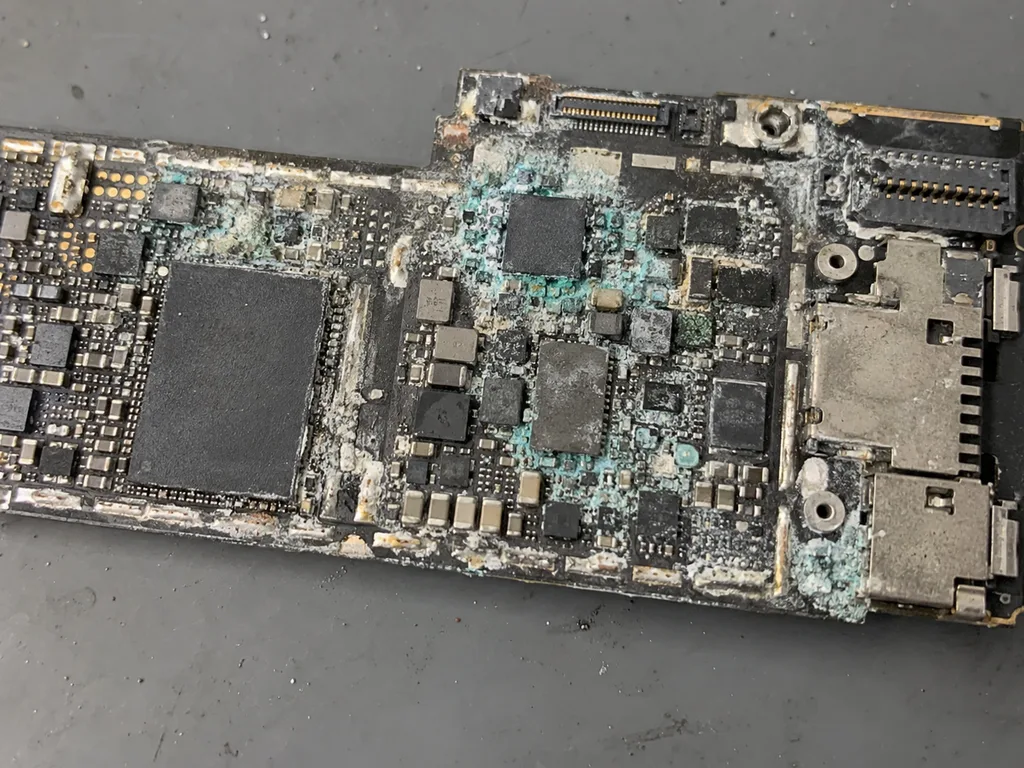
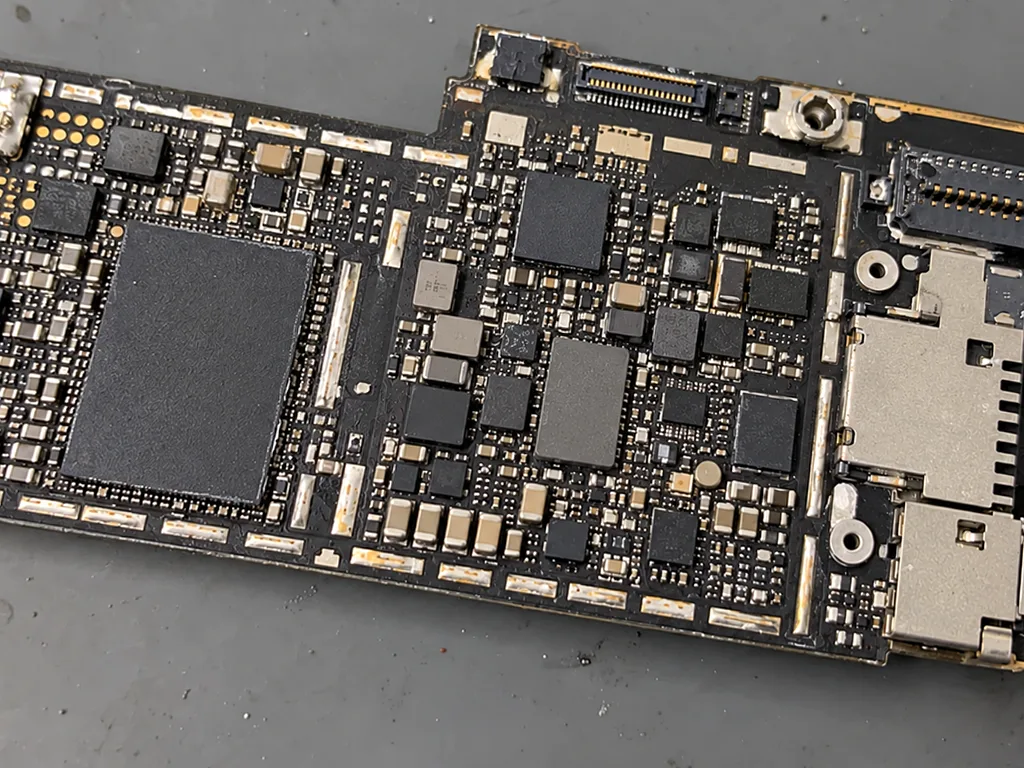
Board repair on the Air 5 runs 1 to 3 days under the microscope, and after water contact diagnostics alone can take up to two days before we know what survived. The M1 logic board is dense, so a power controller or USB-C fault needs magnification and a steady hand rather than a quick swap. A liquid spill is the harder case: corrosion keeps working under the shields after the unit dries, and the port and speaker grilles are the usual entry points. Fluid reaches the M1 circuitry through the port and speaker grilles, so a device that still turns on after a spill is not proof the corrosion has stopped spreading.
Courier pickup and what to send first
- Back up first: sync the Air 5 to iCloud or a computer, because a board job can wipe the storage and a backup is the only copy you keep.
- Know the Apple ID password: the engineer needs it to sign the device out and to test activation after the repair.
- Switch off Find My iPad: leaving it on locks the unit to your account and stops any testing on arrival.
- Note the fault in one line: a photo or a short description of what broke helps match the job to the right bench slot.
- Request the old part: tell us if you want the removed component back with the device when the courier returns it.
Summary: iPad Air 5 Repair
The Air 5 rewards a careful approach: the correct part grade and a realistic sense of how long each job takes before you commit to anything.
- Laminated display: the glass and matrix on this tablet are bonded as a single assembly, so they are replaced together rather than separately.
- Touch ID: the sensor sits in the top button and is paired to the board, so the original button must move onto the new assembly.
- Swollen cell: a lifted panel usually points to a swelling power pack and should be checked before the device is charged again.
- Timing: most display and cell swaps finish within an hour, while board work and water damage stretch into days.
- Part grade: an original module or power pack holds brightness and capacity longer than an aftermarket equivalent.
















 MacBook
 iMac
 Mac mini and Studio
 Apple Watch
 AirPods
 Apple Pencil
 Apple TV
 HomePod





