Your city

AstanaAstana, Kabanbay Batyr Ave., 7/2 · +7 727 339-99-12
Eng

iPad 2 repair in Almaty

Old iPad 2 died in an hour or cracked — we'll bring it back, quote before repair, return the old part.

iPad
iPad 2 repair
Logic board repairfrom 33 900 ₸
Post-water cleaningfrom 10 900 ₸
Display replacementfrom 27 900 ₸
All services and prices

Why an aging iPad 2 most often comes in for repair

A tablet from the first years shows its age, and a bent frame, a tired battery and loose connectors are common finds.

01

Bent housing

The aluminum back flexed after a fall or pressure, and the screen lifted from the frame.

02

Cracked glass

The thin glass has shattered, yet the display beneath still shows a sharp picture.

03

Battery nearly dead

The tablet works only on mains and shuts off the moment the cord leaves the socket.

04

Loose dock port

The cable barely stays in, and charging breaks off at any movement of the device.

05

Home button won't click

The press feels limp, or the button slips out of the frame and gets lost inside.

06

Faded picture

The backlight has dimmed, colors washed out, and dark clouds show along the edges.

07

Camera and microphone

Photos are blurry, video calls are silent, or the picture never appears.

08

Moisture inside

After a spill the board gets residue, the screen clouds and touches fire by themselves.

09

Power button not working

The top button won't lock the screen or wake the tablet, and presses feel mushy.

10

No sound in headphones

The headset is plugged in, but audio comes from the speaker or cuts out entirely.

11

Weak Wi-Fi

The tablet only sees the network near the router, and pages load in fits and starts.

12

Won't sleep under cover

The Smart Cover is closed, but the screen stays lit and drains the battery.

iPad 2 repair prices

The table lists reference prices for typical jobs, and the technician states the exact figure after examining your old tablet.

ServiceOriginalAftermarket
Display replacement44 900 ₸27 900 ₸
Display glass replacement24 900 ₸13 900 ₸
Battery replacement30 900 ₸17 900 ₸
Charging port replacement24 900 ₸13 900 ₸
Main camera replacement24 900 ₸13 900 ₸
Front camera replacement31 900 ₸17 900 ₸
Home button replacement24 900 ₸13 900 ₸
Button replacement24 900 ₸13 900 ₸
Speaker replacement29 900 ₸16 900 ₸
Microphone replacement24 900 ₸13 900 ₸
Housing replacement40 900 ₸22 900 ₸
Flex cable replacement21 900 ₸15 900 ₸
Other repairsPrice
Logic board repairmicrosoldering · 1–3 days33 900 ₸per job
Post-water cleaningcorrosion cleaning · diagnostics up to 2 days10 900 ₸per job
Wi-Fi module repairwireless module · board-level repair16 900 ₸with parts
Firmware flashingsoftware restore, no parts replaced8 900 ₸per job

The final sum depends on the fault and the chosen part, so confirm it with the technician.

Original or aftermarket for an old tablet

Both choices exist for battery, glass and display, and the decision usually comes down to budget and plans.

Original Applewarranty up to 1 year
iPad 2 glass and display44 900 ₸
iPad 2 glass and display: original part in Apple packaging
Glass
Smooth touch and clean transparency
Display
Lively colors and even backlight
Battery
Higher capacity and longer endurance
When you need it
The tablet stays in constant use
Chosen by 64% of clients
Book with an original part
Aftermarketwarranty 6 months
iPad 2 glass and display27 900 ₸−38%
iPad 2 glass and display: aftermarket part in an antistatic bag
Glass
Fine for reading and viewing photos
Display
A little paler than the factory panel
Battery
Modest capacity, but a lower price
When you need it
A device for home or a child's gift
Chosen by 36% of clients
Book with an aftermarket part

How we help owners of older iPads

People keep an old iPad out of habit and affection, so we handle it gently and first judge whether a repair is worth the effort.

11years

Experience without gaps

11 years with Apple hardware: we remember the first slim tablets and know how to take them apart without losses.

1year

Warranty up to 1 year

Completed work is covered by a warranty up to 1 year, and the technician says in advance what it covers in your case.

8technicians

Experienced technicians

Experienced technicians handle fragile adhesive and thin ribbon cables without breaking the frame or harming the backlight.

2options

Diagnostics first

We pin down the cause and then name the cost, so you never pay for parts that are in fact in working order.

5min

A transparent choice

We explain how original and aftermarket differ and won't push a pricey part when the tablet serves simple tasks.

7days a week

Reception schedule

Open weekdays 10:00–19:00, weekends and holidays 11:00–18:00, so stop by whenever it is convenient.

iPad 2 before and after repair

1 / 2
White iPad 2 on a mat after digitizer replacement, the old cracked glass lying next to it

iPad 2: dropped, digitizer cracked

The client dropped the tablet on the tile in their stairwell — the touch glass cracked but the picture stayed intact. We replaced the digitizer, kept the original matrix and checked touch response across the whole screen — the tablet works properly again.

from 13 900 ₸repair cost
I want the same
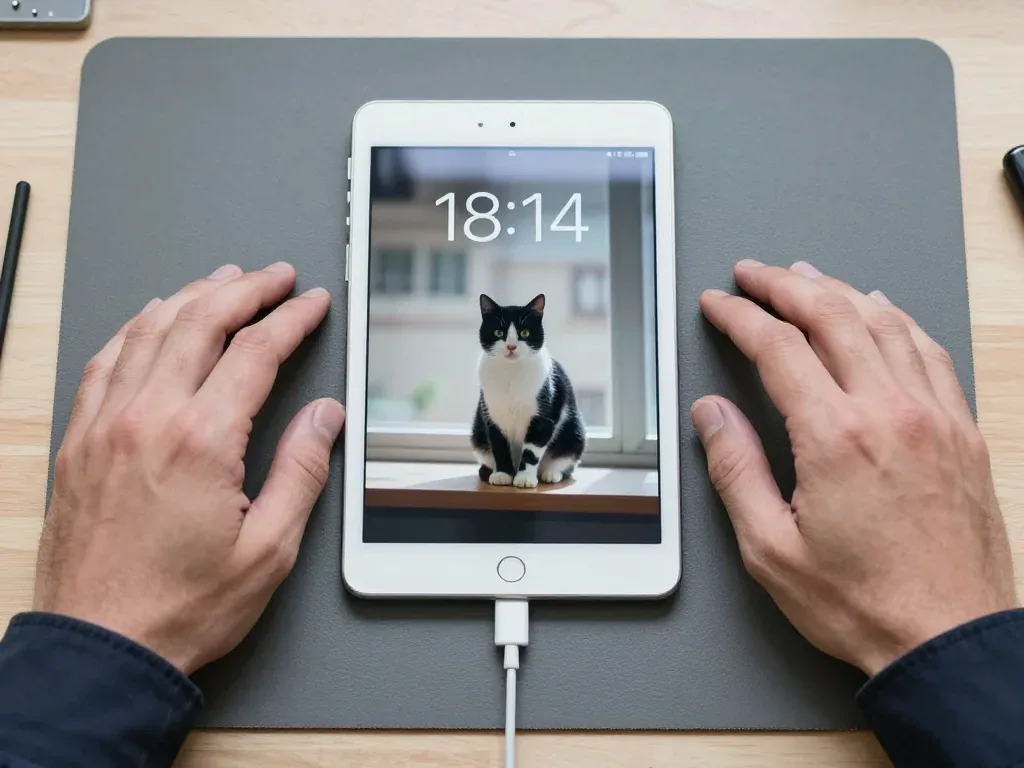
White iPad 2 on a mat after battery replacement, charging cable connected, technician's hands on both sides

iPad 2: shut down with charge left

The tablet would shut down even though the battery still showed about a third left. After diagnostics we replaced the battery and checked charging — now the iPad runs stably and holds its charge.

from 17 900 ₸repair cost
I want the same

How iPad 2 repair is done in Almaty

Usually the whole journey — from message to pickup — takes less than an hour; complex repairs follow the timeline in the receipt.

Book a repair
  1. Step 1

    Message or call

    5 min

    You send a photo of the damage on WhatsApp — we quote the price and available time. Or you call a courier.

  2. Step 2

    Free diagnostics

    15 min

    An engineer checks the device in front of you and shows what is broken. 0 ₸, even if you decline the repair.

  3. Step 3

    Price in the receipt

    2 min

    We fix the price, the part (original or analog), the timeline and the warranty. You sign — we start.

  4. Step 4

    Repair while you wait

    20–40 min

    Before installation we show you the new part in its factory packaging. You wait in the waiting area with coffee and Wi‑Fi.

  5. Step 5

    Post-repair check

    10 min

    Screen and touch, Face ID or Touch ID, cameras, microphones, speakers, charging, Wi‑Fi. You check together with the engineer.

  6. Step 6

    Pick up your device

    warranty up to 1 year

    Together with the receipt, warranty card and the old part. Payment — Kaspi, card or cash.

Who will fix your iPad 2

Technicians for iPhone, Mac, iPad, Apple Watch and AirPods repair.

1 / 6
MNMukhpilov Nail — smartphone repair technician, iServices service center in AlmatyPhoto: Mukhpilov Nail

Mukhpilov Nail

smartphone repair technician
10years of experience
4.83rating, 83 reviews
MRMolchanov Rinat — Apple repair and diagnostics engineer, iServices service center in AlmatyPhoto: Molchanov Rinat

Molchanov Rinat

Apple repair and diagnostics engineer
10years of experience
4.85rating, 33 reviews
SAShokan A — diagnostics technician, iServices service center in AlmatyPhoto: Shokan A

Shokan A

diagnostics technician
8years of experience
5.0rating, 37 reviews
SBSybanbaev Birzhan — firmware specialist, iServices service center in AlmatyPhoto: Sybanbaev Birzhan

Sybanbaev Birzhan

firmware specialist
7years of experience
4.75rating, 74 reviews
DGDenis Gushchin — display replacement technician, iServices service center in AlmatyPhoto: Denis Gushchin

Denis Gushchin

display replacement technician
20years of experience
5.0rating, 34 reviews
DADuisebaev Azhdar — connector replacement technician, iServices service center in AlmatyPhoto: Duisebaev Azhdar

Duisebaev Azhdar

connector replacement technician
7years of experience
4.3rating, 35 reviews
Gamid K, phone repair technician
“If the repair didn’t suit you or you have a complaint, write to me personally.”
Gamid Kphone repair technician · +7 701 333-47-01

We'll quote iPad 2 repair in Almaty from a photo in 5 minutes

Send a photo of the fault — an engineer will reply on WhatsApp, give the price and a time you can come in.

  1. 5 minAn engineer replies and names the price
  2. 0 ₸Diagnostics in front of you in 15 minutes
  3. 30 minMost repairs — while you wait

iPad 2 Repair in Almaty with Glass, Battery and 30-pin Service

In short

iServices handles iPad 2 repair in Almaty with its own technicians, no middleman. The non-laminated screen means cracked glass is often replaced alone while the LCD stays. Free 15-minute diagnostics, original or aftermarket parts, warranty up to 1 year, most jobs done while you wait.

Mukhpilov NailWe reply on WhatsApp within 10 minutes
Ask

Why the iPad 2 Still Comes in for Repair

The second-generation iPad left store shelves years ago, yet it keeps arriving at our workbench. A typical job is not an upgrade but a return to working order — cracked glass, a tired power cell, a loose 30-pin port.

The faults an iPad 2 usually arrives with

  • Cracked glass over a live LCD: the touch layer is shattered while the display still shows a clean picture with no dead pixels.
  • Worn power cell: the tablet shuts down at 30–40%, needs charging twice a day, or the aluminum back warms up during light use.
  • Loose 30-pin connector: the plug slips out, charging stops unless you angle it, or only one specific cord still works.
  • Drop damage: dents along the aluminum frame, a corner that no longer sits flush, sometimes hairline cracks in the camera glass.
  • No power at all: the screen stays black after a night on the charger, which usually points to the board rather than the cell.

When repairing an old iPad 2 makes sense

We consider iPad 2 repair justified when the tablet serves one clear job — reading, video, a cash register, a child's device — and the fault is local rather than a dead board. A fresh screen or power cell restores a machine that still handles those tasks, and the aluminum body outlasts most of its internals. Water damage or a hard drop with no boot is the opposite case: board work runs under a microscope and takes 1–3 days, so compare that against another device instead of repairing blind. 64% of customers choose an original part even on older hardware, because a matching panel keeps touch and color predictable.

What to check before you hand the tablet over

  • Backup: copy everything to iCloud or a computer, since a full restore later takes far longer than the copy itself.
  • Apple ID password: confirm you remember it, otherwise activation once the tablet is reassembled becomes a separate problem.
  • Find My iPad: switch it off in settings so the engineer can run post-repair tests on an unlocked device.
  • Accessories: bring the 30-pin cord and adapter you actually use — a worn lead is often the real reason charging fails.

Glass or Full Display on a Second-Generation iPad

The iPad 2 screen is not laminated: the front layer and the LCD panel are two separate layers. That construction decides which repair is possible when the front breaks, and it is the main difference from later models.

Why the iPad 2 screen is not laminated

On the iPad 2, 3 and 4 the front layer and the LCD panel are two separate layers, so a cracked outer layer can be lifted and replaced without touching the matrix itself. The digitizer sits on its own flex cable under the glass, and the LCD is held in a frame beneath it. Because there is an air gap between them, a crack in the top layer often leaves the picture untouched. The trade-off is dust and pressure sensitivity: the older assembly is thicker and flexes more than a bonded module. Separate construction means the technician must not overheat the matrix or tear the sensor flex during opening — these models need careful, even heating around the perimeter on a heating plate, not a hot air blast at one spot.

What changes if the LCD is damaged too

If the matrix shows lines, blotches or no image at all, we replace the front layer together with the LCD, because a front-only job will not bring the picture back. A display module in this case means the front layer, the digitizer and the panel as one assembly, with the backlight layer checked before installation. Lines and dark patches on an old tablet sometimes appear days after the impact rather than immediately, once pressure spreads through the damaged layer. That is why free diagnostics in front of the customer is worth doing before a hairline crack widens: the engineer powers the device on, checks the image and the touch response, and shows you which of the two jobs your unit actually needs.

Comparing the two screen jobs

Which screen work fits which damage pattern
JobWhat is replacedWhat staysTypical sign
Glass onlyFront glass and adhesiveOriginal LCD panelCracks, touch still works
Glass + LCDGlass and panel togetherBody and flex cablesLines, blotches, no image
Sensor flexDigitizer flex cableGlass and panelTouch works only in parts

Battery, Charging and the 30-pin Connector

Power faults are the second most common reason an iPad 2 lands on our bench after screen damage. The glued-in cell and the 30-pin port fail in different ways, so telling them apart matters.

A swollen battery and a screen that lifts

If the display on an iPad 2 starts to lift away from the frame or a gap opens along one edge, a swollen cell is the likely cause, and the tablet should not be charged until it has been checked. A lithium cell that has gassed up expands under the panel and pushes the front layer outward, while the adhesive along the frame gradually gives way. The gap is not cosmetic: pressure from below can crack the LCD, distort the digitiser and stress the cell itself. The gap can widen quickly once the first hairline crack appears. Swelling is a safety issue, not a slow-wear item, so stop charging and bring the device in for inspection rather than pressing the front layer back down.

Why the tablet will not charge

  • Cable and adapter: we test the 30-pin cable and the power adapter first, since a worn connector end or an underpowered charger is the cheapest thing to rule out.
  • 30-pin port and flex: we inspect the cavity for bent pins, lint and corrosion, then check the port flex, a frequent failure on this generation.
  • Cell and power controller: we measure the battery and trace the charging circuit to the power management chip to see whether it accepts a charge.
  • Board-level fault: if port and cell test clean, we look at the charging IC and its neighbours under the microscope before quoting.

Replacing the glued-in battery

The tablet's battery is bonded beneath the display, so we replace it only after lifting the front layer and re-sealing it on fresh adhesive — a swap done at home usually ends with a cracked LCD or a torn digitiser cable. The cell sits under a layer of strong tape, and prying it up without heat and the right tools puts the matrix at risk. On the bench the job is routine, and we re-glue the panel so the frame sits flush again. If the battery holds noticeably less than it used to but the tablet is only used occasionally, replacement is still worth it: an ageing cell drifts toward swelling rather than simply draining faster, and a puffed-up unit is what cracks screens later on.

How an iPad 2 Repair Works at iServices

The steps are the same for every model we take in, but the clock moves differently depending on whether the glass alone is swapped or the whole display module. Here is the route from first message to pickup.

From a photo on WhatsApp to a fixed price

You send a picture of the damage on WhatsApp, and an engineer replies within 5 minutes with a quote based on that shot; at the workshop the price, the part, the turnaround and the warranty are written onto the receipt before any work begins. That document takes about 2 minutes to prepare and names the exact item — original or aftermarket — so nothing is left to interpretation later. Payment is by Kaspi, card or cash once the tablet is back in your hands. A bill issued before the job is not a formality: if the engineer finds mid-way that a second component is required, that is discussed with you as a separate decision rather than quietly added to the total. This is how an iPad 2 repair in Almaty starts — with a photo, a quote and a fixed price on paper.

Diagnostics in front of you and the part in its packaging

Diagnostics at our workshop are free and take 15 minutes in front of you, even if you decide not to go ahead with the repair, and the new spare is shown in its factory packaging before it goes in. The engineer opens the device on the bench, points to the failed element and explains what it affects — touch response, power intake, backlight or the 30-pin connection. Once the job is done you test the unit together with the engineer, and you leave with the receipt, the warranty card and the removed spare in a bag. Being able to see the replacement prior to installation and keep the old one afterwards is the simplest way to confirm that exactly what you agreed on was swapped.

How long a tablet job takes

Job types against turnaround and post-repair checks
WorkTypical timeWhat we check after
Glass replacementfrom 1 hour to 1 dayTouch across the panel, backlight
Battery replacementfrom 1 hour to 1 dayPower intake, runtime, no swelling
30-pin connectorfrom 1 hour to 1 dayPower intake, sync, cable fit
Board repair1–3 daysPower-on, power intake, stability

Original Part or Aftermarket and What the Warranty Covers

The component you choose for an iPad 2 changes how the touchscreen responds and how the battery behaves. We explain how the two options differ and what the coverage actually includes.

How an original screen differs from an aftermarket one

Original front layer and LCD keep the factory touch response and colour rendering, while an aftermarket assembly can differ in brightness and touch speed — we show both options and do not hide the gap. An aftermarket digitiser may register fast taps slightly later, and its outer layer can sit a fraction less flush against the frame. On a second-generation tablet the LCD and the front layer are separate layers, so one can be replaced without the other, and the choice matters more for the digitiser than for the panel underneath. We fit the new component in front of you, still in its factory packaging, so you can compare it with the old one before installation. Most customers pick an original part, but on an old tablet an aftermarket option is often sensible if the device handles simple tasks rather than drawing.

What the warranty covers and how the terms are fixed

We give a warranty up to 1 year on the work performed and the components installed, and we fix the terms on the receipt and the card issued together with the device. That card names the component, the turnaround and the coverage period, so there is nothing to argue about later. The terms apply to the replaced element and to the labour behind it: if a digitiser stops responding or a new battery loses capacity, we look at it under the same terms recorded on the receipt. Before any work starts, the price, the part, the turnaround and the warranty are written down on the receipt — it takes about 2 minutes. Keep the receipt and the old component we return to you — both help if a question comes up.

The 32-function check you do together with the engineer

  • What we test: after the repair we check 32 functions in about 10 minutes, with the customer beside the engineer.
  • Touch and display: we check the digitiser across the whole surface, plus brightness and any dead spots.
  • Cameras and audio: both cameras, microphones and speakers are tested with a live recording and playback.
  • Charging and network: we confirm the 30-pin connector charges, then check Wi-Fi and Bluetooth pairing.
  • What you leave with: the device comes back with the receipt, the card and the old component in a bag.

Summary: iPad 2 repair

The points below sum up what decides the outcome of a second-generation tablet repair, from the split front layer to the charging chain and the pre-handover backup.

  • Split front assembly: the iPad 2 front layer sits separately from the LCD, so a cracked outer layer alone can be swapped while the matrix stays intact.
  • Expanded cell: a swollen battery pushes the display away from the frame, and the device should not be charged until an engineer has examined it.
  • Charging chain: a no-charge fault is traced through the cable and adapter, the 30-pin port, the cell and the power controller.
  • Turnaround: most tablet jobs run from an hour to a day, board work takes longer, so confirm the timeline before work begins.
  • Handover routine: back up the data and switch off Find My first, then check the functions with the technician once the job is done.


Questions from iPad 2 owners

Did not find an answer? Message us on WhatsApp: an engineer replies, not a bot.

Ask a question
Can the housing of an iPad 2 be replaced?

Yes, the job is in the price list. The technician removes the glass and moves the battery, board, speakers and cables into a new housing. It is laborious, but it restores a flat shape and reliability.

If the screen is intact, can only the glass be replaced?

Yes, on this model the glass and the display are separate. With an intact picture only the glass is replaced, which costs far less. The technician checks the panel before starting.

What should I do if the battery has swollen?

Do not charge the tablet, squeeze the body or puncture the battery. Unplug the device and show it to a technician urgently. Trying to fix the cell yourself is dangerous.

Why does the tablet work only when plugged in?

Most likely the battery is worn out. Replacement restores endurance. If the problem remains afterward, the technician checks the power controller and the board.

Will modern apps run on an iPad 2?

No, the system stopped updating long ago. Basic functions such as mail, photos, music and reading work. For modern services pick a newer model.

Will a new camera make iPad 2 photos sharper?

No, the iPad 2 cameras are low resolution by design, so a replacement module restores function rather than quality. It makes sense when the image is black, the camera app freezes or the lens is cracked.

iPad 2 repair feedback from Almaty clients

1 / 6
4.9

average rating on Google Maps, wikicity and our website · 445 reviews
Google Maps4.438 reviews ›wikicity5.015 reviews ›Reviews on the iServices website5.0392 reviews ›
sk
shahram khizab9 October 2026

Я менял тут экран на айпаде. Мастер показал планшет после ремонта, дал гарантию. Я как смог проверил, вроде-бы никаких ошибок в системе не выходит, значит экран оригинальный поставили. Еще камеру заднюю прочистили, больше не мутное изображение.

КН
Карлыгаш Н.25 August 2026

После неудачного обновления системы планшет завис намертво на логотипе яблока. Сама разобраться не смогла, принесла сюда. Специалист полностью восстановил прошивку, сохранил все важные документы. Огромное человеческое спасибо.

КГ
Крокодил Гена3 December 2023

Спасибо за ремонт айпада, сделали быстро и без проблем

ДС
Диана С.23 August 2026

Экран планшета стал самопроизвольно нажиматься в разных местах, как будто им кто-то управляет. Мастер объяснил, что это из-за микротрещины на тачскрине после падения. Заменили стекло, проблема полностью исчезла, пользоваться комфортно.

АН
Айжан Н.17 August 2026

Планшет перестал заряжаться, приходилось ловить положение провода, чтобы пошел контакт. Привез в сервис, мастер заменил разъем питания за пару часов. Провод теперь сидит плотно, зарядка идет быстро и без перебоев, отличная работа.

АТ
Алия Тохтарова23 June 2022

Большое спасибо за ремонт планшета. Обращалась на прошлой неделе, сделали в короткий срок. Стоимость работы более, чем адекватная. Проблема исчезла, пользуюсь постоянно, все хорошо работает.

Service reply

Алия, добрый день. Спасибо вам за такой приятный отзыв!!! Будем рады видеть вас в числе наших постоянных клиентов!

Showing 6 of 6See all reviews

Where to get iPad 2 repair in Almaty

Address
Almaty, Panfilov St., 21
Opening hours
Mon–Fri 10:00–19:00Sat–Sun 11:00–18:00
Phone and messengers
+7 701 333-47-01WhatsApp: +7 701 333-47-01
Directions map: iServices Almaty — Panfilov, 21© OpenStreetMapFind us on the maps: Google Maps · 2GIS