The second-generation tablet breaks in its own way — the front sheet sits separately from the matrix, the cell is glued in, and power comes through a 30-pin port. Here is what owners most often bring in.
Cracked glass, dead touch and lines on the screen
On this tablet the touch layer and the LCD are separate parts, so a cracked top sheet often leaves the picture intact while touch stops working in patches or lines appear where the matrix was hit. A single drop can shatter the digitiser across one corner and still let video play cleanly underneath. Pressure marks and dark blotches mean the LCD itself took the impact, not just the cover. Touch that dies in a stripe — say, the top third of the screen — points to a torn digitiser flex rather than a dead panel. A screen that still shows a clean image after a drop is worth inspecting before you assume the whole display is gone — the front sheet alone may be the only damaged layer. If you are looking for iPad 2 repair in Astana, the engineer first checks which layer is actually damaged.
Why the tablet will not charge or turn on
- Cable and adapter: a worn 30-pin lead or a failing adapter is checked first, before anything is opened.
- The 30-pin connector: look for bent contacts, packed lint and a cracked plastic tongue inside the port.
- Connector flex: the ribbon tying the port to the board tears after years of plugging, and charging stops.
- Battery: a cell that no longer holds voltage keeps the device dark even with a good charger attached.
- Power controller: the board-level chip that manages charging is tested last, under a microscope, once everything ahead of it is cleared.
A battery that swells and pushes the screen up
A swollen cell lifts the display away from the aluminium frame, and a unit in that state should not be charged — it needs diagnostics first. The battery is glued directly under the display, so internal pressure has nowhere to go but outward, and the first sign is usually a thin gap along one edge or a slight bulge under a finger. Owners often notice the screen rocking on a flat table before they notice the swelling itself. A pack that drains from full to empty in an hour or two is the quieter version of the same failure. Because the cell is glued under the screen, any swelling shows up as a gap or a bulge long before the device refuses to hold charge.
Glass or Full Module, What Your iPad 2 Actually Needs
The screen on the second generation is not laminated, so a repair can involve less work than on newer tablets — provided the picture layer underneath is intact. Here is how to tell the difference and what to choose.
Separate glass and matrix on the second generation
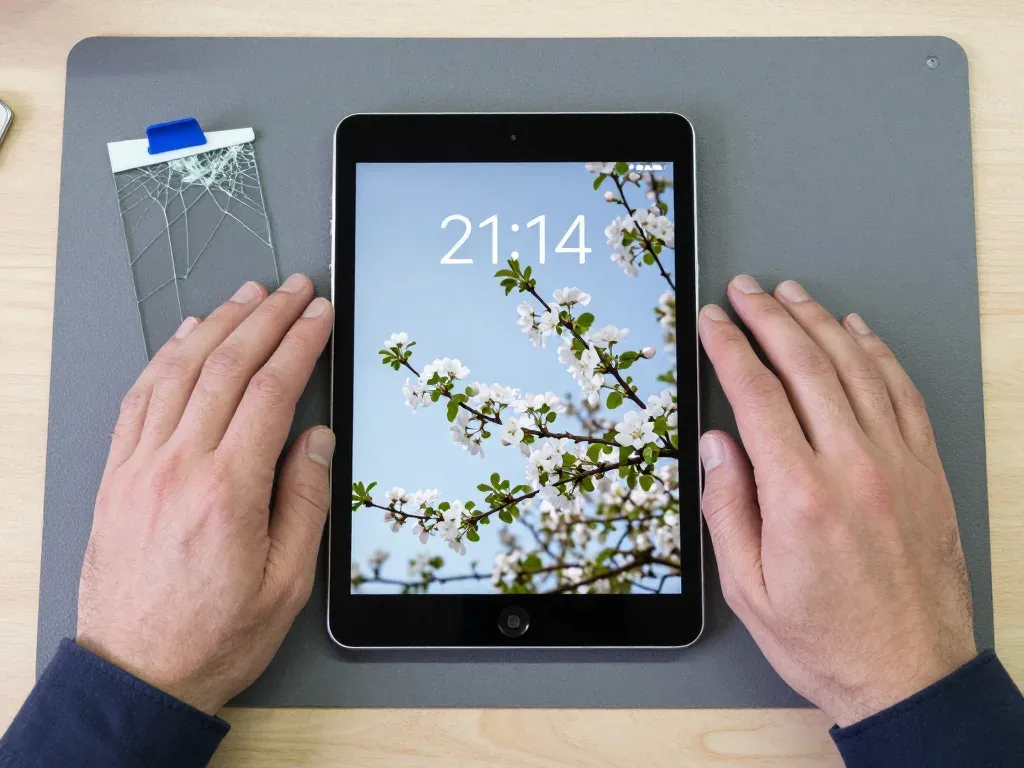
We replace only the touch layer on an iPad 2 when the LCD underneath is intact, which keeps the original matrix and its image quality in place. On this model the front sheet and the display are two separate layers, so a cracked top with a clean, evenly lit image underneath is a candidate for a front-sheet-only job. The front sheet is glued into the frame, so it is warmed and lifted carefully — a rushed removal is what cracks a healthy matrix during such a task. Bring the tablet in and an engineer will show you under light whether the LCD is clean; if it is, you keep the factory panel and pay for less work.
When the whole display has to be replaced
If the LCD shows dead lines, dark patches or a cracked matrix, we fit a complete display assembly instead of a front sheet alone, because the picture layer itself is damaged. Lines that run edge to edge, dark blotches in a corner or a backlight that glows unevenly all point to a matrix problem, and a fresh front sheet over a hurt panel changes nothing. A matrix that was hit often keeps working for a few days and then develops spreading lines, so a front-sheet-only repair on a bruised panel tends to come back. Ask for the display to be checked before you agree to a front-sheet swap — that single step saves a second visit.
Original part or aftermarket for an older tablet
Parts we fit, compared by feel and lifespan| Part | What it is | Touch and picture | Warranty |
|---|
| Original touch layer | Factory-spec front sheet | Matches the original feel | Up to 1 year |
|---|
| Aftermarket touch layer | Third-party front sheet | Slightly different response | 6 months |
|---|
| Original battery | Factory-spec cell | Holds charge as designed | Up to 1 year |
|---|
| Aftermarket battery | Third-party cell | Shorter service life | 6 months |
|---|
How We Handle iPad 2 Repair in Astana
A repair of an older tablet follows one route here — from a photo in a messenger to a joint check of the functions. Below is each step and what you take home.
From a WhatsApp photo to a fixed price
To start a repair of this tablet, you send a photo of the damage on WhatsApp, and an engineer replies within 5 minutes with a price taken from the picture and a free time slot. We handle this 30-pin model often enough to read most faults straight off an image — a shattered front panel, a swollen battery lifting the display, a bent charging connector. The price, the spare part, the turnaround and the warranty go onto the receipt before any work starts. You choose between an original unit and an aftermarket one, and 64% of customers pick the original. We show the new module in its factory packaging before installation, so you see exactly what goes into the device.
Free diagnostics in front of you
Diagnostics take 15 minutes, cost nothing even if you decide not to repair, and the engineer opens the unit and shows you what has failed while you watch. That matters with a second-generation device: a dead screen and a dead board look identical from the outside, and only an inspection tells them apart. We test the 30-pin connector, battery health and the display flex in that quarter of an hour. On a water-damaged unit the inspection sometimes stretches to two days, because corrosion under the shields has to be traced before we promise anything. Seeing the broken piece yourself separates a real diagnosis from a guess — you leave knowing whether it is the front sheet, the battery or the charging flex.
How long it takes and what you check on pickup
- Timing: most repairs run from 1 hour to 1 day, board-level work takes 1 to 3 days under a microscope.
- While you wait: 72% of jobs are finished in the waiting area with coffee and Wi-Fi, so you skip a second trip.
- Touch and display: swipe the whole screen and confirm every area responds, with no dead zones.
- Charging: plug in the 30-pin cable and watch the indicator react while the connector sits undisturbed.
- Sound and wireless: play a track, record a voice note, connect to Wi-Fi to confirm the modules.
- On handover: it leaves with the receipt, the warranty card and the old part for your records.
Charging, Data and the Small Parts Around the Screen
Beyond the screen, the second generation has weak spots that surface during repair — the charging socket, the Home key and the data you want to keep before handing the device over.
The 30-pin connector and why charging fails
The 30-pin connector on the iPad 2 bends its contacts with use, and the device stops charging even when the battery and the adapter are fine. The wide plug collects dust and pocket lint, the pins inside flatten over years of daily insertion, and the flex cable that ties the socket to the power controller cracks at the bend near the shell. A worn inlet is often mistaken for a dead battery, so the connector and its flex are checked before anyone quotes a cell replacement. Look at the plug under a light: bent pins and a loose cable at the base point to the inlet, not the battery. Cleaning the socket with a dry brush restores contact only while the pins stay straight — once they flatten, the flex has to be changed.
Back up your data and switch off Find My iPad
- iCloud backup: open Settings, tap your name, then iCloud and iCloud Backup, and run a manual copy over Wi-Fi.
- Computer backup: connect the tablet to a laptop with iTunes or Finder and choose Encrypt Backup to save passwords too.
- Apple ID password: keep it reachable — the engineer needs it to sign in and test the unit after the inlet is replaced.
- Find My iPad: switch it off under your name, because activation lock blocks any testing until the unit is released.
The Home button and what stays with the board
When we replace the glass on an iPad 2, the Home button is carried over from the old screen rather than swapped for a new one, because it is paired with the board. The key sits on its own flex under the glass, and its signal runs to a connector that matches the logic board of that exact unit. A control that is replaced instead of transferred can stop responding after the repair, which is why it is moved across during reassembly and tested before the glass goes back on. On later generations the same rule covers Touch ID, where the sensor is bound to the board and a swapped part kills the fingerprint function for good. Ask the engineer to show you the original control before the new glass is fitted — it takes a minute and settles the question.
Is an iPad 2 Still Worth Repairing
The second-generation iPad has not been manufactured for years, so the decision rests on what it does for you — an e-reader, a child's drawing surface or a kitchen control panel.
When a repair makes sense and when it does not
We tell customers honestly when an iPad 2 repair is worth it and when the unit has reached the end of its useful life, based on what failed and how it is used. A cracked front panel on a tablet that still opens the programs you rely on is a quick job for our own technicians, and it usually comes back the same day. A failing logic board on a unit that already stutters with modern software is a different story: the cost and the wait rarely pay off. Our engineers have handled these machines for eleven years and say the honest split is simple — the display, the battery and the 30-pin connector are worth fixing, deep board work usually is not.
After a drop or a splash
After a drop, a working screen can hide a bent frame or a loosened connector, and after water the tablet should not be charged until it has been opened and cleaned. The aluminium shell takes impact quietly — a corner dent often means the display sits a fraction off and the home button feels stiff. Water is slower and nastier: corrosion creeps under the shields, so a splash case sometimes needs up to two days of diagnostics before the full picture shows. Never plug a wet 30-pin connector into a charger, because current through damp contacts shorts the mainboard. A swollen battery is the other safety case — it pushes the screen up from behind, and that unit should be opened before the front panel cracks under the pressure.
Summary: iPad 2 Repair
Five points decide whether an old tablet gets a second life or goes to the drawer, and each one comes down to what failed and what you still need from the device.
- Separate front sheet and matrix: on this model these are two parts, so a cracked screen with a clean picture is often fixed by replacing the front sheet alone.
- Charging faults: a tablet that will not charge is checked from cable to 30-pin port to battery to power controller, in that order.
- Swollen battery: it lifts the screen and should be diagnosed before the tablet is charged again.
- Data first: back up and switch off Find My iPad before handing the device in for any repair.
- Worth or not: whether an old tablet deserves a repair depends on what failed and what you still use it for.













 MacBook
 iMac
 Mac mini and Studio
 Apple Watch
 AirPods
 Apple Pencil
 Apple TV
 HomePod





