For iPhone 5 repair in Almaty, many handsets still run daily despite years out of production. What fails is rarely everything at once — a few predictable assemblies give way first, and the symptom points to which one.
Screen, Touch and the Home Button
On this model the screen is an LCD module with an integrated digitiser, so a cracked front panel or a dead touch layer is replaced as one unit, and the Home button is a separate part we test on the spot. Cracks usually start at the corners, where the aluminium frame transfers impact straight into the panel. A touch layer that stops responding in one band while the picture stays clean is a different case from a panel with dead pixels or a dark patch. We test the digitiser across the whole surface, check the Home button click and its return spring, and look at the flex cable that links the module to the board. If the digitiser drifts only near the edges, the flex is often the culprit rather than the matrix — which is why we map the touch response across the full area before naming the component.
Battery and Charging Faults
A worn battery and a dirty or oxidised Lightning port cause most charging complaints on this handset, and we separate the two during the free 15-minute check by testing the port and reading battery behaviour. The Lightning connector sits exposed at the bottom edge, so pocket lint and moisture build a layer on the contacts; the handset then charges only at a certain angle or not at all. A cell that has run thousands of cycles loses capacity and starts shutting the phone down under load, long before the percentage looks low. We inspect the port under magnification, test charging current, and watch how the cell holds under a short load. If the handset charges only at one angle, the port is more often to blame than the cable — replacing the connector solves it without touching the board.
Camera Glass, Back Panel and Frame Damage
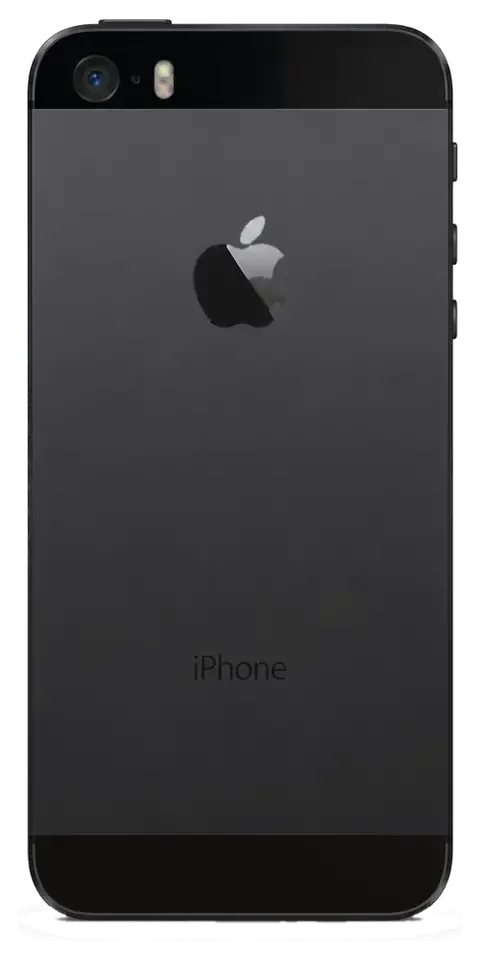
On the iPhone 5 the rear camera cover and the aluminium frame take impact damage far more often than the camera module itself, so a blurred photo is usually a scratched lens cover rather than a dead sensor. The lens cover is a thin mineral disc set into the back housing, and a drop that lands on the corner bends the chassis and cracks that cover in the same motion. Scratches scatter light across the sensor and soften every frame, especially in bright sun, while the module underneath keeps focusing and exposing correctly. A bent frame shows up as a gap along the seam or a back panel that no longer sits flush, and it can stress the board over time.
Glass or Whole Display Module on the iPhone 5
On the iPhone 5 the cover glass and the LCD are bonded into a single unit, so a glass-only swap is not always the right job. Here is when each option makes sense.
Why the iPhone 5 Rarely Gets a Glass-Only Swap
Unlike newer models, the iPhone 5 screen is a bonded LCD assembly, so we replace the whole assembly rather than re-glue a bare glass sheet, which keeps the touch layer and backlight reliable. The digitiser, the LCD matrix and the backlight sit in one sealed stack, and separating them means cutting through optical adhesive with a heat plate and a wire. On a panel this old the polariser film is already brittle, so the odds of a clean separation drop with every year of use. A fresh assembly arrives as one sealed part and drops straight into the frame with its flex cables intact. Re-gluing glass onto a used matrix often brings back backlight patches within a month, while a complete assembly is more predictable across its service life.
What Changes After a Screen Replacement
After a screen replacement on the iPhone 5 the touch, front camera and earpiece keep working because they sit on separate flex cables, and we re-check all of them together with you before handover. The module carries the digitiser and LCD, while the front camera, proximity sensor and earpiece bracket transfer across from the old panel onto the new one. That transfer is where small faults appear — a pinched earpiece flex or a loose camera connector. Our engineers run the touch grid corner to corner, play a test call through the earpiece, and fire the front camera before the phone leaves the bench. If the earpiece goes silent after a screen job, the cause is the flex, not the matrix, so we test the speaker on the spot rather than the next day.
Matching the Part to the Fault
Symptoms mapped to the failing layer inside the display| Symptom | Likely cause | What we replace |
|---|
| Cracked glass, image fine | Broken cover glass | Whole display module |
|---|
| Dead touch in one area | Digitiser layer | Whole display module |
|---|
| Vertical lines or bands | LCD matrix | Whole display module |
|---|
| Dim or patchy backlight | Backlight layer | Whole display module |
|---|
| No image, phone responds | Display flex | Module plus flex check |
|---|
Original or Aftermarket Part and the Functions You Keep
The component you choose shapes brightness, touch response and how long the fix lasts. Below is how the two options differ, which functions this model actually has, and how to lock the choice in writing.
How Original and Aftermarket Parts Differ in Practice
An original iPhone 5 part matches factory brightness, colour and touch response, while an aftermarket one costs less but can differ in tint and long-term wear, and 64% of our customers pick the original. We keep both types on the shelf and show the new display module in its packaging prior to installation, so you compare the label rather than take our word for it. A budget panel often reads slightly warmer or cooler, and the shift shows up on white backgrounds and in photos rather than in calls. Wear is the second gap — cheaper modules lose sensitivity at the edges sooner under daily tapping. On my bench, the honest split is use case, not budget — an aftermarket unit makes sense when the phone is a second device or a work handset, where a tint shift is invisible in messengers but the saving is real.
The Functions This Model Carries and What We Test
The iPhone 5 has a physical Home button with no fingerprint sensor, a 4-inch Retina display, an 8-megapixel rear camera and a Lightning port — all of which we test after a screen or battery swap. Its factory water resistance was never rated IP67 or IP68, and any opening of the case does not restore sealing. Sealing is the point owners misread — the frame has no gasket rated against immersion, and re-gluing the case only lowers the chance of splash damage. Keep the handset away from water exactly as you did before the repair, because a new display does not add protection the factory never claimed. Most water damage on this generation arrives through the earpiece mesh and the charging port, not the screen edge.
Fixing Your Choice on the Receipt
Before work starts we write the price, the component type (original or aftermarket), the turnaround and the warranty on the receipt in about 2 minutes, and we show the new unit in its packaging prior to installation. The document names the exact module, so nothing is swapped quietly between the counter and the bench. Warranty runs up to 1 year and covers the fitted item, not accidental damage — the warranty card spells out which is which. You leave with the receipt, the warranty card and the old component in a bag, which matters if you ever resell the handset or compare a later quote elsewhere. A receipt with the type protects both sides — a year on, the paper shows what was installed and what the guarantee covers. Ask for it before the screwdriver comes out, not after.
How Long an iPhone 5 Repair Takes and How to Book It
The iPhone 5 comes apart more easily than later models, so most jobs fit into a single visit. Below are the real turnaround times and the booking steps, from the first photo to pickup.
Turnaround for Common Jobs
Job times and whether you can wait on site| Job | Typical time | Wait on site |
|---|
| Screen module replacement | 40 min | Yes |
|---|
| Battery replacement | 25 min | Yes |
|---|
| Rear camera glass | 20 min | Yes |
|---|
| Charging port or flex | 30–40 min | Yes |
|---|
| Board-level repair | 1–3 days | No |
|---|
Sending a Photo on WhatsApp and Booking a Slot
You send a photo of the damage on WhatsApp, a technician replies within 5 minutes with a price and a free slot, and you can also call a courier across Almaty who arrives in about 90 minutes, free with a repair. Diagnostics take 15 minutes in front of you, even if you decide against the work, and price, part, turnaround and warranty are fixed on the receipt in about 2 minutes before anything is opened. A picture from two angles — the display and the frame edge — speeds up the quote, because the specialist sees whether you need a module or just a connector, so the trip is not wasted.
What to Do Before You Hand the Phone In
- Back up first — save photos and contacts to iCloud or a computer before the visit.
- Note your Apple ID — keep the password handy in case activation has to be tested.
- Decide on Find My — turn off Activation Lock if you are comfortable doing so.
- Remove the case and SIM — this lets the technician inspect the frame and the tray.
- List the symptoms — a short note of what fails helps the diagnosis go faster.
What You Get Back and Who Stands Behind the Work
A repair is not finished when the phone switches on. What matters is what you can verify at handover and what stays in your hands afterwards — the checks, the paperwork and the team accountable for the result.
The 32-Point Check Before Handover
After the repair we run a 32-function check in about 10 minutes and then walk through the key ones with you — touch, cameras, microphones, speakers, charging and network — so nothing is left to chance. The engineer opens the camera, records a short clip to test the microphone, plays audio through both speakers and plugs in a charger while you watch. Signal strength and call quality are confirmed on the spot, and the display is scanned for dead spots across the whole panel. Most disputes come from faults nobody tested at the counter. Run the same checks together with the engineer rather than at home — if something is off, the part is swapped on the spot instead of being logged as a new case.
Receipt, Warranty Card and the Old Part
The device comes back with the receipt, a warranty card covering up to 1 year and the old component, so you keep proof of what was replaced and what the guarantee covers. The receipt states the part fitted, the turnaround and the warranty term, all fixed in advance of the work. Keep the old component — worn or damaged, it shows what actually failed. A swollen battery or a cracked digitiser tells a clearer story than memory does, and that record helps you and the next technician understand the cause if the same fault returns. Store the paperwork with the phone box — warranty claims move faster when the card and the removed part are at hand.
Direct Repair Team or Middleman
iServices is a direct repair provider with its own technicians and workshop, not an aggregator or middleman, and we have completed 46,000+ repairs over 11 years across Almaty and Astana. That means the person who diagnoses your device is the same one who repairs it, under one roof, with board work done under a microscope. There is a single point of responsibility — if something goes wrong later, you come back to the same technician who handled the job, not to a dispatcher forwarding the phone to an unknown workshop. With a direct team, the guarantee is honoured by the people who did the work — ask which specialist actually holds the screwdriver before you hand the device over.
Summary: iPhone 5 Repair
A repair still makes sense on this model when the fault is matched to the right component and the outcome is confirmed before work begins.
- Match fault to component — a cracked screen means a whole module, not a bare glass swap.
- Choose knowingly — original and aftermarket differ in tint and wear, not just in name.
- Expect a short visit — most common jobs finish while you wait, with board work taking longer.
- Prepare the phone — a backup and a note of symptoms save time at handover.
- Keep the paperwork — receipt, warranty card and the old component protect you later.
- Weigh predictability over speed — on a device this old, a named component and documents in hand matter more than a five-minute promise.















 iPad
 MacBook
 iMac
 Mac mini and Studio
 Apple Watch
 AirPods
 Apple Pencil
 Apple TV
 HomePod




