MN Photo: Mukhpilov Nail
Mukhpilov Nail
smartphone repair technician
10years of experience
4.83rating, 83 reviews

MacBook Pro shuts down, overheats or has liquid damage — we find the cause free while you wait and quote the price upfront.

A working laptop rarely fails without warning: the backlight flickers, the fans roar or keys start to stick first.
The screen dims along its lower edge or flickers on opening; a torch shows a picture.
Fans roar during web browsing, the area above the keys is hot and the system lags.
Tea reached the keys, the display stays dark and the charger gets no reaction.
The trackpad lifts and pushes on the case, so the bottom panel no longer sits flat.
Some keys type twice or do not press, particularly after crumbs get under them.
One USB-C port ignores the power adapter, and charging only works through another.
Pressure or a knock leaves rainbow stains, black blotches and lines across the panel.
After an update: endless restarts, a question-mark folder or a black screen.
The touch strip goes dark or shows the wrong buttons.
Sound distorts at volume, and one channel is quieter.
Touch ID fails, so you can only log in with a password.
The screen wobbles and won't hold the angle you set.
Main jobs for the MacBook Pro with indicative labor prices; parts are discussed separately.
| Service | Original | Aftermarket |
|---|---|---|
| Battery replacement | 56 900 ₸ | 32 900 ₸ |
| Display replacement | 80 900 ₸ | 49 900 ₸ |
| Keyboard replacement | 38 900 ₸ | 21 900 ₸ |
| Trackpad replacement | 46 900 ₸ | 25 900 ₸ |
| Touch Bar repair | 49 900 ₸ | 27 900 ₸ |
| Charging port replacement | 22 900 ₸ | 12 900 ₸ |
| Speaker replacement | 33 900 ₸ | 18 900 ₸ |
| Fan replacement | 22 900 ₸ | 12 900 ₸ |
| Backlight repair | 364 900 ₸ | 225 900 ₸ |
| Other repairs | Price | |
| Logic board repairmicrosoldering · 1–3 days | 16 900 ₸per job | |
| SSD installation instorage installation | 19 900 ₸per job | |
| Dust cleaningdisassembly and dust cleaning | 10 900 ₸per job | |
| Cleaning after liquid damagecorrosion cleaning · diagnostics up to 2 days | 16 900 ₸per job | |
| Graphics card replacementboard-level chip · microsoldering | 83 900 ₸with parts | |
| Wi-Fi module repairwireless module · board-level repair | 41 900 ₸with parts | |
| MacOS installationOS installation, no parts replaced | 10 900 ₸per job | |
The final total depends on the generation and configuration of the laptop, and the technician names it after diagnostics.
Screens, batteries and keyboards come in both versions, and the difference matters most for professional work.


Our order of work is plain: inspection, cause, an agreed part, and only then a repair without surprises.
Completed work carries a warranty up to 1 year. The technician explains the terms for your part before the job begins.
Eleven years around Apple hardware make it easier to recognize the typical failures of different Pro generations.
Complex boards, displays and cooling systems are opened by experienced technicians used to dense layouts.
Diagnosis and a finding come first, then the total and the part choice, so you do not pay for extras.
For screens, batteries and keyboards we explain how the options differ and leave the decision with you.
Devices are accepted in two cities. Weekdays 10:00–19:00, weekends and holidays 11:00–18:00.
Usually the whole journey — from message to pickup — takes less than an hour; complex repairs follow the timeline in the receipt.
Book a repairYou send a photo of the damage on WhatsApp — we quote the price and available time. Or you call a courier.
An engineer checks the device in front of you and shows what is broken. 0 ₸, even if you decline the repair.
We fix the price, the part (original or analog), the timeline and the warranty. You sign — we start.
Before installation we show you the new part in its factory packaging. You wait in the waiting area with coffee and Wi‑Fi.
Screen, keyboard and trackpad, camera, microphones, speakers, charging, Wi‑Fi. You check together with the engineer.
Together with the receipt, warranty card and the old part. Payment — Kaspi, card or cash.
Technicians for iPhone, Mac, iPad, Apple Watch and AirPods repair.
Photo: Mukhpilov Nail Photo: Molchanov Rinat
 Photo: Shokan A
 Photo: Sybanbaev Birzhan
 Photo: Denis Gushchin
 Photo: Duisebaev Azhdar

“If the repair didn’t suit you or you have a complaint, write to me personally.”
Send a photo of the fault — an engineer will reply on WhatsApp, give the price and a time you can come in.
MacBook Pro Repair in Almaty with Parts You Can See
iServices handles MacBook Pro repair in Almaty as a direct contractor with its own technicians. We diagnose free in front of you in 15 minutes, show the new part in factory packaging before fitting, and finish most jobs in one hour to one day. Every repair carries a warranty up to 1 year.
Most repairs of this laptop come down to six or seven components. The symptoms below help an engineer narrow the diagnosis before the lid even comes off.
We see the same six failures across MacBook Pro generations — display, battery, keyboard, liquid damage, charging and the logic board — and each has a recognisable early sign. Stripes or dark corners on the panel point to the matrix or the display cable, while a trackpad that sits proud of the chassis usually means a swollen battery pressing upward. Keys that stick or register twice come from the butterfly mechanism on older top cases. A machine that dies after a spill carries corrosion on the mainboard, often invisible until it sits under the microscope. Charging faults split between the USB-C or MagSafe port and the power controller beside it. The pattern holds: the earlier sign (stripes, swelling, double presses) is almost always cheaper to fix than the consequence, so show a symptom to a technician before the machine stops booting entirely.
| Symptom | Likely cause | What we do |
|---|---|---|
| Stripes or dark patches on screen | Display matrix or flex cable | Replace matrix or full assembly |
| Trackpad lifts, case bulges | Swollen battery | Replace battery, check trackpad |
| Keys stick or type twice | Butterfly keyboard mechanism | Clean or replace top case |
| Won't charge on any port | Charging port or power controller | Test port, repair mainboard |
| Dead after a spill | Corrosion on logic board | Clean and repair under microscope |
| Hot and loud under load | Dust in fan and heatsink | Clean and renew thermal paste |
A no-power unit on Intel and one on Apple Silicon fail for different reasons, so the same complaint leads to different parts. On older Intel machines the fault often sits in a separate RAM slot, the T2 chip or a discrete power rail, and a technician can swap or reflow around it. On Apple Silicon the memory and SSD are soldered to the logic board, so "the disk is not recognised" almost always means the board itself, not a removable drive. Display cables also differ between generations, and a cable that fails on one model may sit on the mainboard on another. Because of that, we do not quote a part from a description alone — the model number and a look inside decide the job.
The path runs from a photo in a messenger to a handover with the old part in a bag. Every stage is visible to you, and nothing is decided behind a closed door.
An engineer replies on WhatsApp within five minutes and quotes from a photo, then free diagnostics in front of you take 15 minutes and the receipt is fixed in two. You send a picture of the cracked lid or the swollen bottom case, and the reply already names a likely spare and a free time slot. At the bench the technician opens the machine while you watch, points at the failed module and explains what it does. Eleven years in business and tens of thousands of repairs mean most damage patterns are recognised from the image alone. A clear photo of the damage shortens the whole visit — the specialist arrives with the probable replacement in hand instead of diagnosing the cause on site. This is how a MacBook Pro repair in Almaty moves from a first message to a fixed receipt.
Before any screw turns, the receipt fixes the price, whether the spare is original or aftermarket, the turnaround and the guarantee, and we show the new item in factory packaging first. The document takes about two minutes to fill, and every line is read aloud before you sign. Coverage runs up to 1 year, and the same paper records whether the replacement is genuine or an aftermarket equivalent — 64% of customers pick the original. Turnaround is written in hours or days, not in vague promises. Written specification protects both sides — at handover it is obvious what sits inside the laptop, and that same condition keeps the coverage valid.
The part is the single biggest driver of how a repair turns out, so the choice is settled before any work begins rather than after. Here is how the two routes compare in practice.
An original part matches the factory fit and finish, while an aftermarket part can differ in brightness, colour or key feel, and we name which one goes in before work starts. The display matrix sets the standard the whole machine is judged by: on a MacBook Pro the panel, the top case with its keyboard, and the battery are the three parts where the gap shows most, because brightness, key response and cell behaviour are what you touch and look at every day. The model number decides which of those are even available in each version. The difference rarely appears on day one — it surfaces months later in how the backlight holds and how the keys settle, so the choice should be made for service life rather than for the saving of the moment.
| Point | Original part | Aftermarket part |
|---|---|---|
| Fit and finish | Matches factory | Close, may vary slightly |
| Display brightness | Factory level | Can be lower |
| Key feel | As designed | May differ |
| Availability | Depends on model | Wider for older models |
| Warranty | Up to 1 year | 6 months |
On Apple Silicon MacBook Pro models the memory and SSD are soldered to the board, so they are not replaced as separate parts the way they were on older Intel machines. The unibody generation accepted a new HDD and memory sticks as ordinary service items; on current boards the storage and RAM sit on the logic board itself, which means a failed chip is a board-level job rather than a swap. A board repair of that kind runs one to three days and is done under a microscope. When an upgrade is simply not possible, the budget is better placed in a healthy battery and clean cooling — those genuinely extend the life of the machine, while a faster chip you cannot install changes nothing.
Three emergencies decide the outcome more than any bench work: a spill, a battery that has started to swell, and a chassis that runs hot and loud. What you do in the first minutes shapes how much survives.
After a spill, switch the MacBook off at once and do not charge it, because corrosion grows while power is still reaching the logic board. Unplug the charger, hold the power button until the screen goes dark, tilt the machine on its side and leave the ports facing down so liquid can drain. Do not shake it, do not open the bottom case yourself and do not press keys to test whether it still works — each attempt sends current through wet traces. Liquid on the circuitry starts corrosion within hours, and the longer it sits, the more pads and connectors it eats. Never dry the laptop with a hairdryer or set it on a radiator: heat drives moisture deeper beneath the chips and the corroded area grows instead of shrinking.
After liquid contact diagnostics can take up to two days, because corrosion beneath the chips only shows once the logic board is cleaned and inspected under a microscope. Our engineers put the circuitry through an ultrasonic bath, then examine every power rail and connector under magnification — a trace that looks intact at arm's length often has a green bloom underneath. We handle board repair in-house at the microscope, so nothing is sent out and the timeline stays with the same team. The usual hour-to-a-day window almost never applies here: a water case is a different job with a different depth of check, and a longer wait is a sign of a thorough inspection rather than a delay.
A swollen battery pushes on the trackpad and case, and a hot, loud MacBook Pro usually points to dust packed in the fan and dried thermal paste. A battery that has started to bulge lifts the bottom panel, makes the trackpad click stiffly and stops the lid closing flush — stop using the machine and do not press the case back down. On the heat side, a fan running at full speed on a light task means the heatsink fins are clogged and the paste between the chip and the cooler has hardened, so the processor throttles instead of boosting. A fanless Air needs a cleaning far less often than an Intel Pro, which is why the same symptom leads to different amounts of work on the two lines.
How long you wait depends on the part, how the notebook reaches the bench, and what happens to your files along the way. Here is the turnaround, the courier option and the preparation that protects your data.
Most repairs run from one hour to a full day, board-level work stretches to one to three days, and 72% of jobs finish while the customer waits in our lounge. Screen and battery swaps sit at the fast end, since the assembly comes apart with a few Torx drivers and a suction cup; anything touching the logic board moves to the microscope bench, where a single shorted capacitor can eat an afternoon of tracing. We quote the slot for your exact fault rather than an average, and the figure goes onto the receipt before the case is opened. Ask which bracket your fault falls into — a display and a motherboard live in different time zones of the schedule, and mixing them up is how people end up without a laptop for a week.
A courier can be called across the city and arrives within 90 minutes, free with a repair, and the device comes back with the receipt, warranty card and the old part. The rider collects the notebook from your address, the technician photographs the damage on arrival and confirms the same fixed quote, and you get a message when the job is ready for the return trip. Pickup at the workshop works the same way — bring the receipt, check the machine together, and take the replaced component home in its packaging. Keep the old part until the warranty runs out: it shows exactly what was swapped if a question ever comes up about the work, and it is the one piece of evidence neither side can argue with.
A repair decision rests on a few checks that cost nothing and prevent most regrets. Here is what to hold onto when you hand a MacBook Pro to anyone.
Did not find an answer? Message us on WhatsApp: an engineer replies, not a bot.
Ask a questionYes, the latest MacBook Pro models with Pro and Max chips are repaired here as well. For the newest generation, ask the technician about part availability before the visit.
The cable is broken inside, usually near the plug where it flexes most. On recent MacBook Pro models the USB-C or MagSafe cable detaches from the adapter, so only the cable needs replacing. Stop using a damaged cable, as the wires can overheat.
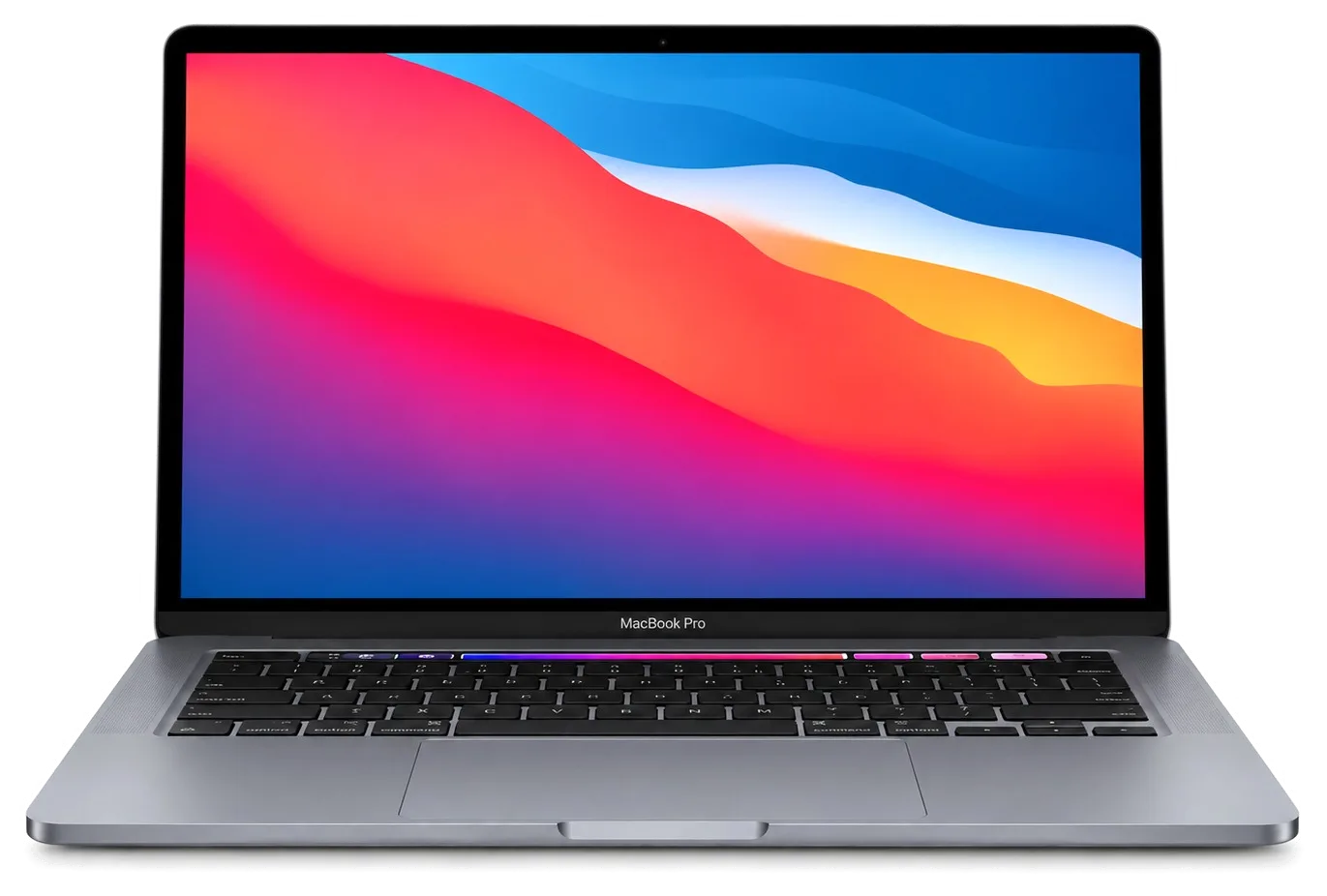
The Retina models before the Touch Bar era and the fourteen- and sixteen-inch models with Pro and Max chips have both. Touch Bar models and the thirteen-inch Apple silicon Pro have only USB-C ports and need an adapter.
The thirteen-inch has a Touch Bar and two or four USB-C ports. The fourteen-inch has a notch in the screen, full-size function keys, MagSafe, HDMI and an SD slot. Their parts are not interchangeable.
Yes, a battery, keyboard or cleaning on an Intel Pro often costs far less than a new laptop and keeps it running for work. For a dead logic board the technician weighs the repair against the age of the laptop and tells you honestly.
Only on models with a removable SSD module, such as the Retina Pro and the thirteen-inch Pro without a Touch Bar. On Touch Bar models and all Apple silicon Pro laptops the storage is soldered and is not swapped.
Проверила после ремонта несколько раз. С MacBook Pro 14″ (M5 Pro 2026) вышла неприятность: периодически пропадал звук. По результатам диагностики проверили аудиотракт и восстановили звук. Денис подсказал, что действительно надо проверять.
У моего MacBook Pro 14″ (M3 2023) после попадания жидкости устройство вело себя непредсказуемо. В сервисе осмотрели плату и устранили обнаруженную неисправность; Денис подсказал, что действительно надо проверять.
У моего MacBook Pro 16″ (M5 Pro 2026) после сна появлялся чёрный экран. По результатам диагностики разобрались с запуском и изображением; Спасибо Денис: разобрался с нюансами без лишних разговоров.
У моего MacBook Pro 13″ (2019 4 порта) внешний монитор постоянно терял подключение. Ребята проверили порты и стабильность подключения; Аждар подсказал, что действительно надо проверять.
С MacBook Pro 15″ (2018) вышла неприятность: на экране появились полосы. После обращения проверили подключение и дисплей изображение восстановили; Денис спокойно объяснил, с чего лучше начать.
На MacBook Pro 13″ (2019 2 порта) после сна появлялся чёрный экран. Ребята разобрались с запуском и изображением; Аждар спокойно объяснил, с чего лучше начать.
На MacBook Pro 14″ (M2 Pro, 2023) периодически пропадал звук. После обращения проверили аудиотракт и восстановили звук; Денис подсказал, что действительно надо проверять.
MacBook Pro 13″ (2016 2 порта) подвёл: периодически пропадал звук. По результатам диагностики проверили аудиотракт и восстановили звук; С Денис всё обсудили по делу, без спешки.
С MacBook Pro 16″ (M3 Max 2023) вышла неприятность: на экране появились полосы. Ребята проверили подключение и дисплей, изображение восстановили; Денис потом ещё уточнил, всё ли работает.
На MacBook Pro 13″ (M2, 2022) клавиатура начала пропускать нажатия. В итоге проверили клавиатуру и устранили проблему с клавишами; Аждар спокойно объяснил, с чего лучше начать.

Replace the battery when macOS reports Service Recommended and runtime no longer covers your workday. A free 15-minute check shows whether the cell is at fault.

Why your MacBook runs hot and loud, and whether cleaning solves it or the board needs repair.

Power it off, unplug the charger and bring the laptop in for a free 15-minute check before corrosion spreads.

Sticky or unresponsive keys usually mean debris, worn mechanisms or liquid damage. A technician can check the keyboard and advise on cleaning or replacement.

Back up your data, turn off Find My, and bring proof of purchase — then the repair starts faster.

 iPad
 iMac
 Mac mini and Studio
 Apple Watch
 AirPods
 Apple Pencil
 Apple TV
 HomePod
