MN Photo: Mukhpilov Nail
Mukhpilov Nail
smartphone repair technician
10years of experience
4.83rating, 83 reviews

The dual-port MacBook Pro A1708 won't charge or keys stick — we'll fix the port or keyboard in a day and give a warranty up to 1 year.
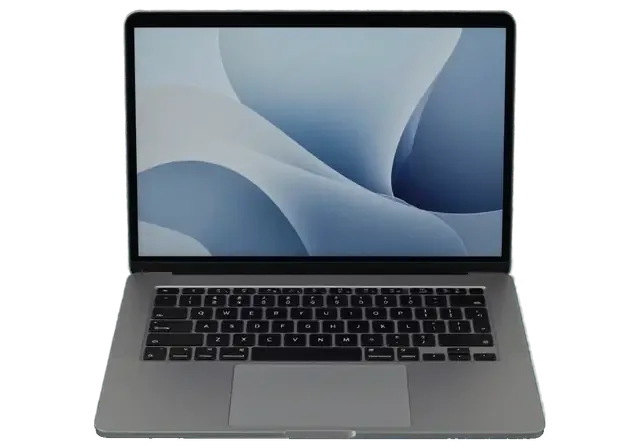
The base Pro without a Touch Bar tends to develop faults in its ports, keys, backlight and trackpad as the years pass.
Power flows only at one cable angle or drops out when the cable moves.
A drive, monitor or hub is detected only in the near left socket.
Stage-light patches glow at the bottom of the screen, then the backlight dies.
It needs a firmer or double press, and you hear a crunch as it travels.
It lasts about two hours, and after a system update the charge drops faster.
The fan spins up on a video call and the case above the keys is hot.
The click is hard to feel, the pointer jumps and the bottom edge sits raised.
A dark screen and a silent indicator though the charger and cable are fine.
Speakers rattle and hiss even at medium volume.
Liquid under the keys causes corrosion on the board and power failures.
The network disconnects, Bluetooth mouse and headphones lose connection.
Boot doesn't reach the desktop or loops endlessly.
The table lists jobs for the A1708; amounts are for the technician's labor, and the part is priced separately by the option you choose.
| Service | Original | Aftermarket |
|---|---|---|
| Battery replacement | 96 900 ₸ | 55 900 ₸ |
| Display replacement | 219 900 ₸ | 135 900 ₸ |
| Keyboard replacement | 49 900 ₸ | 27 900 ₸ |
| Charging port replacement | 35 900 ₸ | 19 900 ₸ |
| Speaker replacement | 33 900 ₸ | 18 900 ₸ |
| Fan replacement | 22 900 ₸ | 12 900 ₸ |
| Backlight repair | 364 900 ₸ | 225 900 ₸ |
| Other repairs | Price | |
| Logic board repairmicrosoldering · 1–3 days | 55 900 ₸per job | |
| Liquid damage cleaningcorrosion cleaning · diagnostics up to 2 days | 27 900 ₸per job | |
| Dust cleaningdisassembly and dust cleaning | 16 900 ₸per job | |
| Wi-Fi module repairwireless module · board-level repair | 41 900 ₸with parts | |
| MacOS installationOS installation, no parts replaced | 15 900 ₸per job | |
The technician names the total after inspection because it depends on the part chosen and the state of the board.
On a base model a sensible price often matters more, but for some parts saving ends up costing more.


The fault is often not where you expect it, so we test the assembly before replacing anything and skip unnecessary work.
Eleven years of Mac repair: student and office laptops without a Touch Bar arrive with typical faults we recognize fast.
Completed work is covered by a warranty up to 1 year; the technician agrees the terms for your part before the repair.
Before proposing a costly part we look at cables, ports and the board, because sometimes the fault turns out to be small.
USB-C ports and thin backlight cables are soldered and replaced by experienced technicians.
Mon–Fri 10:00–19:00, weekends and holidays 11:00–18:00: easy to drop by in Almaty or Astana.
You agree the jobs the technician names in advance, so there are no surprise lines in the final estimate.
Usually the whole journey — from message to pickup — takes less than an hour; complex repairs follow the timeline in the receipt.
Book a repairYou send a photo of the damage on WhatsApp — we quote the price and available time. Or you call a courier.
An engineer checks the device in front of you and shows what is broken. 0 ₸, even if you decline the repair.
We fix the price, the part (original or analog), the timeline and the warranty. You sign — we start.
Before installation we show you the new part in its factory packaging. You wait in the waiting area with coffee and Wi‑Fi.
Screen, keyboard and trackpad, camera, microphones, speakers, charging, Wi‑Fi. You check together with the engineer.
Together with the receipt, warranty card and the old part. Payment — Kaspi, card or cash.
Technicians for iPhone, Mac, iPad, Apple Watch and AirPods repair.
Photo: Mukhpilov Nail Photo: Molchanov Rinat
 Photo: Shokan A
 Photo: Sybanbaev Birzhan
 Photo: Denis Gushchin
 Photo: Duisebaev Azhdar

“If the repair didn’t suit you or you have a complaint, write to me personally.”
Send a photo of the fault — an engineer will reply on WhatsApp, give the price and a time you can come in.
MacBook Pro A1708 Repair in Almaty with Free Diagnostics
For MacBook Pro A1708 repair in Almaty, iServices fixes the non-Touch Bar model in front of you: free 15-minute diagnostics, a receipt stating the part, turnaround and warranty before work begins, and the turnaround is confirmed after diagnostics. Original or aftermarket part, your choice, warranty up to 1 year.
The A1708 is the 13-inch Pro without Touch Bar, charged over USB-C and fitted with the butterfly keyboard. Here is what owners of this machine bring us most often, and how to confirm yours is the A1708.
The model number is printed in small text on the bottom cover, and A1708 identifies the 13-inch Pro without Touch Bar, which matters because screens, batteries and keyboards are matched to that exact number. Turn the laptop over, read the four characters after the word Model, and compare them with the serial lookup on the base plate rather than trusting the listing you bought from. The same chassis was sold under several identifiers, and a display assembly or cell pulled for a neighbouring number will not seat or calibrate correctly. Two units can look identical from the lid, so the number on the base is the only reliable way to order the right part the first time.
| Symptom | Likely cause | What we check | Typical fix |
|---|---|---|---|
| Dark or striped screen | Display flex wear | Backlight, cable, matrix | Flex or display module |
| Battery drains fast | Aged cells | Cycle count, swelling | Battery replacement |
| Keys stick or double | Butterfly mechanism | Key response, debris | Keyboard or top case |
| Won't charge | USB-C or controller | Port, cable, logic board | Port or board repair |
| Spilled liquid | Corrosion inside | Logic board under microscope | Cleaning, board repair |
| Won't power on | Faulty cell or rails | Power rails, battery | Board-level repair |
The A1708 shares the butterfly keyboard and USB-C charging with the Touch Bar Pros but has no Touch Bar and no Touch ID, so a keyboard or top-case job is simpler and cheaper to scope. Its display connects through different flex routing than the Touch Bar version, which is why a panel bought for a sibling model can fit the hinge yet fail to light. Charging runs through two USB-C ports on the left side only, so a dead port is a narrower fault than on four-port machines. Because memory and SSD are soldered on this generation, plan storage before purchase rather than after, since no service adds capacity later.
Two situations put the clock against you: liquid inside the chassis and a laptop that ignores the power button. Here is what to do before you reach us and what we check first.
After liquid contact our diagnostics can take up to two days, because corrosion hides under chips and only shows up once the mainboard is cleaned and inspected under a microscope. An engineer starts with a free 15-minute check in front of you — the case comes off, the circuitry is examined and you see the residue yourself. Deep cleaning, ultrasonic treatment and soldering under magnification follow only if the damage calls for them. A laptop that looks clean on top can still fail weeks later, so we test the power rails after cleaning rather than judging by appearance — that is why a spill case never gets a same-hour verdict.
We start with the charger and USB-C port, then the battery and the power controller, because on the A1708 a dead port and a dead battery produce the same no-sign-of-life symptom. The USB-C/Thunderbolt module on this model carries the charging circuit, so a single burnt component there can stop the whole machine from booting while the rest of the hardware is intact. Send a photo of the damage on WhatsApp — an engineer replies within five minutes and quotes a price from the picture. Trying a different charger first saves a diagnostic visit more often than people expect, so test one known-good USB-C supply before booking.
From the first message to the moment the laptop goes back in your bag, the process follows clear steps, and each one is written down. Here is how it looks when you bring an A1708 to our workshop.
After the repair we run a 32-function check that takes about ten minutes, covering the display, keyboard, trackpad, ports, charging, camera, microphones, speakers and network with you standing at the bench. You press the keys, open the lid, plug in the charger and join a Wi-Fi network yourself, so nothing is signed off on our word alone. The engineer then hands over the receipt, the warranty card and the old part in a bag, and the warranty runs up to 1 year. Testing beside the customer catches what a bench run misses — a single sticky key, a port that only drops under load, a microphone that fades at distance. This is how a MacBook Pro A1708 repair in Almaty stays predictable from the first photo to the final check.
Most MacBook Pro A1708 repair jobs take from one hour to a full day, board work under the microscope runs one to three days, and 72% of repairs are finished while the customer waits in the lounge. A courier across the city arrives within 90 minutes and is free when it comes with a repair, so you can hand the laptop over from home or the office. If your job turns out to be a board repair, plan for the longer window and keep a backup machine ready rather than counting on same-day pickup — the microscope work cannot be rushed without risking the same fault returning.
Choosing the part is the owner's call, but it should be an informed one. Here is how the routes differ and what goes onto the receipt before any work starts.
| Option | What it means | Best for |
|---|---|---|
| Original part | Factory-spec unit | Long-term daily use |
| Aftermarket equivalent | Compatible substitute | Budget-focused repair |
| Display assembly | Full screen module | Flex or matrix damage |
| Battery pack | Replacement cell | Swollen or worn battery |
Before any work begins the paperwork fixes the price, whether the part is factory-spec or a compatible substitute, the turnaround and the coverage term, so nothing changes mid-repair. We show the new unit in factory packaging prior to installation, and the whole agreement takes about two minutes to put in writing — 64% of customers pick the original, the rest choose an aftermarket equivalent. Both routes appear on the same document with the exact turnaround, from one hour to one day on a MacBook or iPad up to one to three days on a board job, and the coverage term beside them. Ask for the sourcing type in writing even on a small job, because a verbal promise is hard to rely on if a question comes up later.
Every repair comes with coverage up to 1 year, and the device is returned with the receipt, the warranty card and the removed unit so you can see what was replaced. The old piece goes back in a bag together with the paperwork, and the engineer walks you through the 32-function check — True Tone, cameras, microphones, speakers, charging and network — before you leave the waiting area. Keeping the swapped-out hardware is useful if a claim ever arises, since it documents exactly what came out of the machine and matches the serial noted on the paper. Store it with the warranty card in a single place, because the pair is what a claim is checked against.
Overheating and handover prep are the two things owners postpone until the last minute. Here is why an A1708 runs hot and what to do with your files before the visit.
Dust in the cooling system and dried thermal paste make the A1708 run loud and the chassis hot, and a preventive clean with fresh paste brings temperatures back down. Eleven years of servicing these unibody Pros shows the same pattern: lint packs the fins of the heatsink, the blades spin faster to compensate, and the aluminium above the keyboard turns uncomfortable under light load. We strip the bottom case, clear the heatsink fins and the blades, then renew the thermal paste between the chip and the copper heat pipe before reassembly. For MacBook and iPad the turnaround runs from one hour to one day, and the exact time we name after diagnostics; 72% of our repairs finish while the customer stays on site. High speed on light tasks usually signals blocked airflow rather than a failing motor, so cleaning often solves it without a new part.
The A1708 is still worth repairing when the fault is a battery, keyboard or screen, because those are replaceable parts, while a logic failure on a soldered-SSD machine needs a closer cost-benefit look. The older unibody MacBook Pro allowed a drive and memory swap with a screwdriver; on this generation both are soldered to the mainboard, so a storage fault means micro-soldering under a microscope rather than a quick swap. A tired battery, a sticky keyboard or a cracked display are straightforward jobs with a fresh part and a warranty up to 1 year. Decide by what you use the laptop for, not by its age, since a machine that handles your daily work rarely needs replacing over one worn part.
A short list of what decides the outcome when an A1708 breaks — from identifying the model to reading the receipt before you sign it.
Did not find an answer? Message us on WhatsApp: an engineer replies, not a bot.
Ask a questionYes. Unlike the Touch Bar versions, the A1708 has its storage on a separate module that can be replaced. The memory, however, is soldered to the board and cannot be expanded.
No. This model has no fingerprint sensor or the security chip it needs, so Touch ID cannot be retrofitted. Unlock with a password or with an Apple Watch if your macOS version supports it.
The first-year version tops out at macOS Monterey and the second-year version at macOS Ventura. Once Apple stops issuing security fixes for these releases, browsers and apps gradually drop support too.
Try resetting the SMC and NVRAM first, as these settings often cause such hang-ups. If the MacBook still stays dark, the battery, the display cable or the board needs to be checked.
Not always. If the laptop was switched off quickly, cleaning may be enough, but sugary drinks leave residue that corrodes contacts over the following days, so it is best not to wait for symptoms.
Possible causes include an overheated processor with dried thermal paste, a nearly full or worn SSD, or a battery that makes macOS limit performance. The technician checks temperatures and the drive state to find the bottleneck.
MacBook Pro 13″ (2016 2 порта) подвёл: периодически пропадал звук. По результатам диагностики проверили аудиотракт и восстановили звук; С Денис всё обсудили по делу, без спешки.
С MacBook Pro 13″ (2017, 2 порта) вышла неприятность: клавиатура начала пропускать нажатия. В итоге проверили клавиатуру и устранили проблему с клавишами; С Денис всё обсудили по делу, без спешки.
У моего MacBook Pro 13″ (2016 2 порта) на экране появились полосы. По результатам диагностики проверили подключение и дисплей, изображение восстановили.
MacBook Pro 13″ (2016 2 порта) подвёл: после попадания жидкости устройство вело себя непредсказуемо. По результатам диагностики осмотрели плату и устранили обнаруженную неисправность.
MacBook Pro 13″ (2016, 2 порта) подвёл: машина сильно тормозила на обычных задачах. Ребята нашли причину замедления и стабилизировали работу.
Не ожидала, что вопрос решится так спокойно. У моего MacBook Pro 13″ (2016, 2 порта) аккумулятор быстро садился. По результатам диагностики проверели состояние батареи и решили вопрос с автономностью. Денис показал, в чём была проблема.
Проблема была такая: зарядка постоянно прерывалась — и непонятно что делать. Ребята проверили кабель, порт и цепь питания.
Макбук стал жутко греться и тормозить даже от простых задач по работе. Принес на чистку от пыли и замену термопасты. Всё почистили быстро, теперь работает абсолютно бесшумно и больше не зависает. Спасибо большое за оперативность.
Проблема: не было изображения на экране макбука. Принес в этот сервис на диагностику. На следующий день мне сообщили что нужно восстанавливать материнскую плату, и время работы 2 недели. По прошествии 2х недель со мной ни кто из менеджеров не связался, звонил им сам, ответивший менеджер не знал ситуации с макбуком, якобы в работе. Я попросил узнать почему ещё в работе. Через полчаса мне звонят с сервиса, и говорят, пришли бракованные чипы для замены, и для решения проблемы ждать ещё 2 недели. По прошествии более 2х недель, со мной так же ни кто не связывался, и опять мне нужно было звонить самому. Ситуация повторилась. Менеджер не в курсе состояния, связывался техник который этим занимался. Главный техник который курирует мастеров, говорил что они позвонили все питание на видеочипы, питания на чипы было. Как проводилась диагностика вызывает большой вопрос. И почему все мероприятия продлились месяц, мне так и ни кто не ответил. В итоге, макбук не починен, якобы нужна замена материнской платы и нужно ещё месяц ждать и 250 тысяч тенге, месяц пустых ожиданий, не известно сколько он просто пылился у них на складе в ожидании, пока я его не заберу. Складывается смутное ощущение что они больше нанесли вреда состоянию макбука. П.с. при возврате макбука, оказалось, что диагностика продлилась месяц, и что современные макбуки они быстро не ремонтируют, мой макбук 2016 года, главный техник не в курсе что чем занимаются его подчинённые. Кажется бредом. Потерян месяц, очень разочарован этим сервисом. Ещё и часть креплений потеряли. Не рекомендую обращаться к ним
Недавно поломался у меня макбук. Все-таки знаю, что самому чинить очень сложно, да и опыта толком та и нету. Решил отнести в эту компанию на починку. Починили очень хорошо. Всему рад.

Replace the battery when macOS reports Service Recommended and runtime no longer covers your workday. A free 15-minute check shows whether the cell is at fault.

Why your MacBook runs hot and loud, and whether cleaning solves it or the board needs repair.

Power it off, unplug the charger and bring the laptop in for a free 15-minute check before corrosion spreads.

Sticky or unresponsive keys usually mean debris, worn mechanisms or liquid damage. A technician can check the keyboard and advise on cleaning or replacement.

Back up your data, turn off Find My, and bring proof of purchase — then the repair starts faster.

 iPad
 iMac
 Mac mini and Studio
 Apple Watch
 AirPods
 Apple Pencil
 Apple TV
 HomePod
