Your city

AstanaAstana, Kabanbay Batyr Ave., 7/2 · +7 727 339-99-12
Eng

iPad Pro 11 repair in Almaty

Bent housing or Face ID failure on iPad Pro 11 — we'll diagnose the cause free while you wait and lock the price before work starts.

iPad Pro
iPad Pro 11 repair
USB-C port replacementfrom 46 900 ₸
Battery replacementfrom 55 900 ₸
Logic board repairfrom 36 900 ₸
All services and prices

Where the iPad Pro 11 is weakest and what we repair most

A slim aluminium body and Face ID leave the Pro exposed in a few spots, and these are the symptoms that bring it to a technician.

01

Bent housing

Thin aluminum flexes in a backpack or under pressure, and the screen lifts from the frame.

02

Face ID fails

The TrueDepth camera cannot read your face and unlocking falls back to the passcode.

03

Cracked glass

A big glass panel splits at a corner and the crack creeps toward the camera.

04

Flicker or dimming

The picture jitters when scrolling, with dark zones or bands showing on the screen.

05

Battery sags

With video, graphics and games the tablet drains faster than it used to.

06

USB-C port

External drives and monitors drop out, charging is erratic and the cable wobbles.

07

Pencil won't attach

The stylus does not snap to the side edge, does not charge or is not detected.

08

Liquid traces

After a spilled drink the sound weakens, the backlight dies and the board heats up.

09

Keyboard not detected

Magic Keyboard on the Smart Connector won't type or charge the tablet.

10

Speakers rattle

All four speakers crackle, especially on bass and at high volume.

11

Ghost touches

The screen scrolls and opens apps without a finger touching it.

12

LiDAR not working

On models with the scanner, Measure and AR apps can't see the space.

Price list for Pro 11 assemblies

The table lists the main iPad Pro 11 jobs with the starting price of the labor, not counting third-party parts.

ServiceOriginalAftermarket
USB-C port replacement83 900 ₸46 900 ₸
Battery replacement96 900 ₸55 900 ₸
Display replacement273 900 ₸169 900 ₸
Main camera replacement96 900 ₸53 900 ₸
Front camera replacement85 900 ₸47 900 ₸
Button replacement78 900 ₸43 900 ₸
Speaker replacement67 900 ₸37 900 ₸
Microphone replacement73 900 ₸40 900 ₸
Housing replacement202 900 ₸112 900 ₸
Flex cable replacement21 900 ₸15 900 ₸
Other repairsPrice
Logic board repairmicrosoldering · 1–3 days36 900 ₸per job
Liquid damage cleaningcorrosion cleaning · diagnostics up to 2 days13 900 ₸per job
Wi-Fi module repairwireless module · board-level repair21 900 ₸with parts
Firmware flashingsoftware restore, no parts replaced12 900 ₸per job

The final amount depends on the generation of the tablet and the chosen part, so we confirm the exact figure after inspection.

Original or aftermarket display for the Pro 11

For the display, battery and cameras both options exist, and on a professional tablet the gap is especially visible.

Original Applewarranty up to 1 year
iPad Pro 11 glass and display273 900 ₸
iPad Pro 11 glass and display: original part in Apple packaging
Color and brightness
Accurate color for photo work
ProMotion
Smooth scrolling and quick response
Face ID, cameras
Sensors work as at the factory
Price
Above aftermarket; amounts are in the table
Chosen by 64% of clients
Book with an original part
Aftermarketwarranty 6 months
iPad Pro 11 glass and display169 900 ₸−38%
iPad Pro 11 glass and display: aftermarket part in an antistatic bag
Color and brightness
Tint and brightness may differ
ProMotion
Smoothness can drop, artifacts are possible
Face ID, cameras
They work, but quality depends on the part
Price
Lower, if saving matters
Chosen by 36% of clients
Book with an aftermarket part

What a Pro 11 owner gets here

A pro tablet should never be repaired by guesswork, so we inspect it, name the cause and talk through your options.

11years

11 years of experience

For eleven years our technicians have worked on Apple tablets and laptops and know how thin bodies and bonded modules behave.

1year

Warranty up to 1 year

The warranty on finished work lasts up to 1 year, and we explain its terms before the repair begins, not after it.

2options

Inspection, not guesswork

Before replacing an expensive display the technician checks the cables, backlight and body, so money goes only to the part that needs it.

8technicians

Experienced technicians

Thin aluminum and adhesive demand precise work. Experienced technicians warm and lift without jerking, leaving no dents behind.

2cities

Almaty and Astana

We receive devices in two cities, so if you work with the tablet on the road, help is available in either one.

7days a week

Hours for busy people

Weekdays from 10:00 to 19:00, weekends and holidays from 11:00 to 18:00, so you can stop by after work or on Saturday.

iPad Pro 11 before and after repair

1 / 3
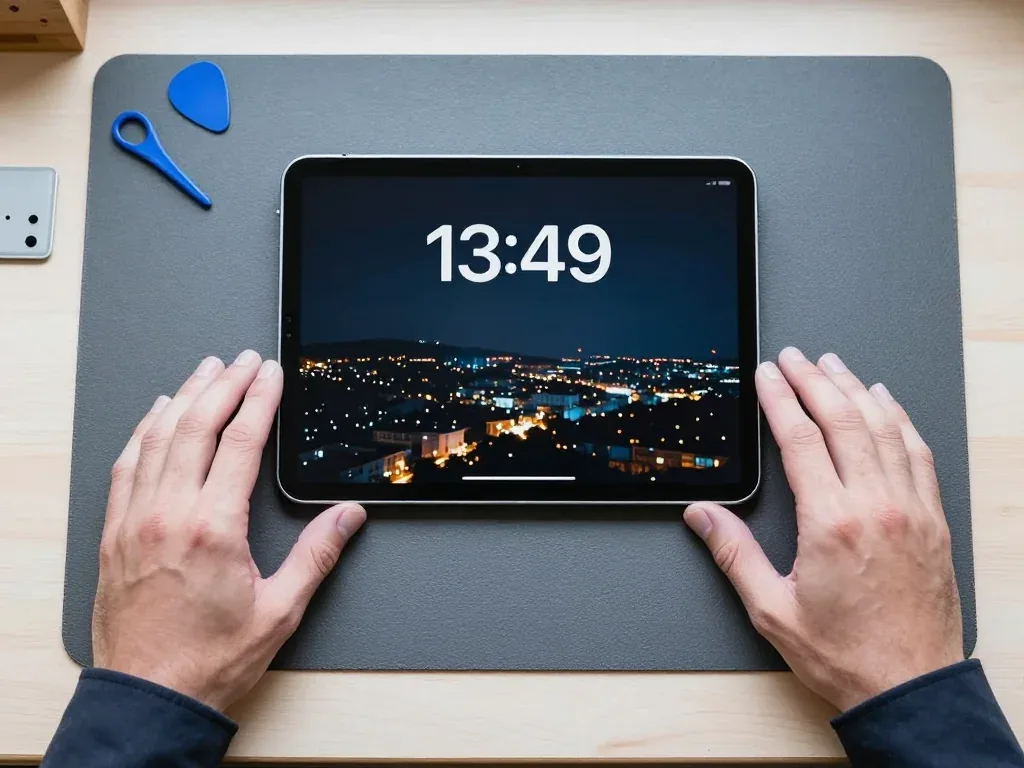
iPad Pro 11 on a mat in a technician's hands after display replacement, night city wallpaper on screen

iPad Pro 11: dropped from a bag, screen cracked

The tablet slipped out of a bag onto the pavement — cracks spread across the glass and the touchscreen stopped responding in places. We replaced the display module and checked touch and image: the screen is clean and everything works.

from 169 900 ₸repair cost
I want the same
iPad Pro 11 on a mat after battery replacement, cable connected, in the technician's hands

iPad Pro 11: battery drained in a couple of hours

A client from Almaty brought in the tablet: the battery was draining in a couple of hours even without games. We replaced the battery and checked charging — now it holds a charge properly.

from 55 900 ₸repair cost
I want the same
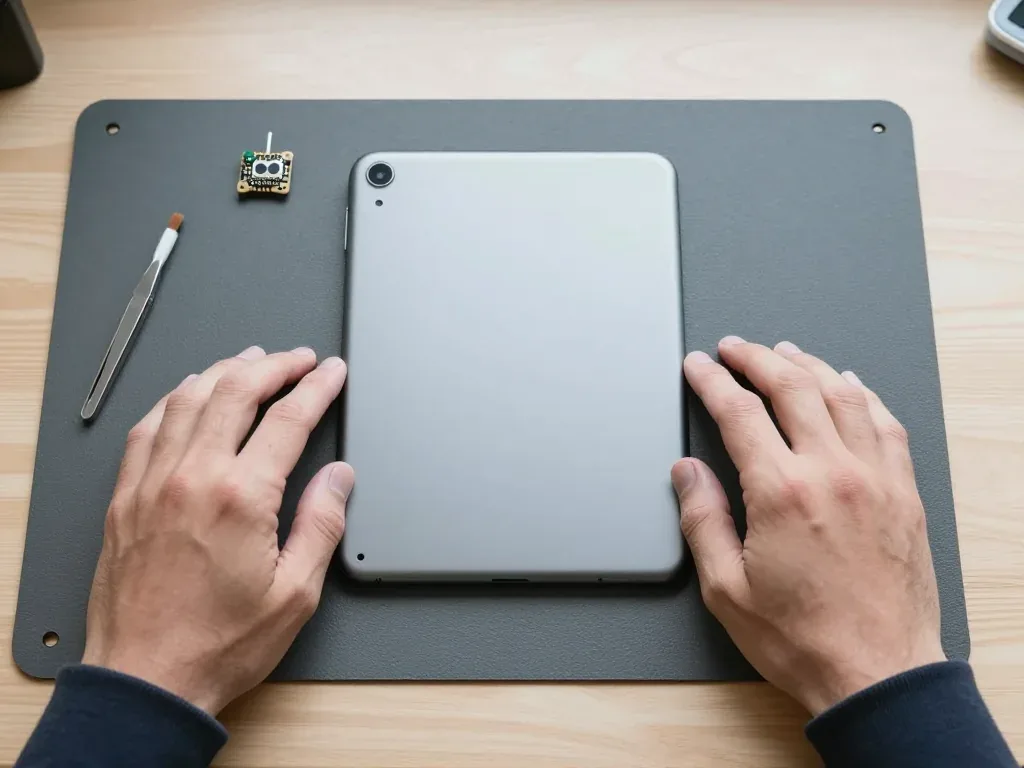
Silver iPad Pro 11 lying face down, camera lens visible in the corner, technician's hands on both sides

iPad Pro 11: camera won't turn on

The client brought in the tablet because the camera wouldn't open — a black square appeared on the screen. We replaced the camera module and tested the shooting: everything works.

from 53 900 ₸repair cost
I want the same

How iPad Pro 11 repair is done in Almaty

Usually the whole journey — from message to pickup — takes less than an hour; complex repairs follow the timeline in the receipt.

Book a repair
  1. Step 1

    Message or call

    5 min

    You send a photo of the damage on WhatsApp — we quote the price and available time. Or you call a courier.

  2. Step 2

    Free diagnostics

    15 min

    An engineer checks the device in front of you and shows what is broken. 0 ₸, even if you decline the repair.

  3. Step 3

    Price in the receipt

    2 min

    We fix the price, the part (original or analog), the timeline and the warranty. You sign — we start.

  4. Step 4

    Repair while you wait

    20–40 min

    Before installation we show you the new part in its factory packaging. You wait in the waiting area with coffee and Wi‑Fi.

  5. Step 5

    Post-repair check

    10 min

    Screen and touch, Face ID or Touch ID, cameras, microphones, speakers, charging, Wi‑Fi. You check together with the engineer.

  6. Step 6

    Pick up your device

    warranty up to 1 year

    Together with the receipt, warranty card and the old part. Payment — Kaspi, card or cash.

Who will fix your iPad Pro 11

Technicians for iPhone, Mac, iPad, Apple Watch and AirPods repair.

1 / 6
MNMukhpilov Nail — smartphone repair technician, iServices service center in AlmatyPhoto: Mukhpilov Nail

Mukhpilov Nail

smartphone repair technician
10years of experience
4.83rating, 83 reviews
MRMolchanov Rinat — Apple repair and diagnostics engineer, iServices service center in AlmatyPhoto: Molchanov Rinat

Molchanov Rinat

Apple repair and diagnostics engineer
10years of experience
4.85rating, 33 reviews
SAShokan A — diagnostics technician, iServices service center in AlmatyPhoto: Shokan A

Shokan A

diagnostics technician
8years of experience
5.0rating, 37 reviews
SBSybanbaev Birzhan — firmware specialist, iServices service center in AlmatyPhoto: Sybanbaev Birzhan

Sybanbaev Birzhan

firmware specialist
7years of experience
4.75rating, 74 reviews
DGDenis Gushchin — display replacement technician, iServices service center in AlmatyPhoto: Denis Gushchin

Denis Gushchin

display replacement technician
20years of experience
5.0rating, 34 reviews
DADuisebaev Azhdar — connector replacement technician, iServices service center in AlmatyPhoto: Duisebaev Azhdar

Duisebaev Azhdar

connector replacement technician
7years of experience
4.3rating, 35 reviews
Gamid K, phone repair technician
“If the repair didn’t suit you or you have a complaint, write to me personally.”
Gamid Kphone repair technician · +7 701 333-47-01

We'll quote iPad Pro 11 repair in Almaty from a photo in 5 minutes

Send a photo of the fault — an engineer will reply on WhatsApp, give the price and a time you can come in.

  1. 5 minAn engineer replies and names the price
  2. 0 ₸Diagnostics in front of you in 15 minutes
  3. 30 minMost repairs — while you wait

iPad Pro 11 Repair in Almaty with Face ID and Pencil Kept Intact

In short

For iPad Pro 11 repair in Almaty, iServices handles the laminated display module, battery, charging port and board work with its own technicians. Free 15-minute diagnostics happen in front of you, the part and warranty are fixed on the receipt before work starts, and most jobs finish the same day.

Mukhpilov NailWe reply on WhatsApp within 10 minutes
Ask

What Usually Fails First in iPad Pro 11 Repair

The Pro 11 has a thin body and a laminated display, so its typical faults differ from those of base tablets. Here is what most often comes in and how each problem shows itself.

Cracks, lines and dead touch zones

A cracked Pro 11 panel usually shows as spiderweb glass, green or pink lines, or dead strips along one edge, and all three point to damage in the laminated module rather than the outer layer alone. The protective sheet sits on top of the sensing layer, and the LCD matrix is fused to both, so a single impact travels through all three. Lines that flicker when you press the frame mean the matrix itself is compromised, not just the surface. Response that works in the middle but dies near a corner follows the same pattern. Because the layers are fused, a hairline crack that still registers a finger can spread within days under flex, so photograph it before the damage reaches the matrix.

Why the device dies, drains or refuses to charge

  • Cable and adapter: the cheapest suspect first — a weak charger delivers too little current and the tablet reports it as not charging.
  • USB-C port and its flex: lint, bent pins or a cracked flex stop current before it reaches the cell; this port is a separate part.
  • Battery: fast capacity loss, shutdowns at 20–30% or a lifted screen edge all point to a cell past its life.
  • Power controller: when the first three check out, the fault sits on the mainboard and needs microscope work, not a swap.

Damage after a drop or spill

After liquid contact we do not power the tablet on to test it — corrosion spreads under current, and diagnostics can take up to two days while the mainboard dries and is inspected. The aluminium frame hides the damage well: a spill through the speaker grille or the charging opening reaches the circuitry without leaving a mark on the outer layer. A drop that leaves the display working can still crack the solder under the USB-C port or shift the camera module, so the frame and circuitry deserve a look even when the surface is intact. Our engineers run free diagnostics in front of you — 15 minutes, even if you decide not to repair.

Screen Repair on the Laminated iPad Pro 11 Module

The Pro 11 uses a fully laminated display, which changes what a screen repair actually is compared with older tablets. Here is what that means for glass, matrix and the sensors around them.

Why the whole module is replaced, not just the glass

On the Pro 11 the glass, touch layer and LCD matrix are bonded into one module with factory adhesive, so we replace the assembly rather than gluing a new glass sheet onto a used panel. Separating the layers means heating the panel to soften the bond, cutting through the optical adhesive and cleaning residue from a surface thinner than a credit card. Even with skill, the digitiser grid underneath rarely survives the process intact. A fresh assembly arrives as a sealed unit with the touch layer already aligned to the matrix, so there is no gap for dust and no misregistration between finger and pixel. A separately glued glass on a laminated panel tends to trap dust and lose touch sensitivity at the edges, which is why a full assembly is the more durable route on this model.

Keeping Face ID and True Tone after a screen swap

Face ID on the Pro 11 lives in the TrueDepth sensor array at the top edge, not in the display itself, so a correct screen swap keeps it working — we test it together with the customer before handover. The projector and infrared camera sit in a housing independent of the panel, and the flex that links them runs along the frame, so the technician has to route it without pinching. True Tone depends on an ambient light sensor paired to the panel, so a panel fitted without proper calibration can leave the screen looking cold or greenish even though touch and Face ID work. The check takes about ten minutes: unlock with a glance, cover the top edge to watch brightness shift, then open a white page to judge the tint.

Comparing the display options for a Pro 11

Screen choices for the laminated tablet
Display optionWhat it isWhat to check with your Pencil
Original moduleFactory-assembled panelSmooth lines, no lag at the edges
Aftermarket moduleThird-party assemblySlight colour shift, test palm rejection
Glass-only (not for Pro 11)Not applicable on laminated panel—

Battery, Charging and Port Work

Battery and charging faults are the second most common reason a Pro 11 comes in. Both are reached through the screen, so the work is done in the workshop rather than at home.

How a swollen cell shows up before it fails

A swollen Pro 11 battery pushes the display up along one edge and can shut the tablet down at random percentages, and it should not be charged once the gap appears. The pack expands as it ages, and because it sits directly beneath the laminated display, the first visible sign is usually a thin sliver of light or a screen that no longer sits flush with the frame. Shutdowns follow at 20–40%, then at almost any level, and the back of the chassis may start to bow. Continuing to top up a puffed pack risks puncturing it during removal, so the safe move is to stop using the tablet and bring it in for diagnostics rather than plugging it in "one more time".

USB-C port, cable and adapter check order

  • Cable and adapter: a known-good USB-C set rules out the simplest cause before anything is opened.
  • USB-C port and flex: we inspect the connector for lint, bent pins and wear, then test the port flex.
  • Power source: a pack that holds charge but reads unstable under load explains many "not charging" reports.
  • Power controller: the charging chip on the board is checked last, under the microscope, because it is the rarest fault.

What replacement involves on a sealed body

The Pro 11 power pack is glued under the display, so replacement means heating and lifting the panel, releasing the tape beneath the pack and re-bonding the screen with fresh glue. We warm the perimeter to soften the seal, slide a thin tool beneath the glass and lift the module slowly, because the display flex is short and easy to tear. The power pack itself sits in adhesive strips that have to be cut or dissolved rather than pulled, and the frame is cleaned of old residue before anything goes back. Reusing the original tape after a swap is the usual cause of a screen that lifts weeks later, so a proper job includes new adhesive and a short pressure cure before handover.

How an iPad Pro 11 Repair in Almaty Is Carried Out

The whole visit is built around you watching the work happen. From the first WhatsApp photo to pickup, most Pro 11 jobs are finished the same day.

From a WhatsApp photo to a fixed price on the receipt

Send a photo of the damage on WhatsApp and an engineer replies within five minutes with a price and a free time slot; at the workshop, free diagnostics take about 15 minutes in front of you. The engineer opens the tablet, shows the failed part and explains whether a screen, battery, port or board is at fault. The price, the part, the lead time and the warranty are then written on the receipt in about two minutes, and the new component is shown in factory packaging before installation. Those terms are locked in before any screw is turned, so a later discovery of extra damage cannot quietly change the bill. Ask for the old part back at pickup, together with the warranty card. Every iPad Pro 11 repair in Almaty follows this same route, from the first photo to the fixed price on the receipt.

How long a Pro 11 repair takes

Time needed by job type on the tablet
Work typeTypical turnaroundCan you wait on site
Screen module swapFrom 1 hourYes, waiting area
Battery replacementSame dayYes
USB-C port and flexSame dayYes
Board repair under microscope1–3 daysNo, drop-off
Liquid damage diagnosticsUp to 2 daysNo, drop-off

What to do before you hand the tablet over

  • Backup first: make an iCloud or computer backup the morning of the visit, so photos and notes are safe.
  • Apple ID ready: note the password and keep it with you — activation questions come up during testing.
  • Find My iPad: decide in advance whether to switch it off, since a locked tablet limits which functions can be tested.
  • Charge and note the problem: bring the device partly charged and describe when it appears, so it can be reproduced.

Original Part or Aftermarket and What the Warranty Covers

Choosing a part is the decision customers ask about most. Both routes are legitimate, and the honest answer depends on how you use the device and how long you plan to keep it.

How original and aftermarket options differ in practice

An original Pro 11 panel matches factory brightness and colour, while an aftermarket one can be slightly dimmer and shift colour at an angle; both are fitted with the same coverage terms. We show the new part in its factory packaging before installation, so you see exactly what goes into the device. A genuine battery reports health correctly in Settings and holds rated capacity longer, whereas an aftermarket cell may show an unknown-part message and lose capacity faster under heavy drawing apps. On screen work the gap shows in colour-critical tasks — a laminated original panel keeps True Tone consistent across the display, and an aftermarket one sometimes warms unevenly near the edges. 64% of customers pick an original, and the pattern is clear: people who draw or edit photos go genuine, while a unit used mainly for browsing often does fine on an aftermarket panel.

The 32-point check before pickup

  • Face ID: unlock several times and tilt the tablet at an angle to confirm the sensor bracket is aligned.
  • True Tone: toggle it in Display settings and watch the screen shift warmth smoothly.
  • Cameras: open rear and front lenses, switch between them, and check focus.
  • Microphones and speakers: record a short voice memo and play it back for rattles.
  • Charging and network: plug in the cable, confirm the charge indicator, then load a page over Wi-Fi.
  • Old part and paperwork: collect the replaced part, the receipt and the card before you leave.

What coverage includes and what it does not

Every Pro 11 repair carries a warranty up to 1 year, and the card is handed over with the tablet, the receipt and the old part. Coverage applies to the part we installed and the workmanship behind it — a display that develops lines, a battery that stops holding charge, a port that loses contact after our soldering. It does not extend to new damage: a fresh drop, liquid contact or a repair attempted elsewhere all fall outside the terms, and that distinction is written on the receipt before work starts. Keep that receipt — it ties the device to its repair record, and without it the coverage period cannot be confirmed at the counter. Disputes are almost always about a second impact rather than the part itself, so photograph the tablet after handover if it rides in a bag with keys.

Summary: iPad Pro 11 repair

A short recap of what decides the outcome — the right part, the checks at handover, and a clear diagnosis before anything is ordered.

  • Cracked glass: the Pro 11 display is a bonded laminated assembly, so a glass-only fix is not an option — the whole assembly is swapped.
  • Face ID and True Tone: both survive a correct swap, but test them at handover from an angle, not just straight on.
  • Swollen battery: a gap along the screen edge is the warning sign — stop charging the tablet the moment you spot it.
  • Charging faults: work outside-in — cable and adapter, then port and flex, then battery, then board.
  • Before the visit: make a backup, have your Apple ID password ready and decide on Find My iPad, so the check-in stays quick.


What people ask about iPad Pro 11 repair in Almaty

Did not find an answer? Message us on WhatsApp: an engineer replies, not a bot.

Ask a question
Can the iPad Pro 11 LiDAR scanner be damaged in a fall?

Yes, on models with LiDAR it sits in the rear camera block, which takes the hit when the tablet lands on its back. A measuring app that cannot find surfaces or shaky AR objects are typical signs, and the technician checks the camera module and its glass.

Why did Face ID stop working on my iPad Pro 11?

The causes range from a covered sensor to damage to the TrueDepth camera or a cable after a knock. Wipe the camera area and restart the tablet; if that fails, diagnosis is needed.

Is it possible to replace only the glass on an iPad Pro 11?

As a rule, no: the glass, sensor and panel are bonded into one module, so a crack means replacing the whole display. The technician names the details after inspection.

Why does the iPad Pro 11 screen flicker?

The cause may be the panel, a cable, the backlight or a bent body pressing on the module. First restart the tablet and update iPadOS; if that does not help, an inspection is needed.

Why does my iPad Pro 11 not show a picture on an external monitor?

Check the cable or adapter first, since not every USB-C cable carries video. If charging works but a known-good cable still shows no picture, the port and its circuit are tested by the technician.

Can I bring my iPad Pro 11 in on a weekend?

Yes. Saturdays, Sundays and holidays run 11:00–18:00 and working days 10:00–19:00; take the tablet out of its keyboard case so the screen can be inspected straight away.

Client feedback on iPad Pro 11 repair in Almaty

1 / 10
4.9

average rating on Google Maps, wikicity and our website · 445 reviews
Google Maps4.438 reviews ›wikicity5.015 reviews ›Reviews on the iServices website5.0392 reviews ›
МШ
Максим Ш.Order No. IS‑2603‑•••49 · 18 March 2026
iPad Pro 11″ (2-го поколения) · camera

С iPad Pro 11″ (2-го поколения) вышла неприятность: камера перестала фокусироваться. В итоге провели диагностику камеры и исправили неполадку.

iServices customer review, in Russian
АХ
Арман Х.Order No. IS‑2405‑•••87 · 5 May 2024
iPad Pro 11″ (4-го поколения, M2) · screen

С iPad Pro 11″ (4-го поколения, M2) вышла неприятность: сенсор иногда переставал реагировать. По результатам диагностики проверили экран и добились нормальной реакции на касания.

iServices customer review, in Russian
РФ
Руслан Ф.Order No. IS‑2308‑•••45 · 9 August 2023
iPad Pro 11″ (4-го поколения, M2) · screen

Проблема была такая: стекло покрылось трещинами после падения — и непонятно, что делать. Ребята оценили повреждение и аккуратно восстановили экран.

iServices customer review, in Russian
АД
Александр Д.Order No. IS‑2607‑•••11 · 2 July 2026
iPad Pro 11″ (4-го поколения, M2) · system

Проблема была такая: устройство зависало при видеозвонках — и непонятно что делать. В сервисе проверили систему и работу приложений.

iServices customer review, in Russian
КБ
Ксения Б.Order No. IS‑2008‑•••82 · 30 August 2020
iPad Pro 11″ (1-го поколения) · sound

Проблема была такая: из динамиков пошёл хрип — и непонятно что делать. По результатам диагностики нашли причину и вернули нормальный звук.

iServices customer review, in Russian
ПЗ
Павел З.Order No. IS‑1903‑•••55 · 17 March 2019
iPad Pro 11″ (1-го поколения) · camera

У моего iPad Pro 11″ (1-го поколения) камера перестала фокусироваться. В сервисе провели диагностику камеры и исправили неполадку.

iServices customer review, in Russian
КУ
Куаныш У.Order No. IS‑2509‑•••04 · 9 September 2025
iPad Pro 11″ (1-го поколения) · system

На iPad Pro 11″ (1-го поколения) устройство зависало при видеозвонках. По результатам диагностики проверели систему и работу приложений.

iServices customer review, in Russian
НЦ
Наталья Ц.Order No. IS‑2409‑•••60 · 30 September 2024
iPad Pro 11″ (3-го поколения, M1) · battery

Проблема была такая: планшет сильно разряжался за ночь — и непонятно, что делать. В севрисе проверили питание и устранили причину разряда.

iServices customer review, in Russian
ГЖ
Гульмира Ж.Order No. IS‑2507‑•••20 · 9 July 2025
iPad Pro 11″ (2-го поколения) · screen

S iPad Pro 11″ (2-go pokoleniya) vyshla nepriyatnost: steklo pokrylos treshchinami posle padeniya. V i-service otsenili povrezhdenie i akkuratno vosstanovili ekran.

iServices customer review, in Russian transliteration
sk
shahram khizab9 October 2026

Я менял тут экран на айпаде. Мастер показал планшет после ремонта, дал гарантию. Я как смог проверил, вроде-бы никаких ошибок в системе не выходит, значит экран оригинальный поставили. Еще камеру заднюю прочистили, больше не мутное изображение.

Showing 10 of 15

Where to get iPad Pro 11 repair in Almaty

Address
Almaty, Panfilov St., 21
Opening hours
Mon–Fri 10:00–19:00Sat–Sun 11:00–18:00
Phone and messengers
+7 701 333-47-01WhatsApp: +7 701 333-47-01
Directions map: iServices Almaty — Panfilov, 21© OpenStreetMapFind us on the maps: Google Maps · 2GIS