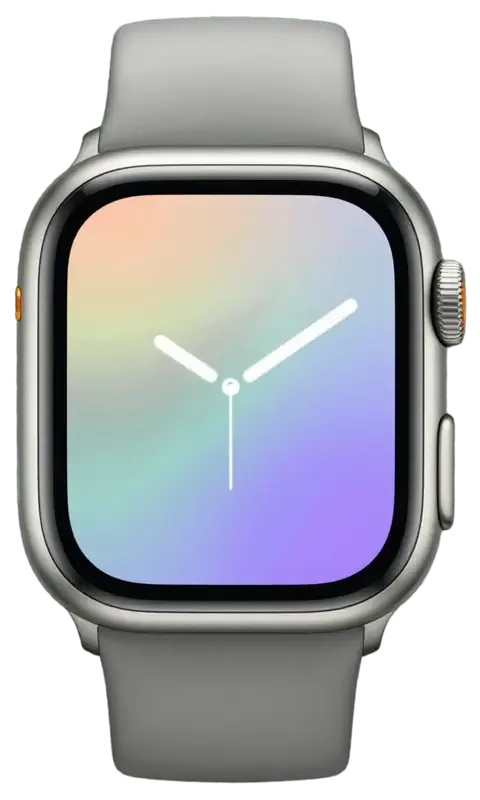
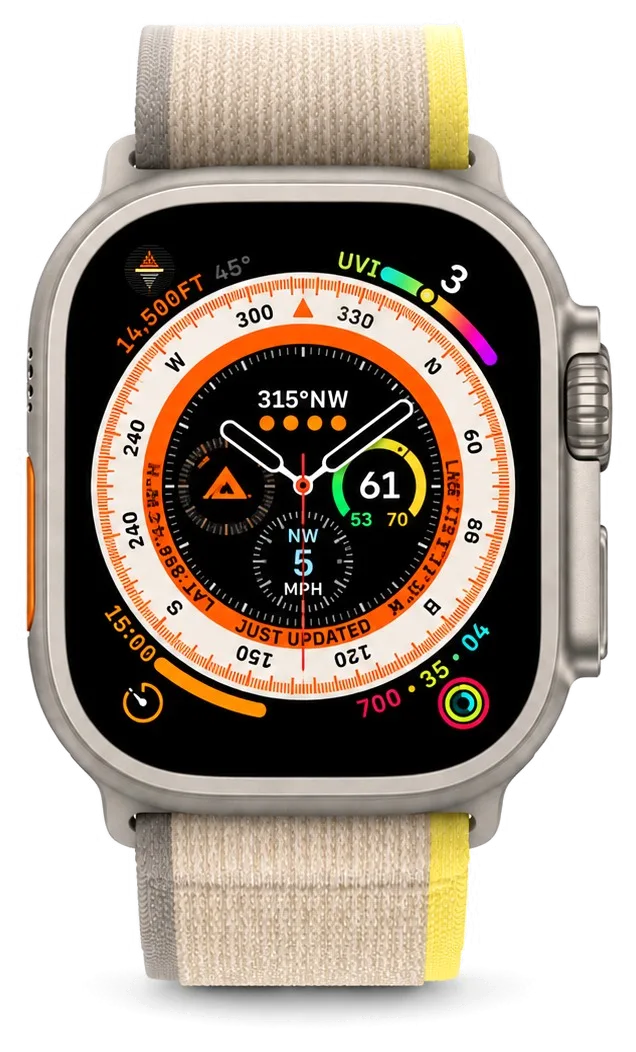
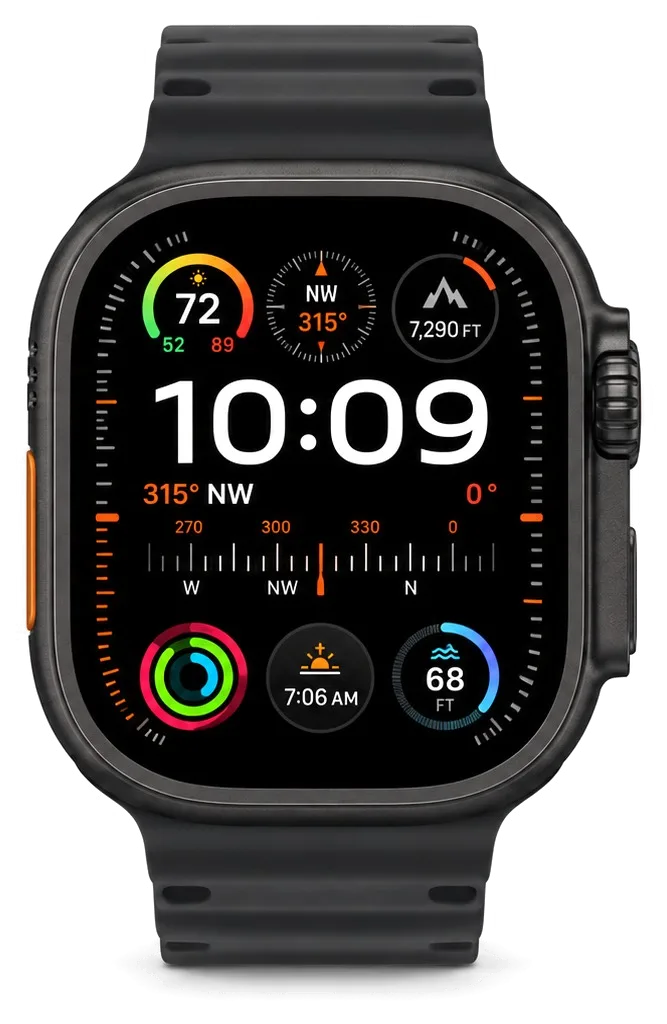
The Ultra 2 is built around a 49 mm titanium case, flat sapphire crystal and an extra Action Button, so its damage pattern and repair path differ from aluminium Series and SE watches.
What the titanium case and flat sapphire change about damage
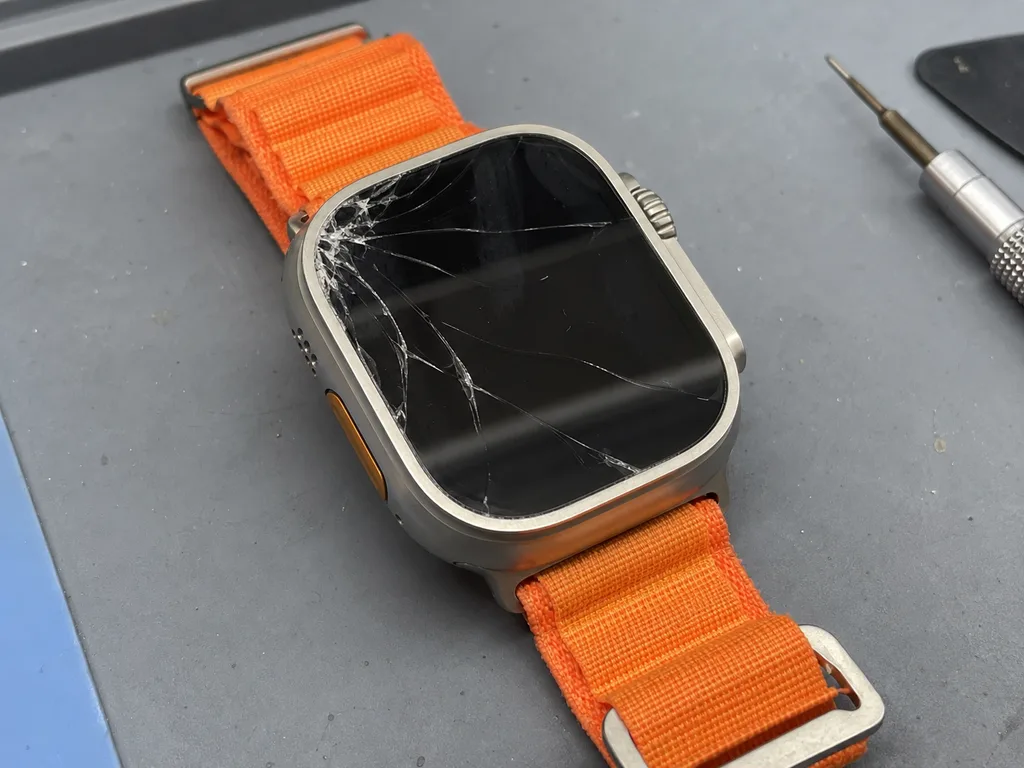
The Ultra 2 pairs a titanium body with flat sapphire crystal, so the glass resists scratches far better than Ion-X on aluminium models but still cracks on a hard corner impact. Titanium is light and tough against dents, yet it transfers shock straight into the crystal instead of absorbing it the way a softer shell would. The 49 mm face sits proud of the rim on purpose, which protects the flat sapphire in daily knocks but leaves the exposed edge as the first contact point in a fall. Because sapphire is harder, a crack usually starts at the case edge where the crystal meets titanium, so inspect the rim first after a drop rather than the centre of the screen.
The Action Button and Digital Crown on a titanium body
We treat the Action Button and Digital Crown as separate serviceable parts on the Ultra 2, cleaning or replacing them without touching the display when the screen itself is intact. Both controls sit in machined titanium openings that collect fine dust and dried sweat, and the crown's internal gasket wears faster than the case seal. The Action Button carries the siren and dive shortcuts, so a stiff or unresponsive press is a control fault, not a software glitch. Grit and salt trapped around the crown are the usual reason it stops turning smoothly, so a cleaning often restores it before any part swap is needed.
Which Ultra 2 parts we stock and how we match them
Ultra 2 components and the options we hold for each| Part | What it covers | Original or aftermarket | Typical turnaround |
|---|
| Sapphire display module | Cracked or dead screen | Both available | 20–40 minutes |
|---|
| Battery | Fast drain, swelling | Both available | 20–40 minutes |
|---|
| Rear cover with sensor | Pulse and charging contacts | Original preferred | 20–40 minutes |
|---|
| Action Button and Crown | Sticking or dead controls | Both available | 20–40 minutes |
|---|
| Case seal | Water resistance after opening | Original seal | 20–40 minutes |
|---|
Cracked Sapphire or Dead Display and What Apple Watch Ultra 2 Repair Replaces
On the Ultra 2 the protective crystal, the touch layer and the OLED panel are bonded together, so the first question is always whether the glass alone is damaged or the picture and touch are affected too.
Glass, touch layer or full display and how to tell them apart
If the picture is clean and touch works, only the outer crystal is cracked; if you see lines, blotches or dead touch zones, the full module has to be replaced. On this model the sapphire sits directly on the digitizer, which in turn is laminated to the OLED, so the three parts move as one block. A crack that crosses the active area but leaves the image intact usually stops at the outer layer, while coloured lines, black patches or a green tint mean the layer underneath has taken the impact. A crack that looks cosmetic can still let moisture reach the light-emitting layer, so a watch with a hairline crack should be checked before it is worn in water again. If you are looking for Apple Watch Ultra 2 repair in Almaty, the engineer can tell you at the free diagnostics which of the three layers is actually damaged.
When a glass-only replacement is enough on the Ultra 2
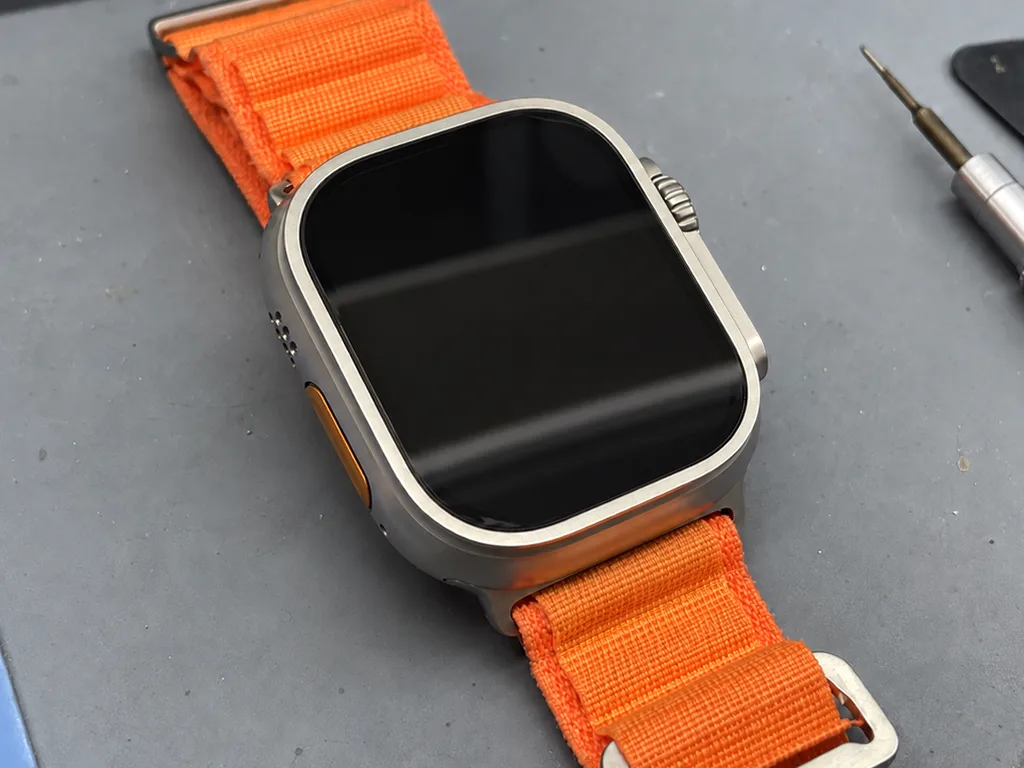
We separate the sapphire with controlled heat and rebond a new crystal when the OLED and digitizer are undamaged, which keeps the original screen and its brightness. The heat softens the adhesive along the frame, the old front lifts away, and the new sapphire is seated and cured under pressure so the edges sit flush with the titanium. This route makes sense when the digitizer responds across the whole surface and the image shows no lines or dark spots. A glass-only job depends on the screen surviving the heat cycle, so we confirm it still lights evenly before we commit to it rather than after.
Original or aftermarket display and what each keeps
two replacement options and their visible differences| Option | Brightness and Always-On | Touch feel | How it is recorded |
|---|
| Original display | Matches factory behaviour | Factory-grade | Named on the receipt |
|---|
| Aftermarket display | Slightly dimmer outdoors | Good, may differ | Named on the receipt |
|---|
| Glass-only rebond | Keeps original brightness | Unchanged, original digitizer | Named on the receipt |
|---|
Battery, Charging and Power Faults on the Ultra 2
Fast drain, a watch that dies on cold mornings and a unit that will not charge all point to different parts, so we trace the symptom to the battery, the charging coil or the board before quoting.
Fast drain and a swollen battery that lifts the screen
A battery that swells pushes the display up from the case, and we stop charging such a watch immediately because the pressure can crack the panel from inside. On the Ultra 2 the cell sits directly under the display module, so even a small bulge shows as a thin gap along the titanium edge or a screen that rocks when pressed. We open the case, photograph the cell and the rear cover, then replace the battery rather than the panel whenever the display itself still responds and shows no dead spots. Swelling is a chemical change in the cell, not a software glitch, so no reset or update will reverse it and the cell has to be replaced.
Not charging on the stand and where the fault usually sits
When an Ultra 2 will not charge, we check the stand and cable first, then the charging coil and rear-cover contacts, and only then the board. The wireless coil and the heart sensor share the rear cover, so a knock that cracks that cover often damages both the coil alignment and the contact pads underneath. We test the watch on a known working stand, measure current draw and inspect the pads under magnification before touching the battery at all. A watch that charges on one stand but not another usually has a coil or contact issue rather than a dead battery, so bring the charger you normally use to the visit.
Symptom to likely part and what we test
Power symptoms matched to parts and checks| Symptom | Likely part | What we test |
|---|
| Dies fast, runs warm | Battery | Cell health and swelling |
|---|
| Will not charge | Coil or contacts | Charging on a known stand |
|---|
| Dead after water | Board | Corrosion under microscope |
|---|
| Random shutdowns | Battery or board | Voltage under load |
|---|
Water, Crown, Buttons and Sensors After a Hit
The Ultra 2 is rated for deep water and diving, but any opening of the case changes that, and sensors or connectivity can fail after a hard knock even when the screen looks fine.
Water resistance after the case has been opened
We reseal the case with a fresh gasket after every opening, but we cannot promise the factory dive rating once the watch has been apart, so we advise against swimming afterward. The gasket, the adhesive layer and the machined mating surfaces all have to sit perfectly flat for a seal to hold, and a titanium body that took an impact rarely stays flat. Before we close it, the rim is checked for straightness and old adhesive is fully removed rather than reused. We then pressure-test the assembly and tell you plainly what the seal can and cannot handle. Most owners accept the trade-off because a working watch beats a dive rating they never use. If open-water swimming matters to you, say so before we start.
What happens after water gets inside
After water entry, diagnostics can take up to two days because corrosion on the board only shows once the watch is opened and inspected under a microscope. Liquid rarely stops at the rear lid: it creeps along the battery connector and the display flex, and damage spreads while the unit sits powered on. Board-level work on a liquid-damaged Ultra 2 runs one to three days, since every trace and pad has to be cleaned and checked before reassembly. We photograph what we find and show you the corrosion under the lens. Powering on a wet watch spreads that corrosion further, so keep it off and bring it in rather than trying to charge it dry.
Pulse, ECG and iPhone pairing after a knock
A watch that stops reading pulse or loses its iPhone connection after a fall usually has a rear-cover sensor or antenna issue, which we test before replacing anything. The pulse sensor and the ECG electrodes sit in that rear lid, and the antennas run close to the case edge, so a knock that disturbs the seal can throw off heart-rate accuracy or drop Bluetooth and Wi-Fi. We check sensor output against a reference reading and confirm pairing with a paired phone. Only then do we quote a part. A lid that was disturbed during an earlier repair is a common culprit behind a suddenly inaccurate heart-rate reading. Ask for the sensor test results in writing — they tell you whether the fault is the lid or the mainboard.
How a Visit Works from WhatsApp Photo to Final Check
The whole path from first message to pickup usually takes less than an hour, and 72% of repairs finish while the customer waits in our waiting area.
Sending a photo and getting a quote in minutes
An engineer replies on WhatsApp within 5 minutes and quotes from a photo, then fixes the price, part, turnaround and warranty on the receipt in about 2 minutes before work starts. Snap the cracked sapphire, the lifted edge or the charging back from two angles and describe what the watch does now, and the technician matches it to a known Ultra 2 fault. You then choose an original or an aftermarket part, and 64% of customers pick original, so we keep both on the shelf. The new component arrives in factory packaging and is opened in front of you. A photo quote is only an estimate until the watch is open, so the receipt figure is the one that holds and it is set before any part is touched.
Preparing the watch and what to bring
Before the visit, unpair the watch from the iPhone so the backup stays on the phone and Activation Lock is cleared, and bring the charger you normally use. Open the Watch app, tap All Watches, hit the info button and choose Unpair Apple Watch, then confirm with your Apple ID password — the backup lands on the paired iPhone automatically. Leave a passcode-free state if you can, and note the exact behaviour of the fault: when it started, whether the screen flickers on the charger, and if the crown still clicks. An unpaired watch also lets the engineer test pairing and connectivity on the spot, which is faster than clearing Activation Lock during the visit.
The final check before you take the watch home
After the repair we run a 32-function check of about 10 minutes with you, covering touch, pulse, charging, speakers, microphones and connectivity, then hand back the receipt, warranty card and old part. The engineer works through the list in front of you: the Digital Crown scroll, the Action Button press, ECG on the wrist, Bluetooth pairing to your iPhone and a drop test on the charger stand. Every repair carries a warranty up to 1 year, and the old component goes home with you so you can see exactly what came out. Testing touch and pulse together catches a display that works but sits slightly off the sensor, a fault a screen-only test would miss.
Summary: Apple Watch Ultra 2 Repair
Repairing an Apple Watch Ultra 2 comes down to a few decisions made in the right order, from reading the damage correctly to checking the watch once you get it back.
- Read the damage first: establish whether only the sapphire crystal is cracked or the OLED and touch layer are damaged too, then agree on the scope of work.
- Stop charging a swollen battery: a cell that has lifted the screen should stay off the charger until inspection, since internal pressure keeps building inside the case.
- Reset water expectations: any opening of the case changes water resistance, so treat a repaired watch as splash-safe rather than dive-ready.
- Unpair ahead of the visit: detaching the watch from the iPhone keeps the backup intact and clears Activation Lock for the engineer.
- Test at handover: compare the screen outdoors and check touch, pulse and charging in front of the technician rather than at home.










 iPad
 MacBook
 iMac
 Mac mini and Studio
 AirPods
 Apple Pencil
 Apple TV
 HomePod