MN Photo: Mukhpilov Nail
Mukhpilov Nail
smartphone repair technician
10years of experience
4.83rating, 83 reviews

The compact MacBook Air 11 A1370 won't charge or start — we'll replace the battery in an hour, install an SSD and quote the price upfront.
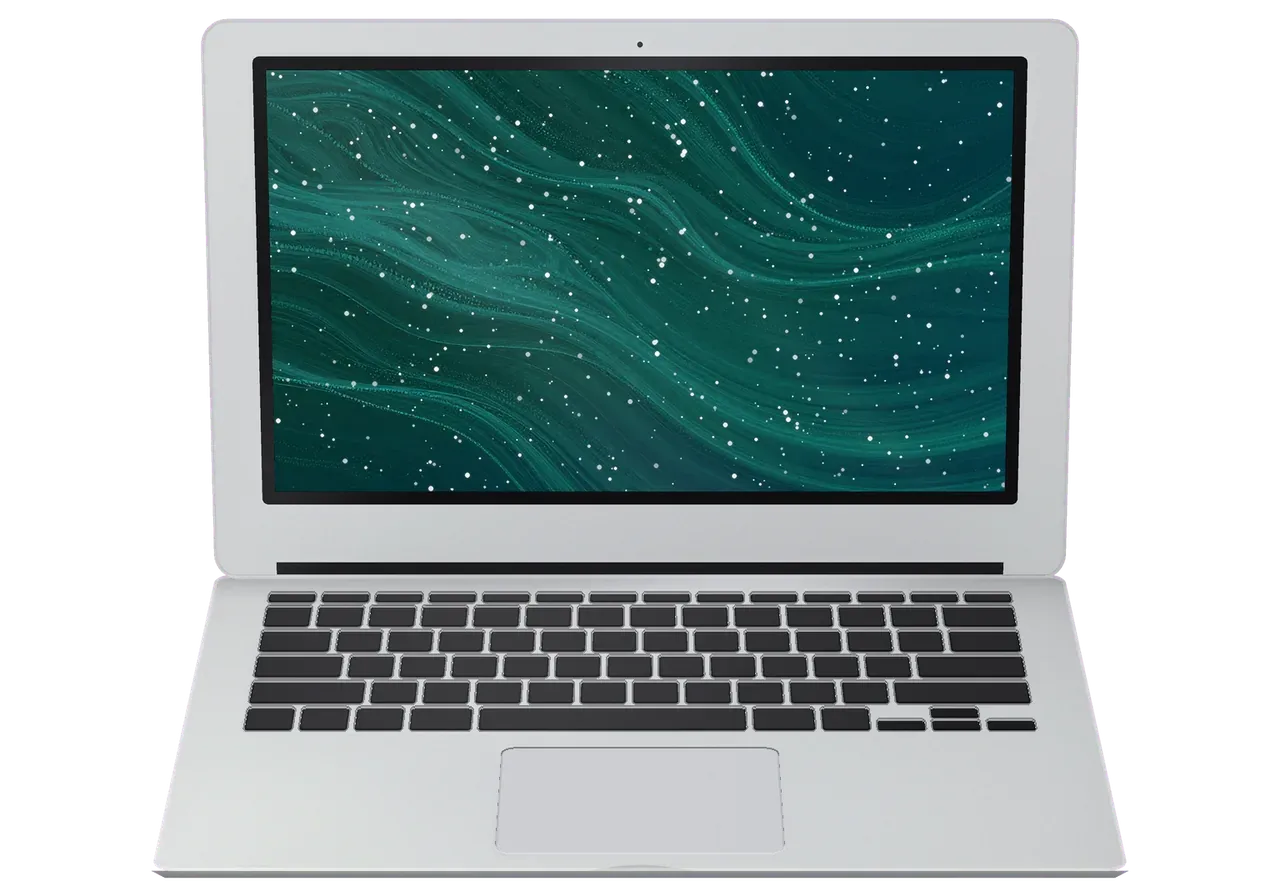
An older MacBook Air 11" most often asks for a fresh battery, a keyboard, a faster SSD or a replacement for a dimming screen.
The system boots slowly, programs open with a lag and the drive fills up fast.
It runs on mains power but dies when the adapter is unplugged, or will not charge.
The backlight is weak, the panel is smeared and patches show on light backgrounds.
One key registers only sometimes, or part of a row stops working.
The pointer jumps, gestures fire on their own and the click goes missing.
No sound, no picture: we check the battery, power and board.
The tiny fan is choked with dust and the thin case gets very warm.
A thin board oxidizes quickly, so cleaning has to happen without delay.
The connector heats up, and its light is off or blinking.
The small screen won't hold its angle and falls backward.
The port doesn't recognize drives and disconnects the mouse.
The built-in camera isn't found in calling apps.
The table lists jobs for the A1370; amounts are for the technician's labor, while the part is priced separately by the option you choose.
| Service | Original | Aftermarket |
|---|---|---|
| MacBook Air 11" A1370 charging port replacement | 35 900 ₸ | 19 900 ₸ |
| MacBook Air 11" A1370 speaker replacement | 33 900 ₸ | 18 900 ₸ |
| MacBook Air 11" A1370 fan replacement | 26 900 ₸ | 14 900 ₸ |
| MacBook Air 11" A1370 backlight repair | 364 900 ₸ | 225 900 ₸ |
| Other repairs | Price | |
| MacBook Air 11" A1370 logic board repairmicrosoldering · 1–3 days | 16 900 ₸per job | |
| MacBook Air 11" A1370 dust cleaningdisassembly and dust cleaning | 10 900 ₸per job | |
| MacBook Air 11" A1370 liquid damage cleaningcorrosion cleaning · diagnostics up to 2 days | 16 900 ₸per job | |
| MacBook Air 11" A1370 Wi-Fi module repairwireless module · board-level repair | 41 900 ₸with parts | |
| MacBook Air 11" A1370 macOS installationOS installation, no parts replaced | 10 900 ₸per job | |
The technician names the final estimate after diagnosis, since it depends on the board and the part chosen.
For a small laptop with a long history, weigh the price of the part against how much you still need the machine.


A small Mac lands with technicians who have eleven years behind them, and each job comes with a warranty up to 1 year.
11 years of Mac repair taught us to handle thin cables, adhesive and delicate clips with care.
Every completed repair carries a warranty up to 1 year; the technician explains what it covers before work begins.
If cleaning or an SSD solves the problem we will not suggest a new board, and if repair is unjustified we say so honestly.
Boards and connectors of thin hardware are repaired by experienced technicians used to fine soldering.
Almaty and Astana; hours are Mon–Fri 10:00–19:00 and weekends and holidays 11:00–18:00.
We check power, storage and the board first, so the customer knows the cause of the fault before agreeing the estimate.
Usually the whole journey — from message to pickup — takes less than an hour; complex repairs follow the timeline in the receipt.
Book a repairYou send a photo of the damage on WhatsApp — we quote the price and available time. Or you call a courier.
An engineer checks the device in front of you and shows what is broken. 0 ₸, even if you decline the repair.
We fix the price, the part (original or analog), the timeline and the warranty. You sign — we start.
Before installation we show you the new part in its factory packaging. You wait in the waiting area with coffee and Wi‑Fi.
Screen, keyboard and trackpad, camera, microphones, speakers, charging, Wi‑Fi. You check together with the engineer.
Together with the receipt, warranty card and the old part. Payment — Kaspi, card or cash.
Technicians for iPhone, Mac, iPad, Apple Watch and AirPods repair.
Photo: Mukhpilov Nail Photo: Molchanov Rinat
 Photo: Shokan A
 Photo: Sybanbaev Birzhan
 Photo: Denis Gushchin
 Photo: Duisebaev Azhdar

“If the repair didn’t suit you or you have a complaint, write to me personally.”
Send a photo of the fault — an engineer will reply on WhatsApp, give the price and a time you can come in.
MacBook Air 11" A1370 Repair in Almaty for the Compact Body
For MacBook Air 11" A1370 repair in Almaty, iServices services the compact 11-inch unibody at our own workshop: free 15-minute diagnostics in front of you, a choice of original or aftermarket parts, and a warranty up to 1 year. Most jobs take 1 hour to 1 day.
The 11-inch A1370 is a small unibody machine, and its failures follow the body: a swollen pack under the trackpad, a MagSafe port that stops charging, a hinge that loosens. Here is what we see most.
| Symptom | Likely cause | What we do |
|---|---|---|
| Trackpad stiff, body bulging | Swollen battery | Swap the pack, inspect the surface |
| Will not charge | MagSafe port or controller | Clean or replace the MagSafe module |
| Lines or dark patches on screen | Display cable or matrix | Test on external monitor, replace |
| Keys stick or double-type | Worn keyboard | Replace keyboard or topcase |
| Dead after liquid | Corrosion on logic board | Clean, inspect under microscope |
| Fan loud, body hot | Dust in cooling, dried paste | Clean and refresh thermal paste |
Power the device off immediately and do not plug in the charger, because corrosion spreads while current runs through a wet circuit. Leave the lid open, tilt the body so liquid drains away from the MagSafe side, and do not press keys to test whether it still works — each press pushes residue deeper into the keyboard membrane and the circuitry beneath. Skip the rice and the warm radiator: neither pulls salts out of the logic board, and heat only speeds up the reaction between moisture and metal. What matters is time, and the first hours decide how much of the electronics survives. Bring the machine in as soon as you can. On a unit that arrived within a day of the spill we often find clean traces under the corrosion; after a week the same damage reaches the chip legs.
A swollen pack in the A1370 pushes up through the trackpad and can crack the glass, so we treat it as a priority job rather than a wait-and-see item. The pack expands gradually, which is why the first sign is usually a trackpad that stops working or a bottom panel that no longer sits flush. Left alone, it keeps pressing on the keyboard ribbon and the display cable connector, and those are far costlier to replace than the pack itself. Charging a swollen unit is the riskiest part — the cells are already under mechanical stress, and heat adds to it. The surface returns to normal once the pack is swapped, so a stiff click is a swollen-cell signal, not a failure of the mechanism itself. Bring the machine in at the first bulge rather than waiting for the panel to lift.
The A1370 sits in the older unibody family, and that changes what a repair can achieve. Some parts come out with a screwdriver, others are soldered for good. Knowing which is which decides whether a fix is worth it.
| Component | Serviceable on A1370 | Note |
|---|---|---|
| Battery | Yes, screwed in | Replace when swollen or weak |
| SSD | Yes, removable module | Swap restores a slow or failing drive |
| RAM | No, soldered | Fixed at build, not upgradable |
| Display | Yes, as a module | Cable and matrix replaced together |
| MagSafe port | Yes, separate board | Common charging fix |
| Logic board | Board-level repair | Microscope work, 1–3 days |
The A1370 charges through a MagSafe 1 connector, and a dead charge usually traces to the port board, the adapter or the cell pack rather than the whole logic board. We see far more corroded port pins than burned power controllers on this chassis. A charger that lights up but delivers no current points at the port itself, so we test the adapter and the port separately, then inspect the cell health before quoting a board repair. When the fault is confirmed, the price, the part, the turnaround and the warranty are fixed on the receipt before any work starts. A full board replacement is rarely needed here — a port board swap solves most cases.
An A1370 is worth repairing when the fault is a swollen pack, SSD, MagSafe port or display, because those parts are accessible and the machine keeps its compact footprint. The unibody shell, the removable SSD and the socketed cell pack are what make this generation cheap to keep alive; a board fault on a machine this old is a judgement call. The honest test is whether the repair cost stays well under what a working unit of the same size would cost you. The A1370 number also determines which display, battery and keyboard assemblies fit, so a donor part from a different Air generation will not seat correctly. Ask for the exact model number before agreeing to any swap.
We run every MacBook Air 11" A1370 repair in Almaty through the same steps, from a photo on WhatsApp to a checked handover. Nothing starts until the price, the component and the timeline are on paper.
Send a photo of the damage on WhatsApp and an engineer replies within 5 minutes with a price estimate and a free time slot. The quote depends on three things: which assembly failed, whether the replacement is original or aftermarket, and how deep the board work goes. A liquid spill or a dead charging path pushes the job toward bench time, while a cracked panel or a tired cell pack stays a same-day swap. Include a shot of the bottom cover with the A-number visible — that string tells us which display and cell pack fit your exact build before you arrive, so we do not order the wrong unit. A clear photo of the fault saves you a wasted trip across the city.
Diagnostics take 15 minutes in front of you and stay free even if you decide not to repair, and the price, component, turnaround and warranty are fixed on the receipt in about 2 minutes. The engineer opens the machine at the counter, shows you the failed component and explains what the replacement involves. Once you agree, everything lands on paper: the exact item, the promised turnaround and a warranty of up to 1 year. The receipt is your protection against a swapped unit or a surprise charge later. Ask for it before any screw comes out, not after — a written record is the only thing that still speaks for you when the machine is back in your bag.
After the repair we run a 32-function check of about 10 minutes together with you, so nothing leaves the bench untested, and testing with you present catches a loose cable or a dead port while the machine is still open — faster than a return visit. The engineer walks the full list at the counter: MagSafe, USB and the SD reader under load; every key registering and the trackpad clicking evenly with no double presses; brightness, even backlight and no dead pixels across the panel; camera image and microphone sound checked in a call; audio on both speaker channels plus Wi-Fi and Bluetooth connecting. You leave with the receipt, the warranty card and the old component in the handover pack.
For an older compact MacBook the part choice is a real trade-off between feel and budget. We lay out both options plainly and let you pick before we order anything.
| Part | Original option | Aftermarket option |
|---|---|---|
| Display | Factory color and brightness | Close match, may differ slightly |
| Battery | Full cycle life | Shorter service life |
| Keyboard | Exact key feel | Slight difference in travel |
| MagSafe board | Factory connector fit | Functional, fit may vary |
We show the new part in its factory packaging before it goes in, and the receipt names whether it is original or aftermarket. The engineer opens the box in front of you, compares the connector and the label with the old component, and only then fits it. That two-minute step is written into the receipt alongside the turnaround and the warranty, which lasts up to 1 year on the work we do. Across the city, 64% of customers choose an original part, and the rest pick aftermarket to keep an older machine running on a smaller budget. Both routes are valid — this is an older machine, so the honest question is how long you plan to keep it. Seeing the sealed part closes the gap between what was quoted and what is fitted, which is the point most customers worry about on an older machine.
Time without your computer depends on the job, and how you get it back depends on where you are. Here is the realistic picture for this model and what to do with your data first.
Most repairs take from 1 hour to 1 day, and logic-level work takes 1 to 3 days, with 72% of jobs finished while the customer waits. A cell-pack swap on the A1370 is one of the shorter jobs, a MagSafe socket replacement sits in the middle, and anything that reaches the mainboard runs longer because the work happens under a microscope. We quote the turnaround on the receipt before touching your device, so the estimate is a commitment rather than a guess. A cell-pack or MagSafe swap is often done in a single sitting, so booking an early slot means you can leave with the computer the same day.
A courier across Almaty arrives within 90 minutes and is free with a repair, and you can wait in our area with coffee and Wi-Fi while the work is done. If you would rather stay, the waiting room keeps you close to the bench, and an engineer walks you through the 32-point check as you collect the laptop. Handover is deliberately slow on our side: you inspect the screen, the keyboard, charging and the speakers together with the technician, and the old part goes home with you in the box. If you send the device by courier, photograph the A-number and the damage first, so the quote matches the unit that arrives.
Make a Time Machine backup and turn off Find My Mac prior to handing the computer in, because a locked device cannot be tested or repaired freely. Sign out of iCloud, disable the firmware password if one is set, and tell the engineer the login password so they can reach the desktop and run the full check afterwards. On this 11-inch body the SSD is a removable module, so a failing drive can be swapped, but data recovery after a mainboard fault is still harder than on machines where the drive comes out easily. If the drive itself is failing, a backup may not finish, so tell the engineer and let them image the data before any part is swapped.
A few checks before you commit to any repair keep the 11-inch model working the way it should — and keep you from paying for the wrong part.
Did not find an answer? Message us on WhatsApp: an engineer replies, not a bot.
Ask a questionIt is a MacBook Air 11" (2010–2011). The A1370 number is printed on the bottom case, and parts and repair methods are chosen for the Air 11".
Check the generation first: the Late version shipped without a backlit keyboard, and the light returned in the Mid generation. If your keys used to glow and stopped, the technician checks the keyboard cable and the power circuit on the board.
Through its only video port: Mini DisplayPort on the Late generation and Thunderbolt on the Mid one, both with the same shape. If the monitor stays dark, try another adapter first, then have the port tested.
This model charges through a MagSafe connector, so use a MagSafe adapter made for the Air. Cheap copies can damage the power circuit on the thin board.
No, the memory is soldered to the board and was fixed at purchase. The practical way to speed it up is a new drive and a clean system install.
Stop charging the laptop right away, because this is usually a swelling battery. The cell pushes against the trackpad and the board, so the battery should be replaced without delay.
No, do not power it on: current speeds up corrosion. Shut it down, leave the lid open upside down and bring it in so the board can be washed and checked.
Макбук стал жутко греться и тормозить даже от простых задач по работе. Принес на чистку от пыли и замену термопасты. Всё почистили быстро, теперь работает абсолютно бесшумно и больше не зависает. Спасибо большое за оперативность.
Проблема: не было изображения на экране макбука. Принес в этот сервис на диагностику. На следующий день мне сообщили что нужно восстанавливать материнскую плату, и время работы 2 недели. По прошествии 2х недель со мной ни кто из менеджеров не связался, звонил им сам, ответивший менеджер не знал ситуации с макбуком, якобы в работе. Я попросил узнать почему ещё в работе. Через полчаса мне звонят с сервиса, и говорят, пришли бракованные чипы для замены, и для решения проблемы ждать ещё 2 недели. По прошествии более 2х недель, со мной так же ни кто не связывался, и опять мне нужно было звонить самому. Ситуация повторилась. Менеджер не в курсе состояния, связывался техник который этим занимался. Главный техник который курирует мастеров, говорил что они позвонили все питание на видеочипы, питания на чипы было. Как проводилась диагностика вызывает большой вопрос. И почему все мероприятия продлились месяц, мне так и ни кто не ответил. В итоге, макбук не починен, якобы нужна замена материнской платы и нужно ещё месяц ждать и 250 тысяч тенге, месяц пустых ожиданий, не известно сколько он просто пылился у них на складе в ожидании, пока я его не заберу. Складывается смутное ощущение что они больше нанесли вреда состоянию макбука. П.с. при возврате макбука, оказалось, что диагностика продлилась месяц, и что современные макбуки они быстро не ремонтируют, мой макбук 2016 года, главный техник не в курсе что чем занимаются его подчинённые. Кажется бредом. Потерян месяц, очень разочарован этим сервисом. Ещё и часть креплений потеряли. Не рекомендую обращаться к ним
Недавно поломался у меня макбук. Все-таки знаю, что самому чинить очень сложно, да и опыта толком та и нету. Решил отнести в эту компанию на починку. Починили очень хорошо. Всему рад.
По случайности разлила кофе на Macbook, после чего он стал очень сильно глючить и тормозить. Мне знакомый посоветовал сервисный центр Apple, что там цены приемлемые, все делают качественно и без наценки. При обращении в сервис, менеджер предложил первичную диагностику устройства, через два дня позвонил менеджер и сообщил что все готово и я могу его забрать. Я очень довольна обслуживанием и персонал отличный, мой Macbook работает как новенький.
Нужно было срочно увеличить память на рабочем ноутбуке, поставить быстрый накопитель побольше. Сделали всё очень быстро, перенесли всю мою систему со всеми программами без потерь. Скорость работы выросла в разы, супер.
Требовался сложный ремонт материнской платы на ноутбуке после короткого замыкания в сети во время зарядки. Очень переживал за результат, но специалисты справились на отлично. Нашли сгоревший чип и заменили его, всё работает.
Клавиатура на ноутбуке начала сильно залипать, некоторые кнопки вообще перестали реагировать на нажатия. Отдал в сервис на замену клавиатурного модуля. Сделали аккуратно, кнопки нажимаются мягко, никаких следов вскрытия корпуса нет.

Replace the battery when macOS reports Service Recommended and runtime no longer covers your workday. A free 15-minute check shows whether the cell is at fault.

Why your MacBook runs hot and loud, and whether cleaning solves it or the board needs repair.

Power it off, unplug the charger and bring the laptop in for a free 15-minute check before corrosion spreads.

Sticky or unresponsive keys usually mean debris, worn mechanisms or liquid damage. A technician can check the keyboard and advise on cleaning or replacement.

Back up your data, turn off Find My, and bring proof of purchase — then the repair starts faster.
 iPad
 iMac
 Mac mini and Studio
 Apple Watch
 AirPods
 Apple Pencil
 Apple TV
 HomePod
