A MacBook holds several flat cables, each linking a component to the logic board. Knowing which is which helps you understand what a technician is actually replacing and why some cables demand more effort than others.
The main flex cables and the parts they connect
- Display (eDP) cable: carries the image signal to the panel and fails when the picture drops or flickers.
- Backlight cable: feeds the LED strip behind the screen, so damage leaves an image visible only at certain lid angles.
- Keyboard cable: connects the key matrix to the mainboard, and a worn ribbon silences whole rows.
- Trackpad cable: links the glass surface to the logic and controls click, force touch and gestures.
- Battery cable: carries power and data between the cells and the logic, and a loose connector causes shutdowns.
- I/O board cable: joins the USB-C ports, audio board and Touch ID or Touch Bar to the mainboard.
- Matching rule: a cable that looks identical across two models can route differently, so the exact part is confirmed against the machine before any work begins.
Why the backlight cable is the usual suspect
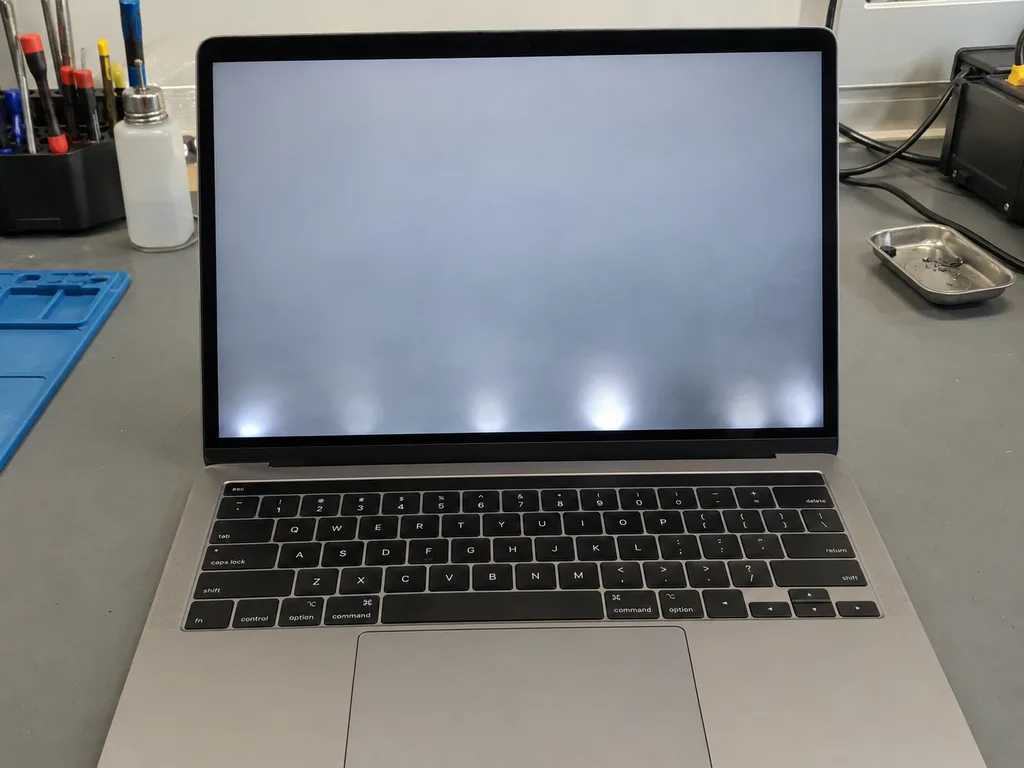
On several MacBook Pro generations the backlight cable is short and bends every time the lid opens, so it wears out long before the rest of the display. This is the fault known as Flexgate: the ribbon develops hairline cracks near the hinge, and the screen goes dark or shows a stage-light pattern at the bottom while the image itself still works. The USB-C generation, where the ribbon sits tight against the hinge cover, is the most exposed. On models where this cable is bonded into the panel, it cannot be swapped alone and the display assembly is replaced as a whole. Anyone diagnosing a dark screen should first open and close the lid slowly and watch how the lighting behaves at each angle — that single test separates a failing cable from a failing panel before a screwdriver touches the machine.
Reading the Symptoms Before Any MacBook Flex Cable Replacement
Most people arrive with a symptom, not a diagnosis. The table below links common complaints to the cable most often responsible, so you can see whether a flex cable replacement is even the right conversation.
Symptom to cable match
Complaints mapped to the flex that usually causes them| Symptom | Cable most often involved | What it usually means |
|---|
| Stripes or flicker that change with lid angle | Display or backlight cable | Wear, often Flexgate |
|---|
| Uneven glow along the bottom edge | Backlight cable | Feed failing |
|---|
| Trackpad stops responding | Trackpad cable | Loose or damaged link |
|---|
| Battery not detected | Battery cable | Signal fault |
|---|
| One USB-C port dead | I/O board cable | Port link damaged |
|---|
| Faults after a spill | Several cables | Corrosion on contacts |
|---|
When liquid or a drop is behind the fault
Liquid reaches flex contacts fast and corrodes them, so we inspect every one under a microscope before quoting a MacBook flex cable replacement in Almaty. Oxidation creeps along the thin metal fingers and eats the signal before the logic board shows any visible damage, which is why a laptop that still powers on can lose its backlight, trackpad or battery reading days after the spill. A drop works differently: the impact can shear a cable or unseat a link without leaving a mark on the shell. Water damage is the case where the first symptom rarely tells the whole story. After a spill, diagnostics can take up to two days because oxidation spreads and the true extent only shows once the board is cleaned and rechecked.
Cable, Panel or Logic Board and How We Tell Them Apart in MacBook Flex Cable Replacement
The same stripe on the display can come from a cable, a panel or the board, and the repair differs sharply for each. Here is how the fault is narrowed down before anyone commits to a part.
Swapping in a known-good cable to isolate the fault
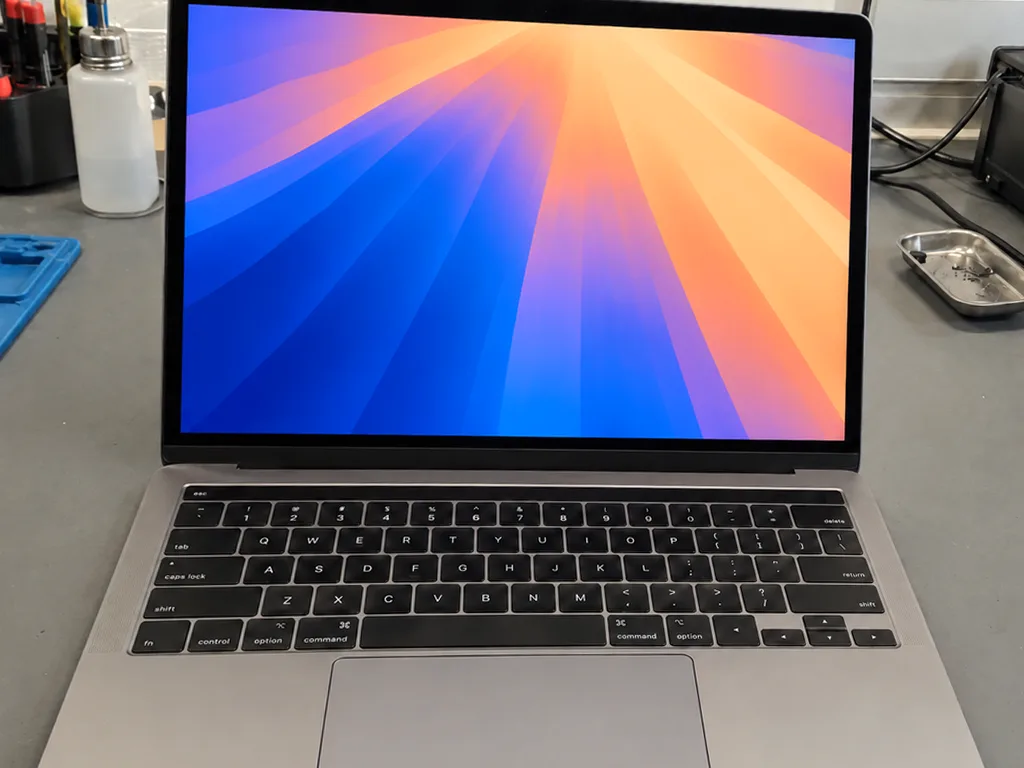
We test with a known-good cable first, because if the image returns the matrix and mainboard are fine and only the flex needs replacing. The engineer opens the lid, disconnects the battery, unseats the suspect ribbon and seats a proven one on the connector, then powers the device on a bench test rig. If the screen lights evenly and True Tone holds, the display and logic are cleared and the case stays a single-cable fix. If the stripe survives the swap, the fault sits deeper and the circuitry goes under the microscope for a connector and trace check. A ribbon that passes on the bench but fails once the cover is closed tells you the problem is mechanical wear at the hinge, not the electronics.
When only the whole display assembly can be replaced
When the backlight cable is bonded into the panel or the flex is part of the module on Apple Silicon Macs, it cannot be changed on its own and the assembly is swapped instead. On those builds the wiring is glued to the matrix during manufacture, so peeling it off destroys the screen — the whole unit comes as one sealed block, hinge brackets and webcam harness included. That changes the scope of the work: the engineer orders the complete assembly, transfers the lid hardware and re-runs the full function check once it is seated. Knowing this up front prevents a surprise, since the customer is told before work starts whether the job is a single cable or a full module.
How the Replacement Itself Is Carried Out
Once the faulty cable is confirmed, the repair follows a fixed sequence from unplugging the battery to seating the new component. The steps below show what happens on the bench and what you are shown along the way.
From unplugging the battery to seating the new cable
- Power cut first: we unplug the cell so nothing on the board is live while the connectors are handled.
- Old flex release: the worn ribbon is freed from its socket and the hinge, with adhesive softened rather than forced.
- Contact inspection: the terminals go under a microscope, since a bent pin or corrosion changes the plan.
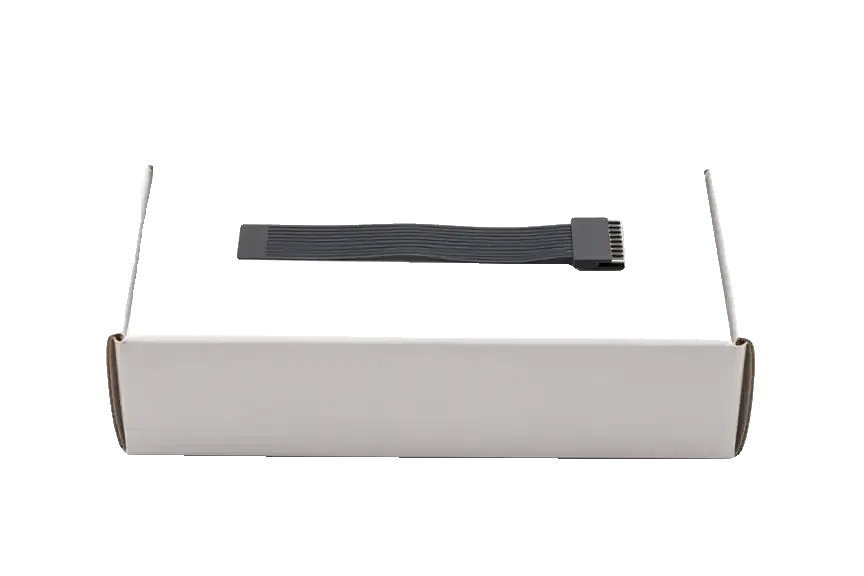
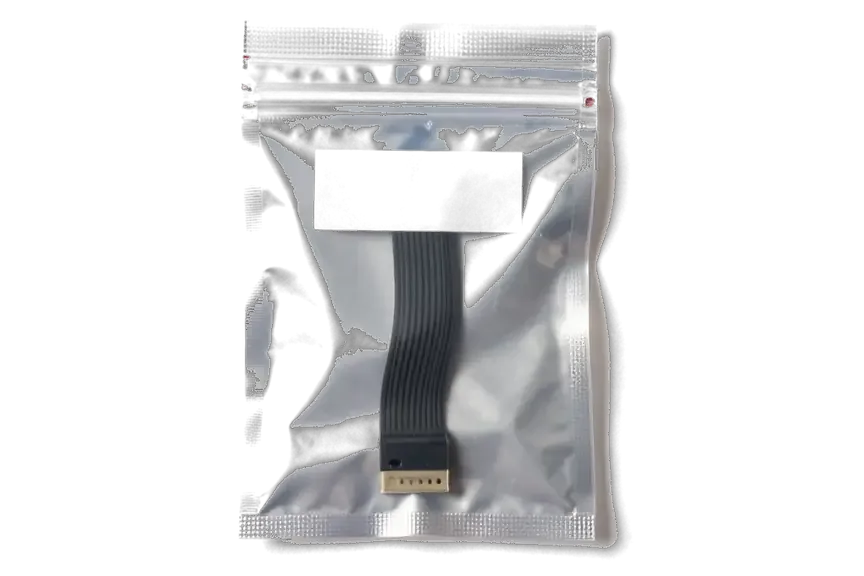
- New component seated: the replacement is shown in factory packaging before installation, then aligned and locked in.
- Soldering: we only solder when the terminal block itself is damaged, never for a routine swap.
- Reassembly: the screen, brackets and screws go back in reverse order, and power is reconnected last.
What Flexgate means for your model
Flexgate is the name given to backlight wear on early USB-C MacBook Pro models, where the short cable fatigues from repeated lid opening and the panel dims or dies past a certain angle. The flex runs tight around the hinge, so every open and close bends the same few millimetres of copper; over a few years the conductors crack, and the illumination drops out at a specific position — the stage-light effect. The fault is mechanical, not software, and it sits on the screen side, which is why the ribbon cannot simply be slackened. Handling the lid gently and avoiding opening it past its natural stop slows the wear, but once the conductor is fatigued only replacement restores a stable glow.
Timing, Paperwork and the Warranty Behind the Work
A repair is only finished when the device is tested and the agreement is on paper. This section covers how long the job takes, what is checked afterwards and what you take home with the machine.
How long it takes and what is checked afterwards
Work on the laptop takes from 1 hour to 1 day, and afterwards we open and close the lid through its full range and test the display, keyboard, trackpad, battery and ports together with you. A flex cable swap is a short job by our standards, yet the check is what decides whether it is truly done. We run the hinge through all angles, then confirm the backlight holds at each position, the keyboard responds on each key, the trackpad clicks evenly and the battery reports correct charge. Ports are verified with a live connection, not just a visual look. Testing at all angles matters because a cable that works flat on the bench can still fail once the hinge flexes it.
The receipt, the warranty and the old part
- Fixed agreement: before work starts we write the price, the component, the turnaround and the warranty on the receipt, and you sign with those details visible.
- Component choice: you decide between an original and an aftermarket cable, and the one selected is the one recorded.
- Warranty card: coverage runs up to 1 year, and the card travels home with the machine.
- Removed cable: the old flex is handed back to you in the same visit, not kept back.
- Why keep it: the removed cable shows exactly what came out, which helps if a fault ever needs tracing later.
Summary: MacBook flex cable replacement
The five points below condense the whole diagnosis and repair path into the factors that actually decide whether a MacBook fault gets fixed for good.
- Cable, not panel: the device holds several separate flex cables, and the backlight one wears fastest on many Pro models.
- Angle test first: a symptom that shifts as the lid moves usually points to a cable rather than the screen or logic board.
- Bonded ribbons: when the flex is bonded into the panel, the whole assembly is swapped instead of the cable alone.
- Bench work: a confirmed cable fault is a bench job, with soldering needed only if the connector itself is damaged.
- Final check: a full hinge sweep and function test after the repair is what confirms the fix will hold over months of daily use.










 iPad
 iMac
 Mac mini and Studio
 Apple Watch
 AirPods
 Apple Pencil
 Apple TV
 HomePod





